
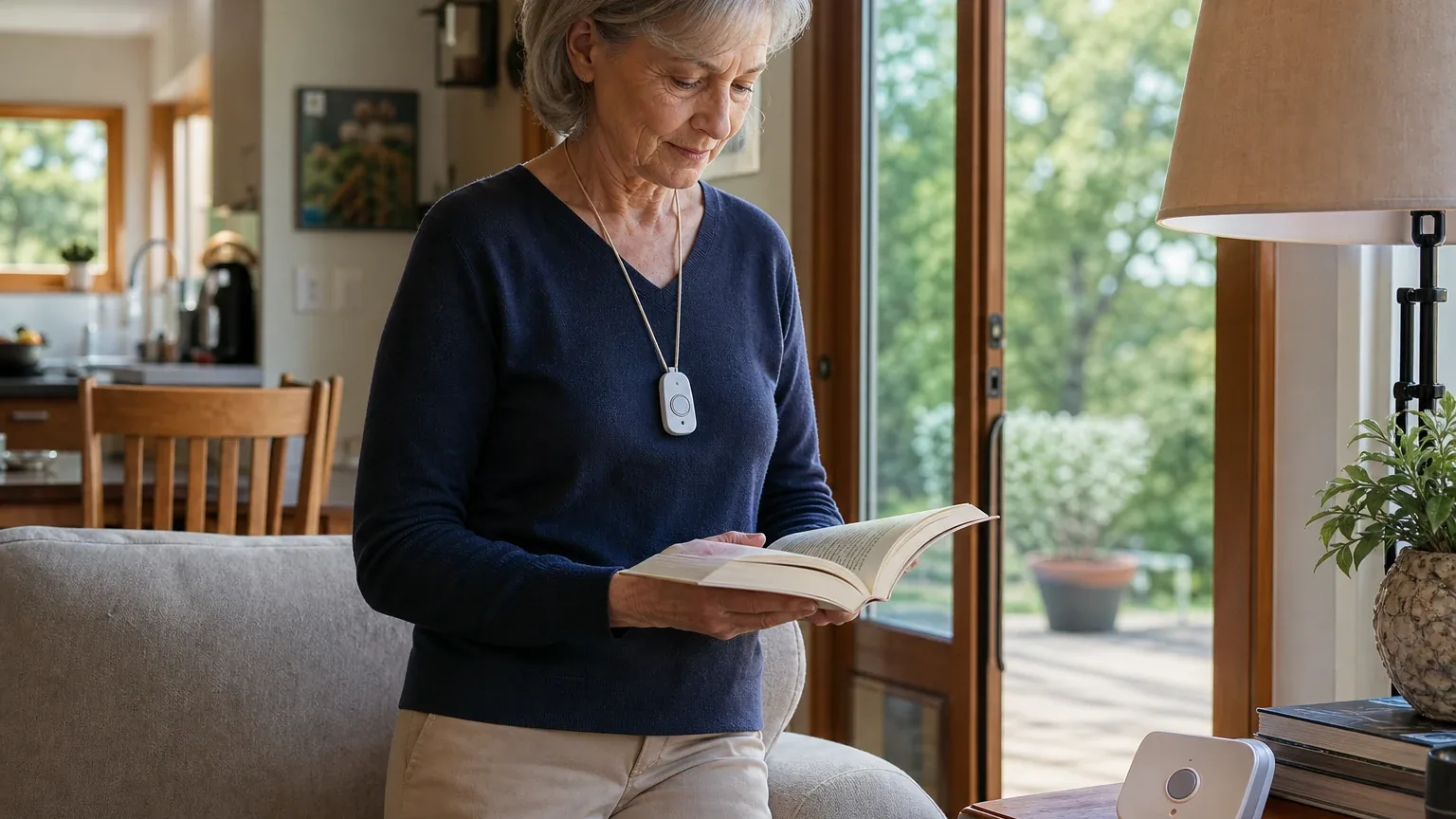
Answer Capsule
LifeFone At-Home Cellular With Fall Detection is a mixed fit for In-Home Base Station Coverage. All seven platforms that reached the ranking stage named it, and it finished third overall with an average listed rank of 3.29 and a best rank of 1. The strongest reason to consider it is the combination of an advertised 1,300-foot pendant range, a 32-hour base-station backup battery, cellular setup without a landline, and fall detection at a stated $5 per month. The main limitation is that independent hands-on testing reported only about 65 feet of usable base-station connection, garbled speaker audio, and unreliable backup-battery performance, so property-specific range and voice testing are essential before purchase.
Research Snapshot
| Field | Finding |
|---|---|
| Platform mentions in ranking stage | 7 of 7 included platforms (100%) |
| Share of included platform responses | 7 of 7 platform responses (100%) |
| Average listed rank | 3.29 |
| Best listed rank | 1 (anthropic) |
| Relevant product/model/plan | LifeFone At-Home Cellular with optional fall-detection pendant |
| Overall use-case fit | Mixed |
| Research date | 2026-09-27 |
Why LifeFone At-Home Cellular With Fall Detection Qualified for This Study
Questions This Section Answers
- Why did LifeFone At-Home Cellular With Fall Detection qualify for a 2026 in-home base station coverage study?
- How many AI platforms named LifeFone At-Home Cellular With Fall Detection during the ranking stage?
LifeFone At-Home Cellular With Fall Detection qualified because it was named by every platform that reached the ranking stage. Seven platforms — anthropic, deepseek, google, grok, kimi, openai, and perplexity — listed it, giving it a 100% share of included platform responses and an average listed rank of 3.29 [1]. Its best placement was first, from anthropic, and its weakest was fifth, from deepseek.
The entity also matched the study's ranking unit, an in-home system model and service provider, and the use case, In-Home Base Station Coverage. Platforms consistently described it as a cellular in-home base station with an optional fall-detection pendant rather than a mobile or GPS system [1]. That distinction matters because this review evaluates only how well the product covers a house and yard from a stationary base station.
Qualification does not imply quality. The same platforms that ranked it highly also documented material performance conflicts, including a large gap between advertised and independently tested range [4]. This report treats ranking inclusion as a discovery signal, not as proof of product performance.
The Product, Model, Plan, or Service Most Relevant to In-Home Base Station Coverage
Questions This Section Answers
- Which LifeFone At-Home Cellular plan and pendant configuration should a buyer choose for whole-house and yard base station coverage?
- Does LifeFone At-Home Cellular With Fall Detection require a landline, or does it work on cellular only?
The relevant configuration is the LifeFone At-Home Cellular base station paired with the optional fall-detection pendant. This is the plan platforms most often named for this use case, and it is the version that adds automatic fall detection to the standard help button [7].
The At-Home Cellular base station uses LifeFone's AT&T cellular service and does not require a landline [7]. Google's research additionally reported AT&T or Verizon 4G LTE compatibility, which conflicts with the AT&T-only description other platforms gave, so carrier options should be confirmed directly [11]. LifeFone also sells an At-Home Landline version with similar advertised coverage features, which may suit homes with weak cellular signal but a working landline [7].
The fall-detection pendant is a separate wearable from the standard button. LifeFone's user guide documents the fall-detection pendant range as up to 600 feet from the base unit, while the standard system range is advertised at up to 1,300 feet [14]. Adding fall detection also reduces the pendant battery-life specification from up to five years to approximately one year [14].
What the AI Platforms Agreed About
Questions This Section Answers
- What do AI platforms agree on about LifeFone At-Home Cellular With Fall Detection for in-home base station coverage?
- Is the $5 per month fall detection add-on and the 32-hour backup battery consistent across platform research?
Platform agreement was strong on the product's headline specifications and mixed on its real-world performance. The clearest consensus covered advertised range, backup battery, cellular setup, fall-detection pricing, and monitoring availability.
On advertised range, LifeFone and multiple independent reviewers cited up to 1,300 feet from the base unit [16]. On backup power, LifeFone and NCOA both cited a 32-hour base-station battery [16]. On setup, platforms agreed the cellular model avoids a landline requirement [16]. On fall detection, the stated add-on price was consistently $5 per month [16]. On monitoring, platforms agreed LifeFone operates 24/7 U.S.-based monitoring [17].
Platforms also agreed on a structural limitation: the At-Home wearable does not carry the primary two-way speaker. Communication runs through the base station, so the user must be close enough to hear and be heard by it [19]. This agreement is about product architecture, not measured audio quality, and it directly affects how much of a house or yard the system can realistically cover.
Where the AI Platforms Disagreed or Were Uncertain
Questions This Section Answers
- Why do AI platforms disagree about the real-world range of LifeFone At-Home Cellular With Fall Detection?
- How reliable is the backup battery and speaker clarity on LifeFone At-Home Cellular With Fall Detection according to independent testing?
The largest disagreement concerns range. LifeFone and several reviewers cite up to 1,300 feet, while SafeWise reported that its At-Home Cellular test connected to the base station only up to about 65 feet [25]. That is a roughly 95% gap between the advertised figure and one independent test result. The sources do not explain whether walls, layout, interference, or unit variance caused the difference, and no platform supplied a property-specific coverage guarantee.
Speaker clarity is also contested. NCOA reported clear audio from nearly 50 feet, while SafeWise described garbled speaker audio [28]. Google's research reported a loud, adjustable base speaker with visual flashing indicators useful for hearing-impaired users, which adds a third, more favorable data point without resolving the conflict [29].
Backup battery findings conflict as well. LifeFone and NCOA cite 32 hours, while SafeWise reported unreliable backup performance lasting less than 24 hours [31]. Pendant battery descriptions also differ: LifeFone's manual states up to five years for standard buttons and about one year with fall detection, while NCOA summarized home-button life as up to three years [32].
Pricing shows moderate disagreement. Reported figures include $30.95 per month on annual billing, $34.95 month-to-month, $32.95 quarterly, and a promotional rate near $28.37 per month [31]. DeepSeek reported a range of roughly $30 to $48 per month and could not confirm the fall-detection add-on price, while kimi noted an unverified $25 per month annual figure from ranking inputs [36]. DeepSeek's research also ran without search enabled and on a different date, which limits how current its findings are [37].
Use-Case-Specific Features and Capabilities
Questions This Section Answers
- What range, backup battery, and speaker features does LifeFone At-Home Cellular With Fall Detection offer for in-home base station coverage?
- Can a user talk to the monitoring center from the yard through the LifeFone At-Home Cellular pendant?
The system's advertised capabilities are strong on paper and uneven in independent testing. LifeFone states up to 1,300 feet of range from the base unit, a 32-hour base-station backup battery, water- and dust-resistant help buttons, and 24/7 U.S.-based monitoring [38]. The fall-detection pendant is documented at up to 600 feet from the base unit [41].
Two-way voice runs through the base station, not the wearable. NCOA reported clear audio from nearly 50 feet, while SafeWise reported garbled audio, so voice coverage beyond the immediate base-station area is uncertain [43]. Google's research reported high-volume controls and visual flashing indicators that may help hearing-impaired users [45].
Monitoring response drew favorable independent results. NCOA reported an average response time of about 14 seconds, and SafeWise characterized overall monitoring response favorably [43]. Google's research cited approximately 20 seconds, and anthropic noted a company claim of 15 seconds without independent verification [46]. These are test observations, not guaranteed service levels.
Fall detection is optional, costs a stated $5 per month, and does not detect 100% of falls according to LifeFone's manual [38]. Forbes testing found fall detection did not always register test falls, and grok reported accuracy estimates ranging from 33% to 100% across evaluations [48]. The system has no GPS or unlimited-range capability, so yard and detached-structure coverage depends on radio propagation, construction, and distance [41].
Pricing, Fees, Contracts, and Ongoing Costs
Questions This Section Answers
- How much does LifeFone At-Home Cellular With Fall Detection cost per month, and are there setup or cancellation fees?
- What optional LifeFone fees apply beyond the base plan, such as shipping, lockbox, or daily check-in charges?
Pricing is moderately documented but inconsistent across sources. LifeFone lists At-Home Cellular at $30.95 per month with annual billing, with fall detection adding $5 per month [49]. NCOA reported $34.95 per month month-to-month, and Google's research listed $32.95 quarterly and $34.95 monthly, with a promotional annual rate near $28.37 per month [52].
Optional costs vary by source. Reported add-ons include a $5 per month equipment protection plan, $6 per month Activity Assurance, $19 per month daily check-in calls, a lockbox around $30 to $40, and a vanity pendant near $49.95 [49]. Anthropic reported an $11.95 shipping fee, while grok reported free shipping and activation on qualifying plans [50]. DeepSeek could not confirm activation, shipping, or equipment fees at all [55].
Contract terms are described as consumer-friendly but not fully pinned down. SafeWise reported no contracts, and platforms cited a 30-day money-back guarantee, no switching or restocking fees, and a lifetime price-lock guarantee [49]. Perplexity reported that service can be canceled anytime after the first 30 days, with refunds for unused prepaid full months once equipment is returned, and that returning equipment is at the buyer's expense [57]. Exact cancellation timing, prepaid refund rules, taxes, and promotional conditions remain unclear and should be confirmed directly.
Best Suited For
Questions This Section Answers
- Who is LifeFone At-Home Cellular With Fall Detection best suited for in a small home with strong AT&T coverage?
- Is LifeFone At-Home Cellular With Fall Detection a good choice for a senior who wants low-cost fall detection without a landline?
It is best suited to seniors who spend nearly all their time indoors in a small or medium-sized home with reliable AT&T cellular signal and no usable landline [58]. In that setting, the advertised range and backup specifications are more likely to be sufficient, and the cellular base station removes landline dependency entirely.
It also fits budget-conscious buyers who want optional fall detection at a relatively low recurring fee. The stated $5 per month add-on is consistently reported and is lower than the industry-standard $10 per month cited in Google's research [58]. Buyers who can press the pendant button and remain within reliable two-way voice range of the base station are the intended users [61].
Couples may benefit from free spouse monitoring on at-home plans, which Google's research described as including a free second standard pendant [63]. Buyers who value no activation fees, no equipment fee, and a 30-day money-back guarantee also have a reasonable risk-mitigation path [59].
Probably Not Best Suited For
Questions This Section Answers
- Who should not choose LifeFone At-Home Cellular With Fall Detection for a large home or yard?
- Is LifeFone At-Home Cellular With Fall Detection unsuitable for buyers who need clear two-way voice from a distant room?
It is probably not the best choice for large homes, detached buildings, substantial yards, or properties with walls and terrain that reduce radio range [65]. The gap between the advertised 1,300-foot range and SafeWise's roughly 65-foot test result creates material uncertainty for exactly those layouts [65].
It is also a weak fit for users who may need to speak with the monitoring center from a distant room or outside area. Because the wearable has no two-way speaker, communication depends on being close enough to the base station, and independent speaker results conflict [68].
Buyers who require independently demonstrated performance close to the advertised range, or who live where AT&T coverage is weak, should look elsewhere [65]. Those who need GPS tracking, mobile coverage away from the property, or a wearable with its own speaker are outside this product's design [71].
When Another Option May Be Better
Questions This Section Answers
- When is the LifeFone At-Home Landline version a better choice than the At-Home Cellular plan?
- What alternative should a buyer consider if they need voice communication from the yard rather than the base station?
Choose the LifeFone At-Home Landline version when the home has a reliable landline but weak AT&T cellular coverage [72]. It offers similar advertised range and home coverage features, though it requires an active compatible landline and was reported at $24.95 per month by anthropic and $29.95 per month by AARP [74].
Choose a mobile medical-alert pendant with its own speaker and cellular or GPS connectivity when the senior regularly uses the yard, leaves the property, or may be unable to hear the base station [75]. Kimi's research named MobileHelp Classic at a lower $29.95 per month base price with a 1,400-foot advertised range, and Bay Alarm Medical at $27.95 per month, as alternatives worth comparing (kimi:MHR, kimi:SW).
Consider another at-home system when independent testing of actual range, speaker clarity, and battery backup matters more than low fall-detection pricing [77]. Kimi's research cited LifeStation as an example where tested range differed from LifeFone's tested result, though that comparison comes from a single independent test and should be verified (kimi:SW).
Questions to Verify Before Buying
Questions This Section Answers
- What should a buyer confirm with LifeFone about AT&T signal strength and range before signing up?
- What pricing, cancellation, and fall-detection details should a buyer verify before purchasing LifeFone At-Home Cellular With Fall Detection?
Before buying, confirm what AT&T signal strength is required at the exact residence and whether LifeFone can perform or support a location-specific cellular test [79]. Ask whether the standard pendant and fall-detection pendant can be tested at the farthest indoor point, bathroom, driveway, yard, and any detached structure before the return period expires [81].
Request the two-way voice distance LifeFone supports in writing, and ask whether any wearable with its own speaker works with this exact plan [83]. Ask for the current base-station backup battery rating under load and how battery failure is reported [79].
Confirm current monthly, quarterly, and annual prices, taxes, shipping charges, promotional conditions, and prepaid-plan refund rules [79]. Ask whether the customer can cancel at any time, how quickly monitoring stops after cancellation, and whether returning equipment is at the buyer's expense [87]. Finally, verify the current fall-detection pendant range, battery-replacement process, false-alarm handling, return policy, and whether monitoring response times are measured or guaranteed [81].
Final AI Consensus Verdict
LifeFone At-Home Cellular With Fall Detection is a mixed, not strong, fit for In-Home Base Station Coverage. All seven platforms named it during ranking, and it averaged a 3.29 listed rank with a best placement of first, but platform fit ratings split: google and kimi rated it strong, grok and perplexity rated it good, openai and anthropic rated it mixed, and deepseek rated it uncertain.
The case for it rests on advertised 1,300-foot range, a 32-hour backup battery, cellular setup without a landline, a stated $5 per month fall-detection add-on, no reported equipment fee, and favorable independent monitoring response testing [88]. The case against it rests on independent testing that found only about 65 feet of usable base-station connection, garbled speaker audio, and unreliable backup-battery performance, plus conflicting pricing and a wearable without its own two-way speaker [91].
It is most defensible for a small home with strong AT&T service and a user who can reliably hear the base station. Buyers needing dependable coverage throughout a large house and yard should favor a system with independently verified range or a voice-capable mobile wearable. AI-platform agreement on specifications does not prove product quality, and the range, speaker, and battery conflicts remain unresolved in the supplied evidence.
How This Review Was Produced
This review was produced from platform-reported research collected for the 2026 Best In-Home medical alert systems study, use case In-Home Base Station Coverage, with an authoritative run research date of 2026-09-27. Seven platforms — anthropic, deepseek, google, grok, kimi, openai, and perplexity — supplied fit-research responses, and all seven named LifeFone At-Home Cellular With Fall Detection during the ranking stage.
Platform fit ratings were recorded as follows: anthropic mixed, deepseek uncertain, google strong, grok good, kimi strong, openai mixed, and perplexity good. Each platform's recommended plan name varied slightly, from "At-Home Cellular With Fall Detection" to "At-Home Cellular with optional fall-detection pendant," and those variants were treated as the same configuration.
Citations are platform-reported evidence, not independently verified facts. Company-owned sources include LifeFone's product pages, comparison article, FAQ, order page, pricing page, and user manual. Independent sources include SafeWise, NCOA, AARP, Forbes, SeniorLiving.org, Caring.com, ElderGuide, NBC News, TheSeniorList, MedGrade, MedicalAlertReview, and MedicalAlertSystemReviews.net. No personal testing, customer experience, medical benefit, or guaranteed performance is claimed in this report.
Methodology Limitations
Several limitations apply. Platform-reported research dates differ from the authoritative run date: anthropic reported 2025-01-24 and deepseek reported 2026-06-01, while the other five platforms reported 2026-09-27. Those dates are provenance metadata and do not independently prove freshness.
DeepSeek's research ran without search enabled, so its findings rely on model knowledge rather than retrieved sources and require explicit verification before being treated as current [95]. The official LifeFone homepage retrieval failed with an HTTP 403 response, so no official-page excerpt was available for verification, and absence of excerpts should not be read as absence of facts.
The supplied URLs were collected from platform responses and were not independently validated by the writer stage. Platform mentions count only platforms that named the entity during ranking discovery, and all included platforms evaluated fit regardless of whether they named it. The available source evidence used an unverified reported-domain evidence, and the matching reported domain was retained for downstream research but remains unverified. Conflicting product names, pricing, and capabilities were described rather than resolved, and buyers should verify them directly.
Sources
Company-Owned Sources
- LifeFone Medical Alert Systems | Official Site: https://lifefone.com/
- LifeFone Medical Alert | LifeFone: https://www.lifefone.com/
- Comparing LifeFone’s Medical Alert Systems: https://www.lifefone.com/articles/comparing-lifefones-medical-alert-systems
- At-Home Cellular | Medical Alert Device: https://www.lifefone.com/at-home-cellular
- FAQ's | Medical Alert | LifeFone: https://www.lifefone.com/faq
- At-Home Cellular | Medical Alert Device - LifeFone: https://www.lifefone.com/images/wysiwyg/products/at-home-cellular/886x886/lf-at-home-cell-main.png
- At-Home Cellular System User Guide: https://www.lifefone.com/media/pdf/manuals/At_Home_Cellular_user-guide_purple0823.pdf
- Order Now | Medical Alert: https://www.lifefone.com/order-now
- LifeFone Pricing and Plans: https://www.lifefone.com/pricing
- In-Home vs. Mobile Medical Alert Systems: How Do You Choose the Right One? | LifeStation: https://www.lifestation.com/in-home-or-mobile-medical-alert/
Additional AI research evidence95 records
- AI research evidence record openai:c1
- AI research evidence record anthropic:c1
- AI research evidence record perplexity:c1
- AI research evidence record openai:c3
- AI research evidence record anthropic:c2
- AI research evidence record perplexity:c8
- AI research evidence record openai:c1
- AI research evidence record anthropic:c1
- AI research evidence record perplexity:c1
- AI research evidence record openai:c4
- AI research evidence record google:1.1.6
- AI research evidence record google:1.1.7
- AI research evidence record anthropic:c3
- AI research evidence record openai:c2
- AI research evidence record perplexity:c14
- AI research evidence record openai:c1
- AI research evidence record anthropic:c1
- AI research evidence record perplexity:c1
- AI research evidence record openai:c4
- AI research evidence record perplexity:c3
- AI research evidence record google:1.2.3
- AI research evidence record perplexity:c4
- AI research evidence record google:2.1.4
- AI research evidence record google:2.2.4
- AI research evidence record openai:c3
- AI research evidence record anthropic:c2
- AI research evidence record perplexity:c8
- AI research evidence record openai:c4
- AI research evidence record google:2.2.4
- AI research evidence record google:2.2.9
- AI research evidence record openai:c1
- AI research evidence record openai:c2
- AI research evidence record anthropic:c1
- AI research evidence record google:1.1.5
- AI research evidence record google:1.2.5
- AI research evidence record deepseek:c2
- AI research evidence record deepseek:c1
- AI research evidence record openai:c1
- AI research evidence record anthropic:c1
- AI research evidence record perplexity:c1
- AI research evidence record openai:c2
- AI research evidence record perplexity:c14
- AI research evidence record openai:c4
- AI research evidence record openai:c3
- AI research evidence record google:2.2.9
- AI research evidence record google:1.1.6
- AI research evidence record anthropic:c3
- AI research evidence record anthropic:c4
- AI research evidence record openai:c1
- AI research evidence record anthropic:c1
- AI research evidence record perplexity:c3
- AI research evidence record openai:c4
- AI research evidence record google:1.1.5
- AI research evidence record google:1.2.5
- AI research evidence record deepseek:c2
- AI research evidence record google:1.1.8
- AI research evidence record perplexity:c4
- AI research evidence record openai:c1
- AI research evidence record anthropic:c1
- AI research evidence record google:1.1.1
- AI research evidence record openai:c2
- AI research evidence record openai:c4
- AI research evidence record google:1.2.3
- AI research evidence record google:1.1.8
- AI research evidence record openai:c3
- AI research evidence record anthropic:c2
- AI research evidence record perplexity:c8
- AI research evidence record openai:c4
- AI research evidence record google:2.1.4
- AI research evidence record anthropic:c3
- AI research evidence record openai:c2
- AI research evidence record openai:c1
- AI research evidence record anthropic:c3
- AI research evidence record anthropic:c1
- AI research evidence record openai:c2
- AI research evidence record google:2.1.4
- AI research evidence record openai:c3
- AI research evidence record anthropic:c2
- AI research evidence record openai:c1
- AI research evidence record anthropic:c3
- AI research evidence record openai:c2
- AI research evidence record openai:c3
- AI research evidence record openai:c4
- AI research evidence record google:2.1.4
- AI research evidence record anthropic:c2
- AI research evidence record google:1.1.5
- AI research evidence record perplexity:c4
- AI research evidence record openai:c1
- AI research evidence record openai:c4
- AI research evidence record anthropic:c1
- AI research evidence record openai:c3
- AI research evidence record anthropic:c2
- AI research evidence record perplexity:c8
- AI research evidence record google:2.1.4
- AI research evidence record deepseek:c1
Independent Sources
- LifeFone At-Home Cellular vs LifeFone At-Home Landline - Clinical Comparison | MedGrade: https://medgrade.org/compare/?device1=3403&device2=3402
- LifeFone At-Home Cellular – MedGrade: https://medgrade.org/devices/lifefone-at-home-cellular/
- LifeFone At-Home Cellular Review: Exceptional Range and Thermal Monitoring – MedGrade: https://medgrade.org/reviews/lifefone-at-home-cellular-review/
- MobileHelp Review 2026: Cost, Plans & Verdict: https://medicalalertreview.com/mobilehelp-review
- LifeFone ® Medical Alert System - Full Review: https://medicalalertsystemreviews.net/lifefone-full-review/
- Best Cellular Medical Alert Systems in 2026 - SeniorLiving.org: https://vertexaisearch.cloud.google.com/grounding-api-redirect/AUZIYQE7tON26fJH_sxpNR1vywivYi_h_gLa65hFPVP3y-_SkvBskvNeiyQzfBGLNxgn0nk248qYkORjPtDpcv_WVCoiMoxM8kuhic6T-9JwHTxh3U1pUmFZW5Y8kYmvymkb0OzzQs-R0ySs62z0i36hRgaalVc9288ZX1Do82StuMYB
- Best Medical Alert Systems – 2022 | National Council For Home Safety and Security: https://vertexaisearch.cloud.google.com/grounding-api-redirect/AUZIYQEk91khHSv4suAtXbTcF6c_GZc0nUMctXH_q6afAm-M-RnU0zVlhA_3e4_ZZymoNzsoW2VtxS6d3H0P1EHVgBDSVge7IDEI7yezMqYjs-ewRHW1sag3qzMbM1NTanpJsFmAwjB7B0Oz5tw=
- Should you get a medical alert system? I asked an expert - NBC News: https://vertexaisearch.cloud.google.com/grounding-api-redirect/AUZIYQFkLEAHEGExZH9_t52xLCykrThptjCxQxYyVn4oplhKvljHd9tC6gMzl_3YWfBWwPeY6siS_GiYVGCj7XiR2yjYkiPKNbgMf2MDtoRoLUtr10uvNWaQ42xeaSMYYgEUHJDBFHscpYLOweg7MOHfAbjNyUmzKIlm2vk8ItMI_2dS_8gf
- Best Medical Alert Systems for Seniors With Hearing Loss (2026) - SeniorLiving.org: https://vertexaisearch.cloud.google.com/grounding-api-redirect/AUZIYQH3CuEsnnoZ_ZgOHMk8xDDKeRHGMPhQF7Lh07CHtMCOBM3asXL-ZFMLlhwr2Abt9q8RguIzHnUDSkLHIjyBOEe6LCT-g6fKiOlqKtjLmjaulmFwVCg6r3SkpHfP8MT_p_KzxawoHSDoZl_D91rXc_A0YXBqS5bUCRST38-05ws=
- LifeFone At-Home Cellular System With Optional Fall Detection Review: Tried And Tested: https://vertexaisearch.cloud.google.com/grounding-api-redirect/AUZIYQHncfMoXdkdxnbnf98s6EtnVJuOXq9U-2w4rlLKmlJ8TQi8TuGvhCkqnnsqUkyqJpFRjaVRPhWbwdDXuMUYGvOAwNaLj4igJrk47pcIDELYP6AQ2d62vpe2ltIrTP5laG_hfc4tR4Q4IhLihIRklh-5bKapsNEKoNy4czZfIIBhI34d7UJZyM6l_BbupJMCEJw6WA==
- The Best Medical Alert Systems with Fall Detection of 2026: We Put Them to The Test: https://vertexaisearch.cloud.google.com/grounding-api-redirect/AUZIYQHsFadflmJiSzhNwQ0xnc3jSgGPyZKNszfkRxgwG3ENZm0HGo3rnfO3ppMoP8M8OIVN046hW_VEBurZTAFD9Ga7fhoVhuGe7V0AyFPi91IfzHmCKoUcAaKIe0WZluXrVIvioh9DBE0TgXNb_mRhH_EXUCe6f0Vc2Edak8w79L7TD_OMH1f1BWBPPcTvfxHyNFQAzp5CoUdd3WaDUaCPAtToTw==
- LifeFone Alert System Review (2026): Our Test Results: https://www.aarp.org/caregiving/home-care/lifefone-review/
- 8 Best Medical Alert Systems Of 2026: Tested & Reviewed: https://www.forbes.com/health/medical-alert-systems/best-medical-alert-systems/
- LifeFone At-Home Cellular System Review: https://www.forbes.com/health/medical-alert-systems/lifefone-at-home-cellular-system-review/
- The Best Medical Alert Systems with Fall Detection (2026: https://www.ncoa.org/product-resources/medical-alert-systems/best-medical-alert-systems-with-fall-detection/
- LifeFone Review 2026: We Tested the Medical Alert System: https://www.ncoa.org/product-resources/medical-alert-systems/lifefone-review/
- LifeStation Review│ Hands-On Test Results | SafeWise: https://www.safewise.com/senior-safety/medical-alerts/life-station/
- LifeFone Medical Alerts | Hands-On Expert Review: https://www.safewise.com/senior-safety/medical-alerts/lifefone/
- Best Cellular Medical Alert Systems in 2026: https://www.seniorliving.org/medical-alert-systems/best/without-landline/
Additional AI research evidence95 records
- AI research evidence record openai:c1
- AI research evidence record anthropic:c1
- AI research evidence record perplexity:c1
- AI research evidence record openai:c3
- AI research evidence record anthropic:c2
- AI research evidence record perplexity:c8
- AI research evidence record openai:c1
- AI research evidence record anthropic:c1
- AI research evidence record perplexity:c1
- AI research evidence record openai:c4
- AI research evidence record google:1.1.6
- AI research evidence record google:1.1.7
- AI research evidence record anthropic:c3
- AI research evidence record openai:c2
- AI research evidence record perplexity:c14
- AI research evidence record openai:c1
- AI research evidence record anthropic:c1
- AI research evidence record perplexity:c1
- AI research evidence record openai:c4
- AI research evidence record perplexity:c3
- AI research evidence record google:1.2.3
- AI research evidence record perplexity:c4
- AI research evidence record google:2.1.4
- AI research evidence record google:2.2.4
- AI research evidence record openai:c3
- AI research evidence record anthropic:c2
- AI research evidence record perplexity:c8
- AI research evidence record openai:c4
- AI research evidence record google:2.2.4
- AI research evidence record google:2.2.9
- AI research evidence record openai:c1
- AI research evidence record openai:c2
- AI research evidence record anthropic:c1
- AI research evidence record google:1.1.5
- AI research evidence record google:1.2.5
- AI research evidence record deepseek:c2
- AI research evidence record deepseek:c1
- AI research evidence record openai:c1
- AI research evidence record anthropic:c1
- AI research evidence record perplexity:c1
- AI research evidence record openai:c2
- AI research evidence record perplexity:c14
- AI research evidence record openai:c4
- AI research evidence record openai:c3
- AI research evidence record google:2.2.9
- AI research evidence record google:1.1.6
- AI research evidence record anthropic:c3
- AI research evidence record anthropic:c4
- AI research evidence record openai:c1
- AI research evidence record anthropic:c1
- AI research evidence record perplexity:c3
- AI research evidence record openai:c4
- AI research evidence record google:1.1.5
- AI research evidence record google:1.2.5
- AI research evidence record deepseek:c2
- AI research evidence record google:1.1.8
- AI research evidence record perplexity:c4
- AI research evidence record openai:c1
- AI research evidence record anthropic:c1
- AI research evidence record google:1.1.1
- AI research evidence record openai:c2
- AI research evidence record openai:c4
- AI research evidence record google:1.2.3
- AI research evidence record google:1.1.8
- AI research evidence record openai:c3
- AI research evidence record anthropic:c2
- AI research evidence record perplexity:c8
- AI research evidence record openai:c4
- AI research evidence record google:2.1.4
- AI research evidence record anthropic:c3
- AI research evidence record openai:c2
- AI research evidence record openai:c1
- AI research evidence record anthropic:c3
- AI research evidence record anthropic:c1
- AI research evidence record openai:c2
- AI research evidence record google:2.1.4
- AI research evidence record openai:c3
- AI research evidence record anthropic:c2
- AI research evidence record openai:c1
- AI research evidence record anthropic:c3
- AI research evidence record openai:c2
- AI research evidence record openai:c3
- AI research evidence record openai:c4
- AI research evidence record google:2.1.4
- AI research evidence record anthropic:c2
- AI research evidence record google:1.1.5
- AI research evidence record perplexity:c4
- AI research evidence record openai:c1
- AI research evidence record openai:c4
- AI research evidence record anthropic:c1
- AI research evidence record openai:c3
- AI research evidence record anthropic:c2
- AI research evidence record perplexity:c8
- AI research evidence record google:2.1.4
- AI research evidence record deepseek:c1
Verify This Research
Review the study details behind this page or download the public machine-readable verification record.
- Study date
- September 27, 2026
- Platforms analyzed
- 7
- Source records
- 34
- Ranking mentions
- 7 of 7
- Platform share
- 100%
- Final consensus rank
- #3
Research trail and source mix
Configured platforms
openai, anthropic, deepseek, grok, perplexity, kimi, google
Source mix
22 independent · 12 company-owned
Evidence support
26 direct · 7 partial
Important limitation
Use the run research_date as the study date. Platform-reported dates are provenance metadata and do not independently prove freshness.
Source snapshot SHA-256 08a3237158adbc8ea07a2f3e6c5e475d08595b2956acb1ea6939ea258c612dc5