
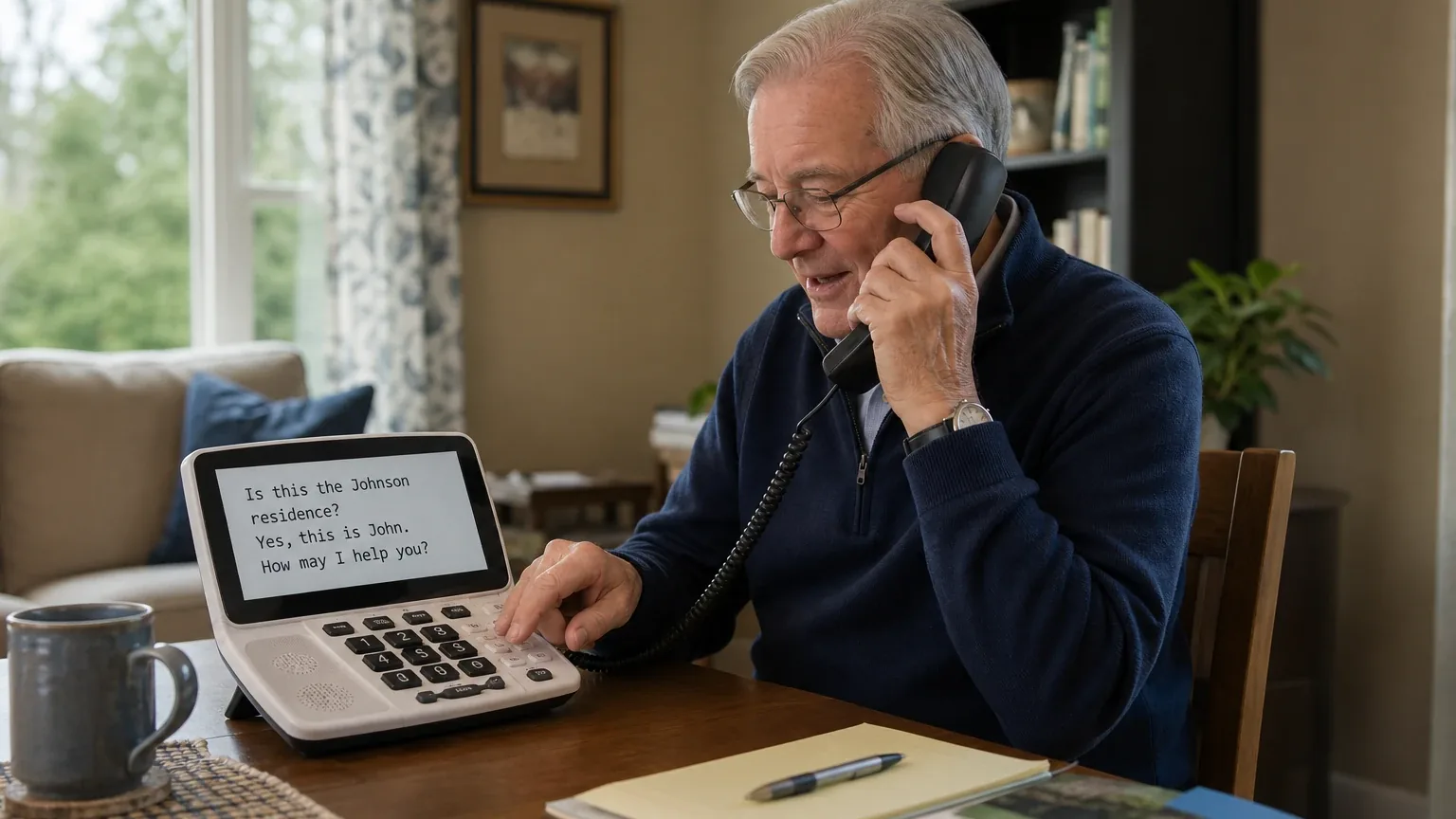
Answer Capsule
Hamilton CapTel leads the September 2026 consensus ranking for Amplified & Hearing-Accessible Phones, followed by Clarity P300 and Lively Jitterbug Flip2. The current study includes 7 valid AI-platform responses and 8 qualifying entities. Compared with August 2026, the leader changed. The current list added Hamilton CapTel, Panasonic KX-TGM450S Amplified Cordless Phone, Google Pixel 10, and CaptionCall IP Captioned Telephone Service and removed CapTel 840, CaptionCall, InnoCaption, and Panasonic KX-TGM420W. This is an immediately preceding-month comparison. Rank movement measures changes in this collection of standardized AI-platform responses. It is not product testing, customer-review evidence, or proof that a provider's underlying quality improved or declined.
What Changed Since August 2026
This comparison uses the immediately preceding completed month.
Hamilton CapTel remained No. 1 in September 2026. It was named by 7 platforms, compared with not ranked in August 2026. Both studies used 7 valid platform responses.
The largest upward moves were Clarity P300 (up 2). The largest downward moves were Apple iPhone 11 or later with Live Captions (down 2) and Lively Jitterbug Flip2 (down 1).
The current qualifying set added Hamilton CapTel, Panasonic KX-TGM450S Amplified Cordless Phone, Google Pixel 10, and CaptionCall IP Captioned Telephone Service. It no longer includes CapTel 840, CaptionCall, InnoCaption, and Panasonic KX-TGM420W from the earlier top group. Entry or exit reflects the minimum-mention rule and the current response set, not a product launch, discontinuation, or quality finding.
| Current rank | Entity | Previous rank | Rank movement | Current mentions | Previous mentions | Mention change |
|---|---|---|---|---|---|---|
| 1 | Hamilton CapTel | — | New | 7 | — | — |
| 2 | Clarity P300 | 4 | Up 2 | 6 | 3 | +3 |
| 3 | Lively Jitterbug Flip2 | 2 | Down 1 | 6 | 4 | +2 |
| 4 | Panasonic KX-TGM450S Amplified Cordless Phone | — | New | 5 | — | — |
| 5 | Apple iPhone 11 or later with Live Captions | 3 | Down 2 | 4 | 3 | +1 |
| 6 | Google Pixel 10 | — | New | 3 | — | — |
| 7 | ClearCaptions Blue Phone | 7 | No change | 3 | 2 | +1 |
| 8 | CaptionCall IP Captioned Telephone Service | — | New | 2 | — | — |
| — | CapTel 840 | 1 | Exited | — | 5 | — |
| — | CaptionCall | 5 | Exited | — | 2 | — |
| — | InnoCaption | 6 | Exited | — | 2 | — |
| — | Panasonic KX-TGM420W | 8 | Exited | — | 2 | — |
The table is calculated directly from the two stored ranking datasets. Positive rank movement means an entity moved closer to No. 1; mention change shows the difference in the number of included platform responses naming it.
The August 2026 edition preserves the complete earlier ranking and methodology for reference.
Research Snapshot
- Topic: Best phones for seniors with hearing loss — amplified and hearing-accessible phones
- Target buyer: Seniors with mild-to-severe hearing impairment needing amplified call audio or real-time text captioning, plus the family members and caregivers who buy for them
- Geography: United States
- Platforms included: openai, anthropic, deepseek, grok, perplexity, kimi, google (7 platforms)
- Research date: 2026-09-26
- Unique entities named: 12
- Qualifying entities: 8
- Eligibility rule: An entity qualified only if it was named by at least two of the seven platforms during ranking discovery
- Ranking unit: Phone model and service provider
- Ranking authority: The supplied final ranking table, ordered by platform mentions, then average listed rank, then best listed rank
Platform mentions in this report count only ranking-discovery mentions. They are not the number of platforms that later completed a fit assessment. All seven platforms evaluated fit, but several entities were named by fewer than seven platforms during ranking discovery.
The Consensus Ranking
Questions This Section Answers
- What are the best amplified and hearing-accessible phones for seniors with hearing loss in 2026?
- Which amplified phone or captioned telephone service was named by the most AI platforms in this study?
- Which hearing-accessible phone options qualify for a senior shortlist based on cross-platform consensus?
The table below is the study's single authority for rank, platform mentions, platform share, average listed position, and best position. It contains exactly one row per qualifying entity, in final ranking order.
Note that Panasonic KX-TGM450S has the best average listed position in the study (2.00) but ranks fourth overall because it was named by five platforms rather than six or seven. The ranking rule weights breadth of platform mentions first.
| Rank | Entity | Platform mentions | Share of platform responses | Average listed position | Best position | Best considered for |
|---|---|---|---|---|---|---|
| 1 | Hamilton CapTel | 7 | 100.0% | 3.14 | 1 | Seniors who can benefit from simultaneous voice and readable captions; Users with hearing aids who need a HAC handset plus adjustable amplification; Homes with reliable high-speed internet and either compatible telephone service or an internet-only setup |
| 2 | Clarity P300 | 6 | 85.7% | 5.0 | 3 | Mild-to-moderate hearing loss; Users who prefer a simple corded landline phone; Users benefiting from photo speed-dial buttons, large controls, tone adjustment, and visual ring alerts |
| 3 | Lively Jitterbug Flip2 | 6 | 85.7% | 5.17 | 1 | Seniors with mild-to-moderate hearing loss who primarily need hearing-aid compatibility, adjustable volume, and simple controls; Users who benefit from a loud speaker, speakerphone, Bluetooth or wired headset use, and visual notification cues; Buyers who prefer a simple flip phone over a smartphone |
| 4 | Panasonic KX-TGM450S Amplified Cordless Phone | 5 | 71.4% | 2.0 | 1 | Mild-to-severe hearing impairment where amplified voice audio remains usable; Users of compatible hearing aids or T-coil/neckloop accessories; Seniors wanting a conventional cordless landline phone with visual and audible alerts |
| 5 | Apple iPhone 11 or later with Live Captions | 4 | 57.1% | 4.0 | 1 | Users who already use compatible Made for iPhone hearing aids.; Users who need on-device real-time transcription for calls, FaceTime, media, or nearby conversations.; Users comfortable with touchscreen settings, iOS updates, and a separate cellular plan. |
| 6 | Google Pixel 10 | 3 | 42.9% | 5.0 | 3 | Seniors who use compatible ASHA, HAP, Bluetooth, acoustic-coupling, or telecoil hearing devices.; Users who prioritize real-time captions for phone calls and can operate Android accessibility settings.; Buyers wanting a mainstream smartphone with long software support rather than a simplified amplified handset. |
| 7 | ClearCaptions Blue Phone | 3 | 42.9% | 5.33 | 3 | Seniors with mild-to-severe hearing impairment who benefit from reading captions while listening.; Users who want a large touchscreen, amplified handset or speakerphone audio, visual call alerts, and supported in-home setup.; Eligible U.S. residents who want captioning hardware and service at no direct cost. |
| 8 | CaptionCall IP Captioned Telephone Service | 2 | 28.6% | 4.5 | 2 | Seniors with mild-to-severe hearing impairment who need real-time captions during ordinary voice calls; Users who still speak on calls and can use residual hearing together with captions; Home users wanting a large-screen captioned phone with amplification, tone adjustment, and hearing-aid compatibility |
Which Option Is Best for Which Version of the Buyer Need?
Questions This Section Answers
- Which amplified phone should a senior choose if they need real-time captions rather than just louder audio?
- Which hearing-accessible phone is best for a senior who wants a simple corded landline phone with no internet dependency?
- Is a captioned telephone service or a conventional amplified phone better for a senior with severe hearing loss who does not use hearing aids?
| Buyer need | Best-fit option from this ranking | Why it fits | Main trade-off to accept |
|---|---|---|---|
| Real-time captions plus amplified audio on a home phone | Hamilton CapTel (rank 1) | Up to 40 dB gain with captions on, HAC handset, tone settings, adjustable caption display, federally funded service for eligible users [e1:openai:c1][e1:anthropic:cite-2400i-specs] | Requires high-speed internet for the 2400i; registration and eligibility rules apply; caption latency varies |
| Simple corded amplified phone, no captioning, no internet | Clarity P300 (rank 2) | Up to 26 dB amplification, tone control, hearing-aid compatibility, visual ring indicator, photo dialing, works during power outages [e2:openai:c1][e2:perplexity:c1] | No captioning; 26 dB may be insufficient for severe loss; corded only |
| Hearing-aid-compatible flip phone with the highest FCC HAC rating | Lively Jitterbug Flip2 (rank 3) | M4/T4 HAC rating, loud front-facing speaker, adjustable volume, RTT support, large tactile buttons [e3:openai:C2][e3:anthropic:4-6] | No verified decibel amplification spec; no built-in live call captioning; locked to Lively service |
| Maximum published voice amplification on a cordless landline | Panasonic KX-TGM450S (rank 4) | Up to 50 dB voice amplification, 112 dB ringer, TIA-1083 hearing-aid compatibility, Slow Talk, noise. |
1. Hamilton CapTel
Questions This Section Answers
- Is Hamilton CapTel worth it for a senior with hearing loss, and what are its main drawbacks?
- Which Hamilton CapTel model should a buyer choose if the home has no high-speed internet?
- What should a buyer verify before ordering a Hamilton CapTel captioned phone?
Hamilton CapTel is the consensus leader in this study and the only entity named by all seven platforms. Its core value is captioned telephone service: the user listens to the call while reading captions of the other party's speech, and the captioning feature is funded through the federal IP Captioned Telephone Service program for eligible users [e1:openai:c1][e1:deepseek:C2]. The recommended product across platforms is the CapTel 2400i IP captioned telephone, with the 840PLUS as the landline-only alternative when internet is unavailable [e1:openai:c4][e1:perplexity:c3].
Why it ranked here. Hamilton CapTel earned 7 platform mentions (100.0% share), an average listed position of 3.14, and a best position of 1. It was ranked first by anthropic, kimi, and openai, second by google and grok, and fifth by perplexity. Deepseek ranked it tenth, the single lowest placement in its record, which is the main reason its average position sits at 3.14 rather than closer to 1.
Best suited for. Seniors with mild-to-severe hearing impairment who can read captions and need both amplified audio and real-time telephone captioning; hearing-aid users who need a HAC handset plus adjustable amplification; and homes with reliable high-speed internet and either compatible telephone service or an internet-only setup [e1:openai:c1][e1:anthropic:cite-2400i-specs].
Main strengths for the use case. The 2400i provides up to 40 dB conversation amplification with captions enabled, dropping to 18 dB without captions, according to anthropic's evidence [e1:anthropic:cite-2400i-specs]. Google's evidence describes a 10.1-inch high-contrast color touchscreen with adjustable font sizes up to 0.90 inches, customizable tone settings, and a built-in answering machine that records and captions voice messages [e1:google:cit_captel_specs]. Anthropic's bundle adds picture dialing for up to 97 contacts, saved captions for conversation review, Spanish caption support, and a display that lights up on incoming calls [e1:anthropic:cite-picture-dial][e1:anthropic:cite-saved-captions][e1:anthropic:cite-spanish-captions][e1:anthropic:cite-visual-ring]. Kimi's evidence reports 98% caption accuracy during testing with a 2-3 second delay [e1:kimi:fccj-2026-phones]. The 840PLUS requires telephone service only and is the relevant alternative for a senior without high-speed internet [e1:openai:c4].
Main limitations. The 2400i requires high-speed internet and may also require telephone service depending on the connection [e1:openai:c1]. One user review reported approximately 20-second caption delays, which the company attributed to internet connection speed [e1:anthropic:cite-delay-review]. The published 40 dB figure is gain, not an independently measured maximum output sound-pressure level, and no numerical HAC M-rating or T-rating was stated in the reviewed sources [e1:openai:c1][e1:deepseek:C1]. Emergency calling may not function the same as traditional 911 service [e1:openai:c5]. Registration and federal-program eligibility restrictions apply, and federal law restricts the captioning feature to registered users with hearing loss [e1:anthropic:cite-federal-restriction].
2. Clarity P300
Questions This Section Answers
- Is the Clarity P300 worth it for a senior with mild-to-moderate hearing loss, and what are its main drawbacks?
- Which Clarity amplified phone should a buyer choose if 26 dB of amplification is not enough?
- What should a buyer verify about the Clarity P300's amplification figure and HAC rating before purchasing?
The Clarity P300 is a corded amplified photo phone positioned for mild-to-moderate hearing loss. It ranked second with 6 platform mentions (85.7% share), an average listed position of 5.00, and a best position of 3. It was ranked third by anthropic, openai, and perplexity; fourth by grok; seventh by google; and tenth by kimi.
Why it ranked here. The P300 is the most frequently named conventional amplified phone in the study after Hamilton CapTel. Its broad mention count reflects its role as the default simple corded amplified option, while its average position of 5.00 reflects that most platforms treat it as an entry-level choice rather than a top pick.
Best suited for. Seniors with mild-to-moderate hearing loss who want a straightforward corded landline phone; users who benefit from nine programmable photo speed-dial buttons, large high-contrast controls, tone adjustment, and a bright visual ring indicator; and homes where operation during a power outage matters [e2:openai:c1][e2:perplexity:c1].
Main strengths for the use case. Clarity states the P300 amplifies incoming sound up to 26 dB and positions it for mild-to-moderate hearing loss [e2:openai:c1]. It uses Clarity Power technology with adjustable tone control intended to make speech louder and clearer and reduce feedback or distortion [e2:openai:c1][e2:perplexity:c1]. Clarity identifies it as hearing-aid compatible, and perplexity's evidence adds that Clarity's site lists TIA-1083 compliance [e2:openai:c1][e2:perplexity:c1]. It includes a bright visual ring indicator and an extra-loud adjustable ringer advertised at 75+ dB [e2:openai:c1][e2:grok:web:1]. Because it is a corded analog phone, Clarity says it works when household power is out [e2:openai:c1][e2:google:1.2.4]. Google's evidence notes the phone line powers the device, so it needs no AC adapter [e2:google:1.2.4].
Main limitations. The P300 does not include real-time captioning or text display; Clarity's separate ClearWord bundle, not the P300, is the checked Clarity offering that describes captioning software [e2:openai:c3]. Amplification figures conflict across sources: Clarity's site says up to 26 dB, while some reseller pages say 18 dB [e2:perplexity:c1][e2:anthropic:c2]. A specific numeric HAC M/T rating for the P300 was not located in the checked sources [e2:openai:c1][e2:deepseek:C2]. The corded design limits mobility, and there is no verified Bluetooth or mobile-phone pairing [e2:openai:c1]. Kimi's evidence notes the P300 lacks tone control, talking Caller ID, and talking keypad features found in Clarity's premium models [e2:kimi:telecom-store].
What Changed Since August 2026
Clarity P300 moved up from No. 4 to No. 2, and platform mentions increased from 3 to 6. The September 2026 article recasts the Clarity P300 as a specific corded photo phone and gives it a full buyer-facing write-up, replacing the prior company-level Clarity entry. Buyers now get a defined fit: mild-to-moderate hearing loss, nine programmable photo speed-dial buttons, and operation during a power outage. The article reports up to 26 dB of amplification, adjustable tone control, hearing-aid compatibility, and a 75+ dB ringer, while flagging conflicting reseller claims of 18 dB, no captioning, and no verified Bluetooth. The previous section's price ranges ($48.95-$74.95, $124-$279.95, and $119.95-$169.95) are not repeated for the P300. Differences between the two editions reflect what each article reports; they do not by themselves prove that the product, service, or price changed.
3. Lively Jitterbug Flip2
Questions This Section Answers
- Is the Lively Jitterbug Flip2 worth it for a senior with hearing loss, and what are its main drawbacks?
- Does the Jitterbug Flip2 provide real-time call captioning, or only Real-Time Text?
- What should a buyer verify about the Jitterbug Flip2's decibel output and service plan before purchasing?
The Lively Jitterbug Flip2 is a simplified flip phone sold with a Lively service plan. It ranked third with 6 platform mentions (85.7% share), an average listed position of 5.17, and a best position of 1. It was ranked first by perplexity, fifth by anthropic, google, and kimi, sixth by grok, and ninth by deepseek.
Why it ranked here. The Flip2 is the highest-rated cellular option in the study and the only flip phone in the ranking. Its best position of 1 from perplexity reflects its strength as a simple hearing-aid-compatible handset, while its average position of 5.17 reflects that most platforms see it as a partial fit for a use case centered on amplification and captioning.
Best suited for. Seniors with mild-to-moderate hearing loss who primarily need hearing-aid compatibility, adjustable volume, and simple controls; users who benefit from a loud speaker, speakerphone, Bluetooth or wired headset use, and visual notification cues; and buyers who prefer a simple flip phone over a smartphone [e3:openai:C2][e3:anthropic:4-6].
Main strengths for the use case. The Flip2 carries an M4/T4 Hearing Aid Compatibility rating, which anthropic and kimi describe as the highest possible FCC rating for hearing-aid compatibility [e3:openai:C2][e3:anthropic:4-6][e3:kimi:usaphone]. Anthropic's evidence reports an earpiece volume rated at 102.5 decibels and ringer volume at 84 decibels, plus a front-facing speaker, adjustable volume, a Read Out feature that speaks menu options aloud, and large backlit tactile buttons [e3:anthropic:6-2][e3:anthropic:14-10][e3:anthropic:27-17]. The user guide documents Real-Time Text (RTT) support and a HAC setting that can be enabled for hearing-aid use [e3:openai:C3]. Google's evidence confirms built-in RTT accessibility settings and a front-facing speakerphone [e3:google:1.1.3][e3:google:1.2.2].
Main limitations. Lively does not publish a maximum call-output level in decibels for the Flip2, and no verified decibel amplification specification was found [e3:openai:C1][e3:deepseek:c1]. RTT is not the same as automatic real-time speech-to-text captioning; Lively's accessibility statement attributes real-time speech-to-text to the Smart4, not clearly to the Flip2 [e3:openai:C4][e3:anthropic:39-3]. The phone is locked to Lively service and cannot be activated on other carriers [e3:anthropic:19-7]. Anthropic's evidence notes the Flip2 lacks fall detection and runs on 4G LTE only [e3:anthropic:38-6]. Kimi's evidence states no mainstream cell phone, including the Flip2, offers the 40-50 dB amplification that dedicated home amplified phones provide [e3:kimi:bestphonesforseniors].
Pricing or cost summary. Lively's store lists the Jitterbug Flip2 16GB at $39.99 on sale from $79.99, plus a Lively service plan [e3:openai:C5][e3:official:C1].
What Changed Since August 2026
Lively Jitterbug Flip2 moved down from No. 2 to No. 3, and platform mentions increased from 4 to 6. The September 2026 article reframes the Lively Jitterbug Flip2 for buyers with mild-to-moderate hearing loss who mainly need hearing-aid compatibility and simple controls, citing its M4/T4 rating as the highest possible FCC rating for hearing-aid compatibility. The earlier write-up emphasized tested speakerphone volume of 104.4 decibels and a 102.5-decibel earpiece; the current article keeps the earpiece figure but drops the speakerphone number. The current pricing summary reports the device on sale plus a Lively service plan, and the earlier figures of $99.99, $14.99, and $5 are no longer repeated. Decibel amplification remains unverified. Differences between the two editions reflect what each article reports; they do not by themselves prove that the product, service, or price changed.
4. Panasonic KX-TGM450S Amplified Cordless Phone
Read the full Panasonic KX-TGM450S Amplified Cordless Phone fit review for supporting evidence and buying considerations.
The Panasonic KX-TGM450S is an amplified cordless landline phone with the strongest published amplification figures in this study. It ranked fourth with 5 platform mentions (71.4% share), an average listed position of 2.00 — the best average in the study — and a best position of 1. It was ranked first by google and grok, second by anthropic and kimi, and fourth by perplexity.
Why it ranked here. The KX-TGM450S has the highest average listed position of any entity but ranks fourth overall because it was named by five platforms rather than six or seven. Under the ranking rule, platform mentions are weighted before average position.
Best suited for. Seniors with mild-to-severe hearing impairment where amplified voice audio remains usable; users of compatible hearing aids or T-coil/neckloop accessories; and seniors wanting a conventional cordless landline phone with visual and audible alerts [e4:openai:c1][e4:anthropic:C2].
Main strengths for the use case. Panasonic states the KX-TGM450S provides up to 50 dB of voice amplification, with a base unit ringer rated up to 112 dB [e4:openai:c1][e4:anthropic:C2]. It meets the TIA-1083 hearing-aid-compatibility standard and supports T-coil hearing aids and compatible neckloops [e4:openai:c1][e4:grok:0]. It includes six tone settings, noise reduction, and Slow Talk, which slows the other party's speech during calls and while playing answering-system messages [e4:openai:c1][e4:google:cit_panasonic_official]. Bright red LED visual ringers appear on both the base and handset [e4:openai:c1][e4:grok:0]. The system expands to six handsets and includes talking Caller ID, a talking keypad, speakerphone, call blocking, and power backup [e4:openai:c1][e4:anthropic:C2].
Main limitations. Real-time text captioning is not identified as a built-in feature in Panasonic's product page or operating manual [e4:openai:c1][e4:deepseek:c1]. The phone requires a traditional telephone line connection and is not documented as a cellular phone or internet captioning service [e4:openai:c1][e4:anthropic:C2]. Panasonic's manual cautions users to select the lowest adequate volume because high amplification may pose a hearing-risk concern [e4:openai:c1]. Hearing-aid compatibility does not guarantee every hearing aid will be interference-free; Panasonic documents possible RF noise [e4:openai:c1]. The specific HAC M/T rating category is not consistently stated in available listings [e4:deepseek:c1][e4:grok:0].
Pricing or cost summary. Panasonic's official product page listed the KX-TGM450S at $203.99 when checked on September 26, 2026, while a search result from the same official store displayed a $183.99 sale price [e4:openai:c1]. Grok's evidence cites a list price of $203.99 with typical retail of $180-$192 [e4:grok:0]. Perplexity reports Panasonic store pricing around $179.99 to $203.99 and third-party listings from about $122.98 to $152.55 [e4:perplexity:c3][e4:perplexity:c6].
5. Apple iPhone 11 or later with Live Captions
Questions This Section Answers
- Is an iPhone with Live Captions worth it for a senior with hearing loss, and what are its main drawbacks?
- Does the iPhone publish a decibel amplification rating for call audio, or does it rely on hearing-aid streaming?
- What should a buyer verify about Live Captions availability and MFi hearing-aid compatibility before purchasing?
Apple iPhone 11 or later with Live Captions is the highest-ranked smartphone in the study. It ranked fifth with 4 platform mentions (57.1% share), an average listed position of 4.00, and a best position of 1. It was ranked first by deepseek, fourth by google, fifth by openai, and sixth by kimi.
Why it ranked here. The iPhone is the strongest caption-first smartphone option in the ranking, but it was named by only four platforms during ranking discovery. Its average position of 4.00 is the second-best in the study after Panasonic, reflecting that platforms that named it generally placed it high.
Best suited for. Users who already use compatible Made for iPhone hearing aids; users who need on-device real-time transcription for calls, FaceTime, media, or nearby conversations; and users comfortable with touchscreen settings, iOS updates, and a separate cellular plan [e5:openai:c1][e5:openai:c2].
Main strengths for the use case. Apple states that Live Captions provides real-time transcription of spoken audio, including in supported calls, FaceTime, apps, and live conversations, and is available on iPhone 11 or later [e5:openai:c1][e5:anthropic:34-3]. Apple lists Made for iPhone hearing-device compatibility for iPhone 11 or later with iOS 15.2 or later, and anthropic's evidence notes well over 100 hearing aids with MFi approval [e5:openai:c2][e5:anthropic:24-10]. Google's evidence reports that newer models like the iPhone 16 are tested under the ANSI C63.19-2019 standard, supporting a certified conversational gain of up to 13 dB with hearing aids and up to 18 dB to 19 dB without hearing aids [e5:google:apple_hac_support]. The iPhone can flash the rear LED, the screen, or both for notifications [e5:openai:c6]. Headphone Accommodations can amplify soft sounds and customize frequencies based on a clinical audiogram [e5:google:apple_audio_adjust].
Main limitations. Apple does not publish a model-specific maximum call-output decibel level, and the reviewed sources did not verify a current FCC M/T rating for each recommended iPhone model [e5:openai:c1][e5:deepseek:c1]. Live Captions accuracy may vary and should not be relied on in high-risk or emergency situations, and availability varies by language, country, and region [e5:openai:c1][e5:anthropic:34-7][e5:anthropic:34-8]. Anthropic's evidence reports Live Captions was limited to the U.S. and Canada as of February 2026 and that reliability was inconsistent with audio and video calls [e5:anthropic:35-22][e5:anthropic:29-20]. MFi hearing aids require close proximity to the iPhone, and the connection breaks if the phone is placed in a pocket [e5:anthropic:23-10]. Kimi rated the fit "mixed," noting the iPhone lacks the high decibel amplification and dedicated HAC ratings of purpose-built amplified landline phones [e5:kimi:hearcentral_1].
Pricing or cost summary. Apple's U.S.
What Changed Since August 2026
Apple iPhone 11 or later with Live Captions moved down from No. 3 to No. 5, and platform mentions increased from 3 to 4. The September 2026 article narrows the pick to Apple iPhone 11 or later with Live Captions and reframes it as a caption-first choice rather than a broad fit for mild-to-severe hearing loss. The earlier write-up stated an iPhone 16e starting price of $599, Certified Refurbished figures of $419 and $509, a Consumer Cellular plan range, and roughly 5-6 years of software support; those figures and that support estimate are not repeated. The current section instead emphasizes Live Captions' location limits, inconsistent call reliability, and MFi hearing aids losing connection when the phone sits in a pocket. Differences between the two editions reflect what each article reports; they do not by themselves prove that the product, service, or price changed.
6. Google Pixel 10
Questions This Section Answers
- Is the Google Pixel 10 worth it for a senior with hearing loss, and what are its main drawbacks?
- Which smartphone in this ranking publishes a documented conversational gain figure for hearing-aid users?
- What should a buyer verify about Pixel 10 hearing-aid streaming compatibility and HAC rating before purchasing?
Google Pixel 10 is the second smartphone in the ranking and the only entity with a platform-published conversational gain figure. It ranked sixth with 3 platform mentions (42.9% share), an average listed position of 5.00, and a best position of 3. It was ranked third by deepseek, fourth by openai, and eighth by kimi.
Why it ranked here. The Pixel 10 was named by three platforms during ranking discovery, fewer than the iPhone's four. Its average position of 5.00 reflects that platforms naming it generally placed it mid-list, treating it as a capable accessibility-forward smartphone rather than a dedicated amplified phone.
Best suited for. Seniors who use compatible ASHA, HAP, Bluetooth, acoustic-coupling, or telecoil hearing devices; users who prioritize real-time captions for phone calls and can operate Android accessibility settings; and buyers wanting a mainstream smartphone with long software support rather than a simplified amplified handset [e6:openai:c1][e6:anthropic:c2].
Main strengths for the use case. Google lists Pixel 10 model GLBW0 as compatible with acoustic, telecoil, and Bluetooth coupling, including ASHA and HAP, and reports conversational gain of 16.6 dB with a hearing aid and 19.3 dB without one [e6:openai:c1][e6:anthropic:c2]. Anthropic's evidence states the Pixel 10 is hearing-aid compatible per FCC requirements and tested under the ANSI C63.19-2019 standard, equivalent to M3/T3 or better [e6:anthropic:c1][e6:anthropic:c2]. Android Live Caption supports speech in phone calls, and Pixel users can type responses during calls with the system reading typed responses aloud [e6:openai:c2]. Live Transcribe is installed on Pixel phones and displays captured speech and sounds as text [e6:openai:c3]. The Google Store lists seven years of updates [e6:openai:c5].
Main limitations. Google's checked Pixel 10 materials provide HAC conversational-gain measurements but do not provide a conventional maximum loudness or speaker-amplification value in decibels [e6:openai:c1][e6:deepseek:c1]. A dedicated visual ringer-alert feature for incoming calls was not verified in the checked Pixel 10 and Android accessibility sources [e6:openai:c1][e6:perplexity:c9]. Live Caption works best with clear speech and low background noise, may be unavailable for some media and calling apps, and is not intended for calls with more than one other person [e6:openai:c2]. Google Fi does not support Real-Time Text (RTT) [e6:anthropic:c14]. Anthropic's evidence reports the Pixel 10 lacks a physical 3.5mm audio jack, and that U.S. carrier versions may be eSIM-only [e6:google:1.1.4][e6:google:1.4.5]. Kimi rated the fit "mixed," noting no verified hardware amplification comparable to 40-53 dB amplified phones and an HAC rating likely below optimal M4/T4 for severe hearing loss [e6:kimi:usaphone-2].
7. ClearCaptions Blue Phone
Questions This Section Answers
- Is the ClearCaptions Blue Phone worth it for a senior with hearing loss, and what are its main drawbacks?
- Which captioned phone service provides free in-home setup and a visual light bar for incoming calls?
- What should a buyer verify about the ClearCaptions Blue Phone's decibel amplification and HAC rating before ordering?
ClearCaptions Blue Phone is a captioned home phone provided with federally funded IP Captioned Telephone Service. It ranked seventh with 3 platform mentions (42.9% share), an average listed position of 5.33, and a best position of 3. It was ranked third by google, fourth by anthropic, and ninth by kimi.
Why it ranked here. ClearCaptions was named by three platforms during ranking discovery. Its average position of 5.33 is the lowest in the study, reflecting that platforms treat it as a strong captioning option but a weaker fit for buyers whose primary need is measured amplification.
Best suited for. Seniors with mild-to-severe hearing impairment who benefit from reading captions while listening; users who want a large touchscreen, amplified handset or speakerphone audio, visual call alerts, and supported in-home setup; and eligible U.S. residents who want captioning hardware and service at no direct cost [e7:openai:c1][e7:anthropic:cc-7].
Main strengths for the use case. The Blue phone displays near-real-time captions of the other caller's speech on its screen, and ClearCaptions states that IP CTS may use a live communications assistant to generate captions [e7:openai:c1][e7:deepseek:cc-howitworks]. It provides adjustable handset and speakerphone volume plus an Amplify mode that boosts volume further [e7:openai:c2]. The phone has a built-in flashing light bar that can signal incoming calls, new messages, and missed calls [e7:openai:c1][e7:anthropic:cc-7]. The user documentation states the equipment is hearing-aid compatible under FCC 47 CFR Section 68.316, and a 2019 company announcement claims Bluetooth connectivity for hearing aids [e7:openai:c4][e7:openai:c5]. Google's evidence describes a 7-inch color touchscreen with adjustable caption size, speed, and color, plus a traditional physical keypad [e7:google:2.1.5][e7:google:1.1.1]. ClearCaptions advertises free in-home or telephone setup, guided training, ongoing support, and a lifetime warranty for the current home-phone offering [e7:openai:c1][e7:perplexity:c1].
Main limitations. No official maximum dB amplification figure or numeric HAC M/T rating was found in the reviewed sources [e7:openai:c1][e7:deepseek:cc-home][e7:perplexity:c1]. The phone requires home internet for the advertised home-phone captioning setup [e7:openai:c1][e7:anthropic:cc-14]. English-language eligibility is stated on the current product page, and non-English use is unclear; anthropic's evidence notes the captioning service supports English only at this time, while another source mentions bilingual English/Spanish support [e7:openai:c1][e7:anthropic:cc-12][e7:anthropic:cc-13]. Captioning may involve a live communications assistant, which some users may consider a privacy tradeoff [e7:openai:c9]. The Blue model is an older product reference in some documentation, and current availability, replacement policy, and ongoing support for specifically Blue-branded hardware are unclear [e7:openai:c1].
What Changed Since August 2026
ClearCaptions Blue Phone remained at No. 7, and platform mentions increased from 2 to 3. The September 2026 article reframes the ClearCaptions Blue Phone around what buyers should verify rather than a single verdict. The earlier write-up credited it with an 8-inch color touchscreen and Bluetooth streaming to hearing aids and cochlear implants; the current article describes a 7-inch touchscreen and treats Bluetooth as a 2019 company claim. Both editions report no official maximum amplification figure or numeric HAC rating. The current article drops the earlier 40 dB gain figure, the 30-day refund, and FEMA alert integration, and adds a flashing light bar, free in-home setup, and a lifetime warranty. No dollar figures are newly reported or no longer repeated. Differences between the two editions reflect what each article reports; they do not by themselves prove that the product, service, or price changed.
8. CaptionCall IP Captioned Telephone Service
Questions This Section Answers
- Is CaptionCall worth it for a senior with hearing loss, and what are its main drawbacks?
- Which captioned telephone service claims TIA-4953 amplification certification for mild, moderate, and severe hearing loss?
- What should a buyer verify about CaptionCall's amplification level and HAC rating before enrolling?
CaptionCall IP Captioned Telephone Service is a captioned telephone service with home-phone and mobile options under the FCC Internet Protocol Captioned Telephone Service program. It ranked eighth with 2 platform mentions (28.6% share), an average listed position of 4.50, and a best position of 2. It was ranked second by openai and seventh by anthropic.
Why it ranked here. CaptionCall is the only entity in the ranking named by exactly two platforms, which is the minimum eligibility threshold. Its average position of 4.50 is strong, but the ranking rule places platform mentions first, so it finishes last despite a better average than several higher-ranked entities.
Best suited for. Seniors with mild-to-severe hearing impairment who need real-time captions during ordinary voice calls; users who still speak on calls and can use residual hearing together with captions; and home users wanting a large-screen captioned phone with amplification, tone adjustment, and hearing-aid compatibility [e8:openai:c1][e8:anthropic:12-2].
Main strengths for the use case. Sorenson states that the CaptionCall phone meets TIA-4953 amplification standards for mild, moderate, and severe hearing loss, and anthropic's evidence reports 40 dB of gain with customizable frequency adjustments [e8:openai:c4][e8:anthropic:12-2][e8:anthropic:17-1]. The home phone is described as TIA-1083 compliant for hearing-aid compatibility and reduced interference [e8:openai:c4][e8:anthropic:12-3]. Google's evidence cites up to 58 dB amplification on the 67TB model, an extra-loud ringer adjustable up to 95 dB SPL, and a visual flashing ringer alert [e8:google:2.1.4]. CaptionCall Mobile is available for both iOS and Android and allows eligible users to make and receive captioned calls over WiFi or cellular data [e8:anthropic:4-5][e8:anthropic:4-7]. CaptionCall supports English and Spanish captions [e8:anthropic:29-2]. The service includes free in-home setup and lifetime support [e8:anthropic:21-5].
Main limitations. The user generally must speak during the call; it is not a general text-relay solution for people who cannot speak [e8:openai:c1]. A documented visual ringer or flashing alert was not verified by openai, though google reports one [e8:openai:c1][e8:google:2.1.4]. The exact decibel-gain figure for the current home-phone model was not clearly published in the official sources checked by openai [e8:openai:c1]. Deepseek states HAC ratings for CaptionCall phone models are not consistently documented in publicly accessible sources [e8:deepseek:c1]. The service depends on internet connectivity and electrical power, and Google's evidence notes the handset cannot dial during a power outage [e8:google:1.2.1]. Eligibility registration and self-certification are required, and only registered eligible users may use captioning [e8:openai:c1][e8:anthropic:21-2]. Kimi notes a 2-3 second caption delay and Wi-Fi range limitations of 25-30 feet [e8:kimi:c1].
Pricing or cost summary. For qualified U.S.
What the Cross-Platform Study Reveals About This Market
Questions This Section Answers
- What does the cross-platform AI consensus reveal about which amplified phone features matter most for seniors with hearing loss?
- Which hearing-accessible phone capabilities are well documented across platforms, and which are consistently unverified?
The study reveals a market split into three distinct product categories that platforms treat differently. The first is captioned telephone service, represented by Hamilton CapTel, ClearCaptions, and CaptionCall. These entities dominate the top and bottom of the ranking because platforms recognize captioning as the most complete solution for speech-comprehension difficulty, but they also flag eligibility, internet dependency, and unpublished amplification specifications as recurring limitations [e1:openai:c1][e7:openai:c1][e8:openai:c1].
The second category is conventional amplified phones, represented by Clarity P300 and Panasonic KX-TGM450S. These entities have the most clearly published amplification figures — 26 dB for the P300 and 50 dB for the KX-TGM450S — but no captioning [e2:openai:c1][e4:openai:c1]. Platforms consistently note that amplification alone may be insufficient for severe hearing loss, and that published gain figures are not the same as verified speech-understanding outcomes [e2:openai:c1][e4:openai:c1].
The third category is smartphones with built-in captioning, represented by the iPhone and Pixel 10. These entities offer the broadest captioning coverage — calls, media, and in-person conversation — but no published decibel amplification specification and no dedicated senior interface [e5:openai:c1][e6:openai:c1]. Platforms treat them as complementary to, not replacements for, dedicated amplified or captioned phones.
Where the AI Platforms Agreed
Questions This Section Answers
- Which amplified phone features did all seven AI platforms agree on for seniors with hearing loss?
- Which entities did the platforms consistently rate as strong fits for hearing-accessible calling?
Platforms agreed on several points. First, captioning is the most complete accessibility solution for speech-comprehension difficulty, and Hamilton CapTel is the leading captioned telephone provider. All seven platforms named Hamilton CapTel, and five of seven rated its fit "strong" [e1:anthropic:cite-2400i-specs][e1:google:cit_captel_specs][e1:grok:1][e1:kimi:fccj-2026-phones][e1:openai:c1].
Second, no mainstream cell phone offers the 40-50 dB amplification that dedicated home amplified phones provide. Kimi's evidence states this explicitly, and deepseek's evidence reaches the same conclusion [e3:kimi:bestphonesforseniors][e2:deepseek:C5].
Third, hearing-aid compatibility does not guarantee interference-free performance. Panasonic documents possible RF noise, Apple states HAC ratings are not a guarantee that a particular hearing aid works well with a particular phone, and independent sources note that ANSI standards do not guarantee compatibility [e4:openai:c1][e5:anthropic:7-17][e2:kimi:usa-phone-hac].
Fourth, the federal IP CTS program funds captioning for eligible users, and eligibility requires registration and self-certification of hearing loss. This agreement spans Hamilton CapTel, ClearCaptions, and CaptionCall evidence [e1:openai:c3][e7:official:C1][e8:openai:c3].
Fifth, internet dependency is a shared limitation for captioned telephone service. Hamilton CapTel's 2400i, ClearCaptions, and CaptionCall all require home internet for captioning [e1:openai:c1][e7:openai:c1][e8:openai:c1].
Where the AI Platforms Disagreed
Questions This Section Answers
- Where did the AI platforms disagree about the best amplified phone for seniors with hearing loss?
- Which amplified phone specifications remain unresolved across platforms, and how should a buyer handle the conflict?
Disagreements clustered around four issues. The first is fit ratings. Hamilton CapTel received "strong" from five platforms and "good" from deepseek and perplexity [e1:deepseek:C1][e1:perplexity:c5]. Clarity P300 received "good" from four platforms and "mixed" from three [e2:deepseek:C2][e2:kimi:telecom-store][e2:openai:c1]. Lively Jitterbug Flip2 received "strong" from grok, "good" from four platforms, and "mixed" from two [e3:grok:0][e3:deepseek:c1][e3:openai:C1]. Google Pixel 10 received "strong" from grok, "good" from three platforms, and "mixed" from three [e6:grok:web:0][e6:deepseek:c1][e6:kimi:usaphone-2][e6:openai:c1].
The second is amplification figures. Clarity P300 is listed at both 26 dB and 18 dB across sources [e2:perplexity:c1]. CaptionCall is listed at 40 dB by some platforms and up to 58 dB by others, which Google attributes to differing measurement methods [e8:anthropic:17-1][e8:grok:12][e8:google:2.1.4]. Hamilton CapTel's 40 dB figure is described as gain rather than measured output, and perplexity notes it was not confirmed on official pages [e1:openai:c1][e1:perplexity:c5].
The third is HAC ratings.
How Buyers Should Choose
Questions This Section Answers
- How should a senior with hearing loss decide between a captioned telephone service and a conventional amplified phone?
- What should a buyer check before choosing an amplified or hearing-accessible phone for a senior with severe hearing loss?
Start with the buyer's primary barrier. If the senior can hear sound but cannot understand speech, captioning is the more complete solution, and the captioned telephone services in this ranking — Hamilton CapTel, ClearCaptions, and CaptionCall — are the relevant options [e1:openai:c1][e7:openai:c1][e8:openai:c1]. If the senior needs louder audio but can understand speech at higher volume, a conventional amplified phone like the Panasonic KX-TGM450S or Clarity P300 is simpler and has no eligibility requirements [e4:openai:c1][e2:openai:c1].
Second, confirm connectivity. Captioned telephone service requires home internet for the home-phone models [e1:openai:c1][e7:openai:c1][e8:openai:c1]. Hamilton CapTel's 840PLUS is the landline-only alternative when internet is unavailable [e1:openai:c4]. Conventional amplified phones require a landline or compatible VoIP service [e4:openai:c1][e2:openai:c1].
Third, verify the hearing aid. Hearing-aid compatibility claims are not guarantees. Buyers should confirm the exact hearing-aid model against the phone's supported coupling modes — acoustic, telecoil, ASHA, HAP, or MFi — before purchase [e4:openai:c1][e5:anthropic:7-17][e6:openai:c1].
Fourth, check eligibility for federal programs. Captioned telephone service is funded through the federal TRS program and requires registration and self-certification of hearing loss [e1:openai:c3][e7:official:C1][e8:openai:c3].
Methodology
This study used one standardized prompt sent once to each of seven AI platforms: openai, anthropic, deepseek, grok, perplexity, kimi, and google. The prompt asked each platform to identify the best phones for seniors with hearing loss in the amplified and hearing-accessible phone use case, targeting U.S. seniors with mild-to-severe hearing impairment who need amplified call audio or real-time text captioning.
The research date was 2026-09-26. Platform-reported research dates are provenance metadata and do not independently prove freshness. Deepseek reported a different research date (2026-01-15 for Hamilton CapTel, 2026-06-11 for Lively Jitterbug Flip2, 2026-06-01 for Panasonic KX-TGM450S, 2026-06-15 for Google Pixel 10 and CaptionCall, and 2026-01-29 for ClearCaptions), and anthropic reported 2026-01-15 for Panasonic KX-TGM450S.
Twelve unique entities were named across platforms. Eight qualified for the final ranking by being named by at least two platforms. The final ranking table is the sole authority for rank, platform mentions, platform share, average listed position, and best position. The order is based on platform mentions, then average listed rank, then best listed rank.
Platform mentions count only ranking-discovery mentions. They are not the number of platforms that later completed a fit assessment. All seven platforms evaluated fit, but several entities were named by fewer than seven platforms during ranking discovery.
Citations are platform-reported evidence, not independently verified facts. The supplied URLs were collected from platform responses and were not independently validated by the writer stage. Company-owned citations materially outnumber independent citations for some entities, and company claims are not described as independently verified in this report.
Methodology Limitations
This study has several limitations that buyers should weigh.
First, the study used one standardized prompt sent once to each platform. AI answers can vary by date, wording, location, account state, model, interface, browsing configuration, and the sources retrieved. A different prompt or a different day could produce different rankings.
Second, platform-reported research dates differ from the authoritative run date. Deepseek and anthropic reported earlier research dates for several entities, which means some platform evidence may reflect an earlier state of the market.
Third, company-owned citations materially outnumber independent citations for several entities. Hamilton CapTel, ClearCaptions, and CaptionCall evidence relies heavily on company pages, and company claims should not be treated as independently verified.
Fourth, the URLs were collected from platform responses and were not independently validated. Official-site retrieval failed for one or more mentions of several entities, and no failed fetch was used as a verified domain key.
Fifth, the available source evidence contains qualification notes. For Hamilton CapTel, the supplied ranking-stage product names include variants such as 2400iSPNBT that the reviewed Hamilton pages did not clearly verify. For ClearCaptions, the requested name "ClearCaptions Blue Phone" refers to a specific model while the current official product page generally calls the product the "ClearCaptions Phone." For CaptionCall, the ranking-stage identity note says the retained reported domain is unverified.
Sixth, platform recommendations are market intelligence, not independent customer reviews or proof of quality. A high ranking reflects how often platforms named an entity, not verified real-world performance.
Final Verdict
Hamilton CapTel is the consensus leader for amplified and hearing-accessible phones in this 7-platform study, named by all seven platforms and rated "strong" by five. It is the most complete single solution for seniors who need both amplified audio and real-time captions, with up to 40 dB gain, HAC handset support, tone adjustment, and federally funded captioning for eligible users [e1:openai:c1][e1:anthropic:cite-2400i-specs][e1:google:cit_captel_specs].
For buyers with different needs, the ranking offers clear alternatives. Clarity P300 is the simplest corded amplified phone with no internet dependency [e2:openai:c1]. Lively Jitterbug Flip2 is the strongest cellular option for hearing-aid users, with the only consistently reported M4/T4 HAC rating in the study [e3:openai:C2][e3:anthropic:4-6]. Panasonic KX-TGM450S has the highest published voice amplification at 50 dB and the best average listed position in the study [e4:openai:c1][e4:anthropic:C2]. Apple iPhone and Google Pixel 10 offer the broadest captioning coverage for smartphone users [e5:openai:c1][e6:openai:c1]. ClearCaptions and CaptionCall provide no-cost captioned home phone service for eligible U.S. residents [e7:official:C1][e8:openai:c1].
The most important caveat is that the specifications buyers need most — numeric HAC ratings, verified decibel output, and caption accuracy — are the least consistently published across platforms. Buyers should verify these directly and use return windows to test devices with their own hearing aids.
Frequently Asked Questions
What is the best phone for a senior with hearing loss in 2026?
Hamilton CapTel ranks first in this 7-platform study, named by all seven platforms. It combines up to 40 dB conversation amplification with real-time captions, HAC handset support, and tone adjustment [e1:openai:c1][e1:anthropic:cite-2400i-specs].
Do amplified phones work without internet?
Yes. Conventional amplified phones like the Clarity P300 and Panasonic KX-TGM450S require only a landline or compatible VoIP service, not internet [e2:openai:c1][e4:openai:c1]. Captioned telephone services like Hamilton CapTel's 2400i, ClearCaptions, and CaptionCall require home internet for captioning [e1:openai:c1][e7:openai:c1][e8:openai:c1].
Is captioned telephone service really free?
For eligible U.S. residents, Hamilton CapTel, ClearCaptions, and CaptionCall state that captioning service and equipment are provided at no direct cost through the federally administered TRS program [e1:openai:c3][e7:official:C1][e8:openai:c1]. Buyers may still pay for internet, telephone service, and any applicable taxes or fees.
What is the highest amplification available in an amplified phone?
Panasonic KX-TGM450S provides up to 50 dB of voice amplification, the highest published figure in this study [e4:openai:c1][e4:anthropic:C2]. Clarity P300 provides up to 26 dB [e2:openai:c1]. CaptionCall claims TIA-4953 amplification standards with 40 dB of gain, and Google's evidence cites up to 58 dB on the 67TB model [e8:anthropic:17-1][e8:google:2.1.4].
Do any cell phones offer 40-50 dB amplification?
No.
Consolidated Sources
Company-Owned Sources
- The CHAAMP Cell Phone for the Hearing Impaired, By Audex: http://audex.com/chaamp.html
- Use Pixel’s Call Assist, Call Notes and more: https://blog.google/products/pixel/pixel-call-assist-call-notes-tips/
- Call - Captions: https://captions.com/call/
- Jitterbug Flip2 user guide: https://cdn.shopify.com/s/files/1/0680/0130/0558/files/jitterbug-flip2-user-guide-v11.pdf?v=1779387743
- ClearCaptions | Caption Phones for Hearing Loss at No-Cost: https://clearcaptions.com/
- About ClearCaptions | FCC-Certified Caption Phones: https://clearcaptions.com/about-us/
- Contact ClearCaptions | Phone, Email & Support Hours: https://clearcaptions.com/about-us/contact-us/
- Voicemail, Contacts and More - Your Guide to Using a Caption Phone: https://clearcaptions.com/blog/hearing-technology/guide-using-caption-phone/
- How to Set Up Your ClearCaptions Phone: https://clearcaptions.com/blog/hearing-technology/setting-up-your-clearcaptions-phone/
- Understanding ClearCaptions Phone Security: https://clearcaptions.com/blog/hearing-technology/understanding-clearcaptions-phone-security/
- Caption Phones & Hearing Aids: Why They Work Better Together: https://clearcaptions.com/captioned-phone-hearing-aids/
- ClearCaptions FAQ: https://clearcaptions.com/faq/
- How ClearCaptions Works: https://clearcaptions.com/how-it-works/
- Captioned Telephones | Captioning Phone for Your Home: https://clearcaptions.com/how-it-works/home-phone/
- How do We Provide a Caption Phone Service at No Cost: https://clearcaptions.com/how-it-works/why-its-free/
- ClearCaptions Privacy Policy: https://clearcaptions.com/privacy-policy/
- Sign Up for a Free Caption Phone: https://clearcaptions.com/sign-me-up/
- How ClearCaptions Works | Caption Phone FAQ: https://clearcaptions.com/support/faq/how-clearcaptions-works/
- Getting Started with Your Caption Phone: https://clearcaptions.com/support/getting-started/
- Official pricing and terms source: https://clearcaptions.com/terms/
- ClearCaptions Terms and Self-Certification Information: https://clearcaptions.com/tv-interest/
- ClearCaptions® Unveils Blue, New Innovative Caption Phone: https://clearcaptions.com/wp-content/uploads/2019/05/J2222-Press-Release-PSTN-Blue-Release_FINAL.pdf
- Blue Install Checklist: https://clearcaptions.com/wp-content/uploads/2020/10/Blue-Installation-Checklist_100220.pdf
- Hamilton CapTel 2400i captioned telephone: https://engage.hamiltoncaptel.com/LP=140?elqTrack=true
- Hamilton CapTel Getting the Most Out of Your Phone: https://engage.hamiltoncaptel.com/LP=316
- Sorenson CaptionCall End-User License Agreement: https://es.sorenson.com/en/legal/captioncall-mobile-eula/
- VRS – Sorenson: https://es.sorenson.com/en/lp/vrs/
- Google Pixel 10 Tech Specs: Display, Camera & More | Google Fi: https://fi.google.com/about/phones/pixel-10-specs
- Hamilton CapTel — Captioned Telephone: https://hamiltoncaptel.com/
- Order CapTel Phones: https://hamiltoncaptel.com/order-captel-phones/?phone=2400i
- Captioned Telephones: https://hamiltoncaptel.com/solutions/personal-solutions/captioned-telephones/
- Support Manuals and FAQs for the CapTel 2400i: https://hamiltoncaptel.com/support-manuals-and-faqs/captioned-telephone-support-2400i/
- Technical Specifications: https://hamiltoncaptel.com/support-manuals-and-faqs/technical-specifications/
- Support Manuals and FAQs for Web CapTel: https://hamiltoncaptel.com/support-manuals-and-faqs/web-captel-faqs/
- Hamilton CapTel 2400i Support FAQs - Amplification Gain: https://hamiltoncaptel.com/support/solutions/captel-phones/hamilton-captel-2400i.html
- Hamilton CapTel Technical Specifications: https://hamiltoncaptel.com/support/technical-specifications/
- Panasonic KX-TGM420/KX-TGM450 Operating Instructions: https://help.na.panasonic.com/wp-content/uploads/2023/02/KXTGM420_TGM450_PNQX7794YA_ENG.pdf
- Operating Instructions (English): https://help.na.panasonic.com/wp-content/uploads/2023/02/KXTGM420_TGM450_PNQX7794ZA_ENG_ESP-1.pdf
- Is the CaptionCall service no-cost?: https://intercom.help/captioncallmobile/en/articles/8243171-is-the-captioncall-service-no-cost
- Official pricing and terms source: https://na.panasonic.com/terms
- Panasonic Amplified Cordless Phone product pages: https://na.panasonic.com/us/phones-and-fax/phones/cordless-phones
- Official pricing and terms source: https://shop.lively.com/
- Device compatibility – Lively from Best Buy Health: https://shop.lively.com/blogs/help-center/device-compatibility
- Jitterbug Flip2 Help Center and User Guide: https://shop.lively.com/blogs/help-center/jitterbug-flip2
- Jitterbug Smart4 | Lively: https://shop.lively.com/blogs/help-center/jitterbug-smart4
- Accessibility Statement – Lively from Best Buy Health: https://shop.lively.com/blogs/legal-pages/accessibility-statement
- Phone & SIM Customer Agreement | Lively: https://shop.lively.com/blogs/legal-pages/phone-sim-customer-agreement
- Official pricing and terms source: https://shop.lively.com/blogs/legal-pages/terms-of-use
- Shop All Products | Lively: https://shop.lively.com/collections/all
- Jitterbug Phones for Seniors | Easy-to-Use Cell Phones from Lively: https://shop.lively.com/collections/jitterbug-phones
- Shop all products: https://shop.lively.com/collections/shop-all-products
- Lively Jitterbug Flip2 - Official Product Page: https://shop.lively.com/jitterbug-flip2
- Official pricing and terms source: https://shop.lively.com/policies/terms-of-service
- Jitterbug Flip2 Easy-to-Use Flip Phone for Seniors | Lively: https://shop.lively.com/products/jitterbug-flip2-flip-phone
- Cordless Telephones: https://shop.panasonic.com/collections/cordless-telephones
- Panasonic telephones: https://shop.panasonic.com/pages/telephones
- Amplified Cordless Phone - KX-TGM450: https://shop.panasonic.com/products/amplified-cordless-phone-kx-tgm450
- Panasonic KX-TGM450 Amplified Cordless Phone: https://shop.panasonic.com/products/kx-tgm450
- Mobile Phone Captioning | Cell Phone Captions for Hard of ...: https://sorenson.com/blog/captioncall/does-captioncall-work-on-a-cell-phone-is-it-really-no-cost/
- Who Can Use CaptionCall? Qualifications for Caption Phone Service: https://sorenson.com/blog/captioncall/who-can-use-captioncall-no-cost-caption-phone-service-eligibility/
- Who Can Use CaptionCall? Qualifications for Caption Phone Service: https://sorenson.com/blog/captioncall/who-can-use-captioncall-understanding-eligibility-for-no-cost-caption-phone-service/
- Who Can Use CaptionCall? Understanding Eligibility for No-Cost Caption Phone Service: https://sorenson.com/blog/who-can-use-captioncall-understanding-eligibility/
- Captioned Phone Services | Hard-of-Hearing Captioning Assistance: https://sorenson.com/captioncall/
- Captioned Phone Service | National Telephone Captioning Services: https://sorenson.com/captioncall/captioncall-home-phone/
- Mobile Captioning | Captions App for Iphone or Android: https://sorenson.com/captioncall/captioncall-mobile/
- Hard of Hearing Phone | CaptionCall Captioned ...: https://sorenson.com/captioncall/captioned-phone-service-for-people-who-are-hard-of-hearing/
- At-Home Care and Captioned Phone Service for Seniors: https://sorenson.com/captioncall/professional-caregivers/
- Hearing Health Solutions | CaptionCall: https://sorenson.com/captioncall/provider/
- 911 Advisory | Sorenson Communications: https://sorenson.com/legal/911-advisory/
- Official pricing and terms source: https://sorenson.com/legal/terms-of-use/
- Caption Phone Services | Hard-of-Hearing Captioning Assistance: https://sorenson.com/solutions/captioning/captioncall/
- Sorenson Customer Support for VRS, CaptionCall and ...: https://sorenson.com/support/
- CaptionCall Support: https://sorenson.com/support/captioncall-support/
- CaptionCall 67T User Guide: https://sorenson.com/wp-content/uploads/2023/08/32372_67T-UserGuide_v4_web.pdf
- CaptionCall 67Tb User Guide: https://sorenson.com/wp-content/uploads/2024/08/guide-captioncall-67tb-userguide.pdf
- Discover the New Google Pixel 10: https://store.google.com/config/pixel_10?hl=en-US
- Google Pixel 10 Specs & Hardware: https://store.google.com/product/pixel_10_specs?hl=en-US&pli=1
- Google Pixel 10 Specs & Hardware: https://store.google.com/us/product/pixel_10_specs?hl=en-US
- What is "hearing aid" compatibility on DECT telephones?: https://support-uk.panasonic.eu/app/answers/detail/a_id/12704/~/what-is-hearing-aid-compatibility-on-dect-telephones%3F
- Flash the iPhone screen or indicator light for notifications: https://support.apple.com/en-am/guide/iphone/iph79ced06b1/ios
- Use Live Listen with Made for iPhone hearing devices: https://support.apple.com/en-ca/111777
- List of Made for iPhone hearing devices: https://support.apple.com/en-gu/106341
- About Hearing Aid Compatibility requirements for iPhone: https://support.apple.com/en-is/106349
- Get started with accessibility features on iPhone: https://support.apple.com/en-mide/guide/iphone/iph3e2e4367/ios
- List of Made for iPhone hearing devices: https://support.apple.com/en-us/106341
- About Hearing Aid Compatibility (HAC) requirements for iPhone: https://support.apple.com/en-us/106349
- Pair and connect your hearing devices: https://support.apple.com/en-us/108780
- Hearing accessibility features in iOS - Apple Support: https://support.apple.com/en-us/111765
- Use Made for iPhone hearing aids and sound processors: https://support.apple.com/en-us/HT201466
- Hearing Aid Compatibility (HAC) ratings for iPhone: https://support.apple.com/en-us/HT202186
- Use Live Captions on iPhone: https://support.apple.com/en-us/HT213248
- Check your headphone audio levels on iPhone - Apple Support: https://support.apple.com/guide/iphone/check-your-headphone-audio-levels-iph0596a9152/ios
- Get live captions of spoken audio on iPhone: https://support.apple.com/guide/iphone/get-live-captions-of-spoken-audio-iphe0990f7bb/27/ios
- Get live captions of spoken audio on iPhone - Apple Support: https://support.apple.com/guide/iphone/get-live-captions-of-spoken-audio-iphe0990f7bb/ios
- Accessibility features for hearing on iPhone: https://support.apple.com/guide/iphone/overview-accessibility-features-hearing-iphb210be03a/ios
- Use hearing devices with iPhone - Apple Support: https://support.apple.com/guide/iphone/use-hearing-devices-iph470b1833/ios
- Use iPhone as a remote microphone with Live Listen: https://support.apple.com/guide/iphone/use-live-listen-iph8bf9386f5/ios
- Sound Amplifier: Amplify surrounding speech and on-device audio - Android Accessibility Help: https://support.google.com/accessibility/android/answer/9157755?hl=en
- Use Live Transcribe: https://support.google.com/accessibility/android/answer/9158064?hl=en
- Android Accessibility - Live Caption and Live Transcribe: https://support.google.com/accessibility/android/answer/9350862
- Live Caption: Caption media & calls on your device: https://support.google.com/accessibility/android/answer/9350862?hl=en
- Connect hearing devices to your Android device: https://support.google.com/accessibility/android/answer/9426888?hl=en
- Connect hearing aids to your device - Android Accessibility Help: https://support.google.com/accessibility/android/answer/9426888?hl=en-419
- Google Fi accessibility features - Google Fi Wireless Help: https://support.google.com/fi/answer/6215279?hl=en
- Safety & regulatory guide for Pixel 10, Pixel 10 Pro & ...: https://support.google.com/pixelphone/answer/16275254?hl=en
- Android accessibility overview - Pixel Phone Help: https://support.google.com/pixelphone/answer/6006564?hl=en
- Listen to music, calls & more on Pixel - Pixel Phone Help: https://support.google.com/pixelphone/answer/7539047
- Google Pixel Hearing Aid Compatibility: https://support.google.com/pixelphone/answer/9231012
- Hearing aid compatibility for Pixel phones: https://support.google.com/pixelphone/answer/9393002
- Hearing aid compatibility for Pixel phones: https://support.google.com/pixelphone/answer/9393002?hl=en
- Flash the iPhone screen or indicator light for notifications - Apple Support: https://vertexaisearch.cloud.google.com/grounding-api-redirect/AUZIYQETuH1eFJBrrL020Pm68rQYr_dILtEEQnPgFCTrumTQNRnszMalQuYrTaParvUEHNJWwzyENH6rgBgv-JNn3aPHIfvXwPgQ8e1SJ77lnY7nxWyyv-YUy5FUUOSbyqyW48I4sRR7aI-vSa99iesn5MalYW42YZGoSoZ8_SMuJyI9gpypVvAG0C5OSCbendtQxz398SPJcjxo
- About Hearing Aid Compatibility (HAC) requirements for iPhone - Apple Support: https://vertexaisearch.cloud.google.com/grounding-api-redirect/AUZIYQFwVwusaDq--CPRtxx_UtntdscWZ4347x6rRTJj8nwpzh6jILTvtXtjVIwQKT3ZU0eQSD6TbYh6riboEwVG_85jqP8Q_0UaG61QpFE1b3kMHz8amVYRBhvkP1KH
- Jitterbug Flip2 | GreatCall Lively Flip Phone for Seniors: https://vertexaisearch.cloud.google.com/grounding-api-redirect/AUZIYQH0VB56DFG5EP_tzMA8ct_WtfzCpsT69E_7cBiwT2J1yFN1zFqrSW040zXLqKDj0ZOC63NY_-JrS0nM1nS36ocgPn0qaZWhYBXm2Y8xEwtfJ0lKM7nt-musXXUQU5Rk1g==
- Get live captions of spoken audio on iPhone - Apple Support: https://vertexaisearch.cloud.google.com/grounding-api-redirect/AUZIYQHf64XltOkMFSm-0SS9IhmRod9gboyGY7Vuqr4JLfCo7M-W2QC9hXgxfrYfzYdfaib-zuZw3zRHjjoUABMf6G5Odloq_CahhNwX-Z5R3YsYAmxIIEWVGWxgG_x2ZRVrkZ2eh-sk634fu8HULjET3hJtzvArZ2pE890poOr3vbN29OohsO8viSlKqdaIsnF8
- Android Audio Accessibility Tools & Features: https://www.android.com/intl/en_in/accessibility/audio/
- Official pricing and terms source: https://www.apple.com/
- Accessibility - Features - Apple: https://www.apple.com/accessibility/features/
- Accessibility - Features - Apple: https://www.apple.com/accessibility/iphone/hearing/
- Whats_New_in_Apple_Accessibility_2025.pdf: https://www.apple.com/government/docs/resources/Whats_New_in_Apple_Accessibility_2025.pdf
- iPhone 16 and iPhone 16 Plus - Apple: https://www.apple.com/iphone-16/
- Hearing - Accessibility: https://www.apple.com/lae/accessibility/hearing/
- Official pricing and terms source: https://www.apple.com/legal/internet-services/terms/site.html
- Buy iPhone 16: https://www.apple.com/shop/buy-iphone/iphone-16
- CapTel 2400i: Best Captioned Phone for Hearing Loss: https://www.captel.com/
- CapTel 2400i Phone Guide for Hearing Loss: https://www.captel.com/2020/04/captel-2400i-phone-for-hearing-loss-guide/
- CapTel Hearing Aid Compatible Options: https://www.captel.com/2020/05/captioned-telephones-hearing-aid-compatible-captel/
- Hamilton CapTel Captioned Phones with Answering Machines: https://www.captel.com/2025/10/telephone-with-answering-machine-for-hard-of-hearing/
- CapTel 2400i Product Overview: https://www.captel.com/captel/phones/captel-2400i/
- CapTel How Much Does CapTel Cost: https://www.captel.com/knowledgebase/how-much-does-captel-cost/
- Clarity Amplified Phones Product Guide: https://www.clarityproducts.com
- Clarity — Amplified and Low Vision Phones: https://www.clarityproducts.com/amplified-and-low-vision-phones
- Clarity ClearWord: Read and hear your phone calls!: https://www.clarityproducts.com/clarity-clearword-bundle
- Lively Device Compatibility | Help Center: https://www.lively.com/help-center/device-compatibility
- Jitterbug Flip2 Product Sheet: https://www.lively.com/static/e05f47831694659b7ddefc59bbb44d04/jitterbug-flip2-product-sheet.pdf
- Olelo - The World's Best Captioned Calls: https://www.olelophone.com/
Independent Sources
- Apple adds nearly 45 hearing devices to its Made for iPhone compatibility list: https://9to5mac.com/2026/08/07/apple-adds-nearly-45-hearing-devices-to-its-made-for-iphone-compatibility-list/
- Apple Adds 39 MFi Hearing Devices to iPhone Compatibility List: https://applemagazine.com/apple-adds-mfi-hearing-devices-iphone-list/amp/
- Apple's New Accessibility Features For People With Hearing Impairments: https://appleworld.today/2026/05/apples-new-accessibility-features-for-people-with-hearing-impairments/
- P300 Amplified Photo Phone - Ask JAN: https://askjan.org/products/P300-Amplified-Photo-Phone.cfm
- Amplified Phones for Seniors (2026): Home & Cell Options: https://bestphonesforseniors.com/amplified-phones-for-seniors
- Jitterbug Flip2 Review (2026): Big Buttons, 8-Day Battery: https://bestphonesforseniors.com/reviews/jitterbug-flip2
- Clarity P300 Amplified Photo Phone: https://business.walmart.com/ip/Clarity-Amplified-Corded-Photo-Phone-White/8456496
- Caring Village Best Caption Phones for Seniors 2026: https://caringvillage.com/blog/senior-safety/best-caption-phones/
- 6 Things To Know Before Buying a Jitterbug Phone on Lively: https://clark.com/technology/jitterbug-phone-need-to-know/
- Amplified Phones vs Caption Phones: Which One You Really Need: https://deafvibes.com/living-with-hearing-loss/amplified-phone-vs-caption-phone/
- 10 Best Smart Amplified Telephones in 2026 - Deaf Vibes: https://deafvibes.com/vetted/10-best-smart-amplified-telephones-in-2026/
- 8 Best Amplified Phones with Captioning in 2026: https://deafvibes.com/vetted/best-amplified-phones-with-captioning/
- 5 Best Hearing Aid Compatible Cell Phones for Clear Communication - Deaf Vibes: https://deafvibes.com/vetted/best-hearing-aid-compatible-cell-phones/
- ClearCaptions Internet-Based TRS Certification, DA 23-291: https://docs.fcc.gov/public/attachments/DA-23-291A1.pdf
- FCC Report and Order on IP CTS Registration and Self-Certification: https://docs.fcc.gov/public/attachments/FCC-13-118A1_Rcd.pdf
- FCC 19-11: Emergency Call Handling Procedures: https://docs.fcc.gov/public/attachments/FCC-19-11A1.pdf
- Assistive Listening Devices in Anchorage, AK: https://drthomasmccarty.com/assistive-listening-devices/
- CapTel Captioned Telephone Review: Honest Verdict 2026: https://elderlivinghub.com/captel-captioned-telephone-review/
- 2026 Jitterbug Flip2: The Best Flip Phone for Seniors?: https://elderlivinghub.com/reviews/jitterbug-flip2-review/
- iOS 16 Accessibility: How to Use Live Captions and Accessibility Shortcuts - Equal Entry: https://equalentry.com/ios-live-captions-accessibility/
- Best hearing aids compatible with iphone? - Hearing Aids - Hearing Aid Forum: https://forum.hearingtracker.com/t/best-hearing-aids-compatible-with-iphone/104747
- Real-time hearing aid speech captions via Apple Live Listen - Hearing Aid Forum: https://forum.hearingtracker.com/t/real-time-hearing-aid-speech-captions-via-apple-live-listen/110531
- How to Get a Free Amplified Phone in Florida: https://ftri.org/free-amplified-phone-florida-eligibility-guide/
- Clarity Caption Telephone XLC8GLT Deluxe - FTRI: https://ftri.org/products/clarity-caption-telephone-xlc8glt-deluxe/
- Best Amplified Phones for Seniors & Hearing Loss: https://hearfitworld.com/the-complete-guide-to-amplified-phones-for-seniors-and-people-with-hearing-loss/
- Phone-Call Captioning Apps Compared: What They Can’t Do (2026): https://hearingbuddyapp.com/compare/phone-call-captioning-apps
- Try the CaptionCall Sleek Captioned Phone: https://hearinglosshelp.com/blog/try-captioncalls-sleek-new-captioned-phone/
- MID-YEAR PRODUCT REVIEW: Assistive Devices and Captioned Telephones | The Hearing Review: https://hearingreview.com/hearing-products/amplification/amplified-caption-phones/assistive
- Clarity XLC8 50dB Amplified Cordless Phone - Independent Living: https://independentliving.com/clarity-xlc8-50db-amplified-cordless-phone-with-bluetooth/
- CaptionCall 67Tb Amplified Captioning Phone User Manual: https://manuals.plus/captioncall/67tb-amplified-captioning-phone-manual
- Clarity P300 Amplified up to 26dB Photo Speed dial Phone - Omni Hearing USA: https://omnihearing.com/products/clarity-p300-amplified-up-to-26db-photo-speed-dial-phone
- Hear Conversations Better with Pixel's Updated Sound Amplifier: https://pixel.gadgethacks.com/how-to/hear-conversations-better-with-pixels-updated-sound-amplifier-0384928/
- 7 Best Captioned Telephones for Seniors in 2026 | SeniorSite: https://seniorsite.org/resource/7-best-captioned-telephones-for-seniors-in-2025
- SeniorSite Best Captioned Telephones for Seniors 2026: https://seniorsite.org/resource/captioned-telephones-for-seniors
- Jitterbug Phone Review : Is It the Best Choice for Seniors?: https://seniorsite.org/resource/jitterbug-phone-review-is-it-the-best-choice-for-seniors
- Clarity P300 Amplified Corded Telephone: https://shop.omnihearing.ca/products/clarity-p300-amplified-up-to-26db-photo-speed-dial-phone
- 12 iPhone Settings for Hearing Impaired Seniors: https://sixtyandme.com/iphone-settings-hearing-impaired-seniors/
- Closed Caption Phone | Captioned Telephone Without Internet: https://sorenson.com/
- Hearing Accessibility on iOS - Swappie: https://swappie.com/en/blog/hearing-accessibility-ios-iphone/
- Hearing Accessibility on iOS - Swappie: https://swappie.com/us/blog/hearing-accessibility-ios-iphone/
- Clarity Amplified Phones for Seniors, Hearing Loss, and Offices | Buyer Tips & Comparison: https://telecom-store.com/amplified-telephones/clarity-amplified-phones/
- Clarity P300 Amplified Corded Photo Phone - Telecom-Store: https://telecom-store.com/product/76593-amplified-photo-phone-white/
- Oticon Collaborates with Google to Shape the Future of Digital Accessibility for Hearing Aid Users: https://vertexaisearch.cloud.google.com/grounding-api-redirect/AUZIYQE-mTRoxj3z6qn4b9XfzuWNF5kV_rRwh4zgw_mVyZndy7MXdfT0AJJs2lXp_tjEn5WRF2L8fmGyUQl_2DQhu5gfPVlqZ58IvoqvjkA8PIADLnIUf1axtwZIqjhs-qy6-dj8lx7qND81juE=
- Jitterbug Flip2 Amplified Cell Phone for Seniors: https://vertexaisearch.cloud.google.com/grounding-api-redirect/AUZIYQFauMLCmmCdzzSDeNUSR6vBestQIbkKO12u-geaB1cGzJ41wCS06XCS5JFv7LtitImwLeE3p-LX_mUUnZaheyktlVX6JH3yHzv33ApKyawOST4vllR825rqNyuABRyaBPos6fU1mKzBL_D7dmjLdhyfK4ZZvacsw8XHKpHqhfWbWKYBD7daxLSaWk14B1zU7qewOEtaUFmFhFeu5mEBBbue6XseOlFA
- Call Your Smartphone to Save Your Hearing - Medindia: https://vertexaisearch.cloud.google.com/grounding-api-redirect/AUZIYQFLKyJeHdxmX1O7M0ilF2rCEJLrRvObj1_vdLZgEJSvYCNWyfczVPDmyLkGeyovKYDBoGuacvtyT-r1VsTwYrJwlSnzH03AT_6Ja8EiAtJYbCSKMRwO9_1sk2LaZK34iVcaYl9GCITkuIAEr7cH6LbfQW-q6jBW9P7BlesvgFs9YyqgdpOI0m-UtWmrvUuNkrcNlCxIiw==
- Google Pixel 10 - Using Live Transcribe to instantly convert speech to text - AT&T: https://vertexaisearch.cloud.google.com/grounding-api-redirect/AUZIYQFpdfxIcbGd1-dyjAS9pTFK0t0sZ_pZfSjA-JTxw_tlSylHpA8Xozt_QZBLb3AR9cRivuxnqiBydT31bv5ST_8cBqUGHxEax-ZCGBPst1KPW5UlpO2gnP-XmdWv-l3ovUW-0i2xyR9W80PATht4g3gJm21BN4WFnw==
- Let's all figure out the Pixel 10 pricing thing : r/USMobile - Reddit: https://vertexaisearch.cloud.google.com/grounding-api-redirect/AUZIYQFZPUUBV9uFcgIaSqH1S5RB6D7SgzkqNZM_BbUohYBWzQdOfI6893hrOwxNDndqrGWFSCks9K4qozZgK514dR7OicAGaasOL57FBDrx7fRF9-XknlDM9wnZtrmNSU7zeh-FdLflUzIgbY99DoIVoDnUNU0A5hkZFFRXaWF2ALDBjRD0XQ-WutkYUtfxbSlXfnU8yH0Rr1Mn
- Google Pixel 10: How to Use Live Caption during Call - YouTube: https://vertexaisearch.cloud.google.com/grounding-api-redirect/AUZIYQGciWcXAeTEJaLlmpAdonj3M8lE0bmxHZ4IpM97p4VfrB7zhw1XC_g-y-hpVWJoxMuJKZOdCIuhkWJ7kUyucI6wpwPgJ9NJyNp7BSW2rugq-sbNtzkW1ZamBhVu0jSlQV8=
- The Best Cell Phones for People With Hearing Impairment - HearingTracker: https://vertexaisearch.cloud.google.com/grounding-api-redirect/AUZIYQGpdaCE0x_StoMBF_pVZ4q456F_i6OtBotqTqdBp9-2-APKZe9w9tuHp-UaRSuIoC9ZwODzlKP_NFFOq1FvzJBINsl9m9ZrTEOC6iyIhMYU91aT48To8gAYWn-fwuA6XuuYbeLypaieQkE4xRa8HuGLYXjKwCO9adD0F1gWJ5McYCanvF2AfCy2vN6Zy7a7Ymc=
- Google Pixel 10 Pro XL: How to Use Live Caption during Call - YouTube: https://vertexaisearch.cloud.google.com/grounding-api-redirect/AUZIYQHCrE2fBbNXPoh19fCprXZKXVZiCJ-wZ6zcWiG5Ru-UZbDXgTGHRL8YbCff7wEEXXV42ItdFdCQ66xBoEHZQhY30DK5YfchSlEOD6YpeUHaN9emRU4wi4RUp592W4FK9Ec=
- Google Pixel Smartphone for People with Hearing Loss - an Analysis | RAZ Mobility Assistive Technology Blog: https://vertexaisearch.cloud.google.com/grounding-api-redirect/AUZIYQHo5jrb0wMGawuXo1TtwjxMBBuKPN_UexmjgtJvtoRQ9-LHDMm3lo3iEHtZjZP4OYOvU-5_ebQd_fNfK5BcSM-DPPIlagdYL93Wb1Fy0dMNeYJQcf9sBrlpUN39oml1rUsaI6ng5m6ihFszxDHoNrSCtK2WE-zc2XYKjDb0TA==
- Do you have hearing aid compatible phones? - Consumer Cellular: https://vertexaisearch.cloud.google.com/grounding-api-redirect/AUZIYQHqdH5HTMM-ZcnJ74vzUOGa4ssXEf15axfElp_VQfNtk51TtSUt8Ylj1UX0prGPAfQ-tEImFeYpO-nbTK215ntjarisEHD7HgjNpqnZx_nMBeVTX3kJSQY1N8s_kKMHF10bxEal9nwgHF1wxpOyHRbDF5YzToVxivSe1fBzV61o22dgTxhD9VxG8ZJDK6VhO34mRGXx64hozin39t3KGXFcSVtzgyuV
- CaptionCall Captioned Telephone: https://www.aatlantichearing.com/captioncall-captioned-telephone
- Amazon.com: Customer Questions & Answers: https://www.amazon.com/ask/questions/Tx1A318TLQ86NNY
- Clarity P300 Amplified Corded Photo Phone - Amazon: https://www.amazon.com/Clarity-Amplified-Personal-Healthcare-Health/dp/B00EXPZ19S
- Panasonic KX-TGM450S Amplified Cordless Phone listing: https://www.amazon.com/dp/B01M0P0ZTQ
- Panasonic KX-TGM420W product listing: https://www.amazon.com/dp/B078W5QW5V
- Amazon CapTel 2400iSPNBT Product Listing: https://www.amazon.com/Hamilton-CapTel-Captioned-Touch-Screen-Amplification/dp/B00ZYHA1KI
- Is the Pixel 10 Pro XL's speaker good enough to replace my Bluetooth speaker? I did the test: https://www.androidauthority.com/google-pixel-10-pro-xl-speaker-3592612/
- Panasonic KX-TGM450S Amplified Cordless Phone with Answering Machine: https://www.assistech.com/product/panasonic-kx-tgm450s-amplified-cordless-phone-with-answering-machine
- Google Pixel 10 Pro - Turning on automatic Live Captions for videos and media - AT&T: https://www.att.com/device-support/article/140290/google/pixel-10-pro/
- What are ClearCaptions' Products and Services?: https://www.audiologyonline.com/
- Communicate Confidently with Caption Call: https://www.audiologyonline.com/ask-the-experts/communicate-confidently-with-caption-call-22871
- An Introduction to CaptionCall by Sorenson IPCTS: https://www.audiologyonline.com/interview/introduction-to-captioncall-by-sorenson-29229
- An Introduction to CaptionCall by Sorenson IPCTS - Interview 29229: https://www.audiologyonline.com/interviews/2025-introduction-to-captioncall-by-sorenson-29229
- CaptionCall Phones Now Have Bluetooth - Release 23752: https://www.audiologyonline.com/releases/captioncall-phones-now-have-bluetooth-23752
- 7 Compelling Reasons to Choose CaptionCall: https://www.audiologyonline.com/resources/7-compelling-reasons-to-choose-22687
- The Best Caption Phones for Seniors - Caring.com: https://www.caring.com/
- Review of the Jitterbug Flip2 from Lively - Caring.com: https://www.caring.com/senior-products/best-cell-phones-for-seniors/jitterbug-flip2
- Which Hearing Aids Are Compatible With iPhone? - Caring.com: https://www.caring.com/senior-products/best-hearing-aids/hearing-aids-compatible-with-iphone
- Clarity Ensemble Amplified Captioning Telephone - Corada: https://www.corada.com/products/clarity-ensemble-amplified-captioned-telephone
- How to enable and use Live Captions in iOS 16 - Digital Trends: https://www.digitaltrends.com/phones/how-to-use-live-captions-on-iphone-ios/
- Clarity P300 Photo Phone Instructions: https://www.diglo.com
- Diglo CapTel 2400i Customer Reviews: https://www.diglo.com/captel-2400ibt-captioned-phone;sku=UTI-2400I;s=222;p=UTI-2400I
- CaptionCall 67TB Amplified Captioned Phone: https://www.diglo.com/captioncall-67tb-amplified-captioned-phone
- Clarity XLC8 Amplified Cordless Bluetooth Speakerphone - Diglo: https://www.diglo.com/clarity-xlc8-amplified-cordless-speakerphone-;sku=CL-XLC8;s=221;p=CL-XLC8
- Clarity Photo Phone P300 Amplified Phone - DIY Controls: https://www.diycontrols.com/p-8570-clarity-photo-phone-p300-amplified-phone.aspx
- ClearCaptions Certified to Provide IP CTS Using Automatic Speech Recognition: https://www.fcc.gov/clearcaptions-certified-provide-ip-cts-using-automatic-speech-recognition-0
- FCC Hearing Aid Compatibility for Wireless Telephones: https://www.fcc.gov/consumers/guides/hearing-aid-compatibility-wireless-telephones
- Hearing Aid Compatibility for Wireline and Wireless Telephones: https://www.fcc.gov/consumers/guides/hearing-aid-compatibility-wireline-telephone-service
- FCC Internet Protocol Captioned Telephone Service (IP CTS): https://www.fcc.gov/consumers/guides/internet-protocol-captioned-telephone-service-ip-cts
- FCC — Telecommunications Relay Service (TRS): https://www.fcc.gov/consumers/guides/telecommunications-relay-service-trs
- ClearCaptions Certified for Fully Automatic IP Captioned Phone Service: https://www.fcc.gov/document/clearcaptions-certified-fully-automatic-ip-captioned-phone-service
- FCC Reaches Settlement with Sorenson and CaptionCall: https://www.fcc.gov/document/fcc-reaches-settlement-sorenson-and-captioncall
- FCC Certifies ClearCaptions to Provide Internet Protocol Captioned Telephone Service: https://www.fcc.gov/fcc-certifies-clearcaptions-provide-internet-protocol-captioned-telephone-service
- Internet Protocol Captioned Telephone Service (IP CTS): https://www.fcc.gov/ipcts
- 10 Best Amplified Phones for Hard of Hearing (August 2026): https://www.fccj.org/best-amplified-phones-for-hard-of-hearing/
- ClearCaptions Unveils Blue, New Innovative Caption Phone: https://www.globenewswire.com/news-release/2019/05/14/1823834/0/en/ClearCaptions-Unveils-Blue-New-Innovative-Caption-Phone-Blending-Modern-Tech-and-Accessibility.html
- Clarity AltoPlus Amplified Phone | Hear Central: https://www.hearcentral.com/amplified-phones/clarity-altoplus-amplified-phone
- The Clear Caption Phone: A Comprehensive Review of ClearCaptions: https://www.hearingtracker.com/
- Captioned Telephones: The Definitive Guide to IP CTS (2026): https://www.hearingtracker.com/captioned-telephones
- Captioned Telephones: Amplified vs. Captioned Phones - Hearing Tracker: https://www.hearingtracker.com/captioned-telephones/amplified-vs-captioned-phones-which-is-right-for-you-
- CaptionCall Review: Captioned Phone with Big-Screen and In-Home Setup: https://www.hearingtracker.com/captioned-telephones/captioncall-review
- CaptionCall vs ClearCaptions: Which Phone is Right for You?: https://www.hearingtracker.com/captioned-telephones/captioncall-vs-clearcaptions
- The Clear Caption Phone: A Comprehensive Review of ClearCaptions: https://www.hearingtracker.com/captioned-telephones/clearcaptions-review
- HearingTracker Free Phones for Seniors with Hearing Loss Guide: https://www.hearingtracker.com/captioned-telephones/how-to-find-free-phones-for-hearing-loss
- CaptionCall Review: Captioned Phone with Big-Screen and In-Home Setup: https://www.hearingtracker.com/captions/captioncall
- CaptionCall vs ClearCaptions: Which Phone is Right for You?: https://www.hearingtracker.com/captions/captioncall-vs-clearcaptions
- Apple Adds New Captioning and Hearing Accessibility Features at WWDC26: https://www.hearingtracker.com/news/apple-adds-new-captioning-and-hearing-accessibility-features-at-wwdc26
- Android 10 Hearing Loss Accessibility Guide: https://www.hearingtracker.com/resources/android-hearing-loss-accessibility-guide
- Hamilton CapTel 2400i | Closed Captioned Telephone: https://www.homecontrols.com/Hamilton-CapTel-2400i-Captioned-Telephone-HT758000300
- Photo Phone by Clarity: https://www.independentliving.com
- Google Pixel 10 Price, Release Date & Buying Guide 2026: https://www.itechguides.com/google-pixel-10-price-release-date-and-how-to-buy-in-the-u-s/
- Stop wasting your phone's speaker volume — here's how to unlock the full 85dB: https://www.makeuseof.com/maximize-speaker-volume-android-with-easy-tweaks/
- CAPTIONCALL 78T USER MANUAL Pdf Download | ManualsLib: https://www.manualslib.com/manual/1876552/Captioncall-78t.html
- Jitterbug Flip2 User Manual: https://www.manualslib.com/manual/2196646/Jitterbug-Flip2.html
- Clarity P300 User Manual: https://www.manualslib.com/manual/37452/Clarity-P300.html
- CLARITY P300 USER MANUAL: https://www.manualslib.com/manual/937395/Clarity-P300.html
- Panasonic KX-TGM450S Amplified Cordless Phone with Answering Machine: https://www.maxiaids.com
- Clarity P300 Picture Phone - Newegg.com: https://www.newegg.com/global/ar-en/clarity-telecom-p300/p/0J3-000M-00005
- NIDCD — Hearing Loss and Older Adults: https://www.nidcd.nih.gov/health/hearing-loss-older-adults
- The 4 Best Cordless Phones | Reviews by Wirecutter: https://www.nytimes.com/wirecutter/reviews/best-cordless-phone/
- OEIUS No-Cost Captioned Telephone with Certification: https://www.oeius.org/no-cost-captioned-telephone.php
- Clarity P300 Picture Phone Product Details: https://www.parentgiving.com
- Clarity P300 Amplified Photo Phone - Parent Giving: https://www.parentgiving.com/products/clarity-p300-amplified-photo-phone
- Pixel 10 release date, price and features - PhoneArena: https://www.phonearena.com/pixel-10-release-date-price-features-news
- ClearCaptions improves service to hard of hearing by adding VoIP connectivity to home phone: https://www.prnewswire.com/
- Clarity Ensemble Amplified Captioned Phone with ClearCaptions: https://www.prohearingcare.com/shop/uncategorized/clarity-ensemble-amplified-captioned-phone-with-clearcaptions/
- Clarity P300 Amplified Photo Phone: https://www.rehab-store.com/p-plantronics-clarity-p300-amplified-photo-phone.html
- Operating Instructions (English): https://www.rehabmart.com/pdfs/hc-kxtgm450s_manual.pdf
- RehabMart CapTel 2400iBT Product Description: https://www.rehabmart.com/product/captel-2400ibt-captioned-phone-47260.html
- Lively Jitterbug Phone Costs and Smartphone Pricing 2026: https://www.safehome.org/medical-alert-systems/greatcall/jitterbug/
- Best Cell Phones for Hearing Impaired Seniors in 2026: https://www.seniorliving.org/cell-phone/best/hearing-impaired/
- Jitterbug Cell Phone Plans, Cost; Pricing for Seniors: https://www.seniorliving.org/cell-phone/jitterbug/
- Jitterbug Flip2 Phone Review & Pricing in 2026: https://www.seniorliving.org/cell-phone/jitterbug/flip/
- In-Depth Review of CaptionCall's Service and Phone - Soundly: https://www.soundly.com/blog/captioncall-review
- Clarity P300 Amplified Corded Photo Phone - Staples: https://www.staples.com/clarity-clap300-amplified-corded-photo-phone/product_1971681
- Clarity® P300™ Amplified Corded Photo Phone, White: https://www.target.com/p/clarity-p300-amplified-corded-photo-phone/-/A-87920609
- Lively, Jitterbug Flip2 - Tech-enhanced Life: https://www.techenhancedlife.com/reviews/lively-jitterbug-flip2
- P300 by Clarity - Teltex: https://www.teltex.com
- The Best Cell Phones for the Hearing Impaired: https://www.theseniorlist.com/cell-phones/best/hearing-impaired/
- Jitterbug Flip2 Phone Review: https://www.theseniorlist.com/cell-phones/jitterbug/
- Jitterbug Flip2 Phone Review: https://www.theseniorlist.com/cell-phones/jitterbug/flip/
- Clarity P300 Amplified Photo Phone Specs: https://www.vitalitymedical.com
- Clarity P300 Amplified Photo Phone - Walmart.com: https://www.walmart.com/ip/Clarity-Amplified-Corded-Photo-Phone-White/8456496
- Clarity P300 Amplified Photo Phone - Walmart.com: https://www.walmart.com/ip/Clarity-P-300-Amplified-Phone-with-Photo-Memory-Buttons/8456496
- Weitbrecht CapTel 2400i Captioned Telephone: https://www.weitbrecht.com/captel-2400i.html
- CapTel Phones - Weitbrecht Communications, Inc.: https://www.weitbrecht.com/hamilton/telephones/
- Lively (previously GreatCall) Jitterbug Flip2 Prices: https://www.whistleout.com/CellPhones/Phones/Jitterbug/Lively-Flip
- How to Set Up Your Internet-Enabled ClearCaptions Phone: https://www.youtube.com/
Other Sources
- Panasonic KX-TGM450S Amplified Cordless Phone: https://adcohearing.com/products/panasonic-kxtgm450s-amplified-cordless-phone
- FCC Order granting waiver to ClearCaptions: https://docs.fcc.gov/public/attachments/DA-25-814A1_Rcd.pdf
- CapTel® (Captioned Telephone) - Hamilton Relay: https://hamiltonrelay.com/how-it-works/captel-captioned-telephone/
- Captel 840plus (phone...): https://hamiltonrelay.com/iowa/services/captel-captioned-telephone/
- What is CaptionCall Mobile? | CaptionCall Mobile Help Center: https://intercom.help/captioncallmobile/en/articles/6715194-what-is-captioncall-mobile
- ClearCaptionsblue Calling Phone User Guide: https://manuals.plus/clearcaptions/clearcaptionsblue-calling-phone-manual.pdf
- Hearing Aid Compatibility: https://usaphone.org/files/acccessibility_policy.pdf
- Panasonic Amplified Cordless Phone with Slow Talk, 50dB Volume Boost, 112dB Loud Visual Ringer, Hearing Aid Compatibility, Large Screen and Backlit Keypad - KX-TGM450S: https://www.amazon.com/PANASONIC-Amplified-Cordless-Digital-Answering/dp/B01LZ8ICCY
- Panasonic KX-TGM450S Amplified Cordless Phone with Digital Answering Machine, 1 Handset, Silver (Renewed): https://www.amazon.com/Panasonic-KX-TGM450S-Amplified-Answering-Refurbished/dp/B07G8RFDBS
- FCC Certifies ClearCaptions to Provide Internet Protocol Captioned Telephone Service: https://www.fcc.gov/
- Internet Protocol Captioned Telephone Service (IP CTS) Providers: https://www.fcc.gov/consumer-governmental-affairs/internet-protocol-captioned-telephone-service-ip-cts-providers
- Panasonic KX-TGM450S 1 Handset Amplified Cordless Phone with Noise Reduction: https://www.klarna.com/us/shopping/pl/cl10/3203547785/Landline-Phones/Panasonic-KX-TGM450S-1-Handset-Amplified-Cordless-Phone-with-Noise-Reduction/ Explore more senior technology guidance in the category directory.
Verify This Research
Review the study details behind this page or download the public machine-readable verification record.
- Study date
- September 26, 2026
- Platforms analyzed
- 7
- Source records
- 300
- Candidates reviewed
- 12
- Qualified finalists
- 8
Research trail and source mix
Configured platforms
openai, anthropic, deepseek, grok, perplexity, kimi, google
Source mix
149 independent · 138 company-owned · 13 unclear
Evidence support
222 direct · 46 partial
Important limitation
Exactly 7 platforms were included in this run: openai, anthropic, deepseek, grok, perplexity, kimi, google. The configured source value 7 is provenance only and must never be described as the number of platforms studied.
Source snapshot SHA-256 b4a58823bae44090ab8524897b037a48c3042c8b83469762b4d71ccbf0cbca0f
Archived editions
Browse earlier published research snapshots for this article. The latest edition remains at the current URL.