
Answer Capsule
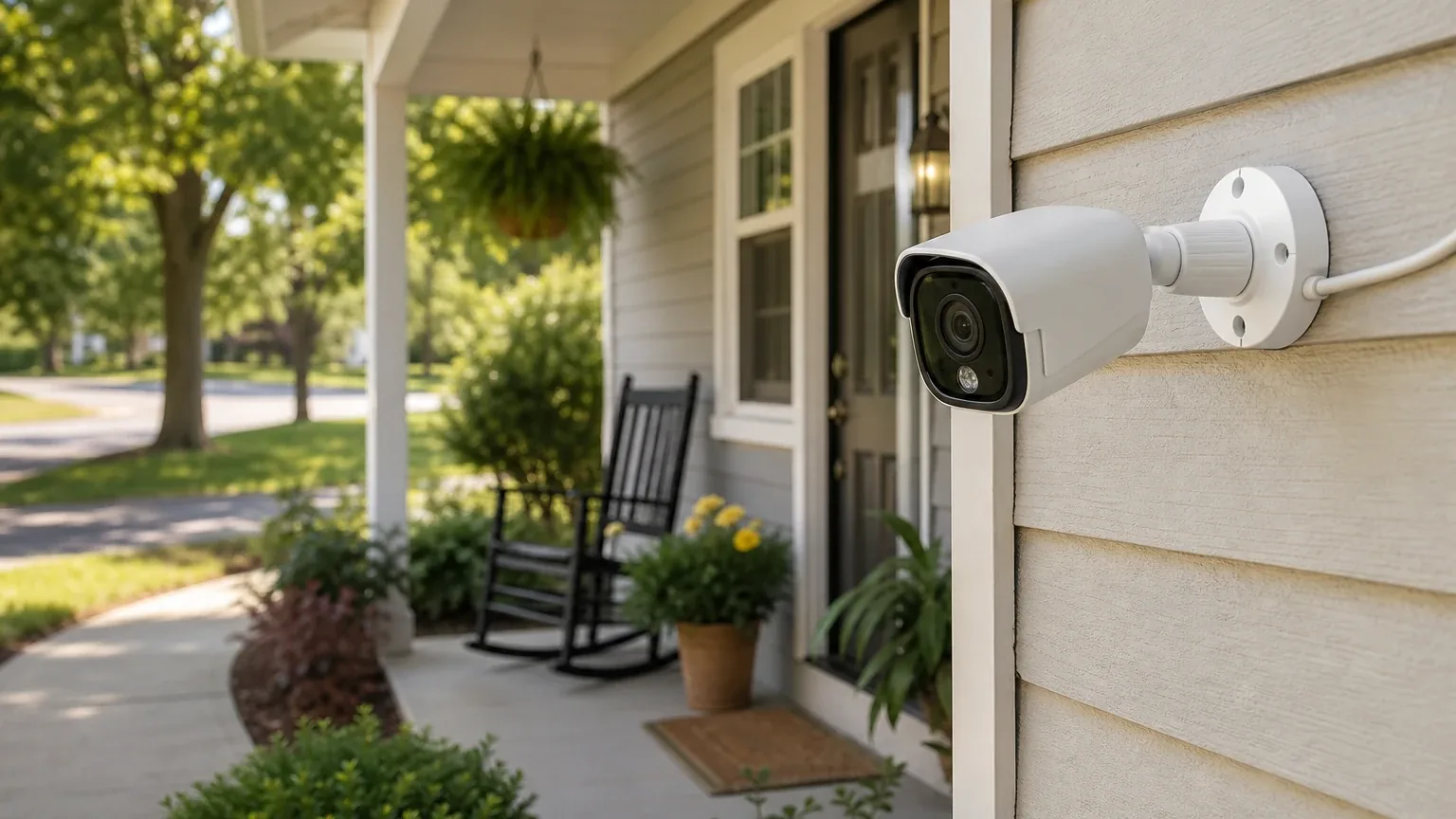
Reolink is a mixed fit for DIY senior-friendly security setup. Two of seven platforms named Reolink during the ranking stage (anthropic, perplexity), and it finished with an average listed rank of 6.5 and a best rank of 4. The strongest reason to consider it is the Reolink Home Hub with 2x E1 Outdoor Cameras bundle: self-install cameras, encrypted local storage, and no mandatory monthly fee [1]. The main limitation is that Reolink is a camera-monitoring system, not a professionally monitored alarm: no verified emergency dispatch, no traditional door/window sensor ecosystem, and no documented senior-specific accessibility testing [1].
Research Snapshot
| Field | Value |
|---|---|
| Platform mentions in ranking stage | 2 of 7 platforms (anthropic, perplexity) |
| Share of included platform responses | 28.6% |
| Average listed rank | 6.5 |
| Best listed rank | 4 (anthropic) |
| Relevant product/model/plan | Reolink Home Hub with 2x E1 Outdoor Cameras; DIY camera bundles with optional cloud/local storage |
| Overall use-case fit | Mixed |
| Research date | 2026-09-27 |
Why Reolink Qualified for This Study
Questions This Section Answers
- Why did Reolink qualify for a DIY senior-friendly security setup review when only two platforms named it?
- Is Reolink a good choice for DIY senior-friendly security setup compared with professionally monitored alarm systems?
Reolink qualified because it met the study's minimum-mention threshold and because the platforms that did name it treated it as a legitimate self-install option for older adults and caregivers, not as an alarm-replacement system. Two of seven included platforms named Reolink during ranking discovery, giving it a 28.6% platform share, an average listed rank of 6.5, and a best rank of 4 (anthropic). It was not a top-ranked finalist; it placed 10th in the final ordering.
The reason it stayed in scope is the product category. The ranking unit for this study is a DIY security system package and service provider, and Reolink sells a bundled, self-install camera system with a central hub rather than a professionally installed alarm panel [4]. That matches the "no professional installation" half of the use case even though it does not match the "monitored alarm" half.
Platform fit ratings split: anthropic and deepseek rated Reolink a good fit, while openai, perplexity, grok, kimi, and google rated it mixed. No platform rated it poor, and no platform rated it best-in-class for this use case.
The Product, Model, Plan, or Service Most Relevant to DIY Senior-Friendly Security Setup
Questions This Section Answers
- Which Reolink bundle should a buyer choose for a senior household that wants local storage and no monthly fee?
- Does the Reolink Home Hub with 2x E1 Outdoor Cameras bundle include everything needed for a senior-friendly self-install?
The most relevant configuration across platforms is the Reolink Home Hub with 2x E1 Outdoor Cameras. Six of the seven platforms named this bundle or the closely related Home Hub series as the product to evaluate for this use case [6].
The bundle pairs a central Home Hub with two E1 Outdoor pan-tilt cameras. Reolink's own product page describes 5MP Wi-Fi cameras with 360-degree coverage and auto-tracking, 24/7 recording, anti-theft encryption, support for up to eight Reolink cameras, local storage up to 1TB x 2 microSD, no monthly fees, dual-band Wi-Fi (2.4/5GHz), and privacy protection via local LAN access [7]. The Home Hub itself is described as supporting app-based configuration, encrypted local and offline storage, no monthly fees, up to eight cameras, shared users, and a warranty [10].
A larger sibling exists: the Home Hub Pro with 4x E1 Outdoor Pro was listed at $799.99 with a 2TB HDD, support for up to 24 Reolink cameras, AES-128 encryption, a 120dB alarm siren, and dual-band Wi-Fi 6 [11]. That is a different, more expensive configuration and should not be confused with the two-camera bundle.
Buyers should note that platform descriptions of the bundle are not identical. Some platforms describe microSD-based storage, others describe a hub with expandable storage, and one platform's estimate for the two-camera bundle price was derived by comparison rather than read from a listing (anthropic). Confirm the exact included storage before purchase.
What the AI Platforms Agreed About
Questions This Section Answers
- Do all AI platforms agree that Reolink is a good fit for senior-friendly DIY security?
- What does Reolink cost per month for a senior household using local storage?
Agreement was strong on cost structure and contract flexibility, and strong on the monitoring gap.
On cost, platforms converged: local storage through the Home Hub or microSD requires no monthly fee, and no long-term contract was identified for the hardware [12]. Google's platform reported that smart local AI detection, live streaming, push notifications, and local storage carry no monthly fee [15]. Grok's platform reported zero ongoing cost with local storage [16].
On monitoring, platforms converged in the opposite direction: Reolink is self-monitoring. No platform identified a 24/7 professional monitoring center, an emergency dispatch service, or a dispatch-time commitment for this bundle [12]. Google's platform stated that with self-monitoring, users must create manual emergency shortcuts on their phones to contact local dispatch [18].
On setup, most platforms agreed the system is genuinely DIY but not trivially simple. Reolink publishes mounting templates, drilling instructions, and step-by-step guidance [19], and setup runs through the Reolink App with QR code scanning, Wi-Fi configuration, and password creation [20].
Where the AI Platforms Disagreed or Were Uncertain
Questions This Section Answers
- Is the Reolink app easy enough for an older adult to use without caregiver help?
- How much does the Reolink Home Hub with 2x E1 Outdoor Cameras bundle actually cost in the US?
App usability is the clearest conflict. Grok's platform cited reviewers who called the app needlessly confusing and not intuitive, alongside others who described clean plug-and-play onboarding with pairing in under three minutes [23]. Deepseek's platform cited third-party reviews noting the app is functional but has a learning curve for non-tech-savvy users (deepseek:third_party_review). Perplexity's platform found no independent evidence that the app is especially senior-friendly [25]. No platform supplied an independent usability study of the Reolink app with older adults.
Pricing is the second conflict. OpenAI's platform reported a US$309.99 listed price for the Home Hub with 2x E1 Outdoor Cameras at the time checked [27]. Perplexity's platform also reported US$309.99 on Reolink store pages [28]. Anthropic's platform could not find an explicit bundle price and estimated $399-$449 by comparison to the four-camera Pro model (anthropic). Deepseek's platform said the bundle typically runs around $200-$300 (deepseek:reolink_home_hub). Google's platform said $150-$250 [29]. These ranges do not reconcile, and none should be treated as the current price.
Cloud pricing is also inconsistent. Reported figures include roughly $3.49/month for a Standard plan and $6.99/month for a Premier plan [30], approximately $3.49/month or $34.99/year for one camera on a basic plan (deepseek:reolink_cloud), a $3.49-$6.99/month range [31], and a $3.49-$10.49/month range across 2026 sources [32]. OpenAI's platform warned that cloud plan prices shown in older manuals are not reliable evidence of current 2026 US pricing [34]. Cloud availability also varies by country, region, camera model, and storage location, and in the United States some plans support LTE cameras only [34].
Storage contents are uncertain. Reolink pages vary by product revision and sometimes describe different included storage capacities, so buyers should confirm whether the exact bundle includes a microSD card (openai). Anthropic's platform noted microSD cards are sold separately and expandable to 2TB (anthropic).
Use-Case-Specific Features and Capabilities
Questions This Section Answers
- Does Reolink offer door and window sensors, a panic button, or emergency dispatch for a senior living alone?
- Can a caregiver view a senior's Reolink cameras remotely without paying a subscription?
Setup simplicity is a qualified advantage. The Home Hub is designed for app-based configuration and centralized management, and compatible cameras connect wirelessly, avoiding some cabling [36]. But the buyer still has to place and power cameras, connect the hub, configure the app, and verify Wi-Fi coverage. Reolink does not document professional installation as part of this product (openai). Reolink's own guidance recommends mounting wireless cameras at 7-9 feet, keeping them 30-50 feet from the router, and avoiding thick brick or metal walls [38]. That is a ladder-and-drill task, not a tabletop setup.
App usability and caregiver access is a partial advantage. The Home Hub supports live view and playback through the Reolink app and allows one administrator plus up to 10 shared accounts [36]. That structure can support caregiver viewing. Ease of use for a particular older adult is not independently verified, and no platform documented large fonts, high-contrast modes, voice control, or a simplified senior mode [39].
Monitoring options are a limitation. The system supports live viewing, motion or smart-detection alerts, local recording, playback, and optional Reolink Cloud where the camera and region are supported [36]. Reolink's reviewed materials describe notifications and video access, not a 24/7 professional monitoring center (openai).
Emergency dispatch is a limitation. No emergency-dispatch service, dispatch-time commitment, or guaranteed response procedure was identified in the reviewed Reolink product and support materials [41]. Google's platform noted Reolink has occasionally tested professional monitoring pilots in specific business segments but that no widely available unified residential professional monitoring solution exists for US home security customers (google).
Sensor range and detection is neutral. The E1 Outdoor listing describes 360-degree coverage and auto-tracking [37]. The E1 Outdoor camera is specified with 5MP Super HD, 3x optical zoom, 355-degree pan, 50-degree tilt, auto-tracking, person/vehicle/animal AI detection, dual-band Wi-Fi, color night vision with spotlight, adjustable detection sensitivity, push notifications and email alerts, no subscription required, and local microSD storage up to 512GB [43]. Deepseek's platform reported a typical PIR range up to 10 meters and noted the camera is not designed for medical or fall detection (deepseek:reolink_e1_specs). No platform supplied a senior-specific sensor-range guarantee, and camera motion detection is not equivalent to a complete perimeter alarm sensor system (openai).
Contract flexibility is an advantage. The Home Hub can operate with local storage and no monthly fee, so a monitoring subscription is not required for basic recording, and no long-term equipment contract was identified [36].
Privacy and offline operation is an advantage with a caveat. Reolink states the Home Hub supports encrypted local storage and offline recording, which can reduce dependence on cloud services [36]. Home Hub compatibility varies by camera category and model, with exceptions and possible firmware requirements, so the exact E1 Outdoor revision should be confirmed before purchase [45].
Pricing, Fees, Contracts, and Ongoing Costs
Questions This Section Answers
- How much does Reolink cost per month, and are there setup or cancellation fees for the Home Hub bundle?
- What happens to a Reolink cloud subscription if a senior cancels it mid-term?
Upfront hardware cost is the primary expense, and the reported figure is contested. The most specific listing found was US$309.99 for the Home Hub with 2x E1 Outdoor Cameras [46]. Other platform estimates ranged from $150-$250 [48] to $200-$300 (deepseek:reolink_home_hub) to $399-$449 (anthropic). The Home Hub Pro with 4x E1 Outdoor Pro was listed at $799.99 [49]. Treat all of these as platform-reported and verify at checkout.
Local storage carries no monthly fee. Reolink markets local recording with no monthly fees, and platforms agreed that basic recording does not require a subscription [50].
Optional cloud storage is the recurring cost. Reported plan pricing varies widely: $3.49/month Standard and $6.99/month Premier [55]; approximately $3.49/month or $34.99/year for one camera (deepseek:reolink_cloud); $3.49-$6.99/month [54]; and $3.49-$10.49/month across 2026 sources [56]. Cloud eligibility varies by country, region, camera model, and plan type, and some US plans support LTE cameras only [58].
Additional costs to expect: microSD cards for storage, which may or may not be included depending on configuration (openai, anthropic); optional solar panels for battery-powered cameras (anthropic); additional compatible cameras for expansion (anthropic); and shipping, taxes, or mounting accessories (openai).
Contract and cancellation terms are the area where buyers should read the fine print. No long-term professional-monitoring contract was identified [52]. However, Reolink's own terms state that after virtual services such as Reolink Cloud packages are successfully purchased, neither return nor replacement nor account change is supported, and fees may still be incurred even if use is suspended or terminated (official:C2). The same terms state that to cancel a Reolink Service, the customer must notify Reolink at least 24 hours in advance, and Reolink has the right to charge USD 30.00 as a follow-up management fee (official:C2). Reolink also reserves the right to change its price list or add new service fees at any time (official:C2). These are company-owned terms, not independently verified, and they apply to Reolink Services rather than to hardware purchases.
Best Suited For
Questions This Section Answers
- Who is Reolink best suited for in a DIY senior-friendly security setup?
- Is Reolink worth it for a caregiver who wants remote video check-ins without a subscription?
Reolink is best suited for households where video monitoring matters more than alarm response, and where someone is comfortable with a smartphone app.
The clearest fit is an older adult or caregiver who prioritizes video monitoring and local recording over professional alarm monitoring (openai). A second fit is a buyer comfortable with Wi-Fi setup, smartphone apps, camera placement, and occasional troubleshooting (openai). A third is a home where avoiding recurring subscription fees is important [60].
Platforms also identified specific buyer profiles: tech-comfortable older adults who prioritize no monthly fees and local video storage (kimi); caregivers who want remote video check-ins without subscription costs (kimi, deepseek); buyers who already have separate environmental alarms and need only video monitoring (kimi); and users who want pan-tilt auto-tracking coverage from a small number of cameras (anthropic).
Anthropic's platform summarized the fit as good when the user has moderate tech comfort, strong caregiver support, and prioritizes privacy and local storage over professional monitoring (anthropic).
Probably Not Best Suited For
Questions This Section Answers
- Who should not choose Reolink for a senior living alone who needs emergency response?
- Is Reolink a substitute for a medical alert system or a monitored alarm panel?
Reolink is probably not the right choice when emergency response is the primary requirement.
Platforms consistently flagged these exclusions: buyers needing professionally monitored emergency response or verified dispatch procedures [61]; older adults who need labeled traditional door/window sensors, a simple keypad, or one-button alarm operation (openai, kimi); caregivers seeking a fully managed installation and support experience (openai); Seniors who live alone and need pre-installation support (anthropic); users with unreliable or limited Wi-Fi networks (anthropic); budget-constrained buyers seeking minimal upfront costs (anthropic); and seniors uncomfortable with smartphone app-based operation (anthropic, kimi).
Kimi's platform added that Reolink is not a substitute for a medical alert system and is a poor fit for seniors with declining cognition, fall risks, or caregivers needing dispatch backup (kimi). Google's platform stated Reolink is a mixed fit for vulnerable seniors who require an immediate, automated safety net in a physical emergency (google).
When Another Option May Be Better
Questions This Section Answers
- What is a better alternative to Reolink for a senior who needs 24/7 monitoring and emergency dispatch?
- When should a buyer choose a professionally installed system instead of a Reolink DIY bundle?
Choose a professionally monitored alarm provider when emergency dispatch, entry sensors, panic functionality, and a support center are primary requirements (openai). Platforms named specific alternatives for that scenario: SimpliSafe, ADT, Frontpoint, Vivint, and Cove (anthropic, google, kimi). Kimi's platform cited SimpliSafe at $21.99/month with no contract and Vivint at $29.99+/month with professional installation (kimi:forbes_simplisafe, kimi:simplisafe_site, kimi:vivint_seniors).
Choose a simpler camera platform when the buyer prioritizes a highly simplified app and caregiver workflow over local-storage flexibility (openai). Choose a system with dedicated senior-oriented controls when the user has limited smartphone or Wi-Fi experience (openai). Choose a professionally installed system with concierge setup when the buyer is extremely tech-averse and lacks caregiver support (anthropic).
Choose wired PoE or cellular backup when the home lacks stable Wi-Fi or has poor signal (anthropic). Choose a system with dedicated keypads or touchscreen panels when the senior requires hardware controls and physical monitoring interfaces (anthropic). Choose a platform with robust cloud storage when cloud-based monitoring and automatic cloud backup are priorities (anthropic). Choose a standalone battery-powered camera when a single-camera installation is needed instead of a multi-camera system (anthropic).
Choose a medical alert system when one-touch emergency calling or professional monitoring with dispatch is the requirement (deepseek). Choose a system with integrated environmental sensors when water, freeze, CO, or glass-break detection is needed in one ecosystem (kimi).
Questions to Verify Before Buying
Questions This Section Answers
- What should a buyer confirm with Reolink before purchasing the Home Hub bundle for a senior?
- Does the Reolink Home Hub bundle include storage, and what happens during an internet outage?
Platforms converged on a similar verification list. Confirm the following before purchase:
- Does the exact E1 Outdoor bundle include storage, and what capacity? Reolink pages vary by product revision and sometimes describe different included storage capacities (openai).
- Does the exact camera revision support Home Hub, 24/7 recording, and the desired detection features? Home Hub compatibility varies by camera category and model, with exceptions and possible firmware requirements [63].
- What current US cloud plans, prices, renewal rules, cancellation rules, and camera limits apply? Cloud availability and pricing vary by region, model, and plan [64].
- What happens to alerts and recordings during an internet outage or power failure (openai, kimi)?
- How will a caregiver receive alerts and access recordings, and can multiple caregivers use separate accounts (openai, kimi)?
- Are door/window sensors, a panic button, smoke/CO monitoring, or professional dispatch required in addition to these cameras (openai)?
- Does the Reolink app support accessibility features such as large fonts, high contrast, voice commands, or simplified navigation (anthropic, deepseek, kimi)?
- What is the warranty period, return policy, and process for hardware failures or defects (anthropic, deepseek)?
- What is the maximum outdoor detection range for motion alerts, and is there a field-of-view diagram for the E1 Outdoor (anthropic, grok)?
- What support is available for installation, firmware updates, returns, and troubleshooting, and what are typical response times (openai, anthropic)?
Final AI Consensus Verdict
Reolink is a mixed fit for DIY senior-friendly security setup. Two of seven platforms named it during ranking discovery, with an average listed rank of 6.5 and a best rank of 4. Two platforms rated it a good fit and five rated it mixed; none rated it poor and none rated it best-in-class.
The case for Reolink rests on self-install camera bundles, encrypted local storage, caregiver account sharing, and no mandatory monthly fee [67]. The case against rests on the absence of professional monitoring, verified emergency dispatch, traditional door/window sensors, and documented senior-specific accessibility features [69].
For a household that wants video verification, local recording, and minimal recurring cost, and that has a caregiver comfortable with app setup, Reolink is a reasonable option. For a senior living alone who needs automated emergency response, Reolink does not replace a monitored alarm or a medical alert system. Platform agreement on these points reflects the reviewed materials, not an independent quality judgment.
How This Review Was Produced
This review was produced from seven platform fit-research responses collected for the study date 2026-09-27. Each platform evaluated Reolink against the same use case and criteria: setup simplicity, equipment labeling, app usability, monitoring options, contract flexibility, emergency dispatch speed, sensor range, and monthly cost. Ranking statistics were calculated from the platforms that named Reolink during ranking discovery. Fit ratings, strengths, limitations, pricing, and verification questions were taken from the platform responses and their cited sources. No product was tested, and no customer experience was collected.
Methodology Limitations
Several limitations apply. Platform-reported research dates differ from the authoritative run date: anthropic's response is dated 2026-01-10 and deepseek's is dated 2026-05-20, while the remaining platforms are dated 2026-09-27. Those dates are provenance metadata and do not independently prove freshness.
All included platforms evaluated fit, but the platform-mention count reflects only platforms that named Reolink during ranking discovery, so the 28.6% share understates how many platforms actually assessed it.
Company-owned citations materially outnumber independent citations in the supplied evidence. Reolink's own product, support, and store pages are the dominant source type, and company claims should not be described as independently verified.
Citations are platform-reported evidence, not independently verified facts. The supplied URLs were collected from platform responses and were not independently validated. Deepseek's platform ran without search enabled, so its claims require explicit verification before being described as current facts.
Pricing conflicts were not resolved. Reported bundle prices ranged from $150 to $449 across platforms, and cloud plan pricing ranged from $3.49 to $10.49 per month. Reolink's terms and conditions are company-owned and were retrieved but not verified.
The reviewed materials do not establish professional monitoring, emergency dispatch, senior accessibility testing, or a guaranteed detection range for this exact bundle. Missing research was not treated as disagreement.
Explore more home safety guidance in the category directory.
Sources
Company-Owned Sources
- Best DIY Security System 2026 | No Contract, 15-Min Setup | Abode: https://goabode.com/diy-security-system/
- Reolink Official Site: https://reolink.com/
- Reolink App: https://reolink.com/app/
- Best Cloud-Based Security Cameras 2026 Top Picks - Reolink: https://reolink.com/blog/best-cloud-security-cameras/
- Best Self-Monitoring Security Systems 2026: Top Picks & Guide: https://reolink.com/blog/best-self-monitoring-security-system/
- Best Cloud-Based Security Cameras 2026 Top Picks - Reolink: https://reolink.com/blog/cloud-based-security-cameras/
- Need Easy to Install Security Cameras? Start Here with 3: https://reolink.com/blog/easy-to-install-security-cameras-buying-guide/
- CCTV Camera Installation: 2026 Expert Guide (DIY: https://reolink.com/blog/how-to-install-a-home-surveillance-system/
- Wireless Security Camera Installation & Setup Full Guide: https://reolink.com/blog/how-to-install-wireless-security-cameras/
- Reolink Subscription Cost: Data & Cloud Plans 2026: https://reolink.com/blog/reolink-subscription-cost/
- Reolink Cloud Storage Plans: https://reolink.com/cloud/
- Home Hub with 2 × E1 Outdoor – Dual-Band Wi-Fi Security System: https://reolink.com/product/e1-outdoor-kit/
- Home Hub with 2 × E1 Outdoor – Dual-Band Wi-Fi Surveillance System with 5MP Auto-Tracking PTZ Camera: https://reolink.com/product/home-hub-e1-outdoor-kit/
- Reolink E1 Outdoor Specs: https://reolink.com/product/reolink-e1-outdoor/
- Reolink Home Hub: https://reolink.com/product/reolink-home-hub/
- Reolink Support: https://reolink.com/support/
- Home Hub with Argus 4 Pro Product Specifications: https://reolink.com/us/product/argus-4-pro-kit/
- Home Hub with 2 × E1 Outdoor – Dual-Band Wi-Fi Surveillance System: https://reolink.com/us/product/e1-outdoor-kit/
- Home Hub Pro with 4× E1 Outdoor Pro - Wi-Fi 6 Security System: https://reolink.com/us/product/e1-outdoor-pro-kit/
- Official Reolink E1 Outdoor | Smart 5MP PTZ Wi-Fi Camera: https://reolink.com/us/product/e1-outdoor/
- Reolink Home Hub | Wireless Security Center: https://reolink.com/us/product/reolink-home-hub/?attribute_pa_version=pack-1-pack
- SimpliSafe Home Security System: https://simplisafe.com/simplisafe-home-security-system-7-pieces
- Reolink Home Hub Series Store: https://store.reolink.com/__/home-hub-series/
- Reolink Home Hub Series | Wireless Local Security Hub: https://store.reolink.com/us/home-hub-series/
- Reolink Home Hub Compatibility: https://support.reolink.com/articles/32379509281561-Reolink-Home-Hub-Compatibility/
- How to Create a Cloud Account and Bind Cameras to the Cloud Plan via Reolink App: https://support.reolink.com/articles/360005747553-How-to-Create-a-Cloud-Account-and-Bind-Cameras-to-the-Cloud-Plan-via-Reolink-App/?search=argus&slug=cloud
- How to Initially Set up Reolink Battery-powered WiFi Cameras via Reolink App: https://support.reolink.com/articles/360007948173-How-to-Initially-Set-up-Reolink-Battery-powered-WiFi-Cameras-via-Reolink-App/
- Which Models/Countries or Regions Support Reolink Cloud Service?: https://support.reolink.com/articles/360012083433-Which-Models-Countries-or-Regions-Support-Reolink-Cloud-Service/?slug=cloud
- How to Set up Surveillance Rule for Reolink Professional Series Cameras: https://support.reolink.com/articles/49153568439193-How-to-Set-up-Surveillance-Rule-for-Reolink-Professional-Series-Cameras/
- How to Add Reolink Camera to Home Hub Series: https://support.reolink.com/hc/en-us/articles/31411516709017-How-to-Add-Reolink-Camera-to-Home-Hub-Series
- How to Initially Set up Reolink WiFi Cameras: https://support.reolink.com/hc/en-us/articles/360006941193-How-to-Initially-Set-up-Reolink-WiFi-Cameras-With-LAN-Port-and-Voice-Prompt
- DIY Security System with No Monthly Fee | Customizable - eufy US: https://www.eufy.com/localsecure-system
- Aging-in-Place Monitoring | Activity Alerts, Family Access - eufy US: https://www.eufy.com/scenario-aging-at-home
- DIY Home Security System - Easy Setup and Hassle-Free | Ooma Home: https://www.ooma.com/home-security/diy-security-system/
- Best Home Security Systems for Seniors and Aging in Place in 2026 | Vivint: https://www.vivint.com/resources/article/best-home-security-system-for-seniors
- Official pricing and terms source: https://reolink.com/terms-conditions/
Additional AI research evidence70 records
- AI research evidence record openai:c1
- AI research evidence record anthropic:c5
- AI research evidence record perplexity:c1
- AI research evidence record openai:c1
- AI research evidence record anthropic:c5
- AI research evidence record openai:c2
- AI research evidence record anthropic:c5
- AI research evidence record perplexity:c1
- AI research evidence record google:1.1.3
- AI research evidence record openai:c1
- AI research evidence record anthropic:c2
- AI research evidence record openai:c1
- AI research evidence record anthropic:c5
- AI research evidence record perplexity:c1
- AI research evidence record google:2.1.9
- AI research evidence record grok:web:10
- AI research evidence record google:1.2.7
- AI research evidence record google:2.2.3
- AI research evidence record anthropic:c1
- AI research evidence record anthropic:c3
- AI research evidence record google:1.1.4
- AI research evidence record google:1.1.9
- AI research evidence record grok:web:2
- AI research evidence record grok:web:3
- AI research evidence record perplexity:c6
- AI research evidence record perplexity:c7
- AI research evidence record openai:c2
- AI research evidence record perplexity:c3
- AI research evidence record google:1.1.3
- AI research evidence record google:2.1.8
- AI research evidence record grok:web:10
- AI research evidence record perplexity:c2
- AI research evidence record perplexity:c5
- AI research evidence record openai:c4
- AI research evidence record openai:c5
- AI research evidence record openai:c1
- AI research evidence record openai:c2
- AI research evidence record anthropic:c4
- AI research evidence record perplexity:c6
- AI research evidence record openai:c4
- AI research evidence record perplexity:c1
- AI research evidence record google:1.2.7
- AI research evidence record anthropic:c9
- AI research evidence record openai:c5
- AI research evidence record openai:c7
- AI research evidence record openai:c2
- AI research evidence record perplexity:c3
- AI research evidence record google:1.1.3
- AI research evidence record anthropic:c2
- AI research evidence record openai:c1
- AI research evidence record anthropic:c5
- AI research evidence record perplexity:c1
- AI research evidence record google:2.1.9
- AI research evidence record grok:web:10
- AI research evidence record google:2.1.8
- AI research evidence record perplexity:c2
- AI research evidence record perplexity:c5
- AI research evidence record openai:c4
- AI research evidence record openai:c5
- AI research evidence record perplexity:c1
- AI research evidence record perplexity:c1
- AI research evidence record google:1.2.7
- AI research evidence record openai:c7
- AI research evidence record openai:c4
- AI research evidence record openai:c5
- AI research evidence record perplexity:c2
- AI research evidence record openai:c1
- AI research evidence record anthropic:c5
- AI research evidence record perplexity:c1
- AI research evidence record google:1.2.7
Independent Sources
- Is there a monthly fee with Reolink?: https://clevelandsecuritycameras.com/is-there-a-monthly-fee-with-reolink/
- Reolink 2026: Best Cameras, ColorX and Duo 3 Tested: https://pvrblog.com/brands/reolink/
- Reolink Review: Best Reolink Cameras, NVRs, and App for 2026: https://pvrblog.com/reolink/
- Reolink E1 Outdoor: https://uk.pcmag.com/home-security-cameras/140500/reolink-e1-outdoor
- Reolink Review 2026: https://www.consumeraffairs.com/homeowners/reolink.html
- SimpliSafe Home Security Review – Forbes Home: https://www.forbes.com/home-improvement/home-security/simplisafe-home-security-review/
- Reolink Cloud Plans: Cost and Compatibility (2026: https://www.homecamcafe.com/reolink-cloud-subscription/
- Reolink Home Hub review: Camera control—and cost control, too | PCWorld: https://www.pcworld.com/article/2561564/reolink-home-hub-review.html
- Professional monitoring for home owner?: https://www.reddit.com/r/reolinkcam/comments/1531of4/professional_monitoring_for_home_owner/
- Reolink Wireless Security System Review: Not Your Average Security System | SafeWise: https://www.safewise.com/home-security-systems/reolink/
- Reolink Review - Tom's Guide: https://www.tomsguide.com/reviews/reolink-argus-3-pro
- Break up with cloud cameras the easy way - Reolink pre-built RLN8-410, plus cameras!: https://www.youtube.com/watch?v=IZ05_Z39oaY
Additional AI research evidence70 records
- AI research evidence record openai:c1
- AI research evidence record anthropic:c5
- AI research evidence record perplexity:c1
- AI research evidence record openai:c1
- AI research evidence record anthropic:c5
- AI research evidence record openai:c2
- AI research evidence record anthropic:c5
- AI research evidence record perplexity:c1
- AI research evidence record google:1.1.3
- AI research evidence record openai:c1
- AI research evidence record anthropic:c2
- AI research evidence record openai:c1
- AI research evidence record anthropic:c5
- AI research evidence record perplexity:c1
- AI research evidence record google:2.1.9
- AI research evidence record grok:web:10
- AI research evidence record google:1.2.7
- AI research evidence record google:2.2.3
- AI research evidence record anthropic:c1
- AI research evidence record anthropic:c3
- AI research evidence record google:1.1.4
- AI research evidence record google:1.1.9
- AI research evidence record grok:web:2
- AI research evidence record grok:web:3
- AI research evidence record perplexity:c6
- AI research evidence record perplexity:c7
- AI research evidence record openai:c2
- AI research evidence record perplexity:c3
- AI research evidence record google:1.1.3
- AI research evidence record google:2.1.8
- AI research evidence record grok:web:10
- AI research evidence record perplexity:c2
- AI research evidence record perplexity:c5
- AI research evidence record openai:c4
- AI research evidence record openai:c5
- AI research evidence record openai:c1
- AI research evidence record openai:c2
- AI research evidence record anthropic:c4
- AI research evidence record perplexity:c6
- AI research evidence record openai:c4
- AI research evidence record perplexity:c1
- AI research evidence record google:1.2.7
- AI research evidence record anthropic:c9
- AI research evidence record openai:c5
- AI research evidence record openai:c7
- AI research evidence record openai:c2
- AI research evidence record perplexity:c3
- AI research evidence record google:1.1.3
- AI research evidence record anthropic:c2
- AI research evidence record openai:c1
- AI research evidence record anthropic:c5
- AI research evidence record perplexity:c1
- AI research evidence record google:2.1.9
- AI research evidence record grok:web:10
- AI research evidence record google:2.1.8
- AI research evidence record perplexity:c2
- AI research evidence record perplexity:c5
- AI research evidence record openai:c4
- AI research evidence record openai:c5
- AI research evidence record perplexity:c1
- AI research evidence record perplexity:c1
- AI research evidence record google:1.2.7
- AI research evidence record openai:c7
- AI research evidence record openai:c4
- AI research evidence record openai:c5
- AI research evidence record perplexity:c2
- AI research evidence record openai:c1
- AI research evidence record anthropic:c5
- AI research evidence record perplexity:c1
- AI research evidence record google:1.2.7
Other Sources
- Reolink Quick Start Guide: https://images.thdstatic.com/catalog/pdfImages/32/320ce837-5d59-406e-a3ed-8d371ce4d112.pdf
Additional AI research evidence70 records
- AI research evidence record openai:c1
- AI research evidence record anthropic:c5
- AI research evidence record perplexity:c1
- AI research evidence record openai:c1
- AI research evidence record anthropic:c5
- AI research evidence record openai:c2
- AI research evidence record anthropic:c5
- AI research evidence record perplexity:c1
- AI research evidence record google:1.1.3
- AI research evidence record openai:c1
- AI research evidence record anthropic:c2
- AI research evidence record openai:c1
- AI research evidence record anthropic:c5
- AI research evidence record perplexity:c1
- AI research evidence record google:2.1.9
- AI research evidence record grok:web:10
- AI research evidence record google:1.2.7
- AI research evidence record google:2.2.3
- AI research evidence record anthropic:c1
- AI research evidence record anthropic:c3
- AI research evidence record google:1.1.4
- AI research evidence record google:1.1.9
- AI research evidence record grok:web:2
- AI research evidence record grok:web:3
- AI research evidence record perplexity:c6
- AI research evidence record perplexity:c7
- AI research evidence record openai:c2
- AI research evidence record perplexity:c3
- AI research evidence record google:1.1.3
- AI research evidence record google:2.1.8
- AI research evidence record grok:web:10
- AI research evidence record perplexity:c2
- AI research evidence record perplexity:c5
- AI research evidence record openai:c4
- AI research evidence record openai:c5
- AI research evidence record openai:c1
- AI research evidence record openai:c2
- AI research evidence record anthropic:c4
- AI research evidence record perplexity:c6
- AI research evidence record openai:c4
- AI research evidence record perplexity:c1
- AI research evidence record google:1.2.7
- AI research evidence record anthropic:c9
- AI research evidence record openai:c5
- AI research evidence record openai:c7
- AI research evidence record openai:c2
- AI research evidence record perplexity:c3
- AI research evidence record google:1.1.3
- AI research evidence record anthropic:c2
- AI research evidence record openai:c1
- AI research evidence record anthropic:c5
- AI research evidence record perplexity:c1
- AI research evidence record google:2.1.9
- AI research evidence record grok:web:10
- AI research evidence record google:2.1.8
- AI research evidence record perplexity:c2
- AI research evidence record perplexity:c5
- AI research evidence record openai:c4
- AI research evidence record openai:c5
- AI research evidence record perplexity:c1
- AI research evidence record perplexity:c1
- AI research evidence record google:1.2.7
- AI research evidence record openai:c7
- AI research evidence record openai:c4
- AI research evidence record openai:c5
- AI research evidence record perplexity:c2
- AI research evidence record openai:c1
- AI research evidence record anthropic:c5
- AI research evidence record perplexity:c1
- AI research evidence record google:1.2.7
Verify This Research
Review the study details behind this page or download the public machine-readable verification record.
- Study date
- September 27, 2026
- Platforms analyzed
- 7
- Source records
- 49
- Ranking mentions
- 2 of 7
- Platform share
- 29%
- Final consensus rank
- #10
Research trail and source mix
Configured platforms
openai, anthropic, deepseek, grok, perplexity, kimi, google
Source mix
12 independent · 36 company-owned · 1 unclear
Evidence support
41 direct · 8 partial
Important limitation
Use the run research_date as the study date. Platform-reported dates are provenance metadata and do not independently prove freshness.
Source snapshot SHA-256 d9379811ff0a58ac67d94347a821eb4516a9eecbf3cf43a38837e72a836f2222