
Answer Capsule
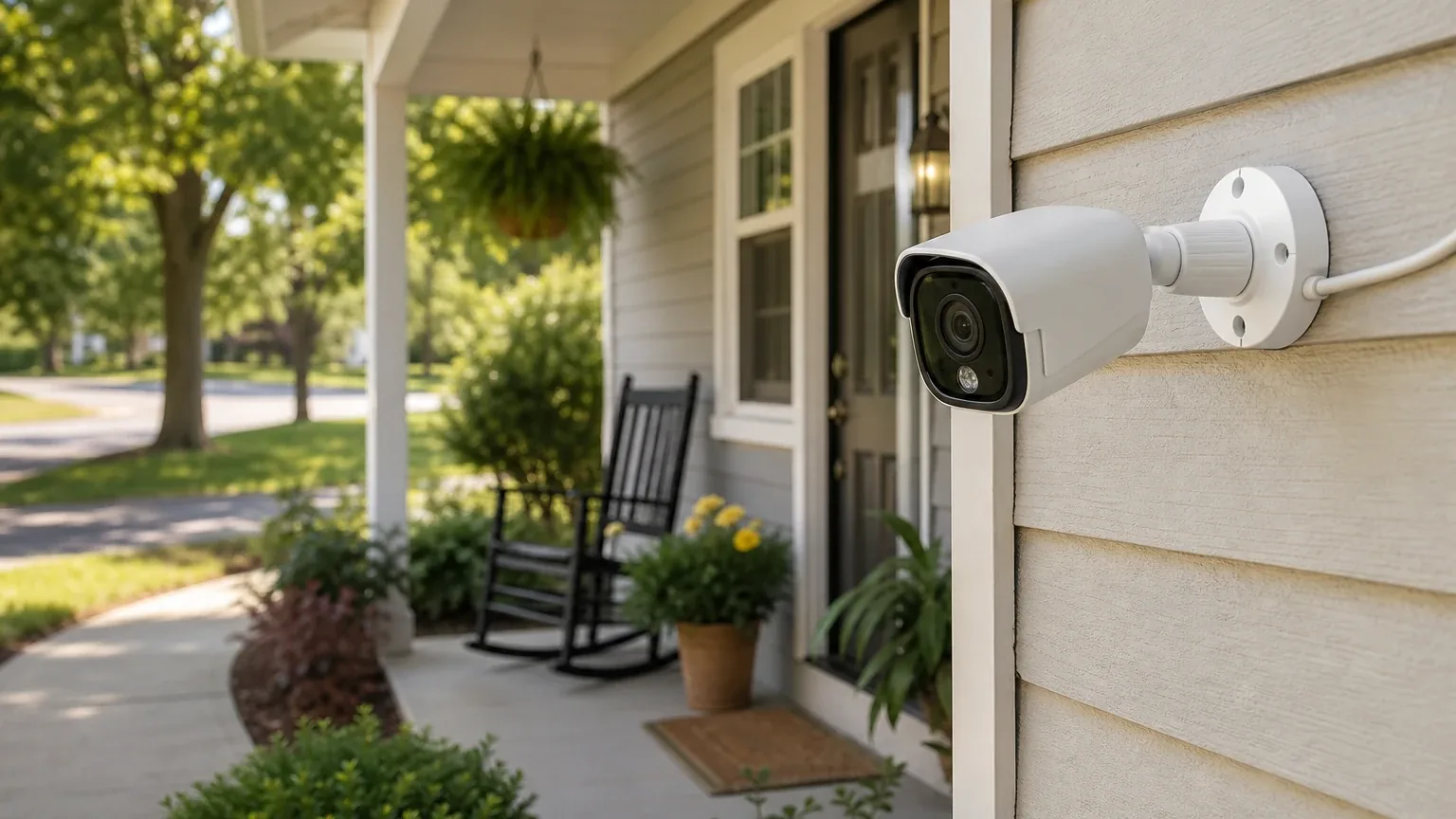
Reolink is a good fit for seniors living independently and their caregivers who want flexible Indoor/Outdoor Camera Monitoring without mandatory monthly fees. Six of seven AI platforms named Reolink during the ranking stage (86% platform share), with an average listed rank of 3.8 and a best rank of #1. The strongest reason to consider Reolink is its subscription-free local storage via microSD or Home Hub, combined with 4K video quality and color night vision on the Argus 4 Pro outdoor camera. The main limitation is the lack of professional monitoring and emergency dispatch — Reolink is strictly a self-monitored system, and the app may present a learning curve for less tech-savvy seniors.
Research Snapshot
| Metric | Value |
|---|---|
| Platform mentions in ranking stage | 6 of 7 platforms |
| Share of included platform responses | 86% |
| Average listed rank | 3.8 |
| Best listed rank | #1 (OpenAI) |
| Relevant product/model/plan | Argus 4 Pro (outdoor battery); E1 Pro or E1 Zoom (indoor); optional Home Hub; optional Reolink Cloud |
| Overall use-case fit | Good (5 platforms rated "good"; 2 rated "strong") |
| Research date | 2026-08-14 |
Why Reolink Qualified for This Study
Reolink qualified because six of seven AI platforms independently named it during the ranking discovery stage for the topic "Best Home Security Cameras for Seniors Living Alone." The platforms that named Reolink were Anthropic, DeepSeek, Google, Grok, OpenAI, and Perplexity. Only one configured platform did not name Reolink in the ranking stage.
The platforms consistently identified Reolink's Argus 4 Pro as the most relevant outdoor camera model, with the E1 Pro or E1 Zoom as complementary indoor options. All seven platforms that provided fit assessments rated Reolink as either "good" (five platforms) or "strong" (two platforms), with no platform rating it as a poor or mixed fit overall.
The Product, Model, Plan, or Service Most Relevant to Indoor/Outdoor Camera Monitoring
The most relevant Reolink product for this use case is the Argus 4 Pro outdoor battery camera, optionally paired with the Reolink Home Hub for centralized local storage. For indoor monitoring, platforms recommended the E1 Pro or E1 Zoom as complementary cameras.
The Argus 4 Pro records at 5120x1440 resolution (8 megapixels, marketed as 4K) at up to 15 fps, with a 180-degree horizontal and 50-degree vertical field of view using dual-lens stitching [1]. It uses a 5000mAh rechargeable battery with an optional 6W solar panel, supports microSD storage up to 512GB, and integrates with the Reolink Home Hub for multi-camera local storage [1].
For indoor coverage, the E1 Pro offers 4K 8MP resolution with 355° pan, 50° tilt, 3X optical zoom, auto tracking, and color night vision [4]. The E1 Zoom provides 5MP video with pan-tilt capability and 3x optical zoom [5]. One platform noted the E1 Pro includes cry detection that pushes phone alerts, with Consumer Reports clocking alert delivery at 3.4 seconds on average [4].
What the AI Platforms Agreed About
Strong agreement: No mandatory subscription required
All seven platforms agreed that Reolink cameras work fully without a monthly subscription when using local storage. The Argus 4 Pro supports microSD storage up to 512GB, and Home Hub systems provide centralized local storage for up to eight compatible cameras [6]. One platform noted that a 256GB microSD card costs $25-35 as a one-time purchase versus $251.64 over three years for a $6.99/month cloud plan [8]. Reolink states that person and vehicle smart detection alerts are processed locally on-device for free without a subscription [9].
Strong agreement: High video quality with color night vision
Six platforms highlighted the Argus 4 Pro's 4K resolution and ColorX color night vision as key strengths. The camera provides enough detail to identify a face at approximately 6 meters or read a license plate at approximately 30 meters [10]. ColorX delivers full-color night video without requiring bright spotlights, which maintains discreet monitoring without disturbing sleeping seniors or neighbors [11].
Strong agreement: Wireless, battery-powered installation ease
Five platforms noted that the battery-powered Wi-Fi design avoids Ethernet cabling and supports flexible placement. Independent testing described mounting and QR-code app setup as straightforward, with setup taking only a few minutes after using the correct in-app scanner [13]. Battery cameras are genuinely DIY-friendly — no cables, no electricians, no landlord permission needed, which is ideal for renters [14].
Majority agreement: Motion detection distinguishes people, vehicles, and animals
Five platforms confirmed that Reolink's smart motion detection can distinguish between people, vehicles, and animals, with configurable detection zones and sensitivity. One platform reported a false alarm rate of typically less than 5% compared to 30-40% with traditional motion detection [14]. Battery cameras use a combination of PIR sensors and AI technology for this distinction [15].
Majority agreement: Caregiver sharing is available
Four platforms confirmed that the Reolink app supports sharing camera feeds with family and friends. Google's sources specifically documented "Basic Sharing" via QR codes and "Advanced Sharing" via Reolink account invitations, allowing the primary owner to grant caregivers viewing and playback access without letting them alter critical camera configurations [16]. Best practice creates individual usernames for family with "User" access rather than sharing the master password [18].
Where the AI Platforms Disagreed or Were Uncertain
Notification lag
Anthropic reported a 4-8 second push notification lag behind motion events in real testing, calling it "acceptable for general monitoring but problematic for immediate security response" [19]. No other platform independently verified this figure, and the E1 Pro's cry detection alert was clocked at 3.4 seconds by Consumer Reports [20]. This discrepancy suggests notification speed varies by camera model and event type.
Battery life and solar reliability
Platforms disagreed on expected battery life. Anthropic reported 6-12 months per charge depending on activity, with high-motion areas showing 4-6 months and low-motion areas 10-12 months [21]. One real-world test showed the solar panel barely sustained battery through Iowa's December, with battery dropping from 100% to 34% over 12 days in -5°F to 22°F temperatures with 8 cloudy days [19]. Other platforms did not provide specific battery life estimates.
Cloud pricing and availability
Pricing for Reolink Cloud varied across platforms: $3.49-$6.99/month for a single device (anthropic), $3.99/month for a single camera or $5.99/month for up to 8 cameras (deepseek), and $3.49/month for up to 5 cameras with 30-day history (google). OpenAI noted that cloud availability and pricing vary by country, region, and camera model, and the exact current U.S. Argus 4 Pro Cloud price was not confirmed [22]. Kimi noted that Reolink Cloud availability is limited to selected countries, with unclear U.S. availability [23].
microSD capacity conflict
The official Argus 4 Pro product page states support for up to 512GB microSD, while an earlier independent review described support up to 128GB [24]. The current official specification is the stronger and more recent source, but buyers should verify compatibility before purchasing a high-capacity card.
ONVIF/RTSP support uncertainty
OpenAI flagged that ONVIF/RTSP support may depend on Home Hub or another compatible setup, and the exact firmware and architecture should be verified before relying on it [24]. Perplexity noted that ONVIF/RTSP support was mentioned in the buyer prompt but was not independently verified in its checked sources [25].
Smart home integration
Platforms disagreed on the extent of smart home integration. Kimi stated there is no native Apple HomeKit, Google Assistant, or Amazon Alexa integration documented for the Argus 4 Pro specifically [23]. DeepSeek noted limited smart home integration with no Apple HomeKit support, with Alexa/Google support varying [26]. Anthropic noted limited integration with mainstream smart home platforms for voice control [27]. However, Reolink cameras can operate fully locally on a home network and integrate with Home Assistant [28].
Use-Case-Specific Features and Capabilities
Video clarity and coverage
The Argus 4 Pro's 180-degree horizontal field of view reduces the number of cameras needed for driveways, yards, and gates [29]. Independent testing found impressive image quality but noted that the narrow 50-degree vertical coverage can miss activity above or below the camera's central axis [30]. This is a critical consideration for narrow doorways or small indoor rooms.
Motion detection accuracy
The camera supports PIR, person, vehicle, animal, and general motion detection with configurable detection zones and alerts [29]. Independent testing found detection effective but somewhat trigger-happy out of the box, requiring sensitivity, zone, and schedule adjustments [30]. One platform noted that motion detection masking uses a finicky pen-and-eraser drawing method versus simpler grid-based selection on competitors [31].
Night vision
The Argus 4 Pro uses ColorX color night vision and spotlights rather than infrared night vision [29]. This provides useful color footage in low light, but buyers should verify performance in genuinely dark locations and whether visible illumination is acceptable [32]. ColorX delivers full-color night video up to 50 feet without needing bright spotlights [33].
Privacy controls
Reolink advertises customizable motion zones and privacy masks [29]. Privacy Mode blocks the camera view and stops all audio recordings while the camera stays connected to power and network, useful for disabling in private spaces like bedrooms without unplugging [34]. Local storage reduces reliance on cloud recording, though cloud availability varies by country and account region [35].
Caregiver sharing options
Remote viewing, alerts, playback, and two-way audio are available through the Reolink app when the system has internet access [29]. The Argus 4 Pro specification lists up to 12 simultaneous streams [29]. Google's sources documented Basic Sharing via QR codes and Advanced Sharing via account invitations with permission levels [36]. However, the exact account-invitation and permission workflow should be verified before purchase [29].
Installation ease
The battery-powered Wi-Fi design avoids Ethernet cabling and supports flexible placement [29]. Independent testing described mounting and QR-code app setup as straightforward, with setup taking only a few minutes after using the correct in-app scanner [30]. However, Reolink requires more setup than some cloud-first alternatives [38].
Storage cost
The camera supports local microSD storage up to 512GB and Home Hub integration, so a mandatory monthly subscription is not required [29]. Home Hub systems provide centralized local storage and support up to eight compatible Reolink cameras [39]. A 256GB high-endurance microSD card costs around $25-35 as a one-time purchase [40].
App usability
Independent reviews describe the Reolink app as clean and intuitive with flexible alert controls [30]. The app allows granular control including adjusting resolution, flipping display if mounted upside-down, blacking out video regions, painting detection zones, and setting schedules [31]. However, the number of detection, privacy, storage, and networking settings may require caregiver assistance during setup [30]. Some users and professional reviews note the app can feel slightly clunky or complex for seniors who prefer simplified interfaces [41].
Pricing, Fees, Contracts, and Ongoing Costs
Hardware costs
| Item | Price (platform-reported) |
|---|---|
| Argus 4 Pro camera | ~$179.99-$239.99 depending on retailer and bundle [43]; ~$190-199 [44] |
| E1 Pro indoor camera | ~$65 [48] |
| E1 Zoom indoor camera | ~$119 [45] |
| Reolink Home Hub | $134.99 standalone, reduced from $149.99 [50] |
| Home Hub + Argus 4 Pro bundle | $413.99, reduced from $459.99 [50] |
| 6W solar panel | Included with Argus 4 Pro [44]; ~$30 as add-on [47] |
| microSD card 256GB | $25-35 one-time [51] |
Cloud subscription costs
| Plan | Price (platform-reported) |
|---|---|
| Reolink Cloud single-device | $3.49-$6.99/month depending on storage tier [51] |
| Reolink Cloud standard (up to 5 cameras, 30 days) | $3.49/month or $34.99/year [52] |
| Reolink Cloud single camera | $3.99/month [45] |
| Reolink Cloud multi-camera (up to 8) | $5.99/month [45] |
Contract terms
No long-term hardware contract was identified in the sources checked [50]. Cloud subscriptions can be cancelled anytime with no contract, and annual billing typically reduces monthly costs by 15-20% versus month-to-month [53]. Promo codes are available quarterly, with 30% off around Black Friday, Prime Day, and Memorial Day [53].
Pricing confidence
Pricing confidence varies by platform: Google rated it "high," Anthropic rated it "high," OpenAI rated it "moderate," DeepSeek rated it "moderate," Grok rated it "moderate," Kimi rated it "moderate," and Perplexity rated it "low." Publicly displayed prices vary by retailer, bundle, promotions, and date [54]. Perplexity noted that the buyer-prompt pricing figures were not independently verified in its checked sources [55].
Best Suited For
Reolink is best suited for:
- Seniors in single-family homes with Wi-Fi who want wireless, battery-powered outdoor cameras without monthly fees [56]
- Households prioritizing privacy and local data storage with accessible app interfaces [57]
- Renters or those unable to run wired cables who need flexible, removable installation [56]
- Budget-conscious buyers where cost control over subscription duration is critical [58]
- Caregivers needing remote live view, push alerts, two-way audio, and shared access across multiple devices [59]
- Driveways, yards, gates, and other large outdoor areas where a 180-degree horizontal view reduces the number of cameras needed [59]
- Buyers who prefer local microSD or Home Hub storage instead of a mandatory cloud subscription [59]
Probably Not Best Suited For
Reolink is probably not best suited for:
- Seniors requiring professional monitoring or emergency dispatch — Reolink is strictly self-monitored, and neither Reolink nor its app will automatically dispatch local emergency responders [62]
- Small indoor rooms or narrow entryways where the Argus 4 Pro's very wide but vertically limited view may omit activity above or below the center of the image [64]
- Seniors who cannot reliably recharge a battery camera or maintain a solar panel [65]
- Users needing instant push notifications for security events — 4-8 second lag documented [66]
- Those in climates with limited winter sunlight if solar panel backup is expected [66]
- Users requiring seamless smart home integration or voice assistant commands as primary control [67]
- First-time camera users who want completely plug-and-play setup without Wi-Fi or app configuration [68]
- Buyers who need package detection — Reolink can detect person/vehicle/animal but not packages [68]
When Another Option May Be Better
Consider alternatives when:
- Professional 24/7 monitoring and emergency dispatch is required — services like ADT, Ring Home Premium, SimpliSafe, Frontpoint, or Deep Sentinel DS2 at $100/month may be more suitable [69]
- A single-vendor ecosystem with a base station and dedicated panic button is preferred — Ring or SimpliSafe may be better [70]
- Seamless Apple HomeKit or simpler apps are prioritized — Google Nest or Aqara G100 with HomeKit may be better [72]
- The senior has cognitive or physical challenges making app-based operation difficult — a simpler camera with a touchscreen hub like Amazon Echo Show could be considered [70]
- Instant notifications (sub-2-second response) are critical for security response [73]
- 24/7 continuous wired power is feasible and preferred over battery management — a wired PoE or NVR system may be better [74]
- Package detection is a priority — Ring/Arlo handle this; Reolink does not [75]
- Caregiver needs integrated health emergency features beyond video — dedicated medical alert systems may be better [71]
Questions to Verify Before Buying
- Will the Argus 4 Pro's 50-degree vertical field of view cover the intended doorway, driveway, or yard without blind areas? [76]
- How often will the camera need charging at the planned motion level, Wi-Fi signal strength, temperature, and night-light conditions? [76]
- Will the optional Solar Panel 2 receive enough direct sunlight year-round at the installation location? [76]
- Does the current U.S. Reolink Cloud plan support this exact camera, what is the retention period, and what are the renewal and cancellation terms? [77]
- How are caregiver accounts invited, what permissions can be assigned, and can access be revoked without resetting the camera? [78]
- Does the buyer need Home Hub for the desired local storage, multi-camera management, NAS, ONVIF, or RTSP workflow? [80]
- Will the camera's spotlight or siren disturb the senior, neighbors, or pets at night? [76]
- What happens to local recording and alerts during an internet outage? [76]
- Is a plug-in indoor camera better for the selected indoor safety area than a battery-powered outdoor model? [76]
- Is Reolink Cloud available in the buyer's specific U.S. location, and what are the exact subscription terms? [81]
- Can multiple family members/caregivers access the same camera feed simultaneously with different permission levels? [81]
- Does the Reolink app offer any simplified or large-text interface options for senior users? [81]
- What is the exact warranty coverage and return policy for the Argus 4 Pro? [81]
- Is professional installation available, or is self-installation the only option? [81]
- How does the camera perform with the buyer's existing Wi-Fi router range and bandwidth? [81]
Final AI Consensus Verdict
The AI platform consensus is that Reolink is a good fit for seniors living independently and their caregivers who want indoor/outdoor camera monitoring. The Argus 4 Pro is particularly strong for broad outdoor monitoring of yards, driveways, and entrances with local storage and no mandatory subscription. The E1 Pro or E1 Zoom can complement it for indoor coverage.
The strongest reasons to choose Reolink are the absence of mandatory monthly fees, high-resolution 4K video with color night vision, wireless battery-powered installation, and local storage options that keep footage on-premises. The main limitations are the lack of professional monitoring and emergency dispatch, battery management requirements (especially in winter climates), notification lag of 4-8 seconds, and an app that may require caregiver assistance during setup.
Reolink is best suited for tech-comfortable seniors or those with reliable caregiver support for configuration. It is not recommended if instant alert response, year-round solar reliability, professional monitoring, or seamless smart home integration is critical.
For more context on how Reolink compares to other options, see the full Indoor/Outdoor Camera Monitoring consensus index. You can also browse other home safety solutions.
How This Review Was Produced
This review was produced by aggregating fit-assessment responses from seven AI platforms — Anthropic, DeepSeek, Google, Grok, Kimi, OpenAI, and Perplexity — each of which evaluated Reolink against the use case of "Indoor/Outdoor Camera Monitoring" for seniors living independently. The research date for this study is 2026-08-14.
Each platform provided its own fit rating, strengths, limitations, pricing information, and use-case-specific findings. These responses were compiled, deduplicated, and synthesized into this report. The platform-reported research dates vary: six platforms reported 2026-08-14, while DeepSeek reported 2026-04-09. This date discrepancy is a methodology limitation.
The ranking statistics reflect which platforms named Reolink during the ranking discovery stage (6 of 7 platforms), not the fit-assessment stage (7 of 7 platforms). All included platforms evaluated fit, but platform mentions count only platforms that named the entity during ranking discovery.
Methodology Limitations
- Platform-reported dates differ: DeepSeek reported a research date of 2026-04-09, while all other platforms reported 2026-08-14. The authoritative run research date is 2026-08-14.
- Pricing conflicts unresolved: Platforms reported different prices for the same products (e.g., Argus 4 Pro ranging from $179.99 to $239.99; cloud plans ranging from $3.49 to $6.99/month). These conflicts are described in the report rather than resolved by guessing.
- Source URLs not independently validated: The supplied URLs were collected from platform responses and were not independently validated by the writer stage.
- Company-owned vs. independent evidence: Many claims rely on Reolink's own product pages and support documentation. Independent reviews from PCWorld, Digital Camera World, Gearbrain, TechRadar, and others provide some verification, but not all claims have independent confirmation.
- AI agreement does not prove product quality: The fact that multiple AI platforms rated Reolink as a good fit reflects their analysis of available sources, not independent testing by this report.
- No personal testing: This report did not involve hands-on testing of any Reolink product.
- ONVIF/RTSP support unconfirmed: Multiple platforms noted that ONVIF/RTSP support may depend on Home Hub or another compatible setup, and the exact firmware and architecture should be verified before relying on it.
- Caregiver permission model not fully verified: The precise caregiver permission model and cloud pricing were not fully verified across all platforms.
Sources
Company-Owned Sources
- Reolink official website: https://reolink.com/
- Reolink Argus 4 Pro Review: Everything You Need to Know Before Buying: https://reolink.com/blog/argus-4-pro-review/
- Reolink Argus 4 Pro Review: Everything You Need to Know: https://reolink.com/blog/reolink-cloud-storage-europe-uk/
- Reolink E1 Pro Review: The Ultimate Indoor Camera Guide: https://reolink.com/blog/reolink-e1-pro-review/
- Does Reolink Require a Subscription? 2026 Guide: https://reolink.com/blog/reolink-subscription-cost/
- Reolink Argus 4 Pro Smart Security Camera - 4K Dual-Band Wi-Fi Camera: https://reolink.com/product/argus-4-pro/
- Reolink E1 Zoom | 4K Wi-Fi 6 Indoor PTZ Security Camera: https://reolink.com/product/e1-zoom/
- Official Reolink Argus 4 Pro Product Page: https://reolink.com/us/product/argus-4-pro/
- Wireless Security Camera System With Remote Viewing: https://store.reolink.com/us/wireless-security-camera-system/
- Which Models/Countries or Regions Support Reolink Cloud Service?: https://support.reolink.com/articles/360012083433-Which-Models-Countries-or-Regions-Support-Reolink-Cloud-Service/
- Introduction to Battery-powered Cameras: https://support.reolink.com/articles/900000777583-What-will-Affect-the-Accuracy-of-Motion-Detection/
- How to Share Your Device with Others - Reolink Support: https://support.reolink.com/hc/en-us/articles/360006916093-How-to-Share-Your-Device-with-Others/
- Introduction to Reolink Privacy Mode: https://support.reolink.com/hc/en-us/articles/37046076925209-Introduction-to-Reolink-Privacy-Mode/
- How to Share Devices Using Your Reolink Account: https://support.reolink.com/hc/en-us/articles/900000618583-How-to-Share-Devices-Using-Your-Reolink-Account/
Additional AI research evidence81 records
- AI research evidence record openai:c1
- AI research evidence record openai:c2
- AI research evidence record openai:c5
- AI research evidence record anthropic:c6
- AI research evidence record google:c3
- AI research evidence record openai:c1
- AI research evidence record openai:c5
- AI research evidence record anthropic:c5
- AI research evidence record google:c6
- AI research evidence record anthropic:c1
- AI research evidence record google:c1
- AI research evidence record google:c2
- AI research evidence record openai:c2
- AI research evidence record anthropic:c7
- AI research evidence record anthropic:c13
- AI research evidence record google:c4
- AI research evidence record google:c5
- AI research evidence record anthropic:c11
- AI research evidence record anthropic:c2
- AI research evidence record anthropic:c6
- AI research evidence record anthropic:c7
- AI research evidence record openai:c4
- AI research evidence record kimi:c1
- AI research evidence record openai:c1
- AI research evidence record perplexity:c1
- AI research evidence record deepseek:c1
- AI research evidence record anthropic:c12
- AI research evidence record anthropic:c9
- AI research evidence record openai:c1
- AI research evidence record openai:c2
- AI research evidence record anthropic:c12
- AI research evidence record openai:c3
- AI research evidence record anthropic:c1
- AI research evidence record anthropic:c10
- AI research evidence record openai:c4
- AI research evidence record google:c4
- AI research evidence record google:c5
- AI research evidence record anthropic:c7
- AI research evidence record openai:c5
- AI research evidence record anthropic:c5
- AI research evidence record google:c1
- AI research evidence record google:c8
- AI research evidence record openai:c2
- AI research evidence record anthropic:c2
- AI research evidence record deepseek:c1
- AI research evidence record kimi:c1
- AI research evidence record google:c1
- AI research evidence record anthropic:c4
- AI research evidence record google:c3
- AI research evidence record openai:c5
- AI research evidence record anthropic:c5
- AI research evidence record google:c7
- AI research evidence record anthropic:c8
- AI research evidence record openai:c1
- AI research evidence record perplexity:c3
- AI research evidence record anthropic:c7
- AI research evidence record anthropic:c9
- AI research evidence record anthropic:c5
- AI research evidence record openai:c1
- AI research evidence record openai:c2
- AI research evidence record openai:c5
- AI research evidence record google:c6
- AI research evidence record google:c7
- AI research evidence record openai:c2
- AI research evidence record openai:c1
- AI research evidence record anthropic:c2
- AI research evidence record kimi:c1
- AI research evidence record anthropic:c7
- AI research evidence record google:c6
- AI research evidence record deepseek:c1
- AI research evidence record kimi:c1
- AI research evidence record grok:c1
- AI research evidence record anthropic:c2
- AI research evidence record openai:c1
- AI research evidence record anthropic:c7
- AI research evidence record openai:c1
- AI research evidence record openai:c4
- AI research evidence record google:c4
- AI research evidence record google:c5
- AI research evidence record openai:c5
- AI research evidence record kimi:c1
Independent Sources
- Reolink Argus 4 Pro review: 4K wireless, no subscription required: https://cctvinfo.com/blog/reolink-argus-4-pro-review-2026
- Reolink E1 Pro Review (2026) | CCTV Info: https://cctvinfo.com/reviews/reolink-e1-pro
- Reolink Altas Review: As Good as a Battery-Powered Security Camera Gets: https://gizmodo.com/reolink-altas-review-as-good-as-a-battery-powered-security-camera-gets-2000626039
- Reolink Argus 4 Pro review: https://pocketables.com/2024/06/the-argus-4-pro-color-night-vision-camera-is-here-and-its-just-great.html
- Reolink Security Cameras Review 2026 — Are They Really Worth It?: https://sipkosecurity.com/reolink-security-cameras-review-2026/
- Reolink Argus 4 Pro review: https://the-ambient.com/reviews/reolink-argus-4-pro-review/
- Reolink Camera Installation Guide: Step-by-Step NVR Setup: https://vacationhomeautomation.com/reolink-camera-installation-guide-step-by-step-nvr-setup/
- Reolink Argus 4 Pro review: https://www.digitalcameraworld.com/reviews/reolink-argus-4-pro-review
- Reolink Argus 4 Pro Review: Advanced Security Features - Gearbrain: https://www.gearbrain.com/reolink-argus-4-pro-review-2668479176.html
- Reolink - Home Assistant: https://www.home-assistant.io/integrations/reolink/
- Reolink Cloud Plans Explained (2026): Do You Even Need One? - HomeCamCafe: https://www.homecamcafe.com/reolink-cloud-subscription/
- Reolink Argus 4 Pro Review: Wide-angle surveillance: https://www.pcworld.com/article/2344999/reolink-argus-4-pro-review.html
- Reolink Home Security Cameras Cost and Pricing: https://www.safehome.org/security-cameras/reolink/pricing/
- ReoLink Cameras | Price, Monitoring and Storage Options: https://www.security.org/security-cameras/reolink/
- Reolink Argus 4 Pro review: https://www.techradar.com/reviews/reolink-argus-4-pro
Additional AI research evidence81 records
- AI research evidence record openai:c1
- AI research evidence record openai:c2
- AI research evidence record openai:c5
- AI research evidence record anthropic:c6
- AI research evidence record google:c3
- AI research evidence record openai:c1
- AI research evidence record openai:c5
- AI research evidence record anthropic:c5
- AI research evidence record google:c6
- AI research evidence record anthropic:c1
- AI research evidence record google:c1
- AI research evidence record google:c2
- AI research evidence record openai:c2
- AI research evidence record anthropic:c7
- AI research evidence record anthropic:c13
- AI research evidence record google:c4
- AI research evidence record google:c5
- AI research evidence record anthropic:c11
- AI research evidence record anthropic:c2
- AI research evidence record anthropic:c6
- AI research evidence record anthropic:c7
- AI research evidence record openai:c4
- AI research evidence record kimi:c1
- AI research evidence record openai:c1
- AI research evidence record perplexity:c1
- AI research evidence record deepseek:c1
- AI research evidence record anthropic:c12
- AI research evidence record anthropic:c9
- AI research evidence record openai:c1
- AI research evidence record openai:c2
- AI research evidence record anthropic:c12
- AI research evidence record openai:c3
- AI research evidence record anthropic:c1
- AI research evidence record anthropic:c10
- AI research evidence record openai:c4
- AI research evidence record google:c4
- AI research evidence record google:c5
- AI research evidence record anthropic:c7
- AI research evidence record openai:c5
- AI research evidence record anthropic:c5
- AI research evidence record google:c1
- AI research evidence record google:c8
- AI research evidence record openai:c2
- AI research evidence record anthropic:c2
- AI research evidence record deepseek:c1
- AI research evidence record kimi:c1
- AI research evidence record google:c1
- AI research evidence record anthropic:c4
- AI research evidence record google:c3
- AI research evidence record openai:c5
- AI research evidence record anthropic:c5
- AI research evidence record google:c7
- AI research evidence record anthropic:c8
- AI research evidence record openai:c1
- AI research evidence record perplexity:c3
- AI research evidence record anthropic:c7
- AI research evidence record anthropic:c9
- AI research evidence record anthropic:c5
- AI research evidence record openai:c1
- AI research evidence record openai:c2
- AI research evidence record openai:c5
- AI research evidence record google:c6
- AI research evidence record google:c7
- AI research evidence record openai:c2
- AI research evidence record openai:c1
- AI research evidence record anthropic:c2
- AI research evidence record kimi:c1
- AI research evidence record anthropic:c7
- AI research evidence record google:c6
- AI research evidence record deepseek:c1
- AI research evidence record kimi:c1
- AI research evidence record grok:c1
- AI research evidence record anthropic:c2
- AI research evidence record openai:c1
- AI research evidence record anthropic:c7
- AI research evidence record openai:c1
- AI research evidence record openai:c4
- AI research evidence record google:c4
- AI research evidence record google:c5
- AI research evidence record openai:c5
- AI research evidence record kimi:c1
Verify this research
Review the study details behind this page or download the public machine-readable verification record.
- Study date
- Aug 14, 2026
- Platforms analyzed
- 7
- Source records
- 29
- Ranking mentions
- 6 of 7
- Platform share
- 86%
- Final consensus rank
- #1
Research trail and source mix
Platforms
openai, anthropic, deepseek, grok, perplexity, kimi, google
Source mix
15 independent · 14 company-owned
Evidence support
26 direct · 3 partial
Important limitation
Use the run research_date as the study date. Platform-reported dates are provenance metadata and do not independently prove freshness.
Source snapshot SHA-256 bb0263c5e1b5f080ff6b7d729ec38fe6551b8dc7689b3d7ded3f9bc00953f670