
Answer Capsule
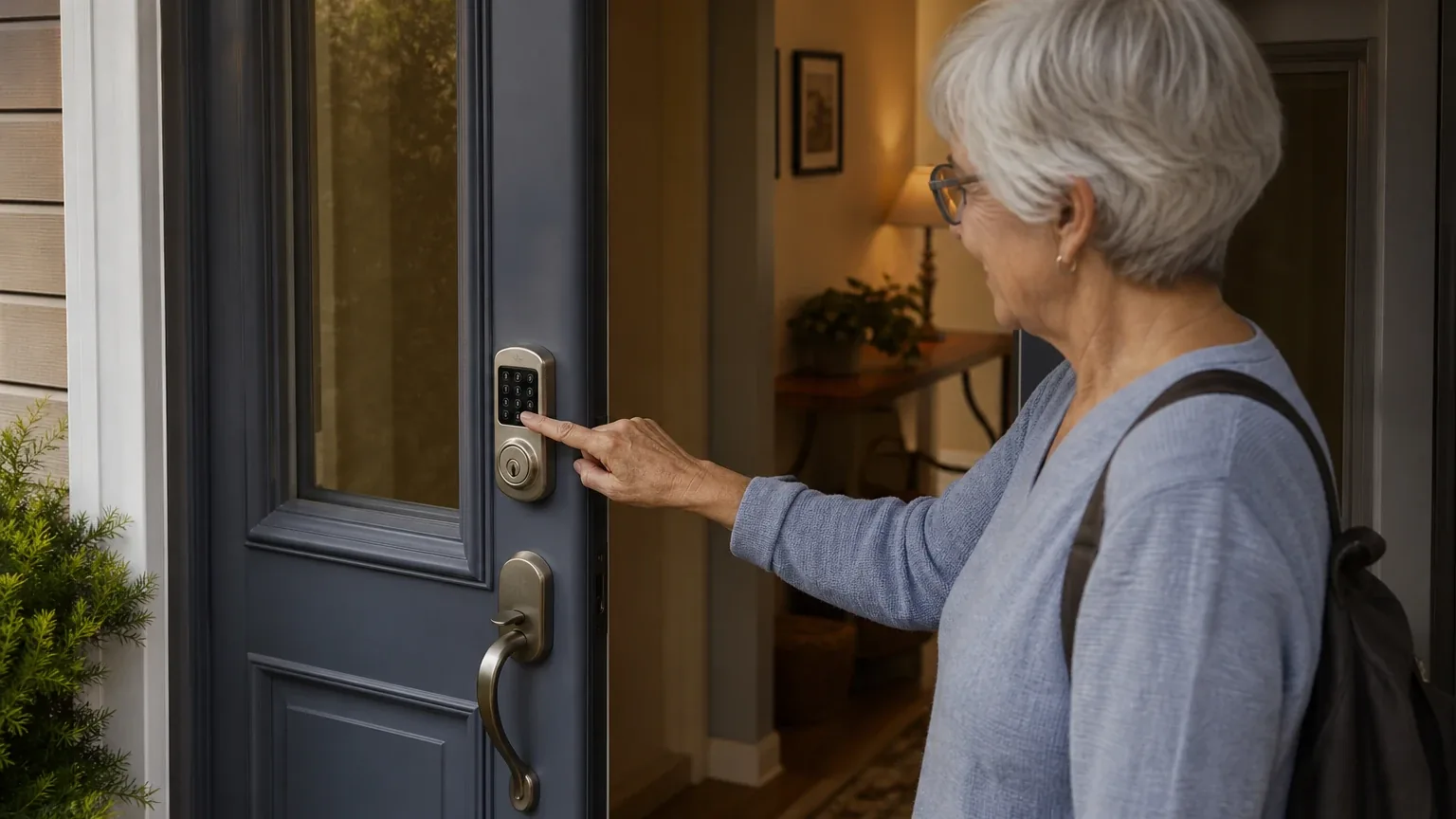
The Kwikset Halo Keypad Wi-Fi Smart Lock is a good fit for Keyless Entry & Caregiver Access, with caveats. Five of the seven platforms in this study named it during the ranking stage — 71% of included platform responses — and it finished fifth overall with an average listed rank of 4.6 and a best rank of 2. Its strongest reason to consider it is caregiver code management: up to 250 custom codes that can be created, scheduled, disabled, or deleted remotely, plus a physical key backup. The main limitation is battery life. Kwikset's cited materials do not establish one battery-life figure for model 938, and independent and retailer reports range from roughly two to six months.
Research Snapshot
| Field | Detail |
|---|---|
| Platform mentions in ranking stage | 5 of 7 platforms (anthropic, google, grok, openai, perplexity) |
| Share of included platform responses | 71.4% |
| Average listed rank | 4.6 |
| Best listed rank | 2 (google, grok, openai) |
| Relevant product/model/plan | Kwikset Halo Keypad Wi-Fi Enabled Smart Lock, model 938 (938-WIFI-KYPD-15) |
| Overall use-case fit | Good (openai, perplexity, grok); Strong (google); Mixed (anthropic, deepseek, kimi) |
| Research date | 2026-11-10 |
Platform mentions count only platforms that named the entity during ranking discovery; all seven platforms evaluated fit. Platform-reported research dates are provenance metadata and do not independently prove freshness.
What Changed Since September 2026
Kwikset Halo Keypad Wi-Fi Smart Lock moved down from No. 3 to No. 5, and platform mentions decreased from 6 to 5. The November 2026 review narrows the subject from the Kwikset Halo family to one model, the Kwikset Halo Keypad Wi-Fi Smart Lock (model 938), and is written to answer the caregiver questions a buyer would actually ask. The most consequential buyer-facing change is pricing evidence: $199.00 is newly reported for the keypad lock, while the $300 figure is no longer repeated. The limitation picture also sharpens: battery-life estimates now diverge from under two months to about six, and one user-reported support exchange ties repeated battery failures to the lock sitting within 10 feet of the router. Buyer fit, the recommended configuration, and the assessed strengths and limitations otherwise carry over. Differences between the two editions reflect what each article reports; they do not by themselves prove that the product, service, or price changed.
The September 2026 review preserves the earlier article for reference.
Why Kwikset Halo Keypad Wi-Fi Smart Lock Qualified for This Study
Questions This Section Answers
- Why did Kwikset Halo Keypad Wi-Fi Smart Lock qualify for a senior keyless entry study when it ranked fifth overall?
- Is Kwikset Halo Keypad Wi-Fi Smart Lock a better caregiver-access pick than its average rank of 4.6 suggests?
It qualified because five of seven platforms independently named it during ranking discovery, and three of those placed it at rank 2. The lock cleared the study's two-mention minimum with room to spare, and its feature set maps directly onto the Keyless Entry & Caregiver Access criteria: keypad readability, remote access, temporary code management, battery life, emergency key backup, installation ease, app simplicity, and security rating.
The rank spread explains the fifth-place finish. Google, grok, and openai listed it at 3, 2, and 2 respectively, while anthropic placed it at 10 and perplexity at 6 [30]. A single low placement pulls an average down quickly in a small field, so the 4.6 average understates how often it appeared near the top.
Qualification also reflects a naming caveat. Platforms and retailers describe the same family as "Halo Keypad Wi-Fi Enabled Smart Lock," "model 938," and "938 WIFI KYPD" variants, and some pages mix features across Halo Keypad, Halo Touchscreen, and Halo Select [39]. This review treats model 938 as the relevant product and flags variant confusion wherever it affects a buying decision.
The Product, Model, Plan, or Service Most Relevant to Keyless Entry & Caregiver Access
Questions This Section Answers
- Which Kwikset Halo model should a caregiver buy for keyless entry and temporary caregiver codes?
- Does the Kwikset Halo Keypad model 938 need a hub or subscription for remote caregiver access?
The relevant product is the Kwikset Halo Keypad Wi-Fi Enabled Smart Lock, model 938-WIFI-KYPD-15 — the physical-button keypad deadbolt, not the Halo Touchscreen or Halo Select variants. Kwikset's cited materials state the lock connects directly to home Wi-Fi without a third-party hub, panel, or subscription service [8].
Core capabilities as described by Kwikset and repeated across platforms:
- Up to 250 custom user codes, including temporary, scheduled, and permanent codes, manageable remotely through the Kwikset app [30].
- Remote lock and unlock, access history, event notifications, and shared lock management [35].
- A backlit physical keypad with one-touch locking [30].
- Traditional key backup with SmartKey re-keying [9].
- Four AA batteries with audible, visual, and app low-battery alerts [26].
One platform reported a narrower temporary-code capability: deepseek stated the lock does not support true one-time codes, only codes valid once within 24 hours [1]. Kwikset's own product page describes "one-time within 24 hours" access for contractors [29], which is consistent with that reading. Caregivers who need a code that self-destructs after a single use should verify this directly.
What the AI Platforms Agreed About
Questions This Section Answers
- What do AI platforms agree the Kwikset Halo Keypad Wi-Fi Smart Lock does well for caregiver access?
- Do AI platforms agree that Kwikset Halo Keypad Wi-Fi Smart Lock works without a hub or subscription?
Agreement was strong on caregiver code management and remote control. All five platforms that named the lock described remote code creation, scheduling, and deletion through the Kwikset app, and all five described built-in Wi-Fi without a required hub [30]. The 250-code capacity appears in Kwikset materials and is repeated by independent retail listings [21].
Platforms also agreed on physical key backup. Kwikset's product materials and independent retail listings describe traditional key entry alongside keypad and app access, with SmartKey re-keying [9].
On security ratings, agreement was narrower. Kwikset lists ANSI/BHMA Grade AAA and a 20-minute UL time rating for the Halo line [30]. Deepseek and kimi both flagged a conflict, with one source reporting BHMA Grade 3 rather than Grade AAA, and neither resolved it for the Keypad model specifically [1]. Treat the Grade AAA claim as manufacturer-reported until confirmed for the exact SKU.
Where the AI Platforms Disagreed or Were Uncertain
Questions This Section Answers
- How long do Kwikset Halo Keypad batteries actually last for a senior household using remote access daily?
- Is the Kwikset Halo Keypad Wi-Fi Smart Lock reliable enough for caregiver access if the home internet goes down?
Battery life is the sharpest disagreement. Kwikset's cited product materials do not establish a single battery-life figure for model 938 [30]. Estimates from other sources diverge widely:
| Source type | Reported battery life |
|---|---|
| Kwikset, as cited by an independent review | Approximately six months on new AA alkaline batteries [3] |
| Retailer answer | Approximately four to five months depending on usage [40] |
| Independent review | Four to six months, not twelve [44] |
| User reviews | Three to four months [46] |
| User reviews | Under two months in some reports [25] |
Kwikset support reportedly told one customer the lock must sit within 10 feet of the router or batteries will keep dying [2]. That is a user-reported support exchange, not a published specification.
Wi-Fi dependency produced a second split. One independent review stated the lock has "no backup path if WiFi fails" [5]. Kwikset and retailer information indicate stored keypad codes remain usable after setup when internet is unavailable, but the app cannot manage the lock remotely without connectivity [24]. Those claims are reconcilable — keypad entry persists, remote administration does not — but the platforms did not state it the same way.
Installation drew mixed reports. Retailer reviews describe installation as simple and straightforward, even for non-mechanical users [15], while an independent review described it as not entirely smooth even though core functions worked afterward [48].
App reliability was mixed. Retailer reviews describe the app as intuitive overall alongside complaints about Wi-Fi consistency, code-creation failures, and battery consumption [41]. One listing states every app change requires the lock to "sync," during which the lock is inoperable [19].
Accessibility evidence is limited. Kwikset lists the product as not ADA compliant [30]. No platform supplied independent testing of keypad font size, contrast, or senior readability [1].
Use-Case-Specific Features and Capabilities
Questions This Section Answers
- Can a caregiver create and revoke a temporary code on the Kwikset Halo Keypad without visiting the senior's home?
- Is the Kwikset Halo Keypad readable and operable for a senior with limited vision or dexterity?
Caregiver code management is the strongest capability. Codes can be created, disabled, or deleted remotely, and scheduled by date, day, or time window [30]. Codes are retained when batteries are removed or depleted [35].
Keypad usability favors the physical-button model. The 938 uses a backlit ten-button keypad with tactile buttons and one-touch locking [27]. One review notes the rubber buttons allow use with gloves or by touch alone, unlike a touchscreen [46]. Touchscreen-specific complaints — screens that sleep during code entry, palm-wake requirements, and failure below 32°F — apply to the Halo Touchscreen variant, not the 938 keypad [17].
Remote access depends on the home network. The lock supports remote lock/unlock, notifications, and event history over Wi-Fi, but the app cannot manage the lock without internet after setup [24].
Emergency backup is physical, not electronic. A traditional key provides entry if electronics or batteries fail [9]. One review of the Halo Select — a different model — noted no emergency power port [43]; the cited materials do not confirm whether model 938 has one, so buyers should verify the external emergency-power procedure for their installation.
Scheduled-code reliability has a documented firmware dependency. Kwikset published a notice about a scheduled-access-code issue affecting certain Halo 938 and 939 models, resolved by firmware version 02.09.00.10 [36]. Buyers relying on scheduled caregiver access should confirm the installed firmware.
Auto-lock and secure mode add oversight. Auto-lock can be set to lock the door after entry or exit, and secure mode disables the keypad entirely when the household is away [13].
Pricing, Fees, Contracts, and Ongoing Costs
Questions This Section Answers
- How much does the Kwikset Halo Keypad Wi-Fi Smart Lock cost for a caregiver household in 2026?
- Does the Kwikset Halo Keypad require a subscription or contract for remote caregiver access?
Pricing is not reliably settled. Kwikset's product page lists the Halo Keypad Wi-Fi Enabled Smart Lock at $199.00 [27], and one independent review cited about $200 [46]. Retail listings in the checked sources ranged lower — roughly $140 to $179 depending on seller and finish [39] — and one aggregator cited approximately $175 [47]. The openai platform could not confirm a current street price and rated its pricing confidence low [30].
| Cost item | Reported detail | Confidence |
|---|---|---|
| Lock purchase price | $199 list; roughly $140–$230 across sources | Low to moderate; varies by seller and finish |
| Subscription | None identified for core Wi-Fi functions | Consistent across platforms [8] |
| Hub | Not required | Consistent across platforms [8] |
| Batteries | Four AA; replacement every few months | Ongoing cost; interval disputed |
| Professional installation | Optional; one platform cited $100–$180 | Platform-reported, unverified (anthropic) |
No long-term contract is identified for the lock or the Kwikset app in the cited sources [30]. Warranty terms were not consistently verified: one platform reported a one-year electronics warranty with lifetime mechanical and finish coverage [28], another reported a lifetime finish warranty with unspecified hardware terms (anthropic), and a third flagged warranty details as unverified for this model [1]. Return windows and retailer policies vary by seller and were not confirmed.
Best Suited For
Questions This Section Answers
- Is the Kwikset Halo Keypad Wi-Fi Smart Lock a good choice for a family coordinating multiple caregivers with temporary codes?
- Is the Kwikset Halo Keypad a good fit for a senior who prefers buttons over a touchscreen?
It fits households with a compatible single-cylinder deadbolt, reliable 2.4 GHz Wi-Fi at the door, and caregivers who will manage codes through the app [30]. The strongest scenario is a rotating cast of aides, family members, and contractors who need individualized codes that can be issued and revoked remotely [12].
It also fits Seniors who prefer tactile buttons. The physical keypad works with gloves and by touch, and the backlit buttons support night entry [46]. Households that want a physical key as a fallback alongside keyless entry are a direct match [9].
Buyers who want no hub and no subscription for core functions are also well served [8]. For a broader view of how this lock compares with other options across the category, see the Keyless Entry & Caregiver Access consensus index.
Probably Not Best Suited For
Questions This Section Answers
- Is the Kwikset Halo Keypad a poor choice for a senior who cannot easily replace batteries every few months?
- Is the Kwikset Halo Keypad unsuitable for a home with unreliable Wi-Fi at the front door?
It is a weaker fit where battery maintenance is a burden. Reports of three to four months, and sometimes under two, mean someone must monitor alerts and replace four AA batteries several times a year [46]. Seniors living alone without nearby help should weigh that against simpler keypad-only locks.
It is also weaker where Wi-Fi is unreliable. Remote administration stops when the home internet is down, even though stored keypad codes keep working [24]. Homes with weak 2.4 GHz coverage at the door, or a router far from the lock, face both connectivity and battery penalties [2].
Buyers who need confirmed ADA-compliant hardware or documented senior-specific accessibility testing should look elsewhere; Kwikset lists this model as not ADA compliant [30], and no platform supplied independent readability testing [27].
When Another Option May Be Better
Questions This Section Answers
- When is a simpler non-Wi-Fi keypad lock a better choice than the Kwikset Halo Keypad for senior caregiver access?
- When should a caregiver choose a different smart lock platform over the Kwikset Halo Keypad?
A simpler non-Wi-Fi keypad lock may be better when the household mainly needs local caregiver codes and wants fewer connectivity and battery dependencies (openai). That trade-off removes remote management entirely, so it suits caregivers who visit regularly rather than manage access remotely.
A different platform may be better when caregivers need stronger accessibility documentation, more mature multi-user administration, or better-established battery performance (openai). Platforms also suggested alternatives for specific needs: Z-Wave or Zigbee models for longer battery intervals, hybrid Bluetooth-plus-Wi-Fi connectivity to avoid a Wi-Fi-only single point of failure, and Matter-enabled models for Apple HomeKit households, since the original Halo does not support HomeKit [5].
A newer Kwikset Halo Select variant may be better when Matter or broader smart-home interoperability is a deciding requirement, subject to verifying compatibility and current pricing [33]. A professionally installed or monitored access solution may be better when missed access or maintenance burden would create unacceptable practical risk (openai).
Questions to Verify Before Buying
Questions This Section Answers
- What should a caregiver confirm about door compatibility before buying the Kwikset Halo Keypad model 938?
- What should a buyer confirm about firmware and battery expectations before relying on Kwikset Halo Keypad scheduled codes?
Confirm the exact model and hardware. Sellers list Halo Keypad, Halo Touchscreen, and Halo Select under similar names, so verify the box says model 938 or 938-WIFI-KYPD-15 before purchase [39].
Confirm door compatibility. Check deadbolt bore, backset, door thickness, and strike alignment against Kwikset's model-specific installation materials [4].
Confirm the keypad works for the specific senior. Test readability in daylight, darkness, and with limited dexterity or vision in person; no independent senior-usability data was supplied [27].
Confirm firmware. Ask whether firmware 02.09.00.10 or newer is installed before relying on scheduled caregiver codes [36].
Confirm outage behavior. Ask what happens to remote lock status, notifications, and code changes during an internet outage, and keep a physical key with an authorized person [24].
Confirm battery expectations and who replaces them, given the wide range in reported intervals [40].
Confirm price, warranty, return window, and support terms with the specific seller, since these were not consistently verified [30].
Confirm ecosystem needs. The original Halo does not support Apple HomeKit; Alexa and Google Home integration is reported [5].
Final AI Consensus Verdict
The consensus is a qualified yes. Five of seven platforms named the Kwikset Halo Keypad Wi-Fi Smart Lock, and three fit ratings landed on good or strong (openai, perplexity, grok, google), while three landed on mixed (anthropic, deepseek, kimi). No platform rated it poor.
The case for it rests on caregiver code management, remote control without a hub or subscription, physical key backup, and a tactile keypad that suits seniors better than a touchscreen. The case against rests on disputed battery life, dependence on home internet for remote administration, mixed installation and app reliability reports, unresolved security-rating conflicts, and the manufacturer's stated lack of ADA compliance.
For a household with stable Wi-Fi, a caregiver willing to manage the app, and a senior who prefers buttons and a backup key, it is a reasonable choice. For households where battery maintenance, outage resilience, or verified accessibility matter most, another option is likely better. Readers comparing across the category can browse the wider home safety directory.
How This Review Was Produced
This review synthesizes fit-research responses from seven AI platforms — anthropic, deepseek, google, grok, kimi, openai, and perplexity — each asked to evaluate the Kwikset Halo Keypad Wi-Fi Smart Lock for Keyless Entry & Caregiver Access as part of a 2026 ranking study of smart locks for seniors. Research date is 2026-11-10 across all platforms.
Platform mentions in the ranking stage count only platforms that named the entity during ranking discovery; all seven evaluated fit. Fit ratings are platform-reported and were not independently verified. Citations reference the platform and source that supplied each claim. Company-owned sources (Kwikset product pages, FAQs, support documents) are distinguished from independent sources (reviews, retailer listings, user reviews) throughout.
Methodology Limitations
Several constraints bound these findings. Citations are platform-reported evidence, not independently verified facts, and the supplied URLs were collected from platform responses without independent validation at the writing stage. One platform (deepseek) ran without search enabled, so its claims are model-reported rather than retrieved.
Battery-life evidence is the weakest link: Kwikset's cited materials give no single figure for model 938, and third-party estimates vary from under two months to six months. Retailer review ratings and complaints are user-generated and may include incentivized reviews, so they indicate experience variability rather than measured failure rates.
Current street price, warranty terms, return terms, and availability were not reliably confirmed. Model naming is inconsistent across retailers, and some pages mix features across Halo variants. The cited evidence does not independently validate the manufacturer's security ratings or establish caregiver-specific safety outcomes. No platform supplied independent testing of keypad readability for seniors.
Sources
Company-Owned Sources
- Halo Keypad Wi-Fi Enabled Smart Lock Support: https://dev-site.kwikset.com/support/productdetail/halo-keypad-wi-fi-enabled-smart-lock
- Smart Lock Battery Troubleshooting Guide: https://kwiksetprodstorage.blob.core.windows.net/documents/ks_tg_5066450_smartlocks_.pdf
- Kwikset Halo Bluetooth Smart Lock FAQs: https://www.kwikset.com/halo/faqs
- Kwikset Halo Keypad Wi-Fi Enabled Smart Lock product page: https://www.kwikset.com/products/detail/halo-keypad-wi-fi-enabled-smart-lock
- Halo Keypad Wi-Fi Smart Lock Specifications: https://www.kwikset.com/products/detail/halo-keypad-wi-fi-enabled-smart-lock?variant=938-halo-sl-db-15
- Satin Nickel Halo Keypad Wi-Fi Enabled Smart Lock | Kwikset: https://www.kwikset.com/products/detail/halo-keypad-wi-fi-enabled-smart-lock?variant=938-wifi-kypd-15
- Halo Keypad Wi-Fi Enabled Smart Lock: https://www.kwikset.com/products/detail/halo-keypad-wi-fi-enabled-smart-lock?variant=938-wifi-kypd-514
- Satin Nickel Halo Select Plus Touchscreen Wi-Fi and Matter Enabled Smart Lock with Apple Home Keys: https://www.kwikset.com/products/detail/halo-select-plus-touchscreen-wi-fi-and-matter-enabled-smart-lock-with-apple-home-keys
- Kwikset Halo Select Touchscreen Wi-Fi and Matter Enabled Smart Lock: https://www.kwikset.com/products/detail/halo-select-touchscreen-wi-fi-and-matter-enabled-smart-lock
- Troubleshooting Scheduled Access Code Issues on Halo & Aura Locks: https://www.kwikset.com/support/answers/troubleshooting-scheduled-access-code-issues-on-halo-aura-locks
- Support Information for Halo Keypad Wi-Fi Enabled Smart Lock: https://www.kwikset.com/support/product-support/halo-keypad-wi-fi-enabled-smart-lock
- Official pricing and terms source: https://www.kwikset.com
Independent Sources
- Walmart Business: Kwikset Halo customer reviews: https://business.walmart.com/reviews/product/176219093
- Butterfly MX: Kwikset Halo Lock Reviews: https://butterflymx.com/blog/halo-lock-review/
- Focused Insight: Kwikset Halo WiFi Smart Lock Review: https://focusedinsight.net/kwikset-halo-wifi-smart-lock/
- Gear Diary: Kwikset Halo Select Plus Review: https://geardiary.com/2026/05/12/kwikset-halo-select-plus-review/
- Saunderson Security: Kwikset Halo Keypad Wi-Fi Enabled Smart Lock: https://saundersonsecurity.com/kwikset-halo-keypad-wi-fi-enabled-smart-lock.html
- Kwikset Halo Touchscreen Wi-Fi Enabled Smart Lock: https://smarthomecompared.com/door-locks/kwikset-halo-touchscreen-wi-fi-enabled-smart-lock
- Tom's Guide: Kwikset Halo Wi-Fi smart lock review: https://tomsguide.com/reviews/kwikset-halo-wi-fi-smart-lock
- Amazon: Kwikset Halo Keypad Wi-Fi Smart Lock product details: https://www.amazon.com/Kwikset-99380-002-Electronic-Deadbolt-Featuring/dp/B081FYNZ7N
- Amazon: Kwikset Halo Wi-Fi Smart Lock product details: https://www.amazon.com/Kwikset-99390-001-Electronic-Deadbolt-Featuring/dp/B081FYNZ7B
- Best Buy: Kwikset Halo Smart Lock Venice Bronze product page: https://www.bestbuy.com/site/kwikset-halo-smart-lock-wi-fi-replacement-deadbolt-with-app-touchscreen-key-access-venetian-bronze/6525587.p?skuId=6525587
- Best Buy: Kwikset Halo Smart Lock customer reviews: https://www.bestbuy.com/site/reviews/kwikset-halo-smart-lock-wi-fi-replacement-deadbolt-with-app-touchscreen-key-access-matte-black/6525590
- Digital Trends: Kwikset Halo Review: https://www.digitaltrends.com/home/kwikset-halo-review/
- Kwikset 938WIFIKYPD SMT Halo Keypad Wi-Fi Enabled Smart Lock: https://www.doorhardwarecenter.com/kwikset-938wifikypd-smt-halo-keypad-wi-fi-enabled-smart-lock-deadbolt-with-smartkey/
- eBay: Kwikset Halo Wi-Fi Touchscreen Smart Lock product page: https://www.ebay.com/itm/354431279225
- Gearbrain: Kwikset Halo Touch Fingerprint Review: https://www.gearbrain.com/amp/halo-touch-fingerprint-lock-review-2658206778
- Go Keyless: Kwikset Halo WiFi Keypad Smart Lock: https://www.gokeyless.com/products/kwikset-halo-keypad
- Home Controls: Kwikset Halo Keypad Wi-Fi Smart Lock: https://www.homecontrols.com/Kwikset-Halo-Keypad-Wi-Fi-Smart-Lock-KW9938000x
- Kwikset HALO Matte Black Keypad Wi-Fi Electronic Smart Lock Deadbolt featuring SmartKey Security: https://www.homedepot.com/p/Kwikset-HALO-Matte-Black-Keypad-Wi-Fi-Electronic-Smart-Lock-Deadbolt-featuring-SmartKey-Security-938-WIFI-KYPD-514-SMT/332247599
- Questions and Answers for Kwikset HALO Keypad WiFi Smart Lock: https://www.homedepot.com/p/questions/Kwikset-HALO-Satin-Nickel-Keypad-WiFi-Electronic-Single-Cylinder-Smart-Lock-Deadbolt-featuring-SmartKey-Security-938WIFIKYPD15SM/311532380/3
- Home Depot: Kwikset Halo Touchscreen customer reviews: https://www.homedepot.com/p/reviews/Kwikset-HALO-Matte-Black-Touchscreen-WiFi-Keypad-Electronic-Single-Cylinder-Smart-Lock-Deadbolt-featuring-SmartKey-Security-939WIFITSCR514S/311532384/3
- Kwikset Halo Keypad Satin Nickel Smart Lock Electronic Deadbolt: https://www.lowes.com/pd/Kwikset-Halo-Keypad-Satin-Nickel-Smart-Lock-Electronic-Deadbolt/1001798912
- Kwikset Halo Keypad Matte Black Smart Lock Electronic Deadbolt with Wifi Smartkey with Keypad: https://www.lowes.com/pd/Kwikset-Kwikset-938-Halo-Keypad-Matte-Black-Smart-Lock-Electronic-Deadbolt-with-Wifi-Smartkey-with-Keypad/5015666231
- How long do the batteries last?: https://www.lowes.com/questions/kwikset-938-wifi-kypd-11p-electronic-door-locks/1001798994/a7dd5f6b-2519-5198-abcb-53f363356b25
- Reviews for Kwikset 938 Wi-Fi Keypad Electronic Door Locks: https://www.lowes.com/reviews/kwikset-938-wifi-kypd-15-electronic-door-locks/1001798912
- Kwikset HALO Electronic Wi-Fi Keypad Door Deadbolt Featuring SmartKey Security: https://www.menards.com/main/hardware/door-locks/electronic-door-locks/kwikset-reg-halo-electronic-wi-fi-keypad-door-deadbolt-with-smartkey-security-trade/938wifikypd11p/p-79431343132321-c-3149259783476946.htm
- PC World: Kwikset Halo Select review: https://www.pcworld.com/article/2590383/kwikset-halo-select-review.html
- Propel RC: Kwikset Halo WiFi Smart Lock Review 2026: https://www.propelrc.com/kwikset-halo-wifi-smart-lock-review/
- Reviews.org: Kwikset Halo Smart Lock Review: https://www.reviews.org/home-security/kwikset-halo-touch-smart-lock-review/
- SafeWise: Kwikset Smart Locks Review: https://www.safewise.com/kwikset-smart-locks-review/
- Kwikset Smart Lock Review & Pricing in 2026: https://www.security.org/smart-locks/kwikset/
- Review of the Kwikset Halo Smart Lock: https://www.techlicious.com/review/kwikset-halo-smart-lock-review/
- The 6 Best Smart Door Locks The Spruce Has Tested: https://www.thespruce.com/best-keyless-door-locks-11717779
Other Sources
- Kwikset Halo Review for Seniors: https://aginginplaceindex.com/home-safety/keyless-entry-caregiver-access/kwikset-halo
- Halo Wi-Fi Enabled Smart Lock Specifications: https://s1.img-b.com/build.com/mediabase/specifications/kwikset/1681318/kwikset-938wifikypd-s-specifications.pdf
- Satin Nickel Halo Select Plus Touchscreen Wi-Fi and Matter Enabled Smart Lock with Apple Home Keys: https://www.kwikset.com/products/detail/halo-select-plus-touchscreen-wi-fi-and-matter-enabled-smart-lock-with-apple-home-keys?bvstate=pg%3A2%2Fct%3Ar
Verify This Research
Review the study details behind this page or download the public machine-readable verification record.
- Study date
- November 10, 2026
- Platforms analyzed
- 7
- Source records
- 50
- Ranking mentions
- 5 of 7
- Platform share
- 71%
- Final consensus rank
- #5
Research trail and source mix
Configured platforms
openai, anthropic, deepseek, grok, perplexity, kimi, google
Source mix
33 independent · 14 company-owned · 3 unclear
Evidence support
37 direct · 11 partial
Important limitation
Use the run research_date as the study date. Platform-reported dates are provenance metadata and do not independently prove freshness.
Source snapshot SHA-256 73d362d76e2fa51c2c771a3e2a643fabd94b0529b99d5d1138fe493b9c62a053