
Answer Capsule
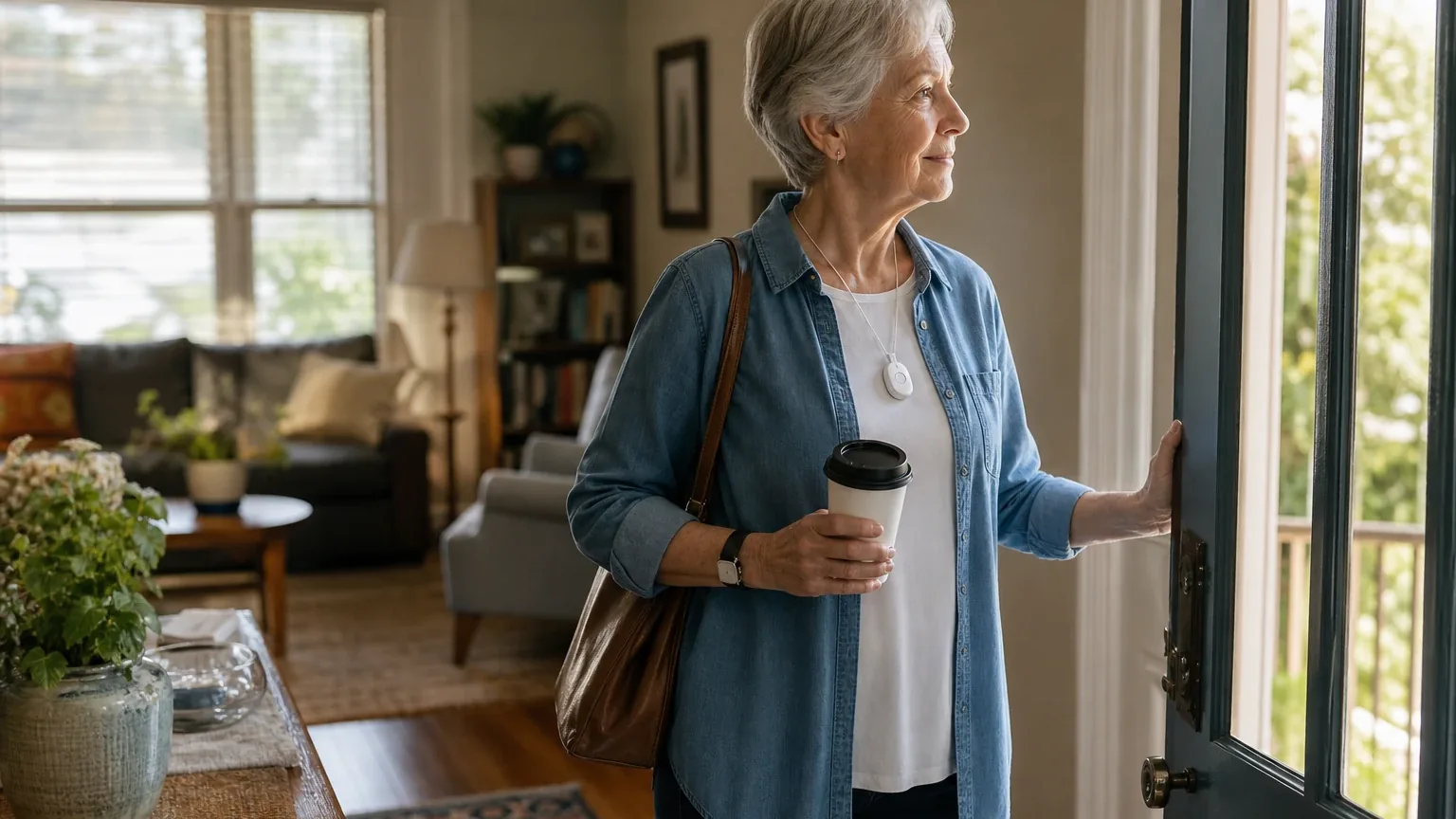
Lively is a good fit for many older adults living alone who want a portable, cellular medical alert with two-way voice, GPS location support, caregiver notifications, and optional automatic fall detection. Five of the seven platforms named Lively during the ranking stage — a 71% share — and it landed at an average listed rank of 4.6 with a best rank of 4. The strongest reason to consider it is the combination of one-button Urgent Response, the Lively Link caregiver app, and no long-term contract. The main limitation is that fall detection is optional, requires correct neck-lanyard wear, is not guaranteed to detect every fall, and lacks independently verified accuracy data.
Research Snapshot
| Field | Finding |
|---|---|
| Platform mentions in ranking stage | 5 of 7 platforms (deepseek, grok, kimi, openai, perplexity) |
| Share of included platform responses | 71.4% |
| Average listed rank | 4.6 |
| Best listed rank | 4 |
| Relevant product/model/plan | Lively Mobile2 with Urgent Response, Lively Link, and optional Fall Detection |
| Overall use-case fit | Good (five platforms rated good; two rated mixed) |
| Research date | 2026-09-24 |
Why Lively Qualified for This Study
Questions This Section Answers
- Why did Lively qualify for this Living Alone & Solo Aging medical alert review?
- How many AI platforms named Lively during the ranking stage for solo-aging buyers?
Lively qualified because it met the study's minimum-mention threshold and was named by five of the seven platforms during ranking discovery: deepseek, grok, kimi, openai, and perplexity. Its listed ranks ranged from 4 to 6, producing an average of 4.6 and a best rank of 4. The entity was evaluated as a company, with the Lively Mobile2 identified across platforms as the product most relevant to the Living Alone & Solo Aging use case.
Platform fit ratings split five "good" (openai, anthropic, grok, google, perplexity) against two "mixed" (deepseek, kimi). That split is itself a finding: the disagreement is not about whether Lively works, but about how much weight to give unverified fall-detection accuracy, battery duration, and pricing transparency. This review covers Lively only for the solo-aging use case, not as a broad company assessment. For the full field of options, see the Living Alone & Solo Aging consensus index.
The Product, Model, Plan, or Service Most Relevant to Living Alone & Solo Aging
Questions This Section Answers
- Which Lively device and plan is most relevant for an older adult living alone?
- Is the Lively Mobile2 or a Jitterbug phone the better choice for solo aging?
The Lively Mobile2 with Urgent Response, Lively Link, and optional Fall Detection is the configuration every platform centered on for this use case. It is a cellular mobile alert that provides one-button access to Urgent Response agents with two-way emergency communication [1]. It includes enhanced GPS and does not require a landline, base station, or installation [2].
The Jitterbug phones are a weaker fit. The Jitterbug Flip2 includes an Urgent Response button and Lively Link access, but it is a senior-oriented phone rather than a dedicated medical-alert device [4]. Independent reviewers state the Flip2 and Smart4 are phones first, not medical alert devices, and that reaching help requires making a call rather than pressing a dedicated button (anthropic:11-11, anthropic:11-12). One reviewer concluded the Mobile2 is the only Lively device that qualifies as a true one-touch medical alert (anthropic:11-13).
Platforms also referenced older or variant names — Mobile Plus and various Mobile2 configurations — so current availability and plan compatibility should be confirmed at purchase [1].
What the AI Platforms Agreed About
Questions This Section Answers
- What do AI platforms agree on about Lively for seniors who live alone?
- Is Lively's caregiver app considered useful for remote family monitoring?
Several findings drew broad agreement across the seven platform responses.
Mobile, cellular protection. Lively Mobile2 operates on nationwide cellular coverage and works at home and away from home without a base station [6]. Lively's own terms state cellular range may vary and exact location is not guaranteed [8].
Caregiver visibility. The Lively Link app can provide family notifications and show location, device status, battery level, and changes in daily activity [9]. Independent reviewers reported the app sent push notifications each time the Urgent Response button was used and allowed loved ones to check device location, power status, and activity levels (anthropic:10-5, anthropic:10-6). One platform reported location refreshes roughly every 20 minutes normally and every 30 seconds during emergencies [11].
No long-term contract. Lively advertises no long-term contracts and no cancellation fees for Mobile2 service [13].
Water resistance. The Mobile2 is IPX7-rated and can be worn in the shower, which matters because bathroom falls are a concern for people living alone [13].
One-button simplicity. The Mobile2 has one primary button, unlike watches or fitness trackers with many controls (anthropic:10-3). One independent reviewer described Lively as best for people who want a simple, one-button mobile alert with a quick setup and no complicated learning curve (anthropic:3-8).
Affordability relative to Life Alert. At $24.99 per month, one reviewer placed Lively among the most affordable options and cheaper than Life Alert's $49.95 starting price (anthropic:10-12, anthropic:12-5).
Where the AI Platforms Disagreed or Were Uncertain
Questions This Section Answers
- Do AI platforms disagree about Lively's fall detection accuracy and response times?
- Is Lively's device pricing consistent across official Lively pages?
Response time. Independent testing cited by one platform reported a 10-second response time, an average of 26 seconds, and a maximum of 28.48 seconds, with Urgent Response answering under 30 seconds in every timed test (anthropic:23-5, anthropic:15-12, anthropic:15-13, anthropic:22-5). Another platform reported average response times of 10–13 seconds (grok:0, grok:3, grok:5). A third reported roughly 13–15 seconds [15]. These figures are not standardized across testers, and Lively does not publish a guaranteed response time [17].
Fall detection accuracy. One platform reported fall-detection accuracy at 80% in comparisons (grok:3). Lively's own terms state the service uses patented and clinically validated algorithms but cannot guarantee that Fall Detection will always accurately determine a fall (anthropic:39-3, anthropic:39-6). Lively also states it will not detect 100% of falls and that the Mobile2 must be worn on the provided neck lanyard — belt, purse, or other wearing methods can cause falls to go undetected [19]. No independent, quantified sensitivity or specificity data was located by any platform [21].
Battery life. Lively advertises up to three days of Mobile2 use per charge based on internal testing, while warning that actual life varies with signal strength, temperature, call frequency, usage, and battery aging [17]. Other sources cite 40 hours of active use (anthropic:11-7, anthropic:16-13), 32–40 hours [22], and up to 80 hours of standby time (anthropic:37-3). One reviewer noted 40 hours is shorter than most other mobile medical alerts, which typically last three to five days (anthropic:16-13, anthropic:16-14).
Device pricing. Lively pages currently show different Mobile2 device prices: $79.99 on one listing and $119.99 on another [23]. Independent reviewers consistently cite $79.99 [25]. One platform reported a $49.99 device price [26], which conflicts with the other sources. Buyers should verify the checkout price.
Activation fee. Multiple sources report a one-time $35 activation fee [27]. One source states the fee is waived if the buyer calls Lively or activates online, but activating through third-party retailers triggers it (anthropic:11-15). Another platform reported a $25 activation fee on some plans [18], and one reported a range of $35–$50 [26]. This is unresolved.
Customer satisfaction. One platform cited independent review sources reporting mixed or below-average customer satisfaction for Lively/GreatCall compared with some competitors [28]. Another reported a weighted star average of about 2 out of 5 from more than 600 reviews, while noting most complaints concern billing and customer-service responsiveness for phones rather than the Mobile2 (anthropic:31-3). Against that, NCOA testing scored Lively customer service 10 out of 10 for Urgent Response operators and availability, describing agents as cordial, friendly, and supportive with clear two-way audio (anthropic:22-2, anthropic:22-5). One reviewer reported general support wait times under 20 minutes with helpful agents (anthropic:31-6).
Jitterbug Smart4 availability. One source states the Smart4 is no longer available and recommends the Smart5, while most 2026 reviews and retailers still list the Smart4 for sale (anthropic:1-1). This conflict is unresolved.
Use-Case-Specific Features and Capabilities
Questions This Section Answers
- Does Lively Mobile2 fall detection work if the pendant is not worn on the neck lanyard?
- What can adult children see in the Lively Link caregiver app for a parent living alone?
Emergency response. The Mobile2 provides one-button, 24/7 access to Lively Urgent Response agents with two-way communication; Lively describes the agents as certified and says they confirm location, assess the situation, and arrange help [29]. One platform reported Urgent Response is certified by IAED, works with U.S.-based agents, supports over 100 languages, and connects in under a minute [31]. Lively explicitly states Urgent Response is not a substitute for 9-1-1 and that conferencing 9-1-1 may delay reaching emergency services [32].
Fall detection. Optional Fall Detection costs $9.99 per month and is designed to contact Urgent Response automatically if a fall is detected, including when the user cannot press the button [30]. It requires the Mobile2 to be worn on the provided neck lanyard [34]. Fall Detection is only available on the Mobile2, not on Jitterbug phones [35].
Mobility and range. Mobile2 is a cellular mobile alert that works outside the home, includes enhanced GPS, and does not require a landline, base station, or installation [30]. Cellular availability and signal conditions can affect performance [36]. One platform noted Lively devices operate on the Verizon network with no Wi-Fi fallback for mobile devices [37].
Caregiver app. Lively Link can provide family notifications and show location, activity changes, device status, and battery level [39]. Authorized caregivers are notified via the app when the Mobile2 user contacts Urgent Response and can see their location (anthropic:18-2). The available public material does not establish the app's alert latency, caregiver count limits, historical-data depth, or independent reliability [30].
Battery. Lively advertises up to three days per charge based on internal testing, with real-world variation [30]. Independent sources cite 32–40 hours and note this requires near-daily charging [38].
Water resistance. The Mobile2 is IPX7-rated, which one reviewer described as withstanding 30 minutes of water immersion — safe for shower use but not extended submersion (anthropic:10-13, anthropic:9-6).
Device simplicity. One primary button, designed for older adults with limited tech skills (anthropic:10-3, anthropic:3-8). One reviewer noted the device is comfortable but has limited wearability options and no volume control (anthropic:3-8).
Pricing, Fees, Contracts, and Ongoing Costs
Questions This Section Answers
- How much does Lively Mobile2 cost per month, and what does fall detection add?
- Are there Lively activation, shipping, or cancellation fees a solo-aging buyer should expect?
Most platforms converge on the same service pricing, but device pricing and activation fees are inconsistent.
| Cost item | Reported amount | Source |
|---|---|---|
| Mobile2 device | $79.99 on one Lively listing; $119.99 on another | [44] |
| Basic service | $24.99/month plus taxes and fees | [46] |
| Premium service | $34.99/month plus taxes and fees | [46] |
| Fall Detection add-on | $9.99/month | [47] |
| Activation fee | $35 one-time, possibly waivable | [48] |
| Paper billing surcharge | $5/month more than paperless | (anthropic:16-5, anthropic:16-7) |
| Shipping | $8 economy unless order exceeds $25; expedited listed at $20 | [46] |
| Replacement protection | $2.50/month; $15 replacement service fee for Mobile2 with a 60-day waiting period | [46] |
One reviewer estimated the total upfront cost — device, activation, and first month — at roughly $140, or as much as $160 with a higher-tier plan and fall detection (anthropic:25-13). Another platform reported a $10 restocking fee if the Mobile2 is returned within the 30-day window, plus non-refundable shipping [49].
Contract terms. Lively states Mobile2 service has no long-term contract and no cancellation fees [46]. The product page states a 30-day return policy after receipt [46]. One platform reported cancellation is effective at the end of the current billing cycle with no prorated refund for partial months [51]. Another noted that after 30 days the device and activation fee are non-refundable, with only prorated monthly service charges potentially refundable (anthropic:1-1). Whether cancellation takes effect immediately or at cycle end should be verified [46].
Jitterbug phone costs. Basic talk-and-text plans start around $19.99 per month, with data plans near $29.99 per month (anthropic:35-4). One source lists Jitterbug phone plans ranging from $14.99 to $49.99 per month [49].
Best Suited For
Questions This Section Answers
- Who is Lively Mobile2 best suited for among older adults living alone?
- Is Lively a good choice for a solo-aging parent who leaves home regularly?
Lively Mobile2 is best suited for older adults who are mobile and want nationwide cellular coverage rather than a home-only base station [52]. It fits adult children who want remote monitoring through a smartphone app without a long-term contract [54]. It fits budget-conscious seniors or families on fixed incomes, given the $24.99 monthly starting price (anthropic:10-12, anthropic:12-5). It fits tech-averse or less tech-savvy seniors who prefer simple one-button emergency activation (anthropic:3-8, anthropic:10-3). It also fits buyers who value quick response times and U.S.-based customer service [55].
One platform added that Lively suits buyers who want the alert device, monitoring subscription, and caregiver app from a single vendor, and seniors who also need a simplified cell phone and prefer one bill [56]. Another noted buyers who prefer to evaluate the physical device in person at a retailer like Best Buy (anthropic:3-10, anthropic:3-13, anthropic:3-14).
Probably Not Best Suited For
Questions This Section Answers
- Who should not choose Lively Mobile2 for a senior living alone?
- Is Lively a poor fit for a homebound senior or someone in a rural area?
Lively is probably not the best fit for buyers who require independently published response-time or fall-detection accuracy data [57]. It is a poor fit for people unlikely to wear a neck-worn device consistently, since fall detection depends on correct lanyard wear [59]. It is not ideal for users wanting a conventional in-home base station with a long-range pendant and materially longer battery life [57]. It is a weak fit for seniors in rural areas with poor cellular coverage, because the Mobile2 is cellular-only with no landline fallback [60]. It is also a poor fit for buyers who prioritize extended battery life, since competitors offer three to five days versus the Mobile2's 40 hours (anthropic:16-13, anthropic:16-14).
One platform flagged that Lively is a reactive emergency system, not proactive wellness monitoring — it does not track activity patterns, sleep, or gradual decline unless integrated with separate health apps [60]. Another noted it is not suitable for seniors with significant dementia who may remove or forget devices [61].
When Another Option May Be Better
Questions This Section Answers
- When is a dedicated in-home medical alert system a better choice than Lively for solo aging?
- What should a buyer pick instead of Lively if they need verified fall detection accuracy?
Choose a dedicated in-home medical-alert provider when the buyer primarily needs a base station, long-range pendant, and simpler home-only operation [62]. Choose a provider with independently reported testing or published performance metrics when response time and fall-detection validation are decisive [62]. Choose another mobile alert when materially longer battery life, broader caregiver workflows, or clearer all-in pricing is required [62].
One platform suggested choosing a simple Lively phone rather than the Mobile2 only when the primary need is communication and manual emergency calling, not dedicated fall detection [64]. Another recommended comparing against systems with third-party-tested fall detection and simpler fee structures [65]. A third suggested alternatives when a buyer wants automatic fall detection included at no additional monthly fee, or a traditional landline-connected in-home unit (grok:0, grok:3). For a broader comparison across the category, see the medical alert systems directory.
Questions to Verify Before Buying
Questions This Section Answers
- What should a buyer confirm with Lively before signing up for Mobile2 service?
- How can a family verify Lively coverage and fall detection setup before purchase?
The platforms collectively raised a consistent verification list. Buyers should confirm:
- The exact device price and total first-year cost for the buyer's ZIP code, including activation, shipping, taxes, surcharges, and Fall Detection [66].
- Which cellular network is used at the older adult's home, usual travel locations, and rural areas [69].
- What happens if the device cannot obtain GPS or cellular service during an emergency [69].
- How fall-detection service is activated and how the buyer can confirm it is enabled [71].
- Whether the older adult can comfortably and consistently wear the required lanyard, including during sleep and bathing [72].
- What measured or typical response times are, and whether they are guaranteed or marketing claims [66].
- How many caregivers can use Lively Link, what alerts are supported, and how quickly alerts are delivered [74].
- The cancellation process and effective cancellation date [76].
- What support is available if the device is lost, damaged, not charged, or produces a false fall alert [66].
- Whether the device, service, and Fall Detection are eligible for the buyer's FSA or HSA under current account rules [66].
Final AI Consensus Verdict
Lively Mobile2 with Urgent Response and optional Fall Detection is a good, practical fit for many older adults living alone. It combines mobile emergency access, two-way communication, GPS, caregiver notifications, and no long-term contract [77]. Five of seven platforms rated the fit good; two rated it mixed (deepseek, kimi). The strongest reasons to consider it are one-button simplicity, the Lively Link caregiver app, and month-to-month terms at $24.99 per month (anthropic:3-8, anthropic:10-3, anthropic:10-6, anthropic:2-6).
The main reasons not to rate it strong are the required lanyard-wearing discipline, imperfect fall detection, limited battery duration, cellular dependence, lack of independent performance evidence, and inconsistent public device pricing [78]. Platform agreement on these features does not prove product quality; it reflects what the reviewed sources state. Buyers whose priority is verified fall-detection accuracy, multi-day battery life, or a landline-based in-home system should compare alternatives before purchasing.
How This Review Was Produced
This review was produced from seven platform fit-research responses collected for the Living Alone & Solo Aging use case, using the run research date of 2026-09-24. Five of the seven platforms named Lively during ranking discovery: deepseek, grok, kimi, openai, and perplexity. Each platform supplied its own fit assessment, use-case findings, pricing and terms, limitations, and citations. Platform fit ratings were five "good" (openai, anthropic, grok, google, perplexity) and two "mixed" (deepseek, kimi). All factual claims are cited to the supplied platform citation IDs. No personal testing, customer experience, or independent verification was performed for this review.
Methodology Limitations
- All included platforms evaluated fit, but the platform-mention count reflects only platforms that named Lively during ranking discovery.
- Platform-reported research dates differ from the authoritative run date. Deepseek reported a research date of 2026-01-27; the other six platforms reported 2026-09-24. Platform-reported dates are provenance metadata and do not independently prove freshness.
- Deepseek ran with search disabled, so its claims are platform-reported and require verification before being described as current facts.
- The supplied URLs were collected from platform responses and were not independently validated by the writer stage.
- Citations are platform-reported evidence, not independently verified facts.
- Conflicting product names, pricing, and capabilities were not resolved by guessing; conflicts are described and buyers are directed to verify.
- Some fetched domains were not corroborated by brand or site identity metadata and were not used as official identity signals. Company-name variants were collapsed onto one canonical brand before minimum-mention qualification.
- No independent source was identified that validates Lively's claimed response speed, fall-detection accuracy, caregiver-alert reliability, or real-world battery life.
- Lively's public material does not establish fall-detection sensitivity, false-alarm rate, caregiver-alert latency, or real-world battery results.
- The exact taxes, surcharges, activation-fee applicability, billing-cycle rules, and final delivered price depend on checkout and location.
What Changed Since July 2026
The company remained at No. 5, and platform mentions were unchanged at 5. The July 2026 and September 2026 fit reviews describe Lively for the same solo-aging use case, and the recommended configuration is unchanged. What changed most for buyers is the framing: September 2026 centers on the Lively Mobile2 with Urgent Response, Lively Link, and optional Fall Detection, replacing the earlier broader "Basic or Premium plan" summary. Reported performance evidence was refreshed, with newly reported response-time figures like 10–13 seconds and 26 seconds replacing the earlier 13 to 26 seconds. Pricing evidence also shifted: the current review newly reports $24.99 per month for basic service, while the earlier review's paper-billing figures and add-on price are no longer repeated. The buyer-facing strengths and limitations remain similar. Article differences do not by themselves prove that the company changed its offering or price.
The July 2026 review preserves the earlier article for reference.
Sources
Company-Owned Sources
- Lively Products and Services - Urgent Response, Fall Detection, Mobile2: https://shop.lively.com/
- Fall Detection: https://shop.lively.com/blogs/help-center/fall-detection
- Lively Mobile2 and Safety Devices Terms & Conditions: https://shop.lively.com/blogs/legal-pages/lively-mobile2-and-safety-devices-terms-conditions
- Lively Phones & Devices for Seniors: https://shop.lively.com/collections/lively-products
- Jitterbug Smart4 – Lively Cell Phone: https://shop.lively.com/jitterbug-smart4
- Lively Link App – Caregiver Connection: https://shop.lively.com/lively-link
- Lively Mobile2 – Medical Alert Device with Fall Detection: https://shop.lively.com/lively-mobile2
- Fall Detection for Seniors: https://shop.lively.com/pages/fall-detection
- Medical Alert Plans for Seniors - Lively: https://shop.lively.com/pages/medical-alert-compare-plan
- Lively Plans and Pricing – Urgent Response Service: https://shop.lively.com/plans
- Jitterbug Flip2 Easy-to-Use Flip Phone for Seniors: https://shop.lively.com/products/jitterbug-flip2-flip-phone
- Lively Mobile2 All-in-One Medical Alert: https://shop.lively.com/products/lively-mobile2-all-in-one-medical-alert
- Lively Mobile2 All-in-One Medical Alert: https://shop.lively.com/products/lively-mobile2-all-in-one-medical-alert?_pos=2&_sid=2286eda37&_ss=r&bvstate=pg%3A4%2Fct%3Ar
- Urgent Response Terms and Conditions: https://www.lively.com/legal/urgent-response-terms-conditions/
- Senior Cell Phones & Medical Alerts | Lively: https://www.lively.com/meet-the-team/
- Lively Mobile2 Health & Safety Device with Fall Detection: https://www.lively.com/mobile2/
- Jitterbug Flip2: https://www.lively.com/phones/jitterbug-flip2/
- Lively Mobile2 Monthly Medical Alert Plan: https://www.livelydirect.com/mobile2/pers-plans/
Additional AI research evidence83 records
- AI research evidence record openai:c1
- AI research evidence record openai:c2
- AI research evidence record openai:c5
- AI research evidence record openai:c7
- AI research evidence record openai:c8
- AI research evidence record deepseek:c1
- AI research evidence record google:1.1.4
- AI research evidence record openai:c5
- AI research evidence record openai:c6
- AI research evidence record deepseek:c3
- AI research evidence record google:1.2.3
- AI research evidence record google:1.2.4
- AI research evidence record openai:c2
- AI research evidence record openai:c7
- AI research evidence record google:1.2.9
- AI research evidence record google:1.4.6
- AI research evidence record openai:c2
- AI research evidence record deepseek:c2
- AI research evidence record openai:c3
- AI research evidence record openai:c4
- AI research evidence record deepseek:c1
- AI research evidence record google:1.1.4
- AI research evidence record openai:c9
- AI research evidence record openai:c10
- AI research evidence record perplexity:c5
- AI research evidence record kimi:c1
- AI research evidence record google:1.4.8
- AI research evidence record deepseek:c4
- AI research evidence record openai:c1
- AI research evidence record openai:c2
- AI research evidence record google:1.2.6
- AI research evidence record perplexity:c3
- AI research evidence record openai:c3
- AI research evidence record openai:c4
- AI research evidence record google:1.3.3
- AI research evidence record openai:c5
- AI research evidence record kimi:c2
- AI research evidence record google:1.1.4
- AI research evidence record openai:c6
- AI research evidence record deepseek:c3
- AI research evidence record perplexity:c5
- AI research evidence record google:1.2.9
- AI research evidence record google:1.4.6
- AI research evidence record openai:c9
- AI research evidence record openai:c10
- AI research evidence record openai:c2
- AI research evidence record openai:c3
- AI research evidence record google:1.4.8
- AI research evidence record google:1.3.3
- AI research evidence record openai:c7
- AI research evidence record perplexity:c3
- AI research evidence record deepseek:c1
- AI research evidence record perplexity:c7
- AI research evidence record deepseek:c3
- AI research evidence record google:1.2.6
- AI research evidence record deepseek:c5
- AI research evidence record openai:c2
- AI research evidence record deepseek:c1
- AI research evidence record openai:c4
- AI research evidence record kimi:c2
- AI research evidence record kimi:c1
- AI research evidence record openai:c2
- AI research evidence record deepseek:c1
- AI research evidence record openai:c8
- AI research evidence record deepseek:c4
- AI research evidence record openai:c2
- AI research evidence record openai:c9
- AI research evidence record openai:c10
- AI research evidence record openai:c5
- AI research evidence record kimi:c2
- AI research evidence record openai:c3
- AI research evidence record openai:c4
- AI research evidence record deepseek:c2
- AI research evidence record openai:c6
- AI research evidence record perplexity:c5
- AI research evidence record perplexity:c3
- AI research evidence record openai:c1
- AI research evidence record openai:c2
- AI research evidence record openai:c7
- AI research evidence record openai:c3
- AI research evidence record openai:c4
- AI research evidence record openai:c9
- AI research evidence record openai:c10
Independent Sources
- Jitterbug Smart4 Review (2026): Is It Worth It?: https://bestphonesforseniors.com/reviews/jitterbug-smart4
- Lively Medical Alert Review 2026 | SeniorsList: https://seniorslist.com/medical-alert-systems/greatcall-reviews/
- I Tried Lively Mobile2 Medical Alert System: Here's My Review - Forbes: https://vertexaisearch.cloud.google.com/grounding-api-redirect/AUZIYQEkZmY3Oc76S41AOCulHw_pmVPZvCtDBY4ZX4r8A5YBhTnCZ1XgUSkmFGOLA7wToaRuAKrpbSIhWjzV8618BoJ4gLQg3_abXbGwUeiJVvej-P-Twd5-PLb5u7EonlLJ2IsVLidT_MEkJD9tApZgF44PXlOrewPj1VLtmuke2q8Ybg03nIc=
- Lively Medical Alert Review: Honest Pros, Cons & Verdict 2026 - ElderLivingHub: https://vertexaisearch.cloud.google.com/grounding-api-redirect/AUZIYQFCVcym2N5dZuGjf2pfLO17o9RRNEkOaSpSsclBoJY8ydoo0gQ46W3thyYRUUMKtLkFnoeF4hbBxBlD0Lv_s6JQchmv6BjBxnIt8ISEpsXnlWif0J9EoSrIQL523wMLHLn8oYTrEmEZejE-pZDh-hDXSOyLox4=
- Lively Mobile2 All-In-One Medical Alert - Black International Shipping - Big Apple Buddy: https://vertexaisearch.cloud.google.com/grounding-api-redirect/AUZIYQFYBatMwWqbLEvjPbGIc8ZPf34wO9amoNyQHFiI-gV92x3iWh88DULl9WOKtCeOdceajKn0NF32dMxtRfdpjw9o3aExc1e5dkvy5LDWe4EKbtEN7yxLNpF3u3S0eWkXI_Kp3sWJ9QxLty1NLcmL34LBsL49SIyE1-p2ad0EkCDxdvoja0VEKDbtZ_tyIjigAO1GxfblFfAr3wlbgQ==
- Lively Senior Phones & Medical Alert Systems Pricing 2026 - SafeHome.org: https://vertexaisearch.cloud.google.com/grounding-api-redirect/AUZIYQGi-X60opMTwhPlx1QO8qEMtUYXg3EYffgoRQOp0oeU227cqjk-FIur32r99SC3wXpQsQUAz7e2y4DB0ZN43Q1XSDVlceFoX2aBYl-NJ-0P2iBI15o_lihFFIM9RR8ZMgeOpkl9Zt0dJ7nh2pKA5nY=
- Lively Medical Alert System Cost & Pricing in 2026 - SeniorLiving.org: https://vertexaisearch.cloud.google.com/grounding-api-redirect/AUZIYQHPLqyjVHKBz4K3rdw1KtM_2S1ntoFP8-Im8Aq4yiVa2Gh99mnUAHKTWbU2QDKVAZMYJ6cZ-coywbsHo-7FW-Uj0rhdHFifBeEfEdtTktpFxny6FYno_mWg72QWts5YGDo3VfHX85yY3x0v_vZztHqQKZYY
- Compare devices and costs to find the right one for you: https://www.consumeraffairs.com/medical-alert-systems/fall-detection.html
- Lively Medical Alert System Review: https://www.consumeraffairs.com/medical-alert/lively.html
- Lively Medical Alert Review 2026: Tested and Reviewed: https://www.ncoa.org/product-resources/medical-alert-systems/lively-review/
- Lively Medical Alert Plans, Costs, & Pricing | SafeHome.org: https://www.safehome.org/medical-alert-systems/greatcall/
- Most Affordable Life Alert Systems: https://www.safewise.com/senior-safety/medical-alerts/affordable/
- Lively Mobile2 Medical Alert │ 2026 Review | SafeWise: https://www.safewise.com/senior-safety/medical-alerts/lively/
- Best Medical Alert Systems of 2026: Tested and Ranked: https://www.seniorliving.org/medical-alert-systems/best/
- Lively Medical Alert System Cost & Pricing in 2026: https://www.seniorliving.org/medical-alert-systems/greatcall/
- Lively Medical Alert System Review 2026: https://www.seniorliving.org/medical-alert-systems/greatcall/reviews/
- Jitterbug Smart4 Review │The Senior List: https://www.theseniorlist.com/cell-phones/jitterbug/smart/
- Lively Medical Alert: Costs and Plans │The Senior List: https://www.theseniorlist.com/medical-alert-systems/greatcall/
- Lively Mobile2 Medical Alert Review │The Senior List: https://www.theseniorlist.com/medical-alert-systems/greatcall/reviews/
- Lively Medical Alert System Review 2024: https://www.usnews.com/360-reviews/services/medical-alert-system/lively
- Lively Mobile Plus All-in-One Medical Alert Device - Walmart: https://www.walmart.com/ip/Lively-Mobile-Plus-All-in-One-Medical-Alert-Device-Must-Be-Activated-Through-Lively-Simple-Alert-System-for-Seniors-Medical-Alert-Device/557916422
Additional AI research evidence83 records
- AI research evidence record openai:c1
- AI research evidence record openai:c2
- AI research evidence record openai:c5
- AI research evidence record openai:c7
- AI research evidence record openai:c8
- AI research evidence record deepseek:c1
- AI research evidence record google:1.1.4
- AI research evidence record openai:c5
- AI research evidence record openai:c6
- AI research evidence record deepseek:c3
- AI research evidence record google:1.2.3
- AI research evidence record google:1.2.4
- AI research evidence record openai:c2
- AI research evidence record openai:c7
- AI research evidence record google:1.2.9
- AI research evidence record google:1.4.6
- AI research evidence record openai:c2
- AI research evidence record deepseek:c2
- AI research evidence record openai:c3
- AI research evidence record openai:c4
- AI research evidence record deepseek:c1
- AI research evidence record google:1.1.4
- AI research evidence record openai:c9
- AI research evidence record openai:c10
- AI research evidence record perplexity:c5
- AI research evidence record kimi:c1
- AI research evidence record google:1.4.8
- AI research evidence record deepseek:c4
- AI research evidence record openai:c1
- AI research evidence record openai:c2
- AI research evidence record google:1.2.6
- AI research evidence record perplexity:c3
- AI research evidence record openai:c3
- AI research evidence record openai:c4
- AI research evidence record google:1.3.3
- AI research evidence record openai:c5
- AI research evidence record kimi:c2
- AI research evidence record google:1.1.4
- AI research evidence record openai:c6
- AI research evidence record deepseek:c3
- AI research evidence record perplexity:c5
- AI research evidence record google:1.2.9
- AI research evidence record google:1.4.6
- AI research evidence record openai:c9
- AI research evidence record openai:c10
- AI research evidence record openai:c2
- AI research evidence record openai:c3
- AI research evidence record google:1.4.8
- AI research evidence record google:1.3.3
- AI research evidence record openai:c7
- AI research evidence record perplexity:c3
- AI research evidence record deepseek:c1
- AI research evidence record perplexity:c7
- AI research evidence record deepseek:c3
- AI research evidence record google:1.2.6
- AI research evidence record deepseek:c5
- AI research evidence record openai:c2
- AI research evidence record deepseek:c1
- AI research evidence record openai:c4
- AI research evidence record kimi:c2
- AI research evidence record kimi:c1
- AI research evidence record openai:c2
- AI research evidence record deepseek:c1
- AI research evidence record openai:c8
- AI research evidence record deepseek:c4
- AI research evidence record openai:c2
- AI research evidence record openai:c9
- AI research evidence record openai:c10
- AI research evidence record openai:c5
- AI research evidence record kimi:c2
- AI research evidence record openai:c3
- AI research evidence record openai:c4
- AI research evidence record deepseek:c2
- AI research evidence record openai:c6
- AI research evidence record perplexity:c5
- AI research evidence record perplexity:c3
- AI research evidence record openai:c1
- AI research evidence record openai:c2
- AI research evidence record openai:c7
- AI research evidence record openai:c3
- AI research evidence record openai:c4
- AI research evidence record openai:c9
- AI research evidence record openai:c10
Verify This Research
Review the study details behind this page or download the public machine-readable verification record.
- Study date
- September 24, 2026
- Platforms analyzed
- 7
- Source records
- 45
- Ranking mentions
- 5 of 7
- Platform share
- 71%
- Final consensus rank
- #5
Research trail and source mix
Configured platforms
openai, anthropic, deepseek, grok, perplexity, kimi, google
Source mix
25 independent · 20 company-owned
Evidence support
40 direct · 5 partial
Important limitation
Use the run research_date as the study date. Platform-reported dates are provenance metadata and do not independently prove freshness.
Source snapshot SHA-256 277dd9c57fae027207ed2592f943b03216c25e03447075e0204b08dabb41c7dc
Archived editions
Browse earlier published research snapshots for this article. The latest edition remains at the current URL.