
Answer Capsule
Lively Mobile2 is a good fit, with conditions, for a solo-aging adult who will carry and charge a mobile pendant and wants nationwide cellular emergency response with optional fall detection and family alerts. Three of the seven platforms in this study named it during the ranking stage, and all seven evaluated it for this use case; six rated it "good" and one rated it "mixed." The strongest reason to consider it is the combination of mobile GPS response, an optional fall-detection add-on, caregiver notifications, and no long-term contract. The main limitation is that fall detection requires the supplied neck lanyard, battery life is short, and no platform located independently validated fall-detection accuracy or a published response-time guarantee [12].
Research Snapshot
| Field | Detail |
|---|---|
| Platform mentions in ranking stage | 3 of 7 platforms (anthropic, grok, openai) |
| Share of included platform responses | 42.9% |
| Average listed rank | 4.67 |
| Best listed rank | 4 (anthropic) |
| Relevant product/model/plan | Lively Mobile2 Cellular Medical Alert Pendant with optional Fall Detection; Basic or Premium service |
| Overall use-case fit | Good (6 platforms); Mixed (1 platform) — 7 platforms analyzed |
| Research date | 2026-11-09 |
What Changed Since September 2026
Lively Mobile2 moved down from No. 5 to No. 7, and platform mentions decreased from 5 to 3. The November 2026 review recasts Lively Mobile2 as the specific product under study rather than treating Lively as a company-level entry, sharpening the buyer profile around a solo-aging adult who will wear and charge a cellular pendant. The configuration guidance is unchanged: Mobile2 with optional Fall Detection, on either service tier. Pricing evidence shifted as well, with $34.99 per month newly reported for Premium service and $89.99 newly reported as a promotional device price. The core strengths and limitations carry over, including lanyard-dependent fall detection, multi-day battery life that realistically requires frequent charging, and no long-term contract. Differences between the two editions reflect what each article reports; they do not by themselves prove that the product, service, or price changed.
The September 2026 review preserves the earlier article for reference.
Why Lively Mobile2 Qualified for This Study
Questions This Section Answers
- Did enough AI platforms name Lively Mobile2 in the ranking stage to justify a full fit review for seniors living alone?
- How did Lively Mobile2's ranking-stage position compare with the rest of the field for the Living Alone & Solo Aging use case?
Lively Mobile2 qualified because it cleared the study's two-mention minimum and was then evaluated for fit by every platform in the panel. Three of the seven platforms named it during ranking discovery — anthropic, grok, and openai — which is 42.9% of included platform responses. Its listed ranks were 4 (anthropic) and 5 (grok and openai), producing an average listed rank of 4.67 and a best listed rank of 4.
Qualification is a discovery threshold, not a quality score. The ranking stage establishes that multiple platforms considered Lively Mobile2 a candidate worth listing for this use case; it does not establish that the device performs better than systems that were not named. All seven platforms then produced a fit assessment, and those assessments are the substance of this review.
The entity is a company-level identity in this study, and the product most platforms attached to it was the Lively Mobile2 cellular pendant with optional Fall Detection, sold with Basic or Premium service [12]. One platform referenced a "Preferred" plan label that could not be confirmed on current public plan pages, a discrepancy addressed below.
The Product, Model, Plan, or Service Most Relevant to Living Alone & Solo Aging
Questions This Section Answers
- Is the Lively Mobile2 pendant, rather than a Lively phone or in-home base station, the right Lively product for a senior who lives alone?
- Which Lively service tier should a solo-aging buyer choose if they want fall detection and caregiver alerts?
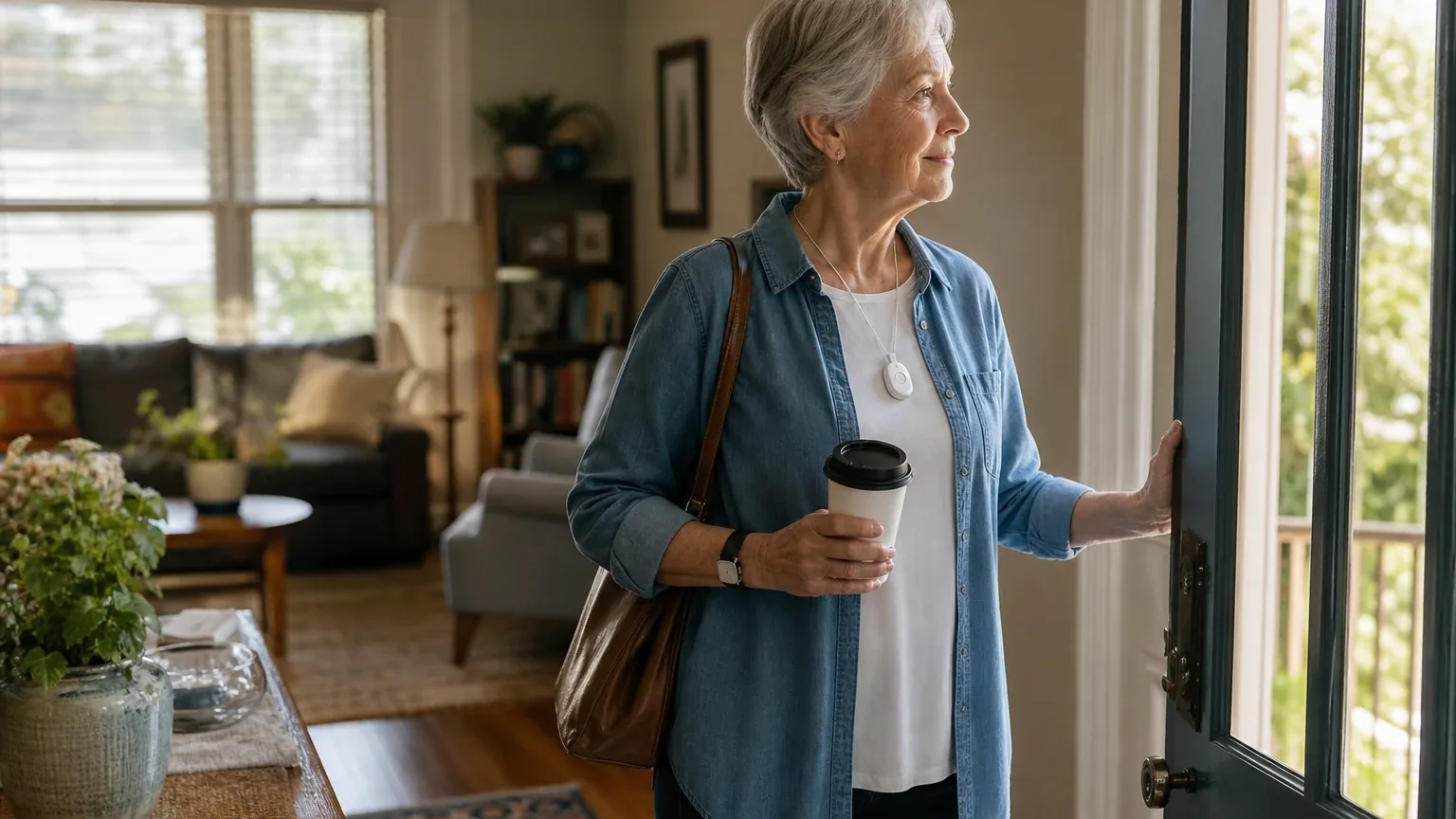
The relevant product is the Lively Mobile2, a wearable cellular medical alert pendant with GPS, two-way voice, IPX7 water resistance, and an optional Fall Detection add-on [12]. It is not a base-station system: there is no in-home hub, no landline requirement, and no installation step. That makes it the Lively product that matches a senior who leaves the house, rather than a homebound buyer who wants a room-coverage base unit.
Service is sold separately in tiers. The current public comparison page lists Basic at $24.99 per month and Premium at $34.99 per month before taxes and fees, with Fall Detection adding $9.99 per month [14]. Premium adds services such as Nurse On-Call and Care Advocate that Basic does not include [15]. The Lively Link caregiver app is described as available across plans, though platforms did not fully verify which app functions sit behind which tier [12].
For this use case, the practical configuration most platforms described is Mobile2 plus Fall Detection on either tier, with Premium relevant mainly to buyers who want the added nurse and care-advocate services. Buyers comparing this device against base-station alternatives can review the full Living Alone & Solo Aging consensus index for how other systems were assessed on the same criteria.
What the AI Platforms Agreed About
Questions This Section Answers
- What do the AI platforms agree the Lively Mobile2 does well for a senior living alone?
- Do the platforms agree that Lively Mobile2 fall detection only works when the pendant is worn on the neck lanyard?
Agreement was strong, though not unanimous, on the device's core strengths and its central constraint. Six of seven platforms rated Lively Mobile2 a "good" fit for this use case; kimi rated it "mixed." No platform rated it poor.
The clearest points of agreement:
- Mobile, cellular design. Platforms consistently described the Mobile2 as a nationwide cellular pendant with GPS and no base station or landline dependency, suited to a senior who moves between home and the outside world [12].
- Fall detection is optional and lanyard-dependent. Multiple platforms independently noted that Fall Detection costs $9.99 per month and works only when the device is worn around the neck on the supplied lanyard; belt-clip or purse carry can cause real falls to go undetected [9].
- Caregiver visibility. The Lively Link app was described as providing family alerts, location information, and device status, which platforms tied directly to adult children monitoring a parent remotely [12].
- No long-term contract. Platforms agreed the service is month-to-month with no stated cancellation fee, which several treated as a meaningful risk reducer for a first purchase [11].
- Water resistance. The IPX7 rating was noted as relevant because shower and bath areas are common fall locations [12].
Agreement among platforms reflects shared source material, much of it Lively's own pages. It is not independent proof of product quality.
Where the AI Platforms Disagreed or Were Uncertain
Questions This Section Answers
- Why do the AI platforms report different average response times for the Lively Mobile2?
- Is Lively Mobile2's fall detection accuracy independently verified for a senior living alone?
The platforms diverged most on measured performance and on pricing details.
Response time. Reported averages ranged widely. Several platforms cited roughly 13 seconds [19], one cited 13 to 26 seconds [24], one cited 10 to 13 seconds and separately 13 to 15 seconds [20], and one platform reported a 26-second average with a 28.48-second maximum [1]. Lively itself advertises fast response but does not publish a numerical response-time guarantee in the reviewed materials [12]. The spread reflects different testers and methods, not a settled figure.
Fall detection accuracy. No platform located independent, quantified sensitivity or specificity testing. Lively's own materials state fall detection does not detect 100% of falls and requires the lanyard [15]. One platform reported an 80% figure in comparisons [1], but that number was not corroborated across the panel and should be treated as platform-reported.
Battery life. Lively states up to three days [12]. Platforms reported 40 hours [10], 32 to 40 hours [24], and "up to 3 days" with heavy variability caveats [15]. Actual life depends on signal, temperature, call frequency, and device age.
Pricing and plan names. Device price appeared as $119.99 regular with an $89.99 promotional price [12], and as $79.99 in some reviews [2]. Activation fees were reported as $25 online and $35 by phone [15], or as a flat $35 [12]. One platform referenced a "Preferred" plan at $39.99 per month that current public pages do not confirm [12]. An administrative fee was listed inconsistently as $3.23 or $3.43 [15].
Contract and cancellation. Most platforms found no long-term contract [11]. Perplexity and deepseek reported cancellation and commitment terms as unclear from the sources they reviewed [15]. Lively's terms state cancellation during a billing cycle takes effect at the end of that cycle and partial-month charges are not refunded [11].
Use-Case-Specific Features and Capabilities
Questions This Section Answers
- Does Lively Mobile2's battery life and charging routine work for a senior living alone who may forget to charge?
- What can adult children actually see and receive through the Lively Link caregiver app?
The features that matter most for solo aging are mobile range, fall detection, caregiver visibility, and battery discipline — and the evidence is strongest on the first three.
Emergency response and range. The Mobile2 connects to Lively Urgent Response agents through a one-button press with two-way voice, using nationwide cellular service and enhanced GPS to support location identification [12]. It works away from home without a base station, which platforms treated as its defining advantage for active seniors [22]. No platform found a published in-home range measurement, because there is no base station to measure against.
Fall detection. Optional at $9.99 per month, using an accelerometer and algorithms to contact Urgent Response automatically when a fall is detected and the user cannot press the button [9]. It requires the supplied neck lanyard; belt or purse carry can miss real falls [15]. False alarms can occur when the device is dropped and are described as cancellable [6].
Caregiver app. Lively Link provides family notifications when the user contacts Urgent Response, location information, and device status including battery level [12]. One platform described location updates roughly every 20 minutes normally and every 30 seconds during an emergency call [8]. Public materials did not fully specify caregiver count limits, alert latency, historical data depth, or escalation workflows [12].
Battery. Rated up to three days, with a charging cradle included; platforms reported real-world figures closer to 32 to 40 hours and recommended nightly charging [10]. Fall detection monitoring can shorten the interval [15].
Water resistance and wearability. IPX7 rated for shower and rain use, with a lanyard and belt clip included — but only the lanyard preserves fall detection [12].
Pricing, Fees, Contracts, and Ongoing Costs
Questions This Section Answers
- What will Lively Mobile2 actually cost a senior living alone in the first year, including device, activation, fall detection, and fees?
- Is Lively Mobile2 worth it for solo aging compared with a cheaper Basic-only setup without fall detection?
Published costs are reasonably transparent at the headline level but carry add-ons and inconsistencies that change the real total.
| Cost item | Reported amount | Source |
|---|---|---|
| Device | $119.99 regular; $89.99 promotional (some reviews cite $79.99) | [12] |
| Activation | $25 online / $35 by phone, or flat $35 | [15] |
| Basic service | $24.99/month before taxes and fees | [14] |
| Premium service | $34.99/month before taxes and fees | [14] |
| Fall Detection add-on | $9.99/month | [9] |
| Shipping | $8 economy unless free-shipping conditions apply | [12] |
| Taxes and surcharges | Variable taxes, USF and regulatory fees | [12] |
A buyer choosing Basic plus Fall Detection faces roughly $34.98 per month before taxes and fees; Premium plus Fall Detection is roughly $44.98 per month [15]. Paper billing was reported to add about $5 per month versus paperless [7]. One platform estimated first-year cost including equipment and activation at a higher total than the headline monthly rate implies [18].
Contract terms are favorable on paper: no long-term contract, no stated cancellation fee, and a 30-day return window reported by several platforms [11]. Return terms were not identical across sources — one reported a $10 restocking fee [8] — so the return policy should be confirmed at purchase. Lively's terms also state that cancellation can disable Urgent Response and other service-dependent features [11].
Best Suited For
Questions This Section Answers
- Is Lively Mobile2 a good choice for an active senior living alone who leaves home regularly?
- Which solo-aging buyers get the most value from Lively Mobile2's caregiver app and no-contract terms?
Lively Mobile2 fits the solo-aging buyer who is mobile, reasonably organized about charging, and has workable cellular coverage at home and in the places they go. Platforms repeatedly described this profile: an older adult who leaves home regularly and wants one pendant instead of a fixed in-home system [12].
It also fits adult children who want remote awareness. The Lively Link app's alerts and location information were the feature platforms most often tied to the caregiver buyer [12]. Buyers who value month-to-month flexibility and published plan pricing over the lowest possible monthly cost are a further match [2].
Buyers who want fall detection should be willing to wear the pendant on the neck lanyard consistently, including during sleep and bathing, since that is the only wear mode that preserves the feature [15].
Probably Not Best Suited For
Questions This Section Answers
- Is Lively Mobile2 a poor fit for a senior living alone who will not reliably wear a neck lanyard or charge a device?
- Should a homebound senior living alone choose Lively Mobile2 or a base-station system instead?
Several buyer profiles sit outside the device's strengths.
A senior who will not consistently wear a neck lanyard loses fall detection entirely, and platforms flagged this as the single most common mismatch [12]. A senior with significant cognitive decline who forgets to charge will struggle with a 32-to-40-hour battery and nightly charging routine [15]. A senior with severe hand dexterity limits may not reliably press the button in an emergency [15].
Buyers in weak cellular coverage are a poor fit because the device is cellular-only with no landline fallback [1]. Homebound seniors who want a loud base-station speaker and room-based coverage are better served by a different category of system [2]. And buyers who require independently validated fall-detection accuracy or a written response-time guarantee will not find either in the reviewed materials [12].
When Another Option May Be Better
Questions This Section Answers
- When is a base-station medical alert system a better choice than Lively Mobile2 for a senior living alone?
- When should a solo-aging buyer pick a competitor over Lively Mobile2 because of battery life or fall-detection wear options?
Another option may be better in five recurring situations the platforms described.
First, when the buyer wants both a dedicated in-home base station and a wearable, since the Mobile2 is mobile-only [12]. Second, when independently published fall-detection testing or response-time measurement is a primary requirement [12]. Third, when the senior is unlikely to recharge every few days and a longer battery interval matters more than portability [15]. Fourth, when the senior strongly prefers wrist or belt wear with fall detection, which the Mobile2 does not support [15]. Fifth, when caregivers need advanced app controls, multi-caregiver escalation, or detailed activity history that Lively has not clearly documented publicly [12].
Buyers weighing these trade-offs across the wider field can browse the medical alert systems category directory for systems assessed on the same criteria.
Questions to Verify Before Buying
Questions This Section Answers
- What should a buyer confirm with Lively about total monthly cost and plan naming before activating Mobile2 service?
- What should a family confirm about cellular coverage and fall-detection wear before relying on Lively Mobile2 for a senior living alone?
Confirm these items before committing, because the platform evidence leaves each one partly unresolved:
- The exact monthly price, discounts, taxes, surcharges, and activation fee that will apply at the buyer's ZIP code [12].
- Whether the chosen plan is called Basic, Premium, or "Preferred" at activation, and which tier includes Lively Link and fall-detection service [12].
- Cellular coverage at the senior's home, neighborhood, and frequent travel areas [12].
- Any measured typical response time and whether a commitment is provided in writing [12].
- What testing supports fall-detection performance and which falls may be missed [15].
- Realistic battery life for this senior's calling, GPS, and alert pattern [10].
- Caregiver alert types, location-sharing controls, escalation options, and app permissions [12].
- The return window, restocking policy, and replacement process for a lost or defective device [8].
Final AI Consensus Verdict
The consensus is a conditional yes. Six of seven platforms rated Lively Mobile2 a good fit for Living Alone & Solo Aging and one rated it mixed; none rated it poor. The shared reasoning is consistent: a mobile cellular pendant with GPS, optional fall detection, caregiver alerts, and no long-term contract addresses the core emergency-response need of a senior who lives alone and still leaves home.
The conditions are equally consistent. Fall detection requires the neck lanyard, battery life demands frequent charging, the device is cellular-only with no landline fallback, and no platform located independently validated fall-detection accuracy or a published response-time guarantee. Pricing is transparent at the headline level but carries activation, add-on, tax, and surcharge variables, and plan naming was not fully consistent across sources.
A buyer who accepts those conditions and confirms coverage, total cost, and wear habits is choosing a well-matched device for this use case. A buyer who needs validated fall-detection performance, long battery life, or a base-station setup should look elsewhere.
How This Review Was Produced
This review used the supplied platform fit-research responses for the Living Alone & Solo Aging use case, collected for a research date of 2026-11-09. Seven platforms produced fit assessments: openai, anthropic, google, grok, perplexity, kimi, and deepseek. Three of those platforms — anthropic, grok, and openai — named Lively Mobile2 during the ranking stage, which is the basis for the mention count and share reported above.
Each platform's response included a fit rating, a direct answer, strengths and limitations, use-case findings by factor, pricing and terms, and questions to verify. This review synthesized those responses, preserved their conflicts, and cited claims to the supplied source catalog. Company-owned pages from Lively were distinguished from independent reviews and retailer listings. No product was tested by the author, and no claim of personal testing, medical benefit, or guaranteed performance is made.
Methodology Limitations
- Platform-reported research dates differ from the authoritative run date of 2026-11-09. Anthropic reported 2026-01-15 and deepseek reported 2026-06-01; the other five reported 2026-11-09. These dates are provenance metadata and do not independently prove freshness.
- All included platforms evaluated fit, but the platform mention count reflects only platforms that named the entity during ranking discovery.
- Deepseek ran without search enabled, so its claims are platform-reported rather than retrieved.
- Conflicting product names, pricing, and capabilities were described rather than resolved. The "Preferred" plan label, device price range, activation fee, and administrative fee all varied across sources.
- The supplied URLs were collected from platform responses and were not independently validated at the writing stage.
- Citations are platform-reported evidence, not independently verified facts. No platform located independent, quantified fall-detection sensitivity or specificity data, and Lively does not publish a numerical response-time guarantee in the reviewed materials.
- Agreement among platforms reflects shared source material, much of it Lively's own pages, and does not establish product quality.
See the broader Seniors Living Alone consensus index for comparisons across qualified options.
Sources
Company-Owned Sources
- Lively Mobile2 Medical Alert Device: https://shop.lively.com/
- Fall Detection: https://shop.lively.com/blogs/help-center/fall-detection
- Lively Mobile2: https://shop.lively.com/blogs/help-center/lively-mobile2
- Lively Mobile2 and Safety Devices Terms & Conditions: https://shop.lively.com/blogs/legal-pages/lively-mobile2-and-safety-devices-terms-conditions
- Lively Mobile2 All-in-One Medical Alert: https://shop.lively.com/collections/medical-alerts/products/lively-mobile2-all-in-one-medical-alert
- Fall Detection for Seniors | Lively: https://shop.lively.com/pages/fall-detection
- Medical Alert Plans for Seniors: https://shop.lively.com/pages/medical-alert-compare-plan
- Lively Mobile2 All-in-One Medical Alert Product Details: https://shop.lively.com/products/lively-mobile2-all-in-one-medical-alert
- Official pricing and terms source: https://shop.lively.com/blogs/legal-pages/terms-of-use
Independent Sources
- Lively for Living Alone & Solo Aging: AI Consensus Fit Review: https://aginginplaceindex.com/medical-alert-systems/living-alone-solo-aging/lively
- Lively Review 2026: Jitterbug Phones & Medical Alerts Analyzed: https://bestguide.com/review/lively/
- Lively Mobile2 All-in-One Medical Alert Device - Walmart Business: https://business.walmart.com/ip/Lively-Mobile2-All-in-One-Medical-Alert-Device/5314690603
- Lively Medical Alert Review 2026: Cost, Plans & Verdict: https://medicalalertreview.com/lively-review
- Lively Medical Alert System Review 2026 | U.S. News: https://realestate.usnews.com/home-services/medical-alert-system/lively
- Lively Medical Alert Review 2026 | SeniorsList: https://seniorslist.com/medical-alert-systems/greatcall-reviews/
- Lively Medical Alert Costs & Plans 2026 | SeniorsList: https://seniorslist.com/medical-alert-systems/greatcall/
- Lively Mobile2 All-in-One Medical Alert - Black: https://www.bestbuy.com/product/lively-lively-mobile2-all-in-one-medical-alert-black/J3R8TF8K3K
- Lively Mobile2 Medical Alert Hands-On Test (2026: https://www.consumeraffairs.com/medical-alert-systems/lively-mobile2-hands-on-test.html
- I Tried Lively Mobile2 Medical Alert System: https://www.forbes.com/health/medical-alert-systems/lively-mobile-plus-review/
- Lively Medical Alert Review 2026: https://www.ncoa.org/product-resources/medical-alert-systems/lively-review/
- GreatCall Lively Review 2026 | SafeHome.org: https://www.safehome.org/medical-alert-systems/greatcall/reviews/
- Lively Mobile2 Medical Alert │ 2026 Review: https://www.safewise.com/senior-safety/medical-alerts/lively/
- Lively Mobile2 Medical Alert Review │The Senior List: https://www.theseniorlist.com/medical-alert-systems/greatcall/reviews/
- Lively Mobile2 Medical Alert Review - The Senior List: https://www.theseniorlist.com/medical-alerts/lively/mobile2-review/
Other Sources
- Medical Alert Systems Reviews: https://www.consumeraffairs.com/medical-alert-systems/lively.html
Verify This Research
Review the study details behind this page or download the public machine-readable verification record.
- Study date
- November 9, 2026
- Platforms analyzed
- 7
- Source records
- 25
- Ranking mentions
- 3 of 7
- Platform share
- 43%
- Final consensus rank
- #7
Research trail and source mix
Configured platforms
openai, anthropic, deepseek, grok, perplexity, kimi, google
Source mix
15 independent · 9 company-owned · 1 unclear
Evidence support
16 direct · 9 partial
Important limitation
Use the run research_date as the study date. Platform-reported dates are provenance metadata and do not independently prove freshness.
Source snapshot SHA-256 a93fe84b1e2ccb062eae2b7f3ab3f1fd03bb47fe758ed44b31d0ac8df34a0b61