
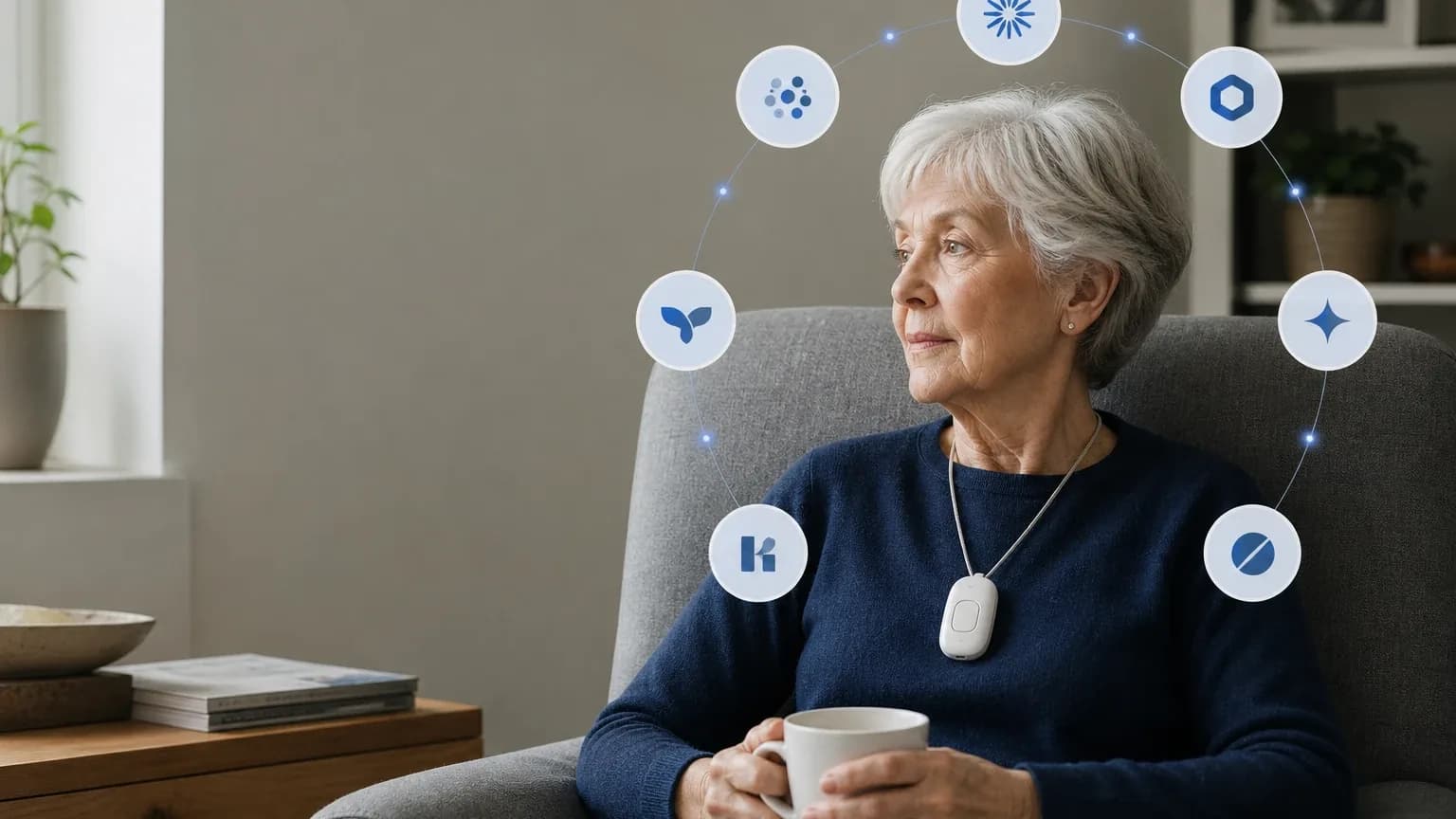
Answer Capsule
Philips Lifeline is a mixed fit for Living Alone & Solo Aging. Two of seven platforms named it during the ranking stage (anthropic, deepseek), a 28.6% share of included platform responses, at an average listed rank of 7.5 and a best listed rank of 7. The strongest reason to consider it is established 24/7 monitored emergency response with in-home HomeSafe with AutoAlert and a mobile Smartwatch option, plus caregiver notifications. The main limitation is inconsistent fall-detection performance in independent testing, conflicting response-time results, and pricing that multiple reviewers place above budget competitors. Buyers should verify current pricing, contract terms, and fall-detection suitability directly before committing.
Research Snapshot
| Field | Finding |
|---|---|
| Platform mentions in ranking stage | 2 of 7 platforms (anthropic, deepseek) |
| Share of included platform responses | 28.6% |
| Average listed rank | 7.5 |
| Best listed rank | 7 |
| Relevant product/model/plan | Lifeline HomeSafe with AutoAlert; Lifeline Smartwatch with optional fall detection |
| Overall use-case fit | Mixed |
| Research date | 2026-09-24 |
Why Philips Lifeline Qualified for This Study
Questions This Section Answers
- Is Philips Lifeline a good choice for Living Alone & Solo Aging?
- Why did only two AI platforms rank Philips Lifeline for seniors living alone?
Philips Lifeline qualified because it met the study's minimum-mention threshold of two platforms during ranking discovery, not because platforms agreed it was a top pick. Only anthropic (rank 7) and deepseek (rank 8) named it, giving it a 28.6% share of included platform responses and an average listed rank of 7.5 [1]. Five other platforms evaluated its fit for this use case without naming it in their ranking stage.
The entity also cleared the study's identity normalization step. Company-name variants were collapsed onto one canonical brand before minimum-mentions qualification, and the matching reported domain was retained for downstream research but remains unverified [3]. One or more fetched domains were not corroborated by brand-name or site-identity metadata and were not used as official identity signals.
Qualification is a screening result, not an endorsement. A brand can qualify on two mentions while still receiving a mixed or uncertain fit rating from the platforms that did evaluate it.
The Product, Model, Plan, or Service Most Relevant to Living Alone & Solo Aging
Questions This Section Answers
- Which Philips Lifeline plan is most relevant for a senior living alone who needs automatic fall detection?
- Does the Lifeline Smartwatch work outside the home for a solo-aging parent?
The two configurations most relevant to this use case are Lifeline HomeSafe with AutoAlert for in-home protection and the Lifeline Smartwatch with optional fall detection for mobile coverage [4].
HomeSafe is an in-home system built around a base unit and a wearable help button. Lifeline materials state HomeSafe products are waterproof up to 1 meter for 30 minutes, and the company's brochure identifies HomeSafe with AutoAlert as the automatic fall-detection configuration [4]. The Smartwatch quick-start guide confirms automatic fall-detection functionality on that device [7]. Independent reviewers describe the Smartwatch as a wrist-worn option with GPS and health sensors including heart rate and steps [8].
For a solo-aging buyer, the practical split is: HomeSafe covers the home, including the bathroom, where falls are a major concern; the Smartwatch extends coverage outside the home where AT&T wireless coverage is available [4]. Actual coverage depends on location, network availability, device configuration, and subscription.
What the AI Platforms Agreed About
Questions This Section Answers
- What do AI review platforms agree on about Philips Lifeline for solo aging?
- Is Philips Lifeline's monitoring service available 24/7 for a senior living alone?
Agreement across platforms was limited and concentrated on structure rather than performance. The clearest shared findings:
- Monitored emergency response exists. Independent reviews consistently describe Lifeline as a monitored medical alert service with 24/7 emergency response [9]. Deepseek notes Philips states its US Lifeline monitoring centers respond 24/7 and route calls to trained response associates [12].
- Both in-home and mobile form factors exist. Platforms agree the lineup spans an in-home base-unit system and a mobile or smartwatch option [13].
- Fall detection is available but not guaranteed. Company materials state AutoAlert does not detect 100% of falls, and users must still press the button [13]. This is a company-stated limitation, not a reviewer inference.
- Waterproof wearables. Lifeline materials state HomeSafe products are waterproof up to 1 meter for 30 minutes, and reviewers describe devices as shower-safe [13].
- Caregiver notifications exist. Independent reviews report the My Lifeline app can notify caregivers when an emergency call or fall alert is triggered, show system power status, and provide real-time location for mobile systems [17].
Agreement on these structural points does not establish product quality. It establishes that multiple platforms describe the same feature set.
Where the AI Platforms Disagreed or Were Uncertain
Questions This Section Answers
- How fast is Philips Lifeline's monitoring response time for a senior living alone?
- How accurate is Philips Lifeline AutoAlert fall detection in independent testing?
Disagreement was substantial on the two metrics that matter most for solo aging: response time and fall detection.
Response time. Reported averages range from 12 seconds to roughly 73 seconds. One 2026 review reported a 12-second average for HomeSafe test calls [20]. SafeWise reported a 73-second average across Lifeline devices, with a 51-second average for the Smartwatch [22]. An older TechRadar test reported approximately 49–54 seconds [25]. These are test results under different products, protocols, and periods, not guarantees.
Fall detection. Results vary by device and test design. SafeWise reported the HomeSafe Cellular pendant detected 6 of 6 falls, the On the Go Mini detected 0 of 6, and the Smartwatch detected 4 of 6 [23]. Another review reported five of ten simulated HomeSafe falls detected [20]. No cited source establishes a universal accuracy rate for every HomeSafe AutoAlert or Smartwatch unit.
Ownership and service continuity. Third-party sources report Connect America acquired Lifeline in 2021 while Philips retained an equity stake [25]; another source dates the acquisition to 2023 [27]. The supplied Philips URL is not sufficient to establish current operating ownership for the specific U.S. service. Most reviews are based on Philips-era operations, and post-transition customer experience is unclear.
Pricing. Reported HomeSafe base prices include $29.95, $34.95, and $39.95 per month depending on source, connection type, and billing structure [28]. Fall detection is commonly reported at $15 per month [20]. One 2026 review reported a $99.95 setup or activation fee [29]; another reported a $50 activation fee plus $49.95 programming fee [31]. Current official checkout pricing was not verified from the supplied Philips website.
Battery and range. HomeSafe backup battery life is reported as both 30 hours and 48 hours in different sources, and HomeSafe range is reported as both 500 feet and 800 feet [32]. It is unclear whether both versions exist or specifications changed post-acquisition.
Use-Case-Specific Features and Capabilities
Questions This Section Answers
- Does Philips Lifeline's caregiver app let adult children monitor a solo-aging parent remotely?
- What is the in-home range of the Philips Lifeline HomeSafe base unit?
Response time. Evidence is conflicting and should be treated as unverified for planning purposes. Reported averages span 12 seconds to 73 seconds across reviewers [33]. Deepseek notes Philips does not publish a specific average response-time metric on its public pages [36].
Fall detection accuracy. HomeSafe with AutoAlert supports automatic fall detection, but company materials state it does not detect 100% of falls [37]. Independent testing reported 5 of 10 simulated HomeSafe falls detected in one review [33] and mixed results across Lifeline devices in another [34]. Fall detection should not replace the ability to press the help button.
Mobile and in-home range. HomeSafe is intended for in-home use. Lifeline materials describe outside-the-home coverage for applicable mobile products where AT&T wireless coverage is available [37]. Reported in-home range is 800 feet in some sources and 500 feet in others [38]. GPS accuracy on mobile devices was poor in one test: 1 of 3 correct locations detected, with one call routing to a law office [35].
Caregiver app capabilities. Independent reviews report the My Lifeline app can notify caregivers when an emergency call or fall alert is triggered, show system power status, and provide real-time location for mobile systems [33]. Lifeline's own marketing page states caregivers can track system status, alerts, and loved-one well-being from a smartphone [39]. Specific app features such as medication reminders or family dashboards are not documented in the available sources, and app testing was not possible in one review [34].
Battery life. Independent testing found Lifeline devices lasted at least a full day, and the Smartwatch reportedly lasted multiple days [34]. HomeSafe base units offer a 30–48 hour backup battery depending on source [38]. The company recommends daily charging for mobile devices [38].
Water resistance and wearability. Lifeline materials state HomeSafe products are waterproof up to 1 meter for 30 minutes [37]. Independent testing noted the Smartwatch help button is relatively small and may be harder for users with limited dexterity to press [34].
Pricing, Fees, Contracts, and Ongoing Costs
Questions This Section Answers
- How much does Philips Lifeline cost per month for HomeSafe with AutoAlert, and are there setup fees?
- Does Philips Lifeline require a long-term contract or charge a cancellation fee?
Pricing confidence is low to moderate because public reports conflict and current official pricing was not verified from the supplied Philips website [40].
| Cost item | Reported range | Source confidence |
|---|---|---|
| HomeSafe base subscription | $29.95–$39.95/month | Conflicting across sources [43] |
| HomeSafe with AutoAlert | $44.95/month landline; $58.95/month cellular | One source [45] |
| Smartwatch base | $34.95/month | Multiple sources [45] |
| Fall detection add-on | $15/month | Multiple sources [43] |
| Setup or activation fee | $50–$99.95 one-time | Conflicting [44] |
| Smartwatch device fee | $159 one-time | One source [45] |
| Shipping | $19.95–$29.95, free with annual plans | One source [45] |
| CareCompass nurse access | +$15/month | One source [45] |
| Protection plan | +$6.95/month | One source [45] |
Contract terms. One independent review reports month-to-month service without a long-term contract [43]. Another reports no long-term contracts, no cancellation fees, and a 30-day free trial [45]. Cancellation notice requirements, equipment-return rules, prorated refunds, and post-cancellation charges are unclear. One source reports a $50 restocking fee for unactivated devices and up to a $350 missing-equipment fee [50]. Another reports the company may suspend or terminate service after excessive false alarms with 30 days' written notice [50].
Ongoing cost caution. A solo-aging buyer adding fall detection to a cellular HomeSafe could face roughly $58.95 per month plus a one-time setup fee, based on the highest reported figures [45]. Lower reported figures exist, but the spread is wide enough that a direct quote is necessary.
Best Suited For
Questions This Section Answers
- Who is Philips Lifeline best suited for among seniors living alone?
- Is Philips Lifeline worth it for a solo-aging parent who wants caregiver notifications?
Philips Lifeline is best considered for buyers who value an established monitored response service over lowest cost or best-in-class fall detection.
- Older adults who prioritize a long-established monitored response service and simple emergency-button operation [52].
- Families needing caregiver alerts, system-status visibility, or mobile location features [54].
- Users willing to pay a premium for monitored in-home protection and optional mobile coverage [52].
- Solo older adults at elevated fall risk who want automatic fall detection with a help button as backup [53].
- Households with a landline or reliable home connectivity who need in-home coverage [53].
- AARP members who can access a reported 15% monthly discount and waived fees [57].
Probably Not Best Suited For
Questions This Section Answers
-
Who should not choose Philips Lifeline for Living Alone & Solo Aging?
-
Is Philips Lifeline a poor fit for a senior with high fall risk who may not press a button?
-
Buyers whose primary requirement is highly reliable automatic fall detection [58].
-
Budget-sensitive households seeking the lowest total monthly and setup cost [58].
-
Users needing independently verified, consistently fast response times or a highly transparent public pricing schedule [58].
-
Seniors in poor cellular coverage areas relying on mobile or cellular-dependent devices [59].
-
Seniors with severe mobility limitations who may struggle to press small buttons or lack backup activation options [59].
-
Individuals who reject wearing wristbands or pendants, given limited form-factor options [59].
-
Buyers who want a general-purpose smartwatch with medical alert as a secondary feature [59].
When Another Option May Be Better
Questions This Section Answers
- What is a better alternative to Philips Lifeline for a buyer who needs accurate fall detection?
- When should a solo-aging buyer choose a competitor over Philips Lifeline?
Consider another provider when:
- Independently tested fall-detection performance is the top priority. Competitors were reported at higher detection rates in the same testing context: Medical Guardian MGMini Lite at 8 of 10 falls and Bay Alarm Medical SOS Micro at 7 of 10 falls, both at lower cost [62].
- Lowest recurring cost matters most. Competitors offer sub-$30/month plans with comparable features, and Medical Guardian was reported with fall detection at $10/month versus Lifeline's $15/month [62].
- GPS-based outdoor location tracking is critical. Lifeline GPS underperformed in testing, detecting correct location 1 of 3 times [62].
- The user lives in poor cellular coverage and needs a mobile system [62].
- Form-factor diversity is critical. Competing brands offer rings, clip devices, or alternative wearables not in the Lifeline lineup [62].
- The senior prefers a general-purpose smartwatch with medical alert as a secondary feature; Apple Watch or Wear OS with emergency SOS may fit an active aging profile better [62].
- Avoiding upfront equipment or activation fees entirely is the goal. Bay Alarm Medical or LifeFone were named as alternatives on that criterion [64].
Questions to Verify Before Buying
- What is the current all-in monthly price for HomeSafe with AutoAlert, including taxes, activation, shipping, and equipment charges? [65]
- Is fall detection included in the quoted price or billed as a separate monthly add-on? [65]
- What are the cancellation notice, equipment-return, refund, and replacement-device rules? [65]
- What response-time metric does Lifeline currently publish, and how is it measured? [65]
- Which falls does AutoAlert commonly miss, and can the buyer test or return the device if detection is unsuitable? [65]
- What exact AT&T coverage is available at the older adult's home, regular destinations, and travel locations? [65]
- How long does the Smartwatch battery last under normal use, and what charging routine is required? [65]
- Can caregivers receive alerts, check device status, and view location without the older adult's phone? [65]
- What happens if the wearer cannot speak, the call drops, the base unit is out of range, or the cellular network fails? [65]
- Are there additional fees for extra buttons, replacement equipment, relocation, technical support, or emergency-service dispatch? [65]
- Has fall detection been re-tested post-acquisition, and which current device models have certified accuracy rates? [72]
- What is the exact definition of "excessive false alarms" that triggers service suspension? [67]
Final AI Consensus Verdict
Philips Lifeline is a mixed, not clearly best-in-class, fit for Living Alone & Solo Aging. It is reasonable for buyers valuing established professional monitoring, simple wearables, and caregiver notifications, but the buyer should compare total cost and independently tested fall-detection and response performance before committing [73].
Platform fit ratings split: google and grok rated it good, anthropic, deepseek, openai, and perplexity rated it mixed, and kimi rated it uncertain. That distribution reflects genuine disagreement about whether the brand's monitoring infrastructure outweighs its inconsistent fall-detection results, conflicting response-time evidence, and above-budget pricing.
The consensus position is that Lifeline is credible for cognitively intact seniors in good health with reliable connectivity, moderate fall risk, and a preference for month-to-month flexibility. It is not the best fit for seniors prioritizing fall-detection accuracy, budget minimization, or outdoor safety. Buyers should verify current pricing, contract terms, and device specifications directly with the provider before purchasing.
How This Review Was Produced
This review evaluates Philips Lifeline only for the Living Alone & Solo Aging use case. It is not a broad company review. The study used seven configured platforms, each asked to assess fit against seven criteria: response time, fall detection accuracy, mobile and in-home range, caregiver app capabilities, battery life, pricing transparency, and contract terms.
Platform mentions in the ranking stage count only platforms that named the entity during ranking discovery. All included platforms evaluated fit, but only anthropic and deepseek named Philips Lifeline in their ranking stage. Fit ratings, strengths, limitations, and pricing findings come from the platform responses supplied for this study.
Citations are platform-reported evidence, not independently verified facts. Company-owned sources are labeled as owned; independent review sources are labeled as independent. No personal testing, customer experience, or medical benefit is claimed.
Methodology Limitations
- Platform-reported research dates differ from the authoritative run date of 2026-09-24. Anthropic reported 2026-04-23 and deepseek reported 2026-02-14; other platforms reported 2026-09-24. These dates are provenance metadata and do not independently prove freshness.
- The supplied URLs were collected from platform responses and were not independently validated by the writer stage.
- Official-site retrieval failed for one or more mentions, and no failed fetch was used as a verified domain key. One or more fetched domains were not corroborated by brand-name or site-identity metadata and were not used as official identity signals.
- The reported domain could not be verified as an official source.
- Conflicting product names, pricing, and capabilities were not resolved by guessing. Where sources conflict, the conflict is described and buyers are told what to verify.
- Deepseek ran without search enabled, so its claims are platform-reported and require explicit verification before being described as current facts.
- No cited source establishes a universal fall-detection accuracy rate for every HomeSafe AutoAlert or Smartwatch unit, and no cited source establishes a guaranteed response time.
- Current official pricing, activation fees, cancellation rules, and Smartwatch plan pricing were not confirmed from the supplied Philips website.
Explore more medical alert systems guidance in the category directory.
Sources
Company-Owned Sources
- FAQ - Daily Calls for Seniors Living Alone | Questions Answered: https://dailycall.iamfine.com/faq/
- Living Alone Safely: Tips, Stats & Check-In Guide (2026: https://imalive.co/living-alone
- Search result: no Philips Lifeline response time data found: https://philips.com/
- Lifeline: Medical Alert Systems for Home, Mobile, and Smartwatch: https://www.lifeline.com/
- The #1 Medical Alert Service: https://www.lifeline.com/mobile-app/
- Medical Alert System - HomeSafe - Lifeline: https://www.lifeline.com/product/homesafe-cellular/
- Lifeline Digital Core Brochure: https://www.lifeline.com/wp-content/uploads/2022/05/Lifeline-Digital-Core-Brochure_3.18.22.pdf
- Lifeline Smartwatch Quick Start Guide: https://www.lifeline.com/wp-content/uploads/2024/06/Smartwatch-Quick-Start-Guide.pdf
- Philips Lifeline official US site: https://www.lifeline.philips.com/
Additional AI research evidence76 records
- AI research evidence record anthropic:c1
- AI research evidence record deepseek:c1
- AI research evidence record openai:c1
- AI research evidence record openai:c2
- AI research evidence record anthropic:c1
- AI research evidence record deepseek:c1
- AI research evidence record openai:c3
- AI research evidence record google:1.1.3
- AI research evidence record perplexity:c3
- AI research evidence record perplexity:c6
- AI research evidence record perplexity:c11
- AI research evidence record deepseek:c1
- AI research evidence record openai:c2
- AI research evidence record anthropic:c1
- AI research evidence record anthropic:c5
- AI research evidence record anthropic:c2
- AI research evidence record openai:c5
- AI research evidence record perplexity:c12
- AI research evidence record perplexity:c14
- AI research evidence record openai:c5
- AI research evidence record google:1.3.1
- AI research evidence record openai:c4
- AI research evidence record anthropic:c2
- AI research evidence record anthropic:c6
- AI research evidence record openai:c1
- AI research evidence record perplexity:c13
- AI research evidence record anthropic:c4
- AI research evidence record anthropic:c3
- AI research evidence record openai:c6
- AI research evidence record google:1.1.2
- AI research evidence record google:1.2.2
- AI research evidence record anthropic:c1
- AI research evidence record openai:c5
- AI research evidence record openai:c4
- AI research evidence record anthropic:c2
- AI research evidence record deepseek:c1
- AI research evidence record openai:c2
- AI research evidence record anthropic:c1
- AI research evidence record perplexity:c12
- AI research evidence record openai:c1
- AI research evidence record deepseek:c1
- AI research evidence record perplexity:c11
- AI research evidence record openai:c5
- AI research evidence record openai:c6
- AI research evidence record anthropic:c3
- AI research evidence record google:1.1.2
- AI research evidence record google:1.1.1
- AI research evidence record google:1.2.2
- AI research evidence record google:1.2.4
- AI research evidence record anthropic:c5
- AI research evidence record google:1.3.2
- AI research evidence record openai:c1
- AI research evidence record deepseek:c1
- AI research evidence record openai:c5
- AI research evidence record perplexity:c12
- AI research evidence record anthropic:c3
- AI research evidence record google:1.2.5
- AI research evidence record openai:c1
- AI research evidence record anthropic:c2
- AI research evidence record anthropic:c3
- AI research evidence record perplexity:c11
- AI research evidence record anthropic:c2
- AI research evidence record google:1.1.2
- AI research evidence record google:1.3.1
- AI research evidence record openai:c1
- AI research evidence record anthropic:c3
- AI research evidence record anthropic:c5
- AI research evidence record deepseek:c1
- AI research evidence record anthropic:c2
- AI research evidence record anthropic:c1
- AI research evidence record perplexity:c12
- AI research evidence record anthropic:c4
- AI research evidence record openai:c1
- AI research evidence record anthropic:c2
- AI research evidence record deepseek:c1
- AI research evidence record perplexity:c11
Independent Sources
- Lifeline Medical Alert System Review 2026 | U.S. News: https://realestate.usnews.com/home-services/medical-alert-system/lifeline
- Lifeline Medical Alert Review 2026 | SeniorsList: https://seniorslist.com/medical-alert-systems/philips-lifeline-reviews/
- Philips Lifeline Review 2026: https://seniorssearch.com/reviews/philips-lifeline
- Philips Lifeline Medical Alert System Review: Pricing, Devices and Limits: https://umatechnology.org/philips-lifeline-medical-alert-system-review/
- Philips Lifeline Pros: https://www.assistedliving.org/best-medical-alert-systems/philips-lifeline/
- Caring.com Philips Lifeline Review: https://www.caring.com/best-medical-alert-systems/philips-lifeline-reviews/
- Philips Lifeline Medical Alert System Review 2026 - Caring.com: https://www.caring.com/senior-products/best-medical-alert-systems/philips-lifeline
- RescueTouch vs. Philips Lifeline - Caring.com: https://www.caring.com/senior-products/best-medical-alert-systems/rescuetouch-vs-philips-lifeline/
- Lifeline Reviews from Real Customers - ConsumerAffairs: https://www.consumeraffairs.com/age/philips-lifeline.html
- Lifeline medical alert systems review: https://www.consumeraffairs.com/medical-alert-systems/philips-lifeline.html
- Medical alert system comparison and cost reporting: https://www.consumerreports.org/
- Lifeline Smartwatch Review: https://www.medalertsystems.com/reviews/lifeline/
- Lifeline Medical Alert System Review | Philips Lifeline: https://www.medicalalertadvice.com/reviews/lifeline/
- Philips Lifeline review and pricing comparison: https://www.ncoa.org/
- NCOA Lifeline Medical Alert Review: https://www.ncoa.org/adviser/medical-alert-systems/lifeline-review/
- Lifeline Medical Alert System Review: https://www.ncoa.org/product-resources/medical-alert-systems/lifeline-review/
- SafeEldercare Lifeline Review: https://www.safeeldercare.com/medical-alert-systems/philips-lifeline/
- SafeHome.org Lifeline Review: https://www.safehome.org/medical-alert-systems/lifeline/
- SafeWise Lifeline Review: https://www.safewise.com/lifeline-medical-alert-review/
- Lifeline Medical Alert System Review: https://www.safewise.com/senior-safety/medical-alerts/lifeline/
- Lifeline Cost, Pricing, Packages & Plans in 2026: https://www.seniorliving.org/medical-alert-systems/philips-lifeline/
- Lifeline Medical Alert System Review 2026: https://www.seniorliving.org/medical-alert-systems/philips-lifeline/reviews/
- Philips Lifeline review: https://www.techradar.com/reviews/philips-lifeline-review
- Life Alert vs. Lifeline Comparison: https://www.theseniorlist.com/medical-alert-systems/life-alert-vs-philips-lifeline/
- The Senior List Lifeline Review: https://www.theseniorlist.com/medical-alert-systems/lifeline/costs/
- Lifeline Medical Alert: Costs, Systems, and Plans in 2026: https://www.theseniorlist.com/medical-alert-systems/philips-lifeline/
- Lifeline Medical Alert System Review, Tested by Caregivers: https://www.theseniorlist.com/medical-alert-systems/philips-lifeline/reviews/
- Philips Lifeline Review (2026) – Details, Pricing & Features: https://www.top10.com/medical-alerts/reviews/lifeline
Additional AI research evidence76 records
- AI research evidence record anthropic:c1
- AI research evidence record deepseek:c1
- AI research evidence record openai:c1
- AI research evidence record openai:c2
- AI research evidence record anthropic:c1
- AI research evidence record deepseek:c1
- AI research evidence record openai:c3
- AI research evidence record google:1.1.3
- AI research evidence record perplexity:c3
- AI research evidence record perplexity:c6
- AI research evidence record perplexity:c11
- AI research evidence record deepseek:c1
- AI research evidence record openai:c2
- AI research evidence record anthropic:c1
- AI research evidence record anthropic:c5
- AI research evidence record anthropic:c2
- AI research evidence record openai:c5
- AI research evidence record perplexity:c12
- AI research evidence record perplexity:c14
- AI research evidence record openai:c5
- AI research evidence record google:1.3.1
- AI research evidence record openai:c4
- AI research evidence record anthropic:c2
- AI research evidence record anthropic:c6
- AI research evidence record openai:c1
- AI research evidence record perplexity:c13
- AI research evidence record anthropic:c4
- AI research evidence record anthropic:c3
- AI research evidence record openai:c6
- AI research evidence record google:1.1.2
- AI research evidence record google:1.2.2
- AI research evidence record anthropic:c1
- AI research evidence record openai:c5
- AI research evidence record openai:c4
- AI research evidence record anthropic:c2
- AI research evidence record deepseek:c1
- AI research evidence record openai:c2
- AI research evidence record anthropic:c1
- AI research evidence record perplexity:c12
- AI research evidence record openai:c1
- AI research evidence record deepseek:c1
- AI research evidence record perplexity:c11
- AI research evidence record openai:c5
- AI research evidence record openai:c6
- AI research evidence record anthropic:c3
- AI research evidence record google:1.1.2
- AI research evidence record google:1.1.1
- AI research evidence record google:1.2.2
- AI research evidence record google:1.2.4
- AI research evidence record anthropic:c5
- AI research evidence record google:1.3.2
- AI research evidence record openai:c1
- AI research evidence record deepseek:c1
- AI research evidence record openai:c5
- AI research evidence record perplexity:c12
- AI research evidence record anthropic:c3
- AI research evidence record google:1.2.5
- AI research evidence record openai:c1
- AI research evidence record anthropic:c2
- AI research evidence record anthropic:c3
- AI research evidence record perplexity:c11
- AI research evidence record anthropic:c2
- AI research evidence record google:1.1.2
- AI research evidence record google:1.3.1
- AI research evidence record openai:c1
- AI research evidence record anthropic:c3
- AI research evidence record anthropic:c5
- AI research evidence record deepseek:c1
- AI research evidence record anthropic:c2
- AI research evidence record anthropic:c1
- AI research evidence record perplexity:c12
- AI research evidence record anthropic:c4
- AI research evidence record openai:c1
- AI research evidence record anthropic:c2
- AI research evidence record deepseek:c1
- AI research evidence record perplexity:c11
Verify This Research
Review the study details behind this page or download the public machine-readable verification record.
- Study date
- September 24, 2026
- Platforms analyzed
- 7
- Source records
- 37
- Ranking mentions
- 2 of 7
- Platform share
- 29%
- Final consensus rank
- #10
Research trail and source mix
Configured platforms
openai, anthropic, deepseek, grok, perplexity, kimi, google
Source mix
28 independent · 9 company-owned
Evidence support
24 direct · 12 partial
Important limitation
Use the run research_date as the study date. Platform-reported dates are provenance metadata and do not independently prove freshness.
Source snapshot SHA-256 427d8bc2379c1e9663989b555b8867afb9e8cf8562749deb279bca1f2de8bc4d