
Answer Capsule
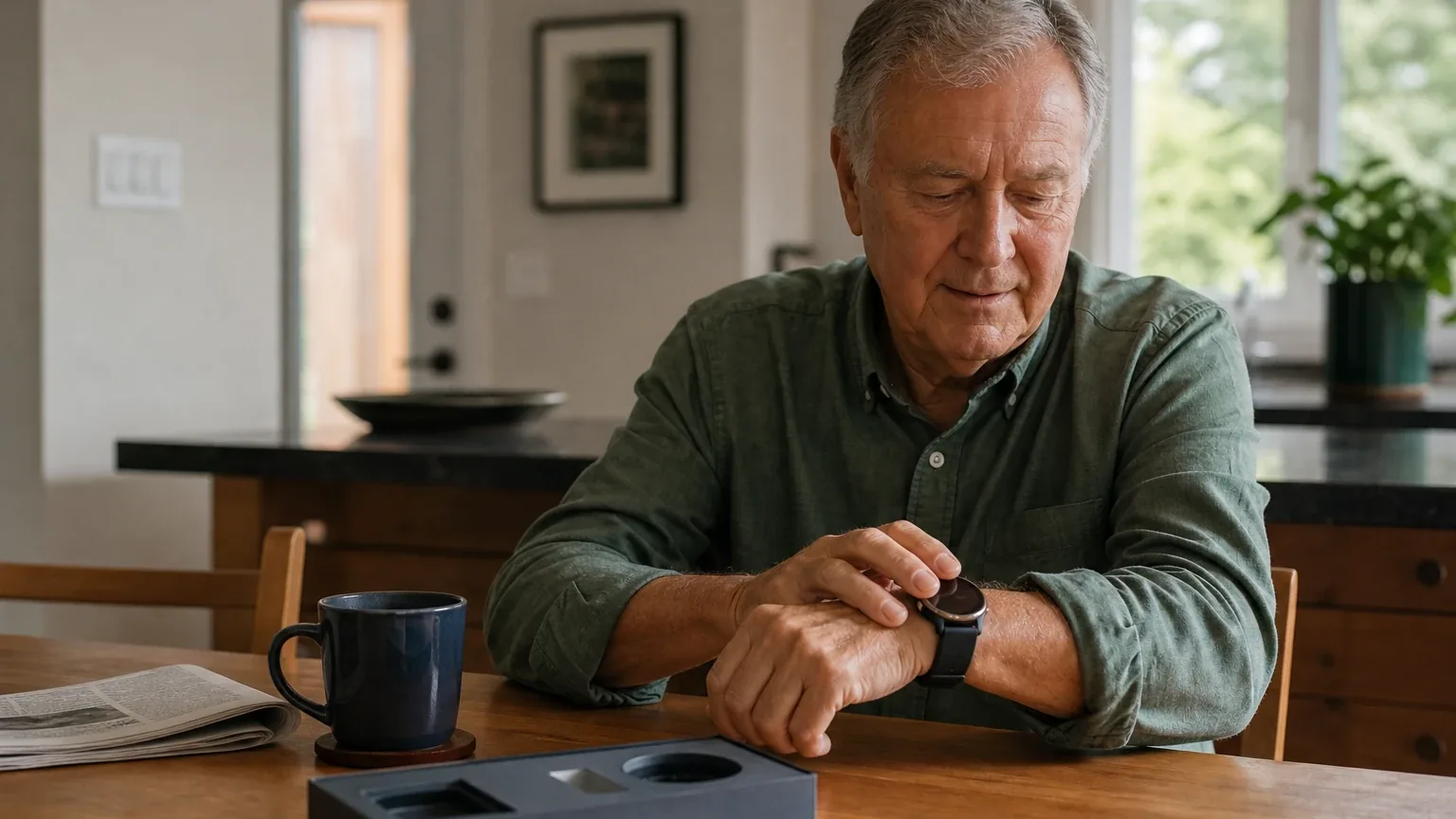
LifeStation Sidekick Smart is a good fit for older adults who want a discreet, watch-style emergency response device with GPS, two-way calling, and monitored fall detection. Four of seven platforms named it during the ranking stage (57% of included platform responses), at an average listed rank of 3.5 and a best rank of 3. The strongest reason to consider it is the combination of a smartwatch form factor with independently tested GPS and audio performance. The main limitation is roughly 24-hour battery life requiring nightly charging, plus unresolved conflicts in published pricing and activation-fee information.
Research Snapshot
| Field | Finding |
|---|---|
| Platform mentions in ranking stage | 4 of 7 platforms (anthropic, google, grok, kimi) |
| Share of included platform responses | 57.1% |
| Average listed rank | 3.5 |
| Best listed rank | 3 |
| Relevant product/model/plan | LifeStation Sidekick Smart with included fall detection; Sidekick Smart Watch Plan; Find My Loved One location feature |
| Overall use-case fit | Good (four platforms rated good; two mixed; one uncertain) |
| Research date | 2026-09-27 |
What Changed Since August 2026
LifeStation Sidekick Smart moved up from No. 6 to No. 4, and platform mentions increased from 2 to 4. The September 2026 review substantially rewrites how LifeStation Sidekick Smart is described to buyers, shifting from a conditionally good fit to a good fit for watch-style emergency response. Battery expectations now range from about 24 hours to 24–36 hours, versus the previous single-day and longer claims, so nightly charging remains the deciding constraint and pendant alternatives still offer multi-day use. Reported pricing still conflicts: $42.95 is newly reported as the current monthly rate, while $48.95 per month is no longer repeated. Fall detection, GPS reliability, and caregiver-app limitations carry over largely unchanged, and no recommended configuration was added. Differences between the two editions reflect what each article reports; they do not by themselves prove that the product, service, or price changed.
The August 2026 review preserves the earlier article for reference.
Why LifeStation Sidekick Smart Qualified for This Study
Questions This Section Answers
- Is LifeStation Sidekick Smart a good choice for watch-style emergency response for seniors?
- How many AI platforms named LifeStation Sidekick Smart in their medical alert watch rankings?
LifeStation Sidekick Smart qualified because it was named by four of the seven included platforms during ranking discovery — anthropic, google, grok, and kimi — clearing the study's two-mention minimum [1]. It ranked between third and fourth on every platform that named it, giving it an average listed rank of 3.5 and a best listed rank of 3.
It also matched the study's core criteria directly: it is a watch-style wearable rather than a pendant, it includes GPS location tracking, two-way voice communication, and fall detection, and it is sold with a recurring monitoring subscription rather than as a standalone consumer device [1].
The three platforms that did not name it in the ranking stage still evaluated it at the fit stage, so the 57.1% figure reflects ranking discovery only, not total platform coverage. This review is part of a broader comparison of Watch-Style Emergency Response options, and it evaluates LifeStation Sidekick Smart only for that use case.
The Product, Model, Plan, or Service Most Relevant to Watch-Style Emergency Response
Questions This Section Answers
- Which LifeStation Sidekick Smart plan should a buyer choose for watch-style emergency response with fall detection?
- Does LifeStation Sidekick Smart include fall detection and GPS in the base monthly plan?
The relevant configuration is the Sidekick Smart watch with the Sidekick Smart Watch Plan, which LifeStation markets as a medical alert smartwatch with GPS-enabled location, two-way communication through the watch, and fall detection [6]. LifeStation's own product page describes the emergency workflow as requiring the wearer to press the device's help button, with fall detection acting as a backup rather than a replacement for pressing the button [9].
The device is described as a touchscreen smartwatch with time, step, heart-rate, and weather functions, a 1.82-inch LCD screen at 360 × 320 resolution, a 47 mm case, and a 24 mm band that adjusts to roughly 7–9 inches of wrist circumference [10]. LifeStation states the watch is IPX8 water-resistant for showering and hand washing but does not rate it for submersion [7].
The Find My Loved One feature lets caregivers request the wearer's location by text message, which returns a map link; AARP reports that LifeStation does not provide a dedicated caregiver smartphone app [13]. LifeStation states that alerts are handled by 24/7 U.S.-based monitoring centers [15].
What the AI Platforms Agreed About
Questions This Section Answers
- What do AI platforms agree LifeStation Sidekick Smart does well for watch-style emergency response?
- Is LifeStation Sidekick Smart's two-way calling audio considered clear by independent testers?
Agreement was strongest on form factor, calling, and monitoring. All seven platforms described Sidekick Smart as a discreet smartwatch-style wearable rather than a clinical pendant, and none disputed that framing [16].
Two-way calling clarity drew the most consistent positive evidence. AARP testers reported strong volume, clear audio, quick connection, and understandable monitoring operators, and SafeWise testing described excellent audio [22]. Google's platform summarized the same finding as strong, clear two-way voice communication through the watch speaker to U.S.-based operators [24].
Platforms also agreed that fall detection is offered and that it is not guaranteed. LifeStation's own page warns that fall detection does not detect 100% of falls and that users should press the help button when able [25]. AARP's 2026 testing reported the watch registered all 12 test falls, while SafeWise testing reported 4 of 6 falls detected with slow falls missed [27].
Battery life was the most consistent limitation: every platform that addressed it reported roughly 24 hours and nightly charging [25].
Where the AI Platforms Disagreed or Were Uncertain
Questions This Section Answers
- Why do AI platforms disagree about LifeStation Sidekick Smart's GPS accuracy and fall detection reliability?
- Is LifeStation Sidekick Smart's monthly price $42.95 or $50.95, and why do sources conflict?
GPS accuracy produced the sharpest conflict. AARP testing reported that LifeStation agents confirmed the tester's location at a grocery store, hardware store, and airport cell-phone lot, supporting strong real-world performance [31]. SafeWise testing reported GPS accuracy in only 1 of 3 attempts and described poor outdoor performance [33]. Both are independent tests, and the study does not resolve which result generalizes.
Fall detection evidence is similarly split by test date. AARP's 2026 testing reported all 12 test falls registered, while older Forbes Health testing found LifeStation fall detection uneven on tested devices [31]. NCOA also noted that wrist-based fall detection may be less accurate than pendant-worn devices [35].
Pricing conflicts are unresolved. LifeStation's current site lists $42.95 per month, AARP's 2026 comparison lists $50.95, and other published reviews cite approximately $47.90–$48.95 [36]. Activation-fee reporting conflicts as well: some sources report $99.95, while AARP says Sidekick Smart had no activation fee [31]. Battery reporting ranges from approximately 24 hours to 24–36 hours [36].
Fall-detection inclusion is also inconsistent across LifeStation's own pages. One LifeStation page lists fall detection with Sidekick Smart while another describes it as optional, and AARP reported fall detection as an extra monthly charge [39]. DeepSeek and Kimi both reported that they could not verify key specifications at all, and Kimi stated that no search result specifically mentioned the Sidekick Smart by name [41].
Use-Case-Specific Features and Capabilities
Questions This Section Answers
- How does the LifeStation Sidekick Smart SOS button work if the wearer cannot press it during a fall?
- Does LifeStation Sidekick Smart work outside the home and in the shower?
SOS activation requires a deliberate press. LifeStation documentation instructs users to hold the home button to trigger an emergency call, and the watch connects to the monitoring center when the wearer presses the help button [42]. Grok's platform reported a touchscreen emergency call button or side knob press, with a small button that blends into the frame [44]. No supplied source specifies button dimensions, tactile design, or activation force, so dexterity accessibility is unverified.
GPS uses multiple signals. LifeStation states the watch combines GPS, WiFi, and Bluetooth for location pinpointing indoors and outdoors, and the Find My Loved One feature shares location with caregivers by text [43]. Independent results conflict, as described above.
Two-way calling runs through the watch's built-in speaker and microphone, with LifeStation instructing users to speak into the face of the watch rather than the side [43]. AARP and SafeWise testing both reported clear, loud audio [47].
Fall detection is advertised as automatic and included, using accelerometers and barometric sensors with an algorithm, and LifeStation explicitly disclaims 100% detection [48].
Battery life is the defining constraint for this use case. LifeStation lists approximately 24 hours on one page and 24–36 hours on another, and AARP testing reported a 24-hour maximum with nightly charging required [48]. Amazon customer reviews cited by anthropic reported real-world runtime as low as 12 hours [51].
Display readability is not independently verified. The screen is a 1.82-inch LCD at 360 × 320 with capacitive touch, but no supplied source provides verified font size, contrast, brightness, or accessibility settings [45].
Water resistance is IPX8 for showering and splashing, not submersion [43]. Coverage is United States only on a 4G LTE network [45].
Pricing, Fees, Contracts, and Ongoing Costs
Questions This Section Answers
- How much does LifeStation Sidekick Smart cost per month, and are there activation or equipment fees?
- Is LifeStation Sidekick Smart sold on a contract, and what does the 30-day money-back guarantee cover?
LifeStation's current website lists Sidekick Smart starting at $42.95 per month with fall detection included, and states that final cost can vary by system, optional features, and discounts [53]. Independent 2026 AARP material lists a $50.95 starting monthly price, and other published reviews cite approximately $47.90–$48.95 [54]. Anthropic's platform reported $42.95 as the base monitoring fee with retailer variation to $44.95–$46.95, and Google's platform reported $42.95 with some third-party sources citing up to $46.95 [56].
Upfront costs are disputed. Anthropic reported hardware at $50.55 through Amazon and $99.95 direct, plus roughly $12.50 shipping on direct orders [58]. AARP's 2026 testing said Sidekick Smart was the only tested LifeStation device without an activation fee, while other sources report a $99.95 activation fee [54]. Google's platform reported no upfront activation fee [60].
Contract terms are more consistent. LifeStation states no long-term contracts, no activation fees, free equipment, cancel anytime, and a 30-day money-back guarantee, with monthly, quarterly, or annual billing and insurance discounts up to 30% [56]. Independent sources also report no-contract terms [54]. LifeStation's terms and conditions add that the system remains LifeStation's property and must be returned undamaged within ten days of termination, or the subscriber pays replacement value, and that liability is capped at $1,000 (official:C2).
Anthropic estimated total 12-month cost at approximately $545–$676 depending on retailer [58]. Pricing confidence across platforms was low to moderate, and the study treats the current price as unconfirmed.
Best Suited For
Questions This Section Answers
- Who gets the most value from LifeStation Sidekick Smart for watch-style emergency response?
- Is LifeStation Sidekick Smart worth it for a senior who already wears a watch and wants GPS?
The best-matched buyer is an older adult who already wears a watch, wants a less medical-looking alert device, and can reliably charge a device every night [62]. Users who spend time away from home and need GPS-enabled monitoring fit well, since the watch is cellular-based and does not require a landline [65].
Buyers who prioritize tested GPS performance, clear two-way audio, and monitored fall detection also fit, given AARP's 2026 results and SafeWise's audio findings [65]. Households that want month-to-month billing with a 30-day money-back guarantee and possible insurance discounts are a reasonable match [67].
Caregivers who only need occasional location checks may find Find My Loved One adequate, since it delivers location by text with a map link [69].
Probably Not Best Suited For
Questions This Section Answers
- Who should not choose LifeStation Sidekick Smart for watch-style emergency response?
- Is LifeStation Sidekick Smart a poor fit for someone who cannot charge a device every night?
Buyers who cannot or will not charge the watch daily should look elsewhere. Every platform that examined battery life reported roughly 24 hours with nightly charging, and pendant alternatives in the same LifeStation lineup are listed at up to 3 days of battery life [71].
Families that require a dedicated caregiver app are also a poor fit. AARP reports LifeStation does not provide a caregiver app, and location sharing runs through text messages and Google Maps instead [73]. Buyers seeking the lowest monthly cost or a slim, lightweight wearable should be cautious: AARP described the watch as somewhat bulky and only moderately comfortable, and NCOA flagged that the thick band may limit wrist mobility [75].
Users with severe dexterity or cognitive limitations affecting touchscreen use may struggle, since the interface is a capacitive touchscreen and the SOS workflow requires a deliberate button press [72]. International travelers are also excluded because coverage is United States only [72].
When Another Option May Be Better
Questions This Section Answers
- What is a better alternative to LifeStation Sidekick Smart if a buyer needs multi-day battery life?
- When should a buyer choose a pendant or a different medical alert watch instead of LifeStation Sidekick Smart?
Choose a competing medical alert watch when multi-day battery life matters more than smartwatch discretion; LifeStation's own lineup lists the Pearl mobile device at up to 3 days of battery, and anthropic cited pendant options at roughly 72–120 hours [77].
Choose a product with a caregiver app when family members need continuous app-based location and account management, since Sidekick Smart relies on text-based location sharing [78]. Choose a lower-cost plan when the buyer does not need smartwatch functions, GPS, or fall detection; LifeStation's in-home Sidekick Home starts at $38.95 per month versus $42.95 for Sidekick Smart [80].
Consider a conventional GPS pendant when comfort, lower wrist bulk, or easier charging matters more than a watch appearance, and consider pendant-worn devices when maximum fall-detection accuracy is the priority, since NCOA noted wrist-based detection may be less accurate [81]. Buyers who need independently benchmarked GPS accuracy should weigh the conflicting AARP and SafeWise results before deciding [82]. Kimi's platform also suggested comparing published-rate competitors such as Lifeline and Medical Alert when transparent pricing before purchase is essential [84].
Questions to Verify Before Buying
Questions This Section Answers
- What should a buyer confirm with LifeStation before signing up for Sidekick Smart?
- Which Sidekick Smart details are unverified and must be checked directly with the company?
Confirm the exact monthly price today for Sidekick Smart with fall detection, including taxes, discounts, and billing frequency, because published figures range from $42.95 to $50.95 [86]. Confirm whether an activation, equipment, shipping, protection-plan, or return fee applies to the exact order, since reporting conflicts between $0 and $99.95 [87].
Confirm whether fall detection is permanently included or can change in price or availability after a promotional period, because LifeStation pages conflict on whether it is standard or optional [89]. Confirm actual battery runtime under typical GPS and calling use, and what happens if the battery is depleted [86].
Confirm cellular coverage at the user's home, usual travel locations, and rural destinations, since the device is US-only 4G LTE [92]. Confirm how emergency calls are initiated if the wearer cannot operate the touchscreen or press the help button [93].
Confirm what location information Find My Loved One sends, how often it updates, and whether usage limits apply, because LifeStation's terms state it may place usage limits and charge for excess use [94]. Confirm display font size, contrast, brightness, and accessibility options, which no supplied source verifies [95].
Confirm cancellation, refund, replacement, and device-return requirements after the 30-day guarantee, including the ten-day return window and replacement-value charge in LifeStation's terms [97]. Confirm whether the device is safe to wear in a shower and what water exposure is excluded, since it is IPX8 water-resistant but not rated for submersion [98].
Final AI Consensus Verdict
LifeStation Sidekick Smart is a good fit for watch-oriented Seniors who prioritize discreet design, GPS, clear monitored calling, and fall detection over battery longevity and caregiver-app functionality. Four of seven platforms named it in the ranking stage, and four of seven rated it a good fit, with two mixed and one uncertain.
The principal purchase risks are daily charging, possible bulk, and unresolved current pricing and activation-fee discrepancies. Platform agreement on features does not establish product quality; it reflects consistent reporting across the reviewed sources. Buyers should treat the current price, fee structure, and fall-detection inclusion as unconfirmed until LifeStation provides a written quote.
How This Review Was Produced
This review used the supplied platform fit-research responses for seven platforms — openai, anthropic, google, grok, perplexity, deepseek, and kimi — collected for the study date 2026-09-27. Ranking statistics reflect only platforms that named LifeStation Sidekick Smart during ranking discovery. Fit ratings, feature findings, pricing, and limitations come from the platform responses and their cited sources, which include company-owned pages and independent reviews. No product was tested by the writer, and no claim in this review was independently verified beyond the supplied material. The category context for this review sits within a wider directory of medical alert systems.
Methodology Limitations
Platform-reported research dates differ from the authoritative run date: anthropic reported 2026-01-15 and deepseek reported 2026-06-08, while the remaining platforms reported 2026-09-27. Those dates are provenance metadata and do not independently prove freshness.
DeepSeek ran without search enabled, so its findings are platform-reported rather than retrieved. Kimi reported that no search result specifically mentioned the Sidekick Smart by name, so its assessment relies on general brand positioning. Citations are platform-reported evidence, not independently verified facts, and the supplied URLs were collected from platform responses without independent validation by the writer stage.
Several material conflicts remain unresolved: monthly pricing ($42.95 to $50.95), activation fees ($0 to $99.95), battery life (24 to 36 hours), fall-detection inclusion (standard versus optional), and GPS accuracy (strong in AARP testing, poor in SafeWise testing). Public sources do not verify screen readability, font size, brightness, button dimensions, cellular-network coverage, or exact GPS performance under poor indoor or rural conditions. Missing research was not treated as disagreement.
Sources
Company-Owned Sources
- Quick GPS Medical Alert | Medihill Personal Safety Smart Watch: https://medihill.com/services/personal-emergency-response-system/medihill-smart-watch/
- SOS Smartwatch: Life-Saving Medical Alert Watch: https://www.bayalarmmedical.com/medical-alert-system/sos-smartwatch/
- Medical Alert Smartwatch | Fall Detection & GPS | Lifeline: https://www.lifeline.com/product/smartwatch/
- Medical Alert Systems for Seniors | LifeStation: https://www.lifestation.com/
- Medical Alert Smartwatch vs Standard Smartwatch: Which Is Safer for Seniors?: https://www.lifestation.com/blog/safety/smartwatch-vs-medical-alert/
- In-Home vs. Mobile Medical Alert Systems: How Do You Choose the Right One?: https://www.lifestation.com/in-home-or-mobile-medical-alert/
- Medical Alert Smartwatch vs Standard Smartwatch: https://www.lifestation.com/medical-alert-smartwatch-vs-standard-smartwatch/
- Medical Alert System for Caregivers | LifeStation: https://www.lifestation.com/medical-alert-systems/caregivers/
- Mobile Medical Alert Systems That Work Outside the Home: https://www.lifestation.com/mobile-medical-alert-systems/
- Best Smartwatch Medical Alert System for Seniors: https://www.lifestation.com/pdp-sidekick-smart/
- Sidekick Smart Best Medical Alert Watch for Seniors - LifeStation Pricing Details: https://www.lifestation.com/product/sidekick-smart-price/
- Sidekick Smart Best Medical Alert Watch for Seniors - LifeStation: https://www.lifestation.com/product/sidekick-smart/
- LifeStation Sidekick Smart Medical Alert Watch: https://www.lifestation.com/sidekick-smart/
- Medical Alert Smartwatch | GPS, Heart Rate & 24/7 Help: https://www.medicalalert.com/product/smartwatch/
- Official pricing and terms source: https://www.lifestation.com/terms-and-conditions/
Additional AI research evidence98 records
- AI research evidence record openai:c1
- AI research evidence record anthropic:c1
- AI research evidence record grok:web:0
- AI research evidence record kimi:c1
- AI research evidence record perplexity:c1
- AI research evidence record openai:c1
- AI research evidence record anthropic:c1
- AI research evidence record perplexity:c1
- AI research evidence record openai:c2
- AI research evidence record anthropic:c2
- AI research evidence record anthropic:c4
- AI research evidence record anthropic:c5
- AI research evidence record openai:c8
- AI research evidence record anthropic:c3
- AI research evidence record openai:c9
- AI research evidence record openai:c3
- AI research evidence record anthropic:c1
- AI research evidence record google:1.1.2
- AI research evidence record grok:web:4
- AI research evidence record perplexity:c1
- AI research evidence record kimi:c1
- AI research evidence record openai:c5
- AI research evidence record grok:web:1
- AI research evidence record google:1.2.5
- AI research evidence record openai:c1
- AI research evidence record anthropic:c2
- AI research evidence record openai:c4
- AI research evidence record google:1.2.4
- AI research evidence record grok:web:0
- AI research evidence record perplexity:c2
- AI research evidence record openai:c4
- AI research evidence record grok:web:4
- AI research evidence record grok:web:1
- AI research evidence record openai:c6
- AI research evidence record anthropic:c4
- AI research evidence record openai:c1
- AI research evidence record anthropic:c5
- AI research evidence record openai:c7
- AI research evidence record perplexity:c7
- AI research evidence record perplexity:c5
- AI research evidence record kimi:c1
- AI research evidence record openai:c2
- AI research evidence record anthropic:c1
- AI research evidence record grok:web:1
- AI research evidence record anthropic:c2
- AI research evidence record openai:c8
- AI research evidence record openai:c5
- AI research evidence record openai:c1
- AI research evidence record openai:c7
- AI research evidence record openai:c3
- AI research evidence record anthropic:c3
- AI research evidence record anthropic:c4
- AI research evidence record openai:c1
- AI research evidence record openai:c4
- AI research evidence record openai:c6
- AI research evidence record anthropic:c6
- AI research evidence record google:1.1.4
- AI research evidence record anthropic:c5
- AI research evidence record anthropic:c3
- AI research evidence record google:1.2.4
- AI research evidence record openai:c9
- AI research evidence record openai:c3
- AI research evidence record anthropic:c1
- AI research evidence record google:1.1.2
- AI research evidence record openai:c4
- AI research evidence record grok:web:1
- AI research evidence record anthropic:c6
- AI research evidence record openai:c9
- AI research evidence record openai:c8
- AI research evidence record anthropic:c3
- AI research evidence record openai:c1
- AI research evidence record anthropic:c2
- AI research evidence record openai:c8
- AI research evidence record anthropic:c4
- AI research evidence record openai:c3
- AI research evidence record openai:c2
- AI research evidence record anthropic:c1
- AI research evidence record openai:c8
- AI research evidence record anthropic:c4
- AI research evidence record anthropic:c6
- AI research evidence record openai:c3
- AI research evidence record openai:c4
- AI research evidence record grok:web:1
- AI research evidence record kimi:c2
- AI research evidence record kimi:c3
- AI research evidence record openai:c1
- AI research evidence record openai:c4
- AI research evidence record anthropic:c5
- AI research evidence record perplexity:c7
- AI research evidence record perplexity:c5
- AI research evidence record anthropic:c3
- AI research evidence record anthropic:c2
- AI research evidence record openai:c2
- AI research evidence record openai:c8
- AI research evidence record openai:c3
- AI research evidence record anthropic:c4
- AI research evidence record anthropic:c6
- AI research evidence record anthropic:c1
Independent Sources
- Sidekick Smart: Medical Alert Smartwatch with Heart Rate & Step Tracking: https://genesisrpm.com/products/sidekick-smart/
- 3 Best Medical Alert Watches of 2026: Tested and Approved: https://www.aarp.org/caregiving/home-care/best-medical-alert-watches.html
- 3 Best Medical Alert Watches of 2026: Tested and Approved - AARP: https://www.aarp.org/caregiving/home-care/best-medical-alert-watches/
- LifeStation Medical Alert Review 2026: Our Testing Experience: https://www.aarp.org/caregiving/home-care/lifestation-review/
- LifeStation Medical Alert Review 2026: Our Testing Experience - AARP: https://www.aarp.org/home-family/personal-technology/info-2021/lifestation-review.html
- LifeStation Sidekick Smart - Medical Alert System for Seniors (Amazon listing: https://www.amazon.com/dp/B09T7B8VL7
- LifeStation Medical Alert System Review: https://www.forbes.com/health/medical-alert-systems/lifestation-review/
- LifeStation Sidekick Smart Medical Alert Watch Review - MedicalAlertBuyersGuide: https://www.medicalalertbuyersguide.org/reviews/lifestation-sidekick-smart/
- LifeStation Sidekick Smart Watch: Low Upfront, High Lifetime Cost: https://www.medicalalertbuyersguide.org/smartwatch-medical-alert-system/lifestation-sidekick-smart-medical-alert-watch-review/
- LifeStation Review 2026: Testing the Medical Alert System: https://www.ncoa.org/product-resources/medical-alert-systems/lifestation-review/
- LifeStation Sidekick Smart Review - PCMag: https://www.pcmag.com/reviews/lifestation-sidekick-smart
- LifeStation Review - Hands-On Test Results: https://www.safewise.com/lifestation-review/
- LifeStation Review│ Hands-On Test Results | SafeWise: https://www.safewise.com/senior-safety/medical-alerts/life-station/
- LifeStation Medical Alert System Review 2026 - SeniorLiving.org: https://www.seniorliving.org/medical-alerts/lifestation-review/
Additional AI research evidence98 records
- AI research evidence record openai:c1
- AI research evidence record anthropic:c1
- AI research evidence record grok:web:0
- AI research evidence record kimi:c1
- AI research evidence record perplexity:c1
- AI research evidence record openai:c1
- AI research evidence record anthropic:c1
- AI research evidence record perplexity:c1
- AI research evidence record openai:c2
- AI research evidence record anthropic:c2
- AI research evidence record anthropic:c4
- AI research evidence record anthropic:c5
- AI research evidence record openai:c8
- AI research evidence record anthropic:c3
- AI research evidence record openai:c9
- AI research evidence record openai:c3
- AI research evidence record anthropic:c1
- AI research evidence record google:1.1.2
- AI research evidence record grok:web:4
- AI research evidence record perplexity:c1
- AI research evidence record kimi:c1
- AI research evidence record openai:c5
- AI research evidence record grok:web:1
- AI research evidence record google:1.2.5
- AI research evidence record openai:c1
- AI research evidence record anthropic:c2
- AI research evidence record openai:c4
- AI research evidence record google:1.2.4
- AI research evidence record grok:web:0
- AI research evidence record perplexity:c2
- AI research evidence record openai:c4
- AI research evidence record grok:web:4
- AI research evidence record grok:web:1
- AI research evidence record openai:c6
- AI research evidence record anthropic:c4
- AI research evidence record openai:c1
- AI research evidence record anthropic:c5
- AI research evidence record openai:c7
- AI research evidence record perplexity:c7
- AI research evidence record perplexity:c5
- AI research evidence record kimi:c1
- AI research evidence record openai:c2
- AI research evidence record anthropic:c1
- AI research evidence record grok:web:1
- AI research evidence record anthropic:c2
- AI research evidence record openai:c8
- AI research evidence record openai:c5
- AI research evidence record openai:c1
- AI research evidence record openai:c7
- AI research evidence record openai:c3
- AI research evidence record anthropic:c3
- AI research evidence record anthropic:c4
- AI research evidence record openai:c1
- AI research evidence record openai:c4
- AI research evidence record openai:c6
- AI research evidence record anthropic:c6
- AI research evidence record google:1.1.4
- AI research evidence record anthropic:c5
- AI research evidence record anthropic:c3
- AI research evidence record google:1.2.4
- AI research evidence record openai:c9
- AI research evidence record openai:c3
- AI research evidence record anthropic:c1
- AI research evidence record google:1.1.2
- AI research evidence record openai:c4
- AI research evidence record grok:web:1
- AI research evidence record anthropic:c6
- AI research evidence record openai:c9
- AI research evidence record openai:c8
- AI research evidence record anthropic:c3
- AI research evidence record openai:c1
- AI research evidence record anthropic:c2
- AI research evidence record openai:c8
- AI research evidence record anthropic:c4
- AI research evidence record openai:c3
- AI research evidence record openai:c2
- AI research evidence record anthropic:c1
- AI research evidence record openai:c8
- AI research evidence record anthropic:c4
- AI research evidence record anthropic:c6
- AI research evidence record openai:c3
- AI research evidence record openai:c4
- AI research evidence record grok:web:1
- AI research evidence record kimi:c2
- AI research evidence record kimi:c3
- AI research evidence record openai:c1
- AI research evidence record openai:c4
- AI research evidence record anthropic:c5
- AI research evidence record perplexity:c7
- AI research evidence record perplexity:c5
- AI research evidence record anthropic:c3
- AI research evidence record anthropic:c2
- AI research evidence record openai:c2
- AI research evidence record openai:c8
- AI research evidence record openai:c3
- AI research evidence record anthropic:c4
- AI research evidence record anthropic:c6
- AI research evidence record anthropic:c1
Verify This Research
Review the study details behind this page or download the public machine-readable verification record.
- Study date
- September 27, 2026
- Platforms analyzed
- 7
- Source records
- 29
- Ranking mentions
- 4 of 7
- Platform share
- 57%
- Final consensus rank
- #4
Research trail and source mix
Configured platforms
openai, anthropic, deepseek, grok, perplexity, kimi, google
Source mix
14 independent · 15 company-owned
Evidence support
25 direct · 4 partial
Important limitation
Use the run research_date as the study date. Platform-reported dates are provenance metadata and do not independently prove freshness.
Source snapshot SHA-256 7f0b1d4268968157f2d22bb50961ec32b65f55753330f26a274d29b0017f3577