
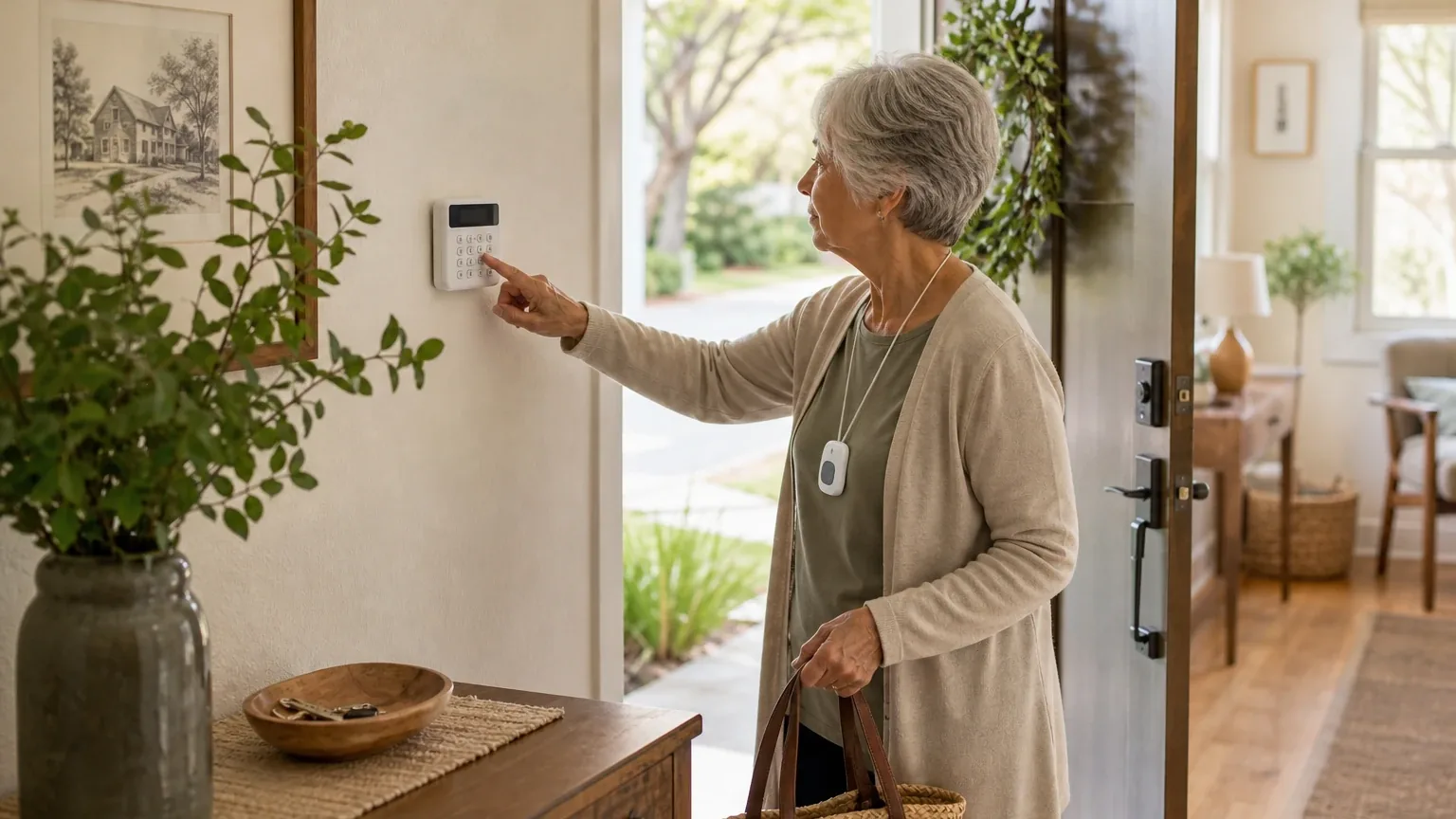
Answer Capsule
Bay Alarm Medical is a good fit for the emergency-panic half of Senior-Friendly Home Security and a mixed fit for the full use case. Three of the seven platforms in this study named it during ranking discovery, and all seven evaluated its fit. Its strongest case is a simple wearable help button backed by 24/7 medical-alert monitoring, with independent 2026 testing reporting fast operator response and easy setup [5]. The main limitation is scope: reviewed materials describe a personal emergency response service, not a monitored burglar, fire, camera, or smart-lock system, and professional installation is not established [16].
Research Snapshot
| Measure | Result |
|---|---|
| Platform mentions in ranking stage | 3 of 7 platforms (deepseek, grok, openai) |
| Share of included platform responses | 42.9% |
| Average listed rank | 2.33 |
| Best listed rank | 1 (deepseek, grok) |
| Relevant product/model/plan | SOS Home Cellular In-Home Medical Alert System, optionally with Auto Fall Detection; SOS All-In-One 2 or SOS Smartwatch for mobile coverage |
| Overall use-case fit | Mixed — strong for emergency response, partial for home security |
| Research date | 2026-11-10 |
Ranking-stage mentions are narrower than fit evaluations: all seven platforms assessed Bay Alarm Medical for this use case, but only three named it during ranking discovery. Fit ratings split across platforms — grok rated it strong, anthropic and deepseek rated it good, and google, kimi, openai, and perplexity rated it mixed.
Why Bay Alarm Medical Qualified for This Study
Questions This Section Answers
- Why did Bay Alarm Medical qualify for a senior-friendly home security ranking when it is a medical alert provider?
- How did Bay Alarm Medical rank across the AI platforms that named it for senior home safety?
Bay Alarm Medical qualified because it addresses the emergency-panic requirement at the center of this use case: an older adult living independently who needs quick access to help. It cleared the study's two-mention threshold with three ranking-stage mentions and placed first on two of the three lists that named it (deepseek, grok), with openai listing it fifth.
Its qualification rests on wearable emergency activation rather than property protection. The SOS Home Cellular package pairs an in-home base unit with a wrist or neck-lanyard help button, and additional buttons are available [4]. Waterproof pendant and wristband buttons are offered with a reported 800 to 1,000 feet of range from the base station [15]. The company also sells mobile and GPS products, including the SOS Smartwatch, which carries a physical help button and optional fall detection [17].
The qualification is not unanimous on scope. Kimi's research concluded Bay Alarm Medical is a medical alert provider that "can complement a separate home security setup" rather than a home security vendor [34]. That distinction shapes every section below.
The Product, Model, Plan, or Service Most Relevant to Senior-Friendly Home Security
Questions This Section Answers
- Which Bay Alarm Medical plan makes the most sense for an older adult who mainly needs an in-home emergency panic button?
- Does the Bay Alarm Medical SOS Home Cellular system include a wearable button and fall detection at the listed price?
The most relevant offering is the SOS Home Cellular In-Home Medical Alert System, optionally with Auto Fall Detection. It is the configuration most platforms pointed to for a senior who stays mostly at home and wants one-button access to a monitoring center.
The reviewed checkout page lists the SOS Home console with an included wearable button, cellular connectivity, and optional fall detection [4]. The in-home unit is described as plug-and-play, using a landline or a pre-configured AT&T or Verizon cellular connection [21]. The base unit is electric-powered with a 32-hour backup battery [16].
For Seniors who leave home regularly, the relevant alternatives are the SOS All-In-One 2, SOS Micro, and SOS Smartwatch, which provide mobile or GPS-enabled coverage [18]. The SOS Smartwatch is described as delivering on-the-go protection in a stylish, easy-to-use package, with shorter battery life than some competitors [32].
One scope caveat applies to every configuration: the reviewed in-home product material describes a medical-alert system, not a documented integrated burglar, fire, camera, or smart-lock platform [16]. Bay Alarm Medical does list monitored fire, smoke, and CO2 detection among its offerings [14], but the reviewed sources do not establish a full intrusion-security package sold through this division.
What the AI Platforms Agreed About
Questions This Section Answers
- Do the AI platforms agree that Bay Alarm Medical is a good fit for senior-friendly home security?
- What do the platforms agree Bay Alarm Medical does well for older adults living independently?
The platforms agreed, broadly and consistently, on three points: Bay Alarm Medical is strong at personal emergency response, it is not a full home security system, and its contract terms are senior-friendly.
Emergency response is the core strength. Every platform that examined monitoring described a 24/7 medical-alert service. Bay Alarm Medical states its monitoring centers are staffed 24 hours a day, 365 days a year [11]. Independent 2026 testing produced fast results: AARP reported operators often responding in under 30 seconds [5], NCOA reported a 31-second response time [28], Retirement Living reported an average around 16 seconds [29], and the Medical Alert Buyers Guide reported about 12 seconds [27]. These are test results under varying methods, not a guaranteed response time.
The product is a medical alert, not a security system. OpenAI, anthropic, perplexity, kimi, and google all reached this conclusion independently. Kimi put it most directly: the company does not sell traditional home security hardware like door/window sensors, motion detectors, or burglary monitoring [34]. Google's research found it "does not manufacture or sell intrusion alarms, motion detectors, video cameras, or smart doors" [7].
No long-term contracts. Multiple platforms cited month-to-month service with no cancellation fee and a 15-day trial [2]. Bay Alarm Medical's own FAQ states there are no long-term contracts or cancellation fees, with unused months refunded after device return [13].
Agreement among platforms reflects shared source material, not independent proof of quality.
Where the AI Platforms Disagreed or Were Uncertain
Questions This Section Answers
- Why do the AI platforms disagree on whether Bay Alarm Medical is a good or mixed fit for senior home security?
- How reliable is Bay Alarm Medical's caregiver tracking and in-home range according to platform testing?
The platforms split on overall fit and diverged on several specifics. Grok rated the fit strong; anthropic and deepseek rated it good; google, kimi, openai, and perplexity rated it mixed. The disagreement tracks how narrowly each platform defined "home security."
Caregiver controls. This is the sharpest conflict. Bay Alarm Medical's own app page states Caregiver Tracking is built for mobile products only and is not offered on the in-home SOS Home system [8]. Google's research, by contrast, described a caregiver app that tracks location, battery status, and account settings [19]. US News testing found caregiver notifications did not load after fall-detection events across testing rounds [3], and one customer review said caregiver tracking "doesn't exist" [24]. The most defensible reading: caregiver tools exist for mobile and smartwatch products, and their reliability for in-home use is unverified.
In-home range. Bay Alarm Medical reports 800 to 1,000 feet from the base station [15]. US News testing found the SOS Home Cellular range "much shorter than advertised" [3]. Buyers should test range in their own home.
Fall detection. Available as an add-on at $10 per month plus a $30 one-time device cost on the in-home cellular system [4]. Independent testing detected 7 to 8 of 10 simulated falls [35], and Forbes reported the technology did not effectively respond to falls from a standing position [25]. Bay Alarm Medical itself recommends customers assess their risk of losing consciousness before adding it [15].
Home-security integration. The reviewed sources do not establish whether Bay Alarm Medical's medical-alert products integrate with the separate Bay Alarm home-security business (openai). DeepSeek could not confirm whether "home security add-ons" are first-party or partner offerings [7].
Monitoring certification. DeepSeek could not confirm UL, CSAA, or Five Diamond certification [7]. Anthropic and grok both cited Five Diamond-certified centers in Ogden, Utah, and Rexburg, Idaho, based on company material [13].
Use-Case-Specific Features and Capabilities
Questions This Section Answers
- Does Bay Alarm Medical meet the emergency pendant and 24/7 monitoring criteria for senior-friendly home security?
- Can a caregiver see a senior's location and manage alerts with a Bay Alarm Medical in-home system?
Against the five criteria this study uses, Bay Alarm Medical is strong on three, unclear on one, and a limitation on one.
| Criterion | Assessment | Evidence |
|---|---|---|
| Emergency pendant integration | Advantage | Wearable wrist/neck buttons, waterproof, 800–1,000 ft reported range; additional buttons available [4] |
| 24/7 monitoring responsiveness | Advantage | 24/7 staffing stated; independent tests report roughly 12–31 second operator response [11] |
| Interface simplicity | Advantage | Plug-and-play setup; dedicated button, no smartphone needed; AARP testers called it user-friendly [5] |
| Caregiver access controls | Unclear | Mobile-only tracking per company; notification reliability questioned in testing [8] |
| Professional installation options | Limitation | Self-install positioning; no reviewed source establishes standard professional installation [21] |
Beyond the five criteria, two features matter for this buyer. Fall detection is optional and imperfect, as described above. Coverage beyond the home requires a mobile or smartwatch product; the in-home system stays plugged in [8].
A practical gap flagged by SafeWise: there is no voice-activated calling option, and if the senior is not near the base unit, wall button, or wearing the pendant, they cannot call for help [33]. That makes consistent wearing and charging a real operational requirement.
Pricing, Fees, Contracts, and Ongoing Costs
Questions This Section Answers
- How much does Bay Alarm Medical's in-home cellular plan cost per month, and does it require a long-term contract?
- Why do Bay Alarm Medical's advertised prices differ between pages, and what will a buyer actually pay?
Published pricing is transparent but inconsistent across pages, and buyers should confirm the live checkout total.
| Item | Listed price | Source |
|---|---|---|
| SOS Home landline | $27.95/month | [35] |
| SOS Home cellular | $34.95/month standard; $25.95 promotional on one checkout page | [4] |
| SOS Smartwatch | $39.95/month | [18] |
| Auto Fall Detection add-on | $10/month plus $30 one-time device cost (in-home cellular) | [4] |
| Additional wearable button | $40 | [4] |
| Quarterly / annual billing (cellular) | $104.85 / $419.40 | [4] |
Contracts and cancellation. Bay Alarm Medical states it does not require a long-term contract or charge a cancellation fee [13]. Cancellation requires contacting customer service, powering down the equipment, and returning the leased in-home device; the account finalizes after the returned device is received and inspected, and customers generally pay return shipping because return boxes and labels are not provided [9]. The standard trial and refund period is 15 days from delivery, with refunds generally reduced by shipping costs [13]. Perplexity noted cancellation can take two to three weeks [9].
Other fees. Shipping may apply depending on plan or promotion, and Bay Alarm Medical states non-manufacturer damage outside warranty may result in a device fee of up to $299 if the protection plan is declined (openai). A lockbox for emergency-responder access is listed at $30 (anthropic).
The pricing conflict. Official pages show both $25.95 and $34.95 monthly in-home cellular prices (openai). DeepSeek, which ran without search, could not confirm exact pricing at all and rated its pricing confidence low [7]. Treat any quoted figure as offer-dependent until checkout confirms it.
Best Suited For
Questions This Section Answers
- Is Bay Alarm Medical a good choice for an older adult who mainly needs a wearable panic button and 24/7 monitoring?
- Which seniors get the most value from Bay Alarm Medical's no-contract, low-monthly-cost model?
Bay Alarm Medical is best suited to an older adult whose primary risk is a medical emergency at home, not a break-in. The buyer who gets the most value wants a single button, a live operator, and a low monthly cost without a contract.
Specifically, it fits:
- Older adults living independently who need a simple pendant or wrist button for emergency calls (openai).
- Buyers prioritizing 24/7 monitoring, two-way voice, and optional fall detection [5].
- Budget-conscious seniors on fixed incomes; multiple platforms described pricing as among the most affordable in the category [35].
- Families wanting caregiver location tracking on a mobile device or smartwatch [18].
- Households that already have, or plan to buy, a separate home security system [34].
Probably Not Best Suited For
Questions This Section Answers
- Who should not buy Bay Alarm Medical for senior-friendly home security?
- Is Bay Alarm Medical a poor fit for a senior who needs burglary, fire, or camera protection in one system?
It is probably not the right choice for buyers whose definition of home security includes property protection. The reviewed materials do not establish monitored intrusion, camera, doorbell, or smart-lock functions in the recommended plan [16].
It is also a weak fit for:
- Buyers wanting one integrated system for intrusion, cameras, locks, fire, and medical panic [34].
- Seniors who will not consistently wear or charge a pendant, mobile device, or smartwatch [33].
- Buyers requiring clearly documented professional in-home installation [21].
- Seniors needing voice-activated calling without a button press [33].
- Households in areas with poor AT&T or Verizon cellular coverage, since mobile and cellular products depend on carrier signal (anthropic, openai).
- Buyers who need maximum fall-detection reliability; testing showed meaningful miss rates [35].
When Another Option May Be Better
Questions This Section Answers
- When is a dedicated home security provider a better choice than Bay Alarm Medical for a senior household?
- Is Bay Alarm Medical or a combined security-plus-medical provider better when one integrated system matters most?
Another option is better whenever the buyer needs property protection and medical response under one roof. Kimi's research pointed to integrated providers such as ADT with a medical add-on, and to SimpliSafe or Ring for keypad or voice-armed security [34]. Those recommendations are platform-reported and were not independently tested here.
Consider alternatives when:
- Intrusion, cameras, or smart locks are required. A dedicated security provider covers what Bay Alarm Medical does not [34].
- Professional installation is non-negotiable. Choose a provider with documented installation (openai).
- Caregiver dashboards are a must-have. A provider with clearly documented shared account controls is a better match (perplexity).
- The senior needs voice activation. Bay Alarm Medical requires a button press [33].
- Fall detection must be included at no extra cost. Bay Alarm Medical charges $10 per month for it (grok).
For buyers weighing the full field, the Senior-Friendly Home Security consensus index compares how each option performed across platforms.
Questions to Verify Before Buying
Questions This Section Answers
- What should a buyer confirm with Bay Alarm Medical about pricing and promotions before ordering?
- What should a caregiver confirm about alerts, permissions, and installation before committing?
Confirm these before signing up:
- Is the quoted price promotional, and what is the recurring price after it ends? (openai)
- Does the home have reliable AT&T or Verizon cellular coverage at the base-unit location? (openai, anthropic)
- Is professional installation available in the ZIP code, and at what cost? (openai, perplexity)
- Can the wearable button reach the base station throughout the home, including the bathroom, basement, and yard? [3]
- What exact escalation sequence is used when the senior does not answer? (openai)
- Can caregivers receive alerts, change contacts, view test history, and manage permissions? (openai, perplexity)
- Does fall detection require a separate wearable, and what battery and charging requirements apply? [37]
- Can the medical-alert system integrate with a separate Bay Alarm or third-party security system? (openai)
- Who pays shipping, and what fees apply if equipment is lost, damaged, or not returned? [9]
- What are the post-promotion prices and minimum-service requirements for quarterly or annual offers? (openai)
Final AI Consensus Verdict
The consensus is a qualified yes for the emergency-panic portion of Senior-Friendly Home Security and a no for the property-protection portion. Five of seven platforms rated the overall fit mixed; two rated it good and one strong. No platform described Bay Alarm Medical as a complete home security system.
The strongest reason to choose it is the combination of a simple wearable button, 24/7 monitoring, independently tested fast response, and no long-term contract at a low monthly price [5]. The strongest reason to look elsewhere is scope: if the senior needs door sensors, cameras, or intrusion monitoring, Bay Alarm Medical is a complement, not a substitute [34].
A reasonable buying pattern, supported by the platform research, is Bay Alarm Medical for medical emergency response plus a separate security system for property protection. Buyers should verify pricing, cellular coverage, caregiver controls, and installation before committing.
How This Review Was Produced
This report evaluates Bay Alarm Medical only for the Senior-Friendly Home Security use case defined by this study: older adults living independently who need simple home protection with quick-access emergency panic features. It is not a broad company review.
Seven AI platforms produced fit research on the entity: openai, anthropic, google, grok, deepseek, perplexity, and kimi. Three of them — deepseek, grok, and openai — named Bay Alarm Medical during ranking discovery, which is the basis for the mention count and rank statistics. All seven evaluated fit against the five category criteria.
The research date is 2026-11-10. Sources include company-owned pages from bayalarmmedical.com and shop.bayalarmmedical.com, plus independent reviews from AARP, NCOA, Caring.com, SafeHome, SeniorLiving, US News, Forbes, SafeWise, Retirement Living, Medical Alert Buyers Guide, Security.org, and others. Company claims are labeled as owned; independent test results are labeled as such. Platform agreement reflects shared source material and does not prove product quality. No personal testing, customer experience, or independent verification was performed for this report.
Methodology Limitations
- Platform-reported evidence. Citations reflect what each platform retrieved and reported; they were not independently verified by this review.
- Date discrepancy. DeepSeek's research is dated 2026-06-11, while the authoritative run date and other platforms are dated 2026-11-10. DeepSeek also ran without search enabled, so its pricing and certification findings are unverified.
- Ranking vs. fit. Only three platforms named the entity during ranking discovery; all seven evaluated fit. Mention counts should not be read as fit consensus.
- Pricing conflicts. Official pages show both $25.95 and $34.95 monthly in-home cellular prices, and fall-detection pricing is presented inconsistently across pages. Buyers must confirm the live checkout total.
- Unresolved integration question. The reviewed sources do not establish whether the medical-alert products integrate with Bay Alarm's separate home-security services.
- Caregiver controls. Company material limits caregiver tracking to mobile products, while other sources describe broader app functionality; reliability was questioned in testing.
- Range and fall detection. Advertised in-home range and fall-detection accuracy were both contradicted or qualified by independent testing.
- URL validation. Supplied URLs were collected from platform responses and were not independently validated at the writing stage.
- Missing data. No prompt-volume or search-demand data was supplied, and no claim about question popularity is made.
Explore more home safety guidance in the category directory.
Sources
Company-Owned Sources
- In-Home Cellular: https://shop.bayalarmmedical.com/in-home-cellular
- America's Most Trusted Medical Alert Systems - Bay Alarm Medical: https://www.bayalarmmedical.com/
- Bay Alarm Medical App for iPhone & Android: https://www.bayalarmmedical.com/app/
- How to Cancel Your Bay Alarm Medical Medical Alert Subscription: https://www.bayalarmmedical.com/cancellations/
- Customer Service, Tech Support, Billing, Cancellations: https://www.bayalarmmedical.com/customer-service/
- Get Your 15 Day Risk-Free Trial: https://www.bayalarmmedical.com/free-quote/
- How Do Medical Alert Systems Work? FAQs: https://www.bayalarmmedical.com/frequently-asked-questions/
- Medical Alert System Ratings & Reviews - Bay Alarm Medical: https://www.bayalarmmedical.com/medical-alert-reviews/
- Award-Winning Medical Alert Systems for Seniors - Bay Alarm Medical official website: https://www.bayalarmmedical.com/medical-alert-system/
- Personal Emergency Response System - In-Home: https://www.bayalarmmedical.com/medical-alert-system/in-home/
- SOS Smartwatch: Life-Saving Medical Alert Watch: https://www.bayalarmmedical.com/medical-alert-system/sos-smartwatch/
- Medical Alert Costs: https://www.bayalarmmedical.com/pricing/
- Bay Alarm Medical Caregiver App for SOS Smartwatch: https://www.bayalarmmedical.com/resources/caregiver-app-for-sos-smartwatch/
- Getting Around the Bay Alarm Medical Caregiver Tracking Platform: https://www.bayalarmmedical.com/resources/getting-around-the-bay-alarm-medical-caregiver-tracking-platform/
- Install & Test: In-Home Landline System Transcript - Bay Alarm Medical: https://www.bayalarmmedical.com/resources/install-test-in-home-landline-system-transcript/
- Livindi Home for Houses (WiFi: https://www.livindi.com/products/homewifi
Independent Sources
- Best Home Security Systems for Seniors (2026): Simple, No Contract: https://circuitandchime.com/home-security-systems/seniors
- Bay Alarm Medical Medical Alert System Review 2026: SOS Mobile: https://medalertguide.com/bay-alarm-medical-medical-alert-review/
- Bay Alarm Medical Review and Prices 2027: https://realestate.usnews.com/home-services/medical-alert-system/bay-alarm-medical
- Bay Alarm Medical Review (2026): Tested & Approved: https://www.aarp.org/caregiving/home-care/bay-alarm-medical-review/
- Bay Alarm Medical Review (2026): Tested & Approved: https://www.aarp.org/caregiving/home-care/info-2024/bay-alarm-medical-review.html
- A Guide to Home Security for Aging in Place: https://www.caring.com/resources/guide-to-home-security-for-aging-in-place
- Bay Alarm Medical Medical Alert System Review 2026 - Caring.com: https://www.caring.com/senior-products/best-medical-alert-systems/bay-alarm-medical
- Bay Alarm Medical Reviews from Real Customers: https://www.consumeraffairs.com/age/bay-alarm-medical.html
- Bay Alarm Medical Alert Systems Review: https://www.forbes.com/health/medical-alert-systems/bay-alarm-medical-review/
- 2026's Best Medical Alert Systems: Our Hands-On Test Results: https://www.medicalalertbuyersguide.org/best-medical-alert-systems/
- Bay Alarm Medical Review 2026: https://www.ncoa.org/product-resources/medical-alert-systems/bay-alarm-medical-review/
- Bay Alarm Medical vs. Life Alert (2026) - Retirement Living: https://www.retirementliving.com/bay-alarm-medical-vs-life-alert
- Bay Alarm Medical Reviews (With Costs: https://www.retirementliving.com/reviews/bay-alarm-medical-review
- Bay Alarm Medical Alert Systems Cost & Packages: https://www.safehome.org/medical-alert-systems/bay-alarm-medical/
- Bay Alarm Medical Review 2026: https://www.safehome.org/medical-alert-systems/bay-alarm-medical/reviews/
- Bay Alarm Medical Alert System Review: https://www.safewise.com/blog/bay-alarm-medical-alert-system-review/
- Best Home Security Systems for Seniors in 2026: https://www.security.org/home-security-systems/best/seniors/
- Bay Alarm Medical Alert System Review 2026: https://www.seniorliving.org/medical-alert-systems/bay-alarm-medical/reviews/
- Best Medical Alert Systems of 2026: Tested and Ranked: https://www.seniorliving.org/medical-alert-systems/best/
- Bay Alarm Medical Medical Alert System Review 2026: https://www.usnews.com/360-reviews/services/medical-alert-system/bay-alarm-medical
Verify This Research
Review the study details behind this page or download the public machine-readable verification record.
- Study date
- November 10, 2026
- Platforms analyzed
- 7
- Source records
- 37
- Ranking mentions
- 3 of 7
- Platform share
- 43%
- Final consensus rank
- #6
Research trail and source mix
Configured platforms
openai, anthropic, deepseek, grok, perplexity, kimi, google
Source mix
20 independent · 17 company-owned
Evidence support
35 direct · 2 partial
Important limitation
Use the run research_date as the study date. Platform-reported dates are provenance metadata and do not independently prove freshness.
Source snapshot SHA-256 a6878cf13ebc488e168b87f9842c94ae66fe325e3698b51d86814d6e5894e87d