
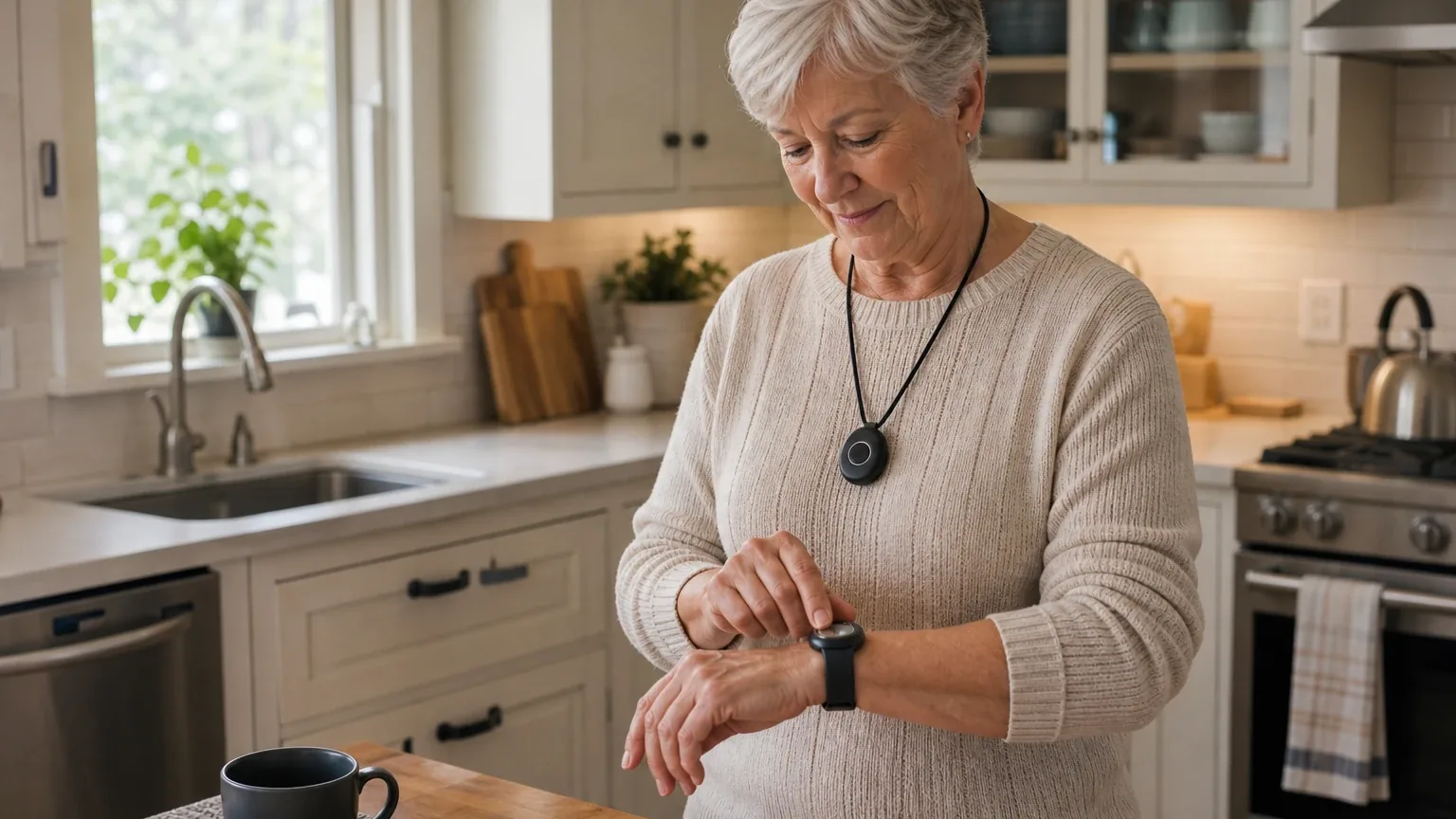
Answer Capsule
LifeStation is a good but conditional fit for Automatic Fall Detection. Three of the six included platforms named LifeStation during the ranking stage — grok, kimi, and perplexity — giving it a 50% share of included platform responses, an average listed rank of 5.0, and a best listed rank of 3. The strongest reason to consider it is the Pearl: a mobile, GPS-enabled device with roughly 72 hours of reported battery life that earned perfect fall-detection results in AARP's 12-fall test [1]. The main limitation is that independent results conflict materially — SafeWise recorded 5 of 6 Pearl falls and 4 of 6 Sidekick Smart falls, while Forbes reported inconsistent Sidekick results (openai:safewise_review, openai:forbes_review).
Research Snapshot
| Field | Finding |
|---|---|
| Platform mentions in ranking stage | 3 of 6 included platforms (grok, kimi, perplexity) |
| Share of included platform responses | 50% |
| Average listed rank | 5.0 |
| Best listed rank | 3 (grok) |
| Relevant product/model/plan | Pearl or Sidekick with fall detection; Sidekick Mobile fall detection included in the Supreme package |
| Overall use-case fit | Good, with conditions — Pearl preferred over Sidekick Home |
| Research date | 2026-09-28 |
Why LifeStation Qualified for This Study
Questions This Section Answers
- Is LifeStation a good choice for automatic fall detection for a senior who leaves home?
- How many AI platforms named LifeStation when ranking medical alert systems with fall detection?
LifeStation qualified because it cleared the study's two-mention minimum and was named by three of the six included platforms during ranking discovery: grok, kimi, and perplexity. Its listed ranks were 3, 5, and 7 respectively, producing an average listed rank of 5.0 and a final rank of 5. The other three included platforms — openai, deepseek, and google — evaluated LifeStation's fit but did not name it during the ranking stage, so they do not count toward the mention total.
The company also met the topic's core criteria on paper. LifeStation sells automatic fall detection on multiple form factors, including the at-home Pearl and the mobile Sidekick and Sidekick Smart lines [2]. It advertises 24/7 U.S.-based monitoring, month-to-month billing without a long-term contract, and LTE connectivity with GPS and Wi-Fi location on mobile devices [2].
Qualification is not endorsement. LifeStation entered this study because platforms surfaced it repeatedly for this use case, not because its fall-detection performance is established. The platform fit ratings were split: openai, google, and perplexity rated it a good fit; grok and deepseek rated it mixed; kimi rated it uncertain. That spread is itself a finding, and it is carried through this review rather than averaged away.
The Product, Model, Plan, or Service Most Relevant to Automatic Fall Detection
Questions This Section Answers
- Which LifeStation device should a buyer choose for automatic fall detection, Pearl or Sidekick?
- Is LifeStation fall detection included in the plan price or sold as an add-on?
The Pearl is the best-supported LifeStation option for this use case. It is a mobile device with automatic fall detection, GPS and Wi-Fi location, two-way communication, and LTE connectivity where coverage is available [5]. LifeStation describes its fall detection as designed to alert a monitoring center when the wearer cannot press the help button, using sensors plus an algorithm [5]. Google's platform response reported that LifeStation fall detection uses dual sensors — motion sensors and barometric sensors — with monitoring centers in New Jersey and Texas [7].
The Sidekick line is the alternative, and the naming is genuinely confusing. Public materials reference Sidekick, Sidekick Smart, Sidekick Home, Sidekick Mobile, and Supreme packages, and the platforms did not converge on a single naming scheme. Buyers should treat "Sidekick" as a family name and confirm the exact model at purchase.
Fall detection is generally presented as an add-on or a bundled protection-plan feature rather than a standard inclusion. OpenAI reported that fall detection is generally bundled with the protection plan, while Pearl pricing and availability may require contacting LifeStation. Google's response reported fall detection as an add-on costing $8 to $16 per month depending on model [8]. Perplexity reported LifeStation stating fall detection can be a $10 extra add-on on some pages, with Forbes reporting an $8 to $16 range [10]. Kimi could not determine whether fall detection is an add-on or built in, and noted the company site requires a call for a quote.
One product distinction matters more than the naming: Sidekick Home appears unsuitable when reliable automatic fall detection is the primary requirement. SafeWise recorded only 2 of 6 detected falls for Sidekick Home, versus 5 of 6 for Pearl and 4 of 6 for Sidekick Smart (openai:safewise_review). Buyers who need automatic detection should not default to the cheapest home-based unit.
What the AI Platforms Agreed About
Questions This Section Answers
- What do AI platforms agree on about LifeStation's fall detection and monitoring?
- Does LifeStation require a long-term contract for fall detection service?
Agreement was strong on capability and mixed on performance. Every platform that evaluated LifeStation agreed it offers automatic fall detection on relevant products, that alerts route to a monitored response center, and that mobile devices include location features [11].
Platforms also broadly agreed on contract structure. LifeStation markets month-to-month monitoring with no long-term contract, and NCOA reported that LifeStation permits monthly payment without a three-year contract [11]. Google's response reported no long-term contracts, a 30-day money-back guarantee, and no cancellation fees [14]. Grok reported month-to-month terms with a 30-day money-back guarantee (grok:4).
Battery life drew consistent directional agreement. NCOA lists approximately 72 hours for Pearl and 120 hours for Sidekick (openai:ncoa_review). Google's response reported Pearl at up to 3 days and the classic Sidekick mobile GPS at up to 120 hours, with a 32-hour backup battery on the Sidekick Home base station [15]. Kimi reported Sidekick Mobile battery life stated as up to 5 days by the company (kimi:lifestation-site). These are maximum or test figures, not guaranteed runtime for every user.
Monitoring quality drew favorable but non-uniform evidence. NCOA described the Pearl as having the fastest emergency-services connection among the LifeStation devices it tested (openai:ncoa_review). SafeWise reported average response times of 52 seconds for Pearl, 43 seconds for Sidekick Smart, and 31 seconds for Sidekick Home (openai:safewise_review). Google's response cited U.S.-based, TMA award-winning, CSAA Five Diamond-certified centers responding within seconds [14]. Grok cited an industry-leading average of 13.7 seconds claimed, with under one minute in tests (grok:0, grok:5). These figures come from different test protocols and should not be treated as a single comparable benchmark.
Where the AI Platforms Disagreed or Were Uncertain
Questions This Section Answers
- How accurate is LifeStation fall detection, and why do independent test results conflict?
- What is unclear about LifeStation's false-alarm cancellation and alert escalation process?
Fall-detection accuracy is the central disagreement, and it is not a minor spread. AARP reported that Pearl and Sidekick detected all 12 test falls and called the Pearl performance a standout [18]. SafeWise reported 5 of 6 for Pearl, 4 of 6 for Sidekick Smart, and 2 of 6 for Sidekick Home (openai:safewise_review). Forbes reported inconsistent detection in its Sidekick testing, and perplexity's response cited Forbes reporting that Sidekick Mobile missed three simulated falls [20]. LifeStation itself states fall detection does not detect 100% of falls and that users should press the help button when able [21].
No verified universal accuracy rate can be stated from these inputs. The results differ by device, test protocol, and reviewer, and the platforms did not reconcile them.
Pricing is the second unresolved area. Reported Pearl starting monthly prices range from approximately $42.95 to $50.95 depending on source and plan presentation, with a reported activation fee of approximately $99.95 [22]. LifeStation's own retrieved page excerpts list Sidekick Home starting at $38.95 per month and Pearl and Sidekick Smart starting at $42.95 per month (official:C1). SeniorLiving reported base plans at $34.95 for Sidekick Home, $39.95 for Sidekick Mobile, and $46.95 for the smartwatch, with a $99.95 activation fee on mobile units and $12.50 shipping [22]. Grok reported Sidekick Home at $38.95 base plus $16 for fall detection, Pearl at $42.95 base plus $8, and Sidekick Smart at $50.95 with fall detection included in some packages. These figures do not reconcile.
False-alarm cancellation is partially documented but not fully. SafeWise reported that mobile devices provide cancellation cues, and that for the home system the user can respond "No" or "Testing" when the automated voice asks whether help is needed (openai:safewise_review). Google's response reported that LifeStation supports call cancellation on mobile devices and charges no fees for accidental false alarms [23]. Grok reported simple button-press cancellation with clear protocols noted in tests (grok:6). Perplexity found that publicly verifiable details on user cancellation steps, timeout behavior, or operator override are unclear. The exact current cancellation timing and escalation workflow should be confirmed before purchase.
Other unresolved items: the exact LTE carrier and coverage map, the current activation fee, the current cancellation and refund treatment, and the precise escalation sequence after an unanswered automatic fall alert. Kimi found no 2026 independent review or testing publication that includes LifeStation in comparative fall-detection accuracy testing.
Use-Case-Specific Features and Capabilities
Questions This Section Answers
- Does LifeStation's Pearl provide GPS location and multi-day battery life for falls away from home?
- How does LifeStation handle a fall alert if the wearer cannot press the button?
The Pearl's core use-case advantage is mobility with location. LifeStation states Pearl uses nationwide LTE service where coverage is available and includes GPS and Wi-Fi location (openai:official_fall_page). SafeWise found 100% GPS accuracy for Pearl in its tests, while Sidekick Smart GPS performance was mixed (openai:safewise_review). Google's response reported that LifeStation mobile units combine GPS, Wi-Fi positioning, and cellular triangulation, and that Pearl and Sidekick achieved perfect address-tracking scores in AARP testing [25].
Battery life supports multi-day wear. Reported figures are approximately 72 hours for Pearl and 120 hours for Sidekick [27]. SafeWise reported that Pearl lasted multiple days and that mobile devices met or exceeded advertised battery life in its testing (openai:safewise_review). Runtime varies with use and connectivity, so a dependable charging routine still matters.
Wearability is a documented limitation, not a strength. The Pearl weighs about 1.5 ounces with an adjustable necklace and belt clip, but AARP testers found it could feel heavy and bump against the chest, and NCOA testers described it as bulky and considered the belt clip preferable for some users (openai:aarp_review, openai:ncoa_review). The Sidekick was also described as bulky and less discreet (openai:ncoa_review). Google's response reported the Sidekick Home fall-detection pendant weighs less than half an ounce while the Pearl mobile unit weighs 1.5 ounces [25]. LifeStation's Pearl user guide states best results come from wearing the device on a lanyard and outside clothing, which indicates wear position affects performance [28].
On alert handling, LifeStation describes U.S.-based professional monitoring with operators able to assess alerts and contact emergency services or designated contacts (openai:official_fall_page, openai:ncoa_review). Independent testing found helpful and professional monitoring-center agents (openai:ncoa_review). The precise escalation sequence after an unanswered automatic fall alert is not fully documented in the reviewed public materials.
Industry guidance applies regardless of brand: automatic fall detection is designed as a backup for unconsciousness or incapacity, not a replacement for pressing the button, and it is generally not recommended for people with memory loss or seizure disorders (kimi:bayalarm-fall, kimi:vital-link). LifeStation's own materials carry the same caution [29].
Pricing, Fees, Contracts, and Ongoing Costs
Questions This Section Answers
- How much does LifeStation cost per month with fall detection, and what activation or shipping fees apply?
- What are LifeStation's cancellation, return, and equipment-return rules for a fall-detection plan?
Pricing confidence across the platforms was low, and the numbers do not reconcile. LifeStation's retrieved page excerpts list Sidekick Home starting at $38.95 per month and Pearl and Sidekick Smart starting at $42.95 per month, with final cost varying by system, optional features, and discounts (official:C1). Independent and platform-reported figures diverge from that baseline.
| Cost item | Reported figure | Source |
|---|---|---|
| Pearl starting monthly | ~$42.95 to $50.95 | , (official:C1) |
| Sidekick starting monthly | ~$40.95 to $41 | |
| Sidekick Home base | $34.95 to $38.95 | [30], |
| Sidekick Smart base | $46.95 to $50.95 | [30], |
| Fall-detection add-on | ~$8 to $16 per month | [31],, [32] |
| Pearl activation fee | ~$99.95 | , [30] |
| Shipping | ~$12.50 to $13 monthly billing | , [30] |
| Lockbox add-on | ~$3 per month |
Google's response reported the highest pricing confidence of any platform and stated that plans require a base subscription plus an additional recurring fall-detection fee, alongside potential one-time setup fees. OpenAI, deepseek, perplexity, and kimi all reported low pricing confidence.
Contract terms are more consistent than pricing. LifeStation markets month-to-month service without a long-term contract, and NCOA reported monthly payment without a three-year contract [33]. Google's response reported no long-term contracts, a 30-day money-back guarantee, and no cancellation fees [30]. NCOA reported a 30-day return/refund window, but the current refund treatment of activation, shipping, and used service should be verified directly (openai:ncoa_review).
The retrieved terms page adds detail that buyers should read before signing. It states that LifeStation owns the system at all times, that equipment must be returned undamaged within ten days of termination, and that failure to return it triggers a replacement-value charge (official:C2). It also states a contractual limitation of liability capped at $1,000 collectively, a requirement to test the system at least monthly, and a waiver of jury trial (official:C2). These are contract terms, not performance claims, and they materially affect what a buyer is agreeing to.
Best Suited For
Questions This Section Answers
- Who gets the most value from LifeStation for automatic fall detection?
- Is LifeStation a good fit for a senior who travels outside the home?
LifeStation is best suited to seniors who leave home and need GPS-enabled automatic fall detection, and to caregivers who prioritize a mobile device with multi-day battery life and professional monitoring. The Pearl is the specific device that fits this profile, given its mobile form factor, location features, and reported three-day battery (openai:official_fall_page, openai:ncoa_review).
It also suits buyers who want month-to-month billing without a long-term contract and who are willing to pay a relatively high activation fee plus recurring add-on or bundled protection-plan costs. Buyers who value established monitoring infrastructure over published accuracy benchmarks are a reasonable fit, provided they accept fall detection as a backup safety net rather than primary protection.
Buyers who want a supervised test of automatic fall detection before relying on it are also well served, since LifeStation's own terms require monthly system testing (official:C2).
Probably Not Best Suited For
Questions This Section Answers
- Who should not choose LifeStation for automatic fall detection?
- Is LifeStation a poor fit for a buyer who needs published fall-detection accuracy data?
LifeStation is probably not the best choice for buyers who require a publicly verified, manufacturer-backed fall-detection accuracy rate. No independently verified, generalizable accuracy rate is publicly established, and the available independent results conflict substantially.
It is also a weak fit for users who may not tolerate a noticeable pendant or who need a very lightweight wearable, since independent testers described the Pearl as heavy against the chest and bulky, and the Sidekick as bulky and less discreet (openai:aarp_review, openai:ncoa_review). Buyers wanting the lowest total cost or simple, transparent standalone fall-detection pricing should look elsewhere, given the add-on ambiguity and activation fees.
Users who spend most of their time at home and need especially reliable in-home fall detection should be cautious: independent testing found weak results for Sidekick Home, at 2 of 6 detected falls (openai:safewise_review). Buyers who need robust on-the-go coverage in weak-signal areas, or who want comprehensive caregiver app features and multiple mobile device options, are also flagged as poor fits. NCOA and AARP report no dedicated caregiver app for LifeStation.
When Another Option May Be Better
Questions This Section Answers
- What is a better alternative to LifeStation if the buyer needs published fall-detection accuracy data?
- When should a buyer choose a lower-cost or wrist-worn alternative to LifeStation?
Another option may be better when verified accuracy is the deciding factor. Kimi's response cited 2026 independent testing with Medical Guardian MGMini Lite at 80% and ADT On-the-Go at 80%, and noted LifeStation was not included in that tested brand set (kimi:seniorlist-2026). Buyers who need published benchmarks should compare against providers that publish them.
Lower total cost with transparent pricing is another trigger. Kimi cited Bay Alarm SOS All-In-One 2 at $44.95 per month with a $149 device, and Apple Watch SE 3 for existing iPhone users with minimal monthly cost. Grok suggested considering a competitor when a lower fall-detection add-on cost in the $8 to $10 range is preferred, or when a wrist-worn option with proven accuracy is required.
Consistency across models is a third trigger. Grok recommended another provider when consistent high accuracy across all device models is required, citing Bay Alarm as a comparison point for the Sidekick Home equivalent. OpenAI recommended considering an in-home-focused competitor when the senior rarely leaves home and does not need GPS, provided that competitor has stronger independently tested fall detection.
Buyers who need a caregiver smartphone app, a smaller or lighter wearable, or a clearly published fall-detection price with no mandatory protection-plan bundle should also compare alternatives.
Questions to Verify Before Buying
Questions This Section Answers
- What should a buyer confirm with LifeStation about fall detection before signing a contract?
- Which LifeStation device and plan details must be verified to get an accurate total cost?
Confirm these directly with LifeStation before purchase, because the reviewed public materials do not resolve them:
- What is the exact current monthly total for Pearl or Sidekick with automatic fall detection, including protection plan, activation, shipping, and taxes ?
- Can Pearl fall detection be purchased without a protection plan, and what exactly does the protection plan cover ?
- What happens if an automatic fall alert is triggered and the wearer does not respond ?
- What is the false-alarm cancellation window and procedure for fall-detection alerts ?
- Which cellular network does the selected device use, and is coverage adequate at the senior's home and common travel locations ?
- What is the current battery life under normal use with fall detection and location tracking enabled ?
- What are the cancellation notice, refund, activation-fee, and equipment-return rules ?
- Is the Pearl currently available online, or must it be ordered by phone ?
- Does LifeStation offer a caregiver app, or only text and location services ?
- Can the buyer conduct a supervised test of automatic fall detection without triggering emergency services ?
Final AI Consensus Verdict
LifeStation is a good fit for automatic fall detection, with the Pearl preferred over Sidekick Home for this use case. It offers relevant mobile fall-detection capabilities, GPS, multi-day battery life, and generally fast professional monitoring. The purchase should be conditional on confirming the live total price, the protection-plan requirement, local LTE coverage, and the actual automatic-alert escalation process.
Because independent fall-detection results conflict — AARP at 12 of 12, SafeWise at 5 of 6 for Pearl and 2 of 6 for Sidekick Home, Forbes reporting inconsistent Sidekick results — LifeStation should not be treated as a guaranteed or medically reliable substitute for manual activation or caregiver support (openai:aarp_fall_review, openai:safewise_review, openai:forbes_review). Platform agreement on capability does not establish product quality, and the split fit ratings across the six platforms reflect that.
For buyers comparing this result against the wider field, the Automatic Fall Detection consensus index holds the full ranking and cross-platform findings. Readers who want to compare LifeStation against other device categories can also browse the broader medical alert systems directory.
How This Review Was Produced
This review evaluates LifeStation only for the Automatic Fall Detection use case. It is not a broad company review. Six platforms were included in the study: openai, deepseek, google, grok, kimi, and perplexity. Each platform evaluated LifeStation's fit against the topic criteria — fall-detection accuracy rate, false-alarm cancellation protocol, pendant comfort, response center speed, cellular coverage, battery life, and monthly fees — and supplied its own citations.
Ranking statistics count only platforms that named LifeStation during ranking discovery. Three did: grok, kimi, and perplexity. The remaining three evaluated fit without naming LifeStation in the ranking stage, so they are excluded from the mention count and share. All six platforms' fit findings are used in the analytical sections.
Citations are platform-reported evidence, not independently verified facts. Company-owned sources are labeled as owned; independent reviews and directories are labeled as independent. Where a platform supplied no citation for a claim, the claim is described as platform-reported or unverified rather than presented as established.
Methodology Limitations
Several limitations apply to this review.
Platform-reported research dates differ from the authoritative run date of 2026-09-28. DeepSeek's response carries a research date of 2026-01-15, roughly eight months earlier. Platform-reported dates are provenance metadata and do not independently prove freshness.
The supplied URLs were collected from platform responses and were not independently validated by the writer stage. The retrieved official-page excerpts are marked retrieved_not_verified, meaning they were fetched but not fact-checked.
Independent fall-detection results conflict materially across reviewers and test protocols, and no verified universal accuracy rate can be stated. Missing research was not treated as disagreement; where platforms found no data, that is reported as missing rather than as a negative finding.
Product naming and plan structure appear to have changed across public pages, including references to Pearl, Sidekick, Sidekick Smart, Sidekick Home, Sidekick Mobile, and Supreme packages. This review does not resolve those naming conflicts and tells buyers to confirm the exact model at purchase.
Pricing could not be reconciled across sources, and pricing confidence was low on four of six platforms. The exact LTE carrier, coverage map, current activation fee, current cancellation policy, and current refund treatment were not fully verified from the reviewed official materials. Published battery figures are maximum or test results, not guaranteed operating time for every user.
Sources
Company-Owned Sources
- Is Care Alert Now a Good Medical Alert System? An Honest 2026 Review: https://carealertnow.com/blog/is-care-alert-now-a-good-medical-alert-system
- Is Fall Detection Worth It? An Honest Answer: https://vital-link.com/is-fall-detection-worth-it/
- Fall Detection Devices for Seniors - Bay Alarm Medical: https://www.bayalarmmedical.com/medical-alert-system/automatic-fall-detection/
- LifeStation Official Website: https://www.lifestation.com/
- Best Medical Alert Systems With Fall Detection: https://www.lifestation.com/best-medical-alert-systems-with-fall-detection/
- How Do Fall Detection Devices Work?: https://www.lifestation.com/how-do-fall-detection-devices-work/
- At Home Medical Alert Systems for Seniors: https://www.lifestation.com/in-home-medical-alert-systems/
- Best Medical Alert Systems With Fall Detection (2026) | LifeStation: https://www.lifestation.com/medical-alert-blog/best-medical-alert-systems-with-fall-detection/
- Medical Alert Systems for Seniors: Complete Guide - LifeStation: https://www.lifestation.com/medical-alert-blog/medical-alert-systems-for-seniors-complete-guide/
- Medical Alert Fall Detection: https://www.lifestation.com/medical-alert-fall-detection/
- Medical Alert System for Caregivers: https://www.lifestation.com/medical-alert-systems/caregivers/
- Medical Alert Fall Detection - LifeStation: https://www.lifestation.com/medical-alert-systems/features/fall-detection/
- Medical Alert for Traveling Seniors: https://www.lifestation.com/medical-alert-systems/medical-alert-systems-for-traveling-seniors/
- Pearl: Best Mobile Medical Alert System with GPS: https://www.lifestation.com/pearl-mobile-medical-alert-system/
- Official pricing and terms source: https://www.lifestation.com/terms-and-conditions/
Additional AI research evidence33 records
- AI research evidence record google:1.1.9
- AI research evidence record deepseek:c1
- AI research evidence record perplexity:c1
- AI research evidence record perplexity:c5
- AI research evidence record perplexity:c2
- AI research evidence record perplexity:c3
- AI research evidence record google:1.2.1
- AI research evidence record google:1.1.4
- AI research evidence record google:1.2.3
- AI research evidence record perplexity:c9
- AI research evidence record deepseek:c1
- AI research evidence record perplexity:c1
- AI research evidence record google:1.1.1
- AI research evidence record google:1.1.5
- AI research evidence record google:1.1.9
- AI research evidence record google:1.2.6
- AI research evidence record google:1.2.1
- AI research evidence record perplexity:c8
- AI research evidence record google:1.1.9
- AI research evidence record perplexity:c9
- AI research evidence record perplexity:c10
- AI research evidence record google:1.1.5
- AI research evidence record google:1.2.7
- AI research evidence record google:1.2.8
- AI research evidence record google:1.1.1
- AI research evidence record google:1.1.9
- AI research evidence record google:1.2.6
- AI research evidence record perplexity:c11
- AI research evidence record perplexity:c10
- AI research evidence record google:1.1.5
- AI research evidence record google:1.1.4
- AI research evidence record perplexity:c9
- AI research evidence record deepseek:c1
Independent Sources
- LifeStation Medical Alert Review: What You Need To Know: https://aginginplace.org/lifestation-medical-alert-review/
- 4 Best Medical Alerts with Fall Detection: https://www.aarp.org/caregiving/home-care/best-medical-alert-systems-with-fall-detection/
- LifeStation Medical Alert Review 2026: Our Testing Experience - AARP: https://www.aarp.org/caregiving/home-care/info-2021/lifestation-medical-alert-review.html
- LifeStation Medical Alert Review 2026: Our Testing Experience: https://www.aarp.org/caregiving/home-care/lifestation-review/
- LifeStation Review - Medical Alert Systems: https://www.consumeraffairs.com/health/medical-alert-systems/lifestation.html
- LifeStation Medical Alert System Review: https://www.forbes.com/health/medical-alert-systems/lifestation-review/
- LifeStation Pricing and Plans: https://www.medicalalertadvice.com/reviews/lifestation/
- LifeStation Review 2026: Testing the Medical Alert System: https://www.ncoa.org/adviser/medical-alert-systems/lifestation-review/
- Best Medical Alert Systems with Fall Detection: https://www.ncoa.org/article/best-medical-alert-systems-with-fall-detection/
- Bay Alarm Medical vs. Lifestation: Tested and Compared 2026: https://www.ncoa.org/product-resources/medical-alert-systems/bay-alarm-medical-vs-lifestation-review/
- LifeStation Review 2026: Testing the Medical Alert System: https://www.ncoa.org/product-resources/medical-alert-systems/lifestation-review/
- LifeStation Review: Hands-On Test Results: https://www.safewise.com/senior-safety/medical-alerts/life-station/
- LifeStation Medical Alert System Review 2026: https://www.seniorliving.org/medical-alert-systems/lifestation/reviews/
- LifeStation Medical Alert System Cost & Pricing in 2026: https://www.seniorliving.org/medical-alerts/lifestation/pricing/
- Best Fall Detection Devices in 2026: https://www.theseniorlist.com/medical-alert-systems/best/fall-detection/
Additional AI research evidence33 records
- AI research evidence record google:1.1.9
- AI research evidence record deepseek:c1
- AI research evidence record perplexity:c1
- AI research evidence record perplexity:c5
- AI research evidence record perplexity:c2
- AI research evidence record perplexity:c3
- AI research evidence record google:1.2.1
- AI research evidence record google:1.1.4
- AI research evidence record google:1.2.3
- AI research evidence record perplexity:c9
- AI research evidence record deepseek:c1
- AI research evidence record perplexity:c1
- AI research evidence record google:1.1.1
- AI research evidence record google:1.1.5
- AI research evidence record google:1.1.9
- AI research evidence record google:1.2.6
- AI research evidence record google:1.2.1
- AI research evidence record perplexity:c8
- AI research evidence record google:1.1.9
- AI research evidence record perplexity:c9
- AI research evidence record perplexity:c10
- AI research evidence record google:1.1.5
- AI research evidence record google:1.2.7
- AI research evidence record google:1.2.8
- AI research evidence record google:1.1.1
- AI research evidence record google:1.1.9
- AI research evidence record google:1.2.6
- AI research evidence record perplexity:c11
- AI research evidence record perplexity:c10
- AI research evidence record google:1.1.5
- AI research evidence record google:1.1.4
- AI research evidence record perplexity:c9
- AI research evidence record deepseek:c1
Verify This Research
Review the study details behind this page or download the public machine-readable verification record.
- Study date
- September 28, 2026
- Platforms analyzed
- 6
- Source records
- 31
- Ranking mentions
- 3 of 6
- Platform share
- 50%
- Final consensus rank
- #5
Research trail and source mix
Configured platforms
openai, anthropic, deepseek, grok, perplexity, kimi, google
Source mix
15 independent · 16 company-owned
Evidence support
25 direct · 6 partial
Important limitation
Use the run research_date as the study date. Platform-reported dates are provenance metadata and do not independently prove freshness.
Source snapshot SHA-256 cff9619da968446e5b140105c750e23f4a79655e8a6dd71823606eed689bffbd