
Answer Capsule
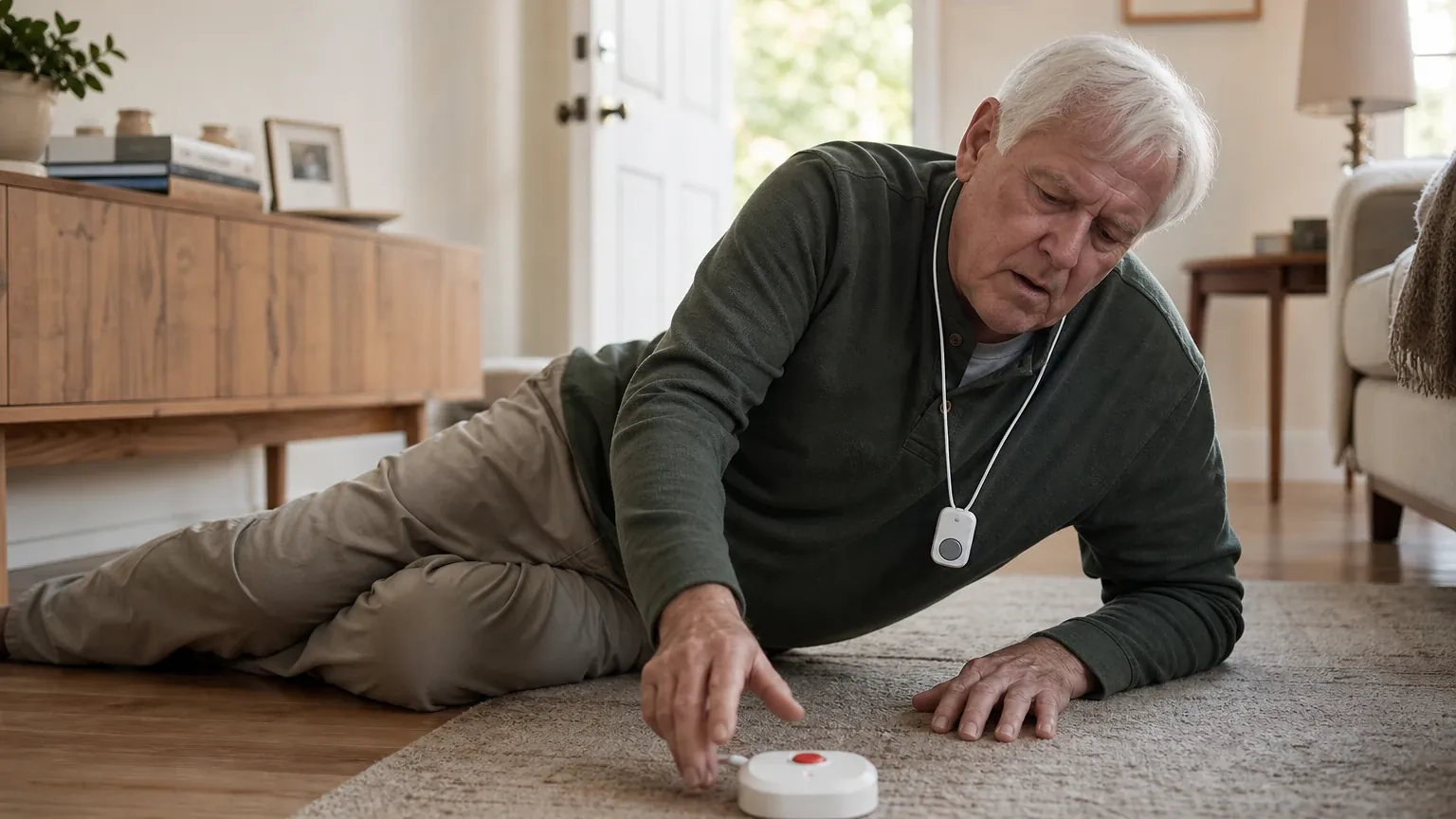
Bay Alarm Medical is a good fit for Automatic Fall Detection, with caveats. All six platforms that named it in the ranking stage placed it in their fall-detection rankings, and it finished first overall with an average listed rank of 1.33. The strongest reason to consider it is that automatic fall detection is available as a clearly priced $10-per-month add-on across the SOS product line, paired with 24/7 monitored response and month-to-month terms. The main limitation is that no platform found a published, independently validated fall-detection accuracy rate, and Bay Alarm itself states that no automatic fall-detection system is 100% accurate and that users should still press the button when able.
Research Snapshot
| Field | Finding |
|---|---|
| Platform mentions in ranking stage | 6 of 6 included platforms (deepseek, google, grok, kimi, openai, perplexity) |
| Share of included platform responses | 100% |
| Average listed rank | 1.33 |
| Best listed rank | 1 |
| Relevant product/model/plan | SOS All-In-One 2 with Auto Fall Detection; SOS Smartwatch and SOS Micro with fall detection are the relevant alternatives |
| Overall use-case fit | Good (four platforms rated "good," two rated "strong") |
| Research date | 2026-09-28 |
What Changed Since August 2026
Bay Alarm Medical moved up from No. 2 to No. 1, and platform mentions decreased from 7 to 6. The September 2026 review moves Bay Alarm Medical's automatic fall detection further from a broad lineup claim toward a single named configuration: the SOS All-In-One 2 with Auto Fall Detection. Larger penalties than before also appear in buyer limitations, including a reported 15-day trial rather than longer trial periods, and unclear false-alarm cancellation. Higher monthly pricing is newly reported at $44.95 for the All-In-One 2 with fall detection, while $29.95 for the SOS Micro base plan is no longer repeated. Battery expectations were refreshed with a reported 48 hours for the SOS Micro and 60–72 hours for the All-In-One 2, alongside slower reported response times. Differences between the two editions reflect what each article reports; they do not by themselves prove that the product, service, or price changed.
The August 2026 review preserves the earlier article for reference.
Why Bay Alarm Medical Qualified for This Study
Questions This Section Answers
- Is Bay Alarm Medical a good choice for Automatic Fall Detection?
- How many AI platforms ranked Bay Alarm Medical for fall detection in 2026?
Bay Alarm Medical qualified because it was named by every platform included in the ranking stage, not because any platform proved the product works. Six of six included platforms — deepseek, google, grok, kimi, openai, and perplexity — named the company during ranking discovery, giving it a 100% platform share and an average listed rank of 1.33 (grok:1).
The company also met the topic's fall-detection criteria in a way platforms could cite: automatic fall detection is sold as an explicit add-on rather than an unrelated service, monitoring is 24/7, and the relevant hardware spans in-home and mobile form factors [1]. Platform fit ratings were not unanimous in strength: google and grok rated the fit "strong," while deepseek, kimi, openai, and perplexity rated it "good."
Ranking inclusion reflects how often platforms surfaced the company for this use case. It does not establish detection accuracy, reliability, or clinical benefit.
The Product, Model, Plan, or Service Most Relevant to Automatic Fall Detection
Questions This Section Answers
- Which Bay Alarm Medical plan should a buyer choose for automatic fall detection at home and away from home?
- Is fall detection included with the Bay Alarm Medical SOS All-In-One 2, or does it cost extra?
The most relevant configuration is the SOS All-In-One 2 with Auto Fall Detection, priced at $44.95 per month on the checked pricing page [4]. That figure reflects a $34.95 base plan plus the $10-per-month automatic fall-detection add-on [6].
Platforms named several related configurations: the SOS Smartwatch with optional fall detection [7], the SOS Micro with fall detection [9], and in-home systems with the add-on [10]. Bay Alarm states that fall detection can be added across its SOS product line [11], and one independent review described the company as offering fall-detection options for every device in its lineup [13].
Two configuration conflicts matter for buyers. First, Bay Alarm's product pages describe fall detection as broadly available across the SOS line, while the SOS All-In-One 2 user guide identifies the fall-detection wearable as sold separately — the buyer should confirm exactly which hardware ships with the quoted package [14]. Second, one independent source states that automatic fall detection cannot be added to the traditional landline home system [15], which conflicts with the broader "available across the line" framing.
What the AI Platforms Agreed About
Questions This Section Answers
- What do AI reviews agree on about Bay Alarm Medical's fall detection and monitoring?
- Does Bay Alarm Medical offer 24/7 monitored response with its fall-detection add-on?
Agreement was strong on availability, monitoring, and pricing structure, and mixed on performance proof.
- Fall detection is an add-on, not a default. Every platform that discussed pricing described automatic fall detection as a paid option, most commonly $10 per month on top of a base plan [16].
- Monitored response is central. Bay Alarm states the system automatically places a call for help to its 24/7 monitoring station when a fall is detected, without the user pressing a button [18]. The pricing page identifies 24/7 USA-based monitoring centers in Utah and Idaho [19].
- Month-to-month terms. Multiple platforms reported no long-term contract and month-to-month billing [20].
- Detection is not guaranteed. Bay Alarm states that no automatic fall-detection system is 100% accurate and recommends pressing the help button whenever the user is able [16]. Independent reviewers repeated that fall detection does not detect 100% of falls [21].
- Mobile connectivity. Bay Alarm states its mobile devices use cellular connectivity, with SOS Micro available on AT&T and Verizon 4G LTE networks [23].
Where the AI Platforms Disagreed or Were Uncertain
Questions This Section Answers
- Is there an independently verified fall-detection accuracy rate for Bay Alarm Medical?
- How fast is Bay Alarm Medical's monitoring center response time, and is it guaranteed?
Platforms diverged most on accuracy, response speed, and false-alarm handling.
Accuracy. No platform located a published, independently validated accuracy percentage. Grok reported the strongest performance claims — 3 of 3 NCOA staged falls detected and 90% accuracy with one false alarm in SeniorLiving tests (grok:1) — while google reported AARP testing in which the SOS Home device detected 9 of 12 falls, missing one chair fall and two standing falls [24]. Kimi noted that no medical alert manufacturer or independent body publishes a single certified accuracy figure, and that accuracy varies by device, wear location, and fall type (kimi:medicalalertreview-1). These are platform-reported test results, not independently verified by this review.
Response time. Google reported hands-on connection times averaging 16 seconds for SOS Micro and 22 seconds for the at-home device, all under 30 seconds [25]. Grok reported a fastest tested time of 48 seconds with a company claim of typically under 45 seconds (grok:1, grok:0). AARP reported quick response times in its 2026 testing but no guaranteed maximum [26]. The spread between 16 and 48 seconds is a genuine conflict, and no source established a guaranteed maximum response time.
False-alarm cancellation. The in-home guide instructs users to let the monitoring call proceed and tell the representative it was a false alarm [27]. Grok reported a 15-second cancellation window on some devices (grok:2). Kimi and perplexity both found the exact cancellation window and pre-call notification protocol unclear from public materials [28].
Range. Grok noted advertised in-home range of 1,000 feet but one test showing 200 feet (grok:1).
Use-Case-Specific Features and Capabilities
Questions This Section Answers
- How does Bay Alarm Medical's automatic fall detection work, and what movements can trigger a false alarm?
- What battery life should a buyer expect from Bay Alarm Medical's fall-detection devices?
Detection mechanism. Bay Alarm describes detection as sudden downward movement followed immediately by lack of movement, after which the system contacts its 24/7 monitoring center [29]. The SOS Smartwatch uses AI-enhanced fall-detection algorithms on a cloud-based machine-learning engine intended to reduce false alarms common in wrist-worn devices [30].
False-alarm triggers and exclusions. Bay Alarm warns that dropping onto a couch, leaning over, handling the pendant, or sleeping with the fall-detection button can cause false alarms [29]. The company states automatic fall detection should not be used as sole protection and may be inappropriate for people with memory loss, seizures, or those who refuse to press a button [29].
Wearability. The SOS All-In-One 2 guide lists neck and belt-wear options, and Bay Alarm describes its wearables as lightweight and waterproof for ordinary wet environments [32]. Google's testers noted the SOS Micro bracelet can feel slightly bulky and lacks the jewelry-style covers available for older models [30]. No independent comfort testing specific to the fall-detection pendant was found [33].
Battery life. Bay Alarm states the in-home fall-detection button can last up to two years and the mobile GPS help button up to three days per charge [29]. Google reported roughly 48 hours for the SOS Micro and daily charging for the SOS Smartwatch [34]. Grok reported about one day on some wearables and 60–72 hours on the All-In-One 2 (grok:1). These figures vary by model and should be confirmed for the exact device.
Water resistance. Devices are described as water resistant and able to withstand most wet environments, but no specific IP rating was published in the reviewed materials (kimi:bayalarmmedical-1).
Standalone operation. The SOS Smartwatch operates on built-in cellular connectivity without a smartphone [36].
Pricing, Fees, Contracts, and Ongoing Costs
Questions This Section Answers
- How much does Bay Alarm Medical cost per month with fall detection, and are there setup or cancellation fees?
- What is the total first-year cost of the Bay Alarm Medical SOS All-In-One 2 with fall detection?
Published pricing for the relevant configuration is $44.95 per month for the SOS All-In-One 2 with fall detection, versus $34.95 without it, reflecting a $10-per-month add-on [37]. The SOS Smartwatch is listed from $39.95 per month before any fall-detection add-on [37], and the SOS Micro base plan is listed at $29.95 per month plus $10 for fall detection [41].
| Cost item | Reported amount | Source |
|---|---|---|
| SOS All-In-One 2 base plan | $34.95/month | [38] |
| Fall-detection add-on | $10/month | [39] |
| SOS All-In-One 2 with fall detection | $44.95/month | [37] |
| Device purchase price | $149, shown discounted to $89.40 | [37] |
| Equipment fee range reported by google | $104.30–$159.20 depending on device | [43] |
| SOS Smartwatch with fall detection | $49.95/month plus $159.20 device fee | [40] |
Contracts and cancellation. Platforms reported month-to-month billing with no long-term contract [44]. Grok reported no activation or cancellation fees and refunds of unused months after device return, less shipping (grok:0). Google reported a 15-day trial period from system arrival, shorter than the 30-day trials some competitors offer [45]. Perplexity found that monthly, quarterly, semi-annual, and annual payment structures are referenced in public reviews, but that exact cancellation penalties were not clearly verified [46].
Uncertainty. The checked public pages did not clearly establish a minimum contract term, the complete cancellation and refund policy, or whether replacement, expedited shipping, or returned-equipment fees apply [42]. Pricing confidence was rated moderate by openai, grok, and perplexity, and low by deepseek [42].
Best Suited For
Questions This Section Answers
- Who is Bay Alarm Medical's fall-detection system best for?
- Is Bay Alarm Medical a good fit for a senior who wants fall detection both at home and away from home?
Bay Alarm Medical is best suited to seniors who want monitored automatic fall detection in more than one setting and to caregivers who want location visibility.
- Seniors who want monitored fall detection at home and away from home. The SOS All-In-One 2 is marketed as an in-home and away-from-home monitored system with GPS and two-way communication [47].
- Caregivers who value GPS and caregiver-location tracking. GPS and caregiver tracking are listed features of the relevant plan [47].
- Users who need a standalone cellular device. The SOS Smartwatch operates without a smartphone [49].
- Buyers who want transparent monthly pricing. The fall-detection surcharge is published as $10 per month [51].
- Buyers who prefer month-to-month flexibility. No long-term contract was advertised [52].
- Users who want water-resistant wear for bathroom and shower use, where falls are common (kimi:bayalarmmedical-1).
Probably Not Best Suited For
Questions This Section Answers
- Who should not choose Bay Alarm Medical for automatic fall detection?
- Is Bay Alarm Medical suitable for a senior with memory loss or seizures?
Several buyer profiles are poor matches based on the supplied evidence.
- Buyers who require a published, independently validated accuracy rate. No platform found one [53].
- Users with memory loss, seizures, or a pattern of refusing to press the button. Bay Alarm explicitly states automatic fall detection should not be used for these users [53].
- Buyers who want fall detection included at no extra cost. It is a $10-per-month add-on [55].
- Users whose movements frequently resemble falls. Dropping onto a couch, leaning over, handling the pendant, and sleeping with the button can trigger false alarms [53].
- Buyers in weak compatible cellular coverage areas. Coverage depends on the underlying carrier and location [58].
- Buyers who need a documented false-alarm cancellation window. Public materials did not clearly establish one for every device [54].
- Buyers who want a long trial period. The reported trial is 15 days [59].
When Another Option May Be Better
Questions This Section Answers
- What is a better alternative to Bay Alarm Medical for a buyer who needs built-in fall detection with no monthly add-on fee?
- When should a buyer choose a different fall-detection provider instead of Bay Alarm Medical?
Platforms identified specific conditions under which a different option is the better choice.
- When a published or independently validated accuracy benchmark is required. Multiple platforms listed this as a reason to look elsewhere [60].
- When fall detection must be included in the base price. Kimi noted Apple Watch SE or later offers built-in fall detection at $0 per month after device purchase, and that Vital Link and SecuLife smartwatches offer alternatives at different price points (kimi:medicalalertreview-1, kimi:vital-link-1, kimi:seculife-1).
- When the lowest total monthly cost is the priority. Kimi cited Lively Mobile2 at roughly $34.98 per month with fall detection (kimi:medicalalertreview-1).
- When a documented cancellation window is required. Kimi and perplexity both flagged the missing protocol [61].
- When a specific cellular carrier is required for coverage confidence. Carrier identity was not fully transparent across reviewed pages [62].
- When the user rarely leaves home and only needs basic push-button help. An in-home-only system may be sufficient [60].
- When longer battery life is the deciding factor. Google noted competitors advertising up to 10-day battery life [64].
- When a full 30-day trial is needed to test fall sensitivity. The reported Bay Alarm trial is 15 days [64].
Questions to Verify Before Buying
Questions This Section Answers
- What should a buyer confirm with Bay Alarm Medical before signing up for fall detection?
- Which hardware ships with the Bay Alarm Medical fall-detection package?
Platforms converged on a verification checklist that should be resolved in writing before purchase.
- Is the automatic fall-detection pendant included with the quoted SOS All-In-One 2 package, or is it a separate hardware purchase? [65]
- What are the measured sensitivity, missed-fall rate, and false-alarm rate for the exact device being shipped? [65]
- What precisely happens after detection: alert delay, spoken cancellation prompt, call sequence, caregiver notification, and emergency-dispatch rules? [65]
- Can a user cancel an accidental alert without speaking to the monitoring center, and how many seconds are available? [65]
- Which cellular network will the device use at the senior's address and usual travel locations? [67]
- What battery life should be expected for the exact fall-detection device, and what happens when the battery is low? [65]
- Is there a minimum term, activation fee, equipment return requirement, cancellation notice period, or refund restriction? [65]
- Are taxes, shipping, replacement devices, and lost-device charges additional? [65]
- Does the selected pendant support shower use, and are there placement or sleep restrictions? [65]
- What caregiver notifications and location-sharing controls are included in the quoted plan? [71]
- Is the memory-loss and seizure exclusion absolute or assessed case by case? (kimi:bayalarmmedical-1)
- Does the same fall-detection technology run in both the in-home pendant and the mobile GPS devices? (kimi:bayalarmmedical-1)
Final AI Consensus Verdict
Bay Alarm Medical is a good, not unqualified, fit for automatic fall detection. It was named by all six included platforms in the ranking stage and finished first overall with an average listed rank of 1.33. Its clearest advantages are an explicitly priced $10-per-month fall-detection add-on, 24/7 monitored response, mobile GPS options, and month-to-month terms. Its clearest limitations are the absence of a published, independently validated accuracy rate, unresolved questions about the false-alarm cancellation window, conflicting response-time and range test results, and configuration-dependent equipment costs. Buyers should treat automatic detection as a backup to pressing the button, confirm the exact hardware and coverage before purchase, and not rely on platform agreement as proof of detection performance.
How This Review Was Produced
This review evaluates Bay Alarm Medical only for the Automatic Fall Detection use case. It draws on structured fit-research responses from six platforms — deepseek, google, grok, kimi, openai, and perplexity — plus the company-owned and independent sources those platforms cited. Ranking statistics reflect how often each platform named the company during ranking discovery, not how well the product performed. Fit ratings and findings are platform-reported and were not independently verified by this review. The study date is 2026-09-28. For the broader category, see the Automatic Fall Detection consensus index, and for related providers see the medical alert systems directory.
Methodology Limitations
- All included platforms evaluated fit, but the platform mention count reflects only platforms that named the entity during ranking discovery.
- Platform-reported research dates differ from the authoritative run date: deepseek reported 2026-06-12, while google, grok, kimi, openai, and perplexity reported 2026-09-28. Platform-reported dates are provenance metadata and do not independently prove freshness.
- The supplied URLs were collected from platform responses and were not independently validated by the writer stage.
- Citations are platform-reported evidence, not independently verified facts. Claims from platforms without search enabled require explicit verification before being treated as current.
- Conflicting product names, pricing, and capabilities were described rather than resolved; buyers should verify directly with the company.
- No platform found a published, independently validated fall-detection accuracy rate, and no source established a guaranteed maximum response time.
- Official-site retrieval failed for one or more mentions and that a product-labeled company mention was merged using matching company-name and supplied-domain signatures.
- No personal testing, customer experience, medical benefit, or guaranteed performance is claimed in this review.
Sources
Company-Owned Sources
- Senior Fall Detection SOS Smartwatch: https://seculife.us/products/senior-fall-detection-sos-smartwatch
- Is Fall Detection Worth It? An Honest Answer: https://vital-link.com/is-fall-detection-worth-it/
- Bay Alarm Medical official website: https://www.bayalarmmedical.com/
- Smartwatch vs. Mobile Medical Alert: What's the Difference?: https://www.bayalarmmedical.com/blog/smartwatch-vs-mobile-medical-alert/
- SOS Micro, Mobile or Smartwatch - How to Choose: https://www.bayalarmmedical.com/blog/sos-micro-mobile-smartwatch/
- Award-Winning Medical Alert Systems for Seniors: https://www.bayalarmmedical.com/medical-alert-system/
- Fall Detection Devices for Seniors - Bay Alarm Medical: https://www.bayalarmmedical.com/medical-alert-system/automatic-fall-detection/
- Award-Winning Medical Alert for In-Home Use - Bay Alarm Medical: https://www.bayalarmmedical.com/medical-alert-system/in-home/
- All-In-One Medical Alert System with Fall Detection: https://www.bayalarmmedical.com/medical-alert-system/sos-all-in-one-2/
- SOS Smartwatch: Life-Saving Medical Alert Watch: https://www.bayalarmmedical.com/medical-alert-system/sos-smartwatch/
- Medical Alert Costs: https://www.bayalarmmedical.com/pricing/
- Quick Start Guide - In-Home: https://www.bayalarmmedical.com/wp-content/uploads/Quick-Start-Guide-In-Home-HelpGuides.pdf
- SOS All-In-One 2 User Guide: https://www.bayalarmmedical.com/wp-content/uploads/Web_2024_0620_BAM_SOS_AIO2_User_Guide.pdf
Additional AI research evidence71 records
- AI research evidence record openai:c1
- AI research evidence record deepseek:c1
- AI research evidence record perplexity:c1
- AI research evidence record openai:c5
- AI research evidence record perplexity:c4
- AI research evidence record perplexity:c3
- AI research evidence record openai:c3
- AI research evidence record perplexity:c2
- AI research evidence record google:3.2.6
- AI research evidence record deepseek:c1
- AI research evidence record perplexity:c1
- AI research evidence record openai:c1
- AI research evidence record google:3.3.9
- AI research evidence record openai:c4
- AI research evidence record google:1.4.7
- AI research evidence record openai:c1
- AI research evidence record perplexity:c3
- AI research evidence record perplexity:c7
- AI research evidence record openai:c5
- AI research evidence record deepseek:c1
- AI research evidence record perplexity:c9
- AI research evidence record perplexity:c10
- AI research evidence record openai:c7
- AI research evidence record google:3.2.4
- AI research evidence record google:3.3.6
- AI research evidence record openai:c6
- AI research evidence record openai:c2
- AI research evidence record perplexity:c8
- AI research evidence record openai:c1
- AI research evidence record google:1.2.4
- AI research evidence record openai:c2
- AI research evidence record openai:c4
- AI research evidence record perplexity:c8
- AI research evidence record google:3.2.6
- AI research evidence record google:1.3.5
- AI research evidence record openai:c3
- AI research evidence record openai:c5
- AI research evidence record perplexity:c4
- AI research evidence record perplexity:c3
- AI research evidence record google:1.3.5
- AI research evidence record google:3.3.6
- AI research evidence record openai:c1
- AI research evidence record google:1.1.9
- AI research evidence record deepseek:c1
- AI research evidence record google:3.2.4
- AI research evidence record perplexity:c11
- AI research evidence record openai:c5
- AI research evidence record openai:c1
- AI research evidence record openai:c3
- AI research evidence record google:1.3.5
- AI research evidence record perplexity:c3
- AI research evidence record deepseek:c1
- AI research evidence record openai:c1
- AI research evidence record perplexity:c8
- AI research evidence record perplexity:c3
- AI research evidence record deepseek:c1
- AI research evidence record openai:c2
- AI research evidence record openai:c7
- AI research evidence record google:3.2.4
- AI research evidence record openai:c1
- AI research evidence record perplexity:c8
- AI research evidence record deepseek:c1
- AI research evidence record perplexity:c4
- AI research evidence record google:3.2.4
- AI research evidence record openai:c1
- AI research evidence record openai:c4
- AI research evidence record openai:c7
- AI research evidence record deepseek:c1
- AI research evidence record google:3.2.6
- AI research evidence record perplexity:c11
- AI research evidence record openai:c5
Independent Sources
- 5 Best Fall Detection Devices: Our Experts Tested and Reviewed: https://aginginplace.org/best-fall-detection-devices/
- 5 Best Medical Alert Systems With Fall Detection (2026: https://epomedicine.com/blog/5-best-medical-alert-systems-with-fall-detection-2026/
- Fall Detection Medical Alerts: How They Work + Best of 2026: https://medicalalertreview.com/fall-detection-medical-alert
- 4 Best Medical Alert Systems With Fall Detection of 2026: https://www.aarp.org/
- Bay Alarm Medical Review 2026: Tested & Approved: https://www.aarp.org/caregiving/home-care/bay-alarm-medical-review.html
- Bay Alarm Medical: Tested and Reviewed: https://www.aarp.org/caregiving/home-care/bay-alarm-medical-review/
- Bay Alarm Medical Review 2026: Cost, Features And More - Forbes Health: https://www.forbes.com/health/medical-alert-systems/bay-alarm-medical-review/
- Bay Alarm SOS All-In-One 2: Tested & Reviewed - Forbes: https://www.forbes.com/health/medical-alert-systems/bay-alarm-medical-sos-all-in-one-review/
- Bay Alarm Medical Review 2025: Cost and Features: https://www.ncoa.org/adviser/medical-alert-systems/bay-alarm-medical-review/
- Bay Alarm Medical Review in 2026: https://www.ncoa.org/product-resources/medical-alert-systems/bay-alarm-medical-review/
- Bay Alarm Medical Review: https://www.safewise.com/senior-safety/medical-alerts/bay-alarm/
- Bay Alarm Medical Cost and Monthly Pricing in 2026: https://www.seniorliving.org/medical-alerts/bay-alarm-cost-pricing/
- Bay Alarm Medical SOS Micro Review, Hands-On Test: https://www.theseniorlist.com/medical-alert-systems/bay-alarm-medical/reviews/sos-micro/
- Bay Alarm Medical Review 2026 - U.S. News: https://www.usnews.com/360-reviews/medical-alert-systems/bay-alarm-medical
Additional AI research evidence71 records
- AI research evidence record openai:c1
- AI research evidence record deepseek:c1
- AI research evidence record perplexity:c1
- AI research evidence record openai:c5
- AI research evidence record perplexity:c4
- AI research evidence record perplexity:c3
- AI research evidence record openai:c3
- AI research evidence record perplexity:c2
- AI research evidence record google:3.2.6
- AI research evidence record deepseek:c1
- AI research evidence record perplexity:c1
- AI research evidence record openai:c1
- AI research evidence record google:3.3.9
- AI research evidence record openai:c4
- AI research evidence record google:1.4.7
- AI research evidence record openai:c1
- AI research evidence record perplexity:c3
- AI research evidence record perplexity:c7
- AI research evidence record openai:c5
- AI research evidence record deepseek:c1
- AI research evidence record perplexity:c9
- AI research evidence record perplexity:c10
- AI research evidence record openai:c7
- AI research evidence record google:3.2.4
- AI research evidence record google:3.3.6
- AI research evidence record openai:c6
- AI research evidence record openai:c2
- AI research evidence record perplexity:c8
- AI research evidence record openai:c1
- AI research evidence record google:1.2.4
- AI research evidence record openai:c2
- AI research evidence record openai:c4
- AI research evidence record perplexity:c8
- AI research evidence record google:3.2.6
- AI research evidence record google:1.3.5
- AI research evidence record openai:c3
- AI research evidence record openai:c5
- AI research evidence record perplexity:c4
- AI research evidence record perplexity:c3
- AI research evidence record google:1.3.5
- AI research evidence record google:3.3.6
- AI research evidence record openai:c1
- AI research evidence record google:1.1.9
- AI research evidence record deepseek:c1
- AI research evidence record google:3.2.4
- AI research evidence record perplexity:c11
- AI research evidence record openai:c5
- AI research evidence record openai:c1
- AI research evidence record openai:c3
- AI research evidence record google:1.3.5
- AI research evidence record perplexity:c3
- AI research evidence record deepseek:c1
- AI research evidence record openai:c1
- AI research evidence record perplexity:c8
- AI research evidence record perplexity:c3
- AI research evidence record deepseek:c1
- AI research evidence record openai:c2
- AI research evidence record openai:c7
- AI research evidence record google:3.2.4
- AI research evidence record openai:c1
- AI research evidence record perplexity:c8
- AI research evidence record deepseek:c1
- AI research evidence record perplexity:c4
- AI research evidence record google:3.2.4
- AI research evidence record openai:c1
- AI research evidence record openai:c4
- AI research evidence record openai:c7
- AI research evidence record deepseek:c1
- AI research evidence record google:3.2.6
- AI research evidence record perplexity:c11
- AI research evidence record openai:c5
Verify This Research
Review the study details behind this page or download the public machine-readable verification record.
- Study date
- September 28, 2026
- Platforms analyzed
- 6
- Source records
- 27
- Ranking mentions
- 6 of 6
- Platform share
- 100%
- Final consensus rank
- #1
Research trail and source mix
Configured platforms
openai, anthropic, deepseek, grok, perplexity, kimi, google
Source mix
14 independent · 13 company-owned
Evidence support
17 direct · 10 partial
Important limitation
Use the run research_date as the study date. Platform-reported dates are provenance metadata and do not independently prove freshness.
Source snapshot SHA-256 42bdc13bff283757bc4c2bd01b321b7f67c6e28461a8cfa519f85e160843c794
Archived editions
Browse earlier published research snapshots for this article. The latest edition remains at the current URL.