
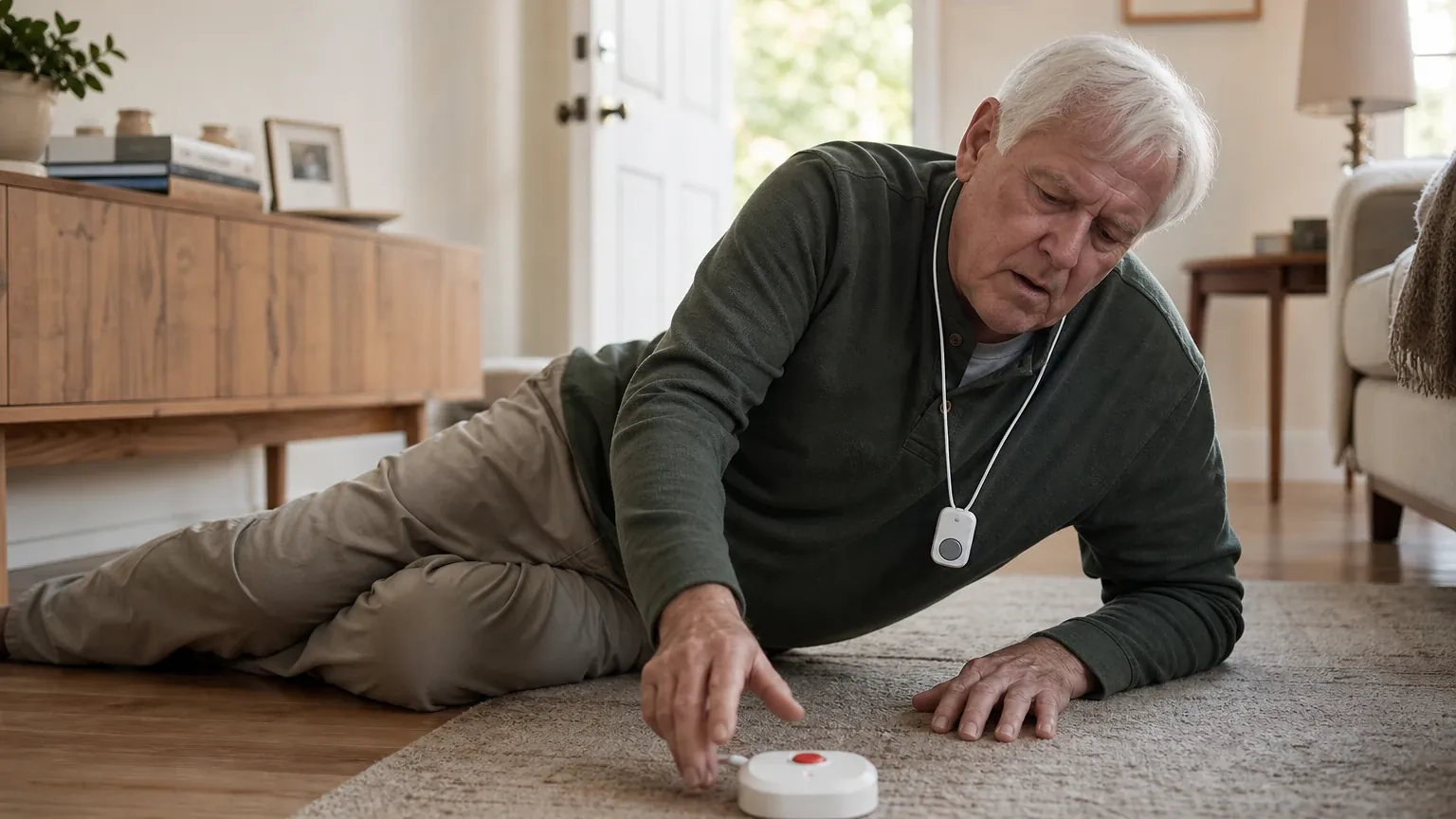
Answer Capsule
Bay Alarm Medical is a good but not unequivocally strong fit for Automatic Fall Detection. All 7 AI platforms named Bay Alarm Medical during the ranking stage, with an average listed rank of 2.14 and a best rank of 2. The strongest reason to consider it: automatic fall detection is available as a clearly disclosed $10/month add-on across the full product lineup (in-home, mobile, all-in-one, micro, and smartwatch), backed by 24/7 US-based monitoring with independently tested response times as fast as 16 seconds. The main limitation: Bay Alarm does not publish a verified fall-detection accuracy rate, and independent tests show detection rates ranging from roughly 60% to 100% depending on device and test conditions, with at least one reported missed genuine fall. Platform fit ratings split: 3 rated it "good," 2 "mixed," 1 "strong," and 1 "uncertain."
Research Snapshot
| Metric | Value |
|---|---|
| Platform mentions in ranking stage | 7 of 7 platforms |
| Share of included platform responses | 100% (7 of 7) |
| Average listed rank | 2.14 |
| Best listed rank | 2 |
| Relevant product/model/plan | SOS All-In-One 2, SOS Micro, SOS Mobile, SOS Smartwatch, or In-Home Cellular with Automatic Fall Detection add-on ($10/month) |
| Overall use-case fit | Strong (1 platform); Good (3 platforms); Mixed (2 platforms); Uncertain (1 platform) — 7 platforms analyzed |
| Research date | 2026-08-03 |
Why Bay Alarm Medical Qualified for This Study
Bay Alarm Medical qualified because it was named by all 7 AI platforms during the ranking discovery stage for best medical alert systems with fall detection. The platforms that named it were Anthropic, DeepSeek, Google, Grok, Kimi, OpenAI, and Perplexity. Its average listed rank of 2.14 and best rank of 2 place it near the top of the category. The platform responses consistently identified automatic fall detection as an optional add-on across Bay Alarm's product families, making it directly relevant to the automatic fall detection use case.
The Product, Model, Plan, or Service Most Relevant to Automatic Fall Detection
Question This Section Answers
- Which Bay Alarm Medical devices offer automatic fall detection, and which models have it built in versus requiring a separate pendant?
The most relevant products are the SOS All-In-One 2, SOS Micro, SOS Mobile, SOS Smartwatch, and In-Home Cellular systems, each with the optional Automatic Fall Detection add-on priced at $10 per month. Bay Alarm describes activation as sudden downward movement followed by lack of movement [1]. Fall detection is built directly into mobile devices (SOS Micro, SOS All-In-One 2, SOS Smartwatch) versus requiring a separate pendant on the SOS Home in-home base unit [3].
What the AI Platforms Agreed About
Questions This Section Answers
- How much does Bay Alarm Medical's automatic fall detection add-on cost per month, and do any plans bundle it by default?
- What do the AI platforms agree Bay Alarm Medical users should do when they are physically able to press the SOS button instead of relying on fall detection?
All 7 platforms agreed that Bay Alarm Medical offers automatic fall detection as a paid add-on across multiple device types. The $10/month add-on price was consistently reported by OpenAI, Anthropic, DeepSeek, Grok, Kimi, and Google [5]. No platform reported fall detection as bundled by default.
Strong agreement existed that Bay Alarm positions fall detection as a backup, not a replacement, for pressing the SOS button. OpenAI, DeepSeek, Kimi, and Anthropic all noted that Bay Alarm's own materials instruct users to press the button when physically able and treat automatic detection as a secondary safety net [5].
Majority agreement existed that Bay Alarm does not publish a verified fall-detection accuracy rate. OpenAI, DeepSeek, Kimi, and Anthropic all flagged the absence of a numerical accuracy figure [5]. Grok noted that exact accuracy rates are not publicly quantified beyond test performance [14].
Majority agreement existed on the contraindications. OpenAI, DeepSeek, and Kimi all reported that Bay Alarm explicitly advises against relying on automatic fall detection for users with memory loss, seizures, or those who refuse to press the button [5].
Strong agreement existed on no-contract terms. OpenAI, Anthropic, Grok, Google, and Kimi all described month-to-month service without long-term contracts [15].
Where the AI Platforms Disagreed or Were Uncertain
Questions This Section Answers
- What fall-detection accuracy rates did independent tests report for the Bay Alarm Medical SOS Home, SOS Micro, and SOS Smartwatch?
- What response times did sources report for Bay Alarm Medical fall alerts and manual SOS calls, and why do the figures conflict?
Fall-detection accuracy varied substantially across independent tests. Anthropic reported the most detailed conflict: one outlet found the SOS Home detecting 3 of 3 test falls while the SOS Micro caught only 7 of 10; another independent tester recorded 6 of 10 for a mobile device and 15 of 20 for the Smartwatch; a separate outlet recorded 7 of 10 for the SOS Micro. Forbes Health testing reportedly found fall detection triggered on a dropped pendant but failed to trigger during an actual simulated fall [19]. Grok, by contrast, reported that US News testing found the SOS Home Cellular and SOS All-In-One 2 detected simulated falls in all rounds [23].
Response-time figures conflicted across sources. NCOA reported an average response time of 31 seconds [24]. SeniorsList reported approximately 16 seconds for mobile devices [25]. SeniorLiving reported approximately 20 seconds for an in-home system [26] but roughly 60 seconds in a separate test [27]. SafeHome reported a 16-second manual SOS connection for the smartwatch [28]. These figures are not guaranteed fall-alert response times and vary by device, network, and test conditions.
Pricing conflicts existed. Anthropic reported SOS Micro monthly pricing conflicting across sources (~$29.95 vs ~$34.95/month) and equipment fee details differing (no fee reported by some sources vs a ~$149 one-time fee reported by another) [29]. Kimi reported a total of $47.95/month for SOS All-In-One with fall detection ($37.95 base + $10 add-on) [30]. NCOA listed approximately $28/month home, $35/month GPS mobile, and $40/month smartwatch before fall detection, with equipment fees ranging from $149 to $199 [31].
Trial terms conflicted. Forbes reported a 15-day risk-free trial with refunds excluding shipping [32]. Some independent 2026 reviews described a 30-day guarantee [33]. This conflict should be confirmed directly before purchase.
Battery life reports varied. Anthropic reported SOS Smartwatch battery life at up to 16 hours [34], SOS Micro up to 36 hours with one source citing up to 5 days under lighter GPS use [35], and SOS All-In-One 2 up to 72 hours [36]. OpenAI reported the in-home fall-detection button lasts up to 2 years and the mobile GPS help button up to 3 days per charge [37].
Perplexity could not verify any product claims. Perplexity's only supplied source was a generic product-market-fit methodology article, and it rated the fit "uncertain," noting that no Bay Alarm product page, third-party review, or pricing source was provided in its search results [39].
Use-Case-Specific Features and Capabilities
Fall-Detection Availability
Automatic fall detection is an optional add-on for SOS Home, SOS All-In-One, SOS Mobile, and SOS Smartwatch products. The company describes activation as sudden downward movement followed by lack of movement [40]. Fall detection is built into mobile devices rather than requiring a separate wearable in most mobile models [42].
False-Alarm Cancellation Protocol
The SOS Smartwatch displays a fall prompt and allows the wearer to select CANCEL or HELP; if no selection is made after the fall/no-movement sequence, it calls the monitoring center. The user guide states that promptly resuming movement can prevent automatic activation [43]. For other devices, Bay Alarm advises pressing the button when able and allows the monitoring operator to assess the situation [41]. Kimi noted that reputable devices include a 15-30 second cancel window with audible warning before calling for help, consistent with industry standard [44].
Pendant and Wearable Comfort
The in-home fall-detection button can be worn as a necklace or wrist button, and the mobile device can be worn on a lanyard or belt clip [41]. The SOS Smartwatch is designed for users who prefer a watch-style device [45]. The SOS Micro was described by testers as compact (smaller than a key fob) and available as pendant, wristband, or belt clip [46]. One reviewer noted fall detection is less accurate if not worn as a necklace versus clipped to a belt [47]. Independent reviews describe Bay Alarm devices as functional and sturdy, but some older in-home designs may feel less modern [48].
Response-Center Speed
NCOA reported an average Bay Alarm response time of 31 seconds in its 2026 review [49]. Other independent testing reported approximately 16 seconds for a manual SOS smartwatch call [50] and approximately 20 seconds for an in-home system [51]. Bay Alarm states its USA-based centers typically respond in under 45 seconds and are 5-Diamond certified [52]. Google reported UL-listing and CSAA Five Diamond certification [53].
Cellular Coverage and Mobility
Bay Alarm offers cellular in-home and mobile/GPS devices, including SOS All-In-One 2, SOS Micro, SOS Mobile, and SOS Smartwatch. The company describes 4G LTE connectivity and nationwide use [41]. However, the reviewed materials do not provide a device-specific coverage map or a guaranteed signal level at the buyer's address. Independent testing of the SOS Home Cellular found actual in-home range reached only about 200 feet versus an advertised 1,000-foot range, though GPS accuracy on mobile devices was rated as consistently accurate in outdoor testing [55]. PCMag reported the fall detection pendant has an 800-foot range [56].
Battery Life
Bay Alarm states that its in-home automatic fall-detection button lasts up to 2 years and its mobile GPS help button lasts up to 3 days per charge [40]. Reported battery life varies significantly by device: SOS Smartwatch is rated at up to 16 hours [57], SOS Micro up to 36 hours with one source citing up to 5 days under lighter GPS use [58], and the SOS All-In-One 2 up to 72 hours [59]. The SOS Smartwatch is intended to be placed on its charging station daily [40].
Limitations of Automatic Detection
Bay Alarm says automatic fall detection should be treated only as a backup and should not be relied upon completely. It specifically says the feature should not be used for people with memory loss, seizures, or users who refuse to press the button themselves [40]. Bay Alarm's own documentation states that sudden falls are easier to detect accurately than slow or gradual falls [60]. Multiple independent sources caution that fall detection can trigger false alarms from vigorous activity or miss slow/gradual falls [61].
Pricing, Fees, Contracts, and Ongoing Costs
Questions This Section Answers
- What is the total monthly cost of Bay Alarm Medical with automatic fall detection, including the $10 add-on and any equipment fees?
- Does Bay Alarm Medical require a long-term contract, and is the trial period 15 or 30 days?
Base pricing. Bay Alarm advertises in-home service starting at $27.95 per month [63]. NCOA's 2026 comparison lists approximately $28 per month for home service, $35 for GPS mobile service, and $40 for the smartwatch [64]. Anthropic reported SOS Home Landline at $27.95/month, SOS Home Cellular at $34.95/month, SOS Micro between $29.95-$34.95/month, and SOS Smartwatch at $39.95/month [65]. Kimi reported $37.95/month base for SOS All-In-One [66].
Fall detection add-on. Automatic fall detection costs $10 per month across plans [67]. The fall-detection pendant for SOS Home carries a one-time $30 equipment charge in addition to the $10/month fee [65].
Equipment fees. NCOA reported equipment fees ranging from $149 to $199 for compared devices [64]. Anthropic reported a one-time equipment fee of approximately $149 for SOS Micro and approximately $199 for SOS Smartwatch in at least one review [65]. Grok noted possible equipment/activation fees up to $159 in some plans [73].
Additional fees. Optional protection plans run approximately $2.95 to $4.95/month [65]. Optional wall buttons cost $35 each or 4 for $130, and a lockbox costs $30 one-time [65]. Replacement equipment cost without protection plan was reported up to $299 for damaged devices [65].
Contract terms. Bay Alarm describes the service as no-contract [63]. Forbes reported a 15-day risk-free trial with refunds except shipping [75]. Some independent 2026 reviews describe a 30-day guarantee [76]. Grok reported month-to-month terms with refund of unused months after return, less shipping [73]. Anthropic noted early cancellation implications for quarterly or annual prepaid plans, though exact penalty details were not fully specified [65].
Pricing confidence is moderate. Public 2026 pricing is inconsistent across sources, and exact pricing depends on the selected device, billing frequency, equipment charges, promotions, and checkout date.
Best Suited For
Question This Section Answers
- Which Bay Alarm Medical systems fit a senior who wants monitored automatic fall detection without relying only on a manual button press?
Bay Alarm Medical is best considered for:
- Seniors who want monitored automatic fall detection without relying exclusively on a manual button press [77]
- Caregivers seeking an in-home cellular or mobile/GPS system with optional fall detection [77]
- Buyers prioritizing relatively transparent monthly pricing and no long-term contract [78]
- Users who can tolerate occasional false alarms and will still press the SOS button whenever physically able [77]
- Couples or households wanting to share monitoring without extra monthly fees [80]
- Seniors who want a choice of form factor: pendant, wristband, smartwatch, or all-in-one mobile unit [80]
- Users with a history of blacking out, losing consciousness, or fainting who can still press the button when possible [82]
Probably Not Best Suited For
Question This Section Answers
- Which buyers should avoid Bay Alarm Medical for automatic fall detection, such as those with memory loss or seizures or those needing a published accuracy rate?
Bay Alarm Medical is probably not best for:
- Buyers requiring a published, independently validated fall-detection accuracy percentage [83]
- Users who may remove the wearable, refuse to wear it consistently, or frequently resume movement immediately after falling [83]
- People with memory loss or seizures, for whom Bay Alarm explicitly says automatic fall detection should not be relied upon [83]
- Buyers needing the longest possible battery life on a mobile wearable without frequent charging [87]
- Users needing full in-home range as advertised, since independent testing found actual range far below the advertised 1,000 feet on the cellular in-home unit [88]
- Buyers wanting fall detection bundled by default rather than as an added monthly fee [89]
When Another Option May Be Better
Question This Section Answers
-
When should a buyer choose Lively Mobile2, Apple Watch, or LifeFone instead of Bay Alarm Medical for automatic fall detection?
-
When fall detection must be the primary method of initiating a response (e.g., for users who cannot press a button), consider Lively Mobile2 at $31.98/month or Apple Watch with built-in fall detection at no additional cost if the buyer already owns a compatible model [91].
-
When the buyer needs a device with high accuracy and published testing, consider LifeFone at a $5/month add-on, tested by Safewise with more than half of falls detected [91].
-
When the buyer needs a device that automatically contacts emergency services without a button press, consider Apple Watch, which automatically calls emergency services after a 30-second countdown if immobile [93].
-
When the buyer requires a published independent fall-detection accuracy score or a more transparent test methodology, choose another provider [94].
-
When the user already owns and reliably uses a compatible iPhone, consider Apple Watch for broader health, communication, or fall-detection functions [94].
-
When the senior will not consistently wear a pendant or watch, consider an in-home sensor or radar-based solution, because Bay Alarm's automatic detection is wearable-device dependent [94].
Questions to Verify Before Buying
- What is the exact all-in monthly price for the chosen model with automatic fall detection, including equipment, activation, shipping, taxes, and any required prepayment?
- Is the fall-detection add-on available on the exact model being quoted, including SOS Micro or SOS All-In-One 2?
- What happens after a detected fall: how long is the cancellation window, does selecting CANCEL stop the monitoring call, and what occurs if the wearer cannot respond?
- What is the current cellular carrier or carriers for this exact device, and can Bay Alarm test signal strength at the senior's home and common travel locations?
- What response-time metric applies specifically to automatic fall alerts rather than manual SOS button presses?
- What are the known false-alarm conditions for the exact device, including bed, chair, shower, transfers, stairs, and slow falls?
- What is the exact battery life under typical use, how is low battery reported, and is there a replacement or charging reminder process?
- What are the current trial, return, cancellation, refund, and equipment-return terms, and is the trial 15 or 30 days?
- Can caregivers receive location, fall-alert, battery, and device-status notifications through the current account-management tools?
- What happens if the monitoring center cannot hear the wearer or cannot reach the listed emergency contacts?
- Are there limitations for users with memory loss, seizures, tremors, mobility aids, or frequent nighttime movement?
- Can the buyer perform a supervised test of the exact device, including a manual alert, automatic fall alert, cancellation, and cellular operation before relying on it?
Final AI Consensus Verdict
Bay Alarm Medical is a good fit for automatic fall detection when the buyer wants a monitored, wearable system with in-home cellular or mobile/GPS options, fast reported response times, and a clearly stated $10 monthly fall-detection add-on. All 7 AI platforms named it in the ranking stage, and its average rank of 2.14 places it near the top of the category.
However, it should not be rated unequivocally strong. Bay Alarm does not publish a verified accuracy rate, automatic detection has meaningful limitations (including explicit contraindications for memory loss and seizures), and independent tests show detection rates ranging from roughly 60% to 100% depending on device and test conditions. Current pricing and trial terms also conflict across public sources.
The best practical choice is likely an In-Home Cellular system for a mostly homebound senior, or the SOS All-In-One 2 or SOS Micro for a senior who regularly leaves home, provided the buyer confirms coverage, battery requirements, exact pricing, and the false-alarm cancellation workflow before purchasing.
How This Review Was Produced
This review was produced on 2026-08-03 by aggregating fit-research responses from 7 AI platforms: Anthropic, DeepSeek, Google, Grok, Kimi, OpenAI, and Perplexity. Each platform evaluated Bay Alarm Medical specifically for the automatic fall detection use case against criteria including fall-detection accuracy rate, false-alarm cancellation protocol, pendant comfort, response center speed, cellular coverage, battery life, and monthly fees. Platform fit ratings were: Google "good," Grok "strong," Kimi "good," OpenAI "good," Anthropic "mixed," DeepSeek "mixed," and Perplexity "uncertain." The platform responses cited 33 deduplicated sources, of which 22 were independent reviews, 10 were company-owned sources, and 1 was of unclear ownership.
Methodology Limitations
- Platform agreement does not prove product quality. The consensus described here reflects what AI platforms reported from their sources, not independent verification by this review.
- No personal testing was conducted. All performance claims (response times, detection rates, battery life) come from cited sources and were not independently verified.
- Pricing conflicts were not resolved. Where sources disagreed on pricing, trial terms, or equipment fees, this review describes the conflict and advises verification rather than guessing.
- The supplied URLs were collected from platform responses and were not independently validated by the writer stage.
- Perplexity's response was based on a generic methodology article and could not verify any Bay Alarm product claims; its "uncertain" rating reflects missing evidence, not negative evidence.
- Fall-detection accuracy figures come from different test protocols and cannot be directly compared or combined into a single reliable rate.
- The exact current cellular carrier and device-specific coverage maps were not identified from the reviewed official sources.
Sources
Company-Owned Sources
- Fall Detection – Lively from Best Buy Health: https://shop.lively.com/blogs/help-center/fall-detection
- Use Fall Detection with Apple Watch - Apple Support: https://support.apple.com/en-us/108896
- #1 Rated Medical Alert Systems: Life-Saving Alert Buttons From $27.95/mo: https://www.bayalarmmedical.com/
- Free Quote Ncoa - Bay Alarm Medical: https://www.bayalarmmedical.com/free-quote-ncoa/
- Get a Free Quote | Bay Alarm Medical: https://www.bayalarmmedical.com/free-quote/
- How do Medical Alert Systems Work? | FAQs | Bay Alarm Medical: https://www.bayalarmmedical.com/frequently-asked-questions/
- Fall Detection Devices for Seniors - Bay Alarm Medical: https://www.bayalarmmedical.com/medical-alert-system/automatic-fall-detection/
- SOS Smartwatch: Life-Saving Medical Alert Watch: https://www.bayalarmmedical.com/medical-alert-system/sos-smartwatch/
- SOS Smartwatch User Guide: https://www.bayalarmmedical.com/wp-content/uploads/2024_0412_BAM_SOS_Smartwatch_User_Guide.pdf
Additional AI research evidence94 records
- AI research evidence record openai:c1
- AI research evidence record openai:c2
- AI research evidence record anthropic:c5
- AI research evidence record anthropic:c6
- AI research evidence record openai:c1
- AI research evidence record anthropic:c15
- AI research evidence record deepseek:c1
- AI research evidence record grok:c1
- AI research evidence record kimi:c1
- AI research evidence record google:1.2.1
- AI research evidence record anthropic:c17
- AI research evidence record kimi:c3
- AI research evidence record anthropic:c1
- AI research evidence record grok:c2
- AI research evidence record openai:c12
- AI research evidence record anthropic:c5
- AI research evidence record grok:c3
- AI research evidence record google:1.2.4
- AI research evidence record anthropic:c1
- AI research evidence record anthropic:c2
- AI research evidence record anthropic:c3
- AI research evidence record anthropic:c4
- AI research evidence record grok:c2
- AI research evidence record openai:c3
- AI research evidence record anthropic:c7
- AI research evidence record openai:c8
- AI research evidence record anthropic:c8
- AI research evidence record openai:c7
- AI research evidence record anthropic:c5
- AI research evidence record kimi:c3
- AI research evidence record openai:c11
- AI research evidence record openai:c13
- AI research evidence record openai:c14
- AI research evidence record anthropic:c12
- AI research evidence record anthropic:c13
- AI research evidence record anthropic:c14
- AI research evidence record openai:c1
- AI research evidence record openai:c2
- AI research evidence record perplexity:c1
- AI research evidence record openai:c1
- AI research evidence record openai:c2
- AI research evidence record anthropic:c5
- AI research evidence record openai:c5
- AI research evidence record kimi:c3
- AI research evidence record openai:c9
- AI research evidence record anthropic:c9
- AI research evidence record anthropic:c10
- AI research evidence record openai:c6
- AI research evidence record openai:c3
- AI research evidence record openai:c7
- AI research evidence record openai:c8
- AI research evidence record grok:c3
- AI research evidence record google:1.2.2
- AI research evidence record openai:c10
- AI research evidence record anthropic:c11
- AI research evidence record google:1.1.2
- AI research evidence record anthropic:c12
- AI research evidence record anthropic:c13
- AI research evidence record anthropic:c14
- AI research evidence record anthropic:c1
- AI research evidence record anthropic:c16
- AI research evidence record anthropic:c17
- AI research evidence record openai:c12
- AI research evidence record openai:c11
- AI research evidence record anthropic:c5
- AI research evidence record kimi:c3
- AI research evidence record openai:c1
- AI research evidence record anthropic:c15
- AI research evidence record deepseek:c1
- AI research evidence record grok:c1
- AI research evidence record kimi:c1
- AI research evidence record google:1.2.1
- AI research evidence record grok:c3
- AI research evidence record google:1.2.4
- AI research evidence record openai:c13
- AI research evidence record openai:c14
- AI research evidence record openai:c1
- AI research evidence record openai:c12
- AI research evidence record grok:c3
- AI research evidence record anthropic:c5
- AI research evidence record google:1.2.4
- AI research evidence record kimi:c1
- AI research evidence record openai:c1
- AI research evidence record deepseek:c1
- AI research evidence record kimi:c3
- AI research evidence record kimi:c1
- AI research evidence record anthropic:c12
- AI research evidence record anthropic:c11
- AI research evidence record anthropic:c15
- AI research evidence record google:1.2.1
- AI research evidence record deepseek:c1
- AI research evidence record kimi:c2
- AI research evidence record kimi:c4
- AI research evidence record openai:c1
Independent Sources
- Bay Alarm Medical Medical Alert System Review 2026 — SOS Mobile: https://medalertguide.com/bay-alarm-medical-medical-alert-review/
- Bay Alarm Medical SOS Micro Review: Exceptional Speed in a Miniature Form Factor: https://medgrade.org/reviews/bay-alarm-medical-sos-micro-review/
- Bay Alarm Medical Review 2026: Cost, Plans & Verdict: https://medicalalertreview.com/bay-alarm-medical-review
- Fall Detection Medical Alerts: How They Work + Best of 2026: https://medicalalertreview.com/fall-detection-medical-alert
- Bay Alarm Medical Medical Alert System Review 2026: https://realestate.usnews.com/home-services/medical-alert-system/bay-alarm-medical
- Bay Alarm Medical Review 2026: Hidden Costs and Real Response Times: https://seniorsite.org/resource/bay-alarm-medical-review-2026-hidden-costs-and-real-response-times/
- Bay Alarm Medical Medical Alert System Review 2026: https://www.caring.com/senior-products/best-medical-alert-systems/bay-alarm-medical
- Medical Alert Systems Review – Forbes Health: https://www.forbes.com/health/medical-alert-systems/bay-alarm-medical-review/
- Bay Alarm Medical Review 2026: https://www.ncoa.org/product-resources/medical-alert-systems/bay-alarm-medical-review/
- Bay Alarm Medical vs. LifeStation: Tested and Compared 2026: https://www.ncoa.org/product-resources/medical-alert-systems/bay-alarm-medical-vs-lifestation-review/
- Bay Alarm Medical Review 2026: https://www.safehome.org/medical-alert-systems/bay-alarm-medical/reviews/
- Bay Alarm Medical Alert System Review 2026: https://www.seniorliving.org/medical-alert-systems/bay-alarm-medical/reviews/
- Bay Alarm Medical Alert System Review 2026: https://www.seniorliving.org/medical-alert-systems/bay-alarm-medical/reviews/?p=221501
- Best Medical Alert Systems of 2026: Tested and Ranked: https://www.seniorliving.org/medical-alert-systems/best/
- Bay Alarm Medical Review 2026: Hands-On Test | SeniorsList: https://www.seniorslist.com/medical-alert-systems/bay-alarm-medical-reviews/
- Bay Alarm SOS Micro Review 2026: https://www.seniorslist.com/medical-alert-systems/bay-alarm-medical-sos-micro/
- Bay Alarm Medical Costs, Our In-Depth Analysis 2026: https://www.theseniorlist.com/medical-alert-systems/bay-alarm-medical/
Additional AI research evidence94 records
- AI research evidence record openai:c1
- AI research evidence record openai:c2
- AI research evidence record anthropic:c5
- AI research evidence record anthropic:c6
- AI research evidence record openai:c1
- AI research evidence record anthropic:c15
- AI research evidence record deepseek:c1
- AI research evidence record grok:c1
- AI research evidence record kimi:c1
- AI research evidence record google:1.2.1
- AI research evidence record anthropic:c17
- AI research evidence record kimi:c3
- AI research evidence record anthropic:c1
- AI research evidence record grok:c2
- AI research evidence record openai:c12
- AI research evidence record anthropic:c5
- AI research evidence record grok:c3
- AI research evidence record google:1.2.4
- AI research evidence record anthropic:c1
- AI research evidence record anthropic:c2
- AI research evidence record anthropic:c3
- AI research evidence record anthropic:c4
- AI research evidence record grok:c2
- AI research evidence record openai:c3
- AI research evidence record anthropic:c7
- AI research evidence record openai:c8
- AI research evidence record anthropic:c8
- AI research evidence record openai:c7
- AI research evidence record anthropic:c5
- AI research evidence record kimi:c3
- AI research evidence record openai:c11
- AI research evidence record openai:c13
- AI research evidence record openai:c14
- AI research evidence record anthropic:c12
- AI research evidence record anthropic:c13
- AI research evidence record anthropic:c14
- AI research evidence record openai:c1
- AI research evidence record openai:c2
- AI research evidence record perplexity:c1
- AI research evidence record openai:c1
- AI research evidence record openai:c2
- AI research evidence record anthropic:c5
- AI research evidence record openai:c5
- AI research evidence record kimi:c3
- AI research evidence record openai:c9
- AI research evidence record anthropic:c9
- AI research evidence record anthropic:c10
- AI research evidence record openai:c6
- AI research evidence record openai:c3
- AI research evidence record openai:c7
- AI research evidence record openai:c8
- AI research evidence record grok:c3
- AI research evidence record google:1.2.2
- AI research evidence record openai:c10
- AI research evidence record anthropic:c11
- AI research evidence record google:1.1.2
- AI research evidence record anthropic:c12
- AI research evidence record anthropic:c13
- AI research evidence record anthropic:c14
- AI research evidence record anthropic:c1
- AI research evidence record anthropic:c16
- AI research evidence record anthropic:c17
- AI research evidence record openai:c12
- AI research evidence record openai:c11
- AI research evidence record anthropic:c5
- AI research evidence record kimi:c3
- AI research evidence record openai:c1
- AI research evidence record anthropic:c15
- AI research evidence record deepseek:c1
- AI research evidence record grok:c1
- AI research evidence record kimi:c1
- AI research evidence record google:1.2.1
- AI research evidence record grok:c3
- AI research evidence record google:1.2.4
- AI research evidence record openai:c13
- AI research evidence record openai:c14
- AI research evidence record openai:c1
- AI research evidence record openai:c12
- AI research evidence record grok:c3
- AI research evidence record anthropic:c5
- AI research evidence record google:1.2.4
- AI research evidence record kimi:c1
- AI research evidence record openai:c1
- AI research evidence record deepseek:c1
- AI research evidence record kimi:c3
- AI research evidence record kimi:c1
- AI research evidence record anthropic:c12
- AI research evidence record anthropic:c11
- AI research evidence record anthropic:c15
- AI research evidence record google:1.2.1
- AI research evidence record deepseek:c1
- AI research evidence record kimi:c2
- AI research evidence record kimi:c4
- AI research evidence record openai:c1
Other Sources
- What Is Product-Market Fit? Examples, Tips, and How to Measure: https://www.salesforce.com/blog/sales/product-market-fit/
Additional AI research evidence94 records
- AI research evidence record openai:c1
- AI research evidence record openai:c2
- AI research evidence record anthropic:c5
- AI research evidence record anthropic:c6
- AI research evidence record openai:c1
- AI research evidence record anthropic:c15
- AI research evidence record deepseek:c1
- AI research evidence record grok:c1
- AI research evidence record kimi:c1
- AI research evidence record google:1.2.1
- AI research evidence record anthropic:c17
- AI research evidence record kimi:c3
- AI research evidence record anthropic:c1
- AI research evidence record grok:c2
- AI research evidence record openai:c12
- AI research evidence record anthropic:c5
- AI research evidence record grok:c3
- AI research evidence record google:1.2.4
- AI research evidence record anthropic:c1
- AI research evidence record anthropic:c2
- AI research evidence record anthropic:c3
- AI research evidence record anthropic:c4
- AI research evidence record grok:c2
- AI research evidence record openai:c3
- AI research evidence record anthropic:c7
- AI research evidence record openai:c8
- AI research evidence record anthropic:c8
- AI research evidence record openai:c7
- AI research evidence record anthropic:c5
- AI research evidence record kimi:c3
- AI research evidence record openai:c11
- AI research evidence record openai:c13
- AI research evidence record openai:c14
- AI research evidence record anthropic:c12
- AI research evidence record anthropic:c13
- AI research evidence record anthropic:c14
- AI research evidence record openai:c1
- AI research evidence record openai:c2
- AI research evidence record perplexity:c1
- AI research evidence record openai:c1
- AI research evidence record openai:c2
- AI research evidence record anthropic:c5
- AI research evidence record openai:c5
- AI research evidence record kimi:c3
- AI research evidence record openai:c9
- AI research evidence record anthropic:c9
- AI research evidence record anthropic:c10
- AI research evidence record openai:c6
- AI research evidence record openai:c3
- AI research evidence record openai:c7
- AI research evidence record openai:c8
- AI research evidence record grok:c3
- AI research evidence record google:1.2.2
- AI research evidence record openai:c10
- AI research evidence record anthropic:c11
- AI research evidence record google:1.1.2
- AI research evidence record anthropic:c12
- AI research evidence record anthropic:c13
- AI research evidence record anthropic:c14
- AI research evidence record anthropic:c1
- AI research evidence record anthropic:c16
- AI research evidence record anthropic:c17
- AI research evidence record openai:c12
- AI research evidence record openai:c11
- AI research evidence record anthropic:c5
- AI research evidence record kimi:c3
- AI research evidence record openai:c1
- AI research evidence record anthropic:c15
- AI research evidence record deepseek:c1
- AI research evidence record grok:c1
- AI research evidence record kimi:c1
- AI research evidence record google:1.2.1
- AI research evidence record grok:c3
- AI research evidence record google:1.2.4
- AI research evidence record openai:c13
- AI research evidence record openai:c14
- AI research evidence record openai:c1
- AI research evidence record openai:c12
- AI research evidence record grok:c3
- AI research evidence record anthropic:c5
- AI research evidence record google:1.2.4
- AI research evidence record kimi:c1
- AI research evidence record openai:c1
- AI research evidence record deepseek:c1
- AI research evidence record kimi:c3
- AI research evidence record kimi:c1
- AI research evidence record anthropic:c12
- AI research evidence record anthropic:c11
- AI research evidence record anthropic:c15
- AI research evidence record google:1.2.1
- AI research evidence record deepseek:c1
- AI research evidence record kimi:c2
- AI research evidence record kimi:c4
- AI research evidence record openai:c1