
Answer Capsule
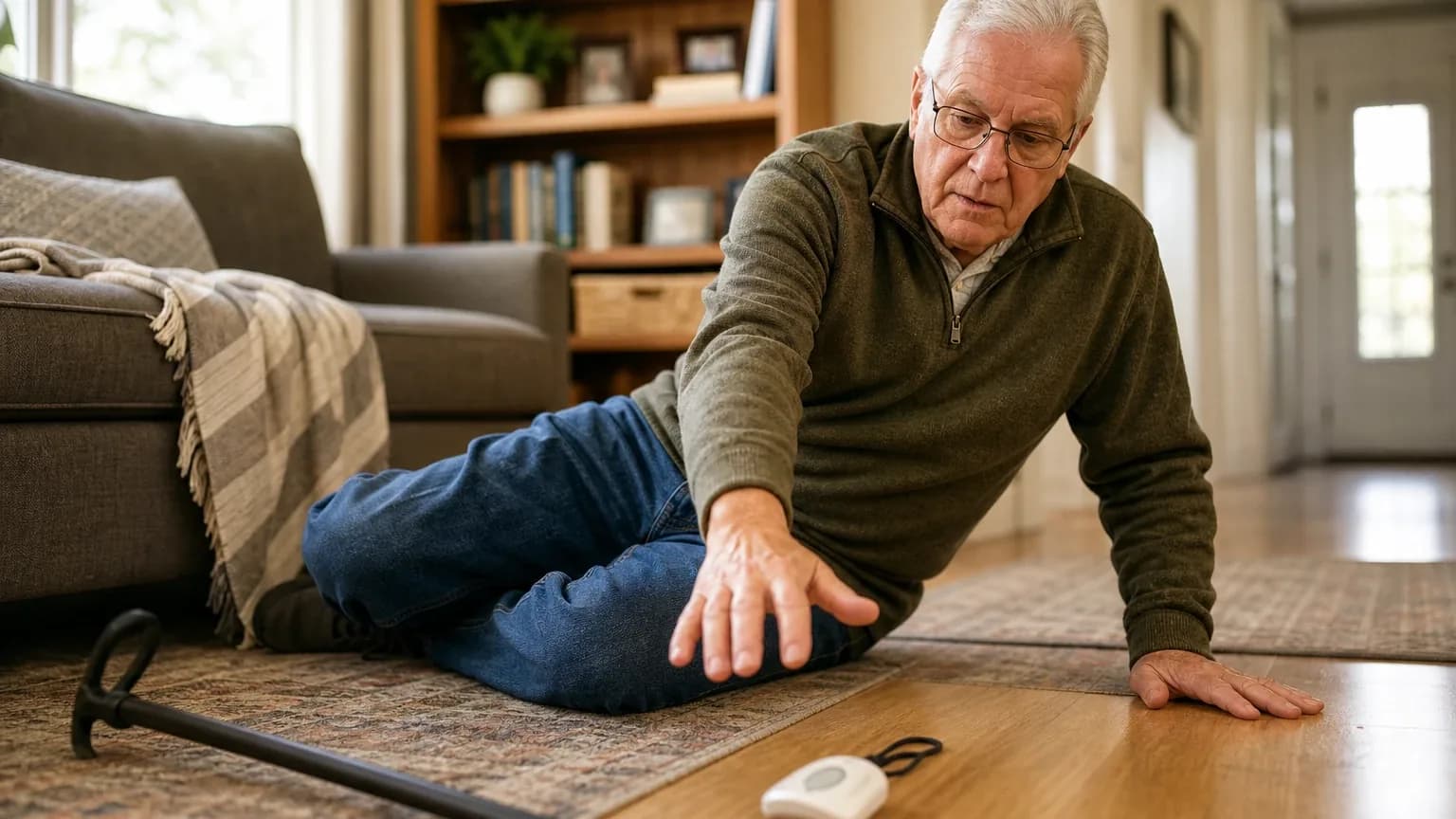
LifeFone is a good, value-oriented fit for Automatic Fall Detection when the buyer selects the VIPx2, confirms local cellular coverage, accepts that detection is imperfect, and can manage charging and false alerts. Five of six included platforms named LifeFone during the ranking stage (83.3% share), at an average listed rank of 3.4 and a best rank of 2. The strongest reason to consider it is the consistently reported $5-per-month fall-detection add-on, roughly half the $10 industry norm, paired with no-contract billing. The main limitation is performance evidence: LifeFone's own guide claims 95% accuracy, while independent hands-on testing found frequent VIPx2 false alarms and missed falls.
Research Snapshot
| Field | Finding |
|---|---|
| Platform mentions in ranking stage | 5 of 6 included platforms (google, grok, kimi, openai, perplexity) |
| Share of included platform responses | 83.3% |
| Average listed rank | 3.4 |
| Best listed rank | 2 (perplexity) |
| Relevant product/model/plan | At-Home & On-the-Go VIPx2 with optional Automatic Fall Detection; At-Home Cellular with fall detection add-on |
| Overall use-case fit | Good (four platforms rated good; one mixed; one uncertain) |
| Research date | 2026-09-28 |
What Changed Since August 2026
LifeFone moved up from No. 5 to No. 3, and platform mentions were unchanged at 5. The September 2026 review keeps LifeFone as a good, value-oriented fit for automatic fall detection, with no change to the recommended configuration; the update is mainly a description refresh plus new independent testing detail. Buyer-fit conclusions still center on the low-cost fall-detection add-on and no-contract terms, so substance is largely unchanged. Newly reported pricing includes $10, described as the industry norm for fall detection, and $24.95 to $43.95 per month for base plans on annual billing, while the previously repeated $40 to $50 monthly range is no longer reported. Added testing details include monitoring calls answered within about 60 seconds and VIPx2 battery life of up to 18 days. Differences between the two editions reflect what each article reports; they do not by themselves prove that the product, service, or price changed.
The August 2026 review preserves the earlier article for reference.
Why LifeFone Qualified for This Study
Questions This Section Answers
- Is LifeFone a good choice for Automatic Fall Detection compared with other medical alert systems?
- How many AI platforms named LifeFone for fall detection, and at what average rank?
LifeFone qualified because it cleared the study's minimum-mention threshold and appeared across most included platforms. Five of the six included platforms named the entity during ranking discovery — google, grok, kimi, openai, and perplexity — for a platform share of 83.3% [1]. Its average listed rank was 3.4, with a best rank of 2 from perplexity and a final rank of 3.
Platforms converged on the same product family rather than a single SKU. The recommended plans across platforms were the At-Home & On-the-Go VIPx2 with Fall Detection, the At-Home Cellular plan with a fall detection add-on, and VIPx or VIPx2 with optional fall detection [1]. That consistency is why LifeFone is evaluated here as a fall-detection candidate rather than as a general brand.
Qualification carries caveats that buyers should see. Official-site retrieval failed for one or more mentions, that the matching reported domain was retained but remains unverified, and that company-name variants were collapsed onto one canonical brand before the minimum-mentions test [5]. The official homepage fetch returned HTTP 403 and was marked unavailable, so no official-page excerpt was verified at the run level.
The Product, Model, Plan, or Service Most Relevant to Automatic Fall Detection
Questions This Section Answers
- Which LifeFone plan should a buyer choose if they need automatic fall detection at home and away from home?
- Is fall detection included in the LifeFone VIPx2 base price or sold as a paid add-on?
The most relevant offering is the At-Home & On-the-Go VIPx2 with optional Automatic Fall Detection, with the At-Home Cellular plan plus the fall detection add-on as the lower-cost alternative [6]. Fall detection is an optional add-on on these devices and plans, not a standard inclusion, which means the buyer pays a separate monthly charge on top of base monitoring [9].
The VIPx2 is a mobile-capable unit that combines at-home and on-the-go use. LifeFone's user guide describes cellular, GPS, and Wi-Fi location technologies, two-way emergency calling, and an optional caregiver app with location, activity, step, battery, button-press, fall, power-off, and geofence notifications [6]. The guide also states that Automatic Fall Detection is 95% accurate and warns that some falls will not be detected, and that users should press the help button whenever possible [6].
Model naming is a real purchase risk. Ranking-stage product names included VIPx, VIPx2, and At-Home & On-the-Go VIPx2, while the current official guide reviewed here identifies VIPx2 [6]. Buyers should confirm the exact model number on the quote, because the quoted accuracy figure attaches to a specific device.
What the AI Platforms Agreed About
Questions This Section Answers
- What do AI platforms agree on about LifeFone fall detection pricing and contract terms?
- Do AI platforms agree that LifeFone fall detection works with mobile and at-home plans?
Agreement was strong on cost and terms, and limited on performance. The most consistently reported fact across platforms is that automatic fall detection costs $5 per month on supported LifeFone plans [10]. Google's research characterized that as half the $10 monthly industry standard [14].
Platforms also agreed on the shape of the offering: fall detection is available as an add-on across multiple LifeFone devices and plans, including mobile and at-home configurations [12]. Multiple platforms reported no long-term contract, with cancellation allowed at any time and prorated refunds on unused prepaid amounts once equipment is returned [17].
On cancellation of a false alert, LifeFone's own material states that an accidental fall-detection alarm can be canceled by pressing and holding the pendant button for five seconds [19]. OpenAI's research describes the same mechanism for VIPx2 — holding the call button within a few seconds to cancel before connecting with a specialist — and notes that mobile devices allowed cancellation while at-home systems did not allow the same user cancellation process [20].
Independent testing agreed on response speed being adequate. SafeWise reported monitoring calls answered within 60 seconds on average, which it considered good [18]. The Senior List tester reported response times of 20 to 40 seconds, averaging 25 seconds across calls [21]. These are test results, not guaranteed service levels.
Where the AI Platforms Disagreed or Were Uncertain
Questions This Section Answers
- How accurate is LifeFone fall detection according to independent testing versus LifeFone's own claim?
- Why do AI platforms disagree about whether LifeFone is a good fall detection choice?
The sharpest conflict is accuracy. LifeFone's VIPx2 guide states 95% accuracy [22]. Independent testing did not reproduce that figure. SafeWise's six-fall testing found each LifeFone device detected more than half, but not all, simulated falls, and the VIPx2 produced substantially more false alarms than the other tested devices [24]. Forbes hands-on testing reported the device missed falls from a chair and detected test falls about 33% of the time, with a response after about 30 seconds [25]. AARP testing cited by grok reported 9 of 12 falls detected on a different device, Safe Watch Active, and NCOA staged testing cited 2 of 3 falls (grok:1, grok:5). These measures use different protocols and are not directly comparable, which is why the conflict cannot be resolved from the supplied evidence.
False alarms are a second area of disagreement. TechRadar noted the fall detection sensor can cause false alerts and described high sensitivity resulting in false alarms [26]. SafeWise reported frequent VIPx2 false alarms, including an activation while the device was stationary on a table [24]. Grok's research framed false alarms as typical of daily movements rather than a defect (grok:3, grok:5).
Platform fit ratings diverged accordingly. Google, grok, openai, and perplexity rated LifeFone good; deepseek rated it mixed; kimi rated it uncertain [22]. Kimi's uncertainty reflects an evidence gap rather than a negative finding: no independent testing or published accuracy rate for LifeFone fall detection was located in its searched sources, and it noted that all five key evaluation criteria remained unverified (kimi:uncertainty-1).
Several facts remain unresolved across platforms. Exact VIPx2 pricing varies by billing period and source; battery life with fall detection enabled is not precisely stated; cellular carrier assignment was not clearly identified in the official VIPx2 guide; and no source reviewed provided a validated false-alarm rate or a pendant comfort score [22].
Use-Case-Specific Features and Capabilities
Questions This Section Answers
- What features does the LifeFone VIPx2 offer for automatic fall detection, including cancellation and caregiver alerts?
- How long does the LifeFone VIPx2 battery last with fall detection turned on?
Fall detection on the VIPx2 depends on correct wear position. LifeFone advises wearing the device outside clothing at chest level with the button facing forward, because wearing it inside clothing may reduce detection and make manual pressing harder; the unit can be worn as a necklace with the supplied lanyard or on a belt clip [30]. SafeWise found LifeFone's large buttons and wearable attachments generally comfortable, but noted that frequent VIPx2 false alarms may discourage continued wearing [31].
Cancellation is a defined protocol on mobile devices. The user can hold the call button within a few seconds to cancel an automatic fall alert before connecting with a specialist; if the alert is not canceled, the user should tell the operator it was false, or emergency help may be dispatched [30]. At-home systems did not allow the same user cancellation process in SafeWise testing [31].
Battery life is a tradeoff rather than a fixed number. The VIPx2 guide states that adding fall detection may reduce battery life and that adding the caregiver app may reduce it to 10 days, and that frequent location, ring, or geofence activity can require more frequent charging [30]. AARP 2026 testing highlighted VIPx2 battery life of up to 18 days [33]. Grok's research reported VIPx mobile up to 10 days, with in-home buttons up to 3 years or a 32-hour backup (grok:3). The exact fall-detection-only battery figure is not clearly stated in the guide [30].
Coverage and location depend on cellular signal. The VIPx2 uses cellular, GPS, and Wi-Fi location technologies, but LifeFone's guide states that adequate cellular coverage is required and that poor coverage can prevent calls, location, or automatic fall detection [30]. Coverage must be tested at the user's home and usual travel locations.
The At-Home Cellular option carries its own performance caveats. SafeWise reported that its tested base-to-button connection reached only 65 feet versus a 1,300-foot advertised range, with garbled audio and an unreliable backup battery, despite impressive fall-detection performance in testing [31]. That finding applies to the at-home configuration, not the VIPx2 mobile unit.
Pricing, Fees, Contracts, and Ongoing Costs
Questions This Section Answers
- How much does LifeFone fall detection cost per month, and what is the total VIPx2 or At-Home Cellular price?
- Are there LifeFone setup, cancellation, or equipment fees a buyer should expect?
The most consistently reported charge is $5 per month for automatic fall detection [34]. Google's research described that as half the $10 monthly industry standard [38]. Grok reported base plans from $24.95 to $43.95 per month on annual billing, with At-Home Cellular around $30 to $35 per month before the add-on (grok:0, grok:4).
Reported totals vary by configuration and source. Forbes reported At-Home Cellular at $34.95 monthly base plus $5 for fall detection, totaling $39.95 per month [34]. Google reported VIPx2 quarterly pricing starting at $41.95 per month and monthly pricing starting at $43.95 per month, with annual prepay equivalent to $39.95 per month [39]. AARP reported 2026 tested-device monitoring prices of approximately $41.95 to $47.95 before optional add-ons [35]. Perplexity noted one order page listing At-Home Cellular at $30.95 and another mobile plan page listing a base price of $24.95 for a different plan [40]. These figures differ by product, billing period, publication date, and possibly promotional status, so a current quote is required.
Optional charges accumulate. AARP reported $8 per month for the VIPx2 caregiver app [35]. Forbes reported $5 per month for equipment protection, $19 per month for a daily reminder service, and $6 per month for activity assurance [34]. Additional pendants, lockboxes, wall buttons, and possible shipping charges may cost extra [34]. Grok also reported an optional protection plan at $5 per month and a caregiver app at $8 per month on some plans (grok:0).
Contract terms are reported as flexible. SafeWise reports no contract and a prorated refund policy for unused full months, though partial-month refunds may not apply [42]. Forbes reported no activation or equipment fees for At-Home Cellular [34]. Google reported no long-term contracts, cancellation at any time with prorated refunds once leased equipment is returned, and a 30-day money-back guarantee minus shipping [43]. AARP reported a 30-day risk-free trial with refunds for unused prepaid months [35]. Annual or quarterly billing may change the effective monthly price and refund exposure [34].
Best Suited For
Questions This Section Answers
- Who is LifeFone fall detection best suited for among seniors and caregivers?
- Is LifeFone worth it for a caregiver who wants low-cost monitored fall detection?
LifeFone fits caregivers seeking monitored automatic fall detection at a comparatively low $5 monthly add-on price [45]. It also fits users who need both at-home and on-the-go coverage and can reliably wear and charge a VIPx2 [47].
It suits buyers who value caregiver visibility. The optional VIPx2 app provides location, activity, step, battery, button-press, fall, power-off, and geofence notifications [47]. Buyers who want month-to-month billing without a long-term contract are also a reasonable match, since multiple platforms reported no-contract terms and prorated refunds [49].
Cost-conscious buyers who want a low add-on rather than an all-inclusive plan are the clearest fit. Google's research rated LifeFone's fall-detection pricing as the lowest among tested systems at $5 per month versus the $10 norm [51].
Probably Not Best Suited For
Questions This Section Answers
- Who should not choose LifeFone for automatic fall detection?
- Is LifeFone a poor fit for a senior who needs verified near-perfect fall detection?
Buyers requiring independently validated near-perfect fall detection should look elsewhere. LifeFone's own guide states 95% accuracy and warns that some falls will not be detected, while independent testing found missed falls and a 33% detection rate in one hands-on trial [53].
Users likely to remove or stop wearing a device because of frequent false alarms are a poor match. SafeWise reported substantially more VIPx2 false alarms than other tested devices, including an activation while the device was stationary on a table, and noted that false alarms may discourage continued wearing [55]. TechRadar similarly noted the sensor can cause false alerts [56].
At-home users who need dependable long-range room-to-room coverage are also a weak fit for the At-Home Cellular configuration. Independent testing found its base-to-button range far below the advertised figure, with garbled audio and an unreliable backup battery [55]. Seniors who primarily use wheelchairs or mobility scooters may also be poorly served, since testing showed the fall sensor may not register falls from a sitting position [54].
When Another Option May Be Better
Questions This Section Answers
- What is a better alternative to LifeFone for a buyer who needs independently tested fall detection accuracy?
- When should a buyer choose a competitor over LifeFone for automatic fall detection?
Choose another system when independent testing showing stronger fall-detection consistency and fewer false alarms is the top priority [58]. Kimi's research cited Medical Guardian MGMini Lite and ADT On-the-Go at 80% detection in independent tests, and Bay Alarm Medical SOS All-In-One 2 at 70%, with response times ranging from 8 seconds to 14 seconds (kimi:theseniorlist-1).
Choose a different at-home system when the buyer needs verified long-range coverage throughout a large home or property [58]. Consider a wearable ecosystem with independently documented fall-detection performance when the caregiver prioritizes direct smartphone alerts or emergency calling outside a monitoring-center workflow [58]. Apple Watch fall detection operates without a monthly monitoring fee after device purchase but has no professional monitoring center (kimi:apple-1, kimi:theseniorlist-1).
Consider a different mobile device if the senior is unlikely to tolerate frequent false alerts or regular charging [58]. Buyers who need a published, independently tested accuracy rate before purchase, an all-inclusive written price quote, or fall detection included at the base price rather than as an add-on should also compare alternatives [59]. For homebound seniors with slow-collapse conditions such as Parkinson's or post-stroke, one directory recommended Philips Lifeline AutoAlert (kimi:safenestsenior-1).
Questions to Verify Before Buying
Questions This Section Answers
- What should a buyer confirm with LifeFone before signing up for fall detection?
- Which LifeFone details are unverified and need a written quote?
Buyers should get answers in writing before committing, because several buyer-relevant facts were not fully resolved in the reviewed sources.
- What is the exact current monthly, quarterly, and annual price for VIPx2 with Automatic Fall Detection, including shipping and taxes [60]?
- Is the current device VIPx2, VIPx, or another model, and which exact model carries the quoted fall-detection accuracy [60]?
- Which cellular network does the device use at the buyer's address and usual travel locations, and can LifeFone perform a coverage test before the trial ends [60]?
- What is the measured battery life with fall detection and the caregiver app enabled, and how often must the user charge it [60]?
- How many seconds does the user have to cancel a fall alert, and what happens if the user cannot hear or reach the device [60]?
- Does the exact at-home configuration allow user cancellation of false fall alerts, or must the user remain connected to an operator [60]?
- What are the current trial, refund, cancellation, prorated-refund, and annual-prepayment terms [60]?
- Are caregiver app alerts included, and are text, email, geofence, location, and low-battery notifications separately charged [60]?
- What is the current replacement cost for a lost, damaged, or water-damaged device [60]?
- Can the monitoring center contact caregivers first, dispatch emergency services automatically, or follow a customized escalation sequence [60]?
- Can the buyer conduct supervised test falls and test calls without triggering fees or emergency dispatch [60]?
Final AI Consensus Verdict
LifeFone is a good, value-oriented fit for Automatic Fall Detection when the buyer selects the VIPx2, confirms local cellular coverage, accepts that detection is imperfect, and can manage charging and false alerts. It is not a strong fit for buyers who require independently demonstrated high detection reliability, minimal false alarms, or dependable large-home range. The At-Home Cellular option is financially attractive but should be purchased only after validating real in-home range and audio performance.
Four of six included platforms rated the fit good, one rated it mixed, and one rated it uncertain. That spread reflects a genuine evidence split rather than a settled conclusion: pricing and contract terms are well corroborated across platforms, while detection accuracy and false-alarm behavior are contested between LifeFone's own 95% claim and independent testing that found missed falls and frequent false alarms. AI-platform agreement on price does not establish product quality, and no platform in this study independently verified LifeFone's accuracy figure.
How This Review Was Produced
This review evaluates LifeFone only for the Automatic Fall Detection use case, not as a broad company assessment. It draws on fit-research responses from six included platforms — google, grok, kimi, openai, perplexity, and deepseek — collected for a study dated 2026-09-28. Five of those six platforms named LifeFone during ranking discovery, which is the basis for the 83.3% platform share and the 3.4 average listed rank reported above.
Platforms evaluated fit against seven criteria: fall-detection accuracy rate, false-alarm cancellation protocol, pendant comfort, response center speed, cellular coverage, battery life, and monthly fees. Each platform supplied its own citations, which are reproduced here as platform-reported evidence. Company-owned sources are distinguished from independent sources in the Sources section below.
The consensus index for this category is available at Automatic Fall Detection, and the broader directory is at medical alert systems.
Methodology Limitations
Several limitations apply to every finding in this review. Citations are platform-reported evidence, not independently verified facts, and the supplied URLs were collected from platform responses and were not independently validated by the writer stage. No-search model claims require explicit verification before being described as current facts.
Platform-reported research dates differ from the authoritative run date. Deepseek's research is dated 2026-01-15, while google, grok, kimi, openai, and perplexity are dated 2026-09-28. Platform-reported dates are provenance metadata and do not independently prove freshness.
The available source evidence contains qualification notes that affect this review. Official-site retrieval failed for one or more mentions; no failed fetch was used as a verified domain key. Identity used unverified reported-domain evidence, and the matching reported domain was retained for downstream research but remains unverified. Company-name variants were collapsed onto one canonical brand before the minimum-mentions test. The official homepage fetch returned HTTP 403 and was marked unavailable, so no official-page excerpt was verified at the run level.
Conflicting product names, pricing, and capabilities were not resolved by guessing. Where sources disagreed — accuracy rates, base plan prices, battery figures, and model naming — the conflict is described and the buyer is directed to verify. Platform mentions count only platforms that named the entity during ranking discovery; all included platforms evaluated fit. AI-platform agreement does not prove product quality, and no personal testing, customer experience, medical benefit, or guaranteed performance is claimed here.
Sources
Company-Owned Sources
- LifeFone Medical Alert Systems: https://lifefone.com/
- Senior Fall Detection SOS Smartwatch | SecuLife: https://seculife.us/products/senior-fall-detection-sos-smartwatch
- Use Fall Detection with Apple Watch - Apple Support: https://support.apple.com/en-us/108896
- Fall Detection Devices for Seniors - Bay Alarm Medical: https://www.bayalarmmedical.com/medical-alert-system/automatic-fall-detection/
- FallCall Detect: https://www.fallcall.com/Apps/FallCall-Detect
- How Fall Detection Works | Medical Alert | LifeFone: https://www.lifefone.com/articles/how-fall-detection-works
- VIPx ® | Medical Alert System | LifeFone: https://www.lifefone.com/at-home-and-on-the-go-vipx
- LifeFone At-Home & On-The-Go VIPx2 User’s Guide: https://www.lifefone.com/media/pdf/manuals/VIPx2_user-guide_orange030426a.pdf
- Comparing LifeFone's Medical Alert Systems: https://www.lifefone.com/medical-alert-systems/compare
- Order Now | Medical Alert | LifeFone: https://www.lifefone.com/order-now
- Medical Alert Service - At-Home & On-the-Go, VIPx2® | LifeFone: https://www.lifefone.com/products/vipx2
- VIP ® - LifeFone User's Guide: https://www.lifefone.com/support
- VIPx2® | Medical Alert Device - LifeFone: https://www.lifefone.com/vipx2
- How Does Fall Detection Work? Then vs. Now | Medical Alert: https://www.medicalalert.com/blog/fall-detection-technology-then-and-now/
Additional AI research evidence63 records
- AI research evidence record openai:c1
- AI research evidence record perplexity:c1
- AI research evidence record perplexity:c3
- AI research evidence record google:3.2.2
- AI research evidence record deepseek:c1
- AI research evidence record openai:c1
- AI research evidence record perplexity:c3
- AI research evidence record google:3.2.2
- AI research evidence record perplexity:c1
- AI research evidence record openai:c3
- AI research evidence record openai:c4
- AI research evidence record perplexity:c3
- AI research evidence record google:1.1.2
- AI research evidence record google:2.1.8
- AI research evidence record perplexity:c7
- AI research evidence record deepseek:c1
- AI research evidence record google:1.1.4
- AI research evidence record openai:c2
- AI research evidence record perplexity:c6
- AI research evidence record openai:c1
- AI research evidence record google:2.1.7
- AI research evidence record openai:c1
- AI research evidence record perplexity:c1
- AI research evidence record openai:c2
- AI research evidence record google:1.2.6
- AI research evidence record google:1.2.7
- AI research evidence record google:2.1.4
- AI research evidence record deepseek:c1
- AI research evidence record perplexity:c2
- AI research evidence record openai:c1
- AI research evidence record openai:c2
- AI research evidence record perplexity:c6
- AI research evidence record google:3.1.3
- AI research evidence record openai:c3
- AI research evidence record openai:c4
- AI research evidence record perplexity:c3
- AI research evidence record google:1.1.2
- AI research evidence record google:2.1.8
- AI research evidence record google:3.2.2
- AI research evidence record perplexity:c2
- AI research evidence record google:3.2.1
- AI research evidence record openai:c2
- AI research evidence record google:1.1.4
- AI research evidence record google:1.1.6
- AI research evidence record openai:c3
- AI research evidence record openai:c4
- AI research evidence record openai:c1
- AI research evidence record perplexity:c3
- AI research evidence record google:1.1.4
- AI research evidence record openai:c2
- AI research evidence record google:1.1.2
- AI research evidence record google:2.1.8
- AI research evidence record openai:c1
- AI research evidence record google:1.2.6
- AI research evidence record openai:c2
- AI research evidence record google:1.2.7
- AI research evidence record google:2.1.4
- AI research evidence record openai:c1
- AI research evidence record deepseek:c1
- AI research evidence record openai:c1
- AI research evidence record perplexity:c6
- AI research evidence record openai:c2
- AI research evidence record google:1.1.4
Independent Sources
- 5 Best Medical Alert Systems With Fall Detection (2026: https://epomedicine.com/blog/5-best-medical-alert-systems-with-fall-detection-2026/
- Fall Detection Medical Alerts: How They Work + Best of 2026: https://medicalalertreview.com/fall-detection-medical-alert
- LifeFone Review 2026: Real Pricing & Reliability: https://safeeldercare.com/lifefone-review/
- Medical Alert Systems with Fall Detection - SafeNest Senior: https://safenestsenior.com/fall-detection-systems/
- How to Choose a Medical Alert System (2026 Buying Guide: https://theseniorsafe.com/medical-alert-systems-buying-guide
- 3 Best Medical Alert Watches of 2026: https://www.aarp.org/caregiving/home-care/best-medical-alert-watches/
- LifeFone Alert System Review (2026): Our Test Results: https://www.aarp.org/caregiving/home-care/lifefone-review/
- LifeFone Alert System Review (2026): Our Test Results - AARP: https://www.aarp.org/home-family/personal-technology/info-2021/lifefone-medical-alert-review.html
- LifeFone Medical Alert System Review 2026: https://www.caring.com/senior-products/best-medical-alert-systems/lifefone
- LifeFone At-Home Cellular System Review: https://www.forbes.com/health/medical-alert-systems/lifefone-at-home-cellular-system-review/
- LifeFone At-Home Cellular System With Optional Fall Detection Review: Tried And Tested: https://www.forbes.com/health/medical-alerts/lifefone-at-home-cellular-system-review/
- The Best Medical Alert Systems with Fall Detection (2026: https://www.ncoa.org/product-resources/medical-alert-systems/best-medical-alert-systems-with-fall-detection/
- LifeFone Review 2026: We Tested the Medical Alert System: https://www.ncoa.org/product-resources/medical-alert-systems/lifefone-review/
- LifeFone Medical Alerts | Hands-On Expert Review: https://www.safewise.com/senior-safety/medical-alerts/lifefone/
- Life Alert Cost (2026): Fees, 3-Year Contract & Real Cost: https://www.seniorsafetyreviews.com/life-alert-cost/
- LifeFone review: https://www.techradar.com/reviews/lifefone
- Best Fall Detection Devices in 2026: https://www.theseniorlist.com/medical-alert-systems/best/fall-detection/
- LifeFone Medical Alert Review, Hands-On Test: https://www.theseniorlist.com/medical-alert-systems/lifefone/review/
Additional AI research evidence63 records
- AI research evidence record openai:c1
- AI research evidence record perplexity:c1
- AI research evidence record perplexity:c3
- AI research evidence record google:3.2.2
- AI research evidence record deepseek:c1
- AI research evidence record openai:c1
- AI research evidence record perplexity:c3
- AI research evidence record google:3.2.2
- AI research evidence record perplexity:c1
- AI research evidence record openai:c3
- AI research evidence record openai:c4
- AI research evidence record perplexity:c3
- AI research evidence record google:1.1.2
- AI research evidence record google:2.1.8
- AI research evidence record perplexity:c7
- AI research evidence record deepseek:c1
- AI research evidence record google:1.1.4
- AI research evidence record openai:c2
- AI research evidence record perplexity:c6
- AI research evidence record openai:c1
- AI research evidence record google:2.1.7
- AI research evidence record openai:c1
- AI research evidence record perplexity:c1
- AI research evidence record openai:c2
- AI research evidence record google:1.2.6
- AI research evidence record google:1.2.7
- AI research evidence record google:2.1.4
- AI research evidence record deepseek:c1
- AI research evidence record perplexity:c2
- AI research evidence record openai:c1
- AI research evidence record openai:c2
- AI research evidence record perplexity:c6
- AI research evidence record google:3.1.3
- AI research evidence record openai:c3
- AI research evidence record openai:c4
- AI research evidence record perplexity:c3
- AI research evidence record google:1.1.2
- AI research evidence record google:2.1.8
- AI research evidence record google:3.2.2
- AI research evidence record perplexity:c2
- AI research evidence record google:3.2.1
- AI research evidence record openai:c2
- AI research evidence record google:1.1.4
- AI research evidence record google:1.1.6
- AI research evidence record openai:c3
- AI research evidence record openai:c4
- AI research evidence record openai:c1
- AI research evidence record perplexity:c3
- AI research evidence record google:1.1.4
- AI research evidence record openai:c2
- AI research evidence record google:1.1.2
- AI research evidence record google:2.1.8
- AI research evidence record openai:c1
- AI research evidence record google:1.2.6
- AI research evidence record openai:c2
- AI research evidence record google:1.2.7
- AI research evidence record google:2.1.4
- AI research evidence record openai:c1
- AI research evidence record deepseek:c1
- AI research evidence record openai:c1
- AI research evidence record perplexity:c6
- AI research evidence record openai:c2
- AI research evidence record google:1.1.4
Verify This Research
Review the study details behind this page or download the public machine-readable verification record.
- Study date
- September 28, 2026
- Platforms analyzed
- 6
- Source records
- 32
- Ranking mentions
- 5 of 6
- Platform share
- 83%
- Final consensus rank
- #3
Research trail and source mix
Configured platforms
openai, anthropic, deepseek, grok, perplexity, kimi, google
Source mix
18 independent · 14 company-owned
Evidence support
28 direct · 4 partial
Important limitation
Use the run research_date as the study date. Platform-reported dates are provenance metadata and do not independently prove freshness.
Source snapshot SHA-256 8244729f38e55e8e3c68e4ee950b046ea49f6932868357f85cbdcac0074165e8
Archived editions
Browse earlier published research snapshots for this article. The latest edition remains at the current URL.