
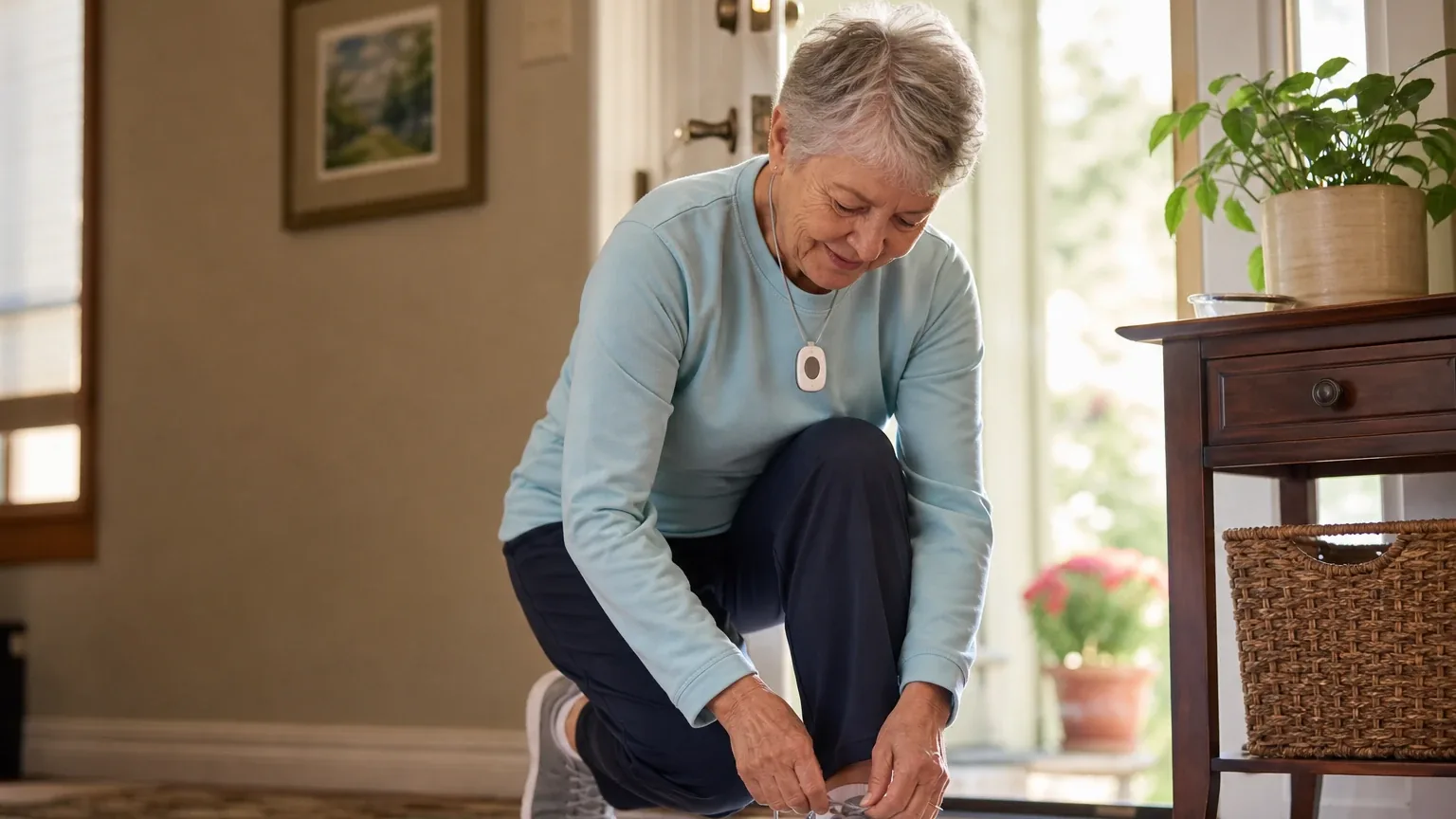
Answer Capsule
MobileHelp is a good fit for Automatic Fall Detection if the senior will consistently wear a pendant and AT&T cellular coverage is adequate at home and during travel. Four of six platforms named MobileHelp during the ranking stage — Google, Grok, Kimi, and OpenAI — and five of six rated it a "good" fit for this use case, while Kimi rated it "mixed." The strongest reason to consider it is a professionally monitored fall-detection add-on with 24/7 U.S.-based response, cellular operation, and month-to-month billing. The main limitation is that MobileHelp publishes no numerical fall-detection accuracy rate, acknowledges missed falls and false alerts, and shows conflicting public pricing of $10 versus $11 per month for the Fall Button.
Research Snapshot
| Field | Finding |
|---|---|
| Platform mentions in ranking stage | 4 of 6 platforms (Google, Grok, Kimi, OpenAI) |
| Share of included platform responses | 66.7% |
| Average listed rank | 3.75 |
| Best listed rank | 3 (OpenAI) |
| Relevant product/model/plan | MobileHelp Fall Button paired with Classic Cellular, Micro, Solo, or Duo; Classic Cellular is the relevant in-home option and Micro/Solo are relevant mobile options |
| Overall use-case fit | Good (5 platforms); Mixed (1 platform) — 6 platforms analyzed |
| Research date | 2026-09-28 |
What Changed Since August 2026
MobileHelp moved down from No. 3 to No. 4, and platform mentions decreased from 6 to 4. The September 2026 review keeps MobileHelp as a good fit for automatic fall detection, with no change to the recommended configuration. Buyer guidance now rests on firmer details: in-home range up to 1,400 feet from the base, and response-time figures that still conflict across testers. Reported pricing remains unsettled — fall detection is newly reported at $2.99 per month on one tier, while the earlier $10–$11 per month range is no longer repeated. Limitations are largely unchanged: no published detection accuracy rate, acknowledged missed falls and false alerts, and unverified pendant comfort. Buyers should confirm the Fall Button price and water resistance for their exact order. Differences between the two editions reflect what each article reports; they do not by themselves prove that the product, service, or price changed.
The August 2026 review preserves the earlier article for reference.
Why MobileHelp Qualified for This Study
Questions This Section Answers
- Why did MobileHelp qualify for a 2026 automatic fall detection ranking?
- How many AI platforms named MobileHelp for automatic fall detection?
MobileHelp qualified because it offers automatic fall detection as a purchasable add-on across multiple monitored systems, not as a standalone gadget. Four of the six included platforms named MobileHelp during ranking discovery, giving it a 66.7% mention share, an average listed rank of 3.75, and a best rank of 3 from OpenAI. Google, Grok, and Kimi each listed it at rank 4.
The platforms converged on the same core reason: the MobileHelp Fall Button is an optional pendant that can automatically send an alarm when a fall is detected and the user cannot press the help button. It is compatible with Classic, Solo, and Duo systems, and MobileHelp also lists optional fall detection for Micro [1]. DeepSeek described fall detection as an add-on available across multiple MobileHelp systems with 24/7 U.S.-based monitoring and month-to-month plans [3].
Qualification was not unanimous on fit quality. Five platforms — OpenAI, DeepSeek, Google, Grok, and Perplexity — rated MobileHelp a "good" fit for automatic fall detection. Kimi rated it "mixed," citing incremental caregiver-app fees, absence from top fall-detection accuracy results in 2026 independent testing, and unverified response times (kimi:theseniorlist). That split is the central tension in this review: MobileHelp qualifies on availability and monitoring infrastructure, but not on published detection performance.
The Product, Model, Plan, or Service Most Relevant to Automatic Fall Detection
Questions This Section Answers
- Which MobileHelp system and add-on should a buyer choose for automatic fall detection?
- Is the MobileHelp Fall Button compatible with the Classic Landline system?
The relevant configuration is the MobileHelp Fall Button paired with a monitored system: Classic Cellular for in-home use, or Micro, Solo, or Elite for mobile use. The Fall Button is the component that performs automatic detection; the base system determines where detection works.
MobileHelp's official Fall Button page states compatibility, operating range, $11 monthly pricing, and that the device does not detect 100% of falls [4]. The Classic Cellular page lists AT&T cellular coverage, up to 1,400 feet of in-home range, optional fall detection, monitoring, and displayed pricing [5]. MobileHelp's comparison page identifies Micro as a small, light mobile device and lists optional fall detection for relevant systems [6].
Platforms named slightly different configurations. OpenAI pointed to the Fall Button with Classic Cellular, Micro, Solo, or Duo. Perplexity named Classic Cellular, Solo, or the fall-detection add-on [7]. Grok named Classic Cellular or Elite with the add-on [9]. DeepSeek named Classic, Mobile, Micro, or Solo with the add-on [10].
One compatibility limit is consistent across sources: fall detection is not supported on the landline-only Classic system. Google's research states the Classic Landline does not support fall detection, while other devices support it for a monthly fee [11]. Buyers who only have a landline and need automatic detection should not select that configuration.
Product naming is also in flux. Google's research notes the catalog is transitioning, with some sources listing older Micro and Solo units as available while newer reviews state they are discontinued in favor of the Elite device. Grok likewise lists Solo as discontinued in some references. Buyers should confirm which models are actually orderable in their region with the fall-detection accessory before purchase.
What the AI Platforms Agreed About
Questions This Section Answers
- What do AI platforms agree on about MobileHelp fall detection?
- Does MobileHelp require a long-term contract for fall detection service?
The clearest agreement is that MobileHelp sells automatic fall detection as a paid add-on to a monitored system, not as a standard included feature. OpenAI, DeepSeek, Grok, Perplexity, and Google all describe it that way. Kimi's research also treats it as an add-on, noting the industry-standard add-on price is roughly $10 per month (kimi:bayalarm, kimi:medicalalert).
Platforms also agreed on the monitoring model. MobileHelp provides 24/7 U.S.-based monitoring with two-way voice communication, and operators contact emergency services or designated contacts when an alert arrives. MobileHelp states that if the user cannot speak, operators will contact emergency response on the user's behalf [13]. Google's research identifies Rapid Response Monitoring as the partner monitoring center [14].
A third area of agreement is that fall detection is not guaranteed. MobileHelp expressly states the Fall Button does not detect 100% of falls and may sometimes send a false alert [15]. Grok's research describes independent testing showing consistent detection across rounds but not 100% of all falls [16]. No platform claimed guaranteed detection.
Platforms broadly agreed that service is month-to-month with no long-term contract required. MobileHelp states service is month-to-month, with no contract, and can be cancelled at any time [18]. Grok's research confirms month-to-month terms with no long-term contracts or penalties and a 30-day money-back guarantee [19]. Perplexity's research complicates this: it cites a three-month minimum commitment in MobileHelp's terms, a $50 restocking fee on returns, and a $350 charge if equipment is not returned within 30 days after termination [21]. Both statements appear in supplied evidence, so buyers should treat "no contract" as meaning no long-term term commitment, not as the absence of minimum-service and equipment-return obligations.
Where the AI Platforms Disagreed or Were Uncertain
Platforms diverged most on fall-detection accuracy. Grok's research cites independent testing showing consistent detection across rounds for Classic Cellular and mobile systems [22]. Kimi's research found no independent 2026 test result quantifying MobileHelp's accuracy rate and noted MobileHelp was not among top performers, where competitors were tested at 70–80% detection (kimi:theseniorlist). OpenAI, Perplexity, and DeepSeek all report that no numerical accuracy, sensitivity, specificity, or false-positive rate was located in reviewed MobileHelp materials [24]. This is a genuine evidence gap, not a resolved disagreement.
Response-time findings conflict more sharply. Google's research cites an average response time of approximately 50 seconds for MobileHelp Solo in testing through Rapid Response [27]. Grok's research cites average connection to an operator of 18–26 seconds in tests [28]. MobileHelp itself claims connection to an operator in as little as 10 seconds [29]. Kimi's research states MobileHelp was not among the fastest response times in 2026 independent testing, where Medical Guardian averaged 8 seconds and Bay Alarm averaged 16 seconds (kimi:theseniorlist). These figures come from different testers and dates and cannot be reconciled from the supplied evidence.
The false-alarm cancellation protocol is another split. Google's research describes a specific workflow: the fall button beeps and flashes red, the base unit announces "fall detected" repeatedly, and the user presses and holds the button until the light turns green to cancel [30]. Grok's research similarly says users can press and hold the button to cancel after a detection alert, with the system prompting before connecting [28]. OpenAI and Perplexity both report that the exact user action or time window for cancelling an automatically generated fall alert before dispatch was not clearly documented in reviewed sources [24]. DeepSeek reports the pendant gives the user time to press the button to cancel before the monitoring center is contacted, but the exact countdown duration is not clearly published [26].
Water resistance is directly contested. Google's research states the fall pendant is waterproof for shower use [32]. DeepSeek's research states the fall-detection pendant is not intended for water use, limiting shower and bath coverage [26]. OpenAI's research says the Fall Button and home neck or wrist buttons can be worn in the shower or bath under normal conditions, but base stations and wall buttons are not waterproof [24]. Buyers should verify the water-resistance rating for the specific Fall Button SKU they order.
Pendant comfort is largely unverified. Perplexity reports no verifiable pendant-comfort rating or detailed ergonomics data in reviewed sources. DeepSeek notes specific dimensions and weight are not consistently published. Google's research adds a practical caution: testers note heavy swinging of the neck pendant can occasionally trigger false alarms [33].
Use-Case-Specific Features and Capabilities
Questions This Section Answers
- How does MobileHelp automatic fall detection work without pressing a button?
- Can the MobileHelp Fall Button be worn in the shower?
Automatic detection works through a pendant accelerometer that initiates an SOS without a button press. MobileHelp describes automatic SOS initiation, monitoring-center connection in as little as 10 seconds, two-way communication, and a dispatch workflow [34]. Perplexity's research notes MobileHelp says its fall detection uses machine-learning models trained on real fall data [35].
Wearability matters because detection only works on-body. MobileHelp recommends wearing the Fall Button on the outside of clothing, near the chest or waist, so it can move freely [36]. A device left off-body cannot detect a fall. Google's research notes the fall sensor must be worn as a neck pendant; wrist button configurations do not support the built-in fall accelerometer.
In-home range is substantial on the cellular base. Classic Cellular provides in-home coverage up to 1,400 feet from the base station [37]. Grok's research notes one review tested shorter range than the advertised 1,400 feet, so real-world range may vary by building and conditions.
Battery specifications are uneven. For Classic, the base station should remain plugged in and has approximately 30 hours of backup power; the standard neck pendant or wrist button battery lasts over five years [36]. MobileHelp reports up to six days for the Elite mobile device, with actual life varying by settings, cellular strength, and use [36]. A specific Fall Button battery-life figure was not clearly published in reviewed sources, and Kimi's research found no verified battery-life data for current MobileHelp devices.
Caregiver features carry separate costs on some tiers. Google's research describes a free caregiver app and portal for location tracking and reminders, with OnGuard Alerts at $2.99 per month for automated text alerts to family contacts [38]. Kimi's research reports that MobileHelp "will nickel-and-dime you to unlock features in its caregiver app," indicating incremental charges for app functionality competitors may include (kimi:theseniorlist). These two findings are not fully consistent, and buyers should confirm which app features are included at their plan level.
Pricing, Fees, Contracts, and Ongoing Costs
Questions This Section Answers
- How much does MobileHelp fall detection cost per month, and is it $10 or $11?
- What cancellation, restocking, and equipment-return fees apply to MobileHelp service?
Published pricing conflicts across official pages and independent reviews, and buyers should verify the all-in rate at checkout. The Classic Cellular product page lists service from $29.95 per month and automatic fall detection at $10 per month, implying roughly $39.95 per month before taxes or add-ons at that displayed rate [39]. MobileHelp's Fall Button page lists $11 per month, creating a public discrepancy [40]. Perplexity's research found the Classic Cellular page listing fall detection at $10 per month in one capture and $11 per month in another, plus a Solo page listing $11 per month [41].
Base rates vary widely by source. MobileHelp's comparison page lists monthly base rates including $24.95 for some configurations and $34.95 for others, with higher rates for mobile or combined systems [44]. Perplexity's research found base service commonly published around $24.95, $25.95, $29.95, or $37.95 depending on product and page, with promotional pages advertising Classic from $19.95 [45]. Grok's research lists $29.95 per month for Classic Cellular base and $37.95 or more for Elite mobile base, with fall detection at $10 per month [48]. MobileHelp's own homepage states subscriptions start at $37.95 per month and home systems start at $29.95 per month (official:C1).
Additional fees appear in multiple sources. Grok's research lists an optional protection plan at $6.99 per month, extra buttons at $2.99 per month, and shipping from $0 to $12.50 [49]. Google's research lists OnGuard Caregiver Alerts at $2.99 per month and Connect Premium Device Protection at $6.99 per month [50]. Perplexity's research cites a $50 restocking fee on returns and a potential $350 equipment charge if equipment is not returned within 30 days after termination [51].
Contract terms are mixed. MobileHelp states service is month-to-month with no contract and can be cancelled at any time [52]. However, MobileHelp's terms state a three-month minimum commitment for service, returns dated upon receipt at the return center, a $50 restocking fee on returns, a full refund with no restocking fee if equipment is returned within 15 calendar days of delivery, and a $350 charge if the system is not returned within 30 days following termination (official:C2). The terms also state that cancelling app-based service requires calling customer service and that deleting the app does not constitute cancellation (official:C2). Grok's research describes month-to-month terms with no long-term contracts or penalties and a 30-day money-back guarantee [48]. These positions can coexist — no long-term contract, but a three-month minimum and equipment-return obligations — and buyers should confirm which applies to their billing cycle.
Best Suited For
Questions This Section Answers
- Who is MobileHelp automatic fall detection best for?
- Is MobileHelp a good choice for a senior living alone who may not press a button?
MobileHelp is best suited for seniors living alone who may be unable to press an SOS button after a fall, and for caregivers who want monitored automatic alerts rather than an unmonitored device [53]. The automatic detection path exists specifically for the scenario where the user cannot self-initiate a call.
It also fits buyers who need either in-home coverage through Classic Cellular or mobile GPS-capable coverage through Micro, Solo, or Elite [54]. Perplexity's research notes Solo uses nationwide cellular coverage and can be used anywhere cellular coverage is available [56].
Buyers who prioritize no long-term contract and comparatively transparent monthly pricing are also a reasonable fit, with the caveat that minimum-service and equipment-return terms still apply [53]. Google's research highlights the lease-based model: no upfront equipment purchase costs, with hardware leased instead [57].
Probably Not Best Suited For
Questions This Section Answers
- Who should not choose MobileHelp for automatic fall detection?
- Is MobileHelp unsuitable for buyers who need published fall-detection accuracy rates?
Buyers who require independently validated sensitivity, specificity, or false-alarm rates should look elsewhere, because no public numerical accuracy rate was located in reviewed MobileHelp materials [58]. Kimi's research specifically notes MobileHelp was absent from top-performing fall-detection accuracy results in 2026 independent testing (kimi:theseniorlist).
Users unlikely to wear and correctly position a pendant consistently are also a poor fit. Detection requires the Fall Button to be worn on the outside of clothing near the chest or waist, and a device left off-body cannot detect a fall [58]. Google's research adds that the fall sensor must be worn as a neck pendant, so buyers who want an all-in-one wristband with automated detection should not choose this configuration.
People living or traveling in areas with weak AT&T cellular coverage are a poor fit, since the relevant cellular systems depend on AT&T availability, which MobileHelp states is not everywhere or at all times [61]. Buyers who only have a landline and need fall detection should also avoid the Classic Landline configuration, which does not support the fall-detection pendant [63].
Buyers seeking a pendant with independently documented comfort testing or a fully published cancellation and dispatch protocol should treat those as unverified for MobileHelp [65].
When Another Option May Be Better
Another provider may be better when published accuracy data is the deciding factor. Kimi's research points to Medical Guardian as detecting 80% of falls with zero false alarms in 2026 testing and Bay Alarm SOS All-In-One 2 at 70% detected, while MobileHelp had no comparable published result (kimi:theseniorlist). Buyers who require independently validated sensitivity or specificity rates should compare against vendors that publish test results.
A non-wearable in-home sensor may be better for a senior who will not reliably wear a pendant, since MobileHelp detection depends on consistent on-body wear [66]. A device using a different cellular carrier may be preferable where AT&T coverage is weak [67].
A smartwatch or other platform may be better if the buyer prioritizes broader health, location, or communication features, provided the senior will reliably charge and wear it. Kimi's research notes Apple Watch, SecuLife, and Vital Link Mobile X/W include fall detection without a separate add-on fee in some configurations (kimi:apple, kimi:seculife, kimi:vital-link). Buyers who want fall detection bundled at no extra monthly cost should compare those options directly.
Buyers who need the fastest measured response times may also look elsewhere. Kimi's research reports Medical Guardian averaging 8 seconds and Bay Alarm averaging 16 seconds in 2026 testing, with MobileHelp not listed among the fastest (kimi:theseniorlist). Google's research, by contrast, cites approximately 50 seconds average for MobileHelp Solo [68], and Grok's research cites 18–26 seconds [69]. Because these figures conflict, response time should not be the sole basis for switching without verifying current test data.
Questions to Verify Before Buying
Questions This Section Answers
- What should a buyer confirm with MobileHelp before signing up for fall detection?
- How can a buyer verify MobileHelp fall detection pricing and coverage before purchase?
Buyers should confirm the exact monthly price for the selected system plus Fall Button, and whether the price changes after an introductory promotion [70]. They should also confirm whether the Fall Button is $10 or $11 per month for the specific order, and whether taxes, shipping, processing, or equipment-protection fees are added [71].
The cancellation protocol deserves direct questioning: what exact action cancels a false automatic fall alert, and how long does the user have before emergency dispatch [70]. Buyers should also ask what happens if the user does not respond to the monitoring center, whether emergency contacts are called before EMS, and in what order [70].
Coverage and hardware questions matter too. Buyers should ask about tested AT&T signal strength at the senior's home, yard, and usual travel locations [74]. They should confirm the specific Fall Button's battery life, low-battery notification method, dimensions, weight, lanyard options, water-resistance rating, and return policy [70]. They should also ask for average and percentile monitoring-center connection times for automatic fall alerts rather than button-press claims [76].
Finally, buyers should confirm equipment-return, refund, and cancellation requirements for monthly, quarterly, and annual billing, including the three-month minimum, $50 restocking fee, and $350 non-return charge stated in MobileHelp's terms [77].
Final AI Consensus Verdict
MobileHelp is a good fit for monitored automatic fall detection when the senior will consistently wear the pendant and AT&T coverage is adequate. Five of six platforms rated it good for this use case; Kimi rated it mixed. The main buyer risks are the absence of a published accuracy rate, acknowledged missed falls and false alerts, unclear automatic-alert cancellation details, and inconsistent public pricing between $10 and $11 per month for the Fall Button.
Treat the system as an additional response channel, not a guarantee or caregiver replacement. MobileHelp's own terms state that fall detection only works if it is part of the service plan, may not detect every fall, and may sometimes send a false alert, and that users who are able should always press the SOS button (official:C2, official:C3). Buyers who need published accuracy data, verified response-time metrics, or bundled fall detection at no extra cost should compare alternatives before purchasing.
How This Review Was Produced
This review evaluates MobileHelp only for the Automatic Fall Detection use case, not as a broad company assessment. It draws on structured fit-research responses from six AI platforms — OpenAI, DeepSeek, Google, Grok, Kimi, and Perplexity — collected for the 2026-09-28 research run. Four of those platforms named MobileHelp during ranking discovery, and all six evaluated its fit for this use case.
Platform fit ratings were good for OpenAI, DeepSeek, Google, Grok, and Perplexity, and mixed for Kimi. Findings were grouped by factor: fall-detection availability, accuracy, cancellation protocol, comfort, response speed, cellular coverage, battery life, monitoring workflow, water resistance, pricing, and contract terms. Where platforms conflicted, both positions are reported rather than resolved.
Methodology Limitations
Several limitations apply. Company-owned citations materially outnumber independent citations in the supplied evidence, so company claims are not described here as independently verified. Citations are platform-reported evidence, not independently verified facts, and the supplied URLs were collected from platform responses without independent validation at the writing stage.
Platform-reported research dates differ from the authoritative run date. DeepSeek's research is dated 2026-01-15, while the other platforms and the run date are 2026-09-28. Platform-reported dates are provenance metadata and do not independently prove freshness.
No-search model claims require explicit verification before being described as current facts. DeepSeek's research was conducted without search enabled, so its pricing and product findings are platform-reported and should be verified against current MobileHelp pages.
Conflicting product names, pricing, and capabilities were not resolved by guessing. MobileHelp's product naming appears to be changing, with sources disagreeing on whether Micro and Solo remain orderable. Public pricing conflicts across official pages and independent reviews, and the Fall Button is listed at both $10 and $11 per month. Response-time figures range from 10 seconds (company claim) to 18–26 seconds, 50 seconds, and "not among the fastest" across different testers. Water resistance is described as both waterproof and not intended for water use. Buyers should verify all of these directly with MobileHelp before purchase.
Explore more medical alert systems guidance in the category directory.
Sources
Company-Owned Sources
- Top Rated Medical Alert Systems - MobileHelp: https://buy.mobilehelp.com/
- Medical Alert Systems - MobileHelp: https://offers.mobilehelp.com/medical-alert-systems-with-fall-detection/
- Senior Fall Detection SOS Smartwatch | SecuLife: https://seculife.us/products/senior-fall-detection-sos-smartwatch
- Use Fall Detection with Apple Watch - Apple Support: https://support.apple.com/en-us/108896
- Is Fall Detection Worth It? An Honest Answer | Vital Link: https://vital-link.com/is-fall-detection-worth-it/
- Fall Detection Devices for Seniors - Bay Alarm Medical: https://www.bayalarmmedical.com/medical-alert-system/automatic-fall-detection/
- How Does Fall Detection Work? Then vs. Now | Medical Alert: https://www.medicalalert.com/blog/fall-detection-technology-then-and-now/
- MobileHelp - Medical Alert Systems: https://www.mobilehelp.com/
- MobileHelp Fall Detection: https://www.mobilehelp.com/fall-detection/
- Best Medical Alert Systems: https://www.mobilehelp.com/pages/best-medical-alert-systems
- Compare Medical Alert Systems: https://www.mobilehelp.com/pages/compare-medical-alert-systems
- MobileHelp Fall Button: https://www.mobilehelp.com/pages/fall-button
- MobileHelp FAQs: https://www.mobilehelp.com/pages/faqs
- How They Work: https://www.mobilehelp.com/pages/how-they-work
- Special Offer: https://www.mobilehelp.com/pages/offer
- Terms and Conditions: https://www.mobilehelp.com/pages/terms-and-conditions
- MobileHelp Products: https://www.mobilehelp.com/products/
- Classic Cellular Medical Alert System: https://www.mobilehelp.com/products/in-home-medical-alert-system
- Classic Cellular - MobileHelp: https://www.mobilehelp.com/products/mobilehelp-classic
- MobileHelp Solo: https://www.mobilehelp.com/products/mobilehelp-solo
- Official pricing and terms source: https://www.mobilehelp.com/pages/terms-of-use
Additional AI research evidence77 records
- AI research evidence record openai:c1
- AI research evidence record openai:c2
- AI research evidence record deepseek:c1
- AI research evidence record openai:c3
- AI research evidence record openai:c2
- AI research evidence record openai:c5
- AI research evidence record perplexity:c6
- AI research evidence record perplexity:c7
- AI research evidence record grok:web:1
- AI research evidence record deepseek:c1
- AI research evidence record google:1.1.3
- AI research evidence record google:1.2.1
- AI research evidence record openai:c4
- AI research evidence record google:1.2.4
- AI research evidence record openai:c3
- AI research evidence record grok:web:1
- AI research evidence record grok:web:2
- AI research evidence record openai:c1
- AI research evidence record grok:web:4
- AI research evidence record grok:web:5
- AI research evidence record perplexity:c5
- AI research evidence record grok:web:1
- AI research evidence record grok:web:2
- AI research evidence record openai:c1
- AI research evidence record perplexity:c2
- AI research evidence record deepseek:c2
- AI research evidence record google:2.1.1
- AI research evidence record grok:web:3
- AI research evidence record openai:c4
- AI research evidence record google:2.1.7
- AI research evidence record perplexity:c6
- AI research evidence record google:2.1.9
- AI research evidence record google:2.2.8
- AI research evidence record openai:c4
- AI research evidence record perplexity:c2
- AI research evidence record openai:c1
- AI research evidence record openai:c2
- AI research evidence record google:1.1.5
- AI research evidence record openai:c2
- AI research evidence record openai:c3
- AI research evidence record perplexity:c6
- AI research evidence record perplexity:c7
- AI research evidence record perplexity:c10
- AI research evidence record openai:c5
- AI research evidence record perplexity:c4
- AI research evidence record perplexity:c9
- AI research evidence record perplexity:c13
- AI research evidence record grok:web:4
- AI research evidence record grok:web:5
- AI research evidence record google:1.1.5
- AI research evidence record perplexity:c5
- AI research evidence record openai:c1
- AI research evidence record openai:c1
- AI research evidence record openai:c2
- AI research evidence record openai:c5
- AI research evidence record perplexity:c6
- AI research evidence record google:1.1.5
- AI research evidence record openai:c1
- AI research evidence record perplexity:c2
- AI research evidence record deepseek:c2
- AI research evidence record openai:c2
- AI research evidence record openai:c3
- AI research evidence record google:1.1.3
- AI research evidence record google:1.2.1
- AI research evidence record perplexity:c6
- AI research evidence record openai:c1
- AI research evidence record openai:c2
- AI research evidence record google:2.1.1
- AI research evidence record grok:web:3
- AI research evidence record openai:c1
- AI research evidence record openai:c3
- AI research evidence record perplexity:c7
- AI research evidence record perplexity:c6
- AI research evidence record openai:c2
- AI research evidence record deepseek:c2
- AI research evidence record openai:c4
- AI research evidence record perplexity:c5
Independent Sources
- MobileHelp Reviews, Consumer Reviews & Ratings 2026 - Best Reviews: https://bestreviews.com/home/security-safety/best-medical-alert-systems/mobilehelp-reviews
- Best Medical Alert Systems With Fall Detection | U.S. News: https://realestate.usnews.com/home-services/medical-alert-system/fall-detection
- MobileHelp Medical Alert System Review 2026 | U.S. News: https://realestate.usnews.com/home-services/medical-alert-system/mobilehelp
- MobileHelp Reviews (From First-hand Experiences: https://www.consumeraffairs.com/medical-alert-systems/mobilehelp.html
- How to Choose a Medical Alert System: https://www.consumerreports.org/medical-alert-systems/how-to-choose-a-medical-alert-system
- MobileHelp Classic Review: Tried And Tested: https://www.forbes.com/health/medical-alert-systems/mobile-help-classic-review/
- MobileHelp Classic Review: Tried and Tested - Forbes: https://www.forbes.com/health/medical-alerts/mobilehelp-classic-review/
- MobileHelp Review in 2026: Is It a Good Value? - The National Council on Aging (NCOA: https://www.ncoa.org/adviser/medical-alert-systems/mobilehelp-review/
- The Best Medical Alert Systems with Fall Detection (2026: https://www.ncoa.org/product-resources/medical-alert-systems/best-medical-alert-systems-with-fall-detection/
- Your 2026 MobileHelp Review: https://www.ncoa.org/product-resources/medical-alert-systems/mobilehelp-review/
- Safe Medical Alert System - Pacemaker Club: https://www.pacemakerclub.com/discussion/39733/safe-medical-alert-system
- MobileHelp Medical Alert System Review | SafeWise: https://www.safewise.com/senior-safety/medical-alerts/mobile-help/
- Best Medical Alert Systems of 2026: Tested and Ranked: https://www.seniorliving.org/medical-alert-systems/best/
- MobileHelp vs Medical Guardian Comparison: https://www.seniorliving.org/medical-alert-systems/mobilehelp-vs-medical-guardian/
- MobileHelp Medical Alert System Review 2026: https://www.seniorliving.org/medical-alert-systems/mobilehelp/reviews/
- MobileHelp review - TechRadar: https://www.techradar.com/reviews/mobilehelp-review
- Best Fall Detection Devices in 2026: https://www.theseniorlist.com/medical-alert-systems/best/fall-detection/
- MobileHelp Medical Alert: Costs, Systems, and Plans - The Senior List: https://www.theseniorlist.com/medical-alert-systems/mobilehelp/costs/
- MobileHelp Medical Review, Hands-On Test (2026: https://www.theseniorlist.com/medical-alert-systems/mobilehelp/reviews/
Additional AI research evidence77 records
- AI research evidence record openai:c1
- AI research evidence record openai:c2
- AI research evidence record deepseek:c1
- AI research evidence record openai:c3
- AI research evidence record openai:c2
- AI research evidence record openai:c5
- AI research evidence record perplexity:c6
- AI research evidence record perplexity:c7
- AI research evidence record grok:web:1
- AI research evidence record deepseek:c1
- AI research evidence record google:1.1.3
- AI research evidence record google:1.2.1
- AI research evidence record openai:c4
- AI research evidence record google:1.2.4
- AI research evidence record openai:c3
- AI research evidence record grok:web:1
- AI research evidence record grok:web:2
- AI research evidence record openai:c1
- AI research evidence record grok:web:4
- AI research evidence record grok:web:5
- AI research evidence record perplexity:c5
- AI research evidence record grok:web:1
- AI research evidence record grok:web:2
- AI research evidence record openai:c1
- AI research evidence record perplexity:c2
- AI research evidence record deepseek:c2
- AI research evidence record google:2.1.1
- AI research evidence record grok:web:3
- AI research evidence record openai:c4
- AI research evidence record google:2.1.7
- AI research evidence record perplexity:c6
- AI research evidence record google:2.1.9
- AI research evidence record google:2.2.8
- AI research evidence record openai:c4
- AI research evidence record perplexity:c2
- AI research evidence record openai:c1
- AI research evidence record openai:c2
- AI research evidence record google:1.1.5
- AI research evidence record openai:c2
- AI research evidence record openai:c3
- AI research evidence record perplexity:c6
- AI research evidence record perplexity:c7
- AI research evidence record perplexity:c10
- AI research evidence record openai:c5
- AI research evidence record perplexity:c4
- AI research evidence record perplexity:c9
- AI research evidence record perplexity:c13
- AI research evidence record grok:web:4
- AI research evidence record grok:web:5
- AI research evidence record google:1.1.5
- AI research evidence record perplexity:c5
- AI research evidence record openai:c1
- AI research evidence record openai:c1
- AI research evidence record openai:c2
- AI research evidence record openai:c5
- AI research evidence record perplexity:c6
- AI research evidence record google:1.1.5
- AI research evidence record openai:c1
- AI research evidence record perplexity:c2
- AI research evidence record deepseek:c2
- AI research evidence record openai:c2
- AI research evidence record openai:c3
- AI research evidence record google:1.1.3
- AI research evidence record google:1.2.1
- AI research evidence record perplexity:c6
- AI research evidence record openai:c1
- AI research evidence record openai:c2
- AI research evidence record google:2.1.1
- AI research evidence record grok:web:3
- AI research evidence record openai:c1
- AI research evidence record openai:c3
- AI research evidence record perplexity:c7
- AI research evidence record perplexity:c6
- AI research evidence record openai:c2
- AI research evidence record deepseek:c2
- AI research evidence record openai:c4
- AI research evidence record perplexity:c5
Verify This Research
Review the study details behind this page or download the public machine-readable verification record.
- Study date
- September 28, 2026
- Platforms analyzed
- 6
- Source records
- 40
- Ranking mentions
- 4 of 6
- Platform share
- 67%
- Final consensus rank
- #4
Research trail and source mix
Configured platforms
openai, anthropic, deepseek, grok, perplexity, kimi, google
Source mix
19 independent · 21 company-owned
Evidence support
25 direct · 14 partial
Important limitation
Use the run research_date as the study date. Platform-reported dates are provenance metadata and do not independently prove freshness.
Source snapshot SHA-256 04e5176b6e66a78043047946792b6396fef051d415fa0cc43301acd4ecd4f0bd
Archived editions
Browse earlier published research snapshots for this article. The latest edition remains at the current URL.