
Answer Capsule
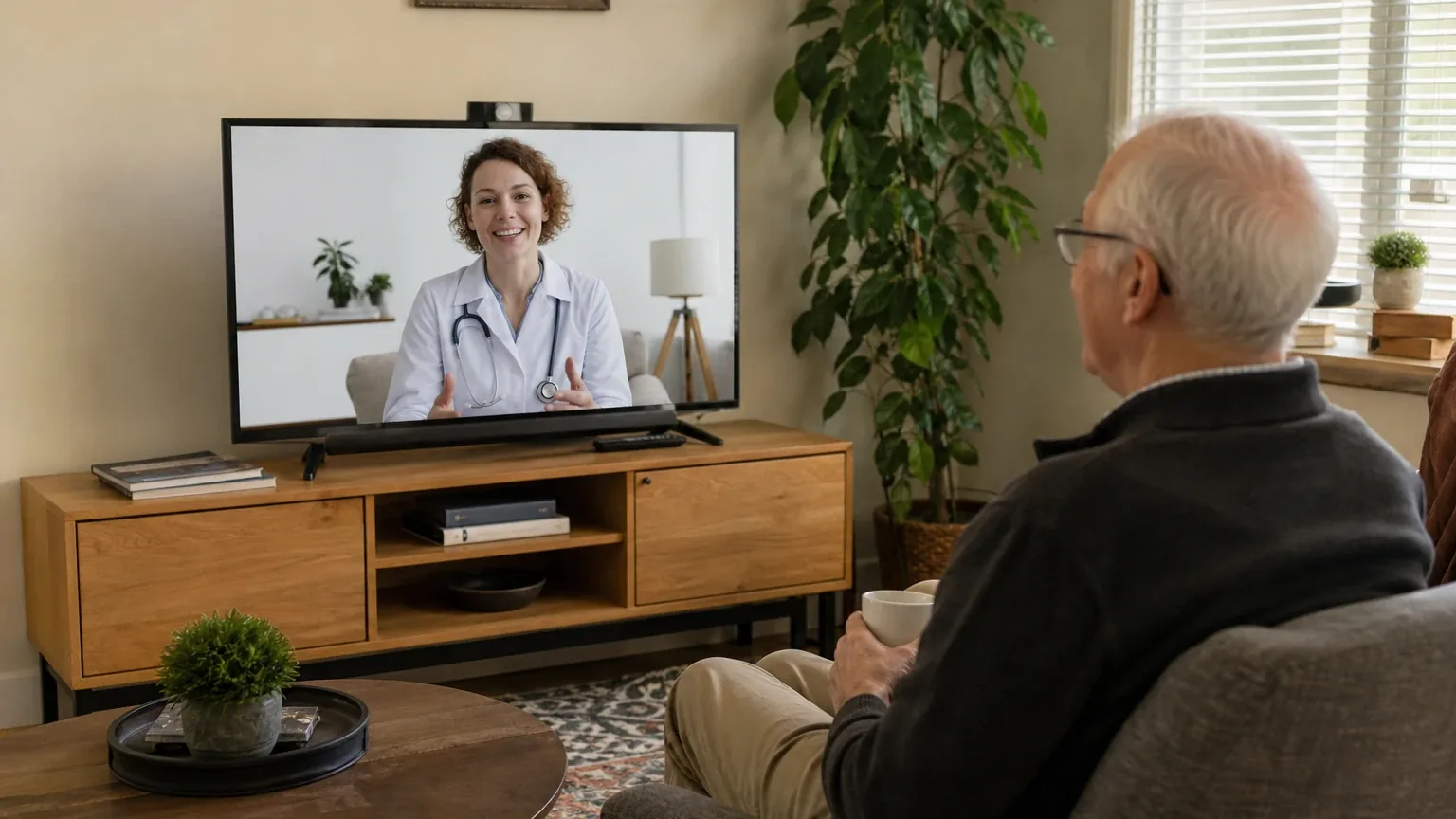
JubileeTV is a good, but not strong, fit for Simplified Video Calling & Telehealth. Four of the seven platforms in this study named JubileeTV during the ranking stage, and it finished fourth overall with an average listed rank of 4.25. Its strongest use is family video communication through an existing television, especially when remote family members need AutoConnect calling, contact permissions, reminders, or simplified operation. The main limitation is telehealth: the reviewed sources do not establish HIPAA compliance, clinician integration, or documented audio, camera, and accessibility specifications, so buyers should not treat it as a dedicated clinical telehealth device without separate verification.
Research Snapshot
| Field | Finding |
|---|---|
| Platform mentions in ranking stage | 4 of 7 platforms (google, grok, kimi, openai) |
| Share of included platform responses | 57.1% |
| Average listed rank | 4.25 |
| Best listed rank | 3 |
| Relevant product/model/plan | JubileeTV Console with web camera and JubileeTV Membership/Service Plan (Monthly, Annual, or All-In) |
| Overall use-case fit | Good for TV-based family video calling; not established as a dedicated telehealth solution |
| Research date | 2026-09-27 |
What Changed Since August 2026
JubileeTV moved down from No. 3 to No. 4, and platform mentions were unchanged at 4. The September 2026 review keeps JubileeTV as a good but not strong fit for simplified video calling and telehealth, with its core positioning centered on TV-based calling and remote family management rather than clinical telehealth. Buyer fit and the recommended configuration are unchanged. Pricing evidence still conflicts by channel: the review newly reports $29 per month, while $29–$39/month is no longer repeated. Call connection timing is now described as 20 to 30 seconds rather than 15 seconds. Strengths and limitations remain consistent: AutoConnect calling, contact permissions, and remote caregiver control, with HIPAA compliance and clinician integration still unestablished. Differences between the two editions reflect what each article reports; they do not by themselves prove that the product, service, or price changed.
The August 2026 review preserves the earlier article for reference.
Why JubileeTV Qualified for This Study
Questions This Section Answers
- Is JubileeTV a good choice for Simplified Video Calling & Telehealth for a senior who already uses a TV?
- How many AI platforms named JubileeTV in the 2026 ranking of video calling devices for seniors?
- Why did JubileeTV qualify for this study instead of being excluded at the ranking stage?
JubileeTV qualified because it was named by four of the seven platforms during ranking discovery and cleared the study's two-mention minimum. Google, grok, and openai each listed it at rank 3, while kimi placed it at rank 8, producing an average listed rank of 4.25 and a final rank of 4 [1].
The platforms that named it treated it as a TV-based video calling system for Seniors with remote family management rather than as a general consumer electronics product [4]. That framing matches the study's ranking unit, a smart display or dedicated device model, because the JubileeTV Console is a set-top box that turns an existing television into the calling screen [5].
Qualification is not an endorsement. The study counts how often platforms surfaced an entity, not how well the product performs. One platform, kimi, could not retrieve the official website during its research and labeled every product claim unverified, which is disclosed in full in the disagreement and methodology sections below (kimi:no-source).
The Product, Model, Plan, or Service Most Relevant to Simplified Video Calling & Telehealth
Questions This Section Answers
- Which JubileeTV product and plan should a buyer choose for simplified video calling and telehealth?
- Does the JubileeTV Console include the camera and remote, or are they sold separately?
- Can a clinician join a JubileeTV video call without downloading the app?
The relevant configuration is the JubileeTV Console with web camera plus a JubileeTV Membership/Service Plan, sold in Monthly, Annual, or All-In versions [7]. The Console connects between the television and source devices over HDMI and can use Wi-Fi or Ethernet [9]. Family members use the JubileeTV app on iOS, Android, or a web browser to start calls, manage contacts, and control the TV remotely [11].
For telehealth specifically, the most relevant documented feature is GuestLink, which lets a caregiver email a secure, single-use web link so a healthcare professional can join the TV video call from a browser without creating an account or downloading software [12]. That is a convenience feature, not a clinical platform. The reviewed sources do not document HIPAA compliance, a business-associate arrangement, electronic health record integration, or provider partnerships [7].
Buyers should also note that video calling between two JubileeTV Consoles is not supported; one end of the call must use the caregiver mobile or web app [12].
What the AI Platforms Agreed About
Questions This Section Answers
- What do AI platforms agree JubileeTV does well for senior video calling?
- Is JubileeTV's auto-answer calling confirmed by multiple AI research platforms?
- Do the platforms agree that JubileeTV works with an existing TV and HDMI setup?
The clearest agreement is that JubileeTV's core value is TV-based calling with caregiver-controlled initiation. Google, grok, perplexity, anthropic, and openai all describe auto-answer or AutoConnect behavior in which an authorized family member starts a call and the senior's television turns on and connects without the senior pressing buttons [16]. Company documentation states that AutoConnect is off by default and is governed by contact permissions, and that Drop In is likewise off by default [20].
The platforms also agree on the display logic. Because the system uses the household television, screen size depends on that TV rather than on JubileeTV hardware, and the platforms consistently frame this as an accessibility advantage over small phone screens [21]. Google's research describes support for displays up to 65 inches or larger [23].
A third area of agreement is remote caregiver control. Multiple platforms describe family members adjusting volume, troubleshooting the TV, mirroring the screen, and managing contacts from the app [25]. Agreement here reflects repeated company documentation and secondary coverage, not independent comparative testing.
Where the AI Platforms Disagreed or Were Uncertain
Questions This Section Answers
- Why do AI platforms disagree about whether JubileeTV is a strong or uncertain fit for senior telehealth?
- Is JubileeTV HIPAA compliant for clinical telehealth visits?
- How reliable are JubileeTV video calls according to user reviews?
Fit ratings diverged sharply. Google and grok rated JubileeTV a strong fit; openai, anthropic, and perplexity rated it good; deepseek rated it mixed; and kimi rated it uncertain because its official-site retrieval failed and it could not verify any product specification [27]. The spread reflects differences in source access and verification standards, not a measured difference in product quality.
Telehealth is the largest unresolved question. No platform located evidence of HIPAA compliance, a business-associate agreement, or clinician workflow integration, and openai explicitly states the reviewed sources do not establish suitability for regulated clinical communications [29]. Kimi's research points to HIPAA-compliant alternatives such as SimplyTelehealth and InstantVideoCall for clinical use, noting that compliance requires a BAA and technical safeguards (kimi:simplytelehealth-home, kimi:instantvideocall-telehealth).
Video call reliability is contested. Best Buy customer reviews describe clarity and ease of staying connected positively (anthropic:28-1), while a Google Play user report describes calls taking 20 to 30 seconds to connect and black screens roughly half the time requiring a callback (anthropic:32-1). One independent reviewer described the system as feeling "a little cobbled together" and requiring an expensive subscription (anthropic:34-2). The scope and frequency of these problems are not established.
Pricing conflicts are documented rather than resolved. Official service documentation lists direct-purchase plans at $39 per month, $389 per year, or $789 All-In, and third-party hardware purchases at $29 per month, $289 per year, or $600 All-In [29]. The FAQ separately lists a $199 Console price while describing membership as including hardware [33]. Lively, a Best Buy Health property, lists the $29/$289/$600 structure [35]. Buyers should confirm which structure applies to their checkout channel.
Hardware and accessibility specifications are also uncertain. The reviewed sources do not clearly document the camera model, display resolution, minimum TV requirements, speaker loudness, microphone specifications, or hearing-aid compatibility [29]. One independent review describes audio as clear and loud with a wide camera view (anthropic:23-6), but no platform located measured audio testing.
Use-Case-Specific Features and Capabilities
Questions This Section Answers
- Does JubileeTV support contact white-listing so only approved callers can reach the senior?
- How many people can join a JubileeTV video call at once?
- Does JubileeTV offer live captions for hard-of-hearing seniors during video calls?
Auto-answer calling is the headline capability. Authorized contacts with AutoConnect permission can start a call that connects on the senior's TV, and the system can turn the TV on and chime when a call arrives [36]. Company documentation states AutoConnect is off by default and controlled through contact permissions, so it is not unrestricted automatic answering [37].
Contact white-listing is documented at the permission level. Administrator roles manage calling permissions contact by contact, and the membership supports unlimited contacts with app access for invited contacts at no additional stated app fee [37]. Google's research describes strict whitelisting in which only approved app members or people invited through a secure one-time GuestLink can initiate a call [39]. Deepseek could not independently confirm strict blocking of unknown callers [41].
Multi-party calling supports up to four simultaneous participants on one call [42]. Live captions for video chats were announced as an AI-powered feature in March 2025, with large-text options described in company materials [43].
Simplified operation is documented but not uniform. A simplified remote-cover mode leaves a smaller set of controls including power, volume, channel navigation, mute, and the JubileeTV button [44]. A six-button remote for TV control was described in independent journalism (anthropic:9-6). However, a competitor's comparison notes the JubileeTV remote has more buttons, similar to a traditional universal remote, which is a company-adjacent source and should be weighed accordingly (anthropic:22-5).
Display and audio depend on the existing television. The Console connects via HDMI, and the remote includes an onboard speaker, but the reviewed documentation does not specify loudness, hearing-aid compatibility, or microphone performance [45]. Caregivers can adjust TV volume remotely from the app (anthropic:19-3).
Pricing, Fees, Contracts, and Ongoing Costs
Questions This Section Answers
- How much does JubileeTV cost per month, and are there setup or cancellation fees?
- What happens if a buyer cancels a JubileeTV annual plan or fails to return the hardware?
- Does the JubileeTV All-In plan have recurring fees?
Pricing depends on purchase channel, and the reviewed sources conflict. Official service documentation lists direct-purchase plans at $39 per month, $389 per year, or $789 one-time All-In, and third-party hardware purchases at $29 per month, $289 per year, or $600 All-In [47]. The official site's retrieved page shows $39 per month, $389 per year, and $789 All-In with hardware included (official:C1). Lively lists the lower $29/$289/$600 structure [49]. The FAQ lists a $199 Console price while describing membership as including hardware, which conflicts with the service-plan documentation's packaging description [50].
Additional fees are documented. Professional in-home installation is a stated $99 one-time fee per console [52]. Under the FAQ's cancellation instructions, unreturned hardware may result in a $199 charge [50]. The Terms of Use state that if rented hardware is not returned within 30 days of cancellation, or is returned substantially damaged, JubileeTV may charge the full purchase price of the hardware (official:C2).
Contract terms differ by plan. Monthly plans are described as cancellable at any time, with service continuing through the current billing cycle [50]. Annual plans are an upfront one-year commitment, and the Terms of Use state that annual-plan refunds are unavailable [53]. For direct purchases treated as hardware rental, cancellation requires returning the Console, remote, and cables within 30 days [50]. The FAQ states the system stops functioning after membership ends, and one source notes the system resets and must be disconnected from the TV before the TV can be used normally again (anthropic:12-23, anthropic:12-6).
A 60-day risk-free guarantee is described across company materials, with a full refund after equipment is returned and prepaid return shipping [54]. The exact applicability to each purchase channel and plan should be confirmed at checkout, because the reviewed sources describe different packaging and ownership structures.
Best Suited For
Questions This Section Answers
- Who gets the most value from JubileeTV for simplified video calling?
- Is JubileeTV a good fit for a family caregiver who needs to troubleshoot a parent's TV remotely?
- Does JubileeTV suit a senior with mild cognitive decline who struggles with smartphones?
JubileeTV fits older adults who are more comfortable using a television than a smartphone or tablet, and families that want app-initiated video calls, remote TV assistance, reminders, and contact permissions [55]. The TV-based interaction removes the small-screen and charging friction that platforms repeatedly cite as a barrier for seniors with vision impairment [56].
It also fits distributed families. Up to four participants can join a call, contacts can use the app without an additional stated app fee, and caregivers can adjust volume, mirror the screen, and manage settings remotely [57]. Google's research specifically highlights caregivers who need to initiate calls without requiring any physical interaction from the senior [59].
Buyers who want a low-effort check-in routine are another fit. Drop In provides a one-way visual check without senior notification, and AutoConnect supports scheduled-feeling check-ins initiated by family [60].
Probably Not Best Suited For
Questions This Section Answers
- Who should not choose JubileeTV for simplified video calling and telehealth?
- Is JubileeTV a poor choice for a senior who needs hands-free calling with zero caregiver involvement?
- Should a buyer skip JubileeTV if they need a documented HIPAA-compliant telehealth platform?
Buyers who need a dedicated, documented telehealth product should look elsewhere. The reviewed sources do not establish HIPAA compliance, clinical privacy terms, provider integration, or documented camera, microphone, speaker, and accessibility specifications [62]. Kimi's research explicitly recommends HIPAA-compliant platforms with a BAA for clinical visits (kimi:simplytelehealth-home, kimi:instantvideocall-telehealth).
Seniors who need hands-free calling with zero caregiver involvement are also a poor fit. The caregiver app is required to initiate calls, control the TV, and manage reminders, and seniors cannot independently call from the TV interface (anthropic:4-10, anthropic:4-11). AutoConnect is permission-controlled and off by default rather than unrestricted [65].
Budget-focused buyers should weigh the recurring cost carefully. Monthly service is $39 under the direct-purchase structure, and the All-In option still requires an upfront $789 payment [62]. Households without a compatible TV, HDMI connection, or stable internet are also excluded, since the product depends on all three [66].
Non-U.S. buyers should note that pricing is quoted in U.S. currency and valid only in the United States, and at least one listing describes U.S.-only active membership [67].
When Another Option May Be Better
Questions This Section Answers
- What is a better alternative to JubileeTV for a buyer who needs HIPAA-compliant telehealth visits?
- When is a standard tablet or smart display a better choice than JubileeTV for senior video calling?
- What should a buyer choose instead of JubileeTV if the senior has no compatible TV?
Choose a healthcare-provider-supplied telehealth platform when clinical scheduling, provider authentication, medical privacy requirements, or electronic health record integration are essential [68]. Choose a standard tablet with a mainstream video-calling app when the older adult can manage a touchscreen and the buyer wants lower recurring cost or broader provider compatibility [68]. Choose a dedicated senior video-calling device when the buyer prioritizes a purpose-built interface or appliance-like setup [68].
Choose an all-in-one smart display over a set-top-box design when the senior has no personal TV or the household cannot modify HDMI ports [69]. Choose a system with published accessibility and audio specifications when hearing assistance is the top priority, and choose a product with explicit contact allowlisting documentation when call screening is critical [70].
For buyers who want to compare JubileeTV against the full field before deciding, the Simplified Video Calling & Telehealth consensus index collects the ranked results for this use case.
Questions to Verify Before Buying
Questions This Section Answers
- What should a buyer confirm with JubileeTV about camera, audio, and TV requirements before ordering?
- Which pricing and ownership terms apply if the JubileeTV Console is bought directly versus through a retailer?
- What happens to JubileeTV hardware, recordings, and family access after cancellation?
Confirm the exact hardware supplied, including whether the selected package includes the web camera and what camera, microphone, and audio hardware are provided [71]. Confirm the required TV size, resolution, HDMI configuration, internet speed, and router conditions [72]. Confirm whether the older adult can answer a normal incoming call with one clearly labeled button and whether AutoConnect can be limited to a specific whitelist of contacts [73].
Confirm measured speaker loudness, microphone pickup range, captioning options, and hearing-aid or Bluetooth-audio compatibility, since the reviewed sources do not document these [71]. Confirm whether a clinician can join through a standard browser link without creating a JubileeTV account, and whether the service is intended or permitted for telehealth, including privacy, encryption, data-retention, and healthcare-compliance terms [75].
Confirm which pricing and ownership terms apply if the Console is bought directly, through Amazon, or through another retailer, and whether the selected checkout flow is a hardware purchase, rental, or bundled membership [71]. Confirm what happens to the hardware, recordings, account data, and family access after cancellation, and whether the 60-day guarantee applies to the exact plan and sales channel being considered [76]. Confirm whether professional installation is available in the older adult's ZIP code and whether the $99 fee includes camera placement, network setup, and testing [77].
Final AI Consensus Verdict
JubileeTV is a good, but not strong, fit for Simplified Video Calling & Telehealth. Four of seven platforms named it during ranking, it finished fourth overall, and its strongest documented use is family video communication through an existing television with AutoConnect calling, contact permissions, and remote caregiver control [78]. The platforms broadly agree on the TV-first calling model and disagree on telehealth readiness, pricing structure, and call reliability.
The decisive limitation is clinical telehealth. No platform located evidence of HIPAA compliance, a business-associate agreement, or provider integration, and the reviewed sources do not document the camera, audio, or accessibility specifications a telehealth buyer would need [78]. Buyers should treat JubileeTV as a family communication and remote caregiving tool, verify the exact hardware and subscription terms at checkout, and select a HIPAA-compliant clinical platform if provider visits are the primary need.
How This Review Was Produced
This review evaluates JubileeTV only for the Simplified Video Calling & Telehealth use case, not as a broad company assessment. It draws on fit-research responses from seven AI platforms: anthropic, deepseek, google, grok, kimi, openai, and perplexity. The study research date is 2026-09-27. Platform mentions count only the platforms that named JubileeTV during ranking discovery, which was four of seven.
All factual claims are cited to the supplied platform citation IDs. Company-owned sources materially outnumber independent sources in the catalog, so company claims are labeled as company documentation rather than independent verification. Where a platform supplied no citation for a claim, the claim is labeled platform-reported or unverified. The available source evidence's normalization notes, including the failed official-site retrieval for one platform, are disclosed in the sections above.
Methodology Limitations
Several limitations apply. Platform-reported research dates differ from the authoritative run date: deepseek's research is dated 2026-01-15, while the other six platforms are dated 2026-09-27. Platform-reported dates are provenance metadata and do not independently prove freshness.
The supplied URLs were collected from platform responses and were not independently validated at the writing stage. Citations are platform-reported evidence, not independently verified facts. Kimi's official-site retrieval failed, so its product claims are unverified and its uncertain rating reflects missing access rather than a negative finding.
Pricing conflicts between company documentation, the FAQ, and third-party listings are preserved rather than resolved. The reviewed sources do not document camera model, display resolution, speaker loudness, microphone specifications, hearing-aid compatibility, HIPAA compliance, or clinician integration. Independent evidence located was largely anecdotal, and no reliable independent comparative testing of JubileeTV's call quality, accessibility, or telehealth performance was identified. Platform agreement on a feature does not prove product quality.
Explore more senior technology guidance in the category directory.
Sources
Company-Owned Sources
- Drop In - JubileeTV: https://docs.getjubileetv.com/article/117-drop-in
- Video Calling - JubileeTV Documentation: https://docs.getjubileetv.com/article/118-video-calling
- May 2025 JubileeTV Release: https://docs.getjubileetv.com/article/219-may-2025-jubileetv-release
- Membership & Service Plan - JubileeTV: https://docs.getjubileetv.com/article/33-membership-service-plan
- Getting Started: https://docs.getjubileetv.com/getting-started
- JubileeTV Console: https://docs.getjubileetv.com/jubileetv-console
- JubileeTV Usage Modes: https://docs.getjubileetv.com/jubileetv-usage-modes
- Membership & Service Plan: https://docs.getjubileetv.com/membership-and-service-plan
- Professional In-Person Install: https://docs.getjubileetv.com/professional-in-person-install
- Setting up the JubileeTV App: https://docs.getjubileetv.com/setting-up-the-jubileetv-app
- User Roles & Permissions: https://docs.getjubileetv.com/user-roles-and-permissions
- Video Calling: https://docs.getjubileetv.com/video-calling
- Remote Caregiving System | TV Remote for Elderly - JubileeTV: https://getjubileetv.com/
- The Guide to TV Video Calling for Seniors – JubileeTV: https://getjubileetv.com/blogs/caregiving/tv-video-calling-for-seniors
- Best Video Calling Device for Seniors: Connection Made Easy - JubileeTV: https://getjubileetv.com/blogs/jubileetv/best-video-calling-device-for-seniors
- Best Video Calling Devices for TV (And the One Built for Seniors) – JubileeTV: https://getjubileetv.com/blogs/jubileetv/how-to-make-video-calls-from-tv
- Introducing Multi-Way Video Calling – JubileeTV: https://getjubileetv.com/blogs/jubileetv/may-product-updates
- The Guide to TV Video Calling for Seniors – JubileeTV: https://getjubileetv.com/blogs/jubileetv/tv-video-calling
- JubileeTV Expands Edge AI Platform Redefining Aging-at-Home Support: https://getjubileetv.com/blogs/news/jubileetv-expands-edge-ai-platform
- ONSCREEN Reviews: Real Testing Results & What Families Should Know - Jubilee TV: https://getjubileetv.com/blogs/news/onscreen-reviews
- Elderly Monitoring System Using T.V. - JubileeTV: https://getjubileetv.com/pages/elderly-monitoring-system
- JubileeTV Frequently Asked Questions: https://getjubileetv.com/pages/frequently-asked-questions
- Remote Caregiving System | TV Remote for Elderly - JubileeTV: https://getjubileetv.com/pages/options
- JubileeTV Features: https://getjubileetv.com/pages/senior-monitoring-features
- JubileeTV Terms of Use: https://getjubileetv.com/pages/terms-of-use
- TV for Seniors - Video Calling, Remote TV Control, Check-Ins & Dementia Care | JubileeTV: https://getjubileetv.com/products/jubilee-tv-direct
- SimplyTelehealth - Simple, Secure Telehealth for Your Practice: https://simplytelehealth.md/
- Video Call for Telehealth: Free | InstantVideoCall: https://www.instantvideocall.com/use/video-call-for-telehealth
Additional AI research evidence81 records
- AI research evidence record google:1.1.2
- AI research evidence record grok:web:0
- AI research evidence record openai:c1
- AI research evidence record deepseek:c1
- AI research evidence record openai:c3
- AI research evidence record openai:c10
- AI research evidence record openai:c0
- AI research evidence record openai:c1
- AI research evidence record openai:c3
- AI research evidence record openai:c10
- AI research evidence record openai:c5
- AI research evidence record google:3.1.4
- AI research evidence record google:3.1.5
- AI research evidence record deepseek:c1
- AI research evidence record perplexity:c1
- AI research evidence record google:2.2.7
- AI research evidence record grok:web:0
- AI research evidence record perplexity:c3
- AI research evidence record openai:c7
- AI research evidence record openai:c4
- AI research evidence record deepseek:c1
- AI research evidence record perplexity:c2
- AI research evidence record google:1.1.2
- AI research evidence record google:2.2.2
- AI research evidence record google:1.2.2
- AI research evidence record google:1.2.6
- AI research evidence record google:1.1.2
- AI research evidence record grok:web:0
- AI research evidence record openai:c0
- AI research evidence record perplexity:c1
- AI research evidence record deepseek:c1
- AI research evidence record google:1.3.2
- AI research evidence record openai:c2
- AI research evidence record perplexity:c7
- AI research evidence record perplexity:c4
- AI research evidence record openai:c7
- AI research evidence record openai:c4
- AI research evidence record openai:c5
- AI research evidence record google:1.3.2
- AI research evidence record google:3.1.4
- AI research evidence record deepseek:c1
- AI research evidence record perplexity:c3
- AI research evidence record google:1.2.4
- AI research evidence record openai:c9
- AI research evidence record openai:c10
- AI research evidence record openai:c3
- AI research evidence record openai:c0
- AI research evidence record google:1.3.2
- AI research evidence record perplexity:c4
- AI research evidence record openai:c2
- AI research evidence record perplexity:c7
- AI research evidence record openai:c11
- AI research evidence record openai:c8
- AI research evidence record grok:web:0
- AI research evidence record openai:c0
- AI research evidence record perplexity:c2
- AI research evidence record openai:c5
- AI research evidence record google:1.2.2
- AI research evidence record google:1.1.2
- AI research evidence record google:1.4.4
- AI research evidence record openai:c4
- AI research evidence record openai:c0
- AI research evidence record deepseek:c1
- AI research evidence record perplexity:c1
- AI research evidence record openai:c4
- AI research evidence record openai:c10
- AI research evidence record perplexity:c5
- AI research evidence record openai:c0
- AI research evidence record google:1.1.2
- AI research evidence record perplexity:c1
- AI research evidence record openai:c0
- AI research evidence record openai:c10
- AI research evidence record openai:c4
- AI research evidence record perplexity:c1
- AI research evidence record google:3.1.4
- AI research evidence record openai:c2
- AI research evidence record openai:c11
- AI research evidence record openai:c0
- AI research evidence record google:2.2.7
- AI research evidence record deepseek:c1
- AI research evidence record perplexity:c1
Independent Sources
- JubileeTV on the App Store: https://apps.apple.com/us/app/jubileetv/id1631481546
- JubileeTV: Can a Video-Calling TV Box Help Families Stay in Touch with People Living with Dementia | Disability Horizons: https://disabilityhorizons.com/2025/11/jubilee-tv-can-a-video-calling-tv-box-help-families-stay-in-touch-with-people-living-with-dementia/
- ONSCREEN vs JubileeTV | JubileeTV Alternative | Senior Video Calling Device – ONSCREEN, Inc: https://onscreeninc.com/blogs/compare/jubileetv-alternative
- JubileeTV - Apps on Google Play: https://play.google.com/store/apps/details?id=com.caavo.careadmin&hl=en_US
- JubileeTV – Lively from Best Buy Health: https://shop.lively.com/pages/jubileetv
- JubileeTV for Seniors | Lively: https://shop.lively.com/products/jubileetv-for-seniors
- JubileeTV Review: Video Calls and Remote Support for Elders - Uplacp.com: https://uplacp.com/jubileetv-review-video-calls-and-remote-support-for-elders/
- AARP technology for older adults: https://www.aarp.org/home-family/personal-technology/
- Jubilee TV: TV Control & Monitoring for Seniors - Peace of: https://www.applecareandcompanion.com/jubilee-tv
- Exclusive: Startup taps AI to improve TV for seniors: https://www.axios.com/2025/03/10/startup-ai-seniors-tv-dementia
- JubileeTV - Control Mom's TV from Your Phone - Best Buy: https://www.bestbuy.com/
- Customer Reviews: JubileeTV Control Mom's TV from Your Phone TV Video Calling & Medication Reminders - Best Buy: https://www.bestbuy.com/site/reviews/jubileetv-control-moms-tv-from-your-phone-tv-video-calling-medication-reminders-designed-for-seniors-families-black/6564740
- JubileeTV Review: A Set-Top Box That Simplifies TV for Seniors - CNET: https://www.cnet.com/tech/home-entertainment/jubileetv-review-a-set-top-box-that-simplifies-tv-for-seniors/
- A review of Caavo's Jubilee TV System for Seniors : r/AgingParents - Reddit: https://www.reddit.com/r/AgingParents/comments/1evt9d4/a_review_of_caavos_jubilee_tv_system_for_seniors/
- JubileeTV Review: Video Calls and Remote Support for Elders | WIRED: https://www.wired.com/review/jubileetv/
- JubileeTV review coverage: https://www.youtube.com/results?search_query=jubileetv+review
Additional AI research evidence81 records
- AI research evidence record google:1.1.2
- AI research evidence record grok:web:0
- AI research evidence record openai:c1
- AI research evidence record deepseek:c1
- AI research evidence record openai:c3
- AI research evidence record openai:c10
- AI research evidence record openai:c0
- AI research evidence record openai:c1
- AI research evidence record openai:c3
- AI research evidence record openai:c10
- AI research evidence record openai:c5
- AI research evidence record google:3.1.4
- AI research evidence record google:3.1.5
- AI research evidence record deepseek:c1
- AI research evidence record perplexity:c1
- AI research evidence record google:2.2.7
- AI research evidence record grok:web:0
- AI research evidence record perplexity:c3
- AI research evidence record openai:c7
- AI research evidence record openai:c4
- AI research evidence record deepseek:c1
- AI research evidence record perplexity:c2
- AI research evidence record google:1.1.2
- AI research evidence record google:2.2.2
- AI research evidence record google:1.2.2
- AI research evidence record google:1.2.6
- AI research evidence record google:1.1.2
- AI research evidence record grok:web:0
- AI research evidence record openai:c0
- AI research evidence record perplexity:c1
- AI research evidence record deepseek:c1
- AI research evidence record google:1.3.2
- AI research evidence record openai:c2
- AI research evidence record perplexity:c7
- AI research evidence record perplexity:c4
- AI research evidence record openai:c7
- AI research evidence record openai:c4
- AI research evidence record openai:c5
- AI research evidence record google:1.3.2
- AI research evidence record google:3.1.4
- AI research evidence record deepseek:c1
- AI research evidence record perplexity:c3
- AI research evidence record google:1.2.4
- AI research evidence record openai:c9
- AI research evidence record openai:c10
- AI research evidence record openai:c3
- AI research evidence record openai:c0
- AI research evidence record google:1.3.2
- AI research evidence record perplexity:c4
- AI research evidence record openai:c2
- AI research evidence record perplexity:c7
- AI research evidence record openai:c11
- AI research evidence record openai:c8
- AI research evidence record grok:web:0
- AI research evidence record openai:c0
- AI research evidence record perplexity:c2
- AI research evidence record openai:c5
- AI research evidence record google:1.2.2
- AI research evidence record google:1.1.2
- AI research evidence record google:1.4.4
- AI research evidence record openai:c4
- AI research evidence record openai:c0
- AI research evidence record deepseek:c1
- AI research evidence record perplexity:c1
- AI research evidence record openai:c4
- AI research evidence record openai:c10
- AI research evidence record perplexity:c5
- AI research evidence record openai:c0
- AI research evidence record google:1.1.2
- AI research evidence record perplexity:c1
- AI research evidence record openai:c0
- AI research evidence record openai:c10
- AI research evidence record openai:c4
- AI research evidence record perplexity:c1
- AI research evidence record google:3.1.4
- AI research evidence record openai:c2
- AI research evidence record openai:c11
- AI research evidence record openai:c0
- AI research evidence record google:2.2.7
- AI research evidence record deepseek:c1
- AI research evidence record perplexity:c1
Verify This Research
Review the study details behind this page or download the public machine-readable verification record.
- Study date
- September 27, 2026
- Platforms analyzed
- 7
- Source records
- 46
- Ranking mentions
- 4 of 7
- Platform share
- 57%
- Final consensus rank
- #4
Research trail and source mix
Configured platforms
openai, anthropic, deepseek, grok, perplexity, kimi, google
Source mix
16 independent · 30 company-owned
Evidence support
42 direct · 2 partial
Important limitation
Use the run research_date as the study date. Platform-reported dates are provenance metadata and do not independently prove freshness.
Source snapshot SHA-256 1e7e5d354e1515b01dd787d96319f8cd70fc46625e873fa4989c89fd4d88bf6f
Archived editions
Browse earlier published research snapshots for this article. The latest edition remains at the current URL.