
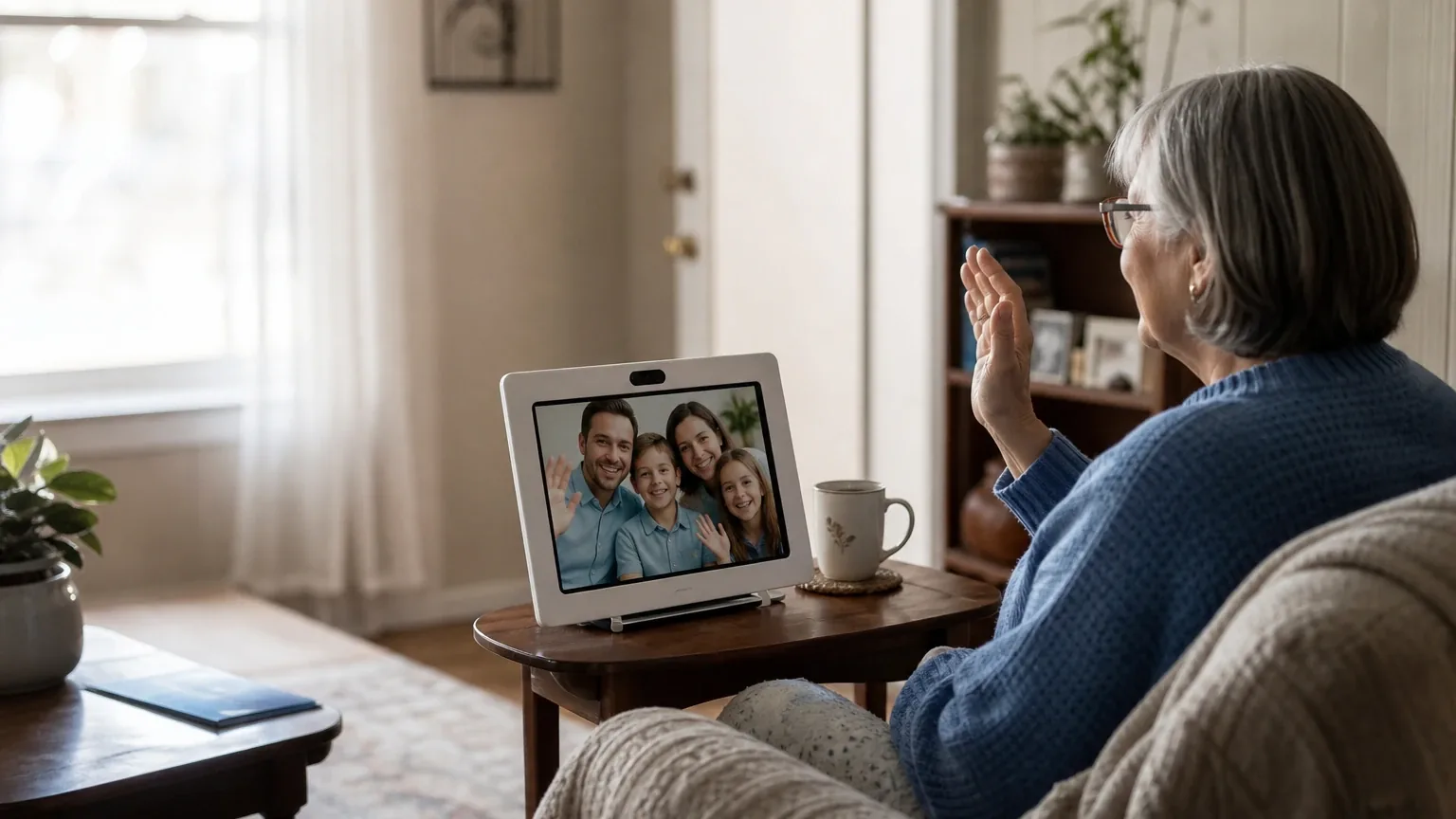
Answer Capsule
ViewClix Smart Frame leads the September 2026 consensus ranking for Simplified Video Calling & Telehealth, followed by Amazon Echo Show 8 and GrandPad. The current study includes 7 valid AI-platform responses and 9 qualifying entities. Compared with August 2026, the leader did not change. The current list added GrandPad, Google Nest Hub Max, Paige Frame, BondNow, and ONSCREEN Joy Tablet and removed Apple iPad. This is an immediately preceding-month comparison. Rank movement measures changes in this collection of standardized AI-platform responses. It is not product testing, customer-review evidence, or proof that a provider's underlying quality improved or declined.
What Changed Since August 2026
This comparison uses the immediately preceding completed month.
ViewClix Smart Frame remained No. 1 in September 2026. It was named by 7 platforms, compared with 5 in August 2026. Both studies used 7 valid platform responses.
The largest downward moves were CallGenie (down 3) and JubileeTV (down 1).
The current qualifying set added GrandPad, Google Nest Hub Max, Paige Frame, BondNow, and ONSCREEN Joy Tablet. It no longer includes Apple iPad from the earlier top group. Entry or exit reflects the minimum-mention rule and the current response set, not a product launch, discontinuation, or quality finding.
| Current rank | Entity | Previous rank | Rank movement | Current mentions | Previous mentions | Mention change |
|---|---|---|---|---|---|---|
| 1 | ViewClix Smart Frame | 1 | No change | 7 | 5 | +2 |
| 2 | Amazon Echo Show 8 | 2 | No change | 7 | 5 | +2 |
| 3 | GrandPad | — | New | 7 | — | — |
| 4 | JubileeTV | 3 | Down 1 | 4 | 4 | +0 |
| 5 | Google Nest Hub Max | — | New | 3 | — | — |
| 6 | Paige Frame | — | New | 2 | — | — |
| 7 | CallGenie | 4 | Down 3 | 2 | 3 | -1 |
| 8 | BondNow | — | New | 2 | — | — |
| 9 | ONSCREEN Joy Tablet | — | New | 2 | — | — |
| — | Apple iPad | 5 | Exited | — | 2 | — |
The table is calculated directly from the two stored ranking datasets. Positive rank movement means an entity moved closer to No. 1; mention change shows the difference in the number of included platform responses naming it.
The August 2026 edition preserves the complete earlier ranking and methodology for reference.
Research Snapshot
- Topic: Best video calling devices for seniors — simplified video calling and telehealth
- Target buyer: Older adults and family members seeking effortless, touch-friendly, or auto-answer video communication
- Platforms included (7): OpenAI, Anthropic, DeepSeek, Grok, Perplexity, Kimi, Google
- Research date: 2026-09-27 (authoritative run date)
- Unique entities named: 19
- Qualifying entities: 9 (named by at least two platforms)
- Eligibility rule: An entity qualified only if at least two of the seven included platforms named it during ranking discovery
- Geography: United States
- Ranking unit: Smart display / dedicated device model
Platform mentions in this report count only ranking-discovery mentions. All seven platforms evaluated fit for the entities they named, but a platform that did not name an entity during discovery is not counted as a mention for that entity.
The Consensus Ranking
Questions This Section Answers
- What are the best video calling devices for seniors who need auto-answer and simplified telehealth in 2026?
- Which senior video calling device was named by the most AI platforms, and how many platforms named it?
Note the structural quirk in this ranking: Paige Frame has the second-best average listed position (2.50) of any entity but ranks sixth because only two platforms named it. The ranking rule orders by platform mentions first, then average listed rank, then best listed rank — so breadth of platform recognition outranks depth of enthusiasm.
| Rank | Entity | Platform mentions | Share of platform responses | Average listed position | Best position | Best considered for |
|---|---|---|---|---|---|---|
| 1 | ViewClix Smart Frame | 7 | 100.0% | 2.71 | 1 | Older adults who may struggle with smartphones, apps, passwords, or video-call links; Family members who want to remotely manage contacts, settings, photos, and calls; Rooms where a larger 15.6-inch display is easier to see from across the room |
| 2 | Amazon Echo Show 8 | 7 | 100.0% | 3.0 | 1 | Older adults comfortable with simple voice commands or one-touch calling.; Families wanting remote check-ins through Alexa Drop In with selected contacts.; Rooms where an 8-inch screen and relatively strong built-in speaker are sufficient. |
| 3 | GrandPad | 7 | 100.0% | 3.0 | 1 | Older adults who find standard tablets, smartphones, passwords, app stores, or contact management confusing; Families wanting a controlled private contact circle and remote setup; Homes without dependable Wi-Fi when the Premium or Ultimate cellular plan is selected |
| 4 | JubileeTV | 4 | 57.1% | 4.25 | 3 | Older adults who are more comfortable using a television than a smartphone or tablet; Families that want app-initiated video calls, remote TV assistance, reminders, and contact permissions; Users who benefit from auto-connect or passive modes that reduce the number of steps required to answer |
| 5 | Google Nest Hub Max | 3 | 42.9% | 7.67 | 6 | Older adults already using Google accounts, Google Meet, or Google Home; Family-supported installations where a caregiver can configure contacts and permissions; Stationary, plug-in video calling with a large screen and louder speakers |
| 6 | Paige Frame | 2 | 28.6% | 2.5 | 1 | Older adults needing one-touch family video calls; Caregivers who want remote device management and invite-only contacts; Hands-free or auto-answer check-ins where the older adult cannot reliably answer a call |
| 7 | CallGenie | 2 | 28.6% | 5.5 | 5 | Older adults who primarily receive calls from family or caregivers; Users with limited smartphone, tablet, remote-control, or fine-motor ability; Care settings or homes where a large existing TV is preferable to a small device |
| 8 | BondNow | 2 | 28.6% | 6.0 | 5 | Older adults with low vision, tremor, arthritis, cognitive impairment, limited mobility, or difficulty answering conventional video calls; Family members who want to initiate calls remotely without requiring the recipient to press a button; Dedicated in-room family communication with remotely managed hardware |
| 9 | ONSCREEN Joy Tablet | 2 | 28.6% | 7.5 | 6 | Families that already own a compatible iPad or Android tablet; Older adults who benefit from auto-answer and minimal on-device navigation; Caregivers who want approved-contact calling, reminders, check-ins, and a family management app |
Which Option Is Best for Which Version of the Buyer Need?
Questions This Section Answers
- Which video calling device should a family choose for a senior with dementia who cannot press any buttons?
- Is a TV-based device or a dedicated frame better for a senior who will not use a tablet?
- Which senior video calling device works without home Wi-Fi?
| Buyer situation | Best-fit option | Why, per platform evidence |
|---|---|---|
| Senior cannot reliably press any button; family must initiate | ViewClix Smart Frame | Auto-answer is the default mode; no interaction required from the senior [e1:anthropic:2-1] |
| Senior is voice-comfortable and household already uses Alexa | Amazon Echo Show 8 | Voice command calling plus permission-based Drop In; no required monthly subscription for basic calling [e2:anthropic:38-5] |
| Senior has no reliable home Wi-Fi | GrandPad | Premium and Ultimate plans include 4G LTE data; Basic is Wi-Fi-only [e3:perplexity:c3] |
| Senior lives by the television and resists tablets | JubileeTV or CallGenie | Both use the existing TV as the display; CallGenie auto-answers with no recipient action [e7:anthropic:6-6] |
| Household is Google-based (Gmail, Meet, Photos) | Google Nest Hub Max | Google Meet calling with 10-inch display and auto-framing camera [e5:openai:c2] |
| Senior has cognitive decline and needs a clock-like device | Paige Frame | One-touch photo calling, auto-answer, invite-only contacts, day-clock form factor [e6:google:1.1.1] |
| Family wants zero monthly fee | CallGenie | Company states no monthly fees; 12 months support and warranty included [e7:official:C1] |
| Family already. |
1. ViewClix Smart Frame
Questions This Section Answers
- Is ViewClix Smart Frame worth it for senior video calling, and what are its main drawbacks?
- Does ViewClix work for telehealth visits with a doctor, or is it only for family calls?
- What does ViewClix Smart Frame cost per month, and what happens if the membership is cancelled?
Verdict. ViewClix Smart Frame is the consensus leader for this use case and the only entity named by all seven platforms. It is a wall- or table-mounted smart frame with a 10.1-inch or 15.6-inch display that auto-answers calls from an approved contact list, with no login, password, or app required from the older adult. Platforms consistently rated it good or strong for family video calling and consistently flagged the same gap: it is not a documented clinical telehealth platform.
Why it ranked here. Seven of seven platforms named it, with three placing it first (Grok, OpenAI, and one other) and four placing it second. Its average listed position of 2.71 is the best combination of breadth and depth in the set. The ViewClix Smart Frame fit review covers the full platform-by-platform breakdown.
Best suited for. Older adults who struggle with smartphones, apps, passwords, or video-call links; family members who want to remotely manage contacts, settings, photos, and calls; rooms where a larger 15.6-inch display is easier to see from across the room.
Main strengths for the use case. Auto-answer is the default mode, so no interaction is required from the senior for a call to start [e1:anthropic:2-1]. Auto-answer can be disabled remotely by the Frame Organizer through the member portal [e1:anthropic:3-5]. The Share List controls who can call, share photos, and send notes [e1:anthropic:1-6]. The 15/e has a 15.6-inch 1920x1080 display; the 10/e has a 10.1-inch 1280x800 display [e1:google:citation_5]. Premier supports group calls with up to three callers plus the frame user [e1:anthropic:1-12]. Calls are encrypted and never recorded per company statements [e1:anthropic:3-9]. Setup is plug-in plus Wi-Fi, with remote family management thereafter [e1:anthropic:36-1].
Main limitations. A recurring Premier membership is required for video calling; cancelling limits the frame to photo sharing and sticky notes [e1:anthropic:16-15]. Audio quality is contested: one user review reported the audio was "terrible" and that the caller could barely hear the senior, while the company references a blog post about increasing volume [e1:anthropic:42-2]. No verified speaker-loudness or hearing-aid compatibility specification was found. The frame is primarily a receiving device; the senior cannot dial out independently, only send a Call-Me request [e1:anthropic:6-4]. Telehealth suitability is a limitation: no evidence was found that ViewClix is HIPAA-compliant or holds business associate agreements, and it is marketed as family photo sharing and video calling rather than a telehealth solution [e1:anthropic:37-1].
What Changed Since August 2026
ViewClix Smart Frame remained at No. 1, and platform mentions increased from 5 to 7. The September 2026 article reframes ViewClix Smart Frame less as a clinical option and more as a family-calling device, with no recommended configuration to compare. The earlier write-up supported standard telehealth apps and identified HIPAA gaps; the current section states plainly that telehealth suitability is a limitation, citing no evidence of HIPAA compliance or business associate agreements. The prior article's price evidence is not repeated here: the $9.95/month Premier membership, $199 and $179 frame prices, plus a 2,000-minute monthly calling cap and 35-day billing start, no longer appear. The audio dispute and Call-Me limitation now carry more weight. Differences between the two editions reflect what each article reports; they do not by themselves prove that the product, service, or price changed.
2. Amazon Echo Show 8
Questions This Section Answers
- Is the Amazon Echo Show 8 or the ViewClix Smart Frame better for a senior who cannot answer calls?
- Does Amazon Echo Show 8 work for doctor telehealth appointments, or only family calls?
- Which Echo Show 8 generation should a buyer get, and does Drop In require a subscription?
Verdict. Amazon Echo Show 8 is the strongest mainstream, low-cost alternative and was named by all seven platforms. It combines an 8-inch touchscreen, voice-activated calling, permission-based Drop In auto-answer, and no required monthly subscription for basic calling. It is a consumer smart display, not a senior-specific appliance, and platforms split on how well it serves users with significant cognitive decline.
Why it ranked here. Seven of seven platforms named it, with two placing it first and the rest spread between third and fifth. Its 3.00 average rank ties GrandPad, but its best position of 1 breaks the tie in its favor. The Amazon Echo Show 8 fit review details the generation and telehealth caveats.
Best suited for. Older adults comfortable with simple voice commands or one-touch calling; families wanting remote check-ins through Alexa Drop In with selected contacts; rooms where an 8-inch screen and relatively strong built-in speaker are sufficient; buyers who already use Alexa devices.
Main strengths for the use case. Voice command "Alexa, call [name]" removes the need to find an app or dial [e2:anthropic:38-5]. Drop In can start an audio or video connection automatically after permission is granted, and contact Drop In requires permission from both sides [e2:openai:c7]. The 3rd Gen has an 8-inch HD touchscreen and a centered 13MP camera with auto-framing [e2:google:tomsguide_review]. Independent reviews describe the 3rd Gen speakers as loud enough to fill a one-bedroom apartment [e2:openai:c11]. Physical camera shutter and microphone mute controls provide local privacy [e2:anthropic:26-10]. No monthly subscription is required for basic calling [e2:anthropic:38-8].
Main limitations. "Echo Show 8" is not a single unchanging product: at least a 3rd-generation and a newer 4th-generation model exist, and Alexa Smart Properties documentation lists generations 1–3 for WebRTC while excluding the 4th Gen [e2:openai:c1]. Drop In is not enabled by default and requires setup on both sides [e2:deepseek:c2]. The device supports only 1-on-1 video calling; group calling was described as not currently available [e2:anthropic:42-8]. Voice command reliability is a limitation for severe cognitive decline: the senior must say the wake word and contact name clearly [e2:anthropic:2-3]. The home screen rotates ads and suggestions that can confuse users with memory impairment [e2:google:reddit_dementia_dificulties]. Amazon discontinued the caregiver-focused Alexa Together subscription in June 2024, leaving no unified remote-management portal [e2:google:amazon_news_discontinued]. No HIPAA compliance or BAA offering exists for Echo Show devices [e2:kimi:c3].
What Changed Since August 2026
Amazon Echo Show 8 remained at No. 2, and platform mentions increased from 5 to 7. The September 2026 article reframes the item as Amazon Echo Show 8 specifically, where the August 2026 write-up covered Echo Show as a family. The earlier article's price evidence is not repeated: the $179.99, $219.99, and $249.99 figures tied to named Echo Show models no longer appear. The prior verdict treated it as a mixed-to-good telehealth fit; the current verdict calls it the strongest mainstream, low-cost alternative, with Drop In auto-answer after permission and no required monthly subscription for basic calling as the main buyer draws. Limitations now center on generation confusion, 1-on-1-only video calling, and voice-command reliability. Differences between the two editions reflect what each article reports; they do not by themselves prove that the product, service, or price changed.
3. GrandPad
Questions This Section Answers
- Is GrandPad worth the monthly subscription for a senior who has never used a tablet?
- Does GrandPad support auto-answer video calls, and does it work for telehealth visits?
- What is the total first-year cost of GrandPad including the tablet and service plan?
Verdict. GrandPad is the strongest option for buyers who want a managed, cellular-capable, locked-down tablet with a private contact circle and human support. It was named by all seven platforms and tied with Echo Show 8 on average rank. Its main trade-offs are a proprietary service lock-in, an 8-inch screen that is smaller than some alternatives, and unresolved questions about auto-answer and clinical telehealth.
Why it ranked here. Seven of seven platforms named it, with two placing it first (Google and Perplexity) and the rest between second and sixth. Its 3.00 average rank ties Echo Show 8, and its best position of 1 also ties. The GrandPad fit review covers the plan tiers and telehealth claims in detail.
Best suited for. Older adults who find standard tablets, smartphones, passwords, app stores, or contact management confusing; families wanting a controlled private contact circle and remote setup; homes without dependable Wi-Fi when the Premium or Ultimate cellular plan is selected.
Main strengths for the use case. The device is purpose-built for seniors with a simplified interface, family setup, and a charging cradle [e3:openai:c2]. Video calling is included in the Basic plan [e3:perplexity:c1]. The Premium plan includes 3GB of data and the Ultimate plan includes 10GB, allowing use beyond Wi-Fi [e3:perplexity:c3]. GrandPad Central lets family members administer contacts and settings remotely [e3:openai:c2]. The company describes a private family network that blocks spam and scam contacts [e3:openai:c7]. Anthropic reported an 8-inch FHD (1920 x 1200) touchscreen with large icons [e3:anthropic:c-display-specs] and loud front-facing speakers designed for hearing loss [e3:anthropic:c-speakers]. Google reported a proprietary HIPAA-compliant telehealth video platform that can integrate with Bluetooth health devices [e3:google:medicalalley-telehealth]. Anthropic cited a company claim that 80% of healthcare providers connect successfully on the first attempt [e3:anthropic:c-telehealth-engagement].
Main limitations. Auto-answer is not confirmed by current official product and plan pages; older third-party and user sources mention it, but those references are dated or anecdotal [e3:openai:c5]. DeepSeek found no explicit auto-answer mention in marketing materials [e3:deepseek:c1]. Kimi reported that Zoom on GrandPad is the free consumer version, not Zoom for Healthcare, and is inadequate for HIPAA-required clinical telehealth [e3:kimi:grandpad_net_zoom_2022]. The device is not compatible with other wireless carriers and functions only on GrandPad's proprietary service [e3:anthropic:c-carrier-lock]. Internet browsing defaults to a whitelist of five websites and advanced settings are hidden [e3:anthropic:c-feature-lockdown]. An older hands-on review reported audio popping, dropouts, and reduced intelligibility at distance [e3:openai:c9].
4. JubileeTV
Questions This Section Answers
- Is JubileeTV or CallGenie better for a senior who wants video calls on the living room TV?
- Does JubileeTV work for telehealth appointments, and can a doctor join without an app?
- What is the real monthly cost of JubileeTV, and what happens to the hardware if service is cancelled?
Verdict. JubileeTV is the leading TV-based option and was named by four of seven platforms. It turns an existing television into an auto-answer video calling system with remote TV control, reminders, and contact permissions managed from a caregiver app. It is a good fit for family communication and remote troubleshooting, but it is not a documented clinical telehealth platform, and its pricing and hardware-ownership terms vary by purchase channel.
Why it ranked here. Four platforms named it (Google, Grok, Kimi, OpenAI), with Google and Grok placing it third and OpenAI also third. Its 4.25 average rank is the best among entities named by fewer than seven platforms. The JubileeTV fit review covers the pricing-channel conflict in full.
Best suited for. Older adults who are more comfortable using a television than a smartphone or tablet; families that want app-initiated video calls, remote TV assistance, reminders, and contact permissions; users who benefit from auto-connect or passive modes that reduce the number of steps required to answer.
Main strengths for the use case. AutoConnect video calls can be initiated by an authorized contact with permission, and the TV turns on automatically if needed [e4:anthropic:1-1]. AutoConnect and Drop In are both off by default, allowing administrators to restrict which contacts can use more intrusive features [e4:openai:c4]. Passive modes and a simplified remote-cover mode reduce operational complexity [e4:openai:c9]. Family members can initiate calls and manage the system remotely through mobile, tablet, or web apps [e4:openai:c5]. The membership supports unlimited contacts [e4:perplexity:c7]. Google reported that GuestLink lets a clinician join a TV video call from a browser without creating an account [e4:google:3.1.5]. Google also reported live closed captions with large text during video calls [e4:google:1.2.4]. Multi-way calling supports up to four simultaneous callers [e4:anthropic:2-6].
Main limitations. Display resolution, camera quality, speaker loudness, microphone quality, and hearing-aid compatibility are not adequately specified in reviewed materials [e4:openai:c3]. AutoConnect is permission-controlled and off by default, so it is not equivalent to unrestricted automatic answering [e4:openai:c4]. The product is not documented as a dedicated or clinically integrated telehealth platform [e4:openai:c3]. Video call reliability is contested: Google Play reviews reported calls taking 20–30 seconds to connect and black screens requiring callbacks, while Best Buy reviews were positive [e4:anthropic:32-1]. An independent reviewer described the system as feeling "a little cobbled together" and requiring an expensive subscription [e4:anthropic:34-2].
What Changed Since August 2026
JubileeTV moved down from No. 3 to No. 4, and platform mentions were unchanged at 4. The September 2026 article recasts JubileeTV as the leading TV-based option rather than a good-to-strong fit, and drops the earlier pricing summary entirely. Previously reported figures of $29–$39/month, $39 per month, and $389 per year are no longer repeated, so the current write-up offers no monthly cost a buyer can weigh. The new section also adds a reported 20–30 second video-call connection delay from Google Play reviews and drops the earlier 60-day guarantee and 30-day hardware return windows. Strengths now emphasize unlimited contacts, GuestLink clinician browser access, live captions, and four-way calling; the non-clinical telehealth limitation remains. Differences between the two editions reflect what each article reports; they do not by themselves prove that the product, service, or price changed.
5. Google Nest Hub Max
Questions This Section Answers
- Is Google Nest Hub Max a good choice for senior video calling if the family already uses Google Meet?
- Does Google Nest Hub Max support auto-answer, and can it join a doctor's video appointment link?
- Is the Google Nest Hub Max still available to buy in 2026, and what does it cost?
Verdict. Google Nest Hub Max is a mixed fit and the only entity in this set where all seven platforms converged on the same rating: mixed. It offers a 10-inch display, strong speakers, an auto-framing camera, and Google Meet calling, but it lacks verified auto-answer and strict caller whitelisting, and Google discontinued Zoom and meeting-link joining in September 2023. It was named by three platforms.
Why it ranked here. Three platforms named it (Anthropic, DeepSeek, Kimi), placing it eighth, sixth, and ninth respectively, for a 7.67 average rank. The Google Nest Hub Max fit review covers the discontinuation and availability questions.
Best suited for. Older adults already using Google accounts, Google Meet, or Google Home; family-supported installations where a caregiver can configure contacts and permissions; stationary, plug-in video calling with a large screen and louder speakers.
Main strengths for the use case. The device has a 10-inch HD touchscreen with 1280 x 800 resolution [e5:anthropic:10-2]. Google documents Google Meet video calling on Nest Hub Max, and the built-in 6.5-megapixel camera has a 127-degree field of view with auto-framing [e5:openai:c2]. The device supports capacitive touch controls, far-field microphones, voice calling commands, and tapping to end a call [e5:openai:c3]. Google lists two 18 mm 10-watt tweeters and a 75 mm 30-watt subwoofer [e5:anthropic:13-12]. Anthropic reported deployment in 300+ senior living communities with 9,000 devices and hearing-impaired mode support [e5:anthropic:2-2]. A physical switch disables camera and microphone [e5:anthropic:38-2].
Main limitations. No verified general auto-answer mode for incoming Google Meet calls was found; the official documentation describes answering by voice or tapping [e5:openai:c3]. A community response indicates auto-answer is not supported, though this is not an official specification [e5:perplexity:c4]. No strict caller whitelist that blocks every unapproved incoming video call was verified [e5:openai:c4]. Google discontinued joining meetings via Google Meet and Zoom as of September 28, 2023, restricting the device to direct 1:1 and group personal calls [e5:anthropic:31-6]. The hardware dates from 2018–2019 with limited processing power by 2026 standards [e5:anthropic:25-8]. Google has a documented history of discontinuing products, raising long-term support concerns [e5:anthropic:25-17]. Kimi reported the product was discontinued in 2023 and delisted from official retail channels [e5:kimi:google-discontinued]. The device cannot call 911 or premium rate numbers [e5:openai:c7].
6. Paige Frame
Questions This Section Answers
- Is Paige Frame worth it for a senior with dementia, and what are its main drawbacks?
- What does Paige Frame cost, and is the $10 or $20 monthly renewal figure correct?
- Does Paige Frame work for telehealth visits, or is it only for family calls?
Verdict. Paige Frame has the second-best average listed position in the entire set (2.50) but ranks sixth because only two platforms named it. It is a purpose-built day-clock device with one-touch photo calling, configurable auto-answer, invite-only contacts, and remote caregiver management. Platforms that evaluated it rated it good or strong for family calling, but pricing and telehealth documentation are unresolved.
Why it ranked here. Two platforms named it (Anthropic and Kimi), placing it first and fourth. Its 2.50 average rank is better than Echo Show 8 and GrandPad, but the ranking rule prioritizes platform mentions. The Paige Frame fit review covers the pricing conflict in detail.
Best suited for. Older adults needing one-touch family video calls; caregivers who want remote device management and invite-only contacts; hands-free or auto-answer check-ins where the older adult cannot reliably answer a call.
Main strengths for the use case. Family members appear as photos on the screen and the senior starts a call with a single tap [e6:anthropic:26-2]. Paige devices can be configured to auto-answer inbound video calls [e6:anthropic:35-7]. Auto-answer configuration is available by call type (callback versus inbound) [e6:anthropic:24-9]. The device uses an invite-only contact model managed through the Paige Connect companion app [e6:anthropic:1-12]. Each frame has two powerful speakers [e6:anthropic:6-15]. The device is designed as a familiar day clock rather than a tablet [e6:anthropic:3-4]. Setup is described as plug in, connect Wi-Fi, scan a QR code, and invite family, completable in under five minutes [e6:anthropic:5-13]. Anthropic reported testing across 70,000 minutes of live video in 10,000+ calls during user validation [e6:anthropic:35-15].
Main limitations. Exact display size, resolution, brightness, and accessibility specifications are not publicly disclosed [e6:openai:c2]. Speaker loudness and hearing-aid compatibility are not documented [e6:openai:c2]. No verified clinical telehealth compliance or provider workflow documentation was found [e6:openai:c2]. The service depends on home Wi-Fi and Paige's proprietary API and cloud infrastructure [e6:openai:c4]. Premium features may be lost or restricted after subscription expiry [e6:openai:c4]. The privacy policy states that inbound and outbound call metadata, including duration and who calls were to or from, is logged [e6:openai:c3]. The device requires continuous internet and has no offline capability [e6:anthropic:27-13]. For best experience, displayed contacts are limited to six [e6:anthropic:36-5]. Orders are fulfilled for the United States and Canada only [e6:anthropic:38-18].
7. CallGenie
Questions This Section Answers
- Is CallGenie or JubileeTV better for a senior who only needs to receive video calls on a TV?
- What is the delivered U.S. price of CallGenie, and are there really no monthly fees?
- Does CallGenie work with a Vizio TV or an older television without HDMI-CEC?
Verdict. CallGenie is a TV-based appliance that auto-answers incoming video calls with no action from the recipient, using Microsoft Teams on the caller's device. It was named by two platforms and rated good or strong by most. Its strongest differentiators are zero-touch answering, real-time subtitles, and a stated no-monthly-fee model. Its weakest points are U.S. pricing transparency, TV compatibility requirements, and the absence of documented telehealth compliance.
Why it ranked here. Two platforms named it (Google and OpenAI), placing it fifth and sixth. Its 5.50 average rank is the best among the two-mention entities after Paige Frame. The CallGenie fit review covers the compatibility and pricing questions.
Best suited for. Older adults who primarily receive calls from family or caregivers; users with limited smartphone, tablet, remote-control, or fine-motor ability; care settings or homes where a large existing TV is preferable to a small device; family members who can operate Microsoft Teams and manage setup remotely.
Main strengths for the use case. Incoming calls can automatically turn on the television, select the correct input, and return the TV to its prior state after the call; the recipient does not need to press buttons or open an app [e7:anthropic:6-6]. Real-time subtitles are built into the software with configurable text size [e7:anthropic:6-13]. Only known contacts added to the contacts list can make incoming calls [e7:anthropic:6-18]. Three camera variants address different room layouts: Standard with a 58-degree field of view, Wide with 70 degrees, and Zoom with a variable 65–90-degree field of view, stereo microphone, and auto-framing [e7:anthropic:8-1]. The company states there are no monthly fees and that 12 months of support and warranty are included [e7:official:C1]. Google reported that the system migrated from Skype to Microsoft Teams in 2025 [e7:google:2.3.1]. Google reported U.S. pricing of $575 Standard, $625 Wide, and $675 Zoom [e7:google:3.4.1].
Main limitations. The recipient generally receives calls rather than independently initiating them; outbound buttons are optional, physically located at the TV, and limited to nominated contacts [e7:openai:c1]. No bundled display is included, so TV compatibility and placement matter [e7:openai:c1]. Speaker loudness and hearing-aid compatibility are not documented [e7:openai:c1]. No verified telehealth-specific workflow, healthcare compliance statement, or medical-record integration was found [e7:openai:c1]. The caller side depends on Microsoft Teams and an internet-connected phone, tablet, or computer [e7:anthropic:6-8]. U.S.-specific shipping, taxes, warranty handling, and return rights are not clearly published [e7:openai:c5].
What Changed Since August 2026
CallGenie moved down from No. 4 to No. 7, and platform mentions decreased from 3 to 2. The September 2026 article reframes CallGenie around zero-touch auto-answering, real-time subtitles, and a no-monthly-fee model, while the earlier write-up led with dementia and dexterity fit and a one-time hardware purchase. The recommended setup is unchanged, but the new strengths section names three camera variants: Standard at a 58-degree field of view, Wide at 70 degrees, and Zoom at a variable 65–90 degrees with auto-framing. Support and warranty run 12 months. The prior article's $575–$675 price range is no longer repeated, and the 30-day return window it described is also absent, so current U.S. pricing and return rights remain unclear to buyers. Differences between the two editions reflect what each article reports; they do not by themselves prove that the product, service, or price changed.
8. BondNow
Questions This Section Answers
- Is BondNow available in the United States, and what is the delivered price in dollars?
- Does BondNow work for telehealth, and can a caregiver block specific callers?
- What are the display size and speaker specifications of the BondNow tablet?
Verdict. BondNow is a dedicated 11-inch managed tablet with auto-answer calling, caller-name announcement, and a locked-down interface. It was named by two platforms and rated good or uncertain. Its core design directly addresses senior usability barriers, but U.S. pricing, display and audio specifications, and privacy controls are not publicly documented, and the company is U.K.-based with GBP-denominated pricing.
Why it ranked here. Two platforms named it (Anthropic and Kimi), placing it fifth and seventh. Its 6.00 average rank places it eighth overall. The BondNow fit review covers the U.S. availability and specification gaps.
Best suited for. Older adults with low vision, tremor, arthritis, cognitive impairment, or limited mobility; family members who want to initiate calls remotely without requiring the recipient to press a button; dedicated in-room family communication with remotely managed hardware.
Main strengths for the use case. Family members initiate calls from an iPhone or Android app, the recipient's name is announced, and the call connects automatically without recipient interaction [e8:openai:c1]. The dedicated tablet is described as an 11-inch device intended to be visible from across the room, with an always-on display showing family content between calls [e8:openai:c1]. The device is pre-configured, locked to the BondNow application, without other apps, menus, notifications, or passwords for the older adult [e8:openai:c1]. Updates are remotely managed [e8:openai:c1]. The company claims a three-year warranty and rugged, waterproof construction [e8:official:C2]. Google reported that only family and friends invited into the "family circle" can call or share media [e8:google:1.1.2]. Google also reported that the tablet announces the caller's name out loud before connecting [e8:google:1.1.1].
Main limitations. No publicly verified U.S. pricing or total delivered cost [e8:openai:c2]. No published technical specification for display resolution, brightness, camera, microphone, or speaker loudness [e8:openai:c1]. Privacy and caller-authorization controls are described only at a high level; per-contact approval, caller blocking, call-screening, consent prompts, audit logs, and camera shutter controls are not clearly documented [e8:openai:c4]. Auto-answer may create privacy concerns when the recipient is not prepared or the room is occupied [e8:openai:c1]. The product is not presented as a medical telehealth platform or emergency-response system [e8:openai:c5]. Outbound calling from the recipient's side appears limited or still in development [e8:openai:c1]. Evidence of performance is mainly company-owned rather than independent [e8:openai:c7]. The company states it is not a care record [e8:openai:c5].
9. ONSCREEN Joy Tablet
Questions This Section Answers
- Is ONSCREEN Joy Tablet worth it if the family already owns an iPad or Android tablet?
- Does ONSCREEN Joy Tablet support auto-answer and contact whitelisting, and what does it cost per month?
- Is the ONSCREEN Joy Tablet hardware still available, or is it app-only now?
Verdict. ONSCREEN Joy Tablet is software that turns a compatible iPad or Android tablet into a simplified, auto-answer video calling device with caregiver management, reminders, and an AI companion. It was named by two platforms and rated good or strong. It is the lowest-cost option in this set at $9.99/month, but it requires the family to supply and maintain the tablet, and its hardware and telehealth status are unresolved.
Why it ranked here. Two platforms named it (Anthropic and Google), placing it ninth and sixth. Its 7.50 average rank places it ninth. The ONSCREEN Joy Tablet fit review covers the hardware and pricing questions.
Best suited for. Families that already own a compatible iPad or Android tablet; older adults who benefit from auto-answer and minimal on-device navigation; caregivers who want approved-contact calling, reminders, check-ins, and a family management app.
Main strengths for the use case. Caregivers can initiate calls through ONSCREEN Family and the tablet can answer automatically, reducing the need for the older adult to tap buttons [e9:openai:c4]. The app is designed as a simplified home screen that keeps core communication, reminders, and care features prominent [e9:openai:c2]. Video calling is described as limited to approved or trusted family contacts, with caregiver control over invitations and auto-answer access [e9:openai:c5]. The service includes messaging, photos, reminders, routines, video check-ins, and caregiver-managed family contacts [e9:openai:c2]. Anthropic reported that the tablet is locked into Kiosk mode to prevent access to standard settings and applications [e9:anthropic:C1]. Anthropic also reported an AI companion offering conversation, jokes, trivia, and guided painting sessions, plus daily health check-ins [e9:anthropic:C1]. Google reported that Joy Tablet can be locked into Kiosk or Guided Access modes so the senior never gets lost in menus [e9:google:1.1.3]. Google reported that the app supports full auto-answer video calls from pre-approved family members after a customizable 30-second warning [e9:google:2.2.1].
Main limitations. Display size, resolution, camera quality, and visual clarity depend on the selected tablet; ONSCREEN does not provide one standardized JoyTablet display specification [e9:openai:c3]. Speaker performance depends on the tablet selected, and ONSCREEN's comparison states that JoyTablet has no standardized senior-optimized speaker specification and does not currently provide native captioned video calling [e9:openai:c4]. The buyer must select, configure, charge, secure, and maintain the tablet [e9:openai:c3]. Auto-answer may be inappropriate if the device is placed in a private area [e9:openai:c4].
What the Cross-Platform Study Reveals About This Market
Questions This Section Answers
- What do AI platforms agree on about the best senior video calling devices in 2026?
- Why do some senior video calling devices rank higher than others with better average positions?
Three structural patterns emerge from this seven-platform study.
Auto-answer is the defining feature of the category. Every entity that ranked in the top four — ViewClix, Echo Show 8, GrandPad, and JubileeTV — was credited by multiple platforms for reducing or eliminating the need for the older adult to answer a call. Entities where auto-answer was unverified or absent (Google Nest Hub Max, ONSCREEN Joy Tablet in some platform assessments) ranked lower or were rated mixed. The buyer need is not "video calling" but "video calling that happens without the senior doing anything."
Platform mentions and average rank measure different things. Paige Frame has the second-best average listed position (2.50) but ranks sixth because only two platforms named it. CallGenie and BondNow have average ranks of 5.50 and 6.00 but rank seventh and eighth. The ranking rule deliberately prioritizes breadth of platform recognition over depth of enthusiasm, which means a device that two platforms love can rank below a device that seven platforms rate as merely good.
Where the AI Platforms Agreed
Questions This Section Answers
- Which senior video calling devices did all seven AI platforms name?
- What did every AI platform agree on about ViewClix, Echo Show 8, and GrandPad?
Universal recognition of three entities. ViewClix Smart Frame, Amazon Echo Show 8, and GrandPad were each named by all seven platforms. No other entity exceeded four mentions. This is the strongest signal in the study: whatever the differences in rating, these three are the devices the platform consensus treats as the default shortlist.
Auto-answer as a core criterion. Platforms across the board treated auto-answer as the primary differentiator for this use case. ViewClix's default auto-answer [e1:anthropic:2-1], Echo Show 8's Drop In [e2:openai:c7], GrandPad's configurable auto-answer [e3:perplexity:c4], and JubileeTV's AutoConnect [e4:anthropic:1-1] were all described as advantages by the platforms that evaluated them.
Contact whitelisting as a privacy requirement. ViewClix's Share List [e1:anthropic:1-6], Echo Show 8's contact-level Drop In permissions [e2:openai:c8], GrandPad's private family network [e3:openai:c7], JubileeTV's contact permissions [e4:openai:c4], and CallGenie's known-contacts restriction [e7:anthropic:6-18] were all credited as privacy advantages. Platforms consistently treated an approved-contact model as a requirement rather than a nice-to-have.
Google Nest Hub Max rated mixed by all seven. This is the only entity in the set where every platform that evaluated it reached the same rating.
Where the AI Platforms Disagreed
Questions This Section Answers
- Why did AI platforms disagree about whether GrandPad and Echo Show 8 support auto-answer?
- Which senior video calling devices have conflicting pricing across AI platforms?
Auto-answer on GrandPad. Anthropic, Grok, Perplexity, and Google described auto-answer as a configurable GrandPad feature [e3:perplexity:c4]. OpenAI and DeepSeek could not confirm it from current official materials and treated it as unclear [e3:openai:c5]. This is a material disagreement about a core criterion.
Fit ratings for Echo Show 8. Anthropic and Grok rated it "strong" [e2:anthropic:2-2]. DeepSeek and Kimi rated it "mixed" [e2:deepseek:c1]. The disagreement centers on whether Drop In counts as true auto-answer and whether the ad-supported interface is acceptable for cognitively impaired users.
GrandPad pricing. OpenAI and Perplexity reported $25/$45/$65 monthly tiers [e3:openai:c1]. Kimi reported a Premium plan at $89/month or $78/month annual [e3:kimi:grandpad_net_2024]. The gap is roughly double and should be resolved by checking the official shop.
GrandPad telehealth compliance. Google reported a proprietary HIPAA-compliant telehealth platform with Bluetooth health-device integration [e3:google:medicalalley-telehealth]. Kimi reported that GrandPad does not claim HIPAA compliance for its video services and that Zoom on GrandPad is the free consumer version [e3:kimi:grandpad_net_zoom_2022]. These cannot both be fully accurate.
How Buyers Should Choose
Questions This Section Answers
- What should a buyer check before choosing a senior video calling device for telehealth?
- Which senior video calling device has the lowest published monthly cost?
Start with the answering model, not the screen. The single most decision-relevant question is whether the older adult can reliably answer a call. If not, prioritize ViewClix (default auto-answer), CallGenie (TV auto-answer with no recipient action), or BondNow (auto-answer with caller-name announcement). If the senior can say a wake word or tap a photo, Echo Show 8, GrandPad, and Paige Frame all work.
Match the device to the room and the existing technology. If the household already has a television the senior watches, JubileeTV and CallGenie avoid introducing a new screen. If the household already has an iPad or Android tablet, ONSCREEN Joy Tablet is the lowest-cost path at $9.99/month. If the household is Google-based, Google Nest Hub Max integrates but lacks auto-answer and meeting-link support.
Verify connectivity before committing. GrandPad is the only entity in this set with documented cellular options on Premium and Ultimate plans [e3:perplexity:c3]. Every other entity depends on home Wi-Fi. BondNow, CallGenie, and ViewClix all require stable internet, and CallGenie specifically requires HDMI-CEC support on the television [e7:anthropic:22-8].
Treat telehealth as a separate purchase decision. None of the nine entities is documented as a certified clinical telehealth platform.
Methodology
This report is a best-of consensus index built from a single standardized prompt sent once to each of seven AI platforms on 2026-09-27. The platforms included were OpenAI, Anthropic, DeepSeek, Grok, Perplexity, Kimi, and Google. Each platform was asked to identify the best video calling devices for seniors for simplified video calling and telehealth in the United States.
Ranking rule. Entities were ranked by platform mentions first, then by average listed position, then by best listed position. The final ranking table is the sole authority for rank, platform mentions, platform share, average rank, and best rank. No values were recalculated or changed.
Eligibility rule. An entity qualified for the final ranking only if at least two of the seven included platforms named it during ranking discovery. Nineteen unique entities were named; nine qualified.
Evidence sources. Entity evidence bundles supplied the buyer fit, features, pricing, strengths, limitations, disagreements, and citations. The deduplicated source catalog contains 312 citations across nine entities. Company-owned citations materially outnumber independent citations for most entities.
Citation handling. Citation IDs are entity-namespaced and local to each entity. A citation from one entity's bundle was never transferred to another entity. Duplicated citations were removed while retaining citations supporting material facts about every ranked entity.
Platform mentions versus fit assessments. Platform mentions count only ranking-discovery mentions.
Methodology Limitations
Single prompt, single run. The study used one standardized prompt sent once to each included platform. AI answers can vary by date, wording, location, account state, model, interface, browsing configuration, and the sources retrieved. A repeat run could produce different results.
Platform-reported dates differ from the study date. The authoritative run research date is 2026-09-27. Platform-reported research dates differ: DeepSeek reported 2026-01-22 for ViewClix, 2026-06-01 for Echo Show 8, 2026-01-15 for GrandPad and JubileeTV and Google Nest Hub Max, 2026-05-20 for BondNow, and 2026-06-11 for CallGenie and ONSCREEN Joy Tablet. Anthropic reported 2026-01-15 for ONSCREEN Joy Tablet. These are provenance metadata and do not independently prove freshness.
Company-owned citations dominate. For most entities, company-owned citations materially outnumber independent citations. Company claims are not independently verified and are labeled as company claims throughout this report.
URLs were not independently validated. The supplied URLs were collected from platform responses and were not independently validated by the writer stage.
Official-site retrieval failures. Official-site retrieval failed for Amazon Echo Show 8, Google Nest Hub Max, Paige Frame, JubileeTV, and BondNow in at least one platform's research. No failed fetch was used as a verified domain key.
Identity normalization. Company-name variants were collapsed onto one canonical brand before minimum-mentions qualification. One or more fetched domains were not corroborated by brand name or site identity metadata and were not used as official identity signals.
Final Verdict
ViewClix Smart Frame is the consensus leader for simplified video calling and telehealth for seniors, named by all seven platforms at an average listed position of 2.71. Its default auto-answer, family-managed contact list, and 15.6-inch display option directly address the core buyer need. Amazon Echo Show 8 and GrandPad tie at 3.00 average rank and were also named by all seven platforms; Echo Show 8 is the strongest low-cost, voice-first option, and GrandPad is the strongest managed, cellular-capable option. JubileeTV leads the TV-based segment, and Paige Frame has the second-best average position in the set despite being named by only two platforms.
The principal caveat is that no entity in this set is documented as a certified clinical telehealth platform. Buyers whose primary need is provider visits should confirm compliance and platform compatibility directly. Pricing conflicts across platforms are material for GrandPad, JubileeTV, CallGenie, and Paige Frame, and every price in this report should be verified at checkout.
Frequently Asked Questions
What is the best video calling device for seniors in 2026?
ViewClix Smart Frame is the consensus leader, named by all seven AI platforms studied at an average listed position of 2.71. Amazon Echo Show 8 and GrandPad tie for second at 3.00 average rank and were also named by all seven platforms.
Does ViewClix Smart Frame work for telehealth visits with a doctor?
No platform verified ViewClix as a clinical telehealth platform. It supports two-way video calling and states that calls are encrypted and not recorded, and its help documentation discusses HIPAA use and says BAAs may be available for covered entities, but this does not establish that every provider workflow or deployment is compliant [e1:openai:c5].
How much does ViewClix Smart Frame cost?
The official shop lists the 10/e at $179 and the 15/e at $269, both shown as discounted from $199 and $299. Premier Membership is $9.95 per month per frame, with a 35-day free period stated at checkout [e1:openai:c2].
Does Amazon Echo Show 8 support auto-answer?
Yes, through the Drop In feature, which must be enabled by both parties and is not on by default. Contact Drop In requires permission from both sides, and users can disable Drop In for individual contacts or devices [e2:openai:c7].
Consolidated Sources
Company-Owned Sources
- Bondnow - App Store - Apple: https://apps.apple.com/ca/app/bondnow/id6753202445
- Join Zoom meetings with Alexa on Echo Show 8: https://aws.amazon.com/about-aws/whats-new/2020/12/join-zoom-meetings-with-alexa-on-echo-show-8/
- "Hey Google, make a group call" now on Nest Hub Max: https://blog.google/products-and-platforms/products/assistant/hey-google-make-group-call-now-available-nest-hub-max/
- 101 ways you can use the new Nest Hub Max at home: https://blog.google/products/google-nest/101-nest-hub-max-features/
- Alexa Skill Blueprints Terms of Use: https://blueprints-eu.amazon.com/help/terms?page=terms-of-use
- BondNow | The Everyday Care Companion for Older People: https://bondnow.net/
- Hands-Free Family Connection for Care Homes: https://bondnow.net/care-homes/
- Stay Connected with Your Elderly Parent, Hands-Free: https://bondnow.net/families/
- BondNow FAQ – Common Questions About Hands-Free Calling: https://bondnow.net/faq/
- How BondNow Works – Auto-Answer Video Calls for Elderly: https://bondnow.net/how-it-works/
- Pricing - BondNow: https://bondnow.net/pricing/
- Terms | BondNow: https://bondnow.net/terms
- Why BondNow | One Care Companion, Not a Drawer of Gadgets: https://bondnow.net/why-bondnow/
- Simple TV Video Calls for the Elderly & Disabled | CallGenie: https://callgenietv.com/
- CallGenie is Future-Proof: Seamless Video Calling Beyond Skype: https://callgenietv.com/callgenie-is-future-proof-seamless-video-calling-beyond-skype/
- CallGenie FAQs | Setup, Compatibility & How It Works: https://callgenietv.com/faqs/
- CallGenie FAQs | Setup, Compatibility & How It Works: https://callgenietv.com/frequently-asked-questions/
- CallGenie Standard | TV Video Calling for Older People: https://callgenietv.com/product/callgenie-standard/
- CallGenie Wide | TV Video Calling for Bed and Chair: https://callgenietv.com/product/callgenie-wide/
- CallGenie Zoom | TV Video Calling for Larger Rooms: https://callgenietv.com/product/callgenie-zoom/
- Refund Policy - CallGenieTV: https://callgenietv.com/refund-policy/
- Shipping Policy - CallGenieTV: https://callgenietv.com/shipping-policy/
- CallGenie Shop | TV Video Calling for the Elderly & Disabled: https://callgenietv.com/shop/
- Official pricing and terms source: https://callgenietv.com/terms-of-service/
- The CallGenie Outbound Call Button - CallGenieTV: https://callgenietv.com/the-callgenie-outbound-call-button/
- Is CallGenie Right for Your Loved One? | CallGenie: https://callgenietv.com/who-is-callgenie-for/
- FAQs - callGenie: https://callgenieusa.com/faqs
- JoyTablet Subscription: https://care.onscreeninc.com/en/articles/10629102-joytablet-subscription
- ONSCREEN Joy Subscription Guide: https://care.onscreeninc.com/en/articles/10629102-onscreen-joy-subscription-guide
- Frequently Asked Questions (FAQs): https://care.onscreeninc.com/en/articles/11775887-frequently-asked-questions-faqs
- How to Talk About Devices with Alexa: https://developer.amazon.com/en-US/alexa/branding/alexa-guidelines/communication-guidelines/how-describe-amazon-echo-and-alexa
- WebRTC Calling in Alexa Smart Properties: https://developer.amazon.com/en-US/docs/alexa/alexa-smart-properties/get-started-calling-api-for-asp.html
- Alexa and Alexa Device FAQs: https://digprjsurvey.amazon.com/csad/help/node/201602230
- How Does Drop In Work with Alexa?: https://digprjsurvey.amazon.com/csad/help/node/GS3WRTSRKD2U6MCK
- Make Video Calls On Your Echo Devices with a Screen: https://digprjsurvey.amazon.com/csad/help/node/TfVwC33cpZGYw4jVPM
- Drop In - JubileeTV: https://docs.getjubileetv.com/article/117-drop-in
- Video Calling - JubileeTV Documentation: https://docs.getjubileetv.com/article/118-video-calling
- May 2025 JubileeTV Release: https://docs.getjubileetv.com/article/219-may-2025-jubileetv-release
- Membership & Service Plan - JubileeTV: https://docs.getjubileetv.com/article/33-membership-service-plan
- Getting Started: https://docs.getjubileetv.com/getting-started
- JubileeTV Console: https://docs.getjubileetv.com/jubileetv-console
- JubileeTV Usage Modes: https://docs.getjubileetv.com/jubileetv-usage-modes
- Membership & Service Plan: https://docs.getjubileetv.com/membership-and-service-plan
- Professional In-Person Install: https://docs.getjubileetv.com/professional-in-person-install
- Setting up the JubileeTV App: https://docs.getjubileetv.com/setting-up-the-jubileetv-app
- User Roles & Permissions: https://docs.getjubileetv.com/user-roles-and-permissions
- Video Calling: https://docs.getjubileetv.com/video-calling
- Remote Caregiving System | TV Remote for Elderly - JubileeTV: https://getjubileetv.com/
- The Guide to TV Video Calling for Seniors – JubileeTV: https://getjubileetv.com/blogs/caregiving/tv-video-calling-for-seniors
- Best Video Calling Device for Seniors: Connection Made Easy - JubileeTV: https://getjubileetv.com/blogs/jubileetv/best-video-calling-device-for-seniors
- Best Video Calling Devices for TV (And the One Built for Seniors) – JubileeTV: https://getjubileetv.com/blogs/jubileetv/how-to-make-video-calls-from-tv
- Introducing Multi-Way Video Calling – JubileeTV: https://getjubileetv.com/blogs/jubileetv/may-product-updates
- The Guide to TV Video Calling for Seniors – JubileeTV: https://getjubileetv.com/blogs/jubileetv/tv-video-calling
- JubileeTV Expands Edge AI Platform Redefining Aging-at-Home Support: https://getjubileetv.com/blogs/news/jubileetv-expands-edge-ai-platform
- ONSCREEN Reviews: Real Testing Results & What Families Should Know - Jubilee TV: https://getjubileetv.com/blogs/news/onscreen-reviews
- Elderly Monitoring System Using T.V. - JubileeTV: https://getjubileetv.com/pages/elderly-monitoring-system
- JubileeTV Frequently Asked Questions: https://getjubileetv.com/pages/frequently-asked-questions
- Remote Caregiving System | TV Remote for Elderly - JubileeTV: https://getjubileetv.com/pages/options
- JubileeTV Features: https://getjubileetv.com/pages/senior-monitoring-features
- JubileeTV Terms of Use: https://getjubileetv.com/pages/terms-of-use
- TV for Seniors - Video Calling, Remote TV Control, Check-Ins & Dementia Care | JubileeTV: https://getjubileetv.com/products/jubilee-tv-direct
- Video calling troubleshooting: https://help.viewclix.com/portal/en/kb/articles/video-calling-troubleshooting
- HIPAA & ViewClix: https://help.viewclix.com/portal/en/kb/articles/viewclix-hipaa
- ONSCREEN Home Page: https://onscreeninc.com/
- ONSCREEN vs. GrandPad | Easy Senior Video Calling Device: https://onscreeninc.com/blogs/comparisons/onscreen-vs-grandpad-easy-senior-video-calling-device
- ViewClix Frames vs ONSCREEN Senior Video Calling Device: https://onscreeninc.com/blogs/comparisons/viewclix-frames-vs-onscreen-senior-video-calling-device
- The Best Tablet for Seniors in 2026: A Caregiver's Guide: https://onscreeninc.com/blogs/joytablet/best-tablet-for-seniors-2026
- Joy Tablet vs. GrandPad: 2026 Comparison: https://onscreeninc.com/blogs/joytablet/vs-grandpad
- ONSCREEN Joy Tablet vs. Konnekt Videophone: https://onscreeninc.com/blogs/joytablet/vs-konnekt-videophone
- 2025's Best Video Calling Devices for Seniors - ONSCREEN, Inc.: https://onscreeninc.com/blogs/news/2024-best-video-calling-devices-for-seniors
- Joy Tablet vs. GrandPad: 2026 Comparison - ONSCREEN, Inc.: https://onscreeninc.com/blogs/news/joy-tablet-vs-grandpad-2026-comparison
- ONSCREEN Joy - The Easiest Way for Seniors to Video Call: https://onscreeninc.com/joy
- ONSCREEN JoyTV - Features, Benefits and How it Works: https://onscreeninc.com/pages/features
- ONSCREEN Joy for Tablets - Senior Care App: https://onscreeninc.com/pages/onscreen-joy-tablet-app-for-seniors
- Official pricing and terms source: https://onscreeninc.com/pages/onscreen-pricing
- Official pricing and terms source: https://onscreeninc.com/pages/terms-of-service
- TV-Based Telehealth Care | Senior Healthcare Solutions: https://onscreeninc.com/pages/tv-based-telehealth
- JoyTV Hardware & Activation Fee: https://onscreeninc.com/products/joytv
- ONSCREEN JoyTV - Features, Benefits and How it Works: https://onscreeninc.com/products/onscreen-joytv
- Paige Connect App Support | Paige Frame: https://paigeframe.com/appsupport
- Bondnow - Apps on Google Play: https://play.google.com/store/apps/details?id=com.bondnow.app
- Nest Hub Max technical specifications: https://services.google.com/fh/files/helpcenter/google_nest_hub_max_tech_spec_sheet.pdf
- Say Hello to your Telemedicine Receptionist: https://simplevisit.com/solution/
- Home - SimplyDoc: https://simplydoc.com/
- Google Nest Hub Max - Google Store (archived/discontinued): https://store.google.com/product/google_nest_hub_max
- Google Nest Hub Max Tech Specs: https://store.google.com/product/google_nest_hub_max_tech_specs?hl=en-US&ucbcb=1
- Google Nest Hub Max - Smart Home Display: https://store.google.com/us/product/google_nest_hub_max?hl=en-US
- Google Nest Hub Max - Tech Specs: https://store.google.com/us/product/google_nest_hub_max_specs?hl=en-US
- Control your privacy on your shared devices with Guest Mode: https://support.google.com/googlehome/answer/10217706?hl=en
- Make a call on your Google smart speaker or display: https://support.google.com/googlehome/answer/14114319?hl=en-gb
- Google Home and Nest smart display data practices: https://support.google.com/googlehome/answer/15473139?hl=en
- Google Nest and Home device specifications: https://support.google.com/googlehome/answer/7072284?hl=en
- Introducing Google Nest Hub Max: https://support.google.com/googlehome/answer/9334359?hl=en
- Google Home and Nest Privacy Hub: https://support.google.com/googlehome/answer/9415830?hl=en
- Make a call on your Google smart speaker or display: https://support.google.com/googlenest/answer/14114319?hl=en_
- Make calls on your Google Nest or Home speaker or display: https://support.google.com/googlenest/answer/7374127
- Make a call on your Google smart speaker or display: https://support.google.com/googlenest/answer/9071674
- Make Meet calls on your speakers or displays: https://support.google.com/googlenest/answer/9165631
- Google Nest Hub Max - Privacy and Security: https://support.google.com/googlenest/answer/9211836
- Google Nest Hub Max Setup Guide: https://support.google.com/googlenest/answer/9238893?hl=en
- Make calls with Google Nest Hub Max: https://support.google.com/googlenest/answer/9293429?hl=en
- Make Meet calls on your speakers or displays: https://support.google.com/meet/answer/14198165?hl=en
- How to use the SimpleClinic Telehealth Platform : SimpleClinic.net: https://support.simpleclinic.net/support/solutions/articles/30000048736-how-to-use-the-simpleclinic-telehealth-platform
- Simple TV Video Calls for Seniors & the Disabled | CallGenie: https://us.callgenietv.com/
- CallGenie Standard | TV Video Calling for Older People: https://us.callgenietv.com/product/callgenie-standard/
- Page Not Found - CallGenie US: https://us.callgenietv.com/products/
- Refund Policy - CallGenie US: https://us.callgenietv.com/refund_policy/
- Paige Frame | One-Touch Video Calling for Seniors: https://vertexaisearch.cloud.google.com/grounding-api-redirect/AUZIYQE0V61SA_ZJqsMZiJiZEOKPkaya0uVE5J68mEANwIYhqRBkmTKaCqmz8_7zBQJ1P8tKuzZJMEWWjGhUrWPTWbB-ilz6f3OhXMTvUdfKZtNiH4Y=
- Order Paige Frame | One-Touch Video Calling for Seniors: https://vertexaisearch.cloud.google.com/grounding-api-redirect/AUZIYQHh8AYflOSv1EWukaqJYtLR4tH4HkhnDfVzvdJWdzCqG6WyATqSSgAmILklmxY6q4hUgnOqAXl1gRfNdXVwLYBw7Ub1s_294vc0SZ8xsfxEEoLU7CJDhy5dKJPFMw==
- ViewClix - Smart Frame for Seniors: https://viewclix.com/
- ViewClix - Activate Your Smart Frame: https://viewclix.com/activate/
- Introducing the E-Series Smart Frames: https://viewclix.com/blog/all-new-viewclix
- Introduction to ViewClix Video Calling: https://viewclix.com/blog/introduction-viewclix-video-calling
- Simplifying Senior Video Calls: ViewClix's Innovative Auto-Answer Feature: https://viewclix.com/blog/senior-video-calls-auto-answer
- ViewClix FAQ | Setup, Shipping, Video Calls, and Support: https://viewclix.com/faq/
- Senior-Friendly Smart Frame Features | ViewClix: https://viewclix.com/features/
- How ViewClix Works: https://viewclix.com/how-it-works/
- ViewClix - Sharing with Seniors: https://viewclix.com/how_it_works/
- Make a Video Call - ViewClix Operating Guide: https://viewclix.com/media/ViewClix-Operating-Guide.pdf
- ViewClix Premier User Guide: https://viewclix.com/media/ViewClix-Premier-Guide.pdf
- Group Video Calling - ViewClix Frames Guide: https://viewclix.com/media/ViewClix_Frames_combined_guides.pdf
- ViewClix | Premier Membership: https://viewclix.com/premier
- Shop ViewClix Smart Frames: https://viewclix.com/shop/
- Official pricing and terms source: https://viewclix.com/terms/
- Senior-Friendly Smart Frame Features | ViewClix: https://viewclix.com/viewclix_10/
- GrandPad Specifications and Features: https://www-app.grandpad.net/frequently-asked-questions
- GrandPad FAQ - Frequently Asked Questions: https://www-bypass.grandpad.net/product-details/frequently-asked-questions
- Amazon's latest smart speakers Echo Dot Max, Echo Studio hit market: https://www.aboutamazon.com/news/devices/amazon-new-echo-devices-alexa-plus
- Alexa Together discontinued, how to manage as a remote caregiver?: https://www.amazon.com
- Alexa Together: https://www.amazon.com/alexa-together
- Alexa Privacy Controls: https://www.amazon.com/b?node=19149134011
- Alexa Drop In FAQ: https://www.amazon.com/b?node=21367008011
- Using Zoom on Echo Show: https://www.amazon.com/b?node=21435271011
- Amazon Echo Show 8 (3rd Gen) - Product Information and Features: https://www.amazon.com/dp/B09B9F1W9Y
- Amazon Echo Show 8 (3rd Gen) product page: https://www.amazon.com/echo-show-8/dp/B0BLS3Y632
- Amazon Echo Show search results: https://www.amazon.com/echo/s?k=echo+show
- Alexa and Echo Device Privacy: https://www.amazon.com/gp/help/customer/display.html?nodeId=468552
- Use Drop In and Alexa Communications on Echo Show: https://www.amazon.com/gp/help/customer/display.html?nodeId=G7G8T900R7G2VJ3F
- Like-New Amazon Echo Show 8, With Spatial Audio, Smart Home Hub, ideal for open living spaces, Designed for Alexa+, Charcoal: https://www.amazon.com/Like-New-Amazon-release-Spatial-Charcoal/dp/B0BLS8J6ZZ
- Consumer Cellular GrandPad Blog: https://www.consumercellular.com/blog/meet-grandpad-unique-solution-family-connections/
- GrandPad Telehealth Platform: https://www.grandpad.biz/telehealth-platform
- GrandPad Official Website: https://www.grandpad.net
- GrandPad Urges Caregivers to Prevent Loneliness During Holidays: https://www.grandpad.net/blog/grandpad-urges-family-caregivers-to-take-steps-to-prevent-loneliness-and-keep-seniors-safe-during-the-holidays
- Easy Tablet Purchase Process: https://www.grandpad.net/easy-tablet-purchase-process
- GrandPad Tablet Features Overview: https://www.grandpad.net/features
- GrandPad User Guide: https://www.grandpad.net/grandpad-user-guide
- GrandPad Value: https://www.grandpad.net/grandpad-value
- GrandPad urges family caregivers to take steps to prevent loneliness and keep seniors safe during the holidays: https://www.grandpad.net/press/grandpad-urges-family-caregivers-to-take-steps-to-prevent-loneliness-and-keep-seniors-safe-during-the-holidays
- GrandPad Tablet: https://www.grandpad.net/shop/grandpad-tablet
- Connecting Your Family Network: https://www.grandpad.net/tablet-features/call
- GrandPad Tablet Features Overview: https://www.grandpad.net/tablet-features/overview
- Zoom Multi-Party Video Calls: https://www.grandpad.net/tablet-features/zoom
- Zoom on GrandPad - Free Video Calling: https://www.grandpad.net/zoom
- ONSCREEN on LinkedIn: https://www.linkedin.com/company/onscreen-inc/
- ONSCREEN Joy: https://www.onscreenjoy.com/
- Paige Frame | One-Touch Video Calling for Seniors: https://www.paigeframe.com/
- About Paige Frame | One-Touch Video Calling for Seniors: https://www.paigeframe.com/about
- Paige Frame in Canadian Healthcare Technology: https://www.paigeframe.com/cdn-healthcare-technology
- Contact Paige Frame | Support & Questions: https://www.paigeframe.com/contactus
- Frequently Asked Questions: https://www.paigeframe.com/faqs
- One-Touch Video Calling for Organizations: https://www.paigeframe.com/for-organizations
- Learn More | Paige™: https://www.paigeframe.com/learnmore
- Order Paige Frame | One-Touch Video Calling for Seniors: https://www.paigeframe.com/order-paige
- Privacy Policy | Paige Frame: https://www.paigeframe.com/privacypolicy
- Buy - Paige Frame: https://www.paigeframe.com/product-page/paige-frame
- Terms of Service | Paige Frame: https://www.paigeframe.com/termsofservice
- Paige Frame Warranty & Returns: https://www.paigeframe.com/warranty-and-returns
- Simpl Healthcare - Telehealth Platform: https://www.simplhealthcare.com/telehealth
Independent Sources
- Google discontinues Nest Hub Max as it prepares new smart display: https://9to5google.com/2023/06/20/google-nest-hub-max-discontinued/
- GrandPad: Your Questions Answered: https://abilitynet.org.uk/news-blogs/grandpad-tablet-seniors-your-questions-answered
- GrandPad - Ratings & Reviews: https://apps.apple.com/us/app/grandpad/id904069946?platform=ipad
- Joy: Senior Care Tablet - App Store - Apple: https://apps.apple.com/us/app/joy-senior-care-tablet/id6480112836
- JubileeTV on the App Store: https://apps.apple.com/us/app/jubileetv/id1631481546
- Paige Connect - App Store: https://apps.apple.com/us/app/paige-connect/id6744338186
- GrandPad presentation: https://at3center.net/wp-content/uploads/webinars/at3-grandpad-presentation.pdf
- Best Tablets for Seniors (2026): https://caringvillage.com/product-reviews/best-tablets-for-seniors/
- The GrandPad for Seniors Helps Battle Social Isolation in 2026: https://dailycaring.com/the-grandpad-for-seniors-helps-battle-social-isolation-in-2026/
- JubileeTV: Can a Video-Calling TV Box Help Families Stay in Touch with People Living with Dementia | Disability Horizons: https://disabilityhorizons.com/2025/11/jubilee-tv-can-a-video-calling-tv-box-help-families-stay-in-touch-with-people-living-with-dementia/
- ViewClix Launches All-New Smart Displays For Seniors and Their Families – Display Daily: https://displaydaily.com/viewclix-launches-all-new-smart-displays-for-seniors-and-their-families/
- Paige Launches Simple Video Calling Frame to Support People with Dementia and Their Families: https://doubletaponair.com/paige-launches-simple-video-calling-frame-to-support-people-with-dementia-and-their-families/
- Unbiased Google Nest Hub Review: Best Smart Display? 2026: https://elderlivinghub.com/google-nest-hub-review/
- The Ultimate Amazon Echo Show Review: Truly Amazing 2026: https://elderlivinghub.com/reviews/amazon-echo-show-seniors-review/
- Unbiased Google Nest Hub Review: Best Smart Display? 2026: https://elderlivinghub.com/reviews/google-nest-hub-seniors-review/
- 6 Best Video Calling Devices (2026): One-Touch & Simple: https://elderlydaily.com/reviews/best-video-calling-devices-for-elderly
- Echo Show for Seniors: Can It Replace a Tablet for Telehealth? | Elder Safety Hub: https://eldersafetyhub.com/blog/echo-show-for-seniors-telehealth
- A Voice-Activated Video Communication System for Nurses to Communicate with Patients: https://formative.jmir.org/2022/3/e31342/
- GrandPad Tablet Designed for Seniors: https://geezersgadgetsandgizmos.com/grandpad-tablet-designed-for-seniors/
- Amazon Echo Show 8 Is Now Priced Like an Older Smart Home Hub at Record Low, Free Alexa+ for Prime Members: https://gizmodo.com/amazon-echo-show-8-is-now-priced-like-an-older-smart-home-hub-at-record-low-free-alexa-for-prime-members-2000722721
- Telehealth HIPAA Compliance: Complete Guide for Providers (2026) | Medcurity: https://medcurity.com/telehealth-hipaa-compliance/
- GrandPad® Introduces Connected Device Capabilities to Support Telehealth and Virtual Care for Healthcare Providers: https://medicalalley.org/2020/06/grandpad-introduces-connected-device-capabilities-to-support-telehealth-and-virtual-care-for-healthcare-providers/
- Easy to Use Hands-Free Smart Display for Seniors - North Dakota Assistive: https://ndassistive.org/blog/easy-to-use-hands-free-smart-display-for-seniors/
- ONSCREEN vs. CallGenie | Best Senior Video Calling ...: https://onscreeninc.com/blogs/compare/callgenie-alternative
- Google Nest Alternative for Senior Video Calling Device: https://onscreeninc.com/blogs/compare/google-nest-alternative
- ONSCREEN vs JubileeTV | JubileeTV Alternative | Senior Video Calling Device – ONSCREEN, Inc.: https://onscreeninc.com/blogs/compare/jubileetv-alternative
- Google Nest Alternative for Senior Video Calling Device - ONSCREEN, Inc.: https://onscreeninc.com/blogs/news/google-nest-alternative-senior-video-calling-device
- Using Amazon's Alexa Echo Show and Alternatives for Senior Video Calling: https://onscreeninc.com/blogs/news/using-amazons-echo-show-and-alternatives-for-senior-video-calling-october-2022
- ONSCREEN Expands Joy AI Companion to Tablets, Making Senior Care More Accessible and Affordable: https://onscreeninc.com/blogs/press-releases/onscreen-expands-joy-ai-companion-to-tablets
- JubileeTV - Apps on Google Play: https://play.google.com/store/apps/details?id=com.caavo.careadmin&hl=en_US
- Joy: Senior Care Tablet – Apps on Google Play: https://play.google.com/store/apps/details?id=com.onscreen.joytablet
- Joy: Senior Care Tablet - Apps on Google Play: https://play.google.com/store/apps/details?id=com.onscreeninc.seniortablet&hl=en_US
- ViewClix Mobile App - Apps on Google Play: https://play.google.com/store/apps/details?id=com.viewclix.vcapp&hl=en_US
- Bondnow Overview, Address & Contact: https://prospeo.io/c/bondnow
- Smart Home How-To Google Nest Hub Max: https://reliancehomecomfort.com/smart-home-how-to-google-nest-hub-max/
- How to Make Video Calls on Nest Hub and Nest Hub Max: https://rottenwifi.com/how-to-make-video-calls-on-google-nest-hub-and-nest-hub-max/
- GrandPad Review 2024: Is It Right for Seniors?: https://seniortechadvisor.com/grandpad-review/
- Senior Tech Insider - Best Video Calling Devices for Elderly: https://seniortechinsider.com/best-video-calling-devices-for-elderly
- JubileeTV – Lively from Best Buy Health: https://shop.lively.com/pages/jubileetv
- JubileeTV for Seniors | Lively: https://shop.lively.com/products/jubileetv-for-seniors
- Echo Show 8 Review for Seniors | Simple Smart Home: https://simplesmarthome.net/reviews/echo-show-8-review-for-seniors/
- SimplyTelehealth - Simple, Secure Telehealth for Your Practice: https://simplytelehealth.md/
- Google Nest Hub Max Review 2026: The Kitchen Smart Display: https://thehomepicker.com/google-nest-hub-max-review-2026/
- 9 Best Video Conferencing Device For Seniors | Skip the Confusion: https://thewearify.com/best-video-conferencing-device-for-seniors/
- Best Tablet for Seniors to Video Call - 2026 Reviews: https://truthinamericaneducation.com/best-tablet-for-seniors-to-video-call/
- JubileeTV Review: Video Calls and Remote Support for Elders - Uplacp.com: https://uplacp.com/jubileetv-review-video-calls-and-remote-support-for-elders/
- Paige Frame | One-Touch Video Phone for Seniors & Families - Special Needs Computers: https://vertexaisearch.cloud.google.com/grounding-api-redirect/AUZIYQE__U3QuQ-m6yD5N8Opcie9GJhLrew5DO9mMano-QpTLMmuklJQH9vHSCXROiEozyz2JyUmo6siJw99HWeGjnYc-235mZ3MvApwOm0UyJd0KIh7ZRMllzFOWUeKJ2h43NdATn2Iew==
- Paige Launches Simple Video Calling Frame to Support People with Dementia and Their Families: https://vertexaisearch.cloud.google.com/grounding-api-redirect/AUZIYQEon5MChQFU0ADBTj3zM0uI6vvks2_3qEQzNZNJjmW1phYWFHUOFS5sRroQga9zOr1ETabd4gDuU0fNfWqeejhQaV-s_NRhnHyD-0gTlm0Xh-Az2Km3K80TMbMF1w8BTUYS0IkYETG5
- Paige Frame: Why Simplicity Is the Most Powerful Feature in Elder Care Tech: https://vertexaisearch.cloud.google.com/grounding-api-redirect/AUZIYQHPMEU-eQGrebiQ58PxaZtFrLAoL4uIoaBkxefdqQfM5UkfV-49PjhyAfiUpriocYtDprzwWT9OXnVagbfDqGW7H_rF5gALUJkCOt29-0hLV2UlEFwdPX633DunTi-MQrZ7ppr5fcv11pDNQ6WfYPXTw8DhNuv5orrpU_sfpfsbvWKoeKazTcLPKEYNCQ7k6AGuffrWK0NFbzOPUJIQvkpbVXox4Wd9ug==
- Viewclix Reviews - Read Customer Reviews of Viewclix.com: https://viewclix.tenereteam.com/
- AARP technology for older adults: https://www.aarp.org/home-family/personal-technology/
- GrandPad Tablet Review for Seniors: https://www.aarp.org/tech/devices/info-2024/grandpad-tablet-review.html
- Call Genie - Video Calls Direct to Their TV: https://www.agespace.org/products/call-genie
- Best Video Calling Devices for the Elderly | Easy Video Calling: https://www.agespace.org/tech/video-calling-devices-elderly
- GrandPad Amazon Listing: https://www.amazon.com/GrandPad-Seniors-Accessibility-Enabled-Wireless/dp/B09S6THZJ1
- Smart Frame by ViewClix - Amazon.in: https://www.amazon.in/ViewClix-Unlimited-Designed-Membership-Included/dp/B0CGL1Z9FK
- Google Meet on the Nest Hub Max to be replaced with an app from Google's graveyard: https://www.androidcentral.com/accessories/smart-home/google-kills-meet-and-zoom-on-nest-hub-max
- Jubilee TV: TV Control & Monitoring for Seniors - Peace of ...: https://www.applecareandcompanion.com/jubilee-tv
- Exclusive: Startup taps AI to improve TV for seniors: https://www.axios.com/2025/03/10/startup-ai-seniors-tv-dementia
- JubileeTV - Control Mom's TV from Your Phone - Best Buy: https://www.bestbuy.com/
- Is there an auto answer function so my mother wit – Q&A – Best Buy: https://www.bestbuy.com/site/questions/amazon-echo-show-10-3rd-generation-10-inch-smart-display-with-alexa-charcoal/6430066/question/28fea0df-0475-3f89-8b71-2d8fbff4a008
- Questions and Answers: Nest Hub Max 10" Smart Home Display: https://www.bestbuy.com/site/questions/google-nest-hub-max-10-smart-home-display-with-google-assistant-charcoal/6348562
- Customer Reviews: JubileeTV Control Mom's TV from Your Phone TV Video Calling & Medication Reminders - Best Buy: https://www.bestbuy.com/site/reviews/jubileetv-control-moms-tv-from-your-phone-tv-video-calling-medication-reminders-designed-for-seniors-families-black/6564740
- Is The Google Nest Hub Still Worth Buying In 2026?: https://www.bgr.com/2179278/is-google-nest-hub-still-worth-buying-in-2026/
- Hands-On Review of Amazon's New Echo Show with Alexa+: Price, Features, Compare - Bloomberg: https://www.bloomberg.com/news/features/2025-11-12/hands-on-impressions-of-amazon-s-new-echo-show-with-alexa-price-features
- ONSCREEN reviews (Capterra): https://www.capterra.com/p/1001403/ONSCREEN/
- JubileeTV Review: A Set-Top Box That Simplifies TV for Seniors - CNET: https://www.cnet.com/tech/home-entertainment/jubileetv-review-a-set-top-box-that-simplifies-tv-for-seniors/
- BONDNOW LIMITED - Crunchbase Company Profile & Funding: https://www.crunchbase.com/organization/bondnow-limited
- ONSCREEN company profile (Crunchbase): https://www.crunchbase.com/organization/onscreen-inc
- From Victory to Vision: ONSCREEN's Story: https://www.cta.tech/articles/from-victory-to-vision-onscreens-story/
- Google Nest Hub Max Dimensions & Drawings: https://www.dimensions.com/element/google-nest-hub-max
- MOMENTAN AUSVERKAUFT: https://www.ebay.de/itm/333397980916
- The Google Nest Hub Max is losing some of its Zoom and Meet conferencing functionality: https://www.engadget.com/the-google-nest-hub-max-is-losing-some-of-its-zoom-and-meet-conferencing-functionality-152003892.html
- Alexa Guard Is Gone: Meet Alexa Emergency Assist: https://www.gearbrain.com
- Best Digital Picture Frame For Seniors - 2026 Reviews: https://www.goinglikesixty.com/best-digital-picture-frame-for-seniors/
- Web search results for BondNow video calling senior device: https://www.google.com/search?q=BondNow+auto-answer+video+calling+senior+tablet
- Paige Frame | Headset 4 Business: https://www.headsets4business.ca/product-page/paige-frame
- Amazon Echo Show 8 retail listing with Alexa+ notes: https://www.homedepot.com/p/Amazon-Echo-Show-8-3rd-Gen-8-in-HD-Smart-Display-with-Spatial-Audio-Smart-Home-Hub-and-Alexa-Charcoal-B0BLS3Y632/327776805
- Video Call for Telehealth: Free | InstantVideoCall: https://www.instantvideocall.com/use/video-call-for-telehealth
- GrandPad hands-on review: https://www.laptopmag.com/reviews/grandpad
- Google Nest Hub vs. Nest Hub Max: What Are the Differences?: https://www.makeuseof.com/google-nest-hub-nest-hub-max-differences/
- Guide to simple video calling devices | NHS Highland: https://www.nhshighland.scot.nhs.uk/your-services/all-services-a-z/technology-enabled-care-tec/guide-to-simple-video-calling-devices/
- Nest Hub Max to Ditch Zoom, Limit Google Meet: https://www.pcmag.com/news/nest-hub-max-to-ditch-zoom-limit-google-meet
- Amazon expands the Echo Show family with prettier, smarter, and more powerful 8 and 11-inch models: https://www.phonearena.com/news/amazon-echo-show-8-echo-show-11-official-features-prices-release-dates_id174552
- How to set up and use Drop In on Amazon Echo devices: https://www.pocket-lint.com
- Volara Enables Video Calling and More on the Google Nest Hub Max in 300+ Senior Living Communities: https://www.prweb.com/releases/volara-enables-video-calling-and-more-on-the-google-nest-hub-max-in-300-senior-living-communities-and-9-000-residents-apartments-across-the-us-and-uk-870606383.html
- Using an Echo Show 8 for video chat with an elderly relative: https://www.reddit.com
- A review of Caavo's Jubilee TV System for Seniors : r/AgingParents - Reddit: https://www.reddit.com/r/AgingParents/comments/1evt9d4/a_review_of_caavos_jubilee_tv_system_for_seniors/
- Looking for GrandPad user experience?: https://www.reddit.com/r/consumercellular/comments/gzuprn
- Nest Hub Max – Any way to auto-answer Meet calls or trigger a call remotely? - Reddit: https://www.reddit.com/r/googlehome/comments/18gk9co/nest_hub_max_any_way_to_autoanswer_meet_calls_or/
- Nest Hub Max - auto answer? : r/googlehome: https://www.reddit.com/r/googlehome/comments/iyr9or/nest_hub_max_auto_answer/
- 8 Best Tablets for Seniors (September 2026): https://www.rosenberryrooms.com/best-tablets-for-seniors/
- How to Set Up Amazon Parental Controls: https://www.security.org
- Google Nest Hub Max Review 2026 | Privacy Guide: https://www.security.org/privacy-guide/nest-hub-max/
- Google Nest Hub Max Review: https://www.security.org/smart-home/google-nest-hub-max-review/
- Google Nest Hub Max Review 2026: https://www.security.org/smart-home/google/review/nest-hub-max/
- Consumer Cellular's GrandPad Review and Pricing in 2026: https://www.seniorliving.org/cell-phone/consumer-cellular/grandpad/
- Best Smart Displays for Seniors: https://www.seniorliving.org/technology/best-smart-displays/
- Volara Enables Video Calling and More on the Google Nest Hub Max in 300+ Senior Living Communities: https://www.seniorlivingnews.com/volara-enables-video-calling-and-more-on-the-google-nest-hub-max-in-300-senior-living-communities-and-9000-residents-apartments-across-the-us-and-uk/
- Video Calling for Seniors: 6 Popular Options | Seniors Guide: https://www.seniorsguide.com/aging-in-place/video-calling-for-seniors-5-popular-options/
- Best Smart Home Devices for Elderly Parents 2026: https://www.smarthomeexplorer.com/guides/best-smart-home-for-elderly-parents-2026
- The 5 Best Video Calling Devices For Seniors: https://www.smartmove.us/blog/best-video-calling-devices-for-seniors
- Amazon Echo Show 8 (2025) / Amazon Echo Show 8 listings at major retailers: https://www.target.com/p/amazon-echo-show-8-2025/-/A-95002749
- How to Set Up Alexa Calling for a Loved One - Tech-enhanced Life: https://www.techenhancedlife.com/citizen-research/how-set-alexa-calling-loved-one
- Amazon Echo Show: Older Adults Explore - Tech-enhanced Life: https://www.techenhancedlife.com/explorers/amazon-echo-show-older-adults-explore
- Echo Show 8: The Human Guide to Using it Daily: https://www.techlasers.com/echo-show-8/
- Best Tablets for Seniors: https://www.techradar.com/best/best-tablets-for-seniors
- Echo Show 8 (3rd gen) review: the near-perfect smart display for most households: https://www.techradar.com/home/smart-home-hubs/amazon-echo-show-8-3rd-gen-review-the-near-perfect-smart-display-for-most-households
- Echo Show 8 (4th gen, 2025) review: https://www.techradar.com/home/smart-home-hubs/echo-show-8-4th-gen-2025-review
- What is Alexa Drop In and how to use it on an Amazon Echo: https://www.techradar.com/how-to/what-is-alexa-drop-in-and-how-to-use-it-on-an-amazon-echo
- GrandPad senior tablet review: https://www.techradar.com/reviews/grandpad
- Google Nest Hub Max review: bigger, better and smarter display: https://www.theguardian.com/technology/2019/nov/06/google-nest-hub-max-review-bigger-better-and-smarter-display
- Amazon Echo Show 8 (3rd Gen) review: A better Alexa smart display: https://www.tomsguide.com
- Amazon Echo Show 8 review: https://www.tomsguide.com/reviews/amazon-echo-show-8
- Amazon Echo Show 8 (3rd Gen) review: A better Alexa smart display: https://www.tomsguide.com/reviews/amazon-echo-show-8-3rd-gen
- Google Nest Hub Max review: https://www.tomsguide.com/reviews/google-nest-hub-max
- How to use Amazon Alexa Drop In feature on Echo speakers: https://www.tomsguide.com/us/amazon-alexa-drop-in,review-4534.html
- Echo Show 8 Video Calls Keep Dropping: https://www.trunetto.com/troubleshooting/smart-displays/amazon/amazon-echo-show-8-video-calls-dropping
- The Alexa+-powered Echo Show 8 is back at its best‑ever price - Trusted Reviews: https://www.trustedreviews.com/deals/the-alexa-powered-echo-show-8-is-back-at-its-best%E2%80%91price
- ONSCREEN Moment: TV-Based Video Calls and Communication for Seniors | Monthly Service Required - Walmart.com: https://www.walmart.com/ip/ONSCREEN-Moment-TV-Based-Video-Calls-and-Communication-for-Seniors-Monthly-Service-Required/2006733221
- JubileeTV Review: Video Calls and Remote Support for Elders | WIRED: https://www.wired.com/review/jubileetv/
- Google Nest Hub Max can now make Duo and Meet group video calls: https://www.xda-developers.com/google-nest-hub-max-duo-meet-group-video-calls/
- JubileeTV review coverage: https://www.youtube.com/results?search_query=jubileetv+review
- Paige Launches Simple Video Calling Frame to Support People with Dementia and Their Families - YouTube: https://www.youtube.com/watch?v=EBuTHC9pj9s&vl=en
- One-button Calling for Older Adults [The AmberMac Show Ep054]: https://www.youtube.com/watch?v=HBcOfXSr534
- Paige Frame: Why Simplicity Is the Most Powerful Feature in Elder Care Tech – YourTechReport on SiriusXM: https://yourtechreport.com/2026/04/19/paige-frame-why-simplicity-is-the-most-powerful-feature-in-elder-care-tech/
Other Sources
- Joy: Senior Care Tablet - App Store - Apple: https://apps.apple.com/us/app/joy-senior-care-tablet/id6740057310
- ONSCREEN Family - Senior Care: https://apps.apple.com/us/app/onscreen-family-senior-care/id1531264000?platform=ipad
- JoyLiving Enterprise Brings Scalable AI Solutions to Strengthen Connection and Care in Senior Communities: https://finance.yahoo.com/news/joyliving-enterprise-brings-scalable-ai-160000288.html
- Amazon Echo Show 8 (3rd Gen) User Manual: https://manuals.plus/asin/B0BLS8J6ZZ.pdf
- Paige Frame official website (unverified retrieval): https://paigeframe.com/
- ONSCREEN — AgeTech IP Case Study: https://patentpc.com/assets/brochures/startups-smbs/onscreen.pdf
- Auto Answer - Google Nest Community: https://www.googlenestcommunity.com/t5/Speakers-and-Displays/Auto-Answer/m-p/242493
- Guide to simple video calling devices | NHS Highland: https://www.nhshighland.scot.nhs.uk/your-health/technology-enabled-care/guide-to-simple-video-calling-devices/
- ONSCREEN Joy AI Addresses Growing Senior Care Challenges, Now Available on Tablets for Greater Accessibility: https://www.prnewswire.com/news-releases/onscreen-joy-ai-addresses-growing-senior-care-challenges-now-available-on-tablets-for-greater-accessibility-302413447.html Explore more senior technology guidance in the category directory.
Verify This Research
Review the study details behind this page or download the public machine-readable verification record.
- Study date
- September 27, 2026
- Platforms analyzed
- 7
- Source records
- 312
- Candidates reviewed
- 19
- Qualified finalists
- 9
Research trail and source mix
Configured platforms
openai, anthropic, deepseek, grok, perplexity, kimi, google
Source mix
130 independent · 172 company-owned · 10 unclear
Evidence support
247 direct · 44 partial
Important limitation
Exactly 7 platforms were included in this run: openai, anthropic, deepseek, grok, perplexity, kimi, google. The configured source value 7 is provenance only and must never be described as the number of platforms studied.
Source snapshot SHA-256 72ce984e761c67a96a23dad05505913f056a5f6324d8f7adc9bb2848ae3f0af1
Archived editions
Browse earlier published research snapshots for this article. The latest edition remains at the current URL.