
Answer Capsule
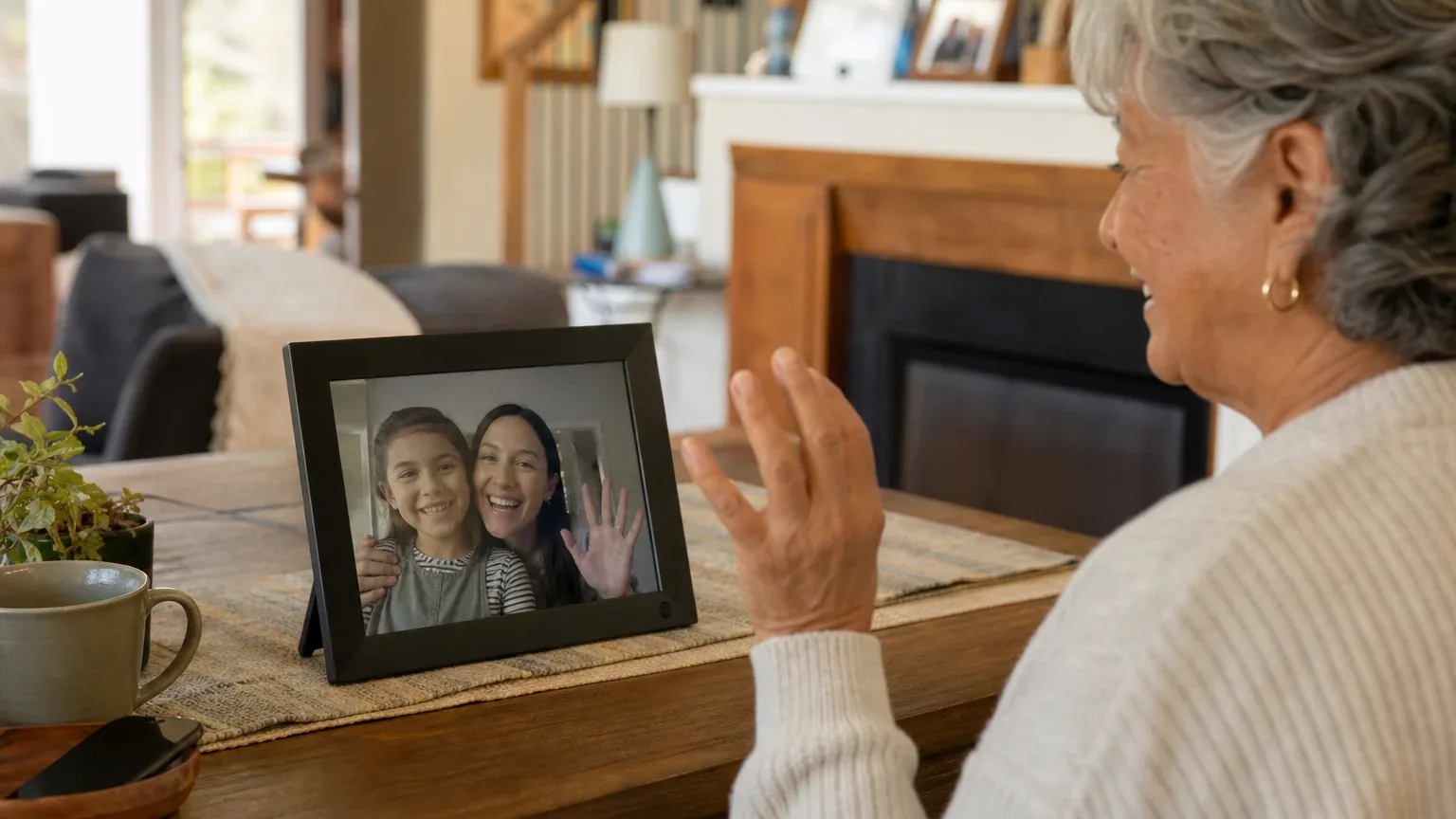
The ViewClix 15/e Smart Frame with Premier Membership is a good fit for simplified family video calling and basic telehealth-style check-ins, but it is not a clinical telehealth platform. All seven platforms that named it in the ranking stage included it, and it finished first overall with an average listed rank of 2.71. Its strongest advantage is auto-answer calling on a 15.6-inch 1080p display, managed remotely by a family organizer, with a private approved-contact Share List. The main limitation is that video calling requires a $9.95 monthly Premier membership, and no verified speaker-loudness or hearing-aid compatibility data was found.
Research Snapshot
| Field | Finding |
|---|---|
| Platform mentions in ranking stage | 7 of 7 platforms (anthropic, deepseek, google, grok, kimi, openai, perplexity) |
| Share of included platform responses | 100% |
| Average listed rank | 2.71 |
| Best listed rank | 1 (google, grok, kimi, openai) |
| Relevant product/model/plan | ViewClix 15/e Smart Frame with Premier Membership |
| Overall use-case fit | Good (platform fit ratings: strong for anthropic, google, grok; good for deepseek, kimi, openai, perplexity) |
| Research date | 2026-11-10 |
What Changed Since September 2026
ViewClix 15/e Smart Frame remained at No. 1, and platform mentions were unchanged at 7. For buyers, the November 2026 review describes the same ViewClix 15/e Smart Frame, with the same Premier Membership configuration and the same fit guidance for families managing calls remotely. The main substantive addition concerns the included Premier trial: the review now reports 15 days on one membership sign-up page, a figure that conflicts with the 35-day period stated elsewhere. The $179 and $199 figures for the smaller 10/e model are no longer repeated, and no new pricing is reported. Otherwise the rewrite restates the familiar strengths of auto-answer calling and the same limitations around clinical telehealth, speaker loudness, and hearing-aid compatibility. Differences between the two editions reflect what each article reports; they do not by themselves prove that the product, service, or price changed.
The September 2026 review preserves the earlier article for reference.
Why ViewClix 15/e Smart Frame Qualified for This Study
Questions This Section Answers
- Why did all seven AI platforms include the ViewClix 15/e Smart Frame in a simplified video calling and telehealth ranking for seniors?
- Is the ViewClix 15/e Smart Frame the consensus leader for simplified video calling and telehealth, or did platforms rank it inconsistently?
The ViewClix 15/e qualified because it was the only entity named by all seven platforms in the ranking stage, and it finished first overall. Its average listed rank was 2.71, with four platforms placing it first (google, grok, kimi, openai), one placing it third (anthropic), and two placing it sixth (deepseek, perplexity) [1].
The platforms converged on the same reason: the frame is built around auto-answer video calling from an approved contact list, with no login, password, or app required from the older adult [1]. That maps directly onto the study's use case of simplified video calling and telehealth for older adults and family members seeking effortless, touch-friendly, or auto-answer communication.
Qualification was not unanimous in strength. The fit ratings split: anthropic, google, and grok rated it a strong fit, while deepseek, kimi, openai, and perplexity rated it a good fit. The lower-ranked platforms (deepseek and perplexity at sixth) cited unverified telehealth integration, unverified speaker specifications, and pricing uncertainty rather than any product defect.
This review sits inside the broader Simplified Video Calling & Telehealth consensus index, which ranks the full field of devices for this use case.
The Product, Model, Plan, or Service Most Relevant to Simplified Video Calling & Telehealth
Questions This Section Answers
- Which ViewClix model and membership plan should a senior's family buy for simplified video calling and telehealth?
- Does the ViewClix 15/e Smart Frame work for telehealth without the Premier Membership?
The relevant configuration is the ViewClix 15/e Smart Frame with Premier Membership. The 15/e is the 15.6-inch model with a 1920 x 1080 display, positioned by ViewClix for living rooms and kitchens or placement farther from the user's chair [28]. The smaller 10/e is a 10.1-inch model [30].
The Premier Membership is not optional for the use case. ViewClix states that video calling and other Premier features require an active membership, and that without Premier the frame is limited to photo sharing and Sticky Notes [20]. Premier supports one-to-one and group calling, with group calls capped at four total participants — three callers plus the frame user [27].
The frame itself requires Wi-Fi and a power outlet, and initial setup requires someone to connect the frame and network [28]. The older adult does not need a ViewClix account, smartphone, or password; a designated family member acts as Frame Organizer and manages settings, contacts, and calls through the app or web portal [24].
What the AI Platforms Agreed About
Questions This Section Answers
- What do AI platforms agree the ViewClix 15/e Smart Frame does well for simplified video calling and telehealth?
- Do AI platforms agree that the ViewClix 15/e Smart Frame requires a paid membership for video calling?
Agreement was strong on four points, though not universal on every detail.
Auto-answer is the core differentiator. Every platform described auto-answer as the defining feature. ViewClix states that when a video call is initiated, the frame automatically joins, and that with auto-answer Seniors do not have to press a single button [21]. The operating guide says the call launches after a notification sound and that auto-answer can be disabled, after which the user answers with the remote [25]. Independent reviews describe the same behavior [2].
The display is large and suited to across-room viewing. The 15.6-inch, 1920 x 1080 panel was described as an advantage by openai, anthropic, grok, perplexity, and google [28]. A press release describes an anti-glare HD screen [35].
The Share List is a real whitelist. Platforms agreed that only contacts added to the frame's private Share List can call or share with it, and that the organizer manages the list [34]. ViewClix also states that video calls are encrypted and never recorded [24].
Premier is required for calling. Openai, anthropic, grok, and perplexity all reported that video calling requires the $9.95 monthly Premier membership and that cancellation disables calling while leaving photo sharing and Sticky Notes [27].
Where the AI Platforms Disagreed or Were Uncertain
Questions This Section Answers
- Do AI platforms disagree about whether the ViewClix 15/e Smart Frame is suitable for clinical telehealth visits?
- What could not be verified about the ViewClix 15/e Smart Frame's speaker volume and hearing-aid compatibility?
Disagreement and uncertainty clustered around telehealth depth, audio, and pricing.
Telehealth suitability was the widest split. Openai described telehealth suitability as neutral, noting that ViewClix says a Business Associate Agreement may be available for covered entities at no charge but that a video-calling device is not automatically a complete HIPAA or telehealth solution [4]. Google stated the device has no web browser, Zoom auto-join link launcher, or medical portal access, limiting telehealth to family-initiated calls unless a provider joins via a ViewClix account [6]. Kimi went further, stating there is no evidence of HIPAA compliance, BAA availability, or clinical telehealth certifications, and recommended a separate compliant platform for clinical encounters [8]. Deepseek described telehealth as app-dependent rather than a natively audited clinical platform [9]. These are platform assessments, not independently verified findings.
Speaker volume was unresolved across the board. No platform found a decibel rating, loudness measurement, or hearing-aid compatibility specification. Openai noted adjustable volume settings and an integrated conference microphone but no loudness data [21]. Anthropic recorded the same gap [1]. Kimi noted the device is marketed with "loud speakers" but quantitative specs are unclear [9].
Touchscreen status was unclear. Openai stated that public materials do not establish that the display itself is touchscreen, and that operation appears centered on auto-answer, remote control, app, and web portal [24]. Perplexity noted that if auto-answer is disabled, the user answers by pressing a button on the remote control, not the frame [25].
Pricing and trial length conflicted. The shop page lists the 15/e at $269, reduced from $299, with 35 days of Premier included [28]. Other pages reference a 30-day guarantee, a one-month included period, and a 15-day trial on a Premier sign-up page [11]. ViewClix's own terms state a 35-day trial for frames purchased after February 12, 2023 and a 15-day trial for Legacy membership frames [39]. Deepseek and kimi could not confirm pricing at all [9].
Use-Case-Specific Features and Capabilities
Questions This Section Answers
- How does the ViewClix 15/e Smart Frame handle display size, auto-answer, and contact whitelisting for simplified video calling?
- Can the senior using a ViewClix 15/e Smart Frame start a video call independently?
The table below maps the study's five criteria to the supplied evidence.
| Criterion | Assessment | Evidence |
|---|---|---|
| Display size and clarity | Advantage | 15.6-inch, 1920 x 1080; positioned for living rooms and farther seating [28] |
| Auto-answer functionality | Advantage | Default mode; approved callers connect without the senior pressing a button; can be disabled remotely [24] |
| Single-touch operation | Neutral | No login, password, or smartphone needed; ordinary calls are initiated by family; Call-Me requests a callback; touchscreen status unconfirmed [24] |
| Speaker volume | Unclear | Adjustable volume and integrated conference microphone documented; no loudness or hearing-aid data [21] |
| Contact whitelist and privacy | Advantage | Share List restricts calling and sharing to approved contacts; calls encrypted and never recorded; auto-answer risky in shared rooms [24] |
On independent call initiation: the senior generally cannot start a normal video call directly. Family members initiate calls through the app or portal, and the optional Call-Me feature lets the senior request a callback rather than place a call [13]. Anthropic described Call-Me as sending an SMS to preset contacts [14].
On privacy: ViewClix advises disabling auto-answer in shared environments and using manual acceptance, because auto-answer can expose a call to anyone present in the room [4]. ViewClix also prohibits continuous camera monitoring or video surveillance [13].
On group calling: Premier supports up to four total participants, which can help family or caregiver coordination but may be restrictive for larger care teams [27]. ViewClix's terms reserve the right to limit monthly calling minutes and total calls, with Premier limits of 200 calls or 2,000 minutes, whichever is reached first, effective June 1, 2023 [39].
Pricing, Fees, Contracts, and Ongoing Costs
Questions This Section Answers
- What does the ViewClix 15/e Smart Frame with Premier Membership cost up front and per month for simplified video calling?
- What happens to ViewClix 15/e video calling if the Premier Membership is canceled?
The published price is $269 for the frame, reduced from $299, with Premier included for 35 days and then renewing automatically at $9.95 per month per frame unless canceled [28]. Grok listed the frame at $299 with Premier at $9.95 per month after the first month included [22]. Deepseek and kimi could not confirm current pricing [9].
| Cost item | Amount | Source status |
|---|---|---|
| ViewClix 15/e frame | $269 (from $299) | Company pages, multiple platforms [28] |
| Premier Membership | $9.95/month per frame | Company pages, multiple platforms [27] |
| Included Premier period | 35 days per product and shop pages; 15 days on one Premier sign-up page; 35 days per terms for post-February 2023 frames | Conflicting [28] |
| Shipping and tax | Not verified | Openai, perplexity, kimi flagged as unverified [27] |
| Mobile hotspot data | May apply if home Wi-Fi is unavailable | Openai, google [27] |
Contract terms: Premier renews monthly, cancellation is available through account settings, and previously paid membership fees are described as non-refundable [27]. After cancellation, video calling and other Premier features are disabled while photo sharing and Sticky Notes remain [11]. Premier warranty and accident protection depend on an active membership [20]. ViewClix's terms state that Premier dues are non-refundable, that cancellation takes effect at the next renewal date without pro-rating, and that a canceled Premier membership may be restarted once per calendar year at ViewClix's sole discretion [39].
Best Suited For
Questions This Section Answers
- Is the ViewClix 15/e Smart Frame a good choice for an older adult who cannot reliably press buttons to answer a video call?
- Which families get the most value from the ViewClix 15/e Smart Frame with Premier Membership for routine check-ins?
The 15/e is best suited to older adults who benefit from a large display and minimal interaction, in families where someone will handle setup, contact permissions, calls, and troubleshooting remotely [24]. It fits routine family check-ins where auto-answer is acceptable and the frame sits in a private room [4].
It also fits situations where cognitive decline or severe tech resistance is present, because the senior needs no app, login, or password [14]. Families implementing a private, contact-only communication channel are a good match, since the Share List limits calling and sharing to approved people [24].
Simple clinician or caregiver video calls can work when the provider confirms compatibility and appropriate privacy arrangements [4]. Buyers prioritizing display size and viewing distance across rooms are also well served [30].
Probably Not Best Suited For
Questions This Section Answers
- Is the ViewClix 15/e Smart Frame a poor choice for a senior who needs to start video calls independently?
- Is the ViewClix 15/e Smart Frame unsuitable for shared rooms where sensitive health conversations happen?
It is probably not best suited to shared rooms or settings where automatic answering could expose conversations or protected health information; ViewClix itself advises disabling auto-answer in shared environments [4].
It is a poor fit for users who need to initiate ordinary video calls independently without relying mainly on family members, because the senior generally cannot start a normal call directly [13].
Buyers seeking a true touchscreen tablet with broad telehealth-app compatibility should look elsewhere; public materials do not establish that the display is a touchscreen, and google reported no web browser, Zoom auto-join, or medical portal access [24].
Buyers who require published loudness measurements, advanced accessibility controls, or a fully documented enterprise telehealth platform will not find that here [1]. Families unwilling to maintain a $9.95 monthly subscription after the included period should also rule it out [20].
When Another Option May Be Better
Questions This Section Answers
- When is a conventional tablet or smart display a better choice than the ViewClix 15/e Smart Frame for telehealth?
- When should a buyer choose a dedicated clinical telehealth platform instead of the ViewClix 15/e Smart Frame?
Choose a conventional tablet or smart display when the older adult can manage touch controls and needs broad compatibility with Zoom, Teams, a patient portal, or provider-specific telehealth apps [4]. Google specifically noted that a dedicated tablet platform may be better for formal doctor appointments on clinical telehealth platforms [6].
Choose a device with a documented accessibility or hearing-amplification profile when speaker audibility is a primary requirement, since no verified loudness or hearing-aid data was found for the 15/e [1].
Choose a non-auto-answer solution when calls may contain sensitive health information in shared living environments [4].
Choose a dedicated clinical telehealth platform when the buyer needs verified provider integration, institutional administration, audit controls, or confirmed BAA and security terms. Kimi named HIPAA-compliant platforms with a BAA, such as VSee or SecureVideo, as the appropriate route for clinical encounters [8]. Openai noted that a BAA may be available from ViewClix but that this does not make every telehealth use compliant [4].
Buyers who want no recurring subscription should compare against devices with less feature dependency on subscriptions [30]. The senior technology directory lists the wider field of devices and platforms for this audience.
Questions to Verify Before Buying
Questions This Section Answers
- What should a buyer confirm about ViewClix 15/e pricing, trial length, and cancellation before purchasing for simplified video calling?
- What should a family confirm about speaker volume and hearing-aid compatibility before buying the ViewClix 15/e for a senior with hearing loss?
Confirm the current delivered price and whether $269 is permanent or promotional, plus shipping, tax, and promotional conditions [27].
Confirm whether the included Premier period is 35 days or 15 days, and whether it begins on order, shipment, activation, or delivery [28].
Confirm whether the intended clinician or telehealth service can call the frame reliably from its existing platform, and whether a BAA, security terms, retention practices, and data-processing details can be reviewed before a telehealth deployment [4].
Confirm how loud the speaker is in the intended room and whether it works acceptably with the user's hearing aids or amplification device [1].
Confirm whether auto-answer is appropriate for the room and whether it can be disabled or scheduled for privacy [20].
Confirm who will perform initial setup and provide local help when Wi-Fi, power, or equipment problems occur [24].
Confirm the exact current warranty, accident-repair, return, and cancellation terms, including what happens to warranty coverage if the membership lapses [20].
Final AI Consensus Verdict
The consensus is a good fit, not a strong one, for simplified video calling and telehealth. All seven platforms named the ViewClix 15/e Smart Frame, it finished first overall at an average listed rank of 2.71, and four platforms placed it first. The strongest reason to consider it is auto-answer calling on a 15.6-inch 1080p display, managed entirely by a family organizer, with a private approved-contact Share List.
The main limitation is scope. It is a family video-calling frame, not a clinical telehealth platform. Video calling requires the $9.95 monthly Premier membership, the senior generally cannot initiate calls independently, no verified speaker-loudness or hearing-aid data was found, and telehealth integration with provider platforms is unverified. It is a good choice when a caregiver manages the device, the frame sits in a private location, and the buyer accepts the recurring cost. It is not the strongest choice for shared-room clinical conversations, independent call initiation, hearing-focused accessibility, or provider-managed telehealth workflows requiring fully verified compliance and integration [4].
How This Review Was Produced
This review used only the supplied platform research responses and the supplied source catalog. Seven platforms (anthropic, deepseek, google, grok, kimi, openai, perplexity) evaluated fit for the use case of simplified video calling and telehealth for seniors. The ranking stage counted only platforms that named the entity during discovery; all seven did. Fit ratings, use-case findings, pricing, and limitations were taken from each platform's response and cited to the supplied citation IDs. Company-owned sources were distinguished from independent sources throughout. No personal testing, customer experience, medical benefit, or independent verification was performed.
Methodology Limitations
Platform-reported research dates differ from the authoritative run date of 2026-11-10. Deepseek reported a research date of 2026-06-15, and deepseek ran with search disabled, so its claims are platform-reported rather than retrieved. All other platforms reported 2026-11-10.
Company-owned citations materially outnumber independent citations, so company claims are not described as independently verified. The supplied URLs were collected from platform responses and were not independently validated by the writer stage. Citations are platform-reported evidence, not independently verified facts.
Conflicting product names, pricing, and capabilities were not resolved by guessing; conflicts are described and buyers are told what to verify. Public pages conflict on trial length (35 days versus 15 days versus a 30-day guarantee), and the current shop price of $269 versus the $299 regular price is not confirmed as permanent. Speaker loudness, hearing-aid compatibility, and touchscreen status could not be verified from any supplied source. No platform found independent testing of the device.
Sources
Company-Owned Sources
- HIPAA & ViewClix: https://help.viewclix.com/portal/en/kb/articles/viewclix-hipaa
- Pricing - SecureVideo: https://securevideo.com/pricing/
- ViewClix — Smart Frames for effortless family video calling: https://viewclix.com/
- Large Photo & Video Calling Frame for Seniors - ViewClix 15/e: https://viewclix.com/15e
- Activate your ViewClix frame: https://viewclix.com/activate/
- Auto Answer Video Calling for Seniors - ViewClix: https://viewclix.com/auto-answer-video-calling-for-seniors/
- Automatic Video Calling for Elderly Parents: https://viewclix.com/automatic-video-calling-for-elderly-parents/
- Best Video Calling Devices for Seniors: https://viewclix.com/best-video-calling-devices-for-seniors/
- ViewClix Blog: https://viewclix.com/blog/all-new-viewclix
- Introduction to ViewClix Video Calling: https://viewclix.com/blog/introduction-viewclix-video-calling/
- ViewClix Video Calling -- Overview & Tips: https://viewclix.com/blog/viewclix-video-calling----overview-&-tips/
- Communication Tools for Seniors Living Alone - ViewClix: https://viewclix.com/communication-tools-for-seniors-living-alone/
- Compare ViewClix 15/e vs 10/e: Choose the Right Frame: https://viewclix.com/compare-viewclix-frames/
- ViewClix FAQ: https://viewclix.com/faq/
- Senior-Friendly Smart Frame Features: https://viewclix.com/features/
- ViewClix | Premier Sign Up: https://viewclix.com/get-premier
- Automatic Video Calling for Elderly Parents - ViewClix: https://viewclix.com/guides/auto-answer
- How ViewClix Works: https://viewclix.com/how-it-works/
- Operating Guide: https://viewclix.com/media/ViewClix-Operating-Guide.pdf
- ViewClix Operating Guide: https://viewclix.com/media/ViewClix_Frames_combined_guides.pdf
- ViewClix Premier Membership: https://viewclix.com/premier
- ViewClix 15/e: Large Photo & Video Calling Frame for Seniors: https://viewclix.com/products/viewclix-15e/
- Remotely Managed Digital Frames for Families | ViewClix: https://viewclix.com/remotely-managed-digital-frames/
- Shop ViewClix Smart Frames: https://viewclix.com/shop/
- Video Calling for Seniors: The Easiest Way to Stay Connected: https://viewclix.com/video-calling-for-seniors/
- Senior-Friendly Smart Frame Features | ViewClix: https://viewclix.com/viewclix_10/
- Simple Secure Video, Unlimited Minutes - VSee Clinic: https://vsee.com/clinic/free
- Official pricing and terms source: https://viewclix.com/terms/
Independent Sources
- Best Video Calling Devices for Seniors (2026: https://aginginplaceindex.com/senior-technology/simplified-video-calling-telehealth
- Best Way to Make Video Calls to Seniors with Alzheimer's or Dementia in Nursing Homes: https://dailycaring.com/best-way-to-make-video-calls-to-seniors-with-alzheimers-or-dementia-in-nursing-homes-during-coronavirus/
- 6 Best Video Calling Devices (2026): One-Touch & Simple: https://elderlydaily.com/reviews/best-video-calling-devices-for-elderly
- Easy to Use Hands-Free Smart Display for Seniors: https://ndassistive.org/blog/easy-to-use-hands-free-smart-display-for-seniors/
- JoyTablet vs. ViewClix: 2026 Comparison: https://onscreeninc.com/blogs/news/joytablet-vs-viewclix
- Clinician's Guide to Video Platforms 2026: https://telehealthtechnology.org/wp-content/uploads/2026/02/Clinicians-Guide-to-Video-Platforms-2026.pdf
- Smart Frame by ViewClix - Amazon.co.za: https://www.amazon.co.za/ViewClix-Digital-Designed-Membership-Included/dp/B0CGL1Z9FK
- ViewClix Launches All-New Smart Displays with Groundbreaking Features For Seniors and Their Families: https://www.prnewswire.com/news-releases/viewclix-launches-all-new-smart-displays-with-groundbreaking-features-for-seniors-and-their-families-301757400.html
- 11 Best Video Calling Devices for Seniors (November 2026: https://www.rosenberryrooms.com/best-video-calling-devices-for-seniors/
- Best Video Calling Device for Seniors in 2026: 6 Picks: https://www.smarthomeperfected.com/video-calling-device-for-seniors/
- VSee Clinic 2025: Benefits, Features & Pricing: https://www.softwareadvice.com/telemedicine/vsee-profile/
Verify This Research
Review the study details behind this page or download the public machine-readable verification record.
- Study date
- November 10, 2026
- Platforms analyzed
- 7
- Source records
- 39
- Ranking mentions
- 7 of 7
- Platform share
- 100%
- Final consensus rank
- #1
Research trail and source mix
Configured platforms
openai, anthropic, deepseek, grok, perplexity, kimi, google
Source mix
11 independent · 28 company-owned
Evidence support
33 direct · 6 partial
Important limitation
Use the run research_date as the study date. Platform-reported dates are provenance metadata and do not independently prove freshness.
Source snapshot SHA-256 8fd5f248434304bdf20fed895dc2be5b414843d709e4ceadc79f9473e29d1ac1