
Answer Capsule
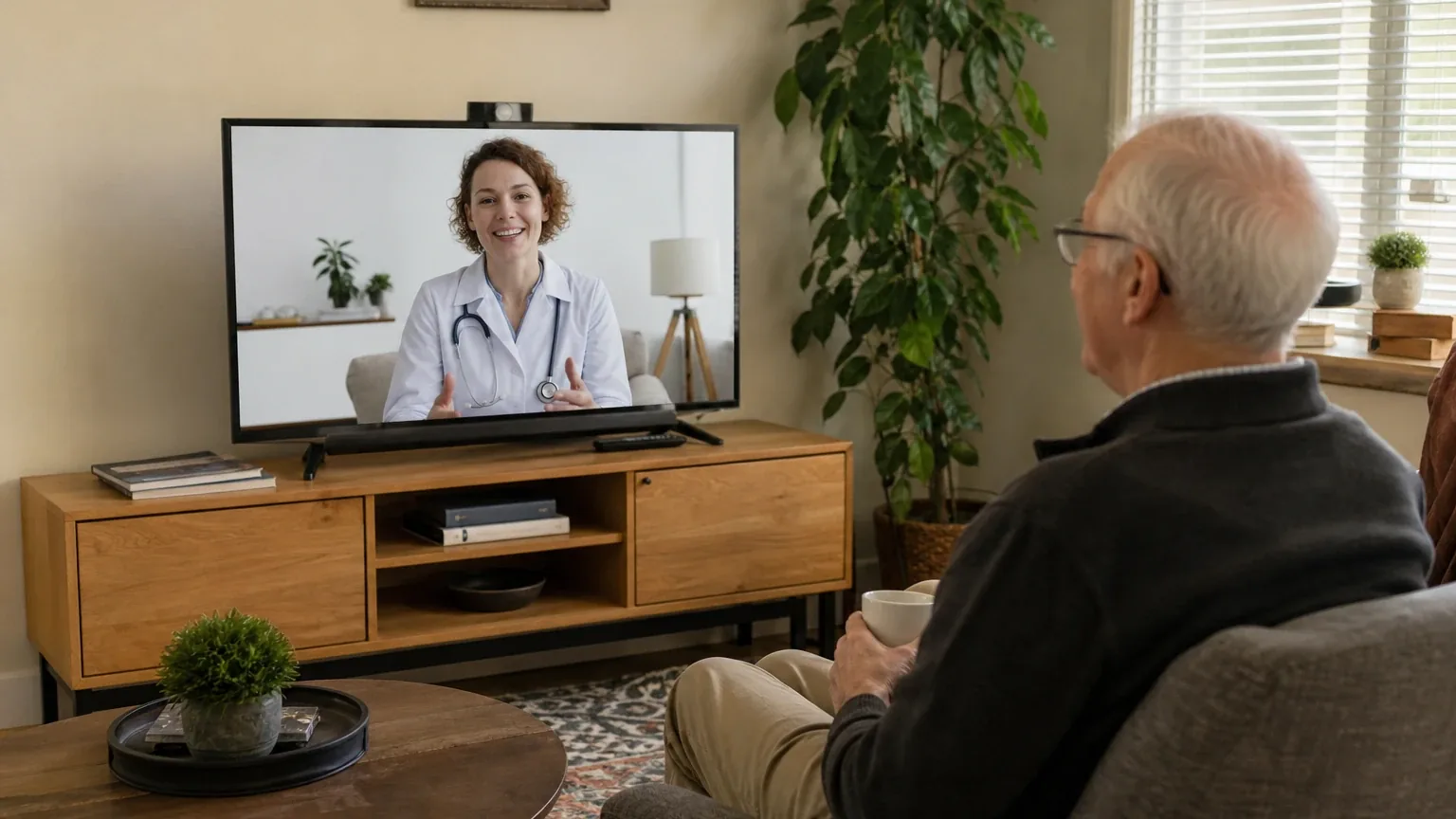
JubileeTV Caregiving System is a good fit for simplified family video calling through a television, and a mixed fit for telehealth. Two of the seven platforms in this study named it during the ranking stage, at rank 3 on both, giving an average listed rank of 3.0. The strongest reason to consider it is AutoConnect calling: a caregiver can start a call from the app and it connects on the older adult's TV screen without the senior pressing buttons [11]. The main limitation is telehealth. Public materials reviewed do not verify HIPAA compliance, a business associate agreement, clinician-platform integration, or clinical peripherals, so it should be treated as a family communication tool unless a provider confirms compatibility [1].
Research Snapshot
| Field | Detail |
|---|---|
| Platform mentions in ranking stage | 2 of 7 platforms (google, openai) |
| Share of included platform responses | 28.6% |
| Average listed rank | 3.0 |
| Best listed rank | 3 |
| Relevant product/model/plan | JubileeTV Console with Web Camera, Voice Remote, and JubileeTV Membership; relevant calling feature: AutoConnect Video Calling [12] |
| Overall use-case fit | Good for family video calling; mixed for telehealth |
| Research date | 2026-11-10 |
All seven platforms evaluated fit for this use case, but only two named JubileeTV during ranking discovery. Fit ratings ranged from "strong" (google, grok) to "mixed" (kimi), with the rest calling it "good" (openai, anthropic, deepseek, perplexity).
What Changed Since September 2026
JubileeTV Caregiving System remained at No. 4, and platform mentions decreased from 4 to 2. The November 2026 review keeps JubileeTV Caregiving System as a good fit for family video calling through a television and a mixed fit for telehealth, with the same core strengths: caregiver-initiated AutoConnect calls and contact-level permissions. The offering description now centers on the Console with Web Camera, Voice Remote, and Membership, and the review adds a passage explaining why the system qualified. Pricing is still channel-dependent: $39/month is newly reported for the direct channel, while $29 per month is no longer repeated. Call connection timing is now described as a 20–30 second delay, reported in user reviews, rather than a 15-second setting. Telehealth remains unverified for HIPAA compliance and clinician integration. Differences between the two editions reflect what each article reports; they do not by themselves prove that the product, service, or price changed.
The September 2026 review preserves the earlier article for reference.
Why JubileeTV Caregiving System Qualified for This Study
Questions This Section Answers
- Why did only two of the seven platforms name JubileeTV Caregiving System in the ranking stage for simplified video calling and telehealth?
- Does JubileeTV Caregiving System meet the study's criteria for display size, auto-answer, single-touch operation, speaker volume, and contact whitelisting?
JubileeTV qualified because it addresses the study's core criteria through a TV-based design rather than a tablet or phone. It clears the two-mention threshold, but it is a narrow qualifier rather than a consensus pick.
The system places video calls on the older adult's existing television, which can provide a substantially larger viewing area than a phone [12]. It supports AutoConnect calls initiated from the caregiver app, with AutoConnect permission separately controlled and off by default for ordinary contacts [11]. Administrators can restrict calling permissions by contact, including AutoConnect and Drop In [10]. Those features map directly onto the display-size, auto-answer, and whitelisting criteria.
The gaps explain the limited ranking presence. Public materials reviewed do not provide dependable speaker loudness, microphone, camera, captioning, or hearing-aid specifications [1]. Telehealth suitability is unverified. The system is also not a standalone device: it requires an existing TV, HDMI, power, internet, and a separate source device such as a cable box or streaming player [6].
The Product, Model, Plan, or Service Most Relevant to Simplified Video Calling & Telehealth
Questions This Section Answers
- Which JubileeTV Caregiving System product or plan should a buyer choose for simplified video calling and telehealth?
- Is the JubileeTV Console the same thing as the JubileeTV Hub & Camera Kit, and does the naming affect what a buyer receives?
The most relevant offering is the JubileeTV Console with Web Camera, Voice Remote, and JubileeTV Membership, with AutoConnect Video Calling as the key feature [12]. Buyers should confirm the exact bundle before ordering, because naming is inconsistent across sources.
The Console is the device that connects to the TV and runs video calls. Official getting-started documentation describes the Console contents, TV and installation requirements, the membership requirement, unlimited contacts and video calling, and a listed Hub price of $199 [6]. The ranking-stage label references both a Console and a "Hub & Camera Kit," while current official materials use Console, Hub, and Console with Web Camera inconsistently [1]. Perplexity reported that checked sources do not fully specify the bundle contents or specs for the recommended kit [27].
Membership is mandatory. The Console cannot be used without an active membership, which includes unlimited contacts, video calling, and family member access [6]. Video calling itself is bidirectional between the Console and the JubileeTV app, with app-initiated AutoConnect calls, on-screen call prompts, remote-based outgoing calls, and configurable camera behavior [11].
What the AI Platforms Agreed About
Questions This Section Answers
- Do the AI platforms agree that JubileeTV Caregiving System is a good choice for simplified video calling for seniors?
- Which JubileeTV Caregiving System features did every platform treat as advantages for older adults?
Agreement was strong on family video calling and mixed on telehealth. No platform disputed that the TV-based, caregiver-controlled calling model fits the use case.
On auto-answer, the platforms converged. OpenAI described AutoConnect calls initiated from the caregiver app with automatic connection [11]. Anthropic described automatic connection without user interaction, configurable with timing options including immediate connection or a 15-second delay [11]. Perplexity described AutoConnect connecting the app user to the TV Console without the TV user pressing buttons or accepting the call [11]. Google described calls that pop up on the TV and connect hands-free [12].
On display size, the platforms agreed the TV provides a larger viewing area than a phone or tablet, while noting that quality depends on the buyer's television [12].
On contact controls, the platforms agreed that access is permission-based and administrator-controlled, with AutoConnect and Drop In toggled per contact [10].
On telehealth, the platforms agreed the public evidence does not establish clinical readiness. OpenAI's independent use-case review noted unresolved questions about HIPAA compliance, clinician integration, and technical specifications [1]. Kimi found the closed ecosystem may impede external provider connections [13].
Where the AI Platforms Disagreed or Were Uncertain
Questions This Section Answers
- Do the AI platforms disagree about whether JubileeTV Caregiving System is HIPAA compliant for telehealth visits?
- How reliable is JubileeTV Caregiving System's AutoConnect video calling according to user reports versus company claims?
The sharpest disagreement is on overall fit rating. Google and Grok rated JubileeTV "strong." OpenAI, Anthropic, DeepSeek, and Perplexity rated it "good." Kimi rated it "mixed," citing the closed ecosystem as a critical impediment for telehealth with external providers [13]. That spread reflects different weighting of family calling versus clinical use, not a factual dispute.
HIPAA status is contested in kind, not degree. Anthropic cited company material stating calls are encrypted, never recorded or stored, and HIPAA compliant [20]. No independent certification, audit report, or third-party validation was supplied by any platform [20]. Buyers should treat the compliance claim as company-reported and unverified.
Call reliability is a direct conflict between marketing and user reports. Grok cited company material stating AutoConnect connects automatically and turns the TV on if off [12]. Anthropic cited user reviews reporting 20–30 second connection delays despite a "connect immediately" setting, black screens requiring callbacks, and intermittent AutoConnect failures [28]. The root cause is not independently verified.
Pricing is inconsistent across sources. The official site lists $39/month, $389/year, or $789 one-time with hardware included [12]. Service-plan documentation lists lower prices for third-party-owned hardware: $29/month, $289/year, or $600 one-time [8]. A third-party listing showed conflicting figures [35]. DeepSeek reported it could not verify current pricing at all [12].
Use-Case-Specific Features and Capabilities
Questions This Section Answers
- Does JubileeTV Caregiving System support live captions and hearing-aid compatibility for a senior with hearing loss?
- Can a caregiver restrict who is allowed to auto-answer on a senior's JubileeTV Caregiving System?
Capability evidence is strong for auto-answer and contact control, moderate for display, and weak or missing for audio accessibility and clinical telehealth.
| Criterion | Assessment | Evidence |
|---|---|---|
| Display size and clarity | Advantage, TV-dependent | Calls appear full-screen on the existing TV, up to 65 inches or larger; no supported resolution or minimum screen size published [12] |
| Auto-answer | Advantage | AutoConnect connects calls from the caregiver app without senior action; configurable timing; off by default for ordinary contacts [11] |
| Single-touch operation | Neutral | Caregivers can initiate calls; the senior can start calls via the remote and on-screen Contacts menu; setup and administration add complexity [11] |
| Speaker volume | Unclear | No verified loudness, microphone, hearing-aid, or amplification specifications; audio depends on the TV [1] |
| Contact whitelisting | Advantage | Role-based permissions; administrators control AutoConnect, Drop In, and other features per contact [10] |
| Telehealth suitability | Limitation | No verified HIPAA/BAA, clinician integration, scheduling, portal access, or medical peripherals [1] |
On captions, the platforms split. Perplexity cited a company features page stating live closed captions are available [24], and Google cited closed captioning displayed on screen [12]. OpenAI reported that public materials reviewed do not provide dependable captioning specifications [1]. Buyers who need captions should confirm directly.
On privacy hardware, Anthropic cited a physical camera cover and an indicator light showing when the camera is in use [24]. On dementia support, Anthropic cited an optional simplified six-button remote and a Passive Mode [27]. An independent accessibility review cautioned that auto-answer and remote-access features raise consent and privacy questions, especially with cognitive impairment, and recommended regular consent checks [5].
Pricing, Fees, Contracts, and Ongoing Costs
Questions This Section Answers
- Is JubileeTV Caregiving System worth the $39 monthly membership for simplified video calling compared with the $29 third-party hardware rate?
- What happens to the JubileeTV Caregiving System hardware and refund if a buyer cancels the membership?
Pricing is material and channel-dependent. The direct channel lists $39/month, $389/year, or $789 one-time All-In with hardware included [12]. The service-plan documentation lists $29/month, $289/year, or $600 one-time for third-party-owned hardware [8]. A third-party retailer may separately charge for the Console, and the service-plan page lists the Hub at $199 [8].
| Plan | Direct channel | Third-party hardware channel |
|---|---|---|
| Monthly | $39/month | $29/month |
| Annual | $389/year | $289/year |
| One-time All-In | $789 | $600 |
Additional costs to verify include an optional in-person installation reported by WIRED at $99 [37], a $19 simple remote mentioned on one official page [25], shipping, sales tax, and the cost of a compatible TV, internet service, and any streaming device [6].
Contract terms are partly documented and partly conflicting. Direct monthly service is described as cancel-anytime with no commitment [12]. Rental hardware must be returned within 30 days of cancellation, and failure to return authorizes a charge for the full hardware purchase price [8]. The site advertises a 60-day money-back guarantee with prepaid return shipping [12], while the terms of use state monthly subscriptions are non-refundable and no refunds are available for annual plans outside the return window [39]. Existing-customer pricing may differ from new-customer pricing [8]. DeepSeek reported it could not verify pricing or contract terms from its sources [12].
Best Suited For
Questions This Section Answers
- Is JubileeTV Caregiving System a good choice for an older adult with dementia who cannot answer a smartphone call?
- Is JubileeTV Caregiving System a good fit when a family member can manage setup and contacts remotely?
JubileeTV is best suited to TV-watching older adults whose family manages the technology. The caregiver is the primary operator; the senior is the beneficiary.
Best-fit situations named across platforms:
- Older adults who already use a television and need family video calls without operating a smartphone or tablet [12].
- Families wanting caregiver-controlled AutoConnect calls, remote TV assistance, and contact permissions [10].
- Older adults with dementia or cognitive decline who benefit from a simplified, large-screen interface; AutoConnect works regardless of memory loss [20].
- Long-distance caregiving where remote TV control and check-ins reduce in-person visits [24].
- Households where a family member can complete installation, account setup, and ongoing app management [6].
Probably Not Best Suited For
Questions This Section Answers
- Is JubileeTV Caregiving System a poor choice for a senior who lives alone and has no caregiver to manage the app?
- Is JubileeTV Caregiving System unsuitable for a household that streams only through built-in smart TV apps?
JubileeTV is a poor fit where the senior must operate it independently or where the household lacks the required TV infrastructure.
Excluded situations named across platforms:
- Independent users needing a standalone tablet or phone that works without caregiver administration [1].
- Households that watch only through built-in smart TV apps. The system cannot control native smart TV apps or the internal tuner and requires a separate source device such as Roku, Apple TV, or Fire TV [9].
- Clinical telehealth requiring verified HIPAA/BAA arrangements, clinician workflow integration, captions, or documented camera and audio specifications [1].
- Buyers seeking the lowest ongoing cost or a compact, portable calling device [1].
- Privacy-first buyers uncomfortable with always-available auto-answer for a cognitively impaired senior [5].
- Caregivers managing multiple seniors in separate homes, since each senior needs a separate account and email even under one payer [2].
When Another Option May Be Better
Questions This Section Answers
- When is a tablet or smart display a better choice than JubileeTV Caregiving System for senior video calling?
- When is a dedicated telehealth platform a better choice than JubileeTV Caregiving System for medical visits?
Another option may be better in four situations. Each is a structural mismatch, not a quality judgment.
Choose a senior-focused tablet or phone when portability, independent calling, cellular backup, or direct use by the older adult matters more than TV size [1]. Choose a provider-supported telehealth device or platform when HIPAA/BAA terms, clinician integration, captions, accessibility, or medical peripherals are required [1]. Choose a simpler dedicated video-calling appliance when the buyer wants fewer cables, no TV integration, and minimal caregiver setup [1]. Compare total cost when the household already owns a suitable tablet, smart display, or telehealth-enabled computer [1].
Questions to Verify Before Buying
Questions This Section Answers
- What should a buyer confirm with JubileeTV Caregiving System about TV compatibility and source devices before ordering?
- What should a buyer confirm about AutoConnect camera behavior and contact permissions before relying on JubileeTV Caregiving System?
Confirm these items before ordering, because several are unresolved in public materials.
- Will the exact television model, HDMI setup, cable or streaming device, Wi-Fi network, and living arrangement work with the Console? [6]
- Is the Console included under the selected direct membership plan, or purchased separately? [8]
- Which contacts can use AutoConnect or Drop In, and can permissions be restricted by time or circumstance? [10]
- Does AutoConnect turn on the camera automatically, and can the senior see and hear the caller without touching the remote? [7]
- What are the measured speaker volume, microphone pickup range, camera field of view, resolution, and low-light performance? [1]
- Are live captions, hearing-aid compatibility, amplified audio, or accessibility settings available? [24]
- Can the system join the specific telehealth service the buyer's clinicians use, and will the provider accept it for visits? [13]
- Does JubileeTV offer a HIPAA-related agreement or documentation if a provider requires one? [20]
- What happens if internet service fails, the TV is off, the caregiver app is unavailable, or the senior is in assisted living with shared Wi-Fi? [28]
- What is the total price after shipping, taxes, installation, return, and any separately purchased hardware? [39]
- Which cancellation, refund, and hardware-return terms apply to the exact purchase channel? [12]
Final AI Consensus Verdict
The consensus is a good fit for simplified family video calling and a mixed fit for telehealth. Five of seven platforms rated it good or strong for the use case; one rated it mixed; the remaining platform's rating was not stated as a single label.
The strongest case is the calling model. AutoConnect lets a caregiver reach a senior on a familiar large screen without the senior pressing buttons, and contact permissions give the administrator control over who can reach the older adult [11]. For families where the caregiver manages setup and contacts, that combination is the product's clearest advantage.
The clearest limitation is telehealth. No platform supplied verified HIPAA certification, a business associate agreement, clinician-platform integration, or clinical peripherals [1]. Treat it as a family communication tool unless a provider confirms compatibility. Buyers should also verify pricing channel, cancellation terms, and call reliability before committing.
How This Review Was Produced
This review used the supplied platform fit-research responses for seven platforms: OpenAI, Anthropic, Google, Grok, DeepSeek, Perplexity, and Kimi. Each platform evaluated JubileeTV Caregiving System against the study criteria for Simplified Video Calling & Telehealth. The ranking stage counted only platforms that named the entity during discovery; two did. Fit ratings and findings are platform-reported and were not independently verified by the writer. Company-owned citations outnumber independent citations in the supplied evidence, so company claims are described as company-reported rather than established. The study date is 2026-11-10.
Methodology Limitations
- Platform-reported research dates differ from the authoritative run date. DeepSeek reported 2026-02-13; the other six reported 2026-11-10. Provenance dates do not independently prove freshness.
- DeepSeek ran without search enabled, so its findings are platform-reported and require verification before being described as current facts.
- Company-owned citations materially outnumber independent citations. Company claims are not independently verified.
- The supplied URLs were collected from platform responses and were not independently validated by the writer stage.
- Pricing, product naming, and capabilities conflict across sources and were not resolved by guessing.
- No platform supplied independent HIPAA certification, audio measurements, or clinical integration evidence.
- AI-platform agreement does not prove product quality.
See the broader Seniors consensus index for comparisons across qualified options.
Explore more senior technology guidance in the category directory.
Sources
Company-Owned Sources
- Getting Started - JubileeTV: https://docs.getjubileetv.com/getting-started
- Hub Settings and Details - JubileeTV: https://docs.getjubileetv.com/hub-settings-and-details
- Membership & Service Plan - JubileeTV: https://docs.getjubileetv.com/membership-and-service-plan
- TV Usage - JubileeTV Documentation: https://docs.getjubileetv.com/tv-usage
- User Roles & Permissions - JubileeTV: https://docs.getjubileetv.com/user-roles-and-permissions
- Video Calling - JubileeTV: https://docs.getjubileetv.com/video-calling
- Remote Caregiving System | TV Remote for Elderly - JubileeTV: https://getjubileetv.com/
- Using JubileeTV for Telehealth Appointments: https://getjubileetv.com/blog/telehealth-for-seniors
- Video Calling Devices for Seniors: Connection Made Easy - JubileeTV: https://getjubileetv.com/blogs/jubileetv/best-video-calling-device-for-seniors
- The Guide to TV Video Calling for Seniors: https://getjubileetv.com/blogs/jubileetv/tv-video-calling
- Best Video Calling Devices for TV (And the One Built for Seniors) - JubileeTV: https://getjubileetv.com/blogs/news/best-video-calling-device-for-tv
- JubileeTV AutoConnect Video Calling: https://getjubileetv.com/features/autoconnect
- JubileeTV Features - How It Works: https://getjubileetv.com/how-it-works
- The Best TV for Seniors: A Guide for Caregivers: https://getjubileetv.com/pages/best-tv-for-seniors
- Remote Caregiving System - JubileeTV Home: https://getjubileetv.com/pages/elderly-monitoring-system
- JubileeTV Frequently Asked Questions: https://getjubileetv.com/pages/frequently-asked-questions
- How JubileeTV Works: Easy Senior TV Setup Guide: https://getjubileetv.com/pages/how-it-works
- JubileeTV: Help Care for Them Through Their TV: https://getjubileetv.com/pages/how-it-works-2
- Senior Monitoring Features - JubileeTV: https://getjubileetv.com/pages/senior-monitoring-features
- JubileeTV Membership: Plans with Hardware Included: https://getjubileetv.com/pages/simple-membership
- JubileeTV Pricing: https://getjubileetv.com/pricing
- TV for Seniors - Video Calling, Remote TV Control, Check-Ins & Dementia Care: https://getjubileetv.com/products/jubilee-tv-direct
- JubileeTV Product Demonstration: https://www.youtube.com/watch?v=3V2qG1g_SEo
- Official pricing and terms source: https://getjubileetv.com/pages/terms-of-use
Independent Sources
- JubileeTV Review for Seniors: Video Calling Fit: https://aginginplaceindex.com/senior-technology/simplified-video-calling-telehealth/jubileetv
- JubileeTV - Apple App Store Reviews: https://apps.apple.com/us/app/jubileetv/id1552867551
- JubileeTV - Apple App Store Reviews: https://apps.apple.com/us/app/jubileetv/id1552867551?see-all=reviews
- Stream, Call, Monitor for Less: JubileeTV Prime Big Deal Days Discount: https://cordcuttersnews.com/stream-call-monitor-for-less-jubileetv-smart-streaming-care-hub-for-seniors-drops-20-for-prime-big-deal-days/
- JubileeTV: Can a Video-Calling TV Box Help Families Stay in Touch with People Living with Dementia: https://disabilityhorizons.com/2025/11/jubilee-tv-can-a-video-calling-tv-box-help-families-stay-in-touch-with-people-living-with-dementia/
- JubileeTV - Google Play Store Reviews: https://play.google.com/store/apps/details?id=com.caavo.careadmin&hl=en_US
- JubileeTV - Apps on Google Play: https://play.google.com/store/apps/details?id=com.caresshi.jubileetv&hl=en_US
- JubileeTV for Seniors - Shop Lively: https://shop.lively.com/products/jubileetv-for-seniors
- Clinician's Guide to Video Platforms 2026 Edition: https://telehealthtechnology.org/wp-content/uploads/2026/02/Clinicians-Guide-to-Video-Platforms-2026.pdf
- JubileeTV Review: Video Calls and Remote Support for Elders | WIRED: https://web.archive.org/web/20241121011611/https:/www.wired.com/review/jubileetv/
- JubileeTV coverage (tech/caregiving press: https://www.aarp.org/
- JubileeTV Remote Care System for Seniors - Age at Home Tools: https://www.ageathometools.com/product/jubilee-tv
- Customer Reviews: JubileeTV - Best Buy: https://www.bestbuy.com/site/reviews/jubileetv-control-moms-tv-from-your-phone-tv-video-calling-medication-reminders-designed-for-seniors-families-black/6564740
- Review: JubileeTV: https://www.wired.com/review/jubileetv/
Other Sources
- JubileeTV Remote Care System for Seniors — Amazon listing: https://www.amazon.com/JubileeTV-Remote-Care-System-Seniors/dp/B0C67QWP3W
Verify This Research
Review the study details behind this page or download the public machine-readable verification record.
- Study date
- November 10, 2026
- Platforms analyzed
- 7
- Source records
- 39
- Ranking mentions
- 2 of 7
- Platform share
- 29%
- Final consensus rank
- #4
Research trail and source mix
Configured platforms
openai, anthropic, deepseek, grok, perplexity, kimi, google
Source mix
14 independent · 24 company-owned · 1 unclear
Evidence support
32 direct · 5 partial
Important limitation
Use the run research_date as the study date. Platform-reported dates are provenance metadata and do not independently prove freshness.
Source snapshot SHA-256 34501e32bd311034213399f6a79616d4a1970f0a6e54d5d43fd1393dc97dde0e