
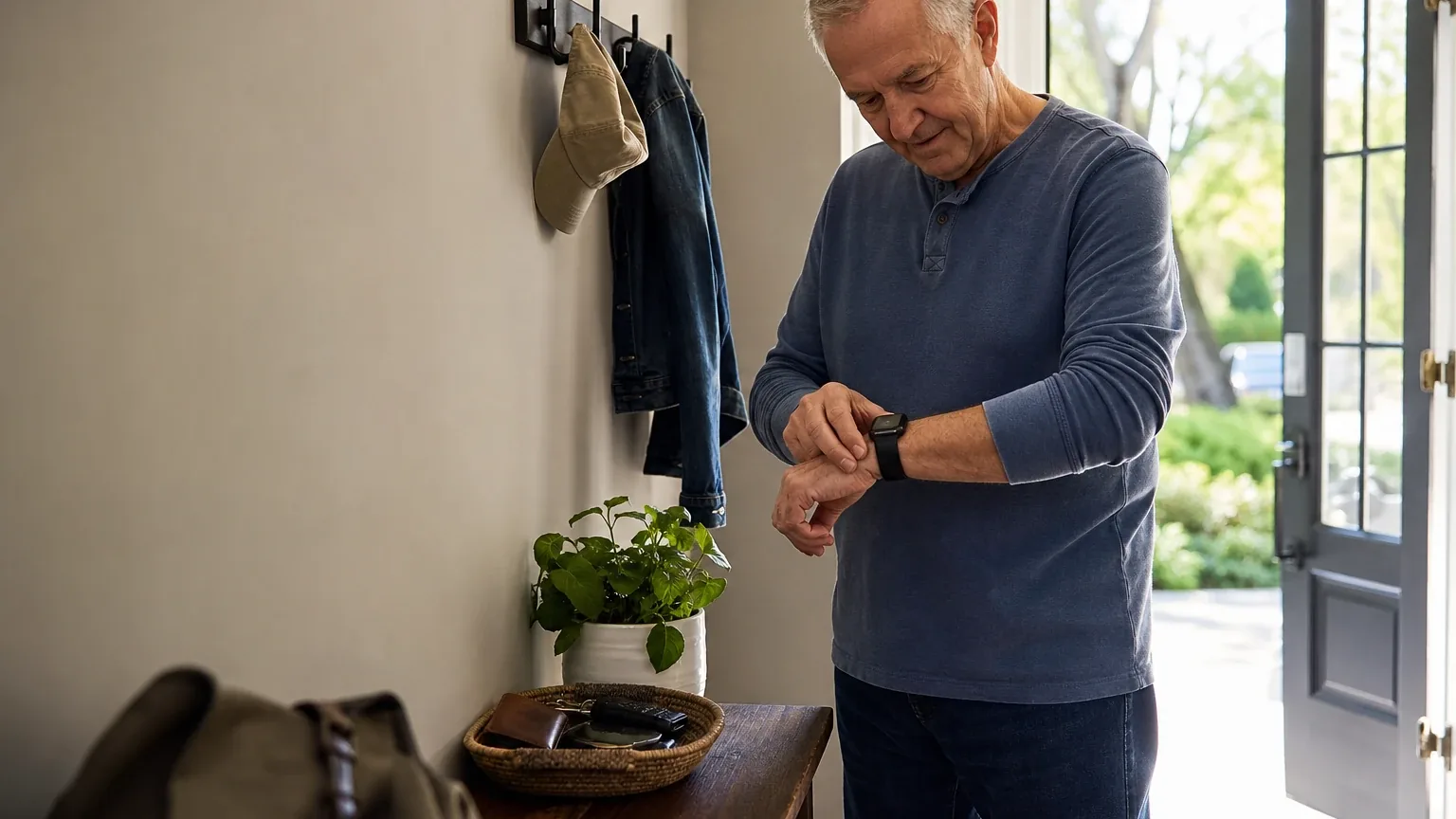
Answer Capsule
Apple Watch SE 3 (GPS + Cellular) leads the September 2026 consensus ranking for Wearable Fall Detection & SOS, followed by Medical Guardian MGMove and Bay Alarm Medical SOS Smartwatch. The current study includes 7 valid AI-platform responses and 9 qualifying entities. Compared with August 2026, the leader changed. The current list added Apple Watch SE 3 (GPS + Cellular), Medical Guardian MGMove, Google Pixel Watch 3, Medical Alert Smartwatch, Lifeline Smartwatch, and SecuLife Senior Fall Detection SOS Smartwatch and removed Apple Watch SE (2nd Generation) and Garmin Venu 4. This is an immediately preceding-month comparison. Rank movement measures changes in this collection of standardized AI-platform responses. It is not product testing, customer-review evidence, or proof that a provider's underlying quality improved or declined.
What Changed Since August 2026
This comparison uses the immediately preceding completed month.
Apple Watch SE 3 (GPS + Cellular) remained No. 1 in September 2026. It was named by 6 platforms, compared with not ranked in August 2026. Both studies used 7 valid platform responses.
The largest downward moves were Samsung Galaxy Watch 7 (down 3).
The current qualifying set added Apple Watch SE 3 (GPS + Cellular), Medical Guardian MGMove, Google Pixel Watch 3, Medical Alert Smartwatch, Lifeline Smartwatch, and SecuLife Senior Fall Detection SOS Smartwatch. It no longer includes Apple Watch SE (2nd Generation) and Garmin Venu 4 from the earlier top group. Entry or exit reflects the minimum-mention rule and the current response set, not a product launch, discontinuation, or quality finding.
| Current rank | Entity | Previous rank | Rank movement | Current mentions | Previous mentions | Mention change |
|---|---|---|---|---|---|---|
| 1 | Apple Watch SE 3 (GPS + Cellular) | — | New | 6 | — | — |
| 2 | Medical Guardian MGMove | — | New | 6 | — | — |
| 3 | Bay Alarm Medical SOS Smartwatch | 3 | No change | 6 | 4 | +2 |
| 4 | UnaliWear Kanega Watch | 4 | No change | 6 | 3 | +3 |
| 5 | Samsung Galaxy Watch 7 | 2 | Down 3 | 5 | 5 | +0 |
| 6 | Google Pixel Watch 3 | — | New | 3 | — | — |
| 7 | Medical Alert Smartwatch | — | New | 3 | — | — |
| 8 | Lifeline Smartwatch | — | New | 2 | — | — |
| 9 | SecuLife Senior Fall Detection SOS Smartwatch | — | New | 2 | — | — |
| — | Apple Watch SE (2nd Generation) | 1 | Exited | — | 5 | — |
| — | Garmin Venu 4 | 5 | Exited | — | 3 | — |
The table is calculated directly from the two stored ranking datasets. Positive rank movement means an entity moved closer to No. 1; mention change shows the difference in the number of included platform responses naming it.
The August 2026 edition preserves the complete earlier ranking and methodology for reference.
Research Snapshot
- Topic: Best Smartwatches for Seniors With Fall Detection
- Niche use case: Wearable Fall Detection & SOS
- Target buyer: Active seniors and caregivers seeking wrist-worn fall detection, GPS location, emergency calling, and basic health monitoring
- Geography: United States
- Platforms included (7): openai, anthropic, deepseek, grok, perplexity, kimi, google
- Research date: 2026-09-27
- Unique entities named: 16
- Qualifying entities: 9
- Eligibility rule: Named by at least two platforms during ranking discovery
- Ranking unit: Smartwatch model and service provider
- Ranking rule: Platform mentions, then average listed rank, then best listed rank
Platform-reported research dates differ from the authoritative run date: anthropic reported 2026-01-15, deepseek 2026-05-05, and the remaining platforms reported 2026-09-27. These are provenance metadata and do not independently prove freshness.
The Consensus Ranking
Questions This Section Answers
- What are the best smartwatches for seniors with fall detection and SOS in 2026?
- Which wrist-worn fall detection device has the most platform mentions across the seven AI platforms studied?
- Which fall detection smartwatch should a caregiver shortlist first if they want the broadest cross-platform agreement?
Platform mentions count only platforms that named the entity during ranking discovery. All seven included platforms evaluated fit, but not every platform named every entity.
| Rank | Entity | Platform mentions | Share of platform responses | Average listed position | Best position | Best considered for |
|---|---|---|---|---|---|---|
| 1 | Apple Watch SE 3 (GPS + Cellular) | 6 | 85.7% | 2.0 | 1 | Active seniors who already use an iPhone or can receive setup help; Caregivers who want emergency contacts and location sharing through Apple's ecosystem; Users who need cellular calling and SOS when the iPhone is not nearby |
| 2 | Medical Guardian MGMove | 6 | 85.7% | 2.67 | 1 | Active seniors who want a watch-style device rather than a pendant; Caregivers who need location, battery, and signal visibility through a companion portal or app; Users who want professional monitoring without carrying a smartphone |
| 3 | Bay Alarm Medical SOS Smartwatch | 6 | 85.7% | 4.0 | 2 | Active seniors who want a standalone wrist-worn SOS device without carrying or pairing a smartphone.; Caregivers who value professional monitoring and GPS information available to responders.; Users willing to charge the watch daily and pay extra for automatic fall detection. |
| 4 | UnaliWear Kanega Watch | 6 | 85.7% | 4.83 | 1 | Active seniors who want a dedicated medical-alert watch rather than a general-purpose smartwatch; Users who may have difficulty pressing a button or operating a smartphone during an emergency; Caregivers who prioritize 24/7 professional monitoring and built-in cellular connectivity |
| 5 | Samsung Galaxy Watch 7 | 5 | 71.4% | 4.2 | 2 | Active seniors already using an Android or Samsung Galaxy phone.; Buyers who want a conventional smartwatch with LTE calling, location sharing, fitness, sleep, heart-rate, blood-oxygen, and other health features.; Caregivers willing to configure emergency contacts, fall-detection settings, permissions, and carrier service. |
| 6 | Google Pixel Watch 3 | 3 | 42.9% | 5.33 | 3 | Active seniors who already use a compatible Android phone; Caregivers who want fall alerts and emergency calling from a mainstream smartwatch; Users who need LTE calling and location sharing when the phone is not nearby |
| 7 | Medical Alert Smartwatch | 3 | 42.9% | 8.0 | 6 | Seniors who want a dedicated medical-alert service rather than a general-purpose smartwatch.; Caregivers who value a companion app, GPS location support, emergency contacts, and a free annual-plan key lockbox.; Users who need optional fall detection and may be unable to press the help button after a fall. |
| 8 | Lifeline Smartwatch | 2 | 28.6% | 3.5 | 3 | Active seniors who prioritize a discreet, lightweight wrist device and direct access to a professional monitoring center.; Buyers who want LTE-based SOS and GPS without relying on a personal smartphone.; Caregivers seeking basic activity and heart-rate tracking alongside monitored emergency calling. |
| 9 | SecuLife Senior Fall Detection SOS Smartwatch | 2 | 28.6% | 6.5 | 5 | Caregivers who want alerts sent to family contacts rather than a professional emergency-response call center.; Active seniors who will consistently wear and charge a dedicated cellular safety wearable.; Buyers prioritizing GPS, geofencing, SOS calling, and caregiver-app access over advanced smartwatch health features. |
Which Option Is Best for Which Version of the Buyer Need?
Questions This Section Answers
- Which fall detection smartwatch should a senior choose if they already own an iPhone versus an Android phone?
- Which wrist-worn fall detection device is best for a caregiver who wants professional monitoring rather than a 911 call?
- Which fall detection smartwatch should a buyer choose if they need continuous wear without a daily charging gap?
| Buyer need | Best-fit option | Why it fits | Main tradeoff |
|---|---|---|---|
| Already uses an iPhone; wants fall detection plus broad health features | Apple Watch SE 3 (GPS + Cellular) | Fall Detection, Emergency SOS, GPS, cellular calling, and health monitoring in one wrist device [e1:openai:c4] | Requires iPhone pairing, daily charging, and a carrier plan [e1:anthropic:c7] |
| Wants professional monitoring with a caregiver portal | Medical Guardian MGMove | 24/7 monitoring center, GPS, caregiver visibility into location, battery, and signal [e2:anthropic:c4] | Fall detection is a $10/month add-on; ~24-hour battery [e2:openai:c1] |
| Wants standalone wrist SOS without a smartphone | Bay Alarm Medical SOS Smartwatch | Built-in 4G LTE with no separate carrier plan; dedicated SOS button [e3:openai:c3] | Short 6–18 hour official battery range; fall detection is an add-on [e3:openai:c5] |
| Cannot reliably press a button or charge daily | UnaliWear Kanega Watch | Voice- and auto-triggered alerts; swappable batteries support continuous wear [e4:openai:c1] | Highest recurring cost; no caregiver app [e4:anthropic:c1] |
| Already uses an. |
1. Apple Watch SE 3 (GPS + Cellular)
Questions This Section Answers
- Is the Apple Watch SE 3 (GPS + Cellular) worth it for senior fall detection and SOS, and what are its main drawbacks?
- What should a buyer check before choosing the Apple Watch SE 3 for an older adult who may forget to charge a watch daily?
Verdict. The Apple Watch SE 3 (GPS + Cellular) is the consensus leader for this use case, and the evidence supports a "good" fit rather than a guaranteed one. It combines Fall Detection, Emergency SOS, GPS, cellular calling, and basic health monitoring in one wrist device [e1:openai:c4]. The recurring caveats are iPhone dependency, daily charging, and the absence of any independently verified, product-specific fall-detection accuracy rate in the reviewed sources [e1:openai:c4].
Why it ranked here. Six of seven platforms named it, with an average listed position of 2.0 and a best position of 1. Ranks by platform: deepseek 1, google 1, perplexity 1, openai 2, grok 3, anthropic 4. It was the only entity to receive a first-place ranking from three separate platforms.
Best suited for. Active seniors who already use an iPhone or can receive setup help; caregivers who want emergency contacts and location sharing through Apple's ecosystem; users who need cellular calling and SOS when the iPhone is not nearby [e1:openai:c4].
Main strengths for the use case. Apple lists Fall Detection on Apple Watch SE 3; when a hard fall is detected, the watch can display an alert and, if the wearer is immobile, contact emergency services and notify emergency contacts [e1:openai:c2]. The GPS + Cellular model can make calls and send messages without the iPhone nearby, subject to cellular connectivity or Wi-Fi calling [e1:openai:c3]. Apple states emergency contacts can receive the watch's location after a Fall Detection emergency call [e1:openai:c2]. Health monitoring includes heart-rate tracking, high and low heart-rate notifications, irregular-rhythm notifications, sleep tracking, sleep score, respiratory-rate and wrist-temperature data in the Vitals app, and low-cardio-fitness notifications [e1:openai:c6]. The always-on Retina OLED display reaches up to 1,000 nits [e1:openai:c4].
Main limitations. Apple rates the watch for up to 18 hours of normal use and up to 32 hours in Low Power Mode, which generally implies daily charging [e1:openai:c4]. Fall Detection must be enabled and is not guaranteed to detect every fall [e1:openai:c2]. Emergency calling requires cellular connectivity or Wi-Fi calling with an internet connection [e1:openai:c3]. The watch requires an iPhone for many management and configuration workflows [e1:openai:c4]. It is not presented as a professionally monitored medical-alert service [e1:openai:c4]. Small-screen usability may be challenging for seniors with vision, dexterity, or cognitive limitations [e1:openai:c4].
Pricing or cost summary. Apple's U.S.
2. Medical Guardian MGMove
Questions This Section Answers
- Is the Medical Guardian MGMove worth it for a senior who needs professional monitoring plus wrist-worn fall detection?
- Which fall detection smartwatch should a caregiver choose if they need location, battery, and signal visibility through a companion portal?
Verdict. The Medical Guardian MGMove is a purpose-built medical-alert smartwatch with a physical SOS button, GPS, two-way calling through a monitoring center, and optional automatic fall detection [e2:deepseek:mg-device]. It is a good fit for buyers who prioritize monitored emergency response over smartwatch apps or detailed health tracking.
Why it ranked here. Six of seven platforms named it, with an average listed position of 2.67 and a best position of 1. Ranks by platform: anthropic 1, grok 1, google 2, perplexity 2, deepseek 4, openai 6.
Best suited for. Active seniors who want a watch-style device rather than a pendant; caregivers who need location, battery, and signal visibility through a companion portal or app; users who want professional monitoring without carrying a smartphone [e2:openai:c1].
Main strengths for the use case. MGMove provides a physical SOS/help function connecting the wearer to Medical Guardian's professional monitoring service [e2:openai:c1]. Independent testing confirmed an average response time of 10 seconds to Medical Guardian's monitoring center, described as among the fastest tested for medical alert smartwatches [e2:anthropic:c4]. Independent testing documented GPS tracking accuracy of 15–20 feet in urban and suburban environments [e2:anthropic:c4]. The watch has a touchscreen with large, easy-to-read icons and a watch-style design [e2:openai:c1]. Public product information describes the watch as water-resistant or shower-safe, and an independent review identifies an IP67 rating [e2:openai:c1]. Medical Guardian's monitoring centers are described as 5-diamond certified with over 550 trained emergency operators across two U.S.-based facilities [e2:anthropic:c4].
Main limitations. Automatic fall detection is an optional add-on rather than a standard MGMove feature, and the reviewed sources do not provide a sufficiently robust, MGMove-specific accuracy result [e2:openai:c1]. Medical Guardian describes MGMove battery life as up to approximately 24 hours or one day; independent testing found approximately 20 hours [e2:openai:c1]. The reviewed sources do not document advanced clinical-style measurements such as ECG or blood-oxygen monitoring [e2:openai:c1]. The 1.25-inch display may present readability challenges for seniors with vision impairment [e2:anthropic:c4]. No reviewed source establishes a universal fall-detection accuracy rate for MGMove [e2:openai:c1].
Pricing or cost summary. Published sources indicate approximately $199.95 upfront for the MGMove device, approximately $42.95 to $43.95 per month for base monitoring, and approximately $10 per month for optional automatic fall detection [e2:openai:c1]. A buyer using fall detection should budget roughly $52.95 to $53.95 per month before other add-ons [e2:openai:c1].
3. Bay Alarm Medical SOS Smartwatch
Questions This Section Answers
- Is the Bay Alarm Medical SOS Smartwatch worth it for a senior who wants standalone wrist SOS without a smartphone?
- Which fall detection smartwatch should a buyer choose if battery life and fall-detection accuracy are the top concerns?
Verdict. The Bay Alarm Medical SOS Smartwatch is a good fit for seniors who prioritize a discreet wrist-worn emergency device, professional monitoring, GPS-assisted response, and simple operation over long battery life or broad smartwatch health features [e3:openai:c1].
Why it ranked here. Six of seven platforms named it, with an average listed position of 4.0 and a best position of 2. Ranks by platform: anthropic 2, grok 2, google 3, deepseek 5, openai 5, perplexity 7.
Best suited for. Active seniors who want a standalone wrist-worn SOS device without carrying or pairing a smartphone; caregivers who value professional monitoring and GPS information available to responders; users willing to charge the watch daily and pay extra for automatic fall detection [e3:openai:c1].
Main strengths for the use case. The watch has a dedicated physical SOS button, built-in microphone and speaker, and 24/7 monitoring [e3:openai:c3]. The Senior List reported an average test-call answer time of 16 seconds, with individual calls ranging from 7 to 30 seconds [e3:openai:c1]. The product includes GPS, and Bay Alarm says location data is sent to its monitoring center during an SOS event [e3:openai:c3]. The watch uses built-in 4G LTE with no separate carrier plan [e3:openai:c3]. Independent testing described the SOS button as large and easy to press and the touchscreen as intuitive [e3:openai:c1]. The product is listed as IP67, and the user guide permits showering but advises against submerging the device [e3:openai:c5].
Main limitations. Battery claims vary by source and configuration: Bay Alarm currently lists up to 6–18 hours, while its user guide says up to one day and recommends charging at night; independent testing reported approximately 14–16 hours [e3:openai:c1][e3:openai:c5]. The Senior List detected 15 of 20 simulated falls, indicating useful but imperfect fall-detection performance [e3:openai:c1]. Documented built-in features are basic: time, weather, step counting, SOS communication, and fall detection; independent testing found no heart-rate monitor or medication-reminder functions [e3:openai:c1]. Bay Alarm's current page describes caregiver tracking, location history, and battery alerts, but the same page states elsewhere that caregiver tracking was still being developed [e3:openai:c1].
Pricing or cost summary. The Senior List reported a $199 equipment charge, $39.95 monthly monitoring, and an additional $10 monthly fall-detection charge, for approximately $49.95 per month with fall detection [e3:openai:c1]. Anthropic reported the device purchase at $199, often discounted to $159.20, with a 15-day trial from delivery [e3:anthropic:c4].
What Changed Since August 2026
Bay Alarm Medical SOS Smartwatch remained at No. 3, and platform mentions increased from 4 to 6. The September 2026 article keeps the Bay Alarm Medical SOS Smartwatch as a solid pick for seniors wanting a standalone wrist SOS device, but the buyer guidance is more measured. The earlier write-up led with fast response times and automatic fall detection; the current section still notes The Senior List's average test-call answer time of 16 seconds, now with a wider range of 7 to 30 seconds. Battery guidance has shifted: earlier figures spanned 6 to 24 hours, while the current article reports up to 6–18 hours from Bay Alarm and roughly 14–16 hours from independent testing. Differences between the two editions reflect what each article reports; they do not by themselves prove that the product, service, or price changed.
4. UnaliWear Kanega Watch
Questions This Section Answers
- Is the UnaliWear Kanega Watch worth it for a senior who cannot reliably press a button or charge a watch daily?
- Which fall detection smartwatch should a caregiver choose if continuous wear and included fall detection matter more than monthly cost?
Verdict. The UnaliWear Kanega Watch is a good, safety-focused fit for U.S. seniors and caregivers who value dedicated wrist-worn fall detection, professional monitoring, voice SOS, GPS assistance, and continuous wear more than low cost or broad smartwatch functionality [e4:openai:c1].
Why it ranked here. Six of seven platforms named it, with an average listed position of 4.83 and a best position of 1. Ranks by platform: openai 1, kimi 2, grok 5, deepseek 6, google 6, anthropic 9. The wide spread reflects a genuine split: some platforms rated it a top pick for continuous wear, while others flagged cost and company-viability concerns.
Best suited for. Active seniors who want a dedicated medical-alert watch rather than a general-purpose smartwatch; users who may have difficulty pressing a button or operating a smartphone during an emergency; caregivers who prioritize 24/7 professional monitoring and built-in cellular connectivity [e4:openai:c1].
Main strengths for the use case. Automatic fall detection is included rather than sold as a separate add-on [e4:openai:c1]. The watch offers three help pathways: detected fall, physical button, and voice command [e4:openai:c1]. Independent testing by The Senior List detected 15 of 20 test falls [e4:openai:c1]. The Senior List reported an average response time of about 30 seconds in 10 test calls [e4:openai:c1]. The watch uses removable rechargeable batteries that can be charged separately, allowing a charged spare to be used while another battery charges; an independent review listed approximately 32 hours of battery life per battery [e4:openai:c1]. The service includes a Verizon cellular data plan on the watch and does not require the user to be a Verizon customer or carry a smartphone [e4:openai:c1].
Main limitations. Independent testing missed 5 of 20 test falls [e4:openai:c1]. The official site lists a $299 upfront equipment/setup charge, a Monthly Plan of $79.95 per month, or an Annual Plan totaling $1,078.40 for the first year, equivalent to $64.95 per month for service when prepaid [e4:openai:c1]. An independent review reported no caregiver app for routine location tracking or caregiver communication [e4:openai:c1]. The Senior List reported a low-definition, visibly pixelated screen and noted that voice activation requires remembering the wake phrase "Fred Astaire" [e4:openai:c1]. UnaliWear states the Kanega LTE watch has an IP67 rating and is suitable for hand washing and showering, but warns against swimming, water aerobics, bathing, or other immersion [e4:openai:c1].
What Changed Since August 2026
UnaliWear Kanega Watch remained at No. 4, and platform mentions increased from 3 to 6. The September 2026 article recasts the UnaliWear Kanega Watch as a safety-focused medical-alert watch, with the Verdict, buyer fit, strengths, and limitations all rewritten. The current write-up newly reports $79.95 per month and $1,078.40 for the annual plan, while the earlier $79.95 to $84.95 monthly range is no longer repeated. Battery evidence is also refreshed: the article now cites approximately 32 hours per battery, where the prior version described 24–36 hours and 2-3 days. The recommended configuration is unchanged, and the positioning for seniors and caregivers remains consistent. Differences between the two editions reflect what each article reports; they do not by themselves prove that the product, service, or price changed.
5. Samsung Galaxy Watch 7
Questions This Section Answers
- Is the Samsung Galaxy Watch 7 worth it for senior fall detection and SOS if the wearer already uses a Galaxy phone?
- Which fall detection smartwatch should a buyer choose if they want LTE calling and health monitoring but not a dedicated medical-alert service?
Verdict. The Samsung Galaxy Watch 7 is a good fit for active seniors and caregivers who want wrist-based hard-fall detection, SOS calling or messaging, GPS/location sharing, and broad health monitoring, provided the wearer uses a compatible Android phone and a caregiver completes setup [e5:openai:c1].
Why it ranked here. Five of seven platforms named it, with an average listed position of 4.2 and a best position of 2. Ranks by platform: deepseek 2, google 4, openai 4, anthropic 5, perplexity 6.
Best suited for. Active seniors already using an Android or Samsung Galaxy phone; buyers who want a conventional smartwatch with LTE calling, location sharing, fitness, sleep, heart-rate, blood-oxygen, and other health features; caregivers willing to configure emergency contacts, fall-detection settings, permissions, and carrier service [e5:openai:c1].
Main strengths for the use case. Galaxy Watch7 supports manually enabled Hard fall detection, with settings for detection timing, emergency number, warning sound, and whether a swipe is required before calling [e5:openai:c1]. If no response within 60 seconds, an SOS message with location is automatically sent to emergency contacts [e5:anthropic:C001]. The LTE model can operate without the phone nearby for supported functions, and Samsung identifies AT&T, T-Mobile, and Verizon as supported carrier options in its U.S. activation guidance [e5:openai:c3]. Samsung promotes heart-rate, sleep, activity, blood-oxygen, body-composition, sleep-apnea, and other wellness functions [e5:openai:c7]. The 44mm model has a larger 37.3mm Super AMOLED display than the 40mm model's 33.3mm display [e5:openai:c6].
Main limitations. Samsung explicitly states "Galaxy Watch cannot detect all falls," and high-impact physical activity can trigger false fall detection [e5:anthropic:C001]. Fall detection must be manually enabled in the Galaxy Wearable app and is not on by default [e5:anthropic:C004]. Galaxy Watch7 requires Android 11 or later and is not compatible with iPhone [e5:openai:c8]. Samsung does not provide a product-specific public accuracy rate in the reviewed sources [e5:openai:c1]. The watch is explicitly not a medical device and not intended for diagnosis or treatment of disease [e5:anthropic:C001]. Emergency SOS on Galaxy Watch contacts local emergency services (911), not caregiver contacts first [e5:kimi:samsung-support-sos].
Pricing or cost summary. Samsung's March 2026 U.S. MSRP list shows $349.99 for the Galaxy Watch7 LTE 40mm and $379.99 for the LTE 44mm [e5:openai:c9]. Perplexity reported Samsung U.S.
What Changed Since August 2026
Samsung Galaxy Watch 7 moved down from No. 2 to No. 5, and platform mentions were unchanged at 5. The September 2026 article keeps the Galaxy Watch 7 as a good fit for active Android-using seniors, but the emphasis shifts: the earlier write-up led with accuracy disputes, while the current one stresses caregiver setup and LTE carrier support. The previous 20–26 and 30–40 hour battery figures are no longer repeated, and the 60-second no-response window before an SOS message is now described. Pricing evidence also changed: the current article reports $379.99 for the LTE 44mm, while the earlier $299.99 and $329.99 figures are no longer repeated. Differences between the two editions reflect what each article reports; they do not by themselves prove that the product, service, or price changed.
6. Google Pixel Watch 3
Questions This Section Answers
- Is the Google Pixel Watch 3 worth it for senior fall detection and SOS if the wearer uses an Android phone?
- Which fall detection smartwatch should a buyer choose if they want Loss of Pulse Detection alongside fall detection?
Verdict. The Google Pixel Watch 3 is a good fit for active Android-using seniors who will wear and charge the watch consistently and have reliable carrier coverage [e6:openai:c1]. The combination of fall detection, LTE emergency calling, location sharing, and health monitoring is strong for a smartwatch, but short battery life, connectivity dependence, and the Android requirement prevent a strong rating.
Why it ranked here. Three of seven platforms named it, with an average listed position of 5.33 and a best position of 3. Ranks by platform: deepseek 3, anthropic 6, google 7.
Best suited for. Active seniors who already use a compatible Android phone; caregivers who want fall alerts and emergency calling from a mainstream smartwatch; users who need LTE calling and location sharing when the phone is not nearby [e6:openai:c1].
Main strengths for the use case. Fall Detection is available on Pixel Watch 3 in the United States; after a detected hard fall, the watch waits about 30 seconds, alerts the wearer, and can call emergency services after an additional countdown if there is no response [e6:openai:c1]. Emergency SOS can call emergency services or a configured emergency contact, and the LTE model can call without the paired phone nearby [e6:openai:c1]. With location permission enabled, Fall Detection can share the wearer's location with emergency services through an automated message [e6:openai:c1]. Pixel Watch 3 and later also support Loss of Pulse Detection in the United States, which can attempt to call emergency services when no pulse is detected [e6:openai:c4]. Google lists an Actua display with up to 2,000 nits brightness and a larger 45 mm option [e6:openai:c3].
Main limitations. Google lists approximately 24 hours of battery life with always-on display for Pixel Watch 3 [e6:openai:c1]. Fall Detection cannot detect all falls and may produce false alerts during high-impact activity [e6:openai:c1]. Pixel Watch 3 requires a compatible Android phone and does not support iPhones; Google lists Android 10 or newer [e6:openai:c2]. The watch requires a compatible cellular plan for independent LTE calling, texting, data, and emergency communication when the phone is not nearby [e6:openai:c1]. Google says Loss of Pulse Detection may miss events and is not a substitute for prescribed continuous monitoring [e6:openai:c4]. Anthropic noted Loss of Pulse Detection is explicitly not intended for users with pre-existing heart conditions or those requiring cardiac monitoring [e6:anthropic:c9].
Pricing or cost summary. Google's U.S.
7. Medical Alert Smartwatch
Questions This Section Answers
- Is the Medical Alert Smartwatch worth it for a senior who wants a dedicated medical-alert service with a companion app?
- Which fall detection smartwatch should a buyer choose if they want a free annual-plan key lockbox and no long-term contract?
Verdict. The Medical Alert Smartwatch is a good fit for active seniors and caregivers prioritizing dedicated 24/7 medical-alert response, wrist-worn SOS access, GPS-enabled location support, optional automatic fall detection, and simple health tracking [e7:openai:c1].
Why it ranked here. Three of seven platforms named it, with an average listed position of 8.0 and a best position of 6. Ranks by platform: kimi 6, deepseek 9, google 9.
Best suited for. Seniors who want a dedicated medical-alert service rather than a general-purpose smartwatch; caregivers who value a companion app, GPS location support, emergency contacts, and a free annual-plan key lockbox; users who need optional fall detection and may be unable to press the help button after a fall [e7:openai:c1].
Main strengths for the use case. The watch has an integrated help button connecting the wearer to a trained response specialist 24/7/365 [e7:openai:c1]. Independent AARP testing reported that the Smartwatch detected all 12 test falls, though that is a limited test sample and not a guarantee of real-world performance [e7:openai:c2]. AARP independently reported that the watch passed its GPS tracking test and that caregivers can receive notifications through the app [e7:openai:c2]. The watch includes heart-rate monitoring and step tracking [e7:openai:c1]. The official product page describes the watch as waterproof and states that help buttons are waterproof up to one meter for 30 minutes [e7:openai:c1]. Annual plans include free standard shipping and a free key lockbox [e7:openai:c1].
Main limitations. Automatic fall detection is an optional add-on, and Medical Alert explicitly states that it does not detect 100% of falls [e7:openai:c1]. A published battery-life figure was not located on the reviewed official product page; AARP described the watch as having a fairly basic feature set, while other independent summaries list approximately 48 hours [e7:openai:c1][e7:openai:c5]. The specific carrier, coverage map, and network technology for this watch were not clearly identified on the reviewed product page [e7:openai:c1]. The reviewed materials do not establish ECG, blood-oxygen, sleep monitoring, medication reminders, or clinician-grade monitoring [e7:openai:c1]. The official page advertises $34.95 per month as a starting price but does not clearly display the exact annual Smartwatch-plus-fall-detection total [e7:openai:c1].
8. Lifeline Smartwatch
Questions This Section Answers
- Is the Lifeline Smartwatch worth it for a senior who wants a discreet, waterproof wrist device with professional monitoring?
- Which fall detection smartwatch should a buyer choose if they want no long-term contract and a professional response center?
Verdict. The Lifeline Smartwatch is a mixed fit for Wearable Fall Detection & SOS [e8:openai:c1]. It is attractive for active seniors who want a discreet, waterproof wrist device with monitored SOS, GPS, LTE communication, and basic health tracking, but it is not the strongest choice when fall-detection accuracy, response reliability, or low total cost is the primary requirement.
Why it ranked here. Two of seven platforms named it, with an average listed position of 3.5 and a best position of 3. Ranks by platform: anthropic 3, kimi 4.
Best suited for. Active seniors who prioritize a discreet, lightweight wrist device and direct access to a professional monitoring center; buyers who want LTE-based SOS and GPS without relying on a personal smartphone; caregivers seeking basic activity and heart-rate tracking alongside monitored emergency calling [e8:openai:c1].
Main strengths for the use case. The watch has a dedicated touchscreen help button, two-way voice communication, and access to Lifeline's 24/7/365 response center [e8:openai:c1]. Lifeline states that the watch uses GPS and Wi-Fi to locate the wearer, with location accurate within 30 feet or less under good conditions [e8:openai:c1]. Lifeline states that the Smartwatch is waterproof and can be worn in the shower or bath [e8:openai:c1]. The relevant model provides heart-rate monitoring and step tracking [e8:openai:c1]. Lifeline states that the Smartwatch has no long-term contract and no service cancellation fee [e8:openai:c1].
Main limitations. Fall Detection is optional and costs $15 per month; Lifeline states that the technology does not detect 100% of falls and recommends pressing the help button whenever possible [e8:openai:c1]. SafeWise hands-on testing reported that Lifeline Smartwatch detected all tested slow falls but missed two of three tested fast falls [e8:openai:c3]. SafeWise obtained the correct address in two of three GPS tests and received an address across the street in the third [e8:openai:c3]. NCOA lists maximum battery life of up to three days, while SafeWise reported approximately two days in testing [e8:openai:c6][e8:openai:c3]. SafeWise found the help button small and low-profile and recommended practicing how to activate it [e8:openai:c3]. SafeWise reported one dropped call during GPS testing, although the monitoring agent called back immediately [e8:openai:c3].
Pricing or cost summary. Lifeline advertises annual-plan service starting at $34.95 per month, with optional Fall Detection adding $15 per month, producing an advertised recurring total of $49.95 per month [e8:openai:c1].
9. SecuLife Senior Fall Detection SOS Smartwatch
Questions This Section Answers
- Is the SecuLife Senior Fall Detection SOS Smartwatch worth it for a caregiver who wants family-contact alerts instead of a call center?
- Which fall detection smartwatch should a buyer choose if they want the lowest published annual service cost with caregiver-app access?
Verdict. The SecuLife Senior Fall Detection SOS Smartwatch is a mixed fit: it directly addresses wrist-worn fall alerts, SOS calling, GPS location, caregiver notifications, and two-way voice communication at a relatively transparent subscription price, but publicly verified evidence is limited for fall-detection accuracy, GPS precision, battery endurance, cellular coverage, display readability, and meaningful health monitoring [e9:openai:c1].
Why it ranked here. Two of seven platforms named it, with an average listed position of 6.5 and a best position of 5. Ranks by platform: kimi 5, anthropic 8.
Best suited for. Caregivers who want alerts sent to family contacts rather than a professional emergency-response call center; active seniors who will consistently wear and charge a dedicated cellular safety wearable; buyers prioritizing GPS, geofencing, SOS calling, and caregiver-app access over advanced smartwatch health features [e9:openai:c1].
Main strengths for the use case. The product includes an SOS button, two-way voice calling, automatic dialing of configured caregiver contacts, and SMS/app/email alerts with location [e9:openai:c1]. SecuLife advertises real-time or on-demand GPS location, location history, geofencing, and multiple caregiver access through the SecuPro Mobile App [e9:openai:c1]. The device is marketed as operating with its own active SecuLife service plan for calls, alerts, GPS, and app access [e9:openai:c1]. Anthropic reported the device includes built-in automatic fall detection with adjustable sensitivity (levels 1–6, higher number = lower sensitivity), with fall detection disabled by default but enableable via app settings [e9:anthropic:C002]. Google reported the watch features a large physical SOS button that auto-calls pre-set caregiver contacts directly when held for three seconds, bypassing a traditional medical dispatch center [e9:google:1.1.1].
Main limitations. The company states that the smartwatch provides automatic fall-detection alerts, but the reviewed public materials do not provide a documented sensitivity, false-alert rate, test protocol, or independent validation [e9:openai:c1]. The official page describes the battery as long-lasting and states that shorter location-update intervals reduce battery life, but it does not give a specific runtime or charging interval [e9:openai:c1]. The reviewed product pages do not clearly identify the underlying U.S. cellular carrier, coverage map, roaming policy, or performance during network outages [e9:openai:c1]. The reviewed official smartwatch page emphasizes fall detection, SOS, GPS, geofencing, calling, and caregiver alerts; it does not clearly document heart-rate, blood-oxygen, ECG, blood-pressure, or other health-monitoring sensors for this exact product [e9:openai:c1].
What the Cross-Platform Study Reveals About This Market
Questions This Section Answers
- What does the cross-platform AI study reveal about how fall detection smartwatches for seniors are positioned in 2026?
- Which fall detection smartwatch category does the AI consensus favor: consumer smartwatches or dedicated medical-alert wearables?
The market splits into two distinct product philosophies, and the ranking reflects that split rather than resolving it. Consumer smartwatches (Apple Watch SE 3, Samsung Galaxy Watch 7, Google Pixel Watch 3) lead on health monitoring breadth, display quality, and ecosystem integration, but they route emergencies to 911 or to family contacts rather than to a staffed monitoring center [e1:openai:c4][e5:openai:c1][e6:openai:c1]. Dedicated medical-alert wearables (Medical Guardian MGMove, Bay Alarm Medical SOS Smartwatch, UnaliWear Kanega Watch, Medical Alert Smartwatch, Lifeline Smartwatch) lead on professional monitoring, but they charge recurring fees and generally offer narrower health features [e2:openai:c1][e3:openai:c1][e4:openai:c1][e7:openai:c1][e8:openai:c1].
A second pattern is that fall detection is frequently an add-on rather than a standard feature. Medical Guardian MGMove charges $10/month for automatic fall detection [e2:openai:c1]. Bay Alarm Medical charges $10/month [e3:openai:c1]. Medical Alert charges $10/month [e7:openai:c1]. Lifeline charges $15/month [e8:openai:c1]. Only UnaliWear Kanega Watch includes fall detection in its base service among the dedicated devices [e4:openai:c1].
Where the AI Platforms Agreed
Questions This Section Answers
- Which fall detection smartwatch features did all seven AI platforms agree on for senior use?
Platforms broadly agreed on several points. First, Apple Watch SE 3 (GPS + Cellular) belongs at or near the top of the shortlist: six of seven platforms named it, and three ranked it first. Second, fall detection on every ranked device is imperfect and cannot be treated as a guarantee; Apple, Samsung, Medical Guardian, Bay Alarm, Medical Alert, Lifeline, and UnaliWear all publish or are reported to publish disclaimers that their systems do not detect every fall [e1:openai:c2][e5:anthropic:C001][e2:openai:c1][e3:openai:c1][e7:openai:c1][e8:openai:c1][e4:openai:c1]. Third, daily charging is a practical requirement for nearly every option. Fourth, cellular coverage is a dependency for standalone emergency calling across all ranked entities [e1:openai:c3][e2:openai:c1][e3:openai:c3][e4:openai:c1][e5:openai:c3][e6:openai:c1][e7:openai:c1][e8:openai:c1][e9:openai:c1]. Fifth, none of the ranked devices is a substitute for professional medical monitoring or clinical diagnosis [e1:openai:c4][e5:anthropic:C001][e9:openai:c1].
Where the AI Platforms Disagreed
Questions This Section Answers
- Where did the AI platforms disagree about fall detection smartwatch accuracy and pricing for seniors?
The most material disagreement concerns Apple Watch SE 3 fall-detection accuracy. Anthropic reported independent testing documenting 60% detection under standard conditions and 40% with environmental variables [e1:anthropic:c2]. Deepseek cited an independent study reporting sensitivity around 80% and specificity around 90–100% in controlled conditions [e1:deepseek:C3]. Perplexity found no independent accuracy study for SE 3 fall detection in its checked sources [e1:perplexity:c7]. These are not reconcilable from the supplied evidence, and buyers should treat real-world accuracy as unverified.
A second disagreement concerns whether Medical Guardian MGMove supports fall detection at all. Perplexity noted one review stating fall detection is not an option at any tier, while other sources describe it as a $10/month add-on [e2:perplexity:c10][e2:openai:c1]. Google resolved this as a timing issue: older reviews predate the feature's addition [e2:google:1.2.2].
A third disagreement concerns UnaliWear Kanega Watch's viability. Anthropic reported 2026 financial difficulties and uncertain product availability [e4:anthropic:c1]. Kimi could not retrieve any source material from UnaliWear's website and rated the fit "uncertain" [e4:kimi:unverified]. Openai, deepseek, grok, google, and perplexity all rated it a good or strong fit without flagging viability concerns.
How Buyers Should Choose
Questions This Section Answers
- What should a buyer check before choosing a fall detection smartwatch for an aging parent?
- Which fall detection smartwatch should a caregiver choose if the senior cannot reliably charge a device every day?
Start with the emergency response model. If the buyer wants a staffed monitoring center that assesses the situation and dispatches help, the shortlist is Medical Guardian MGMove, Bay Alarm Medical SOS Smartwatch, UnaliWear Kanega Watch, Medical Alert Smartwatch, or Lifeline Smartwatch [e2:openai:c1][e3:openai:c1][e4:openai:c1][e7:openai:c1][e8:openai:c1]. If the buyer wants direct 911 calling or family-contact alerts, the shortlist is Apple Watch SE 3, Samsung Galaxy Watch 7, Google Pixel Watch 3, or SecuLife [e1:openai:c4][e5:openai:c1][e6:openai:c1][e9:openai:c1].
Second, confirm the phone ecosystem. Apple Watch SE 3 requires an iPhone [e1:openai:c4]. Samsung Galaxy Watch 7 requires Android 11 or later and is not compatible with iPhone [e5:openai:c8]. Google Pixel Watch 3 requires Android 10 or newer and does not support iPhones [e6:openai:c2]. The dedicated medical-alert wearables do not require a smartphone for core emergency functions [e2:openai:c1][e3:openai:c3][e4:openai:c1][e7:openai:c1][e8:openai:c1][e9:openai:c1].
Third, verify cellular coverage at the senior's home, usual walking routes, and travel locations.
Methodology
This study used one standardized prompt sent once to each of seven included AI platforms: openai, anthropic, deepseek, grok, perplexity, kimi, and google. The research date was 2026-09-27. Sixteen unique entities were named across platform responses; nine qualified by being named by at least two platforms. The final ranking order is based on platform mentions, then average listed rank, then best listed rank, and is reproduced without recalculation.
Platform mentions count only ranking-discovery mentions. All included platforms evaluated fit, but platform_mentions counts only platforms that named the entity during ranking discovery. Citations are platform-reported evidence, not independently verified facts. Company-owned citations materially outnumber independent citations across the evidence bundles; company claims are not described here as independently verified. The supplied URLs were collected from platform responses and were not independently validated by the writer stage.
Methodology Limitations
AI answers can vary by date, wording, location, account state, model, interface, browsing configuration, and the sources retrieved. A single standardized prompt sent once to each platform captures one snapshot and cannot establish stability over time.
Platform-reported research dates differ from the authoritative run date. Anthropic reported 2026-01-15, deepseek reported 2026-05-05, and the remaining platforms reported 2026-09-27. These are provenance metadata and do not independently prove freshness. Some platform evidence may reflect earlier product or pricing states.
Company-owned citations materially outnumber independent citations. Do not treat company claims as independently verified. Where sources conflicted on product names, pricing, or capabilities, this report describes the conflict and tells buyers what to verify rather than resolving it by guessing.
The supplied URLs were collected from platform responses and were not independently validated by the writer stage. Citations are platform-reported evidence, not independently verified facts. No-search model claims require explicit verification before being described as current facts. The available source evidence contains qualification notes that must be disclosed where relevant, including that official-site retrieval failed for one or more mentions of Samsung Galaxy Watch 7, Google Pixel Watch 3, Medical Alert Smartwatch, Bay Alarm Medical SOS Smartwatch, and UnaliWear Kanega Watch, and that no failed fetch was used as a verified domain key.
Final Verdict
Apple Watch SE 3 (GPS + Cellular) is the consensus leader for wrist-worn fall detection and SOS among active seniors and caregivers, named by 6 of 7 platforms with an average listed position of 2.0. It is the strongest single-device answer for iPhone-using households that want fall detection, Emergency SOS, GPS, cellular calling, and health monitoring in one wrist device, provided the buyer accepts daily charging, iPhone dependency, and unverified real-world fall-detection accuracy.
Medical Guardian MGMove is the strongest alternative for buyers who want professional monitoring with a companion portal and fast independently tested response times. Bay Alarm Medical SOS Smartwatch is the strongest alternative for buyers who want standalone wrist SOS without a smartphone. UnaliWear Kanega Watch is the strongest alternative for buyers who need continuous wear without a daily charging gap, though its cost and reported 2026 company difficulties are material risks. Samsung Galaxy Watch 7 and Google Pixel Watch 3 serve Android households that want a full smartwatch with fall detection as one feature among many. Medical Alert Smartwatch, Lifeline Smartwatch, and SecuLife Senior Fall Detection SOS Smartwatch round out the list for buyers who want dedicated medical-alert service models at different price points and monitoring structures.
No ranked device detects every fall, and no ranked device replaces professional medical judgment or a comprehensive fall-prevention plan.
Frequently Asked Questions
Which fall detection smartwatch is best for a senior who does not own a smartphone?
Bay Alarm Medical SOS Smartwatch, Medical Guardian MGMove, UnaliWear Kanega Watch, Medical Alert Smartwatch, Lifeline Smartwatch, and SecuLife Senior Fall Detection SOS Smartwatch all operate without requiring the wearer to carry or pair a smartphone for core emergency functions [e3:openai:c3][e2:openai:c1][e4:openai:c1][e7:openai:c1][e8:openai:c1][e9:openai:c1].
Does the Apple Watch SE 3 detect every fall?
No. Apple states Fall Detection must be enabled and the feature is not guaranteed to detect every fall [e1:openai:c2]. Independent testing cited by anthropic documented 60% detection under standard conditions and 40% with environmental variables [e1:anthropic:c2].
How much does fall detection cost per month across these options?
Fall detection is an add-on for most dedicated devices: $10/month for Medical Guardian MGMove, Bay Alarm Medical SOS Smartwatch, and Medical Alert Smartwatch, and $15/month for Lifeline Smartwatch [e2:openai:c1][e3:openai:c1][e7:openai:c1][e8:openai:c1]. UnaliWear Kanega Watch includes fall detection in its base service [e4:openai:c1]. Consumer smartwatches include fall detection without a separate monitoring fee but require a cellular plan for standalone emergency calling [e1:openai:c4][e5:openai:c3][e6:openai:c1].
Consolidated Sources
Company-Owned Sources
- Google Pixel Watch 3: New features, design, battery life: https://blog.google/products-and-platforms/devices/pixel/google-pixel-watch-3/
- Pixel Watch 3 introduces Loss of Pulse Detection feature: https://blog.google/products-and-platforms/devices/pixel/pixel-watch-3-loss-of-pulse-detection/
- Pixel Watch 3 Tech Specs for 45mm & 41mm Sizes: https://fi.google.com/about/watches/pixel-watch-3-specs
- SAMSUNG Wearables MSRP Price List - Effective March 2026: https://image-us.samsung.com/SamsungUS/business/solutions/industries/government/msrp-price-sheets/04072026/Samsung_Wearables_MSRP_Price_File_%28March_2026%29.pdf
- Samsung Electronics 2026 First Quarter Interim Report: https://images.samsung.com/is/content/samsung/assets/global/ir/docs/2026_1Q_Interim_Report.pdf
- SecuLife 4G GPS SOS Smartwatch V46 User Guide: https://manuals.plus/m/2743c1e571ea5b219f644af3d9d81506bb290e8aef727055497248d55d975b88
- Guide - Medical Guardian 2025 Buyer's Guide with Pricing: https://mgstaging-1f8dc.kxcdn.com/wp-content/uploads/2025/08/2025-Buyers-Guide-With-Pricing-updated.pdf
- Samsung Newsroom: Galaxy Watch Safety Features: https://news.samsung.com/us/galaxy-watch-safety-features-fall-detection/
- Loss of Pulse Detection on the Google Pixel Watch 3: https://research.google/blog/loss-of-pulse-detection-on-the-google-pixel-watch-3/
- SecuLife - Senior Fall Detection SOS Smartwatch: https://seculife.com/
- Senior Fall Detection SOS Smartwatch | SecuLife: https://seculife.com/products/senior-fall-detection-sos-smartwatch
- Senior SOS Wristband – Fall Detection & GPS: https://seculife.com/products/sos-gps-wristband
- Senior Devices: https://seculife.us/collections/senior-devices
- Senior Fall Detection SOS Smartwatch: https://seculife.us/products/senior-fall-detection-sos-smartwatch
- Elderly Fall Detection Smartwatch with SOS Button | SecuLife: https://seculife.us/products/senior-sos-smartwatch
- Senior Fall Detection SOS Smartwatch | SecuLife: https://shop.seculife.us/products/senior-fall-detection-sos-smartwatch
- Google Pixel Watch 3 (41mm) Polished Silver Aluminum Case / Porcelain Active Band LTE: https://store.google.com/config/pixel_watch_3?hl=en-US&sku=_pixel_watch_3_41mm_lte_silver_porcelain_unlocked&pli=1
- Pixel Watch 3 technical specs: https://store.google.com/ie/product/pixel_watch_3_specs?hl=en-GB
- Google Pixel Watch 3: https://store.google.com/product/pixel_watch_3
- Pixel Watch 3 with Fitbit Running Insights & Google AI: https://store.google.com/product/pixel_watch_3?hl=en-US
- Pixel Watch 3 with Fitbit Running Insights & Google AI: https://store.google.com/product/pixel_watch_3?hl=en-US&sku=GA04BKBK
- Pixel Watch 3 connectivity and LTE: https://store.google.com/product/pixel_watch_3_specs
- Pixel Watch 3 Tech Specs for 45mm & 41mm Sizes: https://store.google.com/product/pixel_watch_3_specs?hl=en-US&pli=1
- Save $50 on a Pixel Watch 3: https://store.google.com/us/config/pixel_watch_3?hl=en-US&sku=_pixel_watch_3_41mm_wifi_warm_gold_hazel_unlocked
- Apple Watch SE 3 - Tech Specs – Apple Support (AU): https://support.apple.com/en-au/125094
- Apple Watch SE 3 - Tech Specs - Apple Support: https://support.apple.com/en-mide/125094
- Use Fall Detection with Apple Watch - Apple Support: https://support.apple.com/en-us/108896
- Apple Watch SE 3 - Tech Specs: https://support.apple.com/en-us/111840
- Apple Watch SE 3 - Tech Specs: https://support.apple.com/en-us/125094
- Manage Fall Detection on Apple Watch: https://support.apple.com/en-us/guide/watch/apd34c409704/watchos
- Use Emergency SOS on Apple Watch: https://support.apple.com/en-us/HT206983
- Set up cellular on Apple Watch: https://support.apple.com/en-us/HT207578
- Apple Watch SE - Fall Detection: https://support.apple.com/en-us/HT208944
- Set up Family Setup on Apple Watch: https://support.apple.com/en-us/HT210394
- Use Fall Detection with Apple Watch: https://support.apple.com/guide/watch/fall-detection-apd3d1c8b9d2/watchos
- Manage Fall Detection on Apple Watch: https://support.apple.com/guide/watch/manage-fall-detection-apd34c409704/26/watchos/26
- Set up Apple Watch for a family member: https://support.apple.com/guide/watch/set-up-for-family-member-apd69e8e6e23/watchos
- Use Emergency SOS on your Apple Watch: https://support.apple.com/guide/watch/use-emergency-sos-apd69e0c9628/watchos
- Use fall detection with Apple Watch: https://support.apple.com/guide/watch/use-fall-detection-apd69e7c52e1/watchos
- What is Loss of Pulse Detection on my Google Pixel Watch? - Google Health Help Center: https://support.google.com/googlehealth/answer/15250403?hl=en
- Compatibility requirements and region availability for Pixel Watch: https://support.google.com/googlepixelwatch/answer/12652073?hl=en-en
- Get help in an emergency with Google Pixel Watch safety features: https://support.google.com/googlepixelwatch/answer/12663810?hl=en
- Charge Google Pixel Watch and tips to improve battery life: https://support.google.com/googlepixelwatch/answer/12742648?hl=en
- Emergency SOS on Google Pixel Watch: https://support.google.com/googlepixelwatch/answer/14231698
- Set up your Google Pixel Watch: https://support.google.com/googlepixelwatch/answer/14235678
- Get help in an emergency with your Google Pixel Watch: https://support.google.com/googlepixelwatch/answer/14237722
- What is Loss of Pulse Detection on my Google Pixel Watch?: https://support.google.com/googlepixelwatch/answer/15250403?hl=en
- SecuLife SOS Smartwatch User Guide: https://support.seculife.us/SecuLife_SOS_Smartwatch_User_Guide.pdf
- The Most Popular Bundle: Theora Connect Wearable + Smart Fall Detection: https://theoracare.com/product/the-most-popular-bundle-theora-connect-wearable-smart-fall-detection/
- Theora Connect Wearable: https://theoracare.com/product/theora-connect-wearable/
- Use your Samsung smart watch in an emergency situation: https://vertexaisearch.cloud.google.com/grounding-api-redirect/AUZIYQEmr7uu2TzcyiYC5_-Oj2tlC0ML4v1aZYtk9D-PgZtE0n-tzmWvgfQLc0H_0JOhir_2fnVL7aQv-MlCpKRfqIWXtDEj84YRlLmOV7p55FaeyH6szRwdbjqNnjLpU6X99ilIe99B6jY1FUB8cdI=
- Galaxy Watch7 LTE (4.4 cm) Green - Full Features | Samsung India: https://vertexaisearch.cloud.google.com/grounding-api-redirect/AUZIYQEtpR5O5ca72G37i8NHaBGXn5KH1-c1Ht_6XWZdGMoNyeQtiFFTv3-77YwjmNmLTitMOpFYlf7wx6xIqK8ja0zQIEaCgqOBUnaxlCbo9Iu1NhW3Pf5abA0Afv2zYGWg0kf8vEf0Vn_6JdIsKaxAOCm3Te7oohFE2OMTLhRids1-sZXv5jiOCdfUo161-yCP3gvjOg==
- Bay Alarm Medical SOS Smartwatch vs Apple Watch: https://vertexaisearch.cloud.google.com/grounding-api-redirect/AUZIYQF8EnSThhdreRftyT4vvhL844P6Ci9ayoIPyBmsYEgWfkkPO0onC6YlhxGSvvqeJFaQpkT6lxkvJv0uDfSKRMIS_Au7PVIUv2JIyCa8BBLNy5ucS8RjUYd8RqajvBc68aBxR9Wf35r1zzOTSk4hRgZMNAVHP8GpDXxwFcG36xWYTDS2YWf4Gq-dn_X1jUYvlYoKhnT5olDRGNp-RcOVB1I=
- Bay Alarm Medical Caregiver App for SOS Smartwatch: https://vertexaisearch.cloud.google.com/grounding-api-redirect/AUZIYQFaggZxRTfhau4pl9AViwe2m3p_Uc-imCrRlqgWTAMUCyR3pAzYAqj-YjqHMUG6UZhEEL2Tqzm4p4brtCpNjTrB9WvYWqXT6t-I6BOp8Xsppx5STxbz2aJiqpwbKBTzYozflSAcUUW0Gg23l0V845QFENmpiqzS8btvwAYkcUEZKFoRwdEmazarWSwYPIrLCruNYA6v5oUwBfA3wnwQKUM=
- Going Hands-Free with Galaxy Watch LTE - Samsung Newsroom: https://vertexaisearch.cloud.google.com/grounding-api-redirect/AUZIYQFdLvTLvrrDx2AcZ5f4Kx1baPwiR-d8ZT_CHiaKwoWFxSvx6oVkt3lzesLnLrlVho80HV7EgdvO7ve3MsvZ3xtyhApVJ7dhzKXy93n0iM5kOCb1TuO5t8gf0KSOpOkYmJ9jS-1wj2osTU7v1qlPBcEyxRixdn6s
- How to set up safety and emergency on your Galaxy Watch | Samsung Gulf: https://vertexaisearch.cloud.google.com/grounding-api-redirect/AUZIYQFO6UkA5Z65zYpeuIB2J7glek-Dj0_eDaWxDgUAZEHJkQv9GfTyS_B-TePyoQLNRxSoJqkJZEsLg9cntWSt5S0lAg8Texw597YCkYPav0-B9zss6Qjd1K1CZqfdbzR7wrQJab5r3KwhchxJF4d0u4FHJjIENgZpE7luf33xYbyshuDfVg3TlcdH7cvbGGdMXwzVD4x8DkmOsaP5zxqtU1dd
- Loss of Pulse Detection on Pixel Watch 3: https://vertexaisearch.cloud.google.com/grounding-api-redirect/AUZIYQFrHwDVDhmueP_hWBBhVP3WO2MpQT68PBGNTTX1r-ld5FRQh7JB0dqbpGBGqXKsf_TAzqIUXN7aQIk-BPvJ29CE0FNVEU0W79NHdVcS37cxR3yejThEK56BwtHI1a4htiETEYOOrEBCsfgFBqQF_V6XdfpUtNTqbB6v0Latp4Gh9Xr9bNGB_CJf3aSx-VqP6Q5zh8DfU9RjSWO5
- Bay Alarm Medical Mobile Security Systems Compared: https://vertexaisearch.cloud.google.com/grounding-api-redirect/AUZIYQG0tRCWWEGtgyfQ9LOZGtLkj50-doDN4qYBsfEokhJMM4IwZNXtfcGeQJ0TgaZWu_NjJsKjCPZ-oP1-eDxb_-N81uDFI_ruFRTC6Rzakjmv4pRmZuCs9RmVeLGewsmA5vsbxVAbWAFEjRhpzRndFcN4qrhEw8kzozvfd1zFgMjMv-sbATvSyNOwF-7PovyuIuRIvtW-wpHKLuI=
- Use the Detect falls feature on your Galaxy Watch | Samsung CA: https://vertexaisearch.cloud.google.com/grounding-api-redirect/AUZIYQHHQBNi8v7rssxxgWazaphb8ppy99eBao-PUebDkdLO-HWcLji-ZskeEoEeVRQm2VS_7qP7Xqfi-drEGKIZWX4d7jnFk4DC0p7it0U0siuoGRVeY0Un3LgmyBmebXv3XbPCkc4HAEgx2DBwi4AsipPzuitvJEQqR1QcZyBNUzbKXX2y
- SOS Smartwatch Setup and User Guide: https://vertexaisearch.cloud.google.com/grounding-api-redirect/AUZIYQHu5xZ76IylZySjRiNlN0Y_LQQadsSjgS70mamOaDiVL16IpLcvlnI2TeZgzQrkXfrhrv_RhbpyCYbdP6wAtrO7JZtXyqIyFJ8Dt7kxQ9WcUwq0y35M4VLl5XTb9zwiuyxaBGroVEw2UxugHoku4sjv97zA6ZqHjw48PfrCbWewrboXQml4osXl6BlpiM63L1KPZgwrFSE_0kQ=
- Apple Watch SE 3 - Search Results: https://www.apple.com/
- Apple Watch SE - Accessibility: https://www.apple.com/accessibility/watch/
- Apple Watch SE 3: https://www.apple.com/apple-watch-se-3/
- Apple Watch SE 3 Technical Specifications: https://www.apple.com/apple-watch-se-3/specs/
- Apple Watch SE: https://www.apple.com/apple-watch-se/
- Apple Watch SE - Technical Specifications: https://www.apple.com/apple-watch-se/specs/
- Official pricing and terms source: https://www.apple.com/legal/internet-services/terms/site.html
- Apple Watch fall detection coverage and studies: https://www.apple.com/newsroom/2022/09/apple-reveals-apple-watch-series-8-with-crash-detection/
- Apple introduces Apple Watch SE 3: https://www.apple.com/newsroom/2025/09/apple-introduces-apple-watch-se-3/
- Buy Apple Watch SE 3 GPS + Cellular: https://www.apple.com/shop/buy-watch/apple-watch-se
- Buy Apple Watch SE 3 GPS + Cellular, 40mm: https://www.apple.com/shop/buy-watch/apple-watch-se/40mm-cellular-midnight-aluminum-black-unity-unity-rhythm-sport-loop-se
- Buy Apple Watch SE 3 GPS + Cellular: https://www.apple.com/shop/buy-watch/apple-watch-se/44mm-cellular-starlight-aluminum-radiant-gold-link-bracelet-se
- Buy Apple Watch SE 3 GPS + Cellular: https://www.apple.com/shop/buy-watch/apple-watch-se/44mm-cellular-starlight-aluminum-starlight-sport-band-se
- Apple Watch - Battery: https://www.apple.com/watch/battery/
- Apple Watch - Cellular: https://www.apple.com/watch/cellular/
- Apple Watch SE vs Apple Watch Series 9 - Comparison: https://www.apple.com/watch/compare/
- Apple Watch - Health: https://www.apple.com/watch/health/
- Apple Watch SE - Battery: https://www.apple.com/watch/se/
- Apple Watch SE - Tech Specs: https://www.apple.com/watch/se/specs/
- Apple Watch SE 3 - Why Apple Watch: https://www.apple.com/watch/why-apple-watch/
- Bay Alarm Medical – Medical Alert Systems and SOS Smartwatch: https://www.bayalarmmedical.com/
- Bay Alarm Medical Caregiver App for SOS Smartwatch: https://www.bayalarmmedical.com/caregiver-support/bay-alarm-medical-caregiver-app-for-sos-smartwatch/
- How to Choose a Medical Alert Smartwatch: https://www.bayalarmmedical.com/caregiver-support/how-to-choose-a-medical-alert-smartwatch/
- Smartwatch vs. Mobile Medical Alert: What's the Difference?: https://www.bayalarmmedical.com/caregiver-support/smartwatch-vs-mobile-medical-alert-whats-the-difference/
- Award-Winning Medical Alert Systems for Seniors: https://www.bayalarmmedical.com/medical-alert-system/
- How To Choose Your Medical Alert System | Our Buyer's Guide: https://www.bayalarmmedical.com/medical-alert-system/buyers-guide/
- All-In-One Medical Alert System with Fall Detection: https://www.bayalarmmedical.com/medical-alert-system/sos-all-in-one-2/
- SOS Smartwatch: Life-Saving Medical Alert Watch: https://www.bayalarmmedical.com/medical-alert-system/sos-smartwatch/
- Medical Alert Costs | Compare Us to Life Alert® and Other Providers: https://www.bayalarmmedical.com/pricing/
- SOS Smartwatch User Guide: https://www.bayalarmmedical.com/wp-content/uploads/2024_0412_BAM_SOS_Smartwatch_User_Guide.pdf
- Bay Alarm Medical SOS Smartwatch User Guide 2025: https://www.bayalarmmedical.com/wp-content/uploads/2025_BAM_SOS_Smartwatch_UserGuide.pdf
- SOS Smartwatch Product Info Sheet 2026: https://www.bayalarmmedical.com/wp-content/uploads/Watch-Product-Info-Sheet-2026.pdf
- Galaxy Watch7 | Boost Mobile: https://www.boostmobile.com/shop/galaxy-watch7.html
- Galaxy Watch7 44mm Green | Cellcom: https://www.cellcom.com/shop/devices/cellular-watches/samsung/galaxy-watch7-44mm-green
- On the Go Smartwatch | Smart Watch with Fall Detection | Lifeline: https://www.lifeline.ca/en/products/lifeline-on-the-go-smartwatch/
- Lifeline On the Go Medical Alert Smartwatch | 24/7 Help: https://www.lifeline.ca/en/shop/on-the-go-smartwatch/
- Lifeline Medical Alert Systems: https://www.lifeline.com/
- Lifeline - Medical Alert Systems: https://www.lifeline.com/about/
- How Fall Detection Works: Sensors, Accuracy, and What Happens Next | Lifeline: https://www.lifeline.com/blog/understanding-fall-detection-and-how-it-works/
- Frequently Asked Questions | Lifeline: https://www.lifeline.com/buyers-guide/faq/
- Automatic Fall Detection Systems for Seniors | Lifeline: https://www.lifeline.com/medical-alert-systems/fall-detection/
- On the Go | Mobile Medical Alert for Seniors: https://www.lifeline.com/product/on-the-go/
- Medical Alert Smartwatch | Fall Detection & GPS: https://www.lifeline.com/product/smartwatch/
- Smartwatch | Mobile Medical Alert System | Lifeline: https://www.lifeline.com/smartwatch/
- Subscriber Terms and Conditions: https://www.lifeline.com/support/subscriber-terms-and-conditions/
- Official pricing and terms source: https://www.lifeline.com/terms-of-use/
- Smartwatch Quick Start Guide: https://www.lifeline.com/wp-content/uploads/2024/06/Smartwatch-Quick-Start-Guide.pdf
- Medical Alert | Help at the Push of a Button: https://www.medicalalert.com/
- Medical Alert Connect Mobile App: https://www.medicalalert.com/app/
- Automatic Fall Detection | Medical Alert: https://www.medicalalert.com/fall-detection/
- Medical Alert Product Features: https://www.medicalalert.com/features/
- Automatic Fall Detection - Medical Alert: https://www.medicalalert.com/features/fall-detection/
- FAQ | Frequently Asked Questions - Medical Alert: https://www.medicalalert.com/frequently-asked-questions/
- Medical Alert Pricing: https://www.medicalalert.com/pricing/
- Medical Alert Smartwatch | GPS, Heart Rate & 24/7 Help: https://www.medicalalert.com/product/smartwatch/
- WellBe Smartwatch Product Page: https://www.medicalalert.com/product/wellbe-smartwatch/
- Sitemap | Medical Alert: https://www.medicalalert.com/sitemap_index.xml
- Subscriber Terms and Conditions: https://www.medicalalert.com/support/terms/
- Official pricing and terms source: https://www.medicalalert.com/terms-and-conditions/
- Smartwatch Basic Protection Plan Terms: https://www.medicalalert.com/wp-content/uploads/2025/02/MA-Smartwatch-Protection-Plan-Basic.pdf
- Smartwatch Premium Protection Plan Terms: https://www.medicalalert.com/wp-content/uploads/2025/02/MA-Smartwatch-Protection-Plan-Premium.pdf
- Official pricing and terms source: https://www.medicalguardian.com/
- Official pricing and terms source: https://www.medicalguardian.com/alert-system-pricing
- Medical Guardian On-the-Go Devices Buyer’s Guide: https://www.medicalguardian.com/assets/pdf/medical-guardian-buyers-guide.pdf
- Medical Guardian Fall Detection: https://www.medicalguardian.com/fall-detection
- The Best Smartwatches With Fall Detection in 2026: https://www.medicalguardian.com/health-wellness/best-smartwatches-with-fall-detection
- How Medical Guardian Works: https://www.medicalguardian.com/how-it-works
- The Best Smartwatches With Fall Detection in 2026: https://www.medicalguardian.com/medical-alert-blog/best-smartwatches-with-fall-detection/
- Medical Guardian MGMove Smartwatch: https://www.medicalguardian.com/medical-alert-systems/mgmove
- Best Medical Alert Smartwatch | MGMove | Medical Guardian: https://www.medicalguardian.com/medical-alert-systems/smart-watch-alert-app
- Official pricing and terms source: https://www.medicalguardian.com/mobile-terms-and-conditions
- MGMove Smartwatch Manual: https://www.medicalguardian.com/pdf/MGMove-User-Guide.pdf
- Medical Guardian launches MGMove smartwatch | Medical Guardian: https://www.medicalguardian.com/press/smartwatch
- Medical Guardian Pricing: https://www.medicalguardian.com/pricing
- Medical Guardian MGMove Smartwatch - Historical Product Information: https://www.medicalguardian.com/products/mgmove
- FAQs | Medical Guardian Support: https://www.medicalguardian.com/support/faqs/
- MGMove Support: https://www.medicalguardian.com/support/mg-move/
- MGMove Medical Alert Smartwatch Instruction Manual: https://www.medicalguardian.com/support/wp-content/uploads/sites/6/2024/12/MG_MGMove-Manual_MVM010000.pdf
- How to set up safety and emergency on your Galaxy Watch (Samsung Gulf support): https://www.samsung.com/ae/support/mobile-devices/how-to-set-up-safety-and-emergency-on-your-galaxy-watch/
- Activate Hard Fall Detection on my Samsung Watch (Australian variant support page): https://www.samsung.com/au/support/mobile-devices/activate-hard-fall-detection/
- Use the Detect falls feature on your Galaxy Watch: https://www.samsung.com/ca/support/mobile-devices/galaxy-watch-detect-falls/
- Samsung Health Monitoring Features: https://www.samsung.com/us/apps/samsung-health/
- Samsung Support: Use Fall detection and Emergency SOS on your Galaxy Watch: https://www.samsung.com/us/support/answer/ANS00062063/
- Samsung Support: Use Emergency SOS on Galaxy Watch: https://www.samsung.com/us/support/answer/ANS00062064/
- Samsung Galaxy Watch7 Water Resistance Information: https://www.samsung.com/us/support/answer/ANS00062065/
- Samsung Galaxy Watch Compatibility: https://www.samsung.com/us/support/answer/ANS00062066/
- Samsung — Galaxy Watch LTE Activation and Carrier Information: https://www.samsung.com/us/support/answer/ANS00078496/
- Samsung Galaxy Watch — Fall Detection and Safety Features: https://www.samsung.com/us/support/answer/ANS00087324/
- Use your Samsung smart watch in an emergency situation: https://www.samsung.com/us/support/answer/ANS10002904/
- Activate LTE service for your Samsung Galaxy Watch: https://www.samsung.com/us/support/answer/ANS10003298/
- Use the Detect fall feature on your Samsung smart watch (Samsung US support): https://www.samsung.com/us/support/answer/ANS10003423/
- Set up and use your Wear OS Galaxy Watch: https://www.samsung.com/us/support/answer/ANS10003455/
- Samsung Galaxy smart watch and phone compatibility: https://www.samsung.com/us/support/answer/ANS10004668/
- Official pricing and terms source: https://www.samsung.com/us/trade-in/terms-and-conditions/
- Official pricing and terms source: https://www.samsung.com/us/watches/
- Explore Galaxy Watch7 Smartwatch: https://www.samsung.com/us/watches/galaxy-watch7/
- Samsung Galaxy Watch7 LTE Purchase Options: https://www.samsung.com/us/watches/galaxy-watch7/buy/
- Buy Galaxy Watch7 WiFi/Bluetooth 40mm Smartwatch Cream: https://www.samsung.com/us/watches/galaxy-watch7/buy/galaxy-watch7-40mm-cream-wifi-bluetooth-sku-sm-l300nzeaxaa/
- Buy Galaxy Watch7 LTE 40mm Smartwatch Green | Samsung US: https://www.samsung.com/us/watches/galaxy-watch7/buy/galaxy-watch7-40mm-green-lte-sm-l305uzgaxaa/
- Buy Galaxy Watch7 WiFi/Bluetooth 44mm Smartwatch Silver: https://www.samsung.com/us/watches/galaxy-watch7/buy/galaxy-watch7-44mm-silver-wifi-bluetooth-sku-sm-l310nzsaxaa/
- Samsung Galaxy Watch7 Battery and Charging: https://www.samsung.com/us/watches/galaxy-watch7/specs/
- UnaliWear Kanega Watch official site: https://www.unaliwear.com
- Other Affiliates - UnaliWear: https://www.unaliwear.com/affiliate-landing-page/
- Consumer Cancelations and Returns: https://www.unaliwear.com/consumer-cancelations-returns/
- Consumer Terms and Conditions - UnaliWear: https://www.unaliwear.com/consumer-terms-n-conditions/
- Official pricing and terms source: https://www.unaliwear.com/kanega-watch-hub-terms-and-conditions/
- The Kanega Watch®: Medical Alert Watch with Fall Detection - UnaliWear: https://www.unaliwear.com/product/kanega-watch/
- The Kanega Watch with Fall Detection: https://www.unaliwear.com/product/the-kanega-watch/
- RealFall Detection Technology for Seniors: https://www.unaliwear.com/realfall/
- The Best Fall Detection Devices for Seniors: 2026 Guide: https://www.unaliwear.com/senior-safety-101/fall-detection-device/
- GPS Medical Alert Systems: How to Track a Senior in an Emergency: https://www.unaliwear.com/senior-safety-101/gps-medical-alert-systems/
- Medical Alert Systems for Active Seniors: Stay Safe Anywhere: https://www.unaliwear.com/senior-safety-101/medical-alert-systems-for-active-seniors/
- UnaliWear Home - CLP3 - KanegaWatch: https://www.unaliwear.com/unaliwear-home-clp3-copy-kanegawatch/
- Why Kanega Watch: https://www.unaliwear.com/why-kanega-watch/
Independent Sources
- 14 Best Medical Alert Watches for Seniors in 2026 to Keep ...: https://comfortalife.com/vetted/best-medical-alert-watches-for-seniors/
- Pixel Watch 3 Technical Specifications: https://device.report/m/571037cc418eb2f7e70247e0ad8b352e2ef1de071ea18e0d8bd0a8b4d6c2e53d.pdf
- SecuLife Smartwatch Review — Is It Worth It for Seniors?: https://eldersafetyguide.com/seculife-smartwatch-review-is-it-worth-it-for-seniors/
- Seculife Sos Wristband Fall Detection Gps Safety Bracelet: https://india.desertcart.com/products/567223933-seculife-sos-wristband-fall-detection-gps-safety-bracelet-for-seniors
- Pixel Watch 3 Review: A Year Later, It's Still a Great Casual Fitness Tracker: https://lifehacker.com/health/pixel-watch-3-review
- Seculife SOS Smartwatch for Seniors - User Manual: https://manuals.plus/seculife/seculife-sos-smartwatch-for-seniors-manual
- Apple Watch SE 3 - Review 2025 - PCMag Middle East: https://me.pcmag.com/en/smartwatches/12093/apple-watch-se-3-review-2025
- Bay Alarm Medical Review 2026: Cost, Plans & Verdict: https://medicalalertreview.com/bay-alarm-medical-review
- Fall Detection Medical Alerts: How They Work + Best of 2026: https://medicalalertreview.com/fall-detection-medical-alert
- Medical Guardian Cost: $27.95–$46.95/mo, Checked Sept 2026: https://medicalalertreview.com/medical-guardian-cost
- Medical Guardian Review 2026: Cost, Plans & Verdict: https://medicalalertreview.com/medical-guardian-review
- Accuracy of Apple Watch Fall Detection: A Systematic Review: https://pubmed.ncbi.nlm.nih.gov/
- Seculife Medical Alert vs Shelvas Halo: Which One Is Truly Fee Subscription: https://seculife.com/blog/seculife-medical-alert-vs-shelvas-halo/
- Kanega Watch review and comparison for seniors: https://seniorliving.org/tech/medical-alert-systems/unaliwear-kanega-watch/
- Kanega Watch Review 2026 | SeniorsList: https://seniorslist.com/medical-alert-systems/kanega-watch/
- Medical Guardian Review 2026: https://theirsafety.com/medical-guardian-review/
- Google Pixel Watch 3: Release date, price, and availability: https://vertexaisearch.cloud.google.com/grounding-api-redirect/AUZIYGeLTFvCsRKO2OaZJ-K6pEh7Bhrl6RgKH-FT7mVwIwApr-24ljx5L76Scov80HYvHIPGMQmQQxk8pirb7oOy3XqwApIdls9g6J2i_X06brPNrMfIm39XcpAd-nhC7fgG_wiq8RTJ5Si9RdEJXfoF1k2omTxCIdgt5joY7hZqTnHULQSgm2qo6QY98FSIROl
- Google Pixel Watch 3 — simplest Android option: https://vertexaisearch.cloud.google.com/grounding-api-redirect/AUZIYGtQgaG19SU1xRNjARuob8F22lpKzMv68IbZz76_u_6egYSOVAuN4j_-6m3UtUfeQfr5mYfS7Ef1ho4KAp8jlNToJnnvfRNMVptAMSDP-hmRHhnUxfPokg0Sc3IPP0gINU6BOvm8BjBob-MSasQj4egIBSBP2rGJAROsNfxpWiTbfhJnw1zteYYpaN7HBio
- Google Pixel Watch 2 Safety and Battery details: https://vertexaisearch.cloud.google.com/grounding-api-redirect/AUZIYHe6lfnyHet9z2olnGRfUMjkuQnLBYmQ_-Faa4XEZjFeGLxYi_qivueHHB982lgo7vabWpbw-_96FTkJAGuhlMdt7sltc_NccitCzc6lFVLpVZjeaIgRa4J_9kKKtOPe7a-xtfwCBMqD1nUifuEGtedRAPnJZZs1eD87e2zml6GSMI8tdBl34jz5RPRYnhxikJDYpc=
- Best Medical Alert Watches of 2026: https://vertexaisearch.cloud.google.com/grounding-api-redirect/AUZIYQEbYBYsbcJ7It5jCjNuiLCUKmQsTd8-njp7KZARGXh34pQmaeBP6dY2yY9hwPxpk0gfEa0HbU1gy33K52ZWgXKW80m5ayXKk4QCdah9ULA_CUBJQiJeTWzeciO-s08KT4bhLPxB3nE5f0rCyL3SfoQ0NGM6GvpbO0-1nSahBN1bWGXOtcsp_EDN3YOniquIiZyOYxo=
- Samsung Galaxy Watch7 - 40mm Cream Smartwatch - CDW: https://vertexaisearch.cloud.google.com/grounding-api-redirect/AUZIYQFJXhj37WBbzVIij70OFZ4q9x3TKYYhpDVT8sGWFa6Lvi5-QJ9gezbqwUq1MKmb_1YiAwqaq0rjfE-nOrBS2_i0BtmH9tZZY7W_G1DoD16LGi0HyAhBVml9EEY0_gpiiBVnVH5BS2POEXmGjKi_S8cb8cYbVOSYt2PIVkug4tf1IVi4Qtdaj3inZ77WMWTAuGXS_qzf5Ut1ua5J-fUvhQ==
- Bay Alarm Medical SOS Smartwatch Features and Comparison: https://vertexaisearch.cloud.google.com/grounding-api-redirect/AUZIYQGO_ZDENpFWddcsJpdsbQamfAidM0Fhs4ts3pO9Po3A2K8BAytTfhDXX8VMiiBJ2x7dkwGfDDbe0ADC29aye7RTERa67qr-bK7EzNWV2SbHlHFb7GBqjv_GzNaRa9ZxmBzG8-w1mkec3VmNX7nBZ7maB2HNqb9Ssyr-x1AdFDfFK2Q3eWe-n7Tcp4nkjYrA8A==
- Samsung Galaxy Watch with Data Included Offer - Best Buy: https://vertexaisearch.cloud.google.com/grounding-api-redirect/AUZIYQH2bVAocVIKMVENL0t9cmNVLMgAjYcqfK-UHl2wDX3-ehjCYsQhF-GiVINhqn5GR8kBUb2PNqHGwrqw6W8g7SnSXiSKbPn7pYwCUatzgfo7AstgetbLMV7UXFDh4exuX-bttc3hrLtLRFoLUPH7vhvjFP5lQ75GHorH17WFAI7EqAjGdc8XPfBKu1ae_AYBpWQDR-qvOgEKTZD7Hnzwui2ODk9VsweN9enr5Sd-WgB4QDnSUqmSols2ik19V0dnVoeF1QkxtPqJUw==
- Bay Alarm Medical SOS Smartwatch Review: https://vertexaisearch.cloud.google.com/grounding-api-redirect/AUZIYQH31te-2uioUApKgMwDtedkCjZUdFqmlR-_eBaJGJtJUM4huIrAaWTb4v8XBovdloZDlzx_FKZA8HOigD1wa0T1uXEVAC99Dp-QVbqXp4nHnCdp0bTapMvyuCfiUt2NrRJNpWjVV3subfY2SMyW5afkrgQSRBAklHlpbp3G7pnNmQb7L_mvIvvJa6gWYjrjyl0=
- Configuring Fall Detection on Pixel Watch: https://vertexaisearch.cloud.google.com/grounding-api-redirect/AUZIYQHfoXkQlBUwMSSv76T97aaznKMntvnNwtkXt65ngMz3J7NXrzzFJb5wTCal93G8fDcPupabgjQ061NOzwPWmq6LBJKNE-S6eROgK9I1-ZtUL2RPYcGXSw1xTbi3JZCLBjj7Bmz4jDBwq5PNjXZeYz7i0NB3cdQhnB4OfLhSVmrq9mW3TRCbLTebG0ujyvjHQGpW5a_9c3OuAri5MFcRuTG_tFEitQCmT8K8NGhQFQ==
- Google ties your watch's safety tools into one alert: https://vertexaisearch.cloud.google.com/grounding-api-redirect/AUZIYQHI5gLNtIqhZbMrhNI1GbYpIXX-DzlMocxGApDqHqaW9qqIfpCNAH466oLxsvKiTDeOT9k9ri274yIdZBTiyTEJITiT1iPicpJmsv6dN_nWCC25_iVfVPmerYIGrVsDqV7-CM5Rys9usmZeZd4q29JFdq7VcCNWLs7NXar3tIhWF5HcaJswVGx_TVbt12ekAMShUlygX2rW0F-LcHxF5V734EC2dz0-Gv03yHD0iQP7UhCO7ssa
- Samsung Galaxy Watch vs Google Pixel Watch Safety comparison: https://vertexaisearch.cloud.google.com/grounding-api-redirect/AUZIYQHJEp7FNjpUxS0l9sTa8kcf7VGbzwqfzaawAgZfrj1pEqy06PLDoNcIzRWsyj-TYzhMsakjG7pnecm19Hc8ry37vhVwYkKu07l9DRRU_V73DwzcHYu8MSHs9lcd4Wybd2hlDWKfZyt7N6rP42soLEVX2BCn3EhsrM9_9oYJ2lMett9i7XFEI3BqizDZwUjQfuHpTlz6aoXsFM5DV9b5EpA=
- Recommended Galaxy Watch for seniors : r/GalaxyWatch: https://vertexaisearch.cloud.google.com/grounding-api-redirect/AUZIYQHuAKnRSYDDrCLJqkuve8O6EAdRQ1zA5ni1rAfQtVPqeWd16HGbb5hBGIgJMBWR1c9EAgVkkoXXYE6Dcbq7f_vq3aTzQSWZn3TenVMJwwBzRusFxsV9YQ76ZdHvpNji8J_u36G22GcIOU8p_vriXdAAM7zxuHfX2_I1B2TXO_LTlCTXgtMaKw8pt7ZVvyRxI16J
- Best Apple Watch for Seniors in 2026: Series 11 vs SE 3 vs Ultra 3: https://watchranker.com/best-apple-watch-for-seniors-2026/
- Samsung Galaxy Watch7: Release Date, Price and 2026 Buying Guide: https://watchranker.com/samsung-galaxy-watch7-release-date-price-features-and-whether-it-is-worth-buying-in-2026/
- Bay Alarm Medical: Tested and Reviewed: https://www.aarp.org/caregiving/home-care/bay-alarm-medical-review/
- Medical Alert Review 2026: Tested & Approved: https://www.aarp.org/caregiving/home-care/medical-alert-review/
- Medical Guardian Review 2026: https://www.aarp.org/caregiving/home-care/medical-guardian-review.html
- Medical Guardian Review (2026): Tested: https://www.aarp.org/caregiving/home-care/medical-guardian-review/
- 8 Best Fitness Trackers for Seniors With Fall Detection: https://www.aboutdarwin.com/best-fitness-tracker-for-seniors-with-fall-detection/
- FDA 510(k) Clearance for Samsung Health Monitor Blood Pressure: https://www.accessdata.fda.gov/scripts/cdrh/cfdocs/cfpmn/pmn.cfm
- Google Pixel Watch 3 is here: Price, features, colors, sizes, and more!: https://www.androidauthority.com/google-pixel-watch-3-features-specs-price-3415632/
- Google Pixel Watch 3: Specs, features, and buyer's guide | Android Central: https://www.androidcentral.com/wearables/google-pixel-watch-3
- I tested the Pixel Watch 3 for months, and its strengths and shortcomings are clear: https://www.androidcentral.com/wearables/google-pixel-watch-3-review
- The Pixel Watch requires an extra Emergency SOS input to avoid accidentals | Android Central: https://www.androidcentral.com/wearables/pixel-watch-emergency-sos-confirmation-update-explained
- Samsung Galaxy Watch 7: Specs, upgrades, deals, and more: https://www.androidcentral.com/wearables/samsung-galaxy-watch-7
- Android Police: Samsung Galaxy Watch 7 Setup Guide: https://www.androidpolice.com/samsung-galaxy-watch-7-setup-guide/
- Lifeline Medical Alert Systems: https://www.bbb.org/us/ma/framingham/profile/medical-alert-systems/lifeline-0021-13372
- Apple Watch SE 3 Review - Business Insider: https://www.businessinsider.com/guides/tech/apple-watch-se-3-review
- Lifeline Plans And Pricing: https://www.caring.com/senior-products/best-medical-alert-systems/philips-lifeline
- 10 Best Smartwatches with Fall Detection for Elderly ...: https://www.clevelandheart.com/best-smartwatches-with-fall-detection-for-elderly/
- Upgrade Your Wrist for Less With These Samsung Galaxy Watch Deals | CNET: https://www.cnet.com/deals/best-galaxy-watch-deals/
- CNET: Samsung Galaxy Watch 7 Review: https://www.cnet.com/tech/mobile/samsung-galaxy-watch-7-review/
- Apple Watch SE 3: Tested review, price and features | CNN Underscored: https://www.cnn.com/cnn-underscored/reviews/apple-watch-se-3
- How Bay Alarm Medical Works: https://www.consumeraffairs.com/age/bay-alarm-medical.html
- Lifeline Medical Alert Review: https://www.consumeraffairs.com/health/lifeline.html
- Best Medical Alert Smartwatches for Seniors: https://www.consumeraffairs.com/health/medical-alert-systems/
- UnaliWear Kanega Watch Reviews - Consumer Affairs: https://www.consumeraffairs.com/medical-alert-systems/unaliwear-kanega-watch.html
- Consumer Reports: Best Smartwatches and Fitness Trackers for Seniors: https://www.consumerreports.org/electronics/best-smartwatches-fitness-trackers-for-seniors-a5154664794/
- Medical Alert Systems - Consumer category overview: https://www.consumerreports.org/health/medical-alert-systems/
- Revisiting the Pixel Watch 3 one year later: is it still the best?: https://www.digitaltrends.com/wearables/revisiting-the-pixel-watch-3/
- FDA - General Wellness: Policy for Low Risk Devices: https://www.fda.gov/regulatory-information/search-fda-guidance-documents/general-wellness-policy-low-risk-devices
- Test Samsung Galaxy Watch 7 : notre avis complet: https://www.frandroid.com/marques/samsung/2078594_test-de-la-samsung-galaxy-watch-7-une-montre-wear-os-qui-cache-tres-bien-son-jeu
- Accuracy of wearable devices in predicting falls in older adults: a systematic review and meta-analysis: https://www.frontiersin.org/journals/public-health/articles/10.3389/fpubh.2026.1778750/full
- FTC - Health Claims: https://www.ftc.gov/business-guidance/resources/health-claims
- 10 Best Smartwatches for Seniors (September 2026) Tested and ...: https://www.hchsonline.org/best-smartwatches-for-seniors/
- Lifeline Medical Alert Systems Review: Pros, Cons & Cost: https://www.helpguide.org/handbook/medical-alert-systems/lifeline-review
- Fall Detection With Wearable Devices: A Systematic Review: https://www.ncbi.nlm.nih.gov/pmc/
- Bay Alarm Medical Review 2025: Cost and Features: https://www.ncoa.org/adviser/medical-alert-systems/bay-alarm-medical-review/
- Medical Alert Review in 2026 - The National Council on Aging (NCOA): https://www.ncoa.org/adviser/medical-alert-systems/medical-alert-review/
- Bay Alarm Medical: Our Take on This Popular Brand: https://www.ncoa.org/product-resources/medical-alert-systems/bay-alarm-medical-review/
- The Best Medical Alert Watches of 2026: Expert Reviewed: https://www.ncoa.org/product-resources/medical-alert-systems/best-medical-alert-watches/
- Lifeline Medical Alert System Review 2026: https://www.ncoa.org/product-resources/medical-alert-systems/lifeline-review/
- Medical Alert Review in 2026: https://www.ncoa.org/product-resources/medical-alert-systems/medical-alert-review/
- Medical Guardian Review in 2026: https://www.ncoa.org/product-resources/medical-alert-systems/medical-guardian-review/
- The 3 Best Medical Alert Systems of 2026 | Reviews by Wirecutter: https://www.nytimes.com/wirecutter/reviews/the-best-medical-alert-systems/
- 14 Best Wearable Medical Alert Systems (September 2026 ...: https://www.ofzenandcomputing.com/best-wearable-medical-alert-systems/
- Medical Guardian MGMove Smartwatch Review: https://www.pcmag.com/reviews/medical-guardian-mgmove-smartwatch
- Bay Alarm Medical Adds Automatic Fall Detection to Its Medical Alert Watch: https://www.prweb.com/releases/bay-alarm-medical-adds-automatic-fall-detection-to-its-medical-alert-watch-844484610.html
- UnaliWear Kanega Watch Review (2026): https://www.retirementliving.com/reviews/unaliwear-kanega-watch-review
- Bay Alarm Medical Review 2026: https://www.safehome.org/medical-alert-systems/bay-alarm-medical/reviews/
- Best Medical Alert Systems of 2026 - SafeHome.org: https://www.safehome.org/medical-alert-systems/best/
- Best Medical Alert Watches of 2026: Expert Tested | SafeHome.org: https://www.safehome.org/medical-alert-systems/best/watches/
- Lifeline Medical Alert System Cost & Pricing in 2026 - SafeHome.org: https://www.safehome.org/medical-alert-systems/lifeline/costs/
- Medical Alert Cost, Pricing, Packages and Monthly Plans: https://www.safehome.org/medical-alert-systems/medical-alert/
- Medical Guardian MGMove Review 2026: https://www.safehome.org/medical-alert-systems/medical-guardian/mgmove-review/
- Medical Guardian MGMove Review 2026 | SafeHome.org: https://www.safehome.org/medical-alert-systems/medical-guardian/mgmove/
- Bay Alarm Medical Alert System Review: https://www.safewise.com/senior-safety/medical-alerts/bay-alarm/
- Lifeline Medical Alert System Review: https://www.safewise.com/senior-safety/medical-alerts/lifeline/
- Top 4 Best Medical Alert Devices for Seniors: 2026 Edition: https://www.safewise.com/senior-safety/medical-alerts/watches/
- Bay Alarm Medical’s SOS Smartwatch, Tested by Experts: https://www.seniorliving.org/medical-alert-systems/bay-alarm-medical/reviews/smartwatch/
- Our Hands-on Kanega Watch Review: https://www.seniorliving.org/medical-alert-systems/kanega-watch/
- Medical Alert Cost, Pricing, Plans and Packages in 2026: https://www.seniorliving.org/medical-alert-systems/medical-alert/
- Medical Alert by ConnectAmerica Review in 2026: https://www.seniorliving.org/medical-alert-systems/medical-alert/reviews/
- MGMove Medical Alert Smartwatch Cost & Review 2026: https://www.seniorliving.org/medical-alert-systems/medical-guardian/mgmove/
- Medical Guardian Alert System Review for 2026: https://www.seniorliving.org/medical-alert-systems/medical-guardian/reviews/
- Lifeline Medical Alert Systems: Pricing and Value in 2026: https://www.seniorliving.org/medical-alert-systems/philips-lifeline/
- Lifeline Medical Alert System Review 2026 - SeniorLiving.org: https://www.seniorliving.org/medical-alert-systems/philips-lifeline/reviews/
- Lifeline Medical Alert Systems: Pricing and Value in 2026 - SeniorLiving.org: https://www.seniorliving.org/medical-alert/lifeline/pricing/
- Medical Alert Cost, Pricing, Plans and Packages in 2026 - SeniorLiving.org: https://www.seniorliving.org/medical-alert/medical-alert-cost/
- Apple Watch SE 3 44mm (GPS + Cellular) - Price in United States (Sep 2026), Specs, Reviews: https://www.smartprix.com/smartwatches/apple-watch-se-3-44mm-gps-cellular-pndd1l38es3
- Apple Watch SE 3 - Target: https://www.target.com/p/apple-watch-se-3
- Samsung Galaxy Watch7 retail listing: https://www.target.com/p/samsung-galaxy-watch7-44mm-bt-smartwatch-green/-/A-94580674
- UnaliWear Kanega Watch review: https://www.tech-enhanced-life.com/unaliwear-kanega-watch/
- Google Pixel Watch 3 review – a big redesign with a deeper ...: https://www.techradar.com/health-fitness/smartwatches/google-pixel-watch-3-review
- TechRadar: Samsung Galaxy Watch 7 Review: https://www.techradar.com/reviews/samsung-galaxy-watch-7
- Bay Alarm Medical SOS Smartwatch Review: https://www.theseniorlist.com/medical-alert-systems/bay-alarm-medical/sos-smartwatch/
- UnaliWear Kanega Watch Review: https://www.theseniorlist.com/medical-alert-systems/kanega-watch/
- Medical Guardian Costs, Our Hands-On Analysis: https://www.theseniorlist.com/medical-alert-systems/medical-guardian/
- Medical Guardian MGMove Watch Review: https://www.theseniorlist.com/medical-alert-systems/medical-guardian/mgmove/
- Lifeline Medical Alert: Costs, Systems, and Plans in 2026: https://www.theseniorlist.com/medical-alert-systems/philips-lifeline/
- Lifeline Medical Alert: Costs, Systems, and Plans in 2026 - The Senior List: https://www.theseniorlist.com/medical-alert-systems/philips-lifeline/cost/
- Tom's Guide: Samsung Galaxy Watch 7 Battery Life Test Results: https://www.tomsguide.com/reviews/samsung-galaxy-watch-7
- Pixel Watch 3 comes with 2 years of free data — what you need to know: https://www.tomsguide.com/wellness/smartwatches/pixel-watch-3-comes-with-2-years-of-free-data-what-you-need-to-know
- Real-World Fitness Tracker Emergency Features Tested | Trackverity: https://www.trackverity.pro/blog/device-comparisons-versus-guides/real-world-fitness-tracker-emergency-features/
- Google Pixel Watch: https://www.verizon.com/connected-smartwatches/google-pixel-watch/
- Seculife New 2026 Elderly Fall Alert SOS Smartwatch - Walmart: https://www.walmart.com/ip/Seculife-New-2026-Elderly-Fall-Alert-SOS-Smartwatch-Medical-Alert-2-Way-Calling-SOS-Button-GPS-Tracking-Heart-Temperature-Heart-Rate-Monitor-Pedometer-Elderly-Health-Life-Alert/5243167106
- Apple Watch SE 3 review: Still the best choice for most - Wareable: https://www.wareable.com/apple/apple-watch-se-3-review
- Samsung Galaxy Watch 7 review: https://www.wareable.com/samsung/samsung-galaxy-watch-7-review
Other Sources
- Amazon.com Samsung Galaxy Watch 7 44mm LTE listing: https://www.amazon.com/SAMSUNG-Galaxy-Smartwatch-Wellness-Manufacturer/dp/B0D1YMB2GW
- Samsung Galaxy Watch 7 44mm LTE AI Smartwatch listing: https://www.amazon.com/SAMSUNG-Smartwatch-Wellness-Tracking-Manufacturer/dp/B0D1YP3H4N
- New Apple Watch SE 3 40mm - Prices & Features - AT&T: https://www.att.com/buy/wearables/apple-watch-se-3-40mm-64gb-midnight-aluminum-navy-blue-sport-band-s-m.html
- New Apple Watch SE 3 44mm - Prices & Features: https://www.att.com/buy/wearables/apple-watch-se-3-44mm.html
- Our new smartwatch is the perfect gift for older adults: https://www.facebook.com/VictoriaLifeline/videos/our-new-smartwatch-is-the-perfect-gift-for-older-adults-not-only-is-it-a-medical/1127027878848419/ Explore more senior technology guidance in the category directory.
Verify This Research
Review the study details behind this page or download the public machine-readable verification record.
- Study date
- September 27, 2026
- Platforms analyzed
- 7
- Source records
- 310
- Candidates reviewed
- 16
- Qualified finalists
- 9
Research trail and source mix
Configured platforms
openai, anthropic, deepseek, grok, perplexity, kimi, google
Source mix
123 independent · 182 company-owned · 5 unclear
Evidence support
230 direct · 79 partial
Important limitation
Exactly 7 platforms were included in this run: openai, anthropic, deepseek, grok, perplexity, kimi, google. The configured source value 7 is provenance only and must never be described as the number of platforms studied.
Source snapshot SHA-256 40ccfa715f5187d1bdf6b745bfbb6015e563ce941fbf58331b707327ca8ffcb9
Archived editions
Browse earlier published research snapshots for this article. The latest edition remains at the current URL.