
Answer Capsule
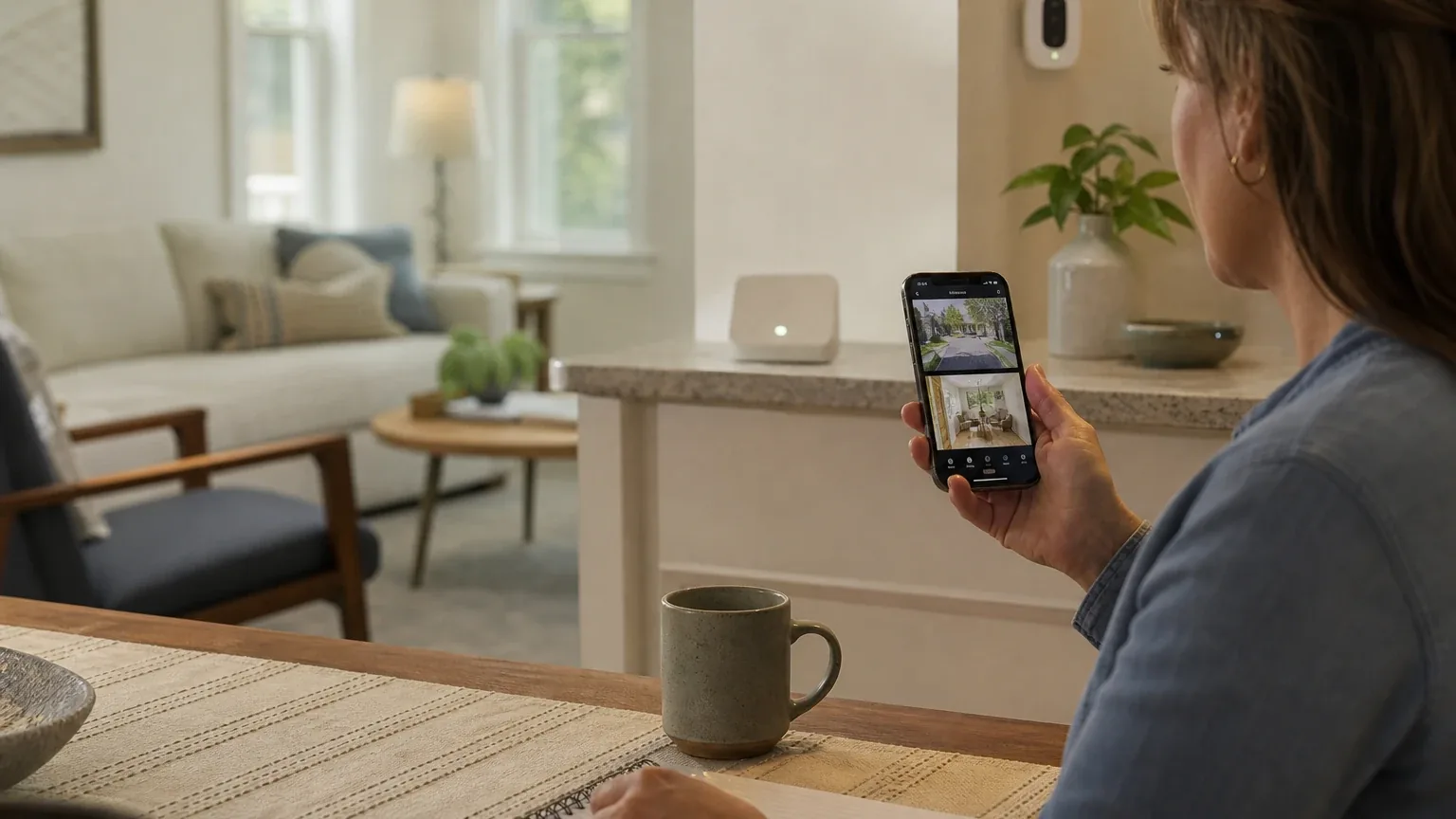
Abode is a good fit for security-oriented remote caregiver visibility and alerts, especially when several family members need configurable notifications and the buyer wants optional professional monitoring without a long-term contract. Two of the seven platforms in this study named Abode during the ranking stage (anthropic, kimi), and it finished with an average listed rank of 2.0 and a best rank of 1. The strongest reason to consider it is shared app access with per-user notification preferences plus optional 24/7 professional monitoring and emergency-contact routing. The main limitation is that Abode is a home security system, not a senior-care platform: it has no documented fall detection, medication reminders, or wellness check-ins, and its monitoring reliability is not independently verified.
Research Snapshot
| Field | Detail |
|---|---|
| Platform mentions in ranking stage | 2 of 7 platforms (anthropic, kimi) |
| Share of included platform responses | 28.6% |
| Average listed rank | 2.0 |
| Best listed rank | 1 |
| Relevant product/model/plan | Abode Security System with optional Pro Plan 24/7 professional monitoring |
| Overall use-case fit | Good for security-oriented visibility and escalation; mixed as a complete caregiving solution |
| Research date | 2026-09-27 |
What Changed Since August 2026
Abode moved up from No. 8 to No. 7, and platform mentions were unchanged at 2. The September 2026 review describes Abode's caregiver fit similarly to the August edition: still good for security-oriented visibility and alerts, and still limited by the absence of fall detection, medication reminders, and wellness check-ins. The recommended configuration remains the Security System with professional monitoring, not the previously named Iota Kit. One pricing change is worth noting: a $7/month Standard figure is newly reported, while $8.99 for an on-demand monitoring bundle is no longer repeated. Earlier setup-time ranges and event-history durations are also no longer repeated. Overall, the buyer-facing substance is largely unchanged. Differences between the two editions reflect what each article reports; they do not by themselves prove that the product, service, or price changed.
The August 2026 review preserves the earlier article for reference.
Why Abode Qualified for This Study
Questions This Section Answers
- Is Abode a good choice for Remote Caregiver Visibility & Alerts?
- Why did only two of seven AI platforms name Abode for caregiver visibility?
Abode qualified because it cleared the study's minimum-mention threshold and because the platforms that did name it treated shared app access and optional professional monitoring as directly relevant to caregiver coordination. Two of the seven platforms named Abode during ranking discovery — anthropic and kimi — which is 28.6% of included platform responses. Its average listed rank was 2.0, with a best rank of 1 (kimi) and a rank of 3 (anthropic).
The remaining five platforms (openai, deepseek, grok, perplexity, google) still produced full fit assessments for Abode, but they did not name it in the ranking stage. That distinction matters: platform_mentions counts only platforms that named the entity during ranking discovery, not every platform that evaluated it.
Abode's qualification rests on a specific, narrow overlap with the use case. Abode documents invited users with separate logins and individual notification preferences [1], event-specific monitoring procedures for burglary, fire, smoke, CO, panic, and medical alarms [3], and month-to-month plans with no long-term contract [4]. Those three capabilities map onto the caregiver need for permissioned alerts, remote status checks, and coordinated emergency response.
What Abode did not qualify on is equally important. No platform identified documented fall detection, medication adherence, daily check-ins, or nurse-led senior monitoring in Abode's materials. The fit is real but bounded.
The Product, Model, Plan, or Service Most Relevant to Remote Caregiver Visibility & Alerts
Questions This Section Answers
- Which Abode plan should a caregiver choose if they need automatic emergency dispatch for an aging parent?
- Does Abode's Standard Plan automatically forward alarms to a monitoring center?
The relevant configuration is the Abode Security System with the Pro Plan, which the platforms consistently identified as the tier that adds 24/7 professional monitoring, 4G cellular backup, and automatic emergency dispatch [6]. Abode lists the Pro Plan at $26.99/month or $245.99/year and the Standard Plan at $8.49/month or $79.99/year [6].
The platforms did not fully agree on how monitoring works across tiers, and this is the single most consequential ambiguity for a caregiver buyer. Abode's official materials state that Pro monitoring is automatic, while Standard-plan documentation describes user-initiated monitoring that requires a person to forward an alarm to the monitoring center [6]. A caregiver who assumes every alarm reaches a dispatcher on the Standard Plan could be wrong.
Hardware is purchased separately. Abode sells hubs, sensors, and cameras that integrate into the system (deepseek:abode-products), and the platforms named the Smart Security Kit or iota Gateway as the typical starting point [10]. Abode does not sell a caregiver-specific SKU; the platforms described the same general security product line adapted to the use case (deepseek:abode-howitworks, kimi:abode-site-2026).
What the AI Platforms Agreed About
Questions This Section Answers
- What do AI platforms agree Abode does well for family caregivers?
- Is Abode's multi-user app access suitable for coordinating several caregivers?
The platforms reached strong, near-unanimous agreement on four capabilities: multi-user app access, alert customization, camera and sensor integration, and contract-free monitoring.
On multi-user access, Abode supports invited additional users with separate logins and individual notification preferences [11], and its plan comparison describes users as unlimited on Standard and Pro [13]. Anthropic's assessment went further, describing role tiers — Account Owner, Standard User, and Guest User — with different capabilities [15]. That role detail came from an independent review site, not from Abode's own documentation, and other platforms did not confirm the same granularity.
On alert customization, the platforms agreed that users can configure notification categories, mode-specific conditions, and automation-triggered messages targeted to selected users and devices [16]. Abode's CUE automation engine structures rules around triggers, actions, and conditions, and requires a paid Standard or Pro plan to run [18].
On camera and sensor integration, the platforms agreed Abode supports connected cameras, door/window and motion sensors, and environmental sensors, with Pro adding cellular backup and monitoring for break-in, fire, and medical emergencies [19].
On contracts, the platforms unanimously reported no long-term contract requirement [20].
Where the AI Platforms Disagreed or Were Uncertain
Questions This Section Answers
- Do AI platforms disagree about whether Abode is a good fit for caregiver monitoring?
- Is Abode's monitoring center reliability independently verified?
The platforms split on overall fit. Five rated Abode "good" (openai, anthropic, grok, perplexity, google) and two rated it "mixed" (deepseek, kimi). The disagreement is not about Abode's features — it is about whether a general home security system can carry a caregiving use case at all.
Deepseek's position was that Abode lacks documented caregiver-specific permissioning, wellness alerting, and care-coordination workflows, making it a weak choice for buyers who need purpose-built caregiving alerting (deepseek:abode-howitworks). Kimi reached a similar conclusion, noting that Abode's "Seniors" page appears to be marketing adaptation of general security products rather than purpose-built senior care technology (kimi:abode-site-2026).
Monitoring-center reliability is the largest unresolved question. Abode states that Pro monitoring uses a US-based monitoring center and 4G cellular backup [23], and anthropic noted the company claims "award-winning" monitoring. But no platform found independent verification of response-time targets, uptime statistics, or dispatch performance [24]. Abode's terms disclaim guarantees of uninterrupted software, communications, or successful connection to emergency organizations, and permit monitoring subcontractors [26].
Pricing also showed inconsistencies. Google reported a Standard Plan at $7/month or $70/year from an older source [27], while Abode's current plans page and four other platforms list $8.49/month or $79.99/year [23]. Perplexity flagged that public Abode pages show differing plan labels, including a "Secure" plan reference, creating ambiguity about current naming [25].
Use-Case-Specific Features and Capabilities
Questions This Section Answers
- How does Abode route emergency alerts to caregivers and first responders?
- Can Abode send different alerts to different family caregivers?
Abode's emergency-contact routing is the most developed part of its caregiver story. The monitoring workflow uses an ordered emergency-contact list. For burglary, fire, smoke, and CO events, the center may call contacts and dispatch authorities according to the event procedure; panic and medical signals are described as being dispatched directly before contacts are called [29]. Anthropic described a 60-second entry delay followed by visual verification and emergency-contact calls in listed order [30].
Abode also documents a "Dispatch Without Verification" option that lets the monitoring center skip emergency-contact verification and dispatch immediately. The default is off, and false alarms triggered with it enabled may result in costs the user is responsible for [31].
On alert customization, notification preferences can be set per user, by event and system mode, with automation-triggered messages to selected users [32]. Critical alarm notifications may not be disableable [32]. The Abode app supports timeline filtering by device type and date, plus custom widgets and shortcuts [33].
On remote status checks, the Abode app supports remote control and monitoring through mobile, desktop, smartwatch, and TV apps, and live camera viewing is available without a paid plan [35].
On privacy, the picture is mixed. Abode provides per-user access and notification controls, and some camera models include privacy controls [37]. However, the monitoring agreement authorizes recording, storage, review, and disclosure of video and audio communications for monitoring purposes [38], and the Abode Cam 2 stores recordings in the Abode cloud rather than locally [40]. Anthropic reported that the company retains sole discretion to destroy or delete recordings and logs at any time, with user-requested retention requiring fees [39].
Pricing, Fees, Contracts, and Ongoing Costs
Questions This Section Answers
- How much does Abode cost per month, and are there setup or cancellation fees?
- What extra Abode fees should a caregiver budget for beyond the monthly plan?
Abode's published plan pricing is consistent across four platforms: Standard at $8.49/month or $79.99/year, and Pro at $26.99/month or $245.99/year [41]. Abode also offers a free self-monitoring tier with app access and live video [45].
Hardware is separate. Google reported a Smart Security Kit at roughly $150–$199, an Abode Cam 2 at about $35, and a Panic Button at about $39.99 [46]. Kimi reported starter kits at $139–$329 depending on configuration (kimi:abode-site-2026). These figures come from different sources and should be confirmed at checkout.
Add-ons and additional fees matter for budgeting. Continuous 24/7 video recording is a separate add-on; google reported $9.99/month per camera [46], and Abode's own plans page lists the same $9.99/month per camera figure plus a camera-only plan at $3.99/month per camera (official:C2). Abode states that plans can be canceled at any time, remain active through the billing period, and are not prorated [47]. After cancellation, stored video and timeline data may be deleted under free-tier rules and may not be recoverable [47].
Additional costs the platforms flagged include local alarm permits, telephone or signal-transmission charges, taxes, false-alarm fines, hardware replacement, batteries, and maintenance [41]. Anthropic noted that verified response service, required in some jurisdictions for police dispatch, must be arranged separately [42].
Best Suited For
Questions This Section Answers
- Who gets the most value from Abode for remote caregiver visibility and alerts?
Abode is best suited to families coordinating alerts among multiple Caregivers who want remote app access plus optional professional emergency dispatch, and who prefer DIY installation with month-to-month or annual plans [48].
It fits households monitoring an aging parent living independently with doors, motion, smoke, CO, water, panic, or medical sensors [50]. It fits buyers who want the option to add professional monitoring later rather than committing at purchase (deepseek:abode-howitworks). It fits caregivers who want a US-based monitoring center rather than an offshore call center [52].
It also fits tech-comfortable families willing to configure sensors and automation rules themselves, since Abode's CUE engine allows specific logic such as notifying a caregiver when a door is left open beyond a set duration [54].
Probably Not Best Suited For
Questions This Section Answers
- Who should not choose Abode for Remote Caregiver Visibility & Alerts?
Abode is probably not the right choice for buyers seeking dedicated fall detection, medication adherence, daily check-ins, or nurse-led senior monitoring (openai, kimi:abode-site-2026). No platform found these capabilities in Abode's materials.
It is a poor fit for households requiring independently audited monitoring response times or guaranteed communication availability, because Abode's terms disclaim those guarantees and permit subcontracting [56].
It is a poor fit for caregivers needing role-based permissions more granular than shared users and notification preferences. Deepseek found no documented caregiver-specific role model (deepseek:abode-howitworks), and anthropic's Guest User role reportedly cannot view event history or live feeds by default [58].
It is also a poor fit for buyers unwilling to place camera footage and monitoring communications in cloud systems [59], and for households needing simple, non-technical setup without managing app roles and alert rules [57].
When Another Option May Be Better
Questions This Section Answers
- What is a better alternative to Abode if an aging parent needs fall detection?
- When should a caregiver choose a medical alert system instead of Abode?
A dedicated medical-alert or senior-care service may be better when fall detection, wearable SOS, two-way voice communication, medication reminders, or wellness check-ins are primary requirements [61]. Kimi named MobileHelp, Life Alert, and Connected Caregiver as alternatives with wearable pendants or care-circle features (kimi:medicalalertreview-2026, kimi:connectedcaregiver-2026).
A professionally installed system may be better when the household needs hands-on installation and onboarding. Google and anthropic both noted that Abode is DIY-only and does not offer standard white-glove professional installation [62].
A camera-free passive monitoring approach may be better when the senior resists cameras. Kimi pointed to sensor-based alternatives for behavioral pattern monitoring (kimi:imalive-2026).
A system with documented role-based permissions may be better when caregivers must have different levels of viewing, control, or emergency authority [63].
A hybrid approach — Abode for security and emergency dispatch plus a separate medical alert system for fall detection — was suggested by anthropic as a reasonable middle path [61].
Questions to Verify Before Buying
Questions This Section Answers
- What should a caregiver confirm with Abode before signing up for monitoring?
The platforms collectively raised a consistent verification list. Confirm which exact hardware kit, camera models, smoke/CO sensors, water sensors, panic buttons, and medical sensors are supported for the parent's address [64].
Confirm whether each caregiver can be limited to view-only, notifications-only, or arm/disarm access, and which alerts can be sent to each caregiver by event type, system mode, time, and device (openai, deepseek:abode-howitworks).
Confirm whether the selected system automatically forwards every relevant alarm to professional monitoring, or whether any event requires a caregiver to initiate forwarding (openai, grok:9). This is the Standard-versus-Pro distinction the platforms flagged as ambiguous.
Confirm the monitoring center's actual response-time targets, redundancy arrangements, licensing coverage, and subcontractor relationships for the parent's state [64]. Confirm how emergency contacts are ordered, updated, verified, and reached if the first contact does not answer [65].
Confirm what happens during power loss, broadband failure, cellular outage, low batteries, or camera disconnection [64]. Confirm what exact video, audio, and event data are stored, for how long, and who can access them [66].
Confirm local permits, false-alarm fees, taxes, dispatch charges, or insurance requirements at the parent's address [68]. Confirm what happens to stored footage, automations, and caregiver access after cancellation or a missed renewal [69].
Final AI Consensus Verdict
Abode is a good, bounded fit for Remote Caregiver Visibility & Alerts. Five of seven platforms rated it good and two rated it mixed. The consensus case is that Abode delivers shared app access with per-user notification preferences, configurable event alerts, camera and sensor integration, optional 24/7 professional monitoring with emergency-contact routing, and no long-term contract — a combination that covers the security-event backbone of remote caregiving.
The consensus limitation is that Abode is not a senior-care platform. No platform found documented fall detection, medication reminders, wellness check-ins, or care-team coordination. Monitoring-center reliability is claimed but not independently verified, and Abode's own terms disclaim guaranteed emergency connection. Buyers whose dominant need is health monitoring or verified emergency-response performance should treat Abode as one layer of a broader setup, not the whole solution.
How This Review Was Produced
This review synthesizes fit-research responses from seven AI platforms — openai, anthropic, deepseek, grok, perplexity, kimi, and google — each evaluating Abode against the Remote Caregiver Visibility & Alerts use case. Two platforms named Abode during the ranking stage; all seven produced full fit assessments. The study research date is 2026-09-27. Platform-reported research dates differ: anthropic reported 2025-01-15 and deepseek reported 2026-01-12, while the remaining platforms reported 2026-09-27. Those platform dates are provenance metadata and do not independently prove freshness.
This review is part of a broader Remote Caregiver Visibility & Alerts consensus study covering multiple security system providers.
The category directory for this research is home safety.
Methodology Limitations
Several limitations apply. Company-owned citations materially outnumber independent citations in the supplied evidence, so company claims should not be read as independently verified. The supplied URLs were collected from platform responses and were not independently validated by the writer stage.
Citations are platform-reported evidence, not independently verified facts. Deepseek's research ran with search disabled, so its claims require explicit verification before being described as current facts. Platform-reported research dates differ from the authoritative run date.
The platforms disagreed on plan naming and pricing presentation, and this review does not resolve those conflicts by guessing. Abode's privacy policy page displays an update date of September 6, 2023 even though the support page was crawled in 2026; buyers should confirm the current policy before purchase. No platform identified independent evidence validating monitoring-center reliability, dispatch performance, alert-delivery rates, or caregiver outcomes.
Sources
Company-Owned Sources
- Abode DIY Home Security - Works with HomeKit | No-contract: https://goabode.com/
- Home Security for Elderly Parents 2026: Safer Aging-in-Place: https://goabode.com/blog/home-security-for-elderly-parents
- SimpliSafe vs Abode 2026: Plan Comparison: https://goabode.com/blog/simplisafe-vs-abode
- Abode Products: https://goabode.com/collections/all-products
- CUE - Abode - Smart Home Automation Platform: https://goabode.com/features/cue-automations
- No-Contract Home Security System 2026 | Free Monitoring: https://goabode.com/no-contract-home-security/
- Abode App: https://goabode.com/pages/app
- How Abode Works: https://goabode.com/pages/how-it-works
- Abode Professional Monitoring: https://goabode.com/pages/monitoring
- Abode Plans: https://goabode.com/pages/plans
- Abode Privacy Policy: https://goabode.com/pages/privacy-policy
- Abode Plans & Pricing: https://goabode.com/plans/
- Abode Security Kit: https://goabode.com/product/abode-security-kit/
- Smart Security Kit | Abode - DIY Wireless Home Security Alarm: https://goabode.com/product/smart-security-kit/
- Best Security System for Seniors and Aging Parents - Abode: https://goabode.com/security-system-for-seniors-aging-parents/
- Self-Monitored Home Security: https://goabode.com/self-monitored-home-security/
- Notifications Guide: https://help.goabode.com/en/articles/12604967-notifications-guide
- How to Add a User to an Existing Account: https://help.goabode.com/en/articles/12604985-how-to-add-a-user-to-an-existing-account
- Managing multiple accounts in the Abode app | Abode Home Security Support: https://help.goabode.com/en/articles/13383826-managing-multiple-accounts-in-the-abode-app
- Abode Cam 2 FAQ: https://help.goabode.com/en/articles/8897777-abode-cam-2-faq
- Plans Compare: https://help.goabode.com/en/articles/8929058-plans-compare
- Can I Transfer My Plan If I: https://help.goabode.com/en/articles/8929062-plans-faq
- Understanding the Professional Monitoring Service: https://help.goabode.com/en/articles/8940919-understanding-the-professional-monitoring-service
- Professional Monitoring Services Agreement: https://help.goabode.com/en/articles/8940953-professional-monitoring-services-agreement
- Cancel Your Abode Plan: https://help.goabode.com/en/articles/8941016-cancel-your-abode-plan
- Abode Terms of Service: https://help.goabode.com/en/articles/8942412-abode-terms-of-service
- Abode Privacy Policy: https://help.goabode.com/en/articles/8942418-abode-privacy-policy
- Professional Monitoring Customization | Abode Home Security Support: https://help.goabode.com/en/articles/8947367-professional-monitoring-customization
- User Initiated Professional Monitoring: https://help.goabode.com/en/articles/9554974-user-initiated-professional-monitoring
- I'm Alive vs Other Safety Solutions — Honest Comparisons: https://imalive.co/vs
- My Connected Caregiver - Remote Health Monitoring: https://myconnectedcaregiver.com/
- CUE Automations Guide | Abode Support: https://support.goabode.com/docs/cue-automations-guide
- How to Add a User to an Existing Account: https://support.goabode.com/docs/how-to-add-a-user-to-an-existing-account
- Panic Button | Abode Home Security Support: https://support.goabode.com/docs/panic-button
- Plans Compare | Abode Home Security Support: https://support.goabode.com/docs/plans-compare
- Understanding the Professional Monitoring Service: https://support.goabode.com/docs/understanding-the-professional-monitoring-service
Additional AI research evidence69 records
- AI research evidence record openai:c1
- AI research evidence record anthropic:c1
- AI research evidence record openai:c5
- AI research evidence record openai:c11
- AI research evidence record anthropic:c11
- AI research evidence record openai:c3
- AI research evidence record anthropic:c4
- AI research evidence record perplexity:c2
- AI research evidence record google:1.3.1
- AI research evidence record google:1.1.3
- AI research evidence record openai:c1
- AI research evidence record anthropic:c1
- AI research evidence record perplexity:c1
- AI research evidence record google:1.3.5
- AI research evidence record anthropic:c3
- AI research evidence record openai:c2
- AI research evidence record google:2.2.2
- AI research evidence record google:2.2.1
- AI research evidence record openai:c4
- AI research evidence record openai:c11
- AI research evidence record anthropic:c11
- AI research evidence record perplexity:c10
- AI research evidence record openai:c3
- AI research evidence record anthropic:c4
- AI research evidence record perplexity:c2
- AI research evidence record openai:c7
- AI research evidence record google:1.1.3
- AI research evidence record google:1.3.1
- AI research evidence record openai:c5
- AI research evidence record anthropic:c5
- AI research evidence record anthropic:c10
- AI research evidence record openai:c2
- AI research evidence record anthropic:c6
- AI research evidence record anthropic:c8
- AI research evidence record openai:c3
- AI research evidence record anthropic:c9
- AI research evidence record openai:c1
- AI research evidence record openai:c8
- AI research evidence record anthropic:c7
- AI research evidence record openai:c9
- AI research evidence record openai:c3
- AI research evidence record anthropic:c4
- AI research evidence record perplexity:c2
- AI research evidence record google:1.3.1
- AI research evidence record perplexity:c4
- AI research evidence record google:1.1.3
- AI research evidence record openai:c11
- AI research evidence record openai:c1
- AI research evidence record anthropic:c1
- AI research evidence record openai:c4
- AI research evidence record google:3.1.1
- AI research evidence record anthropic:c4
- AI research evidence record perplexity:c3
- AI research evidence record google:2.2.1
- AI research evidence record google:2.2.2
- AI research evidence record openai:c7
- AI research evidence record anthropic:c4
- AI research evidence record anthropic:c3
- AI research evidence record openai:c9
- AI research evidence record anthropic:c7
- AI research evidence record anthropic:c4
- AI research evidence record google:1.3.2
- AI research evidence record anthropic:c3
- AI research evidence record anthropic:c4
- AI research evidence record anthropic:c5
- AI research evidence record openai:c8
- AI research evidence record anthropic:c7
- AI research evidence record openai:c3
- AI research evidence record openai:c11
Independent Sources
- Abode - App Store - Apple: https://apps.apple.com/us/app/abode/id828260682
- MobileHelp Review 2026: Cost, Plans & Verdict: https://medicalalertreview.com/mobilehelp-review
- Abode - Apps on Google Play: https://play.google.com/store/apps/details?hl=en&id=com.abode.abode
- Does Abode Security System Support Multiple Users and Team Access?: https://www.acciyo.com/does-abode-work-with-teams/
- abode Security Review 2026: https://www.security.org/home-security-systems/abode/review/
- Abode Releases Smart Home Security App System Experience To Apple TV - TWICE: https://www.twice.com/product/product-spotlight/smart-home/abode-releases-smart-home-security-app-system-experience-to-apple-tv
- What You Need to Know Before You Buy Abode Home Security and Its New Outdoor Security Sensors: https://www.youtube.com/watch?v=gT82sPq_fX4
- Abode launches new $160 Security Kit for your home: https://www.zdnet.com/article/abode-launches-new-160-security-kit-for-your-home/
Additional AI research evidence69 records
- AI research evidence record openai:c1
- AI research evidence record anthropic:c1
- AI research evidence record openai:c5
- AI research evidence record openai:c11
- AI research evidence record anthropic:c11
- AI research evidence record openai:c3
- AI research evidence record anthropic:c4
- AI research evidence record perplexity:c2
- AI research evidence record google:1.3.1
- AI research evidence record google:1.1.3
- AI research evidence record openai:c1
- AI research evidence record anthropic:c1
- AI research evidence record perplexity:c1
- AI research evidence record google:1.3.5
- AI research evidence record anthropic:c3
- AI research evidence record openai:c2
- AI research evidence record google:2.2.2
- AI research evidence record google:2.2.1
- AI research evidence record openai:c4
- AI research evidence record openai:c11
- AI research evidence record anthropic:c11
- AI research evidence record perplexity:c10
- AI research evidence record openai:c3
- AI research evidence record anthropic:c4
- AI research evidence record perplexity:c2
- AI research evidence record openai:c7
- AI research evidence record google:1.1.3
- AI research evidence record google:1.3.1
- AI research evidence record openai:c5
- AI research evidence record anthropic:c5
- AI research evidence record anthropic:c10
- AI research evidence record openai:c2
- AI research evidence record anthropic:c6
- AI research evidence record anthropic:c8
- AI research evidence record openai:c3
- AI research evidence record anthropic:c9
- AI research evidence record openai:c1
- AI research evidence record openai:c8
- AI research evidence record anthropic:c7
- AI research evidence record openai:c9
- AI research evidence record openai:c3
- AI research evidence record anthropic:c4
- AI research evidence record perplexity:c2
- AI research evidence record google:1.3.1
- AI research evidence record perplexity:c4
- AI research evidence record google:1.1.3
- AI research evidence record openai:c11
- AI research evidence record openai:c1
- AI research evidence record anthropic:c1
- AI research evidence record openai:c4
- AI research evidence record google:3.1.1
- AI research evidence record anthropic:c4
- AI research evidence record perplexity:c3
- AI research evidence record google:2.2.1
- AI research evidence record google:2.2.2
- AI research evidence record openai:c7
- AI research evidence record anthropic:c4
- AI research evidence record anthropic:c3
- AI research evidence record openai:c9
- AI research evidence record anthropic:c7
- AI research evidence record anthropic:c4
- AI research evidence record google:1.3.2
- AI research evidence record anthropic:c3
- AI research evidence record anthropic:c4
- AI research evidence record anthropic:c5
- AI research evidence record openai:c8
- AI research evidence record anthropic:c7
- AI research evidence record openai:c3
- AI research evidence record openai:c11
Verify This Research
Review the study details behind this page or download the public machine-readable verification record.
- Study date
- September 27, 2026
- Platforms analyzed
- 7
- Source records
- 44
- Ranking mentions
- 2 of 7
- Platform share
- 29%
- Final consensus rank
- #7
Research trail and source mix
Configured platforms
openai, anthropic, deepseek, grok, perplexity, kimi, google
Source mix
8 independent · 36 company-owned
Evidence support
39 direct · 4 partial
Important limitation
Use the run research_date as the study date. Platform-reported dates are provenance metadata and do not independently prove freshness.
Source snapshot SHA-256 a82a3fe9c31bfbef97f45669bef14204f2682bd7814d0dda134781efcad68cc3
Archived editions
Browse earlier published research snapshots for this article. The latest edition remains at the current URL.