
Answer Capsule
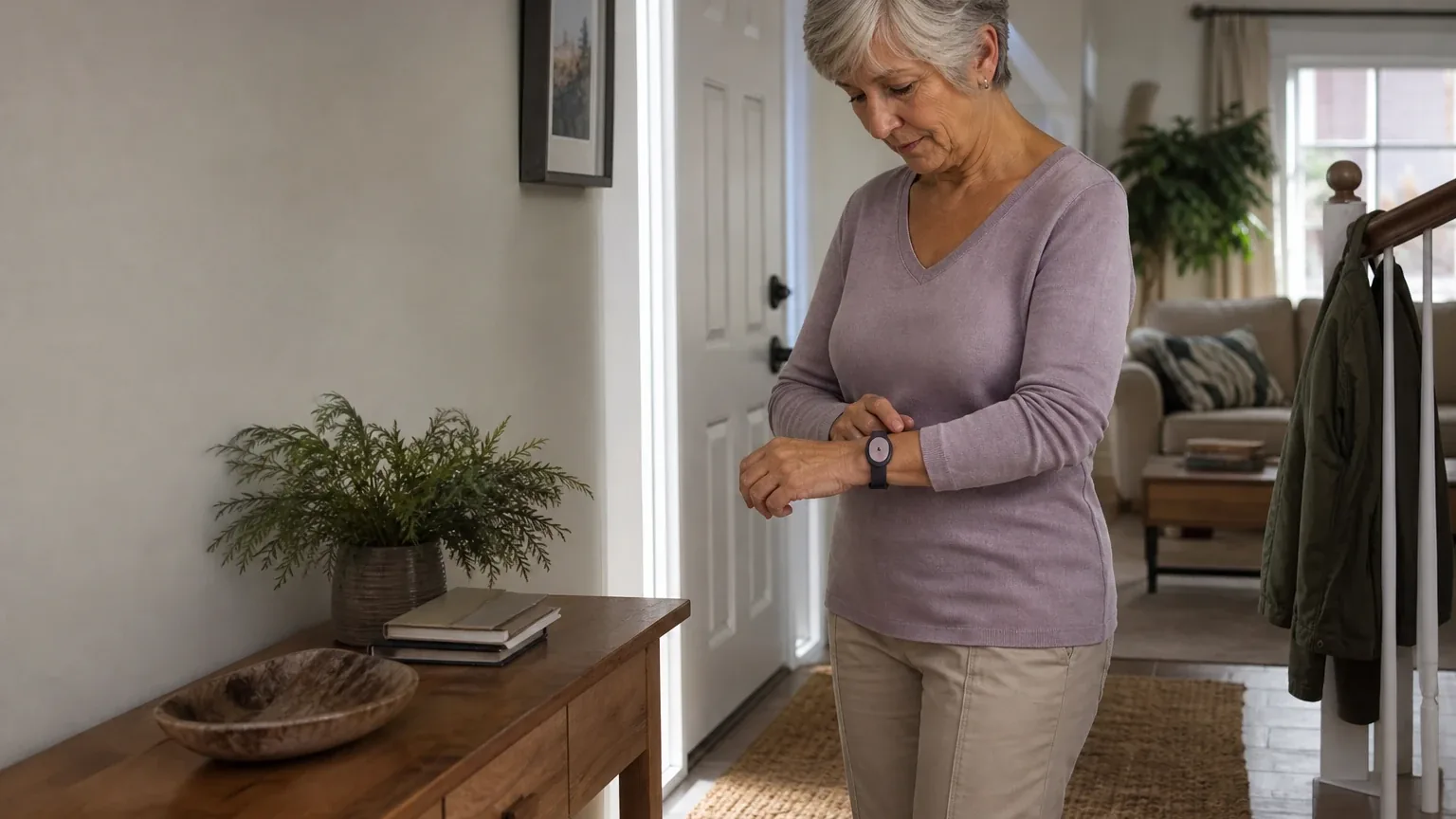
Lively is a good but not best-in-class fit for Automatic Fall Detection. Two of the six included platforms named Lively during the ranking stage, placing it at an average listed rank of 4.5 and a best listed rank of 4. The strongest reason to consider it is the Lively Mobile2 with Fall Detection: a mobile, monitored device that automatically contacts a 24/7 Urgent Response agent without a button press, with GPS, two-way voice, caregiver alerts, and no long-term contract [1]. The main limitation is that Lively publishes no numerical fall-detection accuracy or false-alarm rate, requires the supplied neck lanyard for detection, and independent testing found some simulated falls were missed [4].
Research Snapshot
| Field | Detail |
|---|---|
| Platform mentions in ranking stage | 2 of 6 included platforms (google, perplexity) |
| Share of included platform responses | 33.3% |
| Average listed rank | 4.5 |
| Best listed rank | 4 |
| Relevant product/model/plan | Lively Mobile2 with Fall Detection (Fall Detection is a $9.99/month add-on) |
| Overall use-case fit | Good for mobile, lanyard-wearing users; mixed across platforms overall |
| Research date | 2026-09-28 |
What Changed Since August 2026
Lively remained at No. 6, and platform mentions decreased from 4 to 2. The September 2026 review is largely a reporting refresh rather than a product change. Lively's buyer fit, lanyard-only wear requirement, and absent published accuracy rate carry over. Pricing evidence shifted: the device's $119.99 price is newly reported, while the $24.99/month service figure is no longer repeated. Reported battery findings now center on standby and reduced runtime when fall detection is active, and reported response-time testing centers on roughly 26 seconds instead of the roughly 15 seconds previously cited. Wear position remains decisive, since clip or pocket use can disable detection. Buyers should treat these as evidence updates and confirm current pricing and battery runtime directly with Lively. Differences between the two editions reflect what each article reports; they do not by themselves prove that the product, service, or price changed.
The August 2026 review preserves the earlier article for reference.
Why Lively Qualified for This Study
Questions This Section Answers
- Is Lively a good choice for automatic fall detection compared with other medical alert systems?
- Which Lively product qualified for this automatic fall detection ranking, and how many platforms named it?
Lively qualified because it sells a named, monitored automatic fall-detection product rather than a generic alert pendant. The Lively Mobile2 with Fall Detection uses the device accelerometer and algorithms to identify a fall and automatically contact a Lively Urgent Response agent without requiring a button press [6]. Two of the six included platforms — google and perplexity — named Lively during ranking discovery, giving it a 33.3% platform share, an average listed rank of 4.5, and a best listed rank of 4.
The fit ratings split across platforms: openai and google rated Lively "good," while deepseek, grok, kimi, and perplexity rated it "mixed." That split is itself the finding. Lively matches the automatic fall detection use case in concept, but the decision-critical facts — accuracy, false-alarm behavior, battery runtime, and all-in pricing — are inconsistently documented across public sources.
Lively's own materials describe the Mobile2 as a mobile, cellular, water-resistant device with enhanced GPS, two-way communication, and caregiver notifications through the Lively Link app [8]. Those are company-owned claims. Independent reviewers add the caveats that matter for this use case, which is why the platform verdicts diverge.
The Product, Model, Plan, or Service Most Relevant to Automatic Fall Detection
Questions This Section Answers
- Which Lively Mobile2 plan should a buyer choose if they want automatic fall detection included rather than added on?
- Does Lively Mobile2 fall detection work if the device is worn on a belt clip instead of the lanyard?
The relevant offer is the Lively Mobile2 with Fall Detection. Fall Detection is an optional add-on priced at $9.99 per month, and it is required for automatic fall alerts [10]. Lively states the Mobile2 can automatically connect to a certified Urgent Response agent if a fall is detected, even if the user cannot press the button [13].
The critical product constraint is wear position. Fall Detection is calibrated for the supplied neck lanyard; carrying the device, clipping it, or wearing it elsewhere can reduce or disable detection performance [10]. Google's research states that placing the device in a belt clip automatically disables the feature [15]. Any buyer who intends to use a clip or wristband should treat automatic fall detection as unavailable on this device.
Lively also states plainly that Fall Detection does not detect 100% of falls and depends on the supplied lanyard and device orientation [14]. That is a company-owned limitation, not a reviewer's inference.
What the AI Platforms Agreed About
Questions This Section Answers
- What do AI platforms agree on about Lively Mobile2 fall detection accuracy and lanyard requirements?
- Is Lively Mobile2 fall detection automatic, and does it contact a monitoring center without pressing the button?
Agreement was strong on the mechanics and the wear requirement, and unanimous on the absence of a published accuracy rate.
Every platform that examined the product described the same core mechanism: accelerometer-based detection that triggers an automatic call to a monitored response center without a button press [16]. No platform disputed that automatic escalation exists.
Platforms also agreed that Fall Detection requires the neck lanyard. OpenAI, grok, google, and kimi all reported that other wear positions reduce or disable detection [16].
The clearest consensus was negative: no platform found a published numerical accuracy, sensitivity, specificity, or false-alarm rate for Lively Mobile2 Fall Detection [16]. Lively's own materials confirm it does not guarantee complete detection [21].
Platforms also agreed on the general shape of the offer: a mobile cellular device, monitored service, GPS, two-way voice, and a monthly fall-detection add-on rather than an included feature [23].
Where the AI Platforms Disagreed or Were Uncertain
Questions This Section Answers
- How much does Lively Mobile2 with Fall Detection cost per month, and why do sources disagree on the total?
- How long does the Lively Mobile2 battery last with fall detection enabled, and how often must it be charged?
Disagreement clustered around battery life, pricing, and detection performance — the three facts a buyer most needs.
Battery life. Lively's own pages conflict. One product page cites up to 3 days on a single charge, while help-center material cites up to 40 hours of standby time, and fall detection reduces battery life because motion is actively analyzed [25]. Independent estimates range from roughly 24–40 hours to about 32 hours, with one review recommending nightly charging [27]. Google's research describes 32–40 hours as significantly shorter than competitors averaging 3–5 days [30]. The practical runtime with fall detection continuously active is unresolved.
Pricing. The Mobile2 device price was inconsistent across Lively's own current pages: $79.99 on one page and $119.99 on another [31]. Google's research adds a $35 one-time activation fee and a $10 restocking fee on returns within a 30-day trial [32]. Grok reported an activation fee of roughly $25–$35 and an optional protection plan at $2.50 per month (grok:1). Kimi reported device pricing of approximately $49.99–$79.99 with promotional variation and monthly service with Fall Detection at approximately $39.99–$49.99 depending on tier (kimi:seniorlist-2026). Deepseek could not confirm all-in pricing at all and rated its pricing confidence low [34].
Detection performance. Forbes Health reported that simulated falls on carpet and grass were not detected, while a hardwood-floor simulation activated the device [35]. Kimi's research cites independent testing finding the Mobile2 detected "most" falls but with frequent false alarms and notably weaker slow-fall performance (kimi:seniorlist-2026). Grok's research notes an older Consumer Reports survey (pre-2024) citing a 27% malfunction rate that newer 2026 reviews did not replicate (grok:1). These are limited tests, not population-level accuracy data.
Response speed. Independent tests reported under 15 seconds in one review and under 30 seconds in another, while NCOA testing reported an average of about 26 seconds [35]. Lively advertises fast response but publishes no guaranteed response-time standard [38].
Cellular coverage. Lively describes nationwide coverage, but independent reviews identify Verizon coverage as a practical requirement, and address-specific carrier coverage is unclear [39].
Use-Case-Specific Features and Capabilities
Questions This Section Answers
- How does the Lively Mobile2 false-alarm cancellation process work after a detected fall?
- Does Lively Mobile2 fall detection work in the shower, and what water-resistance conditions are covered?
The automatic escalation path is the core capability. After a detected fall, the device announces that a fall was detected and begins calling Urgent Response. The user has a few seconds to press the button to cancel, and Lively warns that multiple presses may cancel or disconnect the response call [41]. Grok's research describes the device as allowing cancellation of erroneous fall alerts with agents confirming the situation (grok:0).
Caregiver notification is a secondary path. The Lively Link app can provide family or caregiver alerts associated with urgent-response events, adding notification beyond the monitoring center [41]. Google's research describes real-time GPS location tracking and automated caregiver notifications through Lively Link [44].
Water resistance matters for this use case because bathrooms are a high-risk fall location. Lively states the Mobile2 is water resistant and suitable for wearing in the shower [43]. The exact water-resistance rating and permitted submersion conditions should be verified.
The device operates on cellular service and does not require a landline or home base station [47]. Kimi's research identifies the network as Verizon 4G LTE/5G (kimi:lively-site).
One structural limitation applies to every system in this category, not just Lively: automatic detection is positioned as a backup to pressing the help button, not a replacement for it [49].
Pricing, Fees, Contracts, and Ongoing Costs
Questions This Section Answers
- How much does Lively Mobile2 with Fall Detection cost per month, and are there setup or cancellation fees?
- Is Lively Mobile2 fall detection worth the $9.99 monthly add-on compared with the Premium plan?
Lively's stated service pricing is consistent across most sources even where device pricing is not. Basic service is listed at $24.99 per month and Premium at $34.99 per month, with Fall Detection adding $9.99 per month [50]. Google's research states that Premium includes Fall Detection, making the $34.99 tier a $0.01 difference from Basic plus the add-on [51].
First-year recurring cost before taxes and before device-price variation is approximately $419.76 with Basic plus Fall Detection, or $539.76 with Premium plus Fall Detection [50]. Paperless billing may reduce the listed service price by $5 per month [52].
Additional costs are where sources diverge. Google's research lists a $35 one-time activation fee, a $10 restocking fee on returns within the 30-day trial, and administrative fees of approximately $2.43 per month plus regulatory taxes [53]. Grok reported an activation fee of roughly $25–$35 and an optional $2.50/month protection plan (grok:1). OpenAI's research states that any activation, replacement, or restocking fee for Mobile2 should be confirmed at checkout because the reviewed pages did not establish a definitive fee schedule [50]. Deepseek could not verify contract or cancellation terms from public sources [55].
On contracts, the company-owned position is clear: Lively states there are no long-term contracts and no cancellation fees, and the product page states plans can be switched anytime [52]. Google's research confirms month-to-month billing with a 30-day return policy minus shipping and the restocking fee [54]. Perplexity's research could not verify contract length or cancellation fees in retrieved sources and advises confirming whether the add-on is month-to-month and whether equipment return is required [56].
Taxes and fees are additional and not included in displayed monthly totals, and shipping is calculated at checkout [50].
Best Suited For
Questions This Section Answers
- Who is Lively Mobile2 with Fall Detection best suited for among seniors at high fall risk?
- Is Lively a good fit for a caregiver who wants automatic alerts plus GPS location tracking?
Lively Mobile2 with Fall Detection is best suited to a specific buyer profile, and the platforms converge on it.
The strongest fit is an active senior who needs a mobile, cellular medical alert device for use outside the home and who will consistently wear the supplied neck lanyard [57]. Because detection depends on lanyard wear, a buyer who will not wear a pendant is not a fit regardless of other merits.
A second strong fit is a caregiver who wants automatic escalation plus GPS and app-based family alerts at a comparatively moderate recurring price [60]. The Lively Link app provides a secondary notification path beyond the monitoring center.
A third fit is a buyer who prioritizes no long-term contract and straightforward cancellation terms [62]. Month-to-month service with no stated cancellation fee is a genuine advantage for buyers who want to test a system without commitment.
Google's research adds buyers who want a compact, waterproof mobile unit operating on the Verizon network without a landline [65]. Kimi's research adds users already comfortable with the older GreatCall/Jitterbug ecosystem (kimi:seniorlist-2026).
Probably Not Best Suited For
Questions This Section Answers
- Who should not choose Lively Mobile2 for automatic fall detection?
- Is Lively a poor choice for a senior who will not wear a neck lanyard or who forgets to charge devices daily?
Lively is probably not the best choice for buyers whose primary criterion is verified detection reliability.
Buyers who require a published or independently validated fall-detection sensitivity or false-alarm rate should look elsewhere, because no platform found such a figure for Lively [67]. Lively expressly states Fall Detection may not accurately detect every fall and does not guarantee complete detection [70].
Seniors who will not consistently wear a neck pendant are a poor fit. Detection is calibrated for the supplied lanyard, and clip or pocket use can reduce or disable performance [67].
Users needing long battery endurance or a wrist-worn fall detector without purchasing an accessory are also a poor fit. Battery estimates range from roughly 24–40 hours, with one review recommending nightly charging [73].
High-risk users for whom missed-fall performance is the primary purchasing criterion should weigh the independent testing that found missed simulated falls on carpet and grass [76] and frequent false alarms with weaker slow-fall detection (kimi:seniorlist-2026).
Seniors with cognitive impairment who may be distressed by false alarms, and caregivers who need reliable automation without frequent manual cancellations, are also flagged as poor fits (kimi:seniorlist-2026).
When Another Option May Be Better
Questions This Section Answers
- What is a better alternative to Lively for a buyer who needs published fall-detection accuracy data?
- When is a wrist-worn or longer-battery fall detection system a better choice than Lively Mobile2?
Another option may be better in five specific situations, based on platform-reported comparisons.
When independently validated fall-detection performance or a published accuracy metric is required, another provider is preferable [78]. Kimi's research names Medical Guardian MGMini Lite and ADT On-the-Go as alternatives with reported detection figures in independent testing, and Bay Alarm SOS All-In-One 2 as an option with fewer reported false-alarm issues (kimi:seniorlist-2026). These are platform-reported comparisons, not independently verified by this review.
When the senior will not reliably wear a neck lanyard, a wrist-worn device is preferable [78]. When daily charging is unlikely, a system with longer independently tested battery life is preferable [81]. When the senior rarely leaves home and cellular coverage is unreliable, a home-based system with dedicated room-level equipment may be preferable [78]. When the buyer wants a no-monthly-fee fall-detection solution or a landline-based in-home system, Lively is not the right category [79].
Kimi's research also notes that devices with barometric pressure sensors or multi-sensor fusion may perform better on slow falls or slide-from-chair scenarios, which accelerometer-only detection can miss (kimi:seniorlist-2026).
Questions to Verify Before Buying
Questions This Section Answers
- What should a buyer confirm with Lively about fall detection accuracy and false alarms before signing up?
- What should a buyer verify about Lively Mobile2 pricing, coverage, and cancellation before purchase?
The platforms collectively generated a consistent verification list. Buyers should confirm these directly with Lively before purchase.
Pricing and fees. Confirm the exact device price including current promotions, shipping, taxes, and any activation, replacement, or restocking fees [83]. Confirm whether Fall Detection functions identically on both Basic and Premium plans [83].
Detection performance. Ask what false-alarm rate, missed-fall rate, or testing data Lively can provide for slow falls, bathroom falls, soft surfaces, and falls against furniture [87]. Ask what happens if a suspected fall is not acknowledged or the user cannot hear the voice prompt [87].
Battery and coverage. Confirm tested battery runtime with Fall Detection continuously enabled and charging time [89]. Confirm what cellular network the Mobile2 uses and whether coverage is reliable at the senior's home, usual travel locations, and outdoor areas [91].
Caregiver and cancellation terms. Confirm how caregivers are notified after an automatic fall event and whether multiple contacts can be designated [93]. Confirm the exact cancellation procedure, billing cutoff, refund policy, and device-return requirement [83].
Accessories and water resistance. Confirm whether the lanyard length is adjustable, whether replacement lanyards or alternative wear accessories are available, and what water-resistance conditions are covered including shower use and accidental submersion [87].
Final AI Consensus Verdict
Lively Mobile2 with Fall Detection is a good, budget-conscious option for a mobile senior who will consistently wear the supplied neck lanyard and wants monitored automatic escalation, GPS, two-way voice, and caregiver alerts. It is not a strong fit for buyers who need verified fall-detection accuracy, wrist-based wear, long battery endurance, or high confidence that difficult or soft-surface falls will be detected.
The consensus is genuinely split rather than uniformly positive. Two platforms rated the fit "good" and four rated it "mixed." The disagreement is not about whether automatic fall detection exists on the device — every platform confirmed it does — but about whether the supporting evidence is strong enough to trust it as a primary safety mechanism. Lively publishes no numerical accuracy rate, requires lanyard wear, and independent testing found missed simulated falls on some surfaces.
Buyers who value no long-term contract, moderate recurring cost, and caregiver app integration, and who will wear the pendant as designed, will find Lively a reasonable choice. Buyers for whom missed-fall performance is the deciding factor should compare against systems with published detection data before committing. For the broader field, see the Automatic Fall Detection consensus index, and for category-wide context see the medical alert systems directory.
How This Review Was Produced
This review evaluates Lively only for the Automatic Fall Detection use case. It is not a broad company review. Six platforms were included in the fit-research stage: openai, deepseek, grok, perplexity, kimi, and google. All six evaluated fit, but platform mentions in the ranking stage count only platforms that named Lively during ranking discovery — google and perplexity.
Platform fit ratings were: openai "good," google "good," deepseek "mixed," grok "mixed," kimi "mixed," and perplexity "mixed." The authoritative run research date is 2026-09-28.
Methodology Limitations
Several limitations apply to this review and should be weighed before relying on it.
Platform-reported dates differ from the run date. Deepseek's platform-reported research date is 2026-01-19, while the authoritative run date is 2026-09-28. Platform-reported dates are provenance metadata and do not independently prove freshness.
Deepseek ran without search enabled. Deepseek's research was conducted with search disabled, so its findings are model-reported rather than retrieved. Its pricing confidence was rated low and its contract and cancellation findings were unverifiable from public sources.
Citations are platform-reported evidence, not independently verified facts. The supplied URLs were collected from platform responses and were not independently validated by the writer stage. No-search model claims require explicit verification before being described as current facts.
Conflicts were not resolved by guessing. Where sources disagreed on device price, battery life, activation fees, and detection performance, this review describes the conflict and tells buyers what to verify rather than selecting one figure.
No independent clinical validation was identified. No representative accuracy study or clinical validation for Lively Mobile2 Fall Detection was found in the reviewed sources. Independent testing cited here involved limited simulated falls and does not establish a population-level accuracy rate.
AI-platform agreement does not prove product quality. Multiple platforms describing the same mechanism reflects shared source material, not independent verification of performance.
Sources
Company-Owned Sources
- Lively Mobile2 User Guide: https://d1627bu5af42hi.cloudfront.net/assets/lively-mobile2-user-guide.pdf
- Lively Mobile2 Medical Alert Device & Plans: https://shop.lively.com/
- Fall Detection | Lively: https://shop.lively.com/blogs/help-center/fall-detection
- Lively Mobile2: https://shop.lively.com/blogs/help-center/lively-mobile2
- Lively Mobile2 and Safety Devices Terms & Conditions: https://shop.lively.com/blogs/legal-pages/lively-mobile2-and-safety-devices-terms-conditions
- Fall Detection for Seniors | Lively: https://shop.lively.com/pages/fall-detection
- Medical Alert Plans for Seniors | Lively: https://shop.lively.com/pages/medical-alert-compare-plan
- Personal Emergency Response | Lively: https://shop.lively.com/pages/personal-emergency-response
- Lively Mobile2 All-in-One Medical Alert: https://shop.lively.com/products/lively-mobile2-all-in-one-medical-alert
- Lively Mobile2 Medical Alert Plan with Urgent Response - Lively Direct: https://vertexaisearch.cloud.google.com/grounding-api-redirect/AUZIYQFvyF2MmJFiADXM29v1h7N-84iSJ7-d6Mn21JAkgXuEG8tlWfFVPQFd9CPAG-6a6to2s9xPzAgCWIl_XX6ibW2F0TxXw1wTodaLSia4Cr6FmW8aXDeCuBEeYRUyqHk6I0ILZ9LxMeI=
- With any of our plans, our kind and knowledgeable team is just a call away: https://vertexaisearch.cloud.google.com/grounding-api-redirect/AUZIYQGfuNRgxkbUsZ0QQxC5pNOfADmaSABujEh-6Wt5r_GtAwESQHRJn08rYhknTPVAV6rdvWa5S1a6qx6j8wWdtjpiBakliGAWuMmbqcf1SNFAx_qFCBIHPMQHrV4JYQDBl03vsuCtoEusraAWkBgI1j5_q9FOH3stsjF_iAdCXM6Egzipdyb8aBJcfmf-5mCM-6-fK3A9jJmAGhXjDymnOq46f7RneoOUBYkEQQFWxLO_6a142--_4i1ggAAi4kC5Y7kBhBhj116n-g3SQ4AK
- Fall Detection Devices for Seniors - Bay Alarm Medical: https://www.bayalarmmedical.com/medical-alert-system/automatic-fall-detection/
- Care for Aging Parents | Lively Mobile2 Medical Alert | Lively: https://www.lively.com/medical-alerts/lively-mobile2/caregiver/
- Official pricing and terms source: https://shop.lively.com/blogs/legal-pages/terms-of-use
- Official pricing and terms source: https://shop.lively.com/policies/terms-of-service
Additional AI research evidence95 records
- AI research evidence record openai:c1
- AI research evidence record openai:c2
- AI research evidence record openai:c7
- AI research evidence record openai:c3
- AI research evidence record openai:c4
- AI research evidence record openai:c1
- AI research evidence record openai:c2
- AI research evidence record openai:c7
- AI research evidence record openai:c8
- AI research evidence record openai:c1
- AI research evidence record perplexity:c1
- AI research evidence record perplexity:c3
- AI research evidence record perplexity:c4
- AI research evidence record openai:c3
- AI research evidence record google:1.1.5
- AI research evidence record openai:c1
- AI research evidence record deepseek:c1
- AI research evidence record perplexity:c4
- AI research evidence record google:1.1.5
- AI research evidence record perplexity:c3
- AI research evidence record openai:c2
- AI research evidence record openai:c3
- AI research evidence record openai:c7
- AI research evidence record perplexity:c1
- AI research evidence record perplexity:c1
- AI research evidence record perplexity:c2
- AI research evidence record openai:c5
- AI research evidence record google:1.2.3
- AI research evidence record google:1.2.6
- AI research evidence record google:1.2.1
- AI research evidence record openai:c9
- AI research evidence record google:1.3.2
- AI research evidence record google:1.3.5
- AI research evidence record deepseek:c1
- AI research evidence record openai:c4
- AI research evidence record google:1.1.6
- AI research evidence record google:1.1.3
- AI research evidence record openai:c1
- AI research evidence record openai:c8
- AI research evidence record google:1.3.3
- AI research evidence record openai:c1
- AI research evidence record openai:c2
- AI research evidence record openai:c7
- AI research evidence record google:1.3.1
- AI research evidence record google:1.2.5
- AI research evidence record openai:c4
- AI research evidence record google:1.3.3
- AI research evidence record google:1.1.8
- AI research evidence record openai:c3
- AI research evidence record openai:c9
- AI research evidence record google:1.3.6
- AI research evidence record openai:c8
- AI research evidence record google:1.3.2
- AI research evidence record google:1.3.5
- AI research evidence record deepseek:c1
- AI research evidence record perplexity:c6
- AI research evidence record openai:c1
- AI research evidence record openai:c2
- AI research evidence record perplexity:c4
- AI research evidence record openai:c7
- AI research evidence record google:1.3.1
- AI research evidence record openai:c8
- AI research evidence record openai:c9
- AI research evidence record google:1.3.5
- AI research evidence record google:1.1.8
- AI research evidence record google:1.3.3
- AI research evidence record openai:c1
- AI research evidence record perplexity:c3
- AI research evidence record deepseek:c1
- AI research evidence record openai:c2
- AI research evidence record openai:c3
- AI research evidence record google:1.1.5
- AI research evidence record openai:c5
- AI research evidence record google:1.2.3
- AI research evidence record google:1.2.6
- AI research evidence record openai:c4
- AI research evidence record google:1.1.6
- AI research evidence record openai:c1
- AI research evidence record deepseek:c1
- AI research evidence record perplexity:c3
- AI research evidence record openai:c5
- AI research evidence record google:1.2.1
- AI research evidence record openai:c9
- AI research evidence record google:1.3.2
- AI research evidence record google:1.3.5
- AI research evidence record google:1.3.6
- AI research evidence record openai:c1
- AI research evidence record perplexity:c3
- AI research evidence record openai:c5
- AI research evidence record perplexity:c2
- AI research evidence record openai:c8
- AI research evidence record google:1.3.3
- AI research evidence record openai:c7
- AI research evidence record google:1.3.1
- AI research evidence record perplexity:c6
Independent Sources
- Lively Medical Alert System Review 2026 | U.S. News: https://realestate.usnews.com/home-services/medical-alert-system/lively
- Lively Medical Alert Review 2026 - The National Council on Aging (NCOA: https://vertexaisearch.cloud.google.com/grounding-api-redirect/AUZIYQF_olBW0_GKcSrH2fcZWbJ_68NQ0zZxHyFBPROEIDzJVo681Lm8ayeEXMblbbvrPH2u3_EFh-bZ6XSoQB-wfA4wM6TH9QsB9kfC1jfIy6fPjmrYZWwrTct0dShHte4I7_40rHnwj_WO7u7FSrbYkd-zvaCdaNBmVoLeQoaIz-UGHKQ=
- Lively Medical Alert System Review 2026 - SeniorLiving.org: https://vertexaisearch.cloud.google.com/grounding-api-redirect/AUZIYQFIYmPSBC325xUjF4pkL343Dg9v8EcjXw7fP-WJ3Kr43uvIN37emgUs3c9PXi7Cei1yJFHSpw0ocDJvzMG6pB_w5wZNaQm0YiTaDaSVZxOirxewf5ztemlChS4atzavSSGt7Fjxqz6oEfFK4YMj4fF0E7chtwHENmmQmT4=
- Lively Medical Alert: Costs, Systems and Plans - The Senior List: https://vertexaisearch.cloud.google.com/grounding-api-redirect/AUZIYQG6CwonkAwGcxp9AST82mCFynwmZfW8AEvRgUHjphSG6bMw1Sqg6lEX6-duwk_v-2TShPq90ERbuMImgRDPS-LrvDuhvDMO1PlIeqPVOf9wPWzcVIyvg2Ab8yOrEtuj_xcq47jQqDiKGfUkr6uGg87SFBL6Zw==
- Lively Medical Alert System Cost & Pricing in 2026 - SeniorLiving.org: https://vertexaisearch.cloud.google.com/grounding-api-redirect/AUZIYQGljhUdoYSDNGiL155-8_6s0pjagWG9VTzCBvUEBYpZJHB14T1Oj8PVyncTbfHtRlpyL0G4lV5cTrnZ5JaPNF9XWfbQ0vLIRJ7paE_kq9QyIx63KZ_1_Km-r8cOHybV3ITKnI_RwV81hCjqVQMGknFWN6Se
- I Tried Lively Mobile2 Medical Alert System: Here's My Review - Forbes: https://vertexaisearch.cloud.google.com/grounding-api-redirect/AUZIYQGPXNLXi-DxZkAC0F13GxMzh6wXAeWHXpJITICJP9cUWqcA6-lPbCpoUAJw2KsEQJ0AWFaIF2ibcY-VagA913znRBLnzol8XGiQkwbi3zRn1zMj9OEiuAEGvv28KYlg59yw8ska5tgwtRqwSefzZZKwbhxHOghs4C1k7HEJ_oRWmDyL1II=
- Lively Mobile2 All-in-One Medical Alert - Black: https://www.bestbuy.com/product/lively-lively-mobile2-all-in-one-medical-alert-black/J3R8TF8K3K
- I Tried Lively Mobile2 Medical Alert System: https://www.forbes.com/health/medical-alert-systems/lively-mobile-plus-review/
- Lively Medical Alert Review 2026: Tested and Reviewed: https://www.ncoa.org/product-resources/medical-alert-systems/lively-review/
- Lively Mobile2 Medical Alert | 2026 Review: https://www.safewise.com/senior-safety/medical-alerts/lively/
- Lively Medical Alert System Review 2026: https://www.seniorliving.org/medical-alert-systems/greatcall/reviews/
- The 3 Best Cellular Medical Alert Systems, Tested by Caregivers: https://www.theseniorlist.com/medical-alert-systems/best/cellular/
- Best Fall Detection Devices in 2026: https://www.theseniorlist.com/medical-alert-systems/best/fall-detection/
- Lively Mobile2 Medical Alert Review │The Senior List: https://www.theseniorlist.com/medical-alert-systems/greatcall/reviews/
Additional AI research evidence95 records
- AI research evidence record openai:c1
- AI research evidence record openai:c2
- AI research evidence record openai:c7
- AI research evidence record openai:c3
- AI research evidence record openai:c4
- AI research evidence record openai:c1
- AI research evidence record openai:c2
- AI research evidence record openai:c7
- AI research evidence record openai:c8
- AI research evidence record openai:c1
- AI research evidence record perplexity:c1
- AI research evidence record perplexity:c3
- AI research evidence record perplexity:c4
- AI research evidence record openai:c3
- AI research evidence record google:1.1.5
- AI research evidence record openai:c1
- AI research evidence record deepseek:c1
- AI research evidence record perplexity:c4
- AI research evidence record google:1.1.5
- AI research evidence record perplexity:c3
- AI research evidence record openai:c2
- AI research evidence record openai:c3
- AI research evidence record openai:c7
- AI research evidence record perplexity:c1
- AI research evidence record perplexity:c1
- AI research evidence record perplexity:c2
- AI research evidence record openai:c5
- AI research evidence record google:1.2.3
- AI research evidence record google:1.2.6
- AI research evidence record google:1.2.1
- AI research evidence record openai:c9
- AI research evidence record google:1.3.2
- AI research evidence record google:1.3.5
- AI research evidence record deepseek:c1
- AI research evidence record openai:c4
- AI research evidence record google:1.1.6
- AI research evidence record google:1.1.3
- AI research evidence record openai:c1
- AI research evidence record openai:c8
- AI research evidence record google:1.3.3
- AI research evidence record openai:c1
- AI research evidence record openai:c2
- AI research evidence record openai:c7
- AI research evidence record google:1.3.1
- AI research evidence record google:1.2.5
- AI research evidence record openai:c4
- AI research evidence record google:1.3.3
- AI research evidence record google:1.1.8
- AI research evidence record openai:c3
- AI research evidence record openai:c9
- AI research evidence record google:1.3.6
- AI research evidence record openai:c8
- AI research evidence record google:1.3.2
- AI research evidence record google:1.3.5
- AI research evidence record deepseek:c1
- AI research evidence record perplexity:c6
- AI research evidence record openai:c1
- AI research evidence record openai:c2
- AI research evidence record perplexity:c4
- AI research evidence record openai:c7
- AI research evidence record google:1.3.1
- AI research evidence record openai:c8
- AI research evidence record openai:c9
- AI research evidence record google:1.3.5
- AI research evidence record google:1.1.8
- AI research evidence record google:1.3.3
- AI research evidence record openai:c1
- AI research evidence record perplexity:c3
- AI research evidence record deepseek:c1
- AI research evidence record openai:c2
- AI research evidence record openai:c3
- AI research evidence record google:1.1.5
- AI research evidence record openai:c5
- AI research evidence record google:1.2.3
- AI research evidence record google:1.2.6
- AI research evidence record openai:c4
- AI research evidence record google:1.1.6
- AI research evidence record openai:c1
- AI research evidence record deepseek:c1
- AI research evidence record perplexity:c3
- AI research evidence record openai:c5
- AI research evidence record google:1.2.1
- AI research evidence record openai:c9
- AI research evidence record google:1.3.2
- AI research evidence record google:1.3.5
- AI research evidence record google:1.3.6
- AI research evidence record openai:c1
- AI research evidence record perplexity:c3
- AI research evidence record openai:c5
- AI research evidence record perplexity:c2
- AI research evidence record openai:c8
- AI research evidence record google:1.3.3
- AI research evidence record openai:c7
- AI research evidence record google:1.3.1
- AI research evidence record perplexity:c6
Other Sources
- Lively Mobile2 Medical Alert Device Waterproof Lanyard Included: https://vertexaisearch.cloud.google.com/grounding-api-redirect/AUZIYQFNPF_eQHicSiJzW6uZHgtPoPHszY3CXKkEng_WWpsCeLGHTeaV9opmLln5-Pn-QJEuAo7x3WuZyYa272f21TJlKQXYViPM_6EfV7hg_VJu9xxMPPjHj8hOGOODeVpczBLCBCWnOMkeyLjxTmqBmhY4m_HE2dRX4-5nL27PVtK9AIGYI4T12fhoQBTPQbYrbbDq7rTA_lq7RC5sn0bBHWy5EL7B58rwzkg6VDZheHpA0n_Yqht9m2dDuIVyDqwqFawB0O7mIiKu_0fD6wptYFQY9trZM0PUZ7Q7WKgJbmk_gC0kblXry59H6CYcOuc=
Additional AI research evidence95 records
- AI research evidence record openai:c1
- AI research evidence record openai:c2
- AI research evidence record openai:c7
- AI research evidence record openai:c3
- AI research evidence record openai:c4
- AI research evidence record openai:c1
- AI research evidence record openai:c2
- AI research evidence record openai:c7
- AI research evidence record openai:c8
- AI research evidence record openai:c1
- AI research evidence record perplexity:c1
- AI research evidence record perplexity:c3
- AI research evidence record perplexity:c4
- AI research evidence record openai:c3
- AI research evidence record google:1.1.5
- AI research evidence record openai:c1
- AI research evidence record deepseek:c1
- AI research evidence record perplexity:c4
- AI research evidence record google:1.1.5
- AI research evidence record perplexity:c3
- AI research evidence record openai:c2
- AI research evidence record openai:c3
- AI research evidence record openai:c7
- AI research evidence record perplexity:c1
- AI research evidence record perplexity:c1
- AI research evidence record perplexity:c2
- AI research evidence record openai:c5
- AI research evidence record google:1.2.3
- AI research evidence record google:1.2.6
- AI research evidence record google:1.2.1
- AI research evidence record openai:c9
- AI research evidence record google:1.3.2
- AI research evidence record google:1.3.5
- AI research evidence record deepseek:c1
- AI research evidence record openai:c4
- AI research evidence record google:1.1.6
- AI research evidence record google:1.1.3
- AI research evidence record openai:c1
- AI research evidence record openai:c8
- AI research evidence record google:1.3.3
- AI research evidence record openai:c1
- AI research evidence record openai:c2
- AI research evidence record openai:c7
- AI research evidence record google:1.3.1
- AI research evidence record google:1.2.5
- AI research evidence record openai:c4
- AI research evidence record google:1.3.3
- AI research evidence record google:1.1.8
- AI research evidence record openai:c3
- AI research evidence record openai:c9
- AI research evidence record google:1.3.6
- AI research evidence record openai:c8
- AI research evidence record google:1.3.2
- AI research evidence record google:1.3.5
- AI research evidence record deepseek:c1
- AI research evidence record perplexity:c6
- AI research evidence record openai:c1
- AI research evidence record openai:c2
- AI research evidence record perplexity:c4
- AI research evidence record openai:c7
- AI research evidence record google:1.3.1
- AI research evidence record openai:c8
- AI research evidence record openai:c9
- AI research evidence record google:1.3.5
- AI research evidence record google:1.1.8
- AI research evidence record google:1.3.3
- AI research evidence record openai:c1
- AI research evidence record perplexity:c3
- AI research evidence record deepseek:c1
- AI research evidence record openai:c2
- AI research evidence record openai:c3
- AI research evidence record google:1.1.5
- AI research evidence record openai:c5
- AI research evidence record google:1.2.3
- AI research evidence record google:1.2.6
- AI research evidence record openai:c4
- AI research evidence record google:1.1.6
- AI research evidence record openai:c1
- AI research evidence record deepseek:c1
- AI research evidence record perplexity:c3
- AI research evidence record openai:c5
- AI research evidence record google:1.2.1
- AI research evidence record openai:c9
- AI research evidence record google:1.3.2
- AI research evidence record google:1.3.5
- AI research evidence record google:1.3.6
- AI research evidence record openai:c1
- AI research evidence record perplexity:c3
- AI research evidence record openai:c5
- AI research evidence record perplexity:c2
- AI research evidence record openai:c8
- AI research evidence record google:1.3.3
- AI research evidence record openai:c7
- AI research evidence record google:1.3.1
- AI research evidence record perplexity:c6
Verify This Research
Review the study details behind this page or download the public machine-readable verification record.
- Study date
- September 28, 2026
- Platforms analyzed
- 6
- Source records
- 36
- Ranking mentions
- 2 of 6
- Platform share
- 33%
- Final consensus rank
- #6
Research trail and source mix
Configured platforms
openai, anthropic, deepseek, grok, perplexity, kimi, google
Source mix
17 independent · 18 company-owned · 1 unclear
Evidence support
30 direct · 6 partial
Important limitation
Use the run research_date as the study date. Platform-reported dates are provenance metadata and do not independently prove freshness.
Source snapshot SHA-256 fa2adba235a6a8a1d407de10f16e77e868f53d915b22adbbb7c07ea220ffe6ee
Archived editions
Browse earlier published research snapshots for this article. The latest edition remains at the current URL.