
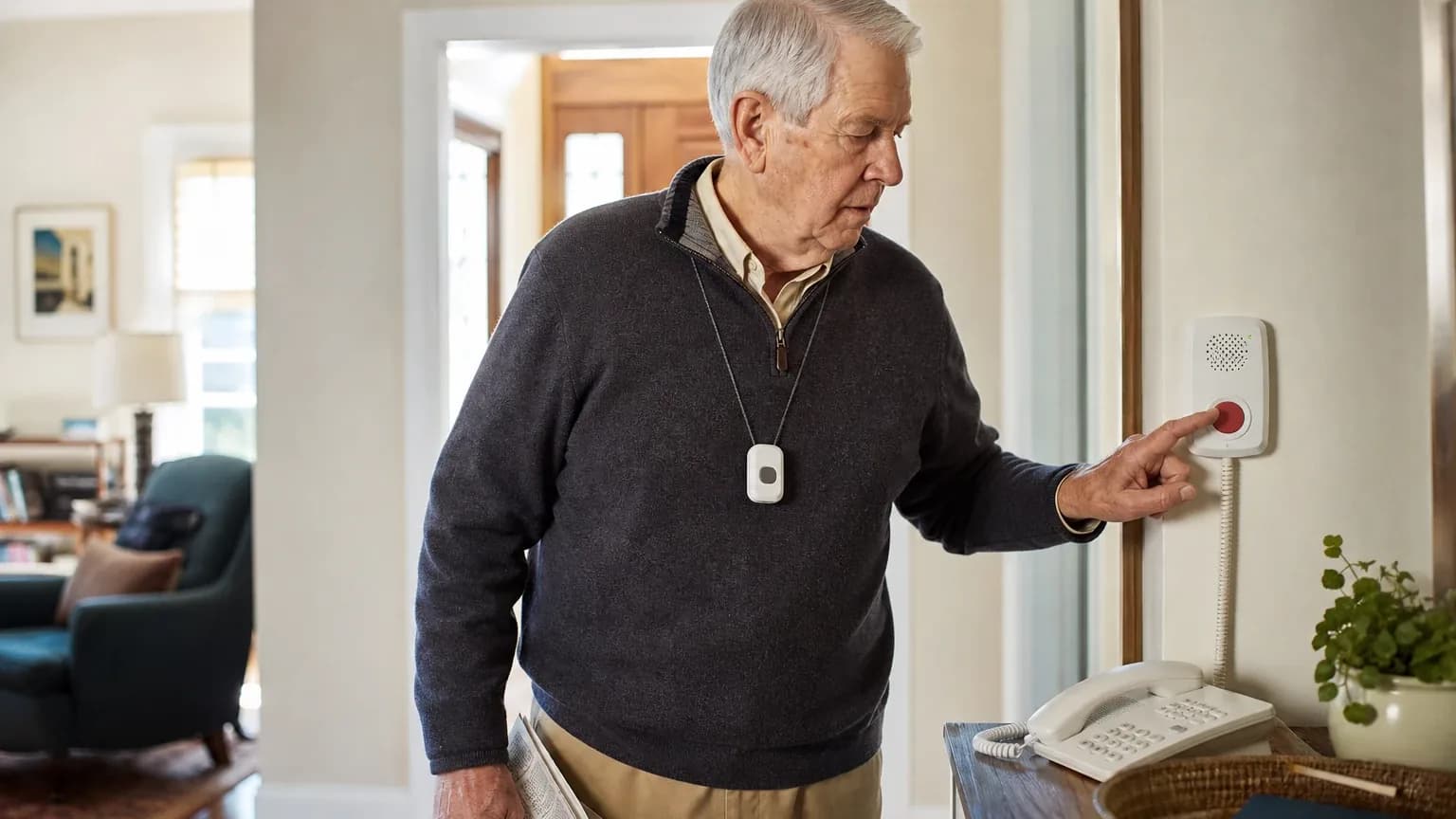
Answer Capsule
Bay Alarm Medical is a good fit for most families seeking caregiver app and family alerts, according to six of the seven AI platforms that returned a usable fit assessment. All seven platforms named Bay Alarm Medical during the ranking stage, and it earned an average listed rank of 2.43 with a best rank of 1. The strongest reason to consider it is the SOS All-In-One 2, which bundles Caregiver Tracking — real-time location, location history, and low-battery notifications — into a free companion app with no long-term contract. The main limitation is that independent testing found caregiver push notifications for emergency button presses did not reliably arrive, and public documentation leaves multi-contact permissions and privacy controls unclear.
Research Snapshot
| Field | Finding |
|---|---|
| Platform mentions in ranking stage | 7 of 7 included platforms |
| Share of included platform responses | 100% |
| Average listed rank | 2.43 |
| Best listed rank | 1 |
| Relevant product/model/plan | SOS All-In-One 2 with Caregiver Tracking App and 24/7 monitoring; add Automatic Fall Detection if required |
| Overall use-case fit | Good (six platforms rated good or strong; one platform, Google, did not return a usable fit assessment) |
| Research date | 2026-09-27 |
Why Bay Alarm Medical Qualified for This Study
Questions This Section Answers
- Is Bay Alarm Medical a good choice for Caregiver App & Family Alerts?
- How many AI platforms named Bay Alarm Medical for caregiver app and family alerts?
Bay Alarm Medical qualified because every included platform named it during ranking discovery, and six of the seven returned a usable fit assessment for this use case. The entity appeared in all seven platform responses, with ranks ranging from 1 (DeepSeek, Grok, Perplexity) to 6 (Google), producing an average listed rank of 2.43 [1].
The qualification rests on a documented feature match rather than brand familiarity. Bay Alarm Medical's own Account Manager App guide documents Caregiver Tracking for SOS Mobile and All-In-One devices, including location refresh, last-known location, a live GPS marker, address, latitude, and longitude [1]. The SOS All-In-One 2 user guide references the Caregiver Tracking App, real-time location, low-battery notifications, and optional Fall Detection [5].
Independent reviews corroborate the core claim. AARP states that the SOS Micro and SOS All-In-One 2 pair with the free Bay Alarm Medical companion app for caregiver location monitoring [6], and Forbes states the SOS All-In-One 2 package includes free GPS caregiver tracking via the app [7].
The fit is not unanimous in strength. Grok rated the fit "strong," while OpenAI, Anthropic, DeepSeek, Kimi, and Perplexity each rated it "good." Google did not return a usable fit assessment, so its ranking mention is counted but its fit opinion is not.
The Product, Model, Plan, or Service Most Relevant to Caregiver App & Family Alerts
Questions This Section Answers
- Which Bay Alarm Medical device should a buyer choose if they need caregiver location tracking and family alerts?
- Is the Bay Alarm Medical caregiver app included free with the SOS All-In-One 2?
The SOS All-In-One 2 with Caregiver Tracking is the product most platforms pointed to for this use case. It is a mobile cellular device with GPS caregiver tracking, 24/7 U.S.-based monitoring, and optional Automatic Fall Detection [8]. Caregiver Tracking is also described as available with SOS All-In-One, SOS Mobile, SOS Micro, and SOS Smartwatch [10].
The caregiver app itself is free. Independent reviews describe the companion app as free to download and compatible with iOS and Android (anthropic:9-2), and one review states the caregiver portal app is included at no extra charge with the SOS All-In-One 2 (anthropic:18-3). Grok's assessment likewise describes the app as included at no extra cost with mobile devices [11].
Platforms used inconsistent names for the same app. The supplied responses refer to it as the Caregiver Tracking App, My Bay Alarm, the Bay Alarm Medical App, and the Account Manager App [12]. OpenAI explicitly flagged this naming inconsistency as an unresolved conflict, and DeepSeek noted the same problem. Buyers should confirm which app their specific order activates.
What the AI Platforms Agreed About
Questions This Section Answers
- What do AI platforms agree the Bay Alarm Medical caregiver app actually does?
- Does Bay Alarm Medical include real-time location tracking and location history in its caregiver app?
Platforms broadly agreed on four points: the caregiver app is included at no extra cost, it shows real-time location, it retains location history, and it sends low-battery notifications.
On location, the company's caregiver tracking platform updates location every 30 seconds by default and at the press of the button for a real-time view, keeping a 30-day location history record (anthropic:3-1, anthropic:19-3). Independent reviews repeat the same 30-second refresh and Google Maps display (anthropic:36-2). The SOS All-In-One 2 product page states caregivers can check current location in real time, access location history, and get notified of low battery levels [14].
On device status, the app supports checking connection status and battery life, plus notifications when the battery is low (anthropic:22-10, anthropic:22-11). Grok's assessment adds ring-device functionality for locating a misplaced unit [15].
On account structure, the account holder can add or delete medical alert users, and caregivers can manage multiple seniors under one account (anthropic:3-5, anthropic:19-4). Independent coverage confirms that caregivers managing multiple seniors can add multiple users under one account (anthropic:36-4).
On cost and terms, the company markets no long-term contracts and no cancellation fees, with a 15-day refund policy and possible proration of unused service after cancellation subject to return and shipping conditions [16]. Monthly, quarterly, and annual billing are offered [17].
Where the AI Platforms Disagreed or Were Uncertain
Questions This Section Answers
- Do Bay Alarm Medical caregiver push notifications reliably arrive when the SOS button is pressed?
- How many caregivers can share Bay Alarm Medical app access, and what permissions can be assigned?
The sharpest disagreement concerns push notification reliability. Company marketing states caregivers receive real-time app alerts when the SOS button is pressed (anthropic:9-11, kimi:bayalarm-1). Independent U.S. News testing found the opposite: testers were less impressed with mobile notifications of fall detection and help button presses, a tester with notifications turned on did not receive notifications to their phone, the caregiver side did not receive notifications, and the tester could see device signal history but could not get the system to notify the phone directly (anthropic:27-3, anthropic:27-4, anthropic:27-5, anthropic:27-6).
Anthropic's own verdict treats this as a material limitation, stating that caregivers expecting automatic real-time alerts may receive delayed or no notifications and must manually check the app. OpenAI reached a softer version of the same concern, noting that public materials document low-battery notifications and location tracking but do not clearly document the full emergency push-notification workflow for caregivers. Perplexity and DeepSeek both flagged the same gap.
Multi-contact permissions are unresolved rather than disputed. OpenAI found that public materials do not clearly document the maximum number of caregivers, invitation workflow, role-based permissions, per-caregiver location access, or audit controls. DeepSeek found the granularity of per-contact app permissions is not clearly published. Perplexity found that multi-contact sharing, escalation routing, and privacy-control details are not clearly documented. Kimi, by contrast, reported that unlimited caregivers can be added with individual notification preferences and no per-user fee — a claim that appears in Kimi's response but is not corroborated by the other platforms.
Privacy controls drew a similar split between assertion and documentation. Kimi describes adjustable geofencing with entry and exit notifications (kimi:bayalarm-1, kimi:bayalarm-3), while OpenAI, DeepSeek, Perplexity, and Grok each state that granular privacy controls, consent management, retention periods, and caregiver access logs are not clearly documented in the reviewed materials. AARP's independent guidance notes that older adults may have concerns about being monitored and recommends families discuss monitoring boundaries and respect dignity and autonomy (anthropic:30-4, anthropic:30-5, anthropic:30-6).
One device-level conflict remains open. SafeHome.org's August 2026 review states the SOS Smartwatch does not offer a caregiver tracking app, while company materials dated January 2026 indicate a caregiver app is now available for the SOS Smartwatch (anthropic:2-2, anthropic:2-8). The direction of feature development is unclear from the conflicting dates.
Use-Case-Specific Features and Capabilities
Questions This Section Answers
- Does the Bay Alarm Medical app support geofencing and multi-caregiver access for family alerts?
- What happens when a Bay Alarm Medical device battery dies or loses cellular coverage?
The core caregiver capabilities are location visibility, location history, battery status, and emergency escalation through a monitoring center. Real-time location refresh, last-known location, live GPS marker, address, latitude, and longitude are documented for supported SOS Mobile and All-In-One devices [18]. The SOS All-In-One 2 user guide references real-time location, low-battery notifications, device positioning, cellular coverage, battery limitations, and optional Fall Detection [19].
Emergency escalation runs through professional monitoring rather than the app alone. Bay Alarm Medical states that monitoring operators can contact 911 or preferred friends, family, or caregivers according to the customer's preferences [20], and that emergency contacts can include family, friends, caregivers, and neighbors with a customizable contact order [21]. Kimi describes the SOS button routing to a 24/7 UL-listed monitoring center with caregivers notified simultaneously (kimi:bayalarm-2, kimi:usnews-1). OpenAI cautions that public materials do not fully explain whether all listed contacts receive simultaneous app notifications or only calls or monitoring-center outreach.
Geofencing appears in only one platform's findings. Kimi reports customizable geofencing with entry and exit notifications programmable through the caregiver app (kimi:bayalarm-1, kimi:bayalarm-3), and also notes it is unspecified whether geofencing works with in-home base station mode or only mobile GPS mode. No other platform confirmed geofencing, so treat it as platform-reported and verify directly.
Operational dependencies are consistent across platforms. Mobile tracking depends on device battery, cellular coverage, GPS/Wi-Fi positioning, and the loved one carrying or wearing the device [19]. Mobile systems use 4G LTE via AT&T and Verizon, so coverage gaps matter (anthropic:33-23). Battery life differs sharply by device: the SOS All-In-One 2 lasts up to 72 hours, while the SOS Smartwatch lasts only 6 to 8 hours (anthropic:1-14, anthropic:12-1).
Two capability gaps recur. The app does not offer direct in-app messaging between caregiver and monitored user, unlike competitors such as Aloe Care Health (anthropic:25-1). And there is no integrated medication management or health vital tracking in the caregiver app (kimi:usnews-1, kimi:bayalarm-1).
Pricing, Fees, Contracts, and Ongoing Costs
Questions This Section Answers
- How much does Bay Alarm Medical cost per month for the SOS All-In-One 2 with caregiver tracking?
- Are there setup, cancellation, or equipment fees with Bay Alarm Medical?
The currently listed price for the SOS All-In-One 2 is $34.95 per month, with a listed promotional device price of $89.40, and $44.95 per month with Fall Detection [22]. Independent sources describe the same $34.95 monthly figure with a $149 equipment fee discounted 40% to $89.40 (anthropic:15-1, anthropic:10-2). Fall detection is consistently described as a $10 per month add-on [23].
Base plan pricing varies by device and source. NCOA reports devices costing $27.95 to $39.95 per month (anthropic:12-3), SafeHome reports plans starting at $27.95 per month (anthropic:11-4), and the company's own site advertises plans from $27.95 per month (anthropic:14-3). Kimi reports SOS All-In-One 2 at $29.95 per month on an annual plan and $39.95 month-to-month, with SOS Mobile at $24.95 to $29.95 depending on commitment (kimi:bayalarm-2). Perplexity reports public pricing around $27.95, $34.95, and $39.95 depending on package [24]. These figures conflict and should be confirmed on a current quote.
Contract terms are the clearest area of agreement. Bay Alarm Medical states it does not require a long-term contract, does not charge cancellation fees, offers a 15-day refund policy, and may prorate unused service after cancellation subject to return and shipping conditions [27]. The company's cancellation page describes cancellation procedures, device return requirements, and app or dashboard cancellation pathways for certain situations [28]. Independent sources repeat the no-contract, no-hidden-fee positioning [23].
Additional costs are less well specified. OpenAI lists Automatic Fall Detection as extra, possible shipping deductions from refunds, unspecified taxes and non-promotional device prices, and possible lost or damaged equipment costs without an established replacement schedule. DeepSeek notes possible shipping and handling charges and possible activation or setup fees if not waived by promotion. Kimi notes a one-time device purchase or activation fee that is often waived with promotions, plus shipping and device replacement fees.
Pricing confidence varies by platform: OpenAI rated it moderate, Anthropic and Grok rated it high, DeepSeek rated it low, and Perplexity rated it moderate. The spread reflects promotional pricing and fragmented disclosure rather than a single disputed number.
Best Suited For
Questions This Section Answers
- Who gets the most value from Bay Alarm Medical for caregiver app and family alerts?
- Is Bay Alarm Medical worth it for a family monitoring a parent who leaves home?
Bay Alarm Medical best suits families monitoring a loved one who carries a supported mobile device and who prioritize location visibility over guaranteed instant push alerts. OpenAI's assessment names families monitoring a loved one who carries an SOS All-In-One 2 or another supported mobile device, caregivers who prioritize GPS location visibility, location history, low-battery status, and 24/7 U.S.-based professional monitoring, and buyers wanting monthly, quarterly, or annual payment options without a long-term contract.
Anthropic frames the best fit as budget-conscious family caregivers seeking mobile GPS monitoring at affordable monthly rates, adult children monitoring parents with mild to moderate safety concerns who need location history and battery level alerts, and caregivers managing multiple seniors under one account.
Grok's best-fit list is narrower: adult children and family caregivers seeking real-time location sharing, status updates, and emergency notifications via app, specifically users of mobile GPS systems such as the SOS All-In-One 2, SOS Micro, SOS Mobile, and SOS Smartwatch.
Kimi adds families wanting a no-additional-cost caregiver tracking app with location sharing and geofencing, and buyers prioritizing 24/7 professional monitoring with fast response times alongside family notifications.
The common thread across platforms is a mobile device, a family that checks the app rather than relying solely on push alerts, and a preference for transparent month-to-month terms.
Probably Not Best Suited For
Questions This Section Answers
- Who should not choose Bay Alarm Medical for caregiver app and family alerts?
- Is Bay Alarm Medical a poor fit for a caregiver who needs guaranteed emergency push notifications?
Bay Alarm Medical is probably not the best choice for buyers who require guaranteed real-time push notifications for every emergency event. Anthropic states plainly that caregivers requiring guaranteed real-time push notifications when emergency buttons are pressed should look elsewhere, citing independent testing that found notification failures. OpenAI lists buyers who require confirmed app push alerts for every emergency escalation rather than monitoring-center contact procedures.
It is also a weaker fit for families seeking a fully documented shared-caregiver platform. OpenAI names families seeking detailed role-based permissions and independently configurable alert rules, and buyers who require clearly documented privacy controls. Perplexity names buyers who need independently verified push-alert reliability, multi-contact permissions, or detailed privacy controls before purchase.
Several other exclusions recur across platforms. Families wanting direct in-app messaging between caregiver and user should look elsewhere (anthropic:25-1). Seniors in areas with poor AT&T or Verizon 4G LTE coverage are poorly served, since mobile systems depend on those carriers (anthropic:33-23). Buyers who primarily need in-home coverage only may find the cellular SOS Home plans a lower-cost alternative without the same mobile GPS tracking [29]. And buyers wanting integrated medication reminders, health vital tracking, or passive in-home environmental monitoring will not find those features here (kimi:usnews-1, kimi:bayalarm-1).
When Another Option May Be Better
Questions This Section Answers
- What is a better alternative to Bay Alarm Medical for a caregiver who needs direct in-app messaging with a parent?
- When should a buyer choose a different medical alert provider instead of Bay Alarm Medical?
Another option may be better in five recurring situations described across the platform responses.
First, when guaranteed push notifications are the primary requirement. Anthropic notes that some competitors offer more reliable notification systems, and OpenAI recommends choosing another provider when the primary requirement is a mature family dashboard with documented multi-user roles, configurable alert rules, and transparent privacy controls.
Second, when direct caregiver-to-user communication is needed. Anthropic names Aloe Care Health and others as offering in-app messaging that Bay Alarm Medical does not (anthropic:25-1).
Third, when the senior lives where AT&T or Verizon coverage is weak. Anthropic recommends evaluating alternatives if coverage from other carriers is stronger in the area.
Fourth, when the buyer wants free family location sharing alongside a paid alert service. DeepSeek suggests a system paired with Life360-style apps may fit better, and also notes that dedicated GPS trackers fit better for continuous location history of a parent with dementia, while camera-integrated systems fit better when video verification of emergencies is required.
Fifth, when advanced health or care coordination features matter. Kimi names Connected Caregiver and Medical Guardian with Classic Guardian for integrated medication reminders and health device tracking, Aloe Care and SafelyYou for AI-powered activity pattern recognition, and CaringBridge or Lotsa Helping Hands for care coordination with document sharing and task management. Kimi also notes that some competitors include automatic fall detection at no extra charge.
Questions to Verify Before Buying
Questions This Section Answers
- What should a buyer confirm with Bay Alarm Medical before signing up for the caregiver app?
- Which app will caregivers actually use with a specific Bay Alarm Medical device order?
The platforms converged on a similar verification list. Confirm which mobile app applies to your exact order, since the Caregiver Tracking App, My Bay Alarm, Bay Alarm Medical App, and Account Manager App are used interchangeably in public materials [30].
Confirm notification behavior directly. Ask whether caregivers receive push notifications when the SOS button is activated, when Fall Detection triggers, when monitoring contacts 911, and when the device loses connectivity [31]. Given the U.S. News testing results, request specific information about notification delivery rather than relying on marketing language (anthropic:27-3, anthropic:27-4).
Confirm access structure. Ask how many family members can receive access, what roles or permissions the account owner can assign, and whether caregivers can view location history, trigger a location refresh, or change emergency contacts without the primary account holder's approval [30].
Confirm data handling. Ask how location data, emergency events, and caregiver access are logged, retained, deleted, and shared [30].
Confirm total cost. Ask for the full non-promotional monthly price, device price, fall-detection price, tax, shipping, and replacement-cost schedule, and whether free-month or free-shipping promotions are forfeited if service is cancelled before the stated paid-service period [32].
Confirm cancellation mechanics. Ask what exact steps and fees apply when cancelling monthly versus quarterly or annual service, and confirm the device return process [34].
Confirm coverage and battery expectations. Verify AT&T or Verizon 4G LTE coverage at the specific address, and confirm whether the monitored senior will reliably charge the device, particularly for the SOS Smartwatch with its 6 to 8 hour battery (anthropic:33-23, anthropic:1-14).
Final AI Consensus Verdict
Bay Alarm Medical is a good fit for caregiver app and family alerts, with one platform rating it strong and five rating it good. All seven included platforms named it during ranking discovery, and it averaged a listed rank of 2.43 with a best rank of 1.
The case for it rests on a genuinely bundled caregiver app. Caregiver Tracking is included at no extra cost with supported mobile devices, delivers real-time location with a 30-second default refresh, retains 30-day location history, sends low-battery notifications, supports multiple users under one account, and pairs with 24/7 professional monitoring on month-to-month terms with no cancellation fee [35].
The case against overstating it rests on independent evidence. U.S. News testing found caregiver push notifications did not reliably arrive despite notifications being enabled (anthropic:27-3, anthropic:27-4, anthropic:27-5, anthropic:27-6). Public documentation does not clearly define multi-caregiver roles, permissions, access limits, audit history, or privacy controls [35]. The reviewed evidence is predominantly company-owned, and independent testing of app usability, notification latency, and privacy controls was not established.
Buyers whose priority is location visibility, battery awareness, and professional monitoring at a transparent price will find a reasonable match. Buyers whose priority is guaranteed instant push alerts, granular multi-caregiver permissions, or documented privacy controls should verify those specifics in writing before purchase, or consider a provider whose documentation covers them.
How This Review Was Produced
This review was produced from seven AI platform responses collected for the Caregiver App & Family Alerts use case within the broader Caregiver App & Family Alerts study. Each platform was asked to assess Bay Alarm Medical against the same use case and to supply supporting citations. The study research date is 2026-09-27.
Ranking statistics were calculated from the platforms that named Bay Alarm Medical during ranking discovery: seven of seven included platforms, an average listed rank of 2.43, and a best listed rank of 1. Fit ratings came from the six platforms that returned a usable fit assessment.
Citations in this review are platform-reported evidence, not independently verified facts. Company-owned sources are distinguished from independent sources in the Sources section below. Where platforms supplied no citation for a claim, the claim is labeled platform-reported. This review is part of a wider set of medical alert systems fit reviews.
Methodology Limitations
Six of the seven included platforms returned a usable fit assessment, so the fit findings are not unanimous and should not be described as such. Platform mentions count only platforms that named the entity during ranking discovery.
Platform-reported research dates differ from the authoritative run date. DeepSeek's response carries a research date of 2026-06-12, while the remaining platforms and the study itself use 2026-09-27. Platform-reported dates are provenance metadata and do not independently prove freshness.
DeepSeek's response was produced with search disabled, so its claims require explicit verification before being treated as current facts.
The supplied URLs were collected from platform responses and were not independently validated by the writer stage. Citations are platform-reported evidence, not independently verified facts.
Conflicting product names, pricing, and capabilities were not resolved by guessing. Where sources conflict — app naming, monthly plan prices, SOS Smartwatch caregiver app availability, and push notification reliability — this review describes the conflict and identifies what buyers should verify.
The reviewed evidence is predominantly company-owned. Independent evidence specifically assessing caregiver-app usability, notification reliability, multi-caregiver permissions, or privacy controls was limited, and no personal testing, customer experience, or guaranteed performance is claimed here.
Sources
Company-Owned Sources
- Bay Alarm Medical Official Website: https://www.bayalarmmedical.com/
- Bay Alarm Medical App for iPhone & Android: https://www.bayalarmmedical.com/app/
- Bay Alarm Medical Cancellation Instructions: https://www.bayalarmmedical.com/cancellations/
- Bay Alarm Medical Caregiver App for SOS Smartwatch: https://www.bayalarmmedical.com/caregiver-support/bay-alarm-medical-caregiver-app-for-sos-smartwatch/
- Getting Around the Bay Alarm Medical Caregiver Tracking Platform: https://www.bayalarmmedical.com/caregiver-support/getting-around-the-bay-alarm-medical-caregiver-tracking-platform/
- Customer Service | Tech Support, Billing, Cancellations: https://www.bayalarmmedical.com/customer-service/
- Get a Free Quote | Bay Alarm Medical | Plans from $27.95/mo: https://www.bayalarmmedical.com/free-quote/
- Bay Alarm Medical Frequently Asked Questions: https://www.bayalarmmedical.com/frequently-asked-questions/
- Bay Alarm Medical - Caregiver Tracking and GPS Location Features: https://www.bayalarmmedical.com/gps-medical-alert-systems/
- Personal Emergency Response System - In-Home: https://www.bayalarmmedical.com/medical-alert-system/in-home/
- All-In-One Medical Alert System with Fall Detection: https://www.bayalarmmedical.com/medical-alert-system/sos-all-in-one-2/
- Bay Alarm Medical - My Bay Alarm App and Account Manager: https://www.bayalarmmedical.com/my-bay-alarm-app/
- Medical Alert Costs and Pricing: https://www.bayalarmmedical.com/pricing/
- Bay Alarm Medical - SOS All-In-One 2 Mobile Medical Alert: https://www.bayalarmmedical.com/sos-all-in-one-2/
- My Account Manager App User Guide: https://www.bayalarmmedical.com/wp-content/uploads/Web_2023_0325_BAM_Acct_Mgr_App_User_Guide.pdf
- SOS All-In-One 2 User Guide: https://www.bayalarmmedical.com/wp-content/uploads/Web_2024_0620_BAM_SOS_AIO2_User_Guide.pdf
Additional AI research evidence39 records
- AI research evidence record openai:c1
- AI research evidence record deepseek:c1
- AI research evidence record grok:web:1
- AI research evidence record perplexity:c1
- AI research evidence record openai:c2
- AI research evidence record perplexity:c3
- AI research evidence record perplexity:c4
- AI research evidence record openai:c2
- AI research evidence record openai:c3
- AI research evidence record perplexity:c2
- AI research evidence record grok:web:3
- AI research evidence record openai:c1
- AI research evidence record grok:web:5
- AI research evidence record perplexity:c1
- AI research evidence record grok:web:5
- AI research evidence record openai:c7
- AI research evidence record openai:c3
- AI research evidence record openai:c1
- AI research evidence record openai:c2
- AI research evidence record openai:c5
- AI research evidence record openai:c4
- AI research evidence record openai:c3
- AI research evidence record grok:web:3
- AI research evidence record perplexity:c6
- AI research evidence record perplexity:c7
- AI research evidence record perplexity:c8
- AI research evidence record openai:c7
- AI research evidence record openai:c6
- AI research evidence record openai:c4
- AI research evidence record openai:c1
- AI research evidence record openai:c2
- AI research evidence record openai:c3
- AI research evidence record openai:c7
- AI research evidence record openai:c6
- AI research evidence record openai:c1
- AI research evidence record openai:c3
- AI research evidence record openai:c7
- AI research evidence record deepseek:c1
- AI research evidence record perplexity:c5
Independent Sources
- Bay Alarm Medical - App Store - Apple: https://apps.apple.com/us/app/bay-alarm-medical/id1138252468
- Bay Alarm Medical Alert Review: Does It Really Work? | Millennial Hawk: https://millennialhawk.com/bay-alarm-medical-alert-review/
- Bay Alarm Medical Medical Alert System Review 2026 | U.S. News: https://realestate.usnews.com/home-services/medical-alert-system/bay-alarm-medical
- Bay Alarm Medical Review 2026: Hidden Costs and Real Response Times: https://seniorsite.org/resource/bay-alarm-medical-review-2026-hidden-costs-and-real-response-times/
- Bay Alarm Medical Review (2026): Tested & Approved: https://www.aarp.org/caregiving/home-care/bay-alarm-medical-review/
- Bay Alarm Medical Reviews from Real Customers: https://www.consumeraffairs.com/age/bay-alarm-medical.html
- Bay Alarm Medical Reviews - ConsumerAffairs: https://www.consumeraffairs.com/medical-alert-systems/bay_alarm_medical.html
- Bay Alarm Medical review coverage: https://www.consumerreports.org/
- Bay Alarm SOS All-In-One 2: Tested & Reviewed: https://www.forbes.com/health/medical-alert-systems/bay-alarm-medical-sos-all-in-one-review/
- Bay Alarm Medical Review: 8 Pros + 2 Cons: https://www.medicalalertbuyersguide.org/medical-alert-system/bay-alarm-medical-review/
- Bay Alarm Medical: Our Take on This Popular Brand: https://www.ncoa.org/product-resources/medical-alert-systems/bay-alarm-medical-review/
- Bay Alarm Medical Alert Systems Cost & Packages: https://www.safehome.org/medical-alert-systems/bay-alarm-medical/
- Bay Alarm Medical Review 2026 | SafeHome.org: https://www.safehome.org/medical-alert-systems/bay-alarm-medical/reviews/
- Bay Alarm Medical Alert System Review 2026: https://www.seniorliving.org/medical-alert-systems/bay-alarm-medical/reviews/
- Bay Alarm Medical Costs & Plans 2026 | SeniorsList: https://www.seniorslist.com/medical-alert-systems/bay-alarm-medical/
- Bay Alarm Medical Costs, Our In-Depth Analysis 2026: https://www.theseniorlist.com/medical-alert-systems/bay-alarm-medical/
- Bay Alarm Medical Review, Tested by Caregivers: https://www.theseniorlist.com/medical-alert-systems/bay-alarm-medical/reviews/
- MobileHelp vs Bay Alarm Medical: https://www.theseniorlist.com/medical-alert-systems/mobilehelp-vs-bay-alarm-medical/
- Bay Alarm Medical Review and Prices - US News 360 Reviews: https://www.usnews.com/360-reviews/services/medical-alert-system/bay-alarm-medical
Additional AI research evidence39 records
- AI research evidence record openai:c1
- AI research evidence record deepseek:c1
- AI research evidence record grok:web:1
- AI research evidence record perplexity:c1
- AI research evidence record openai:c2
- AI research evidence record perplexity:c3
- AI research evidence record perplexity:c4
- AI research evidence record openai:c2
- AI research evidence record openai:c3
- AI research evidence record perplexity:c2
- AI research evidence record grok:web:3
- AI research evidence record openai:c1
- AI research evidence record grok:web:5
- AI research evidence record perplexity:c1
- AI research evidence record grok:web:5
- AI research evidence record openai:c7
- AI research evidence record openai:c3
- AI research evidence record openai:c1
- AI research evidence record openai:c2
- AI research evidence record openai:c5
- AI research evidence record openai:c4
- AI research evidence record openai:c3
- AI research evidence record grok:web:3
- AI research evidence record perplexity:c6
- AI research evidence record perplexity:c7
- AI research evidence record perplexity:c8
- AI research evidence record openai:c7
- AI research evidence record openai:c6
- AI research evidence record openai:c4
- AI research evidence record openai:c1
- AI research evidence record openai:c2
- AI research evidence record openai:c3
- AI research evidence record openai:c7
- AI research evidence record openai:c6
- AI research evidence record openai:c1
- AI research evidence record openai:c3
- AI research evidence record openai:c7
- AI research evidence record deepseek:c1
- AI research evidence record perplexity:c5
Verify This Research
Review the study details behind this page or download the public machine-readable verification record.
- Study date
- September 27, 2026
- Platforms analyzed
- 7
- Source records
- 35
- Ranking mentions
- 7 of 7
- Platform share
- 100%
- Final consensus rank
- #2
Research trail and source mix
Configured platforms
openai, anthropic, deepseek, grok, perplexity, kimi, google
Source mix
19 independent · 16 company-owned
Evidence support
14 direct · 3 partial
Important limitation
Use the run research_date as the study date. Platform-reported dates are provenance metadata and do not independently prove freshness.
Source snapshot SHA-256 402b43b8829d22c49db446d03f902ffa543da3707315711d0a3c12b76d13e858