
Answer Capsule
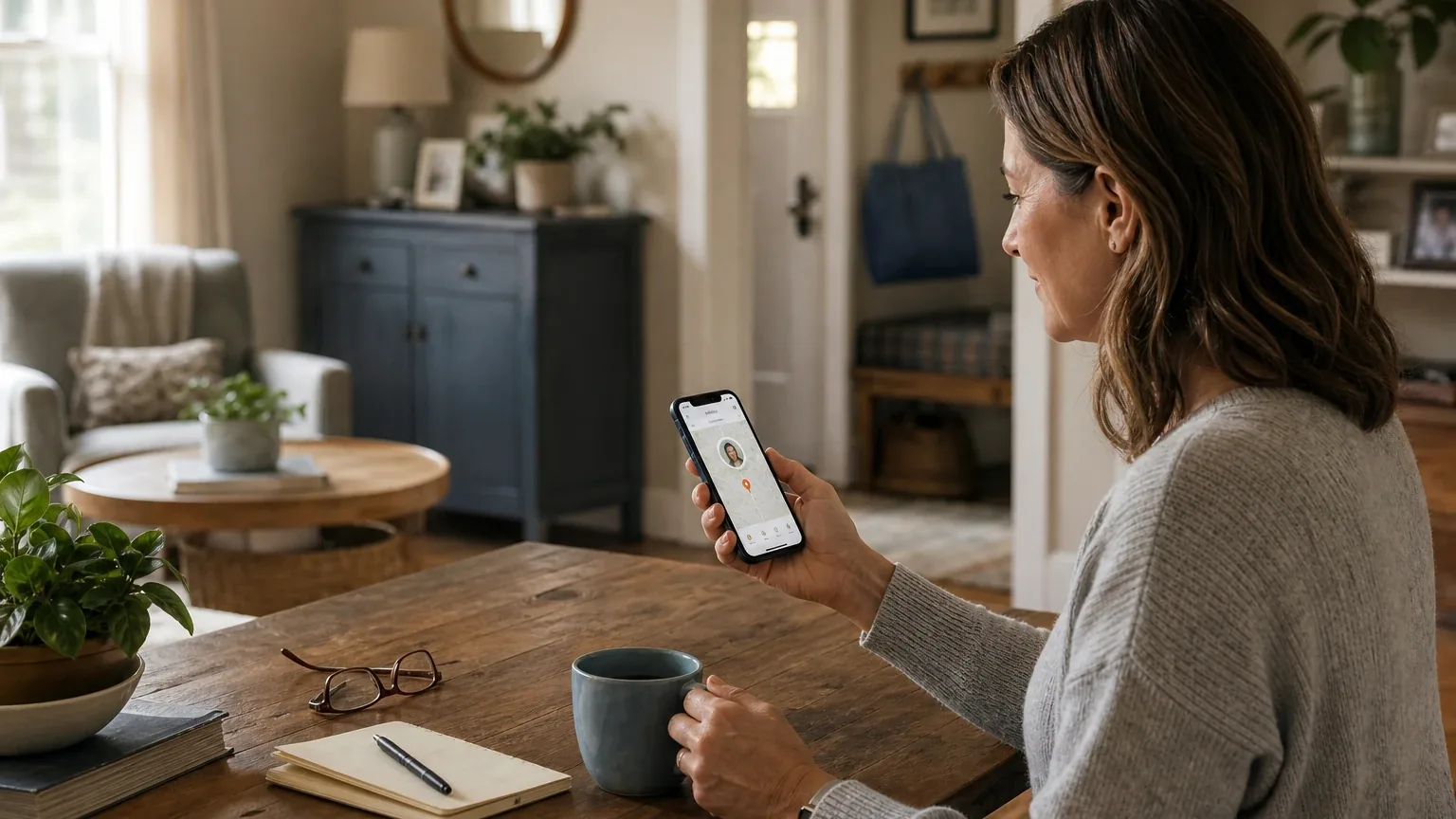
LifeFone is a good, conditional fit for Caregiver App & Family Alerts. Three of the six platforms that evaluated this use case named LifeFone during the ranking stage — a 50% share — at an average listed rank of 5.3 and a best rank of 4. The strongest reason to consider it is the VIPx/VIPx2 Caregiver Mobile App, which combines on-demand location, button-press history, battery and power-off alerts, first-motion tracking, and virtual boundaries with professional 24/7 monitoring and configurable contact escalation [12]. The main limitation is that the app is restricted to the VIPx/VIPx2 mobile device family, costs an extra $8 per month, and has documented geofence reliability problems in independent testing [6].
Research Snapshot
| Field | Detail |
|---|---|
| Platform mentions in ranking stage | 3 of 6 platforms (deepseek, google, grok) |
| Share of included platform responses | 50% |
| Average listed rank | 5.33 |
| Best listed rank | 4 (grok) |
| Relevant product/model/plan | LifeFone VIPx/VIPx2 mobile medical alert with optional Caregiver Mobile App; at-home and on-the-go plans with caregiver notifications |
| Overall use-case fit | Good (rated "good" by openai, google, grok, perplexity; "mixed" by deepseek and kimi) |
| Research date | 2026-11-10 |
Why LifeFone Qualified for This Study
Questions This Section Answers
- Why did LifeFone qualify for a caregiver app and family alerts ranking when only half the platforms named it?
- Which platforms ranked LifeFone for caregiver app and family alerts, and how high did each place it?
LifeFone qualified because it cleared the study's two-mention minimum and because the platforms that did name it described a concrete, documented caregiver-app feature set rather than a generic monitoring service. Three of the six platforms — deepseek, google, and grok — listed LifeFone during ranking discovery, giving it a 50% share of included platform responses. Its average listed rank was 5.33, with grok placing it highest at 4, google at 5, and deepseek at 7. It finished 7th in the final ranking.
The qualification rests on the VIPx/VIPx2 Caregiver Mobile App, which LifeFone documents as offering location viewing, button history, battery alerts, first-motion monitoring, and virtual boundaries [12]. Independent coverage from AARP and SafeWise corroborates that the app exists, is limited to the VIPx/VIPx2, and costs $8 per month [6]. The three platforms that did not name LifeFone in ranking are not evidence of a defect; they simply did not surface it during discovery.
One qualification note applies: the available source evidence records that official-site retrieval for lifefone.com returned an HTTP 403 during the run, so the brand's own homepage could not be fetched as a verified source at study time. Identity was resolved by exact-name matching, and the reported domain was retained but remains unverified. Buyers should treat homepage-level claims as company-reported rather than independently confirmed.
The Product, Model, Plan, or Service Most Relevant to Caregiver App & Family Alerts
Questions This Section Answers
- Which LifeFone plan do I need to buy to get the caregiver app and family alerts?
- Is the LifeFone caregiver app available on at-home plans or only on the mobile VIPx device?
The relevant product is the LifeFone VIPx/VIPx2 mobile medical alert with the optional Caregiver Mobile App. Every platform that examined the app reached the same structural conclusion: it is tied to the mobile VIPx/VIPx2 device family and is not available on LifeFone's at-home base stations [12]. Google states plainly that the app works with the VIPx system only, not with standard at-home systems [19].
The app itself is a companion to the pendant, not a replacement for monitoring. LifeFone describes it as providing real-time location, button-press history, daily steps, first motion of the day, battery monitoring, and a manual ring-device feature [16]. The VIPx user guide lists app notifications for button press, fall detection, low battery, power off, and first motion, and notes that text/email alert modifications require contacting LifeFone [21].
Naming is inconsistent across sources. LifeFone's official app page describes compatibility with VIPx2 [12], while other company pages and independent reviews use VIPx, VIPx2, or "VIP Active" [6]. Kimi also flags that an App Store listing for a "LifeFone Family Guard" app may be a rebrand or a separate product, with the relationship unclear [1]. Buyers should confirm the exact currently sold model name and that the quoted model includes the app before ordering.
What the AI Platforms Agreed About
Questions This Section Answers
- What do the AI platforms agree the LifeFone caregiver app actually does for family caregivers?
- Do the platforms agree that LifeFone combines family notifications with professional emergency monitoring?
Agreement was strong on the app's core feature set and on the monitoring-plus-notification model. All six platforms that examined the app described location viewing, button-press visibility, and device-status information as central functions [12]. Four platforms independently reported the $8 per month app fee [12].
The platforms also agreed that LifeFone pairs family notifications with professional monitoring rather than replacing it. LifeFone says emergency text or email alerts are available with all systems, and its monitoring process can follow the subscriber's emergency instructions, dispatch emergency services, and notify listed personal contacts [18]. Google describes a customizable emergency notification hierarchy [10], and grok reports professional monitoring notifies up to five contacts [23]. Perplexity notes LifeFone notifies designated family, friends, and physicians following the subscriber's emergency care instructions [14].
A further point of agreement: the app is an add-on, not a bundled feature. No platform described the caregiver app as included in a base plan. That consensus does not establish product quality — it establishes what the platforms consistently reported.
Where the AI Platforms Disagreed or Were Uncertain
Questions This Section Answers
- Do the AI platforms disagree about whether LifeFone's virtual boundary alerts actually work?
- Is it clear from published sources how many family caregivers can share one LifeFone app account?
The sharpest disagreement concerns virtual boundaries. LifeFone documents the feature as available [12], but SafeWise reported that boundary alerts did not work during its hands-on testing, even after customer-service activation and multiple test crossings [23]. LifeFone's own guide cautions that boundary notifications may not arrive when the device is continuously moving or lacks strong GPS or cellular signal [4]. This is a genuine conflict between company documentation and independent testing, and it should not be resolved by assuming either side is wrong.
Fit ratings split along the same fault line. OpenAI, google, grok, and perplexity rated LifeFone "good" for this use case; deepseek and kimi rated it "mixed" (openai, google, grok, perplexity, deepseek, kimi platform assessments). Deepseek's research ran without search enabled and on a 2026-06-15 date, and it explicitly reported that it could not independently confirm pricing, plan naming, or app specifics — so its "mixed" rating reflects thin public evidence rather than a negative finding.
Multi-caregiver permissions are the largest shared uncertainty. Public materials do not clearly establish the maximum number of VIPx app users, role-based permissions, or whether all family members can independently access the same account [20]. Google lists concurrent family accounts as something to verify at signup, and kimi notes the platform mentions "subscribers and their loved ones" without specifying tiered access [12]. Privacy controls are similarly underdocumented: notification toggles and emergency-contact configuration are described, but data retention, location-history retention, and access auditing are not [4].
Use-Case-Specific Features and Capabilities
Questions This Section Answers
- What caregiver app features does LifeFone's VIPx2 plan include for monitoring a parent who leaves the house?
- How does LifeFone's caregiver app handle location sharing and emergency escalation compared with what a family caregiver needs?
LifeFone's caregiver feature set is broad on paper and strongest for families monitoring one mobile wearer. The app supports on-demand location viewing, button-press history, battery and power-off alerts, first-motion-of-day tracking, daily step counts, virtual boundaries, and a manual ring-device function [12]. LifeFone's guide indicates location refresh can take about 15 seconds [4]. Kimi reports 100% GPS accuracy across three independent location tests and up to 18 days of battery life on the VIPx2 [23].
| Capability | What the evidence shows | Confidence |
|---|---|---|
| Caregiver app usability | Independent hands-on review called it easy to navigate and not overwhelming [23] | Moderate — one independent test |
| Real-time push alerts | Button press, fall, low battery, power off, first motion [21] | Strong — company docs plus reviews |
| Location sharing | On-demand location, ~15-second refresh [4] | Strong |
| Virtual boundaries | Documented by LifeFone; failed in independent testing [12] | Conflicted |
| Emergency escalation | Monitoring center follows care plan, dispatches, notifies contacts [18] | Strong |
| Multi-contact permissions | Multiple notification responders documented; app-level roles unclear [20] | Limited |
| Privacy controls | Notification toggles documented; retention and auditing unclear [4] | Limited |
Emergency escalation is the capability that most distinguishes LifeFone from a pure tracking app. The caregiver app provides device and activity information, but it should not be assumed to replace the monitoring center [18]. Fall detection is a separate $5 per month add-on; kimi reports a 4-of-6 detection rate with multiple false alarms in testing, and LifeFone discloses that no system detects 100% of falls [23].
Pricing, Fees, Contracts, and Ongoing Costs
Questions This Section Answers
- What does LifeFone's VIPx plan with the caregiver app cost per month on annual versus monthly billing?
- Does LifeFone charge extra for the caregiver app and fall detection, and are there activation or equipment fees?
LifeFone's caregiver configuration is not a low-cost option once add-ons are included. The app costs $8 per month according to LifeFone's official page [12]. Caring.com reports VIPx with Caregiver App at $47.95 per month on annual billing, $49.95 on quarterly, and $51.95 on monthly [9]. Fall detection is commonly reported at $5 per month [6]. Google cites a VIPx base plan of roughly $41.95–$43.95 per month before the app add-on [10].
| Cost item | Reported amount | Source basis |
|---|---|---|
| Caregiver Mobile App | $8/month | Company page plus multiple reviews [12] |
| VIPx with Caregiver App, annual billing | $47.95/month | Independent review [9] |
| VIPx with Caregiver App, quarterly billing | $49.95/month | Independent review [9] |
| VIPx with Caregiver App, monthly billing | $51.95/month | Independent review [9] |
| Fall detection add-on | $5/month | Independent reviews [6] |
| Activation fee | None reported | AARP and LifeFone materials [6] |
| Daily check-in call (optional) | $19/month | Google platform report (google) |
Contract terms are reported as flexible but not fully documented. LifeFone publicly offers monthly, quarterly, and annual billing [9]. AARP reports a 30-day risk-free trial and refund of unused prepaid service, subject to return and shipping conditions [6]. Perplexity cites LifeFone statements of no activation fee, locked-in lifetime pricing, and cancellation at any time [13]. Kimi, however, reports that cancellation is not processed until equipment is returned, return shipping is paid by the customer, and a $195 reimbursement fee applies to the on-the-go system if equipment is not returned within 30 days [23]. Public sources do not establish whether annual billing carries an early-cancellation fee or prorated refund beyond the trial window. Pricing confidence is moderate; these are published figures, not a confirmed checkout quote.
Best Suited For
Questions This Section Answers
- Is LifeFone a good choice for an adult child who wants location and activity updates on a parent who still drives and walks outside?
- Which families get the most value from paying LifeFone's $8 monthly caregiver app fee?
LifeFone is best suited to families monitoring one mobile wearer who needs both remote visibility and professional emergency response. The clearest fit is an adult child tracking a parent who travels outside the home and wants on-demand location, button-press history, battery status, and geographic-boundary alerts alongside 24/7 monitoring [12]. Families who value passive wellness signals — first motion of the day and daily step counts — get additional value from the app's activity views [12].
It also suits buyers who want a configurable emergency care plan. LifeFone lets subscribers specify which contacts are called and in what order, and the monitoring center can dispatch and notify contacts per those instructions [18]. Households that prioritize very long battery life in a mobile pendant are another reasonable fit, given the reported 18-day VIPx2 battery [15].
Probably Not Best Suited For
Questions This Section Answers
- Is LifeFone a poor fit for a family that wants a free caregiver app included with every device?
- Should a household needing reliable geofence alerts look elsewhere than LifeFone?
LifeFone is probably not the best fit for families who want caregiver-app access included across every device or plan. The app is restricted to VIPx/VIPx2 and costs extra, which several platforms flagged as unusual relative to competitors that bundle apps [23]. Buyers needing a fully documented shared family dashboard, granular role-based permissions, or extensive in-app coordination tools will find public documentation incomplete [20].
Households prioritizing the lowest total cost after adding the app and fall detection should compare all-in annual figures before committing (openai). And families who need dependable geofence alerts should weigh the independent testing failure heavily, since virtual boundaries are a headline feature of this configuration [23].
When Another Option May Be Better
Questions This Section Answers
- When is a competitor a better choice than LifeFone for caregiver app and family alerts?
- Should a family using both at-home and mobile devices choose a different provider than LifeFone?
Another option may be better in four situations the platforms identified. First, when the family wants caregiver-app access included across multiple device types or a more clearly documented shared dashboard (openai). Second, when granular multi-user permissions, richer two-way family coordination, or stronger published privacy controls matter more than LifeFone's GPS and device-status features (openai, perplexity). Third, when a free caregiver app is a requirement — kimi and grok both note that many competitors include apps at no charge [23]. Fourth, when a household uses multiple different devices and wants unified app monitoring, since LifeFone's app covers only the VIPx/VIPx2 [12].
Buyers comparing across the category can review the full Caregiver App & Family Alerts consensus index, and those starting from scratch can browse the broader medical alert systems directory.
Questions to Verify Before Buying
Questions This Section Answers
- What should a buyer confirm with LifeFone about app permissions and pricing before signing up?
- Which LifeFone model name and app compatibility details should be verified at checkout?
Confirm the exact model being sold — VIPx, VIPx2, or another name — and that it includes the Caregiver Mobile App [6]. Ask for the complete monthly, quarterly, and annual total after the $8 app fee, fall detection, shipping, accessories, and taxes (openai, google). Establish how many caregivers can receive app access or SMS/email notifications, whether each gets separate credentials and permissions, and whether alerts arrive by push, text, and email simultaneously (openai, perplexity). Ask how often location refreshes and what happens when GPS or cellular signal is weak [4]. Confirm whether location history, button history, and access logs are retained and can be deleted (openai, kimi). Finally, get the annual-plan cancellation, prorated-refund, trial-return, and equipment-return policies in writing, including the reported $195 non-return fee [23].
Final AI Consensus Verdict
LifeFone is a good, conditional fit for Caregiver App & Family Alerts. Four of six platforms rated it "good" and two rated it "mixed," with the mixed ratings traceable to thin public evidence rather than negative findings. The VIPx/VIPx2 package delivers a relevant combination of location, device-status, activity, and emergency-notification capabilities, backed by professional monitoring and configurable contact escalation.
The conditions are real. The app is device-restricted, costs $8 per month on top of monitoring, has a documented geofence reliability problem in independent testing, and leaves multi-user permissions and privacy controls underdocumented. It is strongest for families monitoring one mobile user who need professional emergency escalation plus practical remote status information — and weaker for buyers who want a bundled, broadly compatible, richly permissioned family app.
How This Review Was Produced
This report evaluates LifeFone only for the Caregiver App & Family Alerts use case. Six platforms supplied fit research: openai, deepseek, google, grok, perplexity, and kimi. Three of those six named LifeFone during ranking discovery, which is the basis for the 50% platform share and the average rank of 5.33. Each platform's fit rating, feature findings, pricing figures, and verification questions were used as supplied. Company-owned sources were distinguished from independent reviews throughout, and conflicting claims were reported rather than resolved. The study research date is 2026-11-10.
Methodology Limitations
Platform-reported research dates differ from the authoritative run date: deepseek reported 2026-06-15, while the other five platforms reported 2026-11-10. Deepseek's research ran without search enabled, so its findings are platform-reported and unverified. Official-site retrieval for lifefone.com returned an HTTP 403 during the run, so homepage claims could not be fetched as verified sources. Company-owned citations materially outnumber independent citations, and company claims are not described here as independently verified. The supplied URLs were collected from platform responses and were not independently validated by the writer stage. Product naming (VIPx, VIPx2, VIP Active, Family Guard) is inconsistent across sources and was not resolved by guessing. Pricing figures are published reports, not confirmed checkout quotes. Platform agreement does not prove product quality, and no personal testing, customer experience, or medical benefit is claimed.
Sources
Company-Owned Sources
- LifeFone Official Website: https://lifefone.com/
- The VIPx Caregiver Mobile App | LifeFone Resources: https://wp.lifefone.com/wp-content/uploads/2021/10/vipx.jpg
- Optional VIPx Caregiver Mobile App User Guide: https://wp.lifefone.com/wp-content/uploads/2023/08/VIPx_user-guide_orange0823.pdf
- Request Your FREE BROCHURE Today!: https://www.lifefone.com/
- Caregiver App | Medical Alert | LifeFone: https://www.lifefone.com/apps
- The VIPx Caregiver Mobile App | Medical Alarm Resources | LifeFone: https://www.lifefone.com/articles/the-vipx-caregiver-mobile-app
- VIPx ® | Medical Alert System | LifeFone: https://www.lifefone.com/at-home-and-on-the-go-vipx
- At-Home & On-the-Go, VIPx2 | wplifefone | LifeFone: https://www.lifefone.com/at-home-and-on-the-go-vipx2
- Caregiver App | Medical Alert - LifeFone: https://www.lifefone.com/caregiver-app
- Caregiver Tools | Medical Alert | LifeFone: https://www.lifefone.com/caregiver-tools
- LifeFone FAQs: https://www.lifefone.com/faq
- FAQ's | Medical Alert - LifeFone: https://www.lifefone.com/faqs
- LifeFone Caregiver Tools Portal User Guide: https://www.lifefone.com/media/pdf/LF_CaregiverToolsPortal_UserGuide.pdf
Independent Sources
- LifeFone Family Guard App - App Store: https://apps.apple.com/us/app/lifefone-family-guard/id6747724409
- LifeFone Alert System Review (2026): Our Test Results - AARP: https://www.aarp.org/caregiving/home-care/info-2026/lifefone-system-review.html
- LifeFone Alert System Review (2026): Our Test Results: https://www.aarp.org/caregiving/home-care/lifefone-review/
- LifeFone Medical Alert System Review 2026 - Caring.com: https://www.caring.com/best-medical-alert-systems/lifefone-review/
- The Best Medical Alert Systems of 2026: https://www.caring.com/senior-products/best-medical-alert-systems
- LifeFone Medical Alert System Review 2026: https://www.caring.com/senior-products/best-medical-alert-systems/lifefone
- LifeFone At-Home & On-the-Go, VIPx Review - Forbes Health: https://www.forbes.com/health/healthy-aging/lifefone-vipx-review/
- LifeFone Review (independent review coverage: https://www.medicalalertadvice.com/lifefone-review/
- LifeFone Medical Alerts | Hands-On Expert Review: https://www.safewise.com/senior-safety/medical-alerts/lifefone/
- The Best Medical Alert Systems for Blind Users: https://www.theseniorlist.com/medical-alert-systems/best/blind/
Verify This Research
Review the study details behind this page or download the public machine-readable verification record.
- Study date
- November 10, 2026
- Platforms analyzed
- 6
- Source records
- 24
- Ranking mentions
- 3 of 6
- Platform share
- 50%
- Final consensus rank
- #7
Research trail and source mix
Configured platforms
openai, anthropic, deepseek, grok, perplexity, kimi, google
Source mix
10 independent · 14 company-owned
Evidence support
20 direct · 4 partial
Important limitation
Use the run research_date as the study date. Platform-reported dates are provenance metadata and do not independently prove freshness.
Source snapshot SHA-256 0c48f41286c3cd0536b46a89934046fc678508553da16eda09c0ff828577af06