
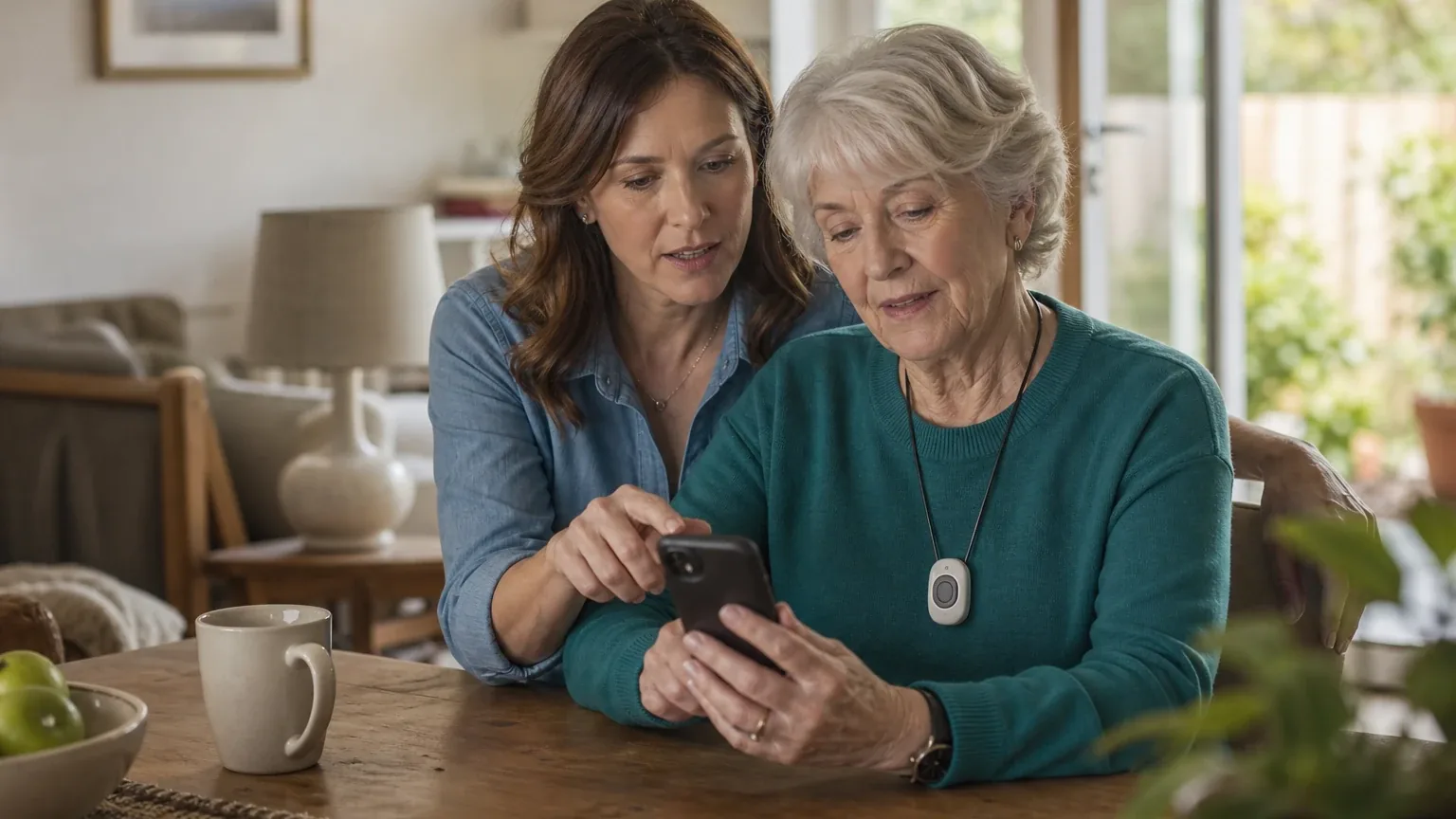
Answer Capsule
Medical Guardian leads the September 2026 consensus ranking for Caregiver App & Family Alerts, followed by Bay Alarm Medical and Medical Alert Connect. The current study includes 7 valid AI-platform responses and 8 qualifying entities. Compared with August 2026, the leader did not change. The current list added Bay Alarm Medical and Lifeline My Lifeline app with Lifeline medical alert systems and removed Connected Caregiver, LifeFone, GetSafe, and Medical Care Alert. This is an immediately preceding-month comparison. Rank movement measures changes in this collection of standardized AI-platform responses. It is not product testing, customer-review evidence, or proof that a provider's underlying quality improved or declined.
What Changed Since August 2026
This comparison uses the immediately preceding completed month.
Medical Guardian remained No. 1 in September 2026. It was named by 7 platforms, compared with 6 in August 2026. Both studies used 7 valid platform responses.
The largest upward moves were Medical Alert Connect (up 1), Aloe Care Health (up 1), and LifeStation (up 1). The largest downward moves were MobileHelp Connect (down 5) and Lively Mobile2 with Lively Link (down 2).
The current qualifying set added Bay Alarm Medical and Lifeline My Lifeline app with Lifeline medical alert systems. It no longer includes Connected Caregiver, LifeFone, GetSafe, and Medical Care Alert from the earlier top group. Entry or exit reflects the minimum-mention rule and the current response set, not a product launch, discontinuation, or quality finding.
| Current rank | Entity | Previous rank | Rank movement | Current mentions | Previous mentions | Mention change |
|---|---|---|---|---|---|---|
| 1 | Medical Guardian | 1 | No change | 7 | 6 | +1 |
| 2 | Bay Alarm Medical | — | New | 7 | — | — |
| 3 | Medical Alert Connect | 4 | Up 1 | 7 | 2 | +5 |
| 4 | Aloe Care Health | 5 | Up 1 | 5 | 2 | +3 |
| 5 | Lively Mobile2 with Lively Link | 3 | Down 2 | 5 | 5 | +0 |
| 6 | Lifeline My Lifeline app with Lifeline medical alert systems | — | New | 4 | — | — |
| 7 | MobileHelp Connect | 2 | Down 5 | 3 | 6 | -3 |
| 8 | LifeStation | 9 | Up 1 | 2 | 2 | +0 |
| — | Connected Caregiver | 6 | Exited | — | 2 | — |
| — | LifeFone | 7 | Exited | — | 2 | — |
| — | GetSafe | 8 | Exited | — | 2 | — |
| — | Medical Care Alert | 10 | Exited | — | 2 | — |
The table is calculated directly from the two stored ranking datasets. Positive rank movement means an entity moved closer to No. 1; mention change shows the difference in the number of included platform responses naming it.
The August 2026 edition preserves the complete earlier ranking and methodology for reference.
Research Snapshot
- Topic: Best medical alert systems with caregiver apps and family alerts
- Target buyer: Adult children and family caregivers who want real-time status updates, emergency notifications, and shared monitoring access
- Use case: Caregiver App & Family Alerts
- Geography: United States
- Platforms included (7): openai, anthropic, deepseek, grok, perplexity, kimi, google
- Research date: 2026-09-27
- Unique entities named: 18
- Qualifying entities: 8
- Eligibility rule: Named by at least two platforms during ranking discovery
- Ranking unit: System model and service provider
- Identity scope: Company
Platform mentions count only ranking-discovery mentions. They do not count how many platforms later completed a fit assessment. All seven included platforms evaluated fit, but the mention counts in the table below reflect only the discovery stage.
The Consensus Ranking
Questions This Section Answers
- What are the best medical alert systems with caregiver apps and family alerts in 2026?
- Which medical alert system did all seven AI platforms name for caregiver app and family alert use?
The table below is the sole authority for rank, platform mentions, platform share, average listed position, and best position. It is reproduced exactly as calculated.
| Rank | Entity | Platform mentions | Share of platform responses | Average listed position | Best position | Best considered for |
|---|---|---|---|---|---|---|
| 1 | Medical Guardian | 7 | 100.0% | 2.0 | 1 | Families coordinating several emergency contacts through a call chain; Caregivers who want portal/app access to location, battery, connection status, alert history, activity, reminders, and messages; Mobile users who need GPS location information and 24/7 monitored emergency response |
| 2 | Bay Alarm Medical | 7 | 100.0% | 2.43 | 1 | Families monitoring a loved one who carries an SOS All-In-One 2 or another supported mobile device.; Caregivers who prioritize GPS location visibility, location history, low-battery status, and 24/7 U.S.-based professional monitoring.; Buyers wanting monthly, quarterly, or annual payment options without a long-term contract. |
| 3 | Medical Alert Connect | 7 | 100.0% | 4.0 | 2 | Adult children who need real-time notifications when a monitored help button connects to the response center; Families monitoring one or more users through a shared account; Caregivers who need GPS location at the time of a mobile-system alert |
| 4 | Aloe Care Health | 5 | 71.4% | 3.0 | 1 | Adult children coordinating care among multiple family members or professional caregivers; Families needing both in-home monitoring and nationwide on-the-go location capability; Buyers who want professional emergency response in addition to family alerts |
| 5 | Lively Mobile2 with Lively Link | 5 | 71.4% | 5.2 | 3 | Adult children who want smartphone alerts when the Lively subscriber contacts Urgent Response; Families needing current and recent location access, device battery status, and activity summaries; Mobile users who need a wearable or portable medical-alert device with two-way voice communication and optional fall detection |
| 6 | Lifeline My Lifeline app with Lifeline medical alert systems | 4 | 57.1% | 4.75 | 3 | Adult children who want alerts when a subscriber places an emergency call, tests the system, or has a low-battery condition.; Families who prefer professional response-center escalation to family-only alerts.; Households monitoring one or more connected Lifeline users through a branded mobile app. |
| 7 | MobileHelp Connect | 3 | 42.9% | 5.33 | 4 | Adult children monitoring a parent who lives alone; Families needing authorized caregiver access to emergency and system-status alerts; Caregivers who want location functionality for a mobile user |
| 8 | LifeStation | 2 | 28.6% | 6.0 | 6 | Adult children who need on-demand location checks for a parent using a mobile GPS device; Families wanting emergency alerts sent to designated contacts without paying a separate caregiver-communication fee; Households that use Amazon Alexa and want voice-based location inquiries |
Which Option Is Best for Which Version of the Buyer Need?
Questions This Section Answers
- Which medical alert system with a caregiver app should a family choose if they need multiple caregivers to share one account?
- Which medical alert system is best for a caregiver who needs continuous location visibility rather than emergency-only location?
- Which medical alert system with family alerts has the lowest published monthly starting price?
The ranking above answers "which is most often recommended." This table answers "which fits my specific situation." Each row maps a distinct version of the buyer need to the entity whose evidence bundle best supports it.
| Buyer need | Best-fit entity | Why, per the evidence bundles |
|---|---|---|
| Multiple caregivers sharing one account with role separation | Medical Guardian | MyGuardian documents Account Owner vs. User roles, linked-account switching, and an ordered emergency call chain [e1:anthropic:c2] |
| Real-time GPS location refresh and location history | Bay Alarm Medical | Caregiver Tracking App documents real-time status refresh, live GPS location, address, latitude, longitude, and location history for supported mobile devices [e2:openai:C1] |
| Emergency-triggered notifications with professional escalation | Medical Alert Connect | Real-time push notifications are documented when a call connects to the response center and requires assistance [e3:openai:c1] |
| In-home sensors plus on-the-go location in one ecosystem | Aloe Care Health | Essentials Plus combines the Smart Hub, Care Button, and Mobile Companion 2 with GPS and nationwide location updates [e4:openai:c4] |
| Lowest published entry monthly price with a free caregiver app | Lively Mobile2 with Lively Link | Basic plan listed at $24.99/month plus taxes and fees, with Lively Link included [e5:openai:c7] |
| Care-circle coordination with caregiver availability scheduling | Lifeline My Lifeline app with Lifeline medical alert systems | Care Circle coordination, contact. |
1. Medical Guardian
Questions This Section Answers
- Is Medical Guardian worth it for caregiver app and family alerts, and what are its main drawbacks?
- Which Medical Guardian device and plan include MyGuardian, Care Circle, and OnGuard Alerts?
Medical Guardian is the consensus leader: Medical Guardian was named by all seven platforms at an average listed position of 2.0, with four platforms placing it first. Its fit rating was "good" on five platforms, "strong" on google, and "uncertain" on kimi.
Why it ranked here. Medical Guardian combines monitored emergency response with a caregiver portal and app. MyGuardian is documented as both a web portal and a mobile app, with device status, battery, alert history, activity, reminders, messaging, and last-seen location visibility [e1:openai:c5]. The portal supports an ordered emergency call chain and lets the account owner configure whether contacts are called before or after emergency dispatch [e1:openai:c2]. OnGuard Alerts is documented as an optional add-on that sends real-time text and email notifications to the buyer and Care Circle during an emergency [e1:openai:c3].
Best suited for. Families coordinating several emergency contacts through a call chain; caregivers who want portal/app access to location, battery, connection status, alert history, activity, reminders, and messages; mobile users who need GPS location information and 24/7 monitored emergency response.
Main strengths for this use case. Multiple linked caregivers with an ordered call chain; device status, alert history, activity, reminders, messaging, and mobile last-seen location; a clearly identified optional path to real-time text/email emergency notifications; mobile devices that do not require the wearer to carry a smartphone for basic emergency calling [e1:openai:c5][e1:openai:c3].
Main limitations. Standard location visibility is described as hourly or last-seen rather than continuous live tracking, with real-time location documented specifically for SOS events [e1:openai:c0]. Key caregiver communication features and emergency notifications may require paid add-ons. Pricing for some relevant caregiver features is not consistently disclosed publicly. Account-owner control may create a single-administrator dependency for permissions and call-chain changes. The wearer must keep a mobile device charged and within cellular coverage. Fall detection and automated alerts are not guaranteed to detect every emergency [e1:openai:c3].
Pricing or cost summary. Public pricing is device- and feature-dependent. Guardian Flex is listed starting at $39.95 per month and MGMove at $44.95 per month on the product page. OnGuard Alerts is listed at $2.99 per month on support pages for MGMini devices. Fall detection is listed at $10 per month and the MG Protection Plan at $6.99 per month where listed for MGMini support pages. A leased device not returned within 30 days after cancellation may incur a $350 non-return charge, and a restocking fee of up to $50 may apply to certain prepaid-plan refunds or returns [e1:openai:c6][e1:openai:c7].
Where platforms disagreed. Google rated the fit "strong" and described the MyGuardian app as a centralized dashboard with real-time location and tracking history for GPS-enabled mobile devices [e1:google:cit_safehome]. Kimi rated the fit "uncertain," reporting that ranking-stage mentions of MyGuardian, Care Circle, and Family Guardian could not be mapped to verified 2026 sources and that its search results instead covered Connected Caregiver, a separate entity [e1:kimi:ranking-stage-unverified].
What Changed Since August 2026
Medical Guardian remained at No. 1, and platform mentions increased from 6 to 7. The September 2026 article substantially rewrites how Medical Guardian is described, shifting from a general verdict to a structured buyer breakdown. It newly reports $39.95 per month for Guardian Flex and $44.95 per month for MGMove, while the earlier write-up's $2.99/month OnGuard Alerts figure is not repeated, though the current section still describes it as a paid add-on without a dollar amount. The prior 8-23 second emergency response range is no longer cited; the current article instead notes a 30-day window before a leased device not returned may incur a charge. Caregiver tracking remains last-seen or hourly rather than continuous. Differences between the two editions reflect what each article reports; they do not by themselves prove that the product, service, or price changed.
2. Bay Alarm Medical
Questions This Section Answers
- Is Bay Alarm Medical or Medical Guardian better for caregiver app and family alerts when real-time location refresh matters?
- Does Bay Alarm Medical's caregiver app send push notifications for every emergency, and what should a buyer verify?
Bay Alarm Medical ranked #2 with 100.0% platform share and an average listed position of 2.43. It received a "strong" fit rating from grok and "good" ratings from five other platforms.
Why it ranked here. The Caregiver Tracking App supports a real-time status refresh, last-known location, live GPS location, address, latitude, longitude, and location history for supported SOS Mobile and All-In-One devices [e2:openai:C1]. Bay Alarm Medical documents low-battery notifications in the app [e2:openai:C2]. The monitoring service can use a customizable emergency contact list containing family, friends, neighbors, or 911, with the buyer able to choose the contact order [e2:openai:C4].
Best suited for. Families monitoring a loved one who carries an SOS All-In-One 2 or another supported mobile device; caregivers who prioritize GPS location visibility, location history, low-battery status, and 24/7 U.S.-based professional monitoring; buyers wanting monthly, quarterly, or annual payment options without a long-term contract.
Main strengths for this use case. Real-time GPS location refresh and location history for supported mobile devices; low-battery notifications; a customizable emergency contact sequence alongside professional monitoring; 24/7 U.S.-based monitoring and cellular mobile coverage; no long-term contract and multiple billing frequencies [e2:openai:C1][e2:openai:C3][e2:openai:C7].
Main limitations. Public materials do not clearly confirm caregiver-configurable push notifications for every emergency event. Public documentation does not clearly define multi-caregiver roles, permissions, access limits, or audit history. Privacy controls and location-data retention practices are not sufficiently documented in the reviewed product materials. Mobile tracking depends on device battery, cellular coverage, GPS/Wi-Fi positioning, and the loved one carrying or wearing the device. Fall Detection is an additional-cost feature and should not be treated as guaranteed detection [e2:openai:C2][e2:openai:C3].
Pricing or cost summary. The SOS All-In-One 2 is listed at $34.95 per month with a promotional device price of $89.40, and $44.95 per month with Fall Detection. Monthly, quarterly, and annual billing are offered. Bay Alarm Medical states there is no long-term contract or cancellation fee, but cancellation generally requires contacting the company and returning leased equipment. The stated trial period is 15 days from delivery, and refunds may exclude shipping costs [e2:openai:C3][e2:openai:C7].
Where platforms disagreed. Anthropic reported that independent U.S. News testing found push notifications did not reliably arrive to caregiver phones despite notifications being enabled, contradicting company marketing claims [e2:anthropic:27-4][e2:anthropic:27-5]. Grok rated the fit "strong" and described the app as providing notifications for emergency calls placed and low battery [e2:grok:web:5]. Kimi described real-time alerts for SOS button presses, low battery, power off/on, and geofence boundary crossings via push, text, and email to multiple caregivers simultaneously, and described unlimited caregivers with no per-user fee [e2:kimi:bayalarm-1]. Perplexity and openai both reported that public documentation does not clearly verify caregiver-facing emergency push alerts or multi-contact escalation workflows [e2:perplexity:c5][e2:openai:C2].
3. Medical Alert Connect
Questions This Section Answers
- Is Medical Alert Connect worth it for family alerts if I need real-time notifications when a help button connects to the response center?
- Does Medical Alert Connect support continuous GPS tracking or only point-in-time location during an alert?
Medical Alert Connect ranked #3 with 100.0% platform share and an average listed position of 4.0. It received "good" fit ratings from five platforms and "uncertain" ratings from deepseek and kimi.
Why it ranked here. Medical Alert states that subscribers and emergency contacts receive real-time push notifications when a call is connected to the response center and requires assistance [e3:openai:c1]. The app supports multiple user profiles, and caregivers can receive low-backup-battery notifications for home systems and view live battery status for mobile systems [e3:openai:c1]. For mobile systems, the app and response service can provide GPS location information associated with the device or alert [e3:openai:c3].
Best suited for. Adult children who need real-time notifications when a monitored help button connects to the response center; families monitoring one or more users through a shared account; caregivers who need GPS location at the time of a mobile-system alert.
Main strengths for this use case. Real-time push notifications tied to response-center activity; multiple-user monitoring through the app; GPS location support for mobile systems; battery-status visibility; professional 24/7 response escalation rather than relying solely on family availability; home, mobile, and smartwatch form factors [e3:openai:c1][e3:openai:c3][e3:openai:c4].
Main limitations. Public documentation does not establish continuous location tracking or historical location views. Detailed caregiver roles, permission levels, and privacy controls are not clearly documented. Fall detection is an add-on and is not fully reliable for every fall. The advertised starting prices exclude or may not reflect add-ons, taxes, programming charges, minimum monitoring obligations, or protection plans. Mobile alerts depend on adequate cellular coverage, device battery, and a functioning app/account connection [e3:openai:c5][e3:openai:c8].
Pricing or cost summary. Public official pages show starting prices of $29.95 per month for the Home System, $34.95 per month for the standard Mobile System, $39.95 per month for the Mini Mobile System, and $34.95 per month for the Smartwatch. The terms identify a one-time non-refundable programming fee and a three-month minimum non-refundable monitoring charge paid at order. The Basic Protection Plan is advertised at $5 per month and the Premium Protection Plan at $10 per month [e3:openai:c7][e3:openai:c10][e3:openai:c11].
Where platforms disagreed. Google reported that the app provides GPS location tracking to pinpoint the subscriber's location on a map for mobile devices and smartwatches, and described a hospital Care Alert Service partnership with HealthShare Exchange [e3:google:1.1.8]. Anthropic described GPS as a point-in-time snapshot rather than continuous real-time tracking, with no documented geofencing or entry/exit alerts [e3:anthropic:C1]. Deepseek and kimi both rated the fit "uncertain": deepseek reported that the canonical entity name could not be matched to a verified caregiver-app product on the official website during assessment [e3:deepseek:c1], and kimi reported that its search results exclusively covered Connected Caregiver, a different entity [e3:kimi:connectedcaregiver-homepage].
What Changed Since August 2026
Medical Alert Connect moved up from No. 4 to No. 3, and platform mentions increased from 2 to 7. The September 2026 article recasts Medical Alert Connect around family-alert use, shifting the emphasis from the app's inclusion at no extra cost to two-way push notifications when a help button connects to the response center. Buyer fit now centers on adult children monitoring multiple users through one shared account, with GPS described as alert-time location rather than continuous tracking. Pricing is reported differently: the current section newly states $29.95 per month for the Home System and $34.95 per month for the standard Mobile System, while the earlier $29.95/month figure is no longer repeated. The prior independent-testing details, including a 28-second average response time and a home-system range of 100 feet against an advertised 800 feet, are not repeated. Differences between the two editions reflect what each article reports; they do not by themselves prove that the product, service, or price changed.
4. Aloe Care Health
Questions This Section Answers
- Is Aloe Care Health worth it for caregiver app and family alerts if I need both in-home monitoring and on-the-go location?
- Which Aloe Care Health plan includes the Mobile Companion 2, and what does it cost per month?
Aloe Care Health ranked #4 with 71.4% platform share and the best average listed position outside the top three at 3.0. It received "strong" fit ratings from anthropic, google, grok, and openai, "good" from deepseek and perplexity, and "uncertain" from kimi.
Why it ranked here. Aloe Care describes its secure family/caregiver app as supporting caregiver-team collaboration, real-time updates, app-to-Hub calls, and unlimited users or Care Circle members, recommending approximately five people per Care Circle for optimal use [e4:openai:c1]. Essentials Plus includes the 4G Smart Hub, Care Button, motion sensing, temperature and air-quality monitoring, voice-activated help, and two-way calling, plus Mobile Companion 2 with 4G LTE, GPS, wearable fall detection, and nationwide location updates [e4:openai:c4].
Best suited for. Adult children coordinating care among multiple family members or professional caregivers; families needing both in-home monitoring and nationwide on-the-go location capability; buyers who want professional emergency response in addition to family alerts.
Main strengths for this use case. Combines family-app collaboration with professional 24/7 emergency monitoring; supports multiple caregiver users rather than limiting access to one family member; provides app-to-Hub calling and two-way communication; Essentials Plus covers both home and on-the-go situations; includes GPS/location functionality through Mobile Companion 2; does not require household Wi-Fi for core operation [e4:openai:c1][e4:openai:c4][e4:openai:c5].
Main limitations. Monthly and upfront costs are substantial compared with app-only alert or check-in services. Public materials do not clearly specify push-alert timing, acknowledgement workflows, or alert customization. Granular caregiver permissions and administrative controls are not adequately documented publicly. Fall detection is not guaranteed to detect every fall. Mobile Companion 2 depends on compatible cellular coverage, with Aloe Care identifying AT&T coverage where available. Public privacy materials reviewed do not fully explain location-history handling, retention, or caregiver-access controls [e4:openai:c2][e4:openai:c4].
Pricing or cost summary. The current official product and checkout pages reviewed list Essentials Plus at $349.99 one-time hardware plus $59.99 per month, Mobile Companion 2 alone at $149.99 hardware plus $44.99 per month, and Essentials at $199.99 hardware plus $39.99 per month. Service is required for the hardware to operate. Aloe Care product pages state that service can be cancelled at any time, and a 30-day money-back guarantee is advertised [e4:openai:c6][e4:openai:c7].
Where platforms disagreed. Google reported that the wearable help button paired with the Smart Hub has a limited in-home range of only 200 feet, much shorter than many traditional systems [e4:google:1.3.7]. Google also reported conflicting information about whether the Total Care package is still active or has been discontinued [e4:google:2.1.2]. Anthropic reported pricing discrepancies, with some sources showing Essentials Plus at $59.99 per month and a mutual insurance page showing the same tier in a different plan structure at $39.99 per month [e4:anthropic:src7]. Perplexity reported that public pricing is inconsistent across sources, with third-party review pages listing lower and older prices for some plans [e4:perplexity:c5].
What Changed Since August 2026
Aloe Care Health moved up from No. 5 to No. 4, and platform mentions increased from 2 to 5. The September 2026 article reframes Aloe Care Health around the caregiver app itself, while the August 2026 write-up led with a verdict and called the same app the strongest reason to consider it. Fit language is now firmer: the current section calls it best for families needing both in-home monitoring and nationwide location, matching the prior guidance. Pricing evidence expanded. The current article newly reports $59.99 per month and $149.99, while the earlier $59.99/month figure is no longer repeated. A 200-foot wearable help-button in-home range now appears as a limitation, and new caveats cover undocumented alert timing, caregiver permissions, and location-history handling. Differences between the two editions reflect what each article reports; they do not by themselves prove that the product, service, or price changed.
5. Lively Mobile2 with Lively Link
Questions This Section Answers
- Is Lively Mobile2 with Lively Link worth it for caregiver alerts if I need frequent location updates?
- Which Lively plan includes Lively Link, and what does the caregiver app cost per month?
Lively Mobile2 with Lively Link ranked #5 with 71.4% platform share and an average listed position of 5.2. It received a "strong" fit rating from grok, "good" ratings from five platforms, and "uncertain" from kimi.
Why it ranked here. Lively Link requires the subscriber to invite caregivers. Authorized users can use the mobile app to view location, recent activities, device battery level, and Urgent Response notifications, and the subscriber manages Link invitations through My Account [e5:openai:c8]. The app sends smartphone alerts when the Lively subscriber contacts Urgent Response [e5:openai:c6]. Lively Link provides current location through push notifications and the app map, plus previous locations in daily and weekly summaries, with historical location for the preceding 30 days and location updates for Urgent Response occurring approximately every 30 seconds [e5:openai:c11].
Best suited for. Adult children who want smartphone alerts when the Lively subscriber contacts Urgent Response; families needing current and recent location access, device battery status, and activity summaries; mobile users who need a wearable or portable medical-alert device with two-way voice communication and optional fall detection.
Main strengths for this use case. Documented caregiver alerts when Urgent Response is contacted; location access through push notifications, app mapping, and historical summaries; visibility into recent activity and device battery status; two-way voice connection to Urgent Response agents; a portable device with enhanced GPS and optional automatic fall-triggered escalation; no long-term contract and no cancellation fee stated by Lively [e5:openai:c6][e5:openai:c8][e5:openai:c11].
Main limitations. The strongest alert workflow is tied to an Urgent Response call; the reviewed materials do not establish broad customizable alert rules. Granular caregiver roles, contact limits, and per-contact permissions are not clearly documented. Location sharing creates privacy and retention considerations, including historical location access. Service depends on battery power, cellular connectivity, and device availability. Fall detection is optional and is not guaranteed to detect every fall. Urgent Response is not a substitute for 911. Public Lively pages show conflicting device pricing and potentially different plan presentations [e5:openai:c4][e5:openai:c5][e5:openai:c9].
Pricing or cost summary. Pricing is not fully consistent across Lively's current public pages. The Mobile2 product page shows $119.99 plus a Lively service plan, while the medical-alert comparison and caregiver-products pages show $79.99 plus a service plan. The medical-alert page lists Basic at $24.99 per month and Premium at $34.99 per month, before taxes and fees, with Fall Detection listed at an additional $9.99 per month [e5:openai:c7][e5:openai:c4].
Where platforms disagreed. Google reported that the Lively Link app is included in the lowest-tier Basic service plan for $24.99 per month, unlike many competitors that restrict companion apps to premium tiers [e5:google:3.1.8]. Anthropic reported that standard location updates occur approximately every 20 minutes to preserve battery, with manual "Update Location" retrieval available, and noted a 3.1-star Google Play rating with 2,000+ reviews [e5:anthropic:c2][e5:anthropic:c4].
What Changed Since August 2026
Lively Mobile2 with Lively Link moved down from No. 3 to No. 5, and platform mentions were unchanged at 5. The September 2026 article substantially rewrites the buyer-facing description of Lively Mobile2 with Lively Link. The recommended configuration is unchanged, but the earlier write-up emphasized emergency response times of 10-13 seconds and battery life of 32-40 hours, while the current section reports historical location for the preceding 30 days and location updates during Urgent Response about every 30 seconds. Pricing evidence also shifted: $119.99 and $24.99 per month are newly reported, while $24.99/month is no longer repeated. The new limitations focus on privacy, cellular dependence, and inconsistent public device pricing rather than app-store complaints. Differences between the two editions reflect what each article reports; they do not by themselves prove that the product, service, or price changed.
6. Lifeline My Lifeline app with Lifeline medical alert systems
Questions This Section Answers
- Is Lifeline worth it for caregiver app and family alerts if I want care-circle coordination and caregiver availability scheduling?
- Does the My Lifeline app provide continuous location tracking or only on-demand location checks?
Lifeline My Lifeline app with Lifeline medical alert systems ranked #6 with 57.1% platform share and an average listed position of 4.75. It received "good" fit ratings from five platforms, "mixed" from deepseek, and "uncertain" from kimi.
Why it ranked here. The My Lifeline app is designed for caregivers and family members, and its home screen shows users connected to the account and the devices associated with each user [e6:openai:c1]. Lifeline documents push notifications for events including an emergency call, a system test, and a low-battery signal, with the user required to enable push notifications during setup [e6:openai:c1]. Lifeline's response center assesses calls and can contact a family member, friend, neighbor, or emergency services according to the personalized response plan [e6:openai:c2].
Best suited for. Adult children who want alerts when a subscriber places an emergency call, tests the system, or has a low-battery condition; families who prefer professional response-center escalation to family-only alerts; households monitoring one or more connected Lifeline users through a branded mobile app.
Main strengths for this use case. Documented caregiver push notifications for emergency calls, tests, and low-battery events; shared app visibility into connected users and their devices; professional response-center escalation rather than relying solely on family members; multiple device categories covering home, mobile, GPS-enabled, and smartwatch use; flexible billing options and no stated long-term commitment in the FAQ [e6:openai:c1][e6:openai:c2][e6:openai:c3].
Main limitations. Continuous live location sharing and location history are not clearly documented in the reviewed app materials. Role-based caregiver permissions, maximum caregiver count, and caregiver administration tools are not clearly documented. The app appears tied to a Lifeline monitoring service rather than being an independent family-alert app. Fall detection is optional and explicitly not guaranteed to detect every fall. Cellular coverage, device charge, app notification settings, and phone operating-system permissions can affect alert delivery. Pricing may be materially higher than the advertised base rate after app, fall-detection, mobile-device, installation, protection-plan, tax, or other charges [e6:openai:c4][e6:openai:c5].
Pricing or cost summary. Public Lifeline materials state that plans start at $34.95 per month, but the final price depends on the system, billing plan, and optional features. A key lockbox is listed at $2.95 per month. Basic Protection Plan pricing is listed at $6.95 per month and Premium Protection Plan pricing at $9.95 per month. The Lifeline site states that setup fees include a $50 activation fee and a $49.95 programming fee, although applicability should be confirmed for the selected order [e6:openai:c2][e6:openai:c3][e6:openai:c6].
Where platforms disagreed. Google reported that the My Lifeline app (formerly Lifeline Cares) is highly rated for its Care Circle coordination feature, which lets multiple family members share care-related notes, photos, and coordinate availability schedules so monitoring centers know who to call first [e6:google:1.1.3].
7. MobileHelp Connect
Questions This Section Answers
- Is MobileHelp Connect worth it for caregiver app and family alerts if I need unlimited location checks?
- How many location requests does MobileHelp Connect include per month, and what do extra requests cost?
MobileHelp Connect ranked #7 with 42.9% platform share and an average listed position of 5.33. It received "good" fit ratings from five platforms, "mixed" from grok, and "uncertain" from kimi.
Why it ranked here. MobileHelp Connect is described as an online tool suite for customers and authorized caregivers, including family members, to participate in the subscriber's well-being [e7:openai:c1]. The standard Connect package lists system-status alerts, non-emergency alerts, and emergency alerts [e7:openai:c1]. Mobile GPS systems can expose device location through MobileHelp Connect, with 30 location requests per month included and additional packages priced at $6 per 30 requests [e7:openai:c1].
Best suited for. Adult children monitoring a parent who lives alone; families needing authorized caregiver access to emergency and system-status alerts; caregivers who want location functionality for a mobile user.
Main strengths for this use case. Purpose-built caregiver access through MobileHelp Connect; emergency, non-emergency, and system-status alert categories explicitly listed; Elite adds GPS/location capabilities for users who leave home; advertised entry pricing is comparatively straightforward for basic monitoring; cellular operation avoids requiring a landline for Classic Cellular/Home [e7:openai:c1][e7:openai:c2][e7:openai:c3].
Main limitations. Public documentation does not verify notification latency, push-alert reliability, or app usability through independent testing. Location requests may be limited, and extra request packages may cost more. Multi-caregiver permissions and privacy controls are insufficiently documented publicly. Classic Cellular/Home is primarily an in-home system and is less suitable when family members need mobile location monitoring. Fall detection costs extra and cannot be assumed to detect every fall. The advertised no-contract/month-to-month claim conflicts with general terms stating a three-month minimum [e7:openai:c1][e7:openai:c4].
Pricing or cost summary. Advertised pricing reviewed in 2026 shows Classic Cellular/Home starting at $29.95 per month and Elite starting at $37.95 per month. Connect standard features are advertised as included; premium Connect features may cost extra. Additional location requests are $6 per 30 requests, and automatic fall detection is advertised at $10 per month on the Classic product page. A $50 restocking fee may apply under the general terms, subject to the stated 15-day return exception, and failure to return equipment within 30 days after termination may result in a $350 equipment charge [e7:openai:c1][e7:openai:c2][e7:openai:c4].
Where platforms disagreed. Grok rated the fit "mixed," reporting that independent testing found the app inconsistent, glitchy, and harder to use than Bay Alarm Medical or Medical Guardian apps, with unreliable location updates [e7:grok:3][e7:grok:8]. Anthropic reported that independent testers noted occasional minor delays in push notification delivery and that location accuracy tested at 15-25 feet in open outdoor areas, degrading in dense urban and indoor environments [e7:anthropic:5]. Google reported that standard emergency notifications go through the app, but automatically sending SMS text alerts directly to multiple loved ones' mobile phones during an emergency requires subscribing to OnGuard Alerts for an extra $2.99 per month [e7:google:citation_2].
What Changed Since August 2026
MobileHelp Connect moved down from No. 2 to No. 7, and platform mentions decreased from 6 to 3. The September 2026 article recasts this item as MobileHelp Connect, shifting emphasis to the caregiver app's included alert categories, authorized caregiver access, and a documented 30 location requests per month. The current article newly reports $29.95 per month and $37.95 per month as advertised starting prices for Classic Cellular/Home and Elite; the earlier $25.95/month figure is no longer repeated. Newly reported details include a 30-day equipment-return window and location accuracy of 15-25 feet outdoors. Older response-time figures, including 26 seconds, are not repeated. The current write-up still treats app reliability, limited location requests, and thin documentation of multi-caregiver permissions as the main buyer-facing drawbacks. Differences between the two editions reflect what each article reports; they do not by themselves prove that the product, service, or price changed.
8. LifeStation
Questions This Section Answers
- Is LifeStation worth it for caregiver app and family alerts if I want app-free location checks by text or Alexa?
- Does LifeStation offer a dedicated caregiver app with push notifications, or only SMS and email alerts?
LifeStation ranked #8 with 28.6% platform share and an average listed position of 6.0. It received "good" fit ratings from anthropic, google, and openai, "mixed" from deepseek, grok, and perplexity, and "uncertain" from kimi.
Why it ranked here. LifeStation describes a free caregiver app that can let family members view location tracking, set preferences, and manage emergency contacts remotely, and promotes Find My Loved One, which can provide a location through a text message without requiring an app login [e8:openai:c1]. LifeStation states that caregivers and family members can receive real-time SMS alerts and that caregiver communication is included [e8:openai:c5]. When a help button or fall alert is triggered, LifeStation says a 24/7 monitoring center assesses the situation and can contact emergency services, family members, or caregivers according to the emergency response plan [e8:openai:c2].
Best suited for. Adult children who need on-demand location checks for a parent using a mobile GPS device; families wanting emergency alerts sent to designated contacts without paying a separate caregiver-communication fee; households that use Amazon Alexa and want voice-based location inquiries.
Main strengths for this use case. On-demand location checks through Find My Loved One by text message; reported caregiver alerts through SMS and email; professional monitoring with escalation to emergency services or designated contacts; Alexa integration may reduce friction for caregivers who already use Alexa; mobile GPS devices support monitoring away from home [e8:openai:c1][e8:openai:c3][e8:openai:c5].
Main limitations. Public documentation does not clearly define app push alerts versus SMS or email alerts. Multi-caregiver permissions and role controls are not sufficiently documented. Privacy, consent, retention, and access-management details for location sharing are unclear. Pricing differs across LifeStation pages and is not clearly tied to the exact recommended configuration. Fall detection has known limitations and may vary by device or plan. Location accuracy and alert latency depend on device wear, battery, GPS, cellular coverage, and environmental conditions [e8:openai:c1][e8:openai:c4].
Pricing or cost summary. Public LifeStation pages show different starting prices depending on the page and product: $38.95 per month for Sidekick Home on the homepage, $42.95 per month for certain listed devices, and $43.95 per month for the mobile GPS system. LifeStation advertises a 30-day money-back or risk-free trial on reviewed pages. The exact return-shipping requirements, post-trial cancellation process, prorated refunds, and any equipment-return charges are unclear [e8:openai:c1][e8:openai:c2].
Where platforms disagreed. Google reported that LifeStation offers a dedicated Caregiver App (LifeStation Mobile) on iOS and Android that handles GPS tracking, movement patterns, setting preferences, and managing emergency contacts remotely, and noted that some third-party review portals historically stated LifeStation does not offer a dedicated caregiver app, which conflicts with official LifeStation documentation from 2026 [e8:google:1.2.5]. Grok and perplexity both reported that no dedicated caregiver app is available, with monitoring relying on SMS, email, Alexa integration, or text-based Find My Loved One [e8:grok:0][e8:perplexity:c2].
What Changed Since August 2026
LifeStation moved up from No. 9 to No. 8, and platform mentions were unchanged at 2. The September 2026 article reframes LifeStation's caregiver-app story around a possible dedicated app rather than the earlier assertion that no such app exists. The earlier write-up stated flatly that independent reviews found no caregiver app; the current section instead reports a conflict, noting that Google cited official 2026 LifeStation documentation describing a Caregiver App for iOS and Android with GPS tracking and remote emergency-contact management, while other platforms still reported no dedicated app. The buyer-facing description was otherwise rewritten across the ranking rationale, best-fit guidance, strengths, and limitations. On price, the current section newly states $38.95 per month and $42.95 per month; the earlier $24.95-$51.00 range is no longer repeated. The prior under-15-second and 49-second response-time figures are also not repeated. Differences between the two editions reflect what each article reports; they do not by themselves prove that the product, service, or price changed.
What the Cross-Platform Study Reveals About This Market
Questions This Section Answers
- What do AI platforms consistently say about caregiver app features in medical alert systems?
- Which caregiver app capabilities are most often documented across the top-ranked medical alert systems?
Three patterns emerge from the eight qualifying entities.
First, the top tier is unanimous but shallow. Medical Guardian, Bay Alarm Medical, and Medical Alert Connect were each named by all seven platforms, but their average listed positions span 2.0 to 4.0. The gap between #1 and #3 is not about whether platforms recommend them — it is about how highly they place them. Medical Guardian received four first-place votes; Bay Alarm Medical received three; Medical Alert Connect received none.
Second, caregiver app capability is the differentiator, not monitoring. Every qualifying entity offers 24/7 professional monitoring. What separates them is how much caregiver-facing functionality is documented: role-based permissions, location refresh intervals, alert customization, and multi-contact escalation. Medical Guardian documents Account Owner vs. User roles [e1:anthropic:c2]; Bay Alarm Medical documents real-time GPS refresh and location history [e2:openai:C1]; Aloe Care Health documents unlimited caregiver app users [e4:openai:c1]. Entities lower in the ranking tend to have thinner public documentation of these controls.
Third, pricing transparency is inversely correlated with ranking. The top three entities have the most complex and least consistent public pricing. Medical Guardian's pricing varies by device and add-on [e1:openai:c6]. Bay Alarm Medical's promotional device pricing may change [e2:openai:C3]. Medical Alert Connect's advertised starting prices exclude programming charges and minimum monitoring obligations [e3:openai:c10]. Lower-ranked entities like Lively and MobileHelp publish clearer entry-level prices but offer less documented caregiver functionality.
Where the AI Platforms Agreed
Questions This Section Answers
- Which medical alert systems did all seven AI platforms agree belong in the top tier for caregiver apps?
All seven platforms named Medical Guardian, Bay Alarm Medical, and Medical Alert Connect. These three entities achieved 100.0% platform share. No other entity exceeded 71.4%.
All platforms that assessed fit agreed these systems offer professional monitoring. Medical Guardian, Bay Alarm Medical, Medical Alert Connect, Aloe Care Health, Lively, Lifeline, MobileHelp, and LifeStation all connect to 24/7 monitored response centers. No platform disputed this.
All platforms that assessed fit agreed fall detection is not guaranteed. Medical Guardian states no fall-detection technology works 100% of the time [e1:openai:c3]. Bay Alarm Medical describes Fall Detection as an additional-cost feature [e2:openai:C3]. Medical Alert Connect states fall detection does not detect 100% of falls [e3:openai:c5]. Aloe Care expressly states automatic fall detection is not guaranteed to detect all falls [e4:openai:c4]. Lively states fall detection does not detect 100% of falls [e5:openai:c9]. Lifeline states fall detection does not detect 100% of falls [e6:openai:c4]. MobileHelp notes fall detection may not detect every fall [e7:openai:c4]. LifeStation states fall detection does not detect 100% of falls [e8:openai:c1].
All platforms that assessed fit agreed caregiver features may require paid add-ons. Medical Guardian's OnGuard Alerts is $2.99 per month [e1:openai:c3]. Bay Alarm Medical's Fall Detection is an add-on [e2:openai:C3]. Medical Alert Connect's fall detection is an add-on [e3:openai:c5]. Aloe Care's fall detection is included in Mobile Companion 2 and Total Care but not Essentials [e4:openai:c4].
Where the AI Platforms Disagreed
Questions This Section Answers
- Which medical alert systems received conflicting fit ratings across AI platforms, and why?
- Why did some AI platforms rate Medical Guardian, Medical Alert Connect, and LifeStation as uncertain?
Kimi rated four entities "uncertain" and reported source mismatches. For Medical Guardian, Medical Alert Connect, Aloe Care Health, Lively, Lifeline, MobileHelp, and LifeStation, kimi reported that its search results returned Connected Caregiver content rather than the target entity [e1:kimi:ranking-stage-unverified][e3:kimi:connectedcaregiver-homepage][e4:kimi:A1][e5:kimi:C1][e6:kimi:source_mismatch_1][e7:kimi:SRC1][e8:kimi:search_unclear_1]. This is a research limitation, not a disagreement about the entity's quality.
Platforms disagreed on whether LifeStation has a dedicated caregiver app. Google reported that LifeStation offers a dedicated Caregiver App (LifeStation Mobile) on iOS and Android [e8:google:1.2.5]. Grok and perplexity both reported that no dedicated caregiver app is available [e8:grok:0][e8:perplexity:c2]. Google noted that some third-party review portals historically stated LifeStation does not offer a dedicated caregiver app, which conflicts with official LifeStation documentation from 2026 [e8:google:1.2.5].
Platforms disagreed on Bay Alarm Medical's push notification reliability. Anthropic reported that independent U.S. News testing found push notifications did not reliably arrive to caregiver phones despite notifications being enabled [e2:anthropic:27-4]. Grok rated the fit "strong" and described the app as providing notifications for emergency calls placed and low battery [e2:grok:web:5]. Kimi described real-time alerts for SOS button presses, low battery, power off/on, and geofence boundary crossings via push, text, and email to multiple caregivers simultaneously [e2:kimi:bayalarm-1].
How Buyers Should Choose
Questions This Section Answers
- What should a buyer check before choosing a medical alert system with a caregiver app for family alerts?
- Which medical alert system should a buyer choose if they need granular caregiver permissions and role-based access?
Start with the permission model. If multiple family members need different levels of access — some viewing location only, others managing emergency contacts — verify the exact role structure before purchase. Medical Guardian documents Account Owner vs. User roles [e1:anthropic:c2]. Bay Alarm Medical's public materials do not clearly define multi-caregiver roles or permissions [e2:openai:C2]. Medical Alert Connect's public materials do not clearly document maximum contact counts or per-contact permissions [e3:openai:c1].
Decide whether you need continuous location or emergency-only location. Bay Alarm Medical documents real-time GPS location refresh and location history for supported mobile devices [e2:openai:C1]. Medical Guardian describes standard location visibility as hourly or last-seen, with real-time location specifically for SOS events [e1:openai:c0]. Lively documents standard updates approximately every 20 minutes, with 30-second updates during emergencies [e5:openai:c4]. LifeStation's Find My Loved One provides location on demand by text message [e8:openai:c1].
Confirm whether caregiver alerts are included or add-on. Medical Guardian's OnGuard Alerts is $2.99 per month [e1:openai:c3]. MobileHelp's OnGuard Alerts is $2.99 per month [e7:google:citation_2]. Bay Alarm Medical's caregiver tracking app is described as included at no additional cost with mobile devices [e2:kimi:bayalarm-1]. Lively Link is included in the Basic plan [e5:google:3.1.8]. Lifeline's My Lifeline app is described as free or complimentary with subscription service [e6:perplexity:c1].
Methodology
This index was produced from a single standardized prompt sent once to each of seven AI platforms on 2026-09-27. The platforms were openai, anthropic, deepseek, grok, perplexity, kimi, and google. The prompt asked each platform to recommend medical alert systems for the Caregiver App & Family Alerts use case, targeting adult children and family caregivers in the United States who want real-time status updates, emergency notifications, and shared monitoring access.
Ranking rule. Entities were ranked by platform mentions first, then by average listed position, then by best listed position. The final ranking table is the sole authority for rank, platform mentions, platform share, average listed position, and best position. No values were recalculated or changed.
Eligibility rule. An entity qualified for the final ranking if it was named by at least two of the seven platforms during ranking discovery. Eighteen unique entities were named; eight qualified.
Evidence authority. The entity evidence bundles are the authority for buyer fit, features, pricing, strengths, limitations, disagreements, and citations. The ranking table is the authority for rank and mention counts. Where the two conflicted, the ranking table controlled.
Citation handling. Citation IDs are entity-namespaced and local to each entity bundle. They were consolidated by URL using the supplied source catalog. Duplicated citations were removed while retaining citations supporting material facts about every ranked entity.
Source ownership. Company-owned citations materially outnumber independent citations in several entity bundles. Company claims are not described as independently verified. Where independent sources exist, they are identified as independent.
Platform mentions. Platform mentions count only ranking-discovery mentions. They do not count how many platforms later completed a fit assessment. All seven included platforms evaluated fit, but the mention counts reflect only the discovery stage.
Methodology Limitations
One prompt, one run. The study used one standardized prompt sent once to each included platform. AI answers can vary by date, wording, location, account state, model, interface, browsing configuration, and the sources retrieved. A different prompt or a different day could produce different recommendations.
Platform-reported research dates differ from the authoritative run date. The authoritative run research date is 2026-09-27. Platform-reported dates are provenance metadata and do not independently prove freshness. Anthropic reported 2025-05-16 for Medical Guardian and 2026-01-10 for Aloe Care Health and Lively. Deepseek reported 2026-06-01 for Medical Guardian, 2026-06-12 for Bay Alarm Medical, 2026-06-13 for Medical Alert Connect, 2026-06-08 for Aloe Care Health, 2026-01-15 for Lively, 2026-06-04 for Lifeline, 2026-06-01 for MobileHelp, and 2026-04-26 for LifeStation. These discrepancies are disclosed as a limitation.
Platform recommendations are market intelligence, not independent customer reviews. A high ranking does not prove product quality, reliability, or safety. It reflects how often and how highly AI platforms named the entity for this use case.
Company-owned citations materially outnumber independent citations in several bundles. Medical Guardian's bundle includes 20 owned and 14 independent citations. Lively's bundle includes 28 owned and 15 independent citations. LifeStation's bundle includes 26 owned and 20 independent citations. Company claims should not be described as independently verified.
Source mismatches affected several platforms. Kimi reported that its search results returned Connected Caregiver content rather than the target entity for Medical Guardian, Medical Alert Connect, Aloe Care Health, Lively, Lifeline, MobileHelp, and LifeStation. This is a research limitation, not a disagreement about entity quality.
Official-site retrieval failed for one or more mentions. No failed fetch was used as a verified domain key.
Final Verdict
Medical Guardian is the consensus leader for medical alert systems with caregiver apps and family alerts, named by all seven platforms at an average listed position of 2.0. Its MyGuardian portal and app, Care Circle multi-contact feature, and optional OnGuard Alerts provide the most documented caregiver-facing functionality in the index. Bay Alarm Medical is the strongest alternative for caregivers who prioritize real-time GPS location refresh and location history, with a free caregiver tracking app included on mobile devices. Medical Alert Connect is the best fit for families who want emergency-triggered notifications tied to response-center activity with a free companion app. Aloe Care Health is the best fit for families who want in-home sensors plus on-the-go location in one ecosystem, with unlimited caregiver app users. Lively Mobile2 with Lively Link offers the lowest published entry monthly price with a free caregiver app. Lifeline is the best fit for care-circle coordination with caregiver availability scheduling. MobileHelp Connect is the best budget option with medication reminders and metered location. LifeStation is the best fit for app-free location checks by text or Alexa voice.
The principal limitation of this methodology is that platform recommendations are market intelligence, not independent customer reviews or proof of quality. Buyers should verify pricing, contract terms, caregiver permissions, location refresh intervals, and cellular coverage directly with each provider before purchasing.
Frequently Asked Questions
Which medical alert system is best for caregiver apps and family alerts in 2026?
Medical Guardian ranks #1 in this 7-platform AI consensus index, named by all seven platforms at an average listed position of 2.0. Bay Alarm Medical ranks #2 and Medical Alert Connect ranks #3, both also named by all seven platforms.
How many platforms were studied?
Seven platforms were included: openai, anthropic, deepseek, grok, perplexity, kimi, and google. One standardized prompt was sent once to each platform on 2026-09-27.
How many entities qualified for the ranking?
Eighteen unique entities were named across platforms. Eight qualified by being named by at least two platforms.
Do all these systems include a caregiver app at no extra cost?
No. Medical Guardian's OnGuard Alerts is $2.99 per month [e1:openai:c3]. MobileHelp's OnGuard Alerts is $2.99 per month [e7:google:citation_2]. Lively Link is included in the Basic plan [e5:google:3.1.8]. Bay Alarm Medical's caregiver tracking app is described as included at no additional cost with mobile devices [e2:kimi:bayalarm-1]. Lifeline's My Lifeline app is described as free or complimentary with subscription service [e6:perplexity:c1].
Which system has the lowest published monthly starting price?
Lively Mobile2 with Lively Link lists a Basic plan at $24.99 per month plus taxes and fees [e5:openai:c7]. MobileHelp Connect lists Classic Cellular/Home starting at $29.95 per month [e7:openai:c2]. Medical Alert Connect lists the Home System starting at $29.95 per month [e3:openai:c7].
Do any of these systems provide continuous real-time location tracking?
Bay Alarm Medical documents real-time GPS location refresh and location history for supported mobile devices [e2:openai:C1].
Consolidated Sources
Company-Owned Sources
- MyMedicalGuardian App - App Store (iOS): https://apps.apple.com/us/app/mymedicalguardian/id1577560184
- Lively Mobile2 User Guide (PDF): https://assets.ctfassets.net/orf4d9wgx51u/2xOJV8SigamOIvHSArcYjm/2061a0effb13a14acad4145888bf0505/lively-mobile2-user-guide.pdf
- Digital Assistant for Elder Care – Aloe Care mutual insurance provider page: https://get.aloecare.com/mutual/
- Blue Cross: https://members.aloecare.com/bluecross/
- Homepage | My Connected Caregiver | Remote Health Monitoring tool: https://myconnectedcaregiver.com/
- Basic | My Connected Caregiver: https://myconnectedcaregiver.com/basic/
- Care Essentials App for Family Caregivers | Connected Caregiver: https://myconnectedcaregiver.com/care-essentials/
- Connected Caregiver App - Family Care Management Tools: https://myconnectedcaregiver.com/connected-app/
- Peace of Mind Silver Bundle - Medical Alerts & Monitoring: https://myconnectedcaregiver.com/peace-of-mind-silver/
- Peace of Mind Silver Bundle - Medical Alerts & Monitoring: https://myconnectedcaregiver.com/product/pom/
- Safety+ Ultra 4G Medical Alert | Fall Detection & 24/7 Monitoring: https://myconnectedcaregiver.com/product/safety-ultra/
- Safety+ Medical Alert - Senior Fall Detection & Emergency Alerts: https://myconnectedcaregiver.com/safety/
- MyMedicalGuardian - Apps on Google Play: https://play.google.com/store/apps/details?id=com.medicalguardian.portal.prod&hl=en
- Official pricing and terms source: https://shop.lively.com/
- Lively Mobile2 Help Center: https://shop.lively.com/blogs/help-center/lively-mobile2
- Urgent Response and Link App | Lively: https://shop.lively.com/blogs/help-center/urgent-response-and-link-app
- Lively Mobile2 and Safety Devices Terms & Conditions: https://shop.lively.com/blogs/legal-pages/lively-mobile2-and-safety-devices-terms-conditions
- Official pricing and terms source: https://shop.lively.com/blogs/legal-pages/terms-of-use
- Lively Link Caregiver App: https://shop.lively.com/lively-link
- Lively Mobile2 Medical Alert Device: https://shop.lively.com/lively-mobile2
- Lively Mobile2 Plans and Pricing: https://shop.lively.com/lively-mobile2-plans
- Caregiver Support and Resources | Lively: https://shop.lively.com/pages/caregivers
- Compare Phone Plans for Seniors | Lively: https://shop.lively.com/pages/compare-plan
- Medical Alert Plans for Seniors | Lively: https://shop.lively.com/pages/medical-alert-compare-plan
- Personal Emergency Response – Lively from Best Buy Health: https://shop.lively.com/pages/personal-emergency-response
- Official pricing and terms source: https://shop.lively.com/policies/terms-of-service
- Lively Mobile2 All-in-One Medical Alert: https://shop.lively.com/products/lively-mobile2-all-in-one-medical-alert
- How It Works | Aloe Care Health: https://solutions.aloecare.com/how-it-works
- Aloe Care Mobile Companion 2 Checkout: https://store.aloecare.com/shop/products/212%2C213
- Aloe Care Essentials Plus Checkout: https://store.aloecare.com/shop/products/217%2C218
- Lifeline Cares Care Circle Features: https://vertexaisearch.cloud.google.com/grounding-api-redirect/AUZIYQFQE14CXe2wm-4D6euUBsyYTFj4L5eE_LWvLQc0Cc99RXFZkFsLKa0NF50jp4neYeLYAI27KlLgbYGfsW_njmSoz4ddgvZtD6Ef8Y2lrDNxCLHEolwjm0Cbfoe8ub8WHTRxMv8J1_WSgTa4dH0EP9YrnpBZ8t6zn1z54YYZKeWbiSEWJDQa2IguJZ2W8N0_iCc=
- Enhancements to Connect America Home™ Platform Unveiled: https://vertexaisearch.cloud.google.com/grounding-api-redirect/AUZIYQG4LNhi30xl87CK5J4KNGvRGMwsIs2akmyyIOoexCiUIyUcwDArFR-Mjgp3XUxCHmz14JiCs73TmbQ2XQrw9fP7zuMVbtQI3htKa2WRNR1WrMWgmSZUeFIdO72IN8PQPfeyiS94la4wwtx6RbWW5M9oCgIpUpVXjIlR6K_kzkYZTTFGwMmFmSeeRk1OBqSrkqhXj3h_Z7cGyJaiUoVZc046OWCdbXbwykGGNbfYl73h
- Aloe Care Health: Medical Alert for Seniors, Caregivers. Fall detection options.: https://vertexaisearch.cloud.google.com/grounding-api-redirect/AUZIYQGY5D-c4-ULtAxePml_s5qCTKS-4JFXATBWQ2dno1pa1_OBK4SRD10okWOLa3Cgb8RCsBGaknbOUMPoB7tjN5rT-sBCZx8JvZf7vRo4o2CP
- Products | Aloe Care Health | Medical alert system for Seniors with options for fall detection: https://vertexaisearch.cloud.google.com/grounding-api-redirect/AUZIYQHeZmn_1021dc_TQNqhBibXF3BNnoDgkxhL_l6HFaH4JesQL2tfTazHuAFaOb26H3Oe1BT0Tg_kBe9ytljDa_b6omtAD0vqFmbPs6KdHgTJj_nX3cdGD3Q=
- Official pricing and terms source: https://www.aloecare.com#ach-plans
- Aloe Care Health | Official Site: https://www.aloecare.com/
- ALOE CARE LAUNCHES MOBILE MEDICAL ALERT DEVICE WITH GROUNDBREAKING FEATURES: https://www.aloecare.com/post/aloe-care-launches-mobile-medical-alert-device-with-groundbreaking-features
- Aloe Care Health plans and pricing: https://www.aloecare.com/pricing
- Products | Aloe Care Health: https://www.aloecare.com/products
- Essentials | Aloe Care Health: https://www.aloecare.com/products/essentials
- Essentials Plus | Aloe Care Health: https://www.aloecare.com/products/essentials-plus
- Mobile Companion 2 | Aloe Care Health: https://www.aloecare.com/products/mobile-companion-2
- Bay Alarm Medical Official Website: https://www.bayalarmmedical.com/
- Bay Alarm Medical App for iPhone & Android: https://www.bayalarmmedical.com/app/
- Bay Alarm Medical Cancellation Instructions: https://www.bayalarmmedical.com/cancellations/
- Bay Alarm Medical Caregiver App for SOS Smartwatch: https://www.bayalarmmedical.com/caregiver-support/bay-alarm-medical-caregiver-app-for-sos-smartwatch/
- Getting Around the Bay Alarm Medical Caregiver Tracking Platform: https://www.bayalarmmedical.com/caregiver-support/getting-around-the-bay-alarm-medical-caregiver-tracking-platform/
- Customer Service | Tech Support, Billing, Cancellations: https://www.bayalarmmedical.com/customer-service/
- Get a Free Quote | Bay Alarm Medical | Plans from $27.95/mo: https://www.bayalarmmedical.com/free-quote/
- Bay Alarm Medical Frequently Asked Questions: https://www.bayalarmmedical.com/frequently-asked-questions/
- Bay Alarm Medical - Caregiver Tracking and GPS Location Features: https://www.bayalarmmedical.com/gps-medical-alert-systems/
- Personal Emergency Response System - In-Home: https://www.bayalarmmedical.com/medical-alert-system/in-home/
- All-In-One Medical Alert System with Fall Detection: https://www.bayalarmmedical.com/medical-alert-system/sos-all-in-one-2/
- Bay Alarm Medical - My Bay Alarm App and Account Manager: https://www.bayalarmmedical.com/my-bay-alarm-app/
- Medical Alert Costs and Pricing: https://www.bayalarmmedical.com/pricing/
- Bay Alarm Medical - SOS All-In-One 2 Mobile Medical Alert: https://www.bayalarmmedical.com/sos-all-in-one-2/
- My Account Manager App User Guide: https://www.bayalarmmedical.com/wp-content/uploads/Web_2023_0325_BAM_Acct_Mgr_App_User_Guide.pdf
- SOS All-In-One 2 User Guide: https://www.bayalarmmedical.com/wp-content/uploads/Web_2024_0620_BAM_SOS_AIO2_User_Guide.pdf
- Lifeline Official Website: https://www.lifeline.com/
- Frequently Asked Questions: https://www.lifeline.com/buyers-guide/faq/
- Lifeline Medical Alert Systems for Seniors: https://www.lifeline.com/clovio-lp/
- Medical Alert Systems Expert Installation - Lifeline: https://www.lifeline.com/expert-installation/
- Lifeline Products & Plans: https://www.lifeline.com/medical-alert-systems/
- Lifeline Mobile App | Emergency Help Anywhere: https://www.lifeline.com/mobile-app/
- Medical Alert System - HomeSafe: https://www.lifeline.com/product/homesafe-cellular/
- HomeSafe Technical Support: https://www.lifeline.com/support/homesafe/
- My Lifeline Support: https://www.lifeline.com/support/my-lifeline/
- Protection Plan Support: https://www.lifeline.com/support/protection-plan-support/
- Subscriber Terms and Conditions: https://www.lifeline.com/support/subscriber-terms-and-conditions/
- Official pricing and terms source: https://www.lifeline.com/terms-of-use/
- Be there for the moments that matter - Lifeline Cares Brochure: https://www.lifeline.com/wp-content/uploads/2022/05/LF_Digital_Core_Bro_8-5x11_LC.pdf
- Medical Alert Systems for Seniors | LifeStation: https://www.lifestation.com/
- LifeStation Alexa Integration: https://www.lifestation.com/alexa
- Caregiver Alert System: Stay Connected and Informed Anytime: https://www.lifestation.com/caregiver-alerts/
- Find My Loved One: Find Seniors with LifeStation's GPS Alert: https://www.lifestation.com/find-my-loved-one/
- Partner with LifeStation: Boost Member Satisfaction & Health: https://www.lifestation.com/healthcare-providers/
- In-Home vs. Mobile Medical Alert Systems: How Do You Choose the Right One? | LifeStation: https://www.lifestation.com/in-home-or-mobile-medical-alert/
- Is a Medical Alert System Worth the Cost? | LifeStation: https://www.lifestation.com/is-medical-alert-system-worth-the-cost/
- LifeWise: https://www.lifestation.com/lifewise/
- Medical Alert Fall Detection: https://www.lifestation.com/medical-alert-fall-detection/
- Partner with LifeStation as your PERS Medical Alert Provider: https://www.lifestation.com/medical-alert-providers-partners/
- Medical Alert System For Alzheimer's | LifeStation: https://www.lifestation.com/medical-alert-systems/alzheimers/
- Medical Alert System for Caregivers | Lifestation: https://www.lifestation.com/medical-alert-systems/caregivers/
- Medical Alert System For Diabetes Patients | LifeStation: https://www.lifestation.com/medical-alert-systems/diabetes/
- Medical Alert Systems for Aging Parents: https://www.lifestation.com/medical-alert-systems/medical-alert-systems-for-aging-parents/
- Medical Alert Systems for Seniors Living Alone: https://www.lifestation.com/medical-alert-systems/seniors-living-alone/
- Medical Alert Systems for Caregivers: https://www.lifestation.com/medical-alerts/for-caregivers/
- Mobile GPS Medical Alert System: https://www.lifestation.com/mobile-gps/
- LifeStation Mobile Medical Alert Systems That Work Outside the Home: https://www.lifestation.com/mobile-medical-alert-systems/
- LifeStation Launches Find My Loved One: https://www.lifestation.com/news/find-my-loved-one/
- Pearl: Best Mobile Medical Alert System with GPS | LifeStation: https://www.lifestation.com/pearl-mobile-medical-alert-system/
- LifeStation Pricing Page: https://www.lifestation.com/pricing
- LifeStation Privacy Policy: https://www.lifestation.com/privacy-policy
- LifeStation Return Policy: https://www.lifestation.com/return-policy/
- LifeStation System Guide: https://www.lifestation.com/system-guide/
- LifeStation Terms & Conditions | Legal Agreement & ...: https://www.lifestation.com/terms-and-conditions/
- Urgent Response Terms and Conditions: https://www.lively.com/legal/urgent-response-terms-conditions/
- Senior Medical Alert Device with Fall Detection | Lively Mobile2: https://www.lively.com/medical-alerts/lively-mobile2/?prev=jitterbugcaregiver
- Care for Aging Parents | Lively Mobile2 Medical Alert | Lively: https://www.lively.com/medical-alerts/lively-mobile2/caregiver/
- Lively Link app: Keep loved ones notified in an emergency: https://www.lively.com/partners/kp/link
- Lively Privacy Policy: https://www.lively.com/privacy-policy
- Medical Alert: https://www.medicalalert.com/
- Alert Bracelet That Calls Family and 911: https://www.medicalalert.com/blog/help-buttons-that-reach-family-and-911-how-the-connection-works/
- Medical Alert Connect Mobile App: https://www.medicalalert.com/mobile-app/
- Medical Alert Home System | No Landline Needed: https://www.medicalalert.com/product/home-system-cellular/
- Mobile Medical Alert System | GPS & 24/7 Help: https://www.medicalalert.com/product/mobile-system/
- Medical Alert Smartwatch | GPS, Heart Rate & 24/7 Help: https://www.medicalalert.com/product/smartwatch/
- Customer Service & Support: https://www.medicalalert.com/support/
- Emergency Response Experience: https://www.medicalalert.com/support/emergency-experience/
- Support: Medical Alert Connect App: https://www.medicalalert.com/support/mobile-app/
- Subscriber Terms and Conditions: https://www.medicalalert.com/support/terms/
- Official pricing and terms source: https://www.medicalalert.com/terms-and-conditions/
- On the Go User Guide: https://www.medicalalert.com/wp-content/uploads/2025/01/On-the-Go-Setup-Guide.pdf
- Basic Protection Plan: https://www.medicalalert.com/wp-content/uploads/2025/02/MA-Protection-Plan-Basic.pdf
- Medical Guardian - Medical Alert Systems: https://www.medicalguardian.com/
- Medical Alerts for AARP Members: https://www.medicalguardian.com/aarp
- Medical Alert System Pricing: https://www.medicalguardian.com/alert-system-pricing
- Using the Freedom Guardian Companion App: https://www.medicalguardian.com/assets/support/files/products/freedom/digital_app_freedom_guardian_manual.pdf
- Using the MyGuardian Customer Care Portal with the Freedom Guardian: https://www.medicalguardian.com/assets/support/files/products/freedom/digital_freedom_guardian_portal_manual.pdf
- Caregivers: https://www.medicalguardian.com/caregivers
- Medical Emergency Response Device FAQs: https://www.medicalguardian.com/faq
- Legal Information About Medical Guardian Services: https://www.medicalguardian.com/legal
- Legal Information About Medical Guardian Services: https://www.medicalguardian.com/legal/terms
- MGMove Medical Alert Smartwatch: https://www.medicalguardian.com/medical-alert-systems/smart-watch-alert-app
- Official pricing and terms source: https://www.medicalguardian.com/mobile-terms-and-conditions
- Medical Guardian Pricing: https://www.medicalguardian.com/pricing
- Medical Guardian Privacy Policy: https://www.medicalguardian.com/privacy-policy
- MGMove Support: https://www.medicalguardian.com/support/mg-move/
- MGMini Lite Gen. 2 Support: https://www.medicalguardian.com/support/mgmini-lite-gen2/
- Your Online Portal: https://www.medicalguardian.com/support/your-online-portal/
- MobileHelp: https://www.mobilehelp.com/
- FAQs on the MobileHelp System: https://www.mobilehelp.com/pages/faqs
- MobileHelp Connect: https://www.mobilehelp.com/pages/mobilehelp-connect
- Terms and Conditions: https://www.mobilehelp.com/pages/terms-and-conditions
- Official pricing and terms source: https://www.mobilehelp.com/pages/terms-of-use
- MobileHelp Pricing and Plans: https://www.mobilehelp.com/pricing/
- MobileHelp Privacy Policy: https://www.mobilehelp.com/privacy-policy/
- Classic Cellular Medical Alert System: https://www.mobilehelp.com/products/in-home-medical-alert-system
Independent Sources
- LifeStation Medical Alert Review: https://aginginplace.org/lifestation-medical-alert-review/
- Best Medical alert systems for Caregiver App & Family Alerts: https://aginginplaceindex.com/medical-alert-systems/caregiver-app-family-alerts
- Aloe Care Health app – Apple App Store: https://apps.apple.com/us/app/aloe-care-health/id1467385415
- Bay Alarm Medical - App Store - Apple: https://apps.apple.com/us/app/bay-alarm-medical/id1138252468
- Lively Link - App Store - Apple: https://apps.apple.com/us/app/lively-link/id1049150186
- Lively Link – App Store – Apple: https://apps.apple.com/us/app/lively-link/id584004617
- Medical Alert Connect App - App Store: https://apps.apple.com/us/app/medical-alert-connect/id1458353136
- Medical Alert Connect: https://apps.apple.com/us/app/medical-alert-connect/id1458353136?l=ko&platform=iphone
- MobileHelp - App Store Apple: https://apps.apple.com/us/app/mobilehelp/id6683306625
- Options To Suit Every...: https://bestcompany.com/medical-alert-systems/medical-alert
- LifeFone vs LifeStation: https://elderguide.com/medical-alerts/lifefone-vs-lifestation/
- MEDICAL GUARDIAN MGMove Ultimate Smartwatch with Built-In Life User Guide: https://manuals.plus/medical-guardian/mgmove-utimate-smartwatch-with-built-in-life-manual
- Aloe Care Health Essentials Plus – MedGrade: https://medgrade.org/devices/aloe-care-health-essentials-plus/
- Best Caregiver Apps for Medical Alert Systems: https://medicalalertinsight.com/caregiver-apps/
- Medical Guardian Cost: $27.95–$46.95/mo, Checked Sept 2026: https://medicalalertreview.com/medical-guardian-cost
- Bay Alarm Medical Alert Review: Does It Really Work? | Millennial Hawk: https://millennialhawk.com/bay-alarm-medical-alert-review/
- Connect America Medical Alert Review: Is It Worth It?: https://millennialhawk.com/connect-america-medical-alert-review/
- MobileHelp Connect App for iPhone and iPad - Appstor.io: https://mobilehelp-connect.appstor.io/
- Connected Caregiver - Apps on Google Play: https://play.google.com/store/apps/details?hl=en&id=com.connectedcaregiver.care
- MobileHelp - Google Play Store: https://play.google.com/store/apps/details?hl=en&id=com.mobilehelp
- My Lifeline | Lifeline Systems - Apps on Google Play: https://play.google.com/store/apps/details?hl=en_US&id=com.connectamerica.mylifeline
- Aloe Care Health – Apps on Google Play: https://play.google.com/store/apps/details?hl=en_US&id=com.htec.aloecare
- Medical Alert Connect - Apps on Google Play: https://play.google.com/store/apps/details?id=com.connectamerica.medicalalertconnect&hl=en_US
- Lively Link – Apps on Google Play: https://play.google.com/store/apps/details?id=com.greatcall.link
- Lively Link – Apps on Google Play: https://play.google.com/store/apps/details?id=com.greatcall.link&hl=en
- MyMedicalGuardian - Apps on Google Play: https://play.google.com/store/apps/details?id=com.medicalguardian.portal.prod&hl=en_US
- Bay Alarm Medical Medical Alert System Review 2026 | U.S. News: https://realestate.usnews.com/home-services/medical-alert-system/bay-alarm-medical
- LifeStation Medical Alert System Review 2026: https://realestate.usnews.com/home-services/medical-alert-system/lifestation
- Lively Medical Alert System Review 2026 | U.S. News: https://realestate.usnews.com/home-services/medical-alert-system/lively
- Medical Guardian Medical Alert System Review 2026 | U.S. News: https://realestate.usnews.com/home-services/medical-alert-system/medical-guardian
- Bay Alarm Medical Review 2026: Hidden Costs and Real Response Times: https://seniorsite.org/resource/bay-alarm-medical-review-2026-hidden-costs-and-real-response-times/
- Lively Medical Alert Review 2026: https://seniorslist.com/medical-alert-systems/greatcall-reviews/
- MobileHelp Medical Alert System Review 2026: https://seniorslist.com/medical-alert-systems/mobilehelp-reviews/
- MobileHelp Costs & Plans 2026: https://seniorslist.com/medical-alert-systems/mobilehelp/
- Lively Link | Caregiver Peace of Mind & Senior Safety Alerts: https://spark.mwm.ai/us/apps/lively-link/584004617
- Lifestation - Medical Alert Systems: https://top5-medicalalertsystems.com/reviews/lifestation/
- Medical Alert Review 2026: Our In-Depth Testing Experience - AARP: https://vertexaisearch.cloud.google.com/grounding-api-redirect/AUZIYQE5OZRiEdYxC_YgFpqbGzFp2zWVEFYJCRsgEN5zmv_RjNsBhuCyktqns5kH_aCB_PmYHNF0nnsGEQX82uyzGyVmYeJUUmv0mj1H6VrxcaKxswvBlyPKlUIJZSv-V4KVQq7554VDGbhqcmmf-iYBxzapooa5FmM=
- Aloe Care Health vs Shelvas Halo: Which Medical Alert System Is Worth Your Money?: https://vertexaisearch.cloud.google.com/grounding-api-redirect/AUZIYQEo8_kxh6djQ_C7sZ6ksYErz101B8fIiwi0AlkN-dP2s8bmblnUtQQ0O4JAii9TvyAFwYCwnz9WC3QgUzD9qIvIDlfuJdl41KVT3zVKaqHvVM6OYrDfiGS6c8g4xoM8UaGbFDXdVEC03DXummJ1D7-2dUdJa7g=
- Aloe Care Health Medical Alert System Review 2026 - SeniorLiving.org: https://vertexaisearch.cloud.google.com/grounding-api-redirect/AUZIYQFxw4yAAzBAQcYeg4nVn7D5j6P4Xx-o_RCm6rQtIFX6w_oFO_32abVkOoK81I4uBLjbkToAYRGtnBcTOQaUQCxseTW-uvvILbZmOoQgvCi4iUVR6m3u7R7ifjQia9V2xzZHFroA4xHb6hYufTa28dKv7ZeyzZXG79HxbkHZFn5_ZEw=
- Medical Alert Review in 2026 - The National Council on Aging (NCOA): https://vertexaisearch.cloud.google.com/grounding-api-redirect/AUZIYQGD_fmV3pq1TyP2M6STH1gS6gdKiITnMCQmqLLnE9MlNrrvEx9d4olHVSWwsSeYX-H-haF90uQm4_ZsWGTp0PjRUq5tcyEkhVBMI0FL5lHd7w2XOOcCIH7ogTh_N7zxJ2XRn-sTNAjlqE55QxjYblv5_UJSzo5F8dgTEtipZoK7tbEy9j3Gc-K1
- Aloe Care Health vs Shelvas Halo: Which Medical Alert System Is Worth Your Money?: https://vertexaisearch.cloud.google.com/grounding-api-redirect/AUZIYQGF7P18RV9Oa8eG6SIHA_7jfg0CTznBb0V681msO_wbaO4yKjKIwVanL4CuK4PCVOfvAnNEYEmCvx3rtTiMTs2txQZQfYfSO595R835PnsZA0FcWiz1sfChw9-xDs-ysRNMCuYGxyJBs_A1ywlxsP1ejrsj7nsj
- Aloe Care Health Medical Alert System Review 2026 - Caring.com: https://vertexaisearch.cloud.google.com/grounding-api-redirect/AUZIYQGiNlfvG6Dyw6B_NcW_YDqpFwUXwgBs7A-ckUOPhNLmMMyD1tXv0USZ2VRIhapdqGZv2g7QtJ3yY7geBk39OlJNybRon1M2nqusvK0Io0C_DphB0kmjQHST06cmNPYYTJ9IzpbrapTtu3IdgwB8iRD0PLaVI6r1QrGiYCkzYPIArkJAEnYEf8im
- Medical Alert Connect - Apps on Google Play: https://vertexaisearch.cloud.google.com/grounding-api-redirect/AUZIYQGq4DBmgRvLAk8ZyKomHYxf2_ghku4i3nj6uZSMTNmNryLxTp2y4wyZkwMDnw4uXeGUB0RnLTFrFmYluoHJwgihF7fDdc-K-RlvK2jXclX9N9SAn8DxFJXcflPUoC1MnGmTz9ZZ1wC5fJPYkibB0h0OmRAnX-fJxMxdqkW9wtQJqfJNjYlGURANN7k6XR_Tezw=
- The Best Medical Alert Systems of 2024 | AssistedLiving.org: https://vertexaisearch.cloud.google.com/grounding-api-redirect/AUZIYQH1awu2Kwcn-TBctGkVnDnPYQca9Isd3oxqD0TfYERjAB8lq9_QsHN_exSsuUzqVQUDx0wlQYmTI4OFsWoYf4NgSziGaWgWQC18aJhhrMA_goMXolI9fspj4kB9LI8fu55CU2f05VpWAFSJOKwQpiA=
- Medical Guardian vs. Medical Alert 2026: Who Wins? - AARP: https://vertexaisearch.cloud.google.com/grounding-api-redirect/AUZIYQHGNSM3tcTcH9HeSSpwMmMmlDYaI-RbUpF_oIPHBXhi--DF2wjdG8KjJdDNyesEVokL0mI-1EWT28DsXd7xmsoSUj6gVqCi4qXFboKLTrN4eJTDFnwSojwrPtX-FvKiLBbc1M8rNCDvxkdEA-UsSZkoja3RrPgRGPizIDnHP42Fw7GLdWg6BxZysMI=
- Bay Alarm Medical vs. LifeStation: Comparison: https://www.aarp.org/caregiving/home-care/bay-alarm-medical-lifestation-comparison/
- Bay Alarm Medical Review (2026): Tested & Approved: https://www.aarp.org/caregiving/home-care/bay-alarm-medical-review/
- 5 Best Medical Alert Systems of 2026 - AARP: https://www.aarp.org/caregiving/home-care/best-medical-alert-systems/
- Medical Guardian vs. Medical Alert: Who Wins?: https://www.aarp.org/caregiving/home-care/info-2021/medical-guardian-vs-medical-alert.html
- Medical Alert Review 2026: Tested & Approved: https://www.aarp.org/caregiving/home-care/medical-alert-review/
- Medical Guardian vs. Medical Alert 2026: Who Wins?: https://www.aarp.org/caregiving/home-care/medical-guardian-medical-alert-comparison/
- Medical Guardian Review: Tested: https://www.aarp.org/caregiving/home-care/medical-guardian-review/
- MobileHelp Medical Alert System Review 2025: https://www.aginginplace.org/
- MobileHelp Reviews: Medical Alert System, GPS, Fall Detection & Monitoring Tested: https://www.bodyfreedom.org/mobilehelp-reviews/
- MobileHelp Launches New App for Health Management: https://www.businesswire.com/news/home/20140430005230/en/MobileHelp%C2%AE-Launches-New-App-for-Health-Management
- Senior monitoring systems: How to find the option that's best for your loved one - Care.com: https://www.care.com/c/senior-monitoring-systems/
- Aloe Care Health Medical Alert System Review 2026 - Caring.com: https://www.caring.com/senior-products/best-medical-alert-systems/aloe-care-health
- Medical Alert Medical Alert System Review 2026: https://www.caring.com/senior-products/best-medical-alert-systems/medical-alert
- MobileHelp vs Bay Alarm Medical: https://www.caring.com/senior-products/best-medical-alert-systems/mobilehelp-vs-bay-alarm-medical
- Bay Alarm Medical Reviews from Real Customers: https://www.consumeraffairs.com/age/bay-alarm-medical.html
- Lifeline Medical Alert System Review: https://www.consumeraffairs.com/health/lifeline.html
- Bay Alarm Medical Reviews - ConsumerAffairs: https://www.consumeraffairs.com/medical-alert-systems/bay_alarm_medical.html
- LifeStation User Reviews: https://www.consumeraffairs.com/medical-alert-systems/lifestation.html
- Bay Alarm Medical review coverage: https://www.consumerreports.org/
- Bay Alarm SOS All-In-One 2: Tested & Reviewed: https://www.forbes.com/health/medical-alert-systems/bay-alarm-medical-sos-all-in-one-review/
- LifeStation Medical Alert System Review (2026): https://www.forbes.com/health/medical-alert-systems/lifestation-review/
- Philips Lifeline Medical Alert Review - MedicalAlert.org: https://www.medicalalert.org/best-medical-alert-systems/philips-lifeline/
- LifeStation Caregiver Features: https://www.medicalalert.org/lifestation-caregiver-features/
- LifeStation Review: https://www.medicalalert.org/lifestation-review/
- LifeStation GPS and Location Tracking: https://www.medicalalert.org/reviews/lifestation/
- Medical Guardian MGMove Review: https://www.medicalalertadvice.com/medical-guardian-mgmove-review/
- MobileHelp Reviews - Mobile Help Pricing Info, Pros & Cons: https://www.medicalalertadvice.com/reviews/mobilehelp-review/
- Bay Alarm Medical Review: 8 Pros + 2 Cons: https://www.medicalalertbuyersguide.org/medical-alert-system/bay-alarm-medical-review/
- MedicalAlert.com: Good Fall Detection, Buggy App + Bad Returns: https://www.medicalalertbuyersguide.org/medical-alert-system/connectamerica-medical-alert-home-system-review/
- LifeStation Emergency Response Process: https://www.medicalalertreviews.com/lifestation-emergency-response
- LifeStation Review 2025: https://www.medicalalertreviews.com/lifestation-review
- Lifeline Medical Alert Review: https://www.ncoa.org/
- Lifeline Review 2025: Reliable Brand But Expensive Fall Detection: https://www.ncoa.org/adviser/medical-alert-systems/lifeline-review/
- LifeStation Medical Alert System Review 2025: Basic Equipment With Impressive Location Tracking: https://www.ncoa.org/adviser/medical-alert-systems/lifestation-review/
- Bay Alarm Medical: Our Take on This Popular Brand: https://www.ncoa.org/product-resources/medical-alert-systems/bay-alarm-medical-review/
- The Best Medical Alert Systems of 2026: We Put Them to The Test: https://www.ncoa.org/product-resources/medical-alert-systems/best-medical-alert-systems/
- LifeStation Review 2026: Testing the Medical Alert System: https://www.ncoa.org/product-resources/medical-alert-systems/lifestation-review/
- Your 2026 MobileHelp Review: https://www.ncoa.org/product-resources/medical-alert-systems/mobilehelp-review/
- MobileHelp Classic Review: https://www.pcmag.com/reviews/mobilehelp-classic
- Medical Guardian vs MobileHelp Comparison: https://www.safehome.org/compare/medical-guardian-vs-mobilehelp/
- Bay Alarm Medical Alert Systems Cost & Packages: https://www.safehome.org/medical-alert-systems/bay-alarm-medical/
- Bay Alarm Medical Review 2026 | SafeHome.org: https://www.safehome.org/medical-alert-systems/bay-alarm-medical/reviews/
- Medical Alert Cost, Pricing, Packages and Monthly Plans: https://www.safehome.org/medical-alert-systems/medical-alert/
- Medical Guardian Costs, Pricing, Packages & Monthly Plans: https://www.safehome.org/medical-alert-systems/medical-guardian/cost/
- LifeStation Medical Alert System Review: https://www.safewise.com/lifestation-medical-alert-review/
- Aloe Care Health - Hands-On Expert Review: https://www.safewise.com/senior-safety/medical-alerts/aloe-care-health/
- LifeStation Review│ Hands-On Test Results | SafeWise: https://www.safewise.com/senior-safety/medical-alerts/life-station/
- Lifeline Medical Alert System Review | Hands-On Expert Insights | SafeWise: https://www.safewise.com/senior-safety/medical-alerts/lifeline/
- Lively Mobile2 Medical Alert | 2026 Review: https://www.safewise.com/senior-safety/medical-alerts/lively/
- Medical Alert Review | SafeWise: https://www.safewise.com/senior-safety/medical-alerts/medical-alert/
- Aloe Care Health Medical Alert System Review 2026 | seniorliving.org: https://www.seniorliving.org/medical-alert-systems/aloe-care-health/reviews/
- Bay Alarm Medical Alert System Review 2026: https://www.seniorliving.org/medical-alert-systems/bay-alarm-medical/reviews/
- Best Medical Alert Systems of 2026: Tested and Ranked: https://www.seniorliving.org/medical-alert-systems/best/
- LifeStation Medical Alert System Cost & Pricing in 2026: https://www.seniorliving.org/medical-alert-systems/lifestation/
- Medical Alert Cost, Pricing, Plans and Packages in 2026: https://www.seniorliving.org/medical-alert-systems/medical-alert/
- Medical Alert by ConnectAmerica Review in 2026: https://www.seniorliving.org/medical-alert-systems/medical-alert/reviews/
- Medical Guardian Alert System Review for 2026: https://www.seniorliving.org/medical-alert-systems/medical-guardian/reviews/
- MobileHelp Medical Alert System Cost & Pricing in 2026: https://www.seniorliving.org/medical-alert-systems/mobilehelp/
- Lifeline Cost, Pricing, Packages & Plans in 2026: https://www.seniorliving.org/medical-alert-systems/philips-lifeline/
- LifeStation Medical Alert Cost and Pricing in 2026: https://www.seniorliving.org/medical-alerts/lifestation-pricing/
- Lively Medical Alert System Cost & Pricing in 2026 - SeniorLiving.org: https://www.seniorliving.org/medical-alerts/lively/cost/
- Lively Medical Alert System Review 2026 - SeniorLiving.org: https://www.seniorliving.org/medical-alerts/lively/review/
- Medical Guardian Cost & Pricing: https://www.seniorliving.org/medical-alerts/medical-guardian/cost/
- Bay Alarm Medical Costs & Plans 2026 | SeniorsList: https://www.seniorslist.com/medical-alert-systems/bay-alarm-medical/
- Bay Alarm Medical Costs, Our In-Depth Analysis 2026: https://www.theseniorlist.com/medical-alert-systems/bay-alarm-medical/
- Bay Alarm Medical Review, Tested by Caregivers: https://www.theseniorlist.com/medical-alert-systems/bay-alarm-medical/reviews/
- The 7 Best Medical Alert Systems (2026): https://www.theseniorlist.com/medical-alert-systems/best/
- Lively Mobile2 Medical Alert Review: https://www.theseniorlist.com/medical-alert-systems/best/gps/
- Lively Medical Alert: Costs, Systems and Plans - The Senior List: https://www.theseniorlist.com/medical-alert-systems/greatcall/costs/
- Lively Mobile2 Medical Alert Review: https://www.theseniorlist.com/medical-alert-systems/greatcall/reviews/
- Medical Guardian Reviews: Our Hands-On Test (2026): https://www.theseniorlist.com/medical-alert-systems/medical-guardian/reviews/
- MobileHelp vs Bay Alarm Medical: https://www.theseniorlist.com/medical-alert-systems/mobilehelp-vs-bay-alarm-medical/
- MobileHelp Medical Review, Hands-On Test (2026): https://www.theseniorlist.com/medical-alert-systems/mobilehelp/reviews/
- Lifeline Medical Alert: Costs, Systems, and Plans in 2026: https://www.theseniorlist.com/medical-alert-systems/philips-lifeline/
- Medical Guardian Costs: Our Hands-On Analysis: https://www.theseniorlist.com/medical-alerts/medical-guardian/cost/
- Medical Guardian Review 2025: https://www.top10.com/medical-alert-systems/medical-guardian-review
- Bay Alarm Medical Review and Prices - US News 360 Reviews: https://www.usnews.com/360-reviews/services/medical-alert-system/bay-alarm-medical
- Connected Caregiver Review and Prices: https://www.usnews.com/360-reviews/services/medical-alert-system/connected-caregiver
- MobileHelp Review and Prices: https://www.usnews.com/360-reviews/services/medical-alert-system/mobilehelp
Other Sources
- My Lifeline | Lifeline Systems – Apps on Google Play: https://play.google.com/store/apps/details?id=com.connectamerica.mylifeline&hl=en_GB
Verify This Research
Review the study details behind this page or download the public machine-readable verification record.
- Study date
- September 27, 2026
- Platforms analyzed
- 7
- Source records
- 279
- Candidates reviewed
- 18
- Qualified finalists
- 8
Research trail and source mix
Configured platforms
openai, anthropic, deepseek, grok, perplexity, kimi, google
Source mix
137 independent · 141 company-owned · 1 unclear
Evidence support
205 direct · 52 partial
Important limitation
Exactly 7 platforms were included in this run: openai, anthropic, deepseek, grok, perplexity, kimi, google. The configured source value 7 is provenance only and must never be described as the number of platforms studied.
Source snapshot SHA-256 1ec10398c6fa95723004033ac7788e104245a8b0dbaf407becebb532bfdb7d0e
Archived editions
Browse earlier published research snapshots for this article. The latest edition remains at the current URL.