
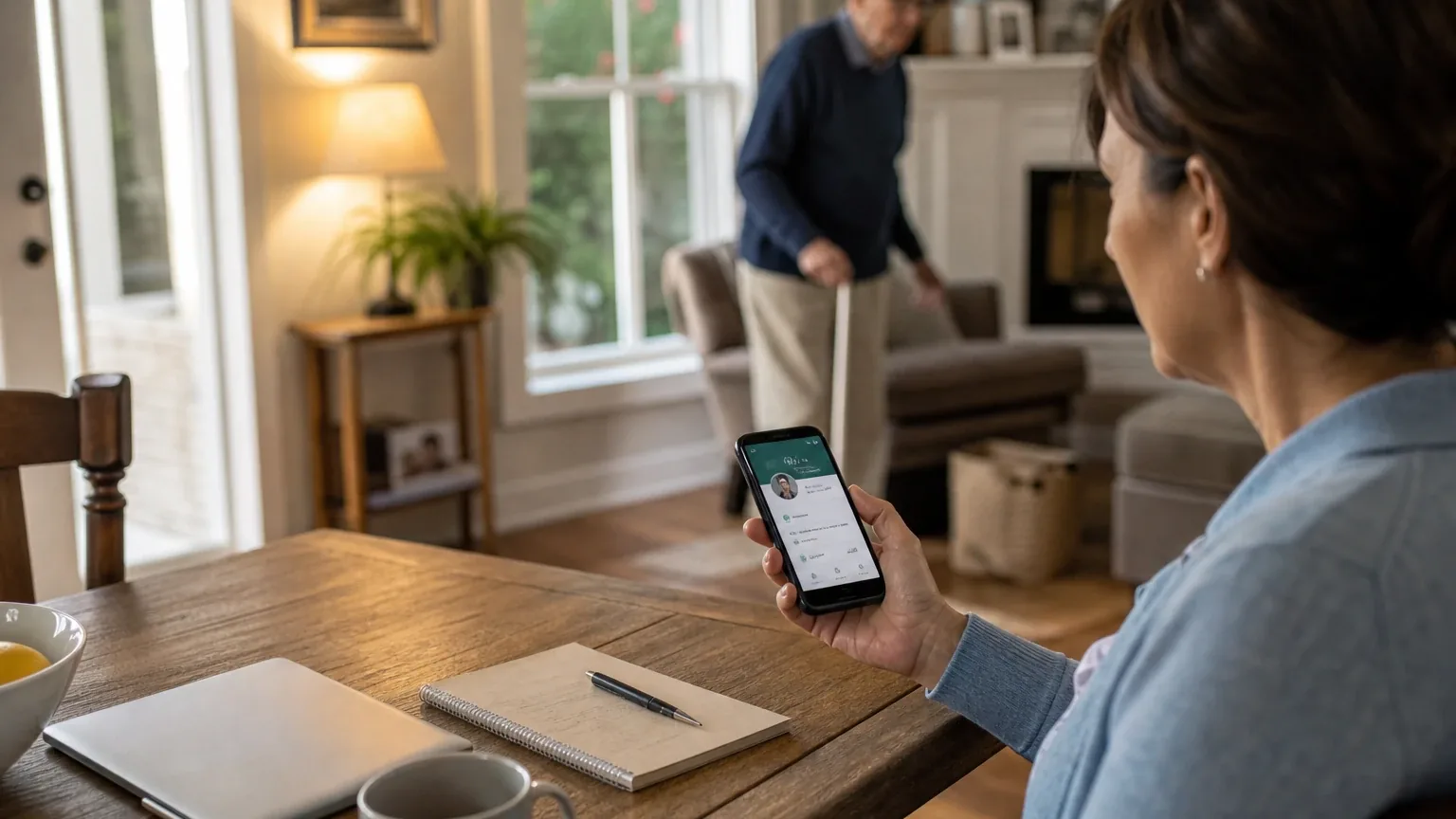
Answer Capsule
MobileHelp is a good, but not best-in-class, fit for Caregiver App & Family Alerts. Three of the six platforms that returned fit research named MobileHelp during the ranking stage — 50% of included platform responses — at an average listed rank of 4.67 and a best rank of 4. The strongest reason to consider it is a genuine caregiver portal and app (MobileHelp Connect) tied to 24/7 monitored emergency escalation, with Solo or Duo adding GPS location requests. The main limitation is documentation: caregiver permission levels, real-time push behavior, and privacy controls are not clearly published, and current terms impose a 90-day minimum commitment that conflicts with older "no contract" marketing [12].
Research Snapshot
| Field | Detail |
|---|---|
| Platform mentions in ranking stage | 3 of 6 included platforms (deepseek, google, perplexity) |
| Share of included platform responses | 50% |
| Average listed rank | 4.67 |
| Best listed rank | 4 (deepseek, google) |
| Relevant product/model/plan | MobileHelp Solo or Duo with MobileHelp Connect caregiver portal/app; Classic with Connect for in-home monitoring |
| Overall use-case fit | Good (five platforms rated good; grok rated mixed) |
| Research date | 2026-11-10 |
What Changed Since September 2026
MobileHelp moved up from No. 7 to No. 6, and platform mentions were unchanged at 3. The November 2026 review reframes the item as MobileHelp broadly rather than MobileHelp Connect, and describes the strongest configuration as Solo or Duo with the Connect portal and app instead of Elite or Classic Cellular/Home. That shift suits buyers who need location requests for a parent who leaves home, though caregiver permission levels and push-alert behavior remain undocumented. Pricing evidence changed: $44.95 is newly reported, while $29.95 per month is no longer repeated. The earlier open-area location accuracy estimate and in-home coverage range are no longer repeated. The recommended configuration itself did not change. Differences between the two editions reflect what each article reports; they do not by themselves prove that the product, service, or price changed.
The September 2026 review preserves the earlier article for reference.
Why MobileHelp Qualified for This Study
Questions This Section Answers
- Why did only three of six AI platforms name MobileHelp for caregiver app and family alert systems?
- Does MobileHelp's ranking position mean it is a weaker choice for family caregiver alerts than higher-ranked systems?
MobileHelp qualified because it is one of the few medical alert providers that pairs a monitored device with a named caregiver portal and app, which is the core requirement of this use case. Three of the six platforms that returned fit research — deepseek, google, and perplexity — named it during ranking discovery, placing it at ranks 4, 4, and 6 respectively. That is a 50% share of included platform responses, not a majority.
The remaining three platforms (openai, grok, kimi) evaluated MobileHelp's fit but did not name it in their ranking output, so they do not count toward the mention statistic. Its average listed rank of 4.67 and best rank of 4 place it mid-pack rather than at the top of this category.
Qualification rests on documented capability, not on rank alone. MobileHelp Connect is explicitly described as a suite of online tools for customers and authorized caregivers, including family members, to participate in the subscriber's care [10]. The company also documents 24/7 monitoring with escalation to designated contacts or emergency services [3]. Those two facts — shared caregiver access plus professional escalation — are what put MobileHelp in scope for this study.
The Product, Model, Plan, or Service Most Relevant to Caregiver App & Family Alerts
Questions This Section Answers
- Which MobileHelp system should a family caregiver buy for location sharing and emergency alerts?
- Is MobileHelp Classic or MobileHelp Solo better for a parent who leaves home alone?
For this use case, MobileHelp Solo or Duo paired with MobileHelp Connect is the strongest configuration. Classic is the weaker match unless the parent is almost always at home.
The platforms converged on this split. MobileHelp Classic is primarily an in-home cellular base-station system; Solo is a one-user mobile GPS system; Duo combines home and on-the-go protection [3]. Because caregiver location requests depend on a compatible mobile GPS system, Solo or Duo is the relevant choice when family members want to locate the device outside the home [10].
Platforms named slightly different product labels. OpenAI and perplexity referenced Solo or Duo with Connect; grok and kimi referenced Classic/Solo with Connect plus the OnGuard Alerts add-on; google referenced Classic/Solo/Elite with Connect and OnGuard [3]. Perplexity also mentioned "MobileHelp Touch Caregiver Tools," but stated that the exact scope of that offering could not be verified from its source set. Treat the Touch Caregiver Tools label as unverified.
The practical takeaway: choose Solo or Duo if location visibility matters, choose Classic if the parent is homebound, and confirm at checkout which Connect features ship with the specific device.
What the AI Platforms Agreed About
Questions This Section Answers
- Do AI platforms agree that MobileHelp Connect includes emergency alerts and caregiver access?
- Is MobileHelp's caregiver app included at no extra cost, or do the platforms disagree on that?
The platforms agreed, near-unanimously, on four points: caregiver access exists, alerts exist, location requests are capped, and monitoring provides escalation.
Caregiver access is real. MobileHelp Connect is designed for customers and authorized caregivers, and current terms state that members may authorize or revoke caregiver access, with caregivers able to view certain data such as location, activity, and alert history [12]. Perplexity and google described the same portal-and-app structure [10].
Alert categories are documented. The Connect standard package lists system-status alerts, non-emergency alerts, and emergency alerts [10]. Grok and perplexity both reported these tiers [10].
Location is request-based and capped. The published standard allowance is 30 location requests per month, with additional 30-request packages listed at $6 [10]. No platform described unlimited or continuous live tracking as standard.
Escalation runs through a monitoring center. MobileHelp states that an alert sends the subscriber's information and location to operators, who establish two-way communication and contact designated responders or emergency services [3].
Cost structure. Most platforms reported that standard Connect features carry no separate portal fee, with premium features and OnGuard text alerts as paid add-ons [10]. Grok listed OnGuard Alerts at $2.99/month [23].
Agreement here reflects consistent public documentation, not proof of product quality or reliability.
Where the AI Platforms Disagreed or Were Uncertain
Questions This Section Answers
- Do AI platforms disagree about whether MobileHelp sends real-time push alerts to caregivers?
- Is MobileHelp contract-free, or does it require a minimum service commitment?
The platforms diverged on push notifications, contract terms, pricing, and permission granularity. These are the areas a buyer should treat as unresolved.
Push versus portal viewing. OpenAI stated that public sources do not conclusively establish whether emergency alerts reach every caregiver through push notification, SMS, email, or a combination [12]. Deepseek called real-time push mechanics unclear. Kimi went further, reporting that sources emphasize website access and that smartphone push capability is less detailed, while OnGuard Alerts is an emergency-triggered text add-on rather than a proactive wellness alert [18]. Google, by contrast, described standard Connect as including system status and emergency alerts with OnGuard as the automatic-text upgrade [10]. This is a genuine conflict in emphasis, not a settled fact.
Contract terms. MobileHelp's marketing page says the service is month-to-month with no contract [8]. Current terms effective October 5, 2026 state a minimum three-month (90-day) service commitment that applies regardless of device receipt or activation date [12]. Grok, perplexity, and google all described no-long-term-contract arrangements [6]. Kimi and NCOA reported the three-month minimum [13]. The newer terms should control, but the conflict is material and unresolved in public materials.
Pricing. Published figures differ by page and by platform. OpenAI found $24.95/month Classic, $34.95 Solo, $44.95 Duo on one comparison page, and annualized starting prices of $359.40, $395.40, and $443.40 on an offer page [3]. Google reported $29.95 in-home and $41.95 mobile [20]. Grok reported $34.95–$41.95 for mobile systems [23]. Kimi reported $25.95 Classic and $41.95 Elite [18]. Perplexity placed base plans roughly $19.95–$44.95 [17]. Differences may reflect billing cycle, promotions, device purchase versus lease, or channel.
Permissions and privacy. No platform found clear public documentation of the maximum number of caregivers, distinct permission tiers, per-caregiver notification settings, or granular privacy controls [12]. The Android listing does describe adding and editing emergency contacts and adjusting contact order [4], which is narrower than role-based permissions.
App quality. Independent reviews are mixed. One 2026 review reported successful automatic emergency alerts in testing but criticized the standard feature set relative to competitors [19]. Another reported caregiver-app reliability concerns [21]. Grok cited reports of occasional connectivity issues and design frustration [23]. Kimi reported testers gave top marks for user experience while noting a manual lacking troubleshooting guidance [13]. These are limited, non-equivalent evidence sources.
Use-Case-Specific Features and Capabilities
Questions This Section Answers
- How many location requests does MobileHelp include per month for caregivers, and what do extra requests cost?
- Can a MobileHelp member revoke one caregiver's access without cancelling the whole account?
MobileHelp covers the basics of caregiver monitoring but stops short of continuous tracking or granular role management.
Caregiver app usability. MobileHelp Connect is available as a web portal and mobile app. The Apple App Store listing describes the app as supporting device management and connection with family and caregivers [1]. The Google Play listing describes managing devices, adding and editing emergency contacts, contacting family or caregivers, location pinging, reminders, and health details [4]. Independent testers gave top marks for user experience and setup simplicity but noted the manual lacked troubleshooting instructions [13].
Real-time push alerts. Standard Connect lists system-status, non-emergency, and emergency alerts [10]. OnGuard Alerts adds automated text messages to designated contacts when the help button is pressed, priced at $2.99/month [23]. Whether the app itself pushes every alert type to every caregiver is not clearly documented [12].
Location sharing. Caregivers can request the location of compatible mobile GPS devices, with 30 requests per month included and additional 30-request packages at $6 [10]. This is an on-demand model, not continuous streaming, and no platform documented native geofencing or safe-zone alerts [10].
Emergency escalation. Alerts route to 24/7 monitoring personnel who establish two-way communication and contact designated responders or emergency services [3]. Public materials do not specify a buyer-configurable escalation tree, response-time guarantee, or detailed multi-contact sequencing [12].
Multi-contact permissions. Authorized caregiver access is documented, and members can authorize or revoke access [12]. The maximum number of caregivers and whether permissions differ by role are not clearly published [12].
Privacy controls. Caregiver access requires member authorization and can be revoked, and the privacy policy describes real-time location data, optional notifications, geolocation collection, and sharing with service providers and emergency operations [11]. The policy does not establish HIPAA coverage for every consumer use or provide a caregiver-by-caregiver audit description [11].
Operational dependencies. Capabilities depend on device model, cellular networks, power, charging, coverage, and congestion, and MobileHelp does not guarantee uninterrupted service or location accuracy [12].
Pricing, Fees, Contracts, and Ongoing Costs
Questions This Section Answers
- What will MobileHelp actually cost per month for a Solo or Duo plan with caregiver alerts, and why do published prices differ?
- What fees apply if a family cancels MobileHelp and does not return the leased device?
Published MobileHelp pricing is inconsistent across sources, and the current terms impose obligations that older marketing does not mention. Buyers should rely on the written order confirmation.
| Item | Reported figure | Source |
|---|---|---|
| Classic (comparison page) | $24.95/month | [3] |
| Solo (comparison page) | $34.95/month | [3] |
| Duo (comparison page) | $44.95/month | [3] |
| Classic annualized starting price | $359.40/year | [2] |
| Solo annualized starting price | $395.40/year | [2] |
| Duo annualized starting price | $443.40/year | [2] |
| In-home / mobile (independent) | $29.95 / $41.95 per month | [20] |
| Mobile systems (independent) | $34.95–$41.95 per month | [23] |
| Classic / Elite (independent) | $25.95 / $41.95 per month | [18] |
| OnGuard Alerts | $2.99/month | [23] |
| Extra location requests | $6 per 30 requests | [10] |
| Fall detection | $10.00/month (one source); exact current amount unverified | [18] |
| Protection plan | $6.99/month | [23] |
Contract and cancellation. Current terms state a minimum three-month (90-day) service commitment, automatic renewal by billing cycle, a 15-day return window for new device purchases subject to conditions and possible shipping deductions, and cancellation for leased devices that does not become effective until the device is received and processed, with return shipping at the customer's expense [12]. This conflicts with the marketing page's "no contract" and 30-day risk-free trial language [8].
Fees. A leased device not returned within 30 days may trigger a $350 non-return fee, and a restocking fee of up to $50 may be deducted from refunds [12]. Taxes, surcharges, and possible payment-method fees may apply [12].
Pricing confidence. OpenAI rated confidence moderate; perplexity and deepseek rated it low; google and kimi rated it high. The spread itself is the finding: buyers should not treat any single published number as final.
Best Suited For
Questions This Section Answers
- Is MobileHelp a good choice for adult children who want emergency alerts from a parent's medical alert device?
- Which families get the most value from MobileHelp Solo or Duo with MobileHelp Connect?
MobileHelp fits families who want a conventional monitored alert system with an optional caregiver portal, not a standalone family-monitoring app.
It is best suited for adult children who need emergency and system-status notifications from a parent's device [10]; families needing occasional location lookup for a mobile device used outside the home [10]; buyers who want monitoring-center escalation to designated contacts or emergency services [3]; and households that prefer a monitored system with a caregiver portal over a dedicated caregiving app [12].
Kimi added caregivers who want a shared dashboard plus app for care coordination and emergency text distribution to multiple contacts [18]. Google highlighted in-app activity scheduling, medication reminder tracking, and account management [5].
Probably Not Best Suited For
Questions This Section Answers
- Is MobileHelp a poor fit for families who need continuous live GPS tracking of a parent?
- Should a family that wants every caregiver feature included in the base price look elsewhere?
MobileHelp is a weak fit for four buyer profiles.
Families requiring continuous or unlimited live location tracking should look elsewhere, because location is request-based and capped at 30 per month [10]. Buyers who want every caregiver feature included without add-on fees will be disappointed, since OnGuard, fall detection, and extra location requests carry separate charges [23]. Families needing clearly documented granular roles, permissions, or multi-contact workflows before purchase will not find them in public materials [12]. And buyers unwilling to accept a possible minimum service commitment or device-return obligations should note the 90-day commitment and $350 non-return fee [12].
Kimi also flagged the absence of proactive non-emergency alerts, inactivity detection, or automated check-ins, and reported cancellation friction in recent reviews [18]. Those are platform-reported review findings, not independently verified.
When Another Option May Be Better
Questions This Section Answers
- When is a competitor a better choice than MobileHelp for caregiver location tracking?
- If a family needs proactive wellness alerts rather than button-press alerts, is MobileHelp the wrong system?
A different option may be better in five situations the platforms identified.
Choose another provider when unlimited or more continuous caregiver location access is essential [12]. Choose another provider when all app features, caregiver messaging, and advanced permissions must be included in the base subscription [12]. Choose another provider when independent testing of app reliability and modern caregiver workflows matters more than conventional monitored-alert functionality [21]. Choose another provider when the buyer requires a clearly documented month-to-month cancellation policy with no device-return dependency [12]. And choose another option when proactive wellness monitoring, inactivity alerts, or automated check-ins are essential [18].
Grok specifically suggested comparing against vendors that publish real-time push alerts and detailed app specs explicitly, and against GPS-focused competitors with documented location features [23]. Google named Medical Guardian's MyGuardian app as a comparison point for continuous GPS tracking and geofencing [10]. Kimi referenced dedicated caregiver platforms such as Caretaker and Connected Caregiver for proactive check-ins [7]. These are platform-reported comparison suggestions, not tested head-to-head results.
For a broader view of how MobileHelp stacks up across the category, see the Caregiver App & Family Alerts consensus index.
Questions to Verify Before Buying
Questions This Section Answers
- What should a caregiver confirm with MobileHelp about alert delivery before placing an order?
- Which contract and return terms should a buyer get in writing before buying MobileHelp?
Confirm these ten items directly with MobileHelp before purchase, ideally in the written order confirmation.
- For the exact Solo, Duo, or Classic configuration, which caregiver alerts are included: push, SMS, email, phone call, and app notifications? [12]
- How many caregivers can be authorized, and can each receive different alert types or hold different permissions? [12]
- Does the plan provide automatic location updates, or only caregiver-requested location checks? [10]
- Are the 30 monthly location requests shared across all caregivers, and what is the current price for additional requests? [10]
- Is fall detection included, optional, or device-specific, and does it change caregiver notification behavior? [18]
- Which cellular network covers the parent's home and usual travel locations, and what happens during coverage loss? [12]
- Does the current order impose the 90-day minimum commitment, and which cancellation and refund terms control? [12]
- Is the device purchased or leased, and what return, restocking, damage, or non-return fees apply? [12]
- Can the member revoke one caregiver without revoking all caregiver access? [12]
- What data can caregivers view, how long are location and alert histories retained, and how are access events logged? [11]
Final AI Consensus Verdict
MobileHelp is a good, but not unequivocally best, fit for Caregiver App & Family Alerts. Five of six platforms rated the fit good; grok rated it mixed. Solo or Duo with MobileHelp Connect is the strongest configuration for adult children who want monitored emergency escalation, family alerts, and occasional location visibility.
The consensus strengths are consistent: documented caregiver access, documented alert categories, request-based GPS location, and monitoring-center escalation [10]. The consensus risks are equally consistent: unclear caregiver-permission details, a 30-request monthly location cap, variable feature availability by device, app-quality concerns in independent reviews, and conflicting public contract language [12].
No platform claimed MobileHelp is the best system in this category, and none claimed it is unsuitable. The verdict is conditional: obtain the exact current order terms in writing before purchase, and confirm alert-delivery mechanics for the specific device.
How This Review Was Produced
This review was produced from six platform fit-research responses (openai, deepseek, google, grok, kimi, perplexity) collected for the Caregiver App & Family Alerts use case, plus an entity ranking statistic set and retrieved official-page excerpts. The research date is 2026-11-10. Platform mentions count only platforms that named MobileHelp during ranking discovery; all six platforms evaluated fit. Citations are platform-reported evidence and were not independently verified by the writer stage. Company-owned sources are distinguished from independent reviews and directories in the Sources section. No hands-on testing, customer interviews, or independent verification were performed for this review.
Methodology Limitations
- Platform-reported research dates differ from the authoritative run date. Deepseek's response is dated 2026-06-15; the others are dated 2026-11-10. Provenance dates do not independently prove freshness.
- Deepseek reported search disabled, so its claims rest on model knowledge rather than retrieved pages and require verification before being treated as current facts.
- The supplied URLs were collected from platform responses and were not independently validated.
- Citations are platform-reported evidence, not independently verified facts.
- Conflicting product names, pricing, and capabilities were described rather than resolved. Buyers should verify with MobileHelp directly.
- Independent app-reliability evidence is limited and not equivalent to a controlled long-term study.
- Platform agreement reflects consistent public documentation, not proof of product quality or performance.
- The exact scope of "MobileHelp Touch Caregiver Tools" could not be verified from the supplied sources.
Explore more medical alert systems guidance in the category directory.
Sources
Company-Owned Sources
- Medical alert devices by MobileHelp: https://offers.mobilehelp.com/medical-alert-devices/
- Products Overview | Medical Alert Systems | MobileHelp: https://offers.mobilehelp.com/sl-products-overview/
- MobileHelp Official Website: https://www.mobilehelp.com/
- How-it-Works: https://www.mobilehelp.com/pages/how-they-work
- MobileHelp Connect: https://www.mobilehelp.com/pages/mobilehelp-connect
- Privacy Policy: https://www.mobilehelp.com/pages/privacy-policy
- Terms and Conditions: https://www.mobilehelp.com/pages/terms-and-conditions
- Official pricing and terms source: https://www.mobilehelp.com/pages/terms-of-use
Independent Sources
- MobileHelp App - App Store: https://apps.apple.com/us/app/mobilehelp/id6683306625
- MobileHelp - Apps on Google Play: https://play.google.com/store/apps/details?id=com.mobilehelp.connect
- MobileHelp Costs & Plans 2026: https://seniorslist.com/medical-alert-systems/mobilehelp/
- Caretaker | Parkinson's UK Tech Guide: https://techguide.parkinsons.org.uk/catalogue/caretaker
- Your 2026 MobileHelp Review: https://www.ncoa.org/product-resources/medical-alert-systems/mobilehelp-review/
- MobileHelp Review - Medical Alert Systems: https://www.ncrowd.com/medical-alert-systems/mobilehelp-review/
- MobileHelp Classic Review: https://www.pcmag.com/reviews/mobilehelp-classic
- 4 Best Medical Alert Systems That Call Family in 2026: https://www.retirementliving.com/best-medical-alert-systems/medical-alert-that-calls-family
- MobileHelp Review (2026): With Costs & Models - Retirement Living: https://www.retirementliving.com/reviews/mobilehelp
- MobileHelp Medical Alert System Review: https://www.safewise.com/senior-safety/medical-alerts/mobile-help/
- Best Medical Alert Systems of 2026: Tested and Ranked: https://www.seniorliving.org/medical-alert-systems/best/
- MobileHelp Medical Alert System Cost & Pricing in 2026 - SeniorLiving.org: https://www.seniorliving.org/medical-alert/mobilehelp/cost/
- MobileHelp Medical Alert Review 2026: https://www.seniorslist.com/medical-alert-systems/mobilehelp-reviews/
- MobileHelp Medical Review, Hands-On Test (2026: https://www.theseniorlist.com/medical-alert-devices/mobilehelp/reviews/
- MobileHelp Costs, Our In-Depth Analysis: https://www.theseniorlist.com/medical-alert-systems/mobilehelp/
- MobileHelp Medical Alert: Costs, Systems, and Plans - The Senior List: https://www.theseniorlist.com/medical-alert/mobilehelp/costs/
Other Sources
- MobileHelp - Apps on Google Play: https://play.google.com/store/apps/details?id=com.mobilehelp&hl=en_US
Verify This Research
Review the study details behind this page or download the public machine-readable verification record.
- Study date
- November 10, 2026
- Platforms analyzed
- 6
- Source records
- 25
- Ranking mentions
- 3 of 6
- Platform share
- 50%
- Final consensus rank
- #6
Research trail and source mix
Configured platforms
openai, anthropic, deepseek, grok, perplexity, kimi, google
Source mix
16 independent · 8 company-owned · 1 unclear
Evidence support
15 direct · 10 partial
Important limitation
Use the run research_date as the study date. Platform-reported dates are provenance metadata and do not independently prove freshness.
Source snapshot SHA-256 5075db34e7f6ae7ed6570108ffc39d4dcc5323dc65b364c6fcaebc936a640512