
Answer Capsule
LifeStation - Sidekick Home is a good, though not unequivocally best, fit for Cellular Home Monitoring. Two of the seven platforms in this study named it during the ranking stage, where it averaged rank 4.5 and peaked at rank 3. Its strongest advantage is landline-free cellular operation paired with a reportedly long pendant-to-base range, a non-rechargeable pendant battery, optional fall detection, and no long-term contract. The main limitation is inconsistent public specification: advertised range, backup-battery duration, activation fees, and fall-detection pricing all conflict across company pages and independent reviews, and the exact cellular carrier and address-level coverage guarantee are not clearly disclosed.
Research Snapshot
| Field | Detail |
|---|---|
| Platform mentions in ranking stage | 2 of 7 platforms (anthropic, openai) |
| Share of included platform responses | 28.6% |
| Average listed rank | 4.5 |
| Best listed rank | 3 |
| Relevant product/model/plan | LifeStation Sidekick Home cellular in-home medical alert system |
| Overall use-case fit | Good |
| Research date | 2026-09-27 |
What Changed Since August 2026
LifeStation - Sidekick Home moved down from No. 6 to No. 10, and platform mentions decreased from 4 to 2. The September 2026 review shifts the buyer-facing emphasis toward specification uncertainty: pendant range, backup-battery duration, setup steps, and response time are now reported with conflicting figures rather than a single advertised range. Fall detection remains an optional paid add-on, and the recommended configuration is unchanged. Pricing evidence was also updated: $38.95 is newly reported as the base monthly figure, while the $34.95 to $50.95 per month range is no longer repeated. LifeStation - Sidekick Home still suits landline-free households that can confirm cellular coverage at the address, but the updated review gives buyers less certainty about measured range and outage-battery performance. Differences between the two editions reflect what each article reports; they do not by themselves prove that the product, service, or price changed.
The August 2026 review preserves the earlier article for reference.
Why LifeStation - Sidekick Home Qualified for This Study
Questions This Section Answers
- Is LifeStation - Sidekick Home a good choice for Cellular Home Monitoring in an apartment without a landline?
- How many AI platforms named LifeStation - Sidekick Home when ranking cellular medical alert systems?
LifeStation - Sidekick Home qualified because it is explicitly marketed as a no-landline, no-Wi-Fi in-home system, which matches the core buyer requirement for this category [1]. It was named by two of the seven platforms during ranking discovery — anthropic at rank 3 and openai at rank 6 — giving it an average listed rank of 4.5 and a 28.6% share of included platform responses. All seven platforms evaluated the entity for fit, but only those two named it during the ranking stage. Six of the seven platforms rated it a "good" fit; kimi rated it "uncertain" because its search results returned no product-specific LifeStation data at all (kimi:security-org-cellular-2026).
The Product, Model, Plan, or Service Most Relevant to Cellular Home Monitoring
Questions This Section Answers
- Which LifeStation Sidekick Home plan is most relevant for a senior who wants cellular in-home monitoring without Wi-Fi?
- What does the Sidekick Home base station include for landline-free emergency monitoring?
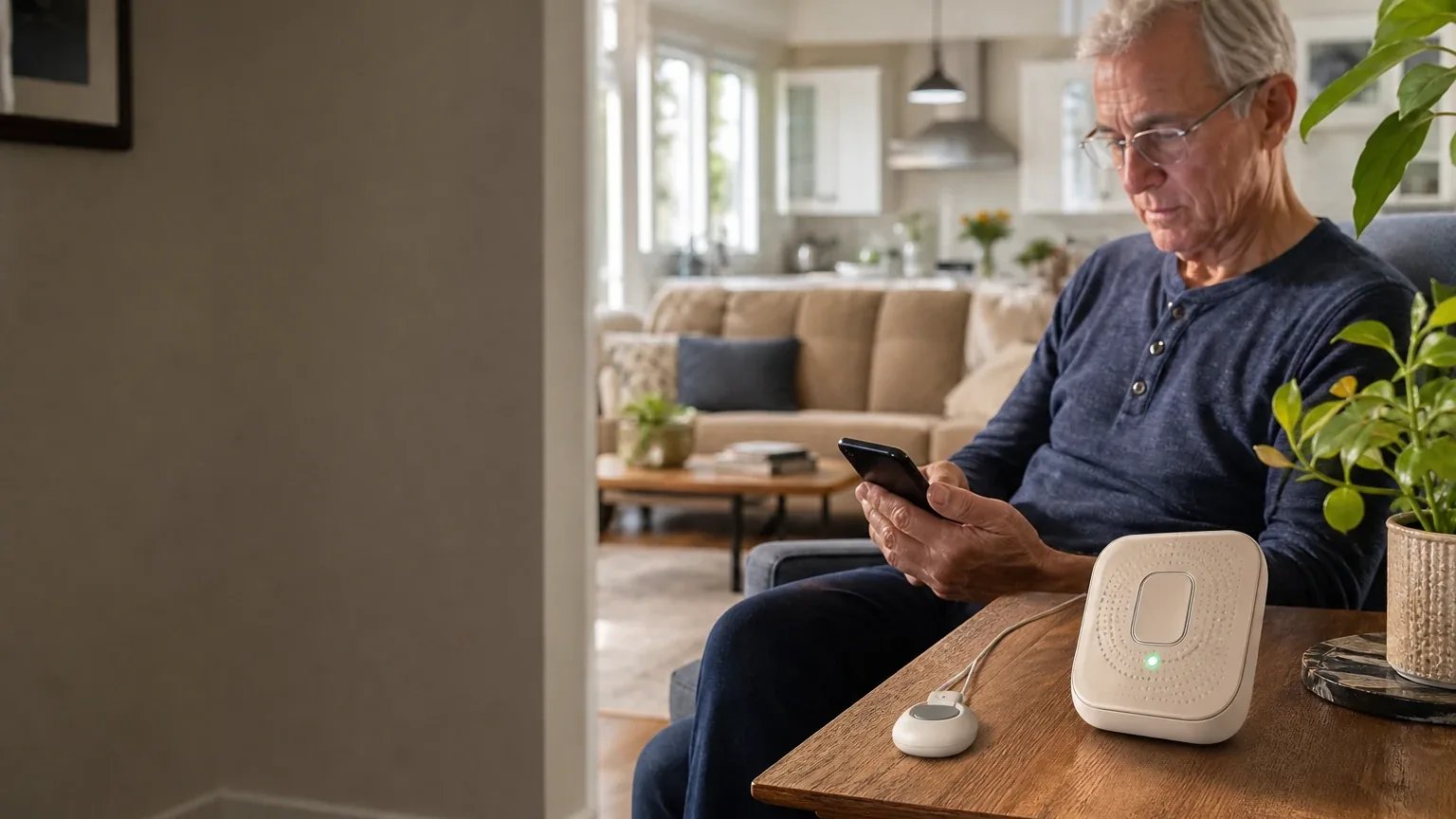
The relevant configuration is the Sidekick Home cellular in-home medical alert system: a plug-in base station with a wearable help button that communicates over cellular rather than a landline or Wi-Fi connection [3]. LifeStation positions Sidekick Home for people who spend most of their time at home, distinct from its Pearl mobile unit and Sidekick Smart smartwatch, both listed at $42.95 per month (official:C1). The base station includes a speaker and microphone for two-way voice, and the wearable button is offered as a necklace or wristband (anthropic:lifestation_sidekick_official_1). Optional add-ons include fall detection, a protection plan, a spouse button, a wall button, and a lockbox (anthropic:safewise_review).
What the AI Platforms Agreed About
Questions This Section Answers
- What do AI review platforms agree on about LifeStation - Sidekick Home for cellular home monitoring?
- Is LifeStation - Sidekick Home contract-free, and does it work without a landline?
Agreement was strong on four points. First, the system is genuinely landline-free: platforms consistently reported that Sidekick Home uses cellular connectivity and requires neither a landline nor Wi-Fi [5]. Second, no long-term contract is required. LifeStation states flat monthly fees with no long-term contracts, and independent reviews repeat the no-contract, cancel-anytime position [8]. Third, the pendant does not need routine charging; the standard button uses a long-life battery reported to last several years [10]. Fourth, fall detection exists as an optional paid feature rather than a base-plan inclusion, and LifeStation itself warns it "does not detect 100% of falls" (official:C1, anthropic:lifestation_sidekick_official_1).
Platforms also broadly agreed the base monthly price sits near $38.95, though several noted lower figures on specific LifeStation pages [12].
Where the AI Platforms Disagreed or Were Uncertain
Questions This Section Answers
- Why do sources disagree about LifeStation - Sidekick Home pendant range and backup battery duration?
- Is the LifeStation Sidekick Home activation fee real, and does it apply to monthly billing?
Disagreement was substantial and should be treated as unresolved. Pendant-to-base range is the sharpest conflict: LifeStation advertises up to 1,300 feet (official:C1), AARP and NCOA testing reported approximately 1,300 feet [14], Consumer Affairs reported 600 feet [16], PCMag reported 500 feet in real-world testing (anthropic:pcmag_review_2026), and one grok-cited review reported effective range as low as 140 feet [17]. Backup battery is similarly split: LifeStation cites up to 32 hours in one place and 24 hours in another (official:C1, anthropic:lifestation_sidekick_official_1), while SafeWise testing reported under 24 hours [18].
The activation fee is contested. SafeWise and multiple platforms report a $99.95 one-time fee [20], but grok noted the fee appears as $0 on some LifeStation materials [22], and anthropic flagged that LifeStation's main site does not explicitly state it. Fall-detection pricing ranges from roughly $7.95 to $16 per month depending on source and plan tier [14]. Kimi could not verify any Sidekick Home specification and rated fit "uncertain" (kimi:security-org-cellular-2026). The exact cellular carrier is also inconsistent: anthropic, grok, and google report AT&T 4G LTE [22], while openai reported the carrier was not verified from reviewed pages [25].
Use-Case-Specific Features and Capabilities
Questions This Section Answers
- Does LifeStation - Sidekick Home work in a condo or apartment where cellular signal is weak?
- How does Sidekick Home fall detection and waterproof pendant design perform in independent testing?
Cellular connectivity is the defining feature and the defining risk. Sidekick Home is designed to operate without a landline, and LifeStation states its devices offer nationwide cellular coverage [26]. However, the system has no Wi-Fi or landline fallback, so it depends entirely on usable cellular signal at the installation address (anthropic:lifestation_sidekick_official_1). PCMag noted that if signal is poor, the base station may need relocation, sometimes near a window (anthropic:pcmag_review_2026).
Setup is generally described as simple: plug in, power on, and wait roughly 30 seconds for a voice prompt reporting cellular signal strength (anthropic:pcmag_review_2026). One independent test found pairing instructions unclear and pendants not pre-programmed [27], so setup friction is a real but not universal finding.
Response time tested well. PCMag measured an average of 12 seconds to reach the monitoring center (anthropic:pcmag_review_2026), and NCOA measured about 27 seconds in a separate comparison [28]. Testing also reported intermittent beeps, average audio clarity, and an automated voice response before human transfer [27].
Fall detection is optional and performed poorly in at least one independent test [29]. The pendant is reported waterproof for shower use, while the base unit is not necessarily waterproof [27]. The system is in-home only and provides no GPS or outdoor tracking (anthropic:lifestation_sidekick_official_1).
Pricing, Fees, Contracts, and Ongoing Costs
Questions This Section Answers
- How much does LifeStation - Sidekick Home cost per month, and what add-on fees apply?
- What are the LifeStation Sidekick Home cancellation and equipment-return terms?
Base monitoring is most commonly reported at $38.95 per month, with some LifeStation pages and reviews citing $36.95 or approximately $37 [31]. Reported costs include:
| Item | Reported amount |
|---|---|
| Standard monthly monitoring | $36.95–$38.95 |
| One-time activation fee | $0–$99.95 (conflicting) |
| Shipping | $12.50 monthly billing; waived with quarterly/annual |
| Fall detection add-on | $7.95–$16 per month |
| Protection plan | ~$8 per month |
| Lockbox / wall button | ~$2.95 per month |
| Spouse button | ~$3.99 per month |
Sources: [32].
Contract terms are favorable on paper: no long-term contract, cancel anytime, and a 30-day money-back guarantee [36]. The supplied terms document states LifeStation owns the system at all times and that equipment must be returned undamaged within ten days of termination, or the subscriber pays replacement value; damaged equipment triggers repair charges (official:C2). Whether the activation fee is refundable under the 30-day guarantee is not clearly established in the reviewed sources [34].
Best Suited For
Questions This Section Answers
- Who is LifeStation - Sidekick Home best suited for in a landline-free household?
Sidekick Home best suits seniors and caregivers in apartments, condos, or modern homes without an active landline who want a traditional in-home base station with a lightweight pendant [37]. It fits users who prefer a pendant battery that does not require routine charging [39], households wanting a long stated pendant-to-base range [40], and buyers who value no long-term contract and a 30-day money-back window (anthropic:aarp_review_2026). It also suits buyers willing to confirm cellular coverage and current add-on pricing before ordering [37].
Probably Not Best Suited For
Questions This Section Answers
- Who should not choose LifeStation - Sidekick Home for cellular home monitoring?
It is probably not best for buyers who require independently verified fall-detection performance, since testing rated it poorly [41]. It is a weak fit for users needing monitoring outside the home or GPS location tracking, because Sidekick Home is in-home only (anthropic:lifestation_sidekick_official_1). Buyers who want exceptionally simple self-installation may be disappointed by reported pairing confusion [43]. Those needing a clearly published, long-duration outage-battery guarantee will not find one [41]. Price-sensitive buyers comparing lower-cost cellular home systems should also look elsewhere (anthropic:aarp_review_2026).
When Another Option May Be Better
Questions This Section Answers
- What is a better alternative to LifeStation - Sidekick Home for a budget-conscious cellular monitoring buyer?
- When should a buyer choose a mobile or dual-network system instead of Sidekick Home?
Another option may be better in several situations. Budget-conscious buyers can compare Bay Alarm Medical Home at $34.95 per month or MobileHelp Classic at $29.95 per month (anthropic:aarp_review_2026, anthropic:pcmag_review_2026). Buyers in weak AT&T coverage areas may prefer a provider using Verizon or T-Mobile, or a dual-network system, since Sidekick Home has no fallback network (anthropic:lifestation_sidekick_official_1). Active seniors needing outdoor mobility should consider LifeStation's own Pearl mobile unit at $42.95 per month with GPS, or a competing mobile system (official:C1, anthropic:lifestation_sidekick_official_1). Buyers wanting integrated wellness features such as medication reminders should look at MobileHelp, WellBe, or Aloe Care (anthropic:lifestation_sidekick_official_1). Renters seeking to avoid a possible $99.95 activation fee may prefer a competitor with no activation fee (anthropic:safewise_review).
Questions to Verify Before Buying
- Which cellular carrier and network generation does the exact Sidekick Home unit use at your address, and can LifeStation perform an address-specific coverage check?
- What is the guaranteed or expected base-unit backup-battery duration under standby and active-call conditions?
- Is the supplied pendant-to-base range 500 feet, 600 feet, 1,300 feet, or another figure for the exact model?
- Is fall detection available without the protection plan, and what is the complete monthly total?
- What are the current activation, shipping, tax, lockbox, protection-plan, and replacement-equipment fees?
- Does cancellation stop billing immediately, or only after equipment is received?
- What is the exact equipment-return deadline and charge for late, lost, or damaged equipment?
- What does the 30-day money-back guarantee refund, including activation and shipping fees?
- Is professional setup or caregiver-assisted installation available?
- How often must the system be tested, and how are cellular, power, and low-battery failures communicated?
Final AI Consensus Verdict
LifeStation Sidekick Home is a good, but not unequivocally best, fit for cellular home monitoring. Six of seven platforms rated it "good"; kimi rated it "uncertain" because its search returned no product-specific data. Its strongest buyer advantages are landline-free cellular operation, a reportedly long in-home range, a lightweight non-rechargeable pendant, optional fall detection, and flexible cancellation. The main decision risks are inconsistent public specifications, unclear cellular-network details, setup friction, mixed audio findings, uncertain outage-battery performance, and extra charges for protection and fall detection. It is suitable when the address passes a confirmed cellular coverage check and the buyer verifies the exact current price and terms.
How This Review Was Produced
This review synthesizes fit-research responses from seven AI platforms — anthropic, deepseek, google, grok, kimi, openai, and perplexity — each evaluating LifeStation - Sidekick Home against the Cellular Home Monitoring use case. Two platforms named the entity during ranking discovery. Platform responses were compared for agreement, disagreement, and uncertainty, and all material conflicts were preserved rather than resolved. Company-owned claims are distinguished from independent testing throughout. No personal testing, customer experience, or independent verification was performed by the writer.
Methodology Limitations
Platform-reported research dates differ from the authoritative run date of 2026-09-27: anthropic and deepseek reported 2026-01-15, while google, grok, kimi, openai, and perplexity reported 2026-09-27. These dates are provenance metadata and do not independently prove freshness. Platform mentions count only platforms that named the entity during ranking discovery; all seven evaluated fit. Conflicting product names, pricing, and capabilities were described rather than resolved. The supplied URLs were collected from platform responses and were not independently validated by the writer stage. Citations are platform-reported evidence, not independently verified facts, and no-search model claims require verification before being described as current. AI-platform agreement does not prove product quality.
Explore more medical alert systems guidance in the category directory.
Sources
Company-Owned Sources
- No Contract M2M Cellular UL Central Station Monitoring From $14.95: https://safehomecentral.com/affordable-no-contract-alarm-monitoring-from-8-95-same-day-switch/m2m-cellular-ul-central-station-monitoring-from-14-95-2/
- Prima Cellular and WIFI Alarm Monitoring - SafeHomeCentral.com: https://safehomecentral.com/prima-cellular-and-wifi-alarm-monitoring/
- LifeStation Medical Alert Systems: https://www.lifestation.com/
- Medical Alert Systems for Seniors in Assisted Living Communities - LifeStation: https://www.lifestation.com/assisted-living/
- Best Medical Alert Devices: Top-Rated Picks for Seniors - LifeStation: https://www.lifestation.com/blog/best-medical-alert-devices/
- Best Medical Alert Systems With Fall Detection (2026) | LifeStation: https://www.lifestation.com/blog/best-medical-alert-systems-with-fall-detection/
- How to Choose a Fall Detection System for Seniors: https://www.lifestation.com/how-to-choose-a-fall-detection-system-for-seniors/
- In-Home vs. Mobile Medical Alert Systems: How Do You Choose?: https://www.lifestation.com/in-home-or-mobile-medical-alert/
- Medical Alert Systems for Seniors | LifeStation: https://www.lifestation.com/medical-alert-systems/
- Medical Alert System for Caregivers - LifeStation: https://www.lifestation.com/medical-alert-systems/caregivers/
- Medical Alert Systems for Seniors in Assisted Living Communities: https://www.lifestation.com/medical-alert-systems/medical-alert-systems-for-seniors-in-assisted-living-communities/
- Medical Alert Systems for Seniors Living Alone: https://www.lifestation.com/medical-alert-systems/seniors-living-alone/
- Sidekick Home Medical Alert | No Landline or Wi-Fi - LifeStation: https://www.lifestation.com/medical-alert-systems/sidekick-home/
- Sidekick Mobile Medical Alert - LifeStation: https://www.lifestation.com/medical-alert-systems/sidekick/
- LifeStation Pricing and Plans: https://www.lifestation.com/pricing/
- Sidekick Home Medical Alert | No Landline or Wi-Fi: https://www.lifestation.com/sidekick-in-home-medical-alert-system/
- Official pricing and terms source: https://www.lifestation.com/terms-and-conditions/
Additional AI research evidence44 records
- AI research evidence record perplexity:c1
- AI research evidence record google:1.1.2
- AI research evidence record perplexity:c1
- AI research evidence record google:1.1.2
- AI research evidence record perplexity:c1
- AI research evidence record google:1.1.2
- AI research evidence record grok:web:0
- AI research evidence record perplexity:c11
- AI research evidence record google:1.2.7
- AI research evidence record openai:c2
- AI research evidence record google:2.1.2
- AI research evidence record perplexity:c15
- AI research evidence record google:1.2.9
- AI research evidence record openai:c2
- AI research evidence record openai:c4
- AI research evidence record openai:c3
- AI research evidence record grok:web:1
- AI research evidence record openai:c6
- AI research evidence record google:2.1.8
- AI research evidence record perplexity:c8
- AI research evidence record google:1.2.9
- AI research evidence record grok:web:0
- AI research evidence record grok:web:2
- AI research evidence record google:2.1.6
- AI research evidence record openai:c1
- AI research evidence record perplexity:c12
- AI research evidence record openai:c2
- AI research evidence record openai:c5
- AI research evidence record openai:c6
- AI research evidence record grok:web:1
- AI research evidence record perplexity:c15
- AI research evidence record openai:c2
- AI research evidence record grok:web:2
- AI research evidence record perplexity:c8
- AI research evidence record google:1.2.9
- AI research evidence record perplexity:c11
- AI research evidence record openai:c1
- AI research evidence record perplexity:c6
- AI research evidence record openai:c2
- AI research evidence record openai:c4
- AI research evidence record openai:c6
- AI research evidence record grok:web:1
- AI research evidence record openai:c2
- AI research evidence record google:2.1.8
Independent Sources
- LifeStation Sidekick Home - Review 2026: https://me.pcmag.com/en/medical-alert-systems/36407/lifestation-sidekick-home
- LifeStation Sidekick Home - Review 2026 - PCMag Middle East: https://me.pcmag.com/en/security/13217/lifestation-sidekick-home
- LifeStation Medical Alert System Review 2026 | U.S. News: https://realestate.usnews.com/home-services/medical-alert-system/lifestation
- LifeStation Sidekick Home - Review 2026: https://uk.pcmag.com/medical-alert-systems/134796/lifestation-in-home-no-landline-medical-alert-system
- LifeStation Medical Alert Review 2026: Our Testing Experience - AARP: https://www.aarp.org/caregiving/home-care/info-2021/lifestation-medical-alert-review.html
- LifeStation Medical Alert Review (2026: https://www.aarp.org/caregiving/home-care/lifestation-review/
- LifeStation Reviews from Real Customers: https://www.consumeraffairs.com/medical-alert-systems/lifestation.html
- LifeStation Reviews from Real Customers - Consumer Affairs: https://www.consumeraffairs.com/medical-alerts/lifestation.html
- LifeStation Medical Alert System Review (2026) - Forbes: https://www.forbes.com/health/healthy-aging/lifestation-medical-alert-review/
- Medical Alert Systems Reviews: https://www.ncoa.org/
- Bay Alarm Medical vs. LifeStation: Tested and Compared 2026: https://www.ncoa.org/product-resources/medical-alert-systems/bay-alarm-medical-vs-lifestation-review/
- LifeStation Review 2026: Testing the Medical Alert System: https://www.ncoa.org/product-resources/medical-alert-systems/lifestation-review/
- LifeStation Review 2026: Testing the Medical Alert System: https://www.retirementliving.com/reviews/lifestation/
- LifeStation Review - Hands-On Test Results: https://www.safewise.com/lifestation-medical-alert-review/
- LifeStation Review | Hands-On Test Results: https://www.safewise.com/senior-safety/medical-alerts/life-station/
- Best Cellular Home Security Systems of 2026 | Security.org: https://www.security.org/home-security-systems/best/cellular/
Additional AI research evidence44 records
- AI research evidence record perplexity:c1
- AI research evidence record google:1.1.2
- AI research evidence record perplexity:c1
- AI research evidence record google:1.1.2
- AI research evidence record perplexity:c1
- AI research evidence record google:1.1.2
- AI research evidence record grok:web:0
- AI research evidence record perplexity:c11
- AI research evidence record google:1.2.7
- AI research evidence record openai:c2
- AI research evidence record google:2.1.2
- AI research evidence record perplexity:c15
- AI research evidence record google:1.2.9
- AI research evidence record openai:c2
- AI research evidence record openai:c4
- AI research evidence record openai:c3
- AI research evidence record grok:web:1
- AI research evidence record openai:c6
- AI research evidence record google:2.1.8
- AI research evidence record perplexity:c8
- AI research evidence record google:1.2.9
- AI research evidence record grok:web:0
- AI research evidence record grok:web:2
- AI research evidence record google:2.1.6
- AI research evidence record openai:c1
- AI research evidence record perplexity:c12
- AI research evidence record openai:c2
- AI research evidence record openai:c5
- AI research evidence record openai:c6
- AI research evidence record grok:web:1
- AI research evidence record perplexity:c15
- AI research evidence record openai:c2
- AI research evidence record grok:web:2
- AI research evidence record perplexity:c8
- AI research evidence record google:1.2.9
- AI research evidence record perplexity:c11
- AI research evidence record openai:c1
- AI research evidence record perplexity:c6
- AI research evidence record openai:c2
- AI research evidence record openai:c4
- AI research evidence record openai:c6
- AI research evidence record grok:web:1
- AI research evidence record openai:c2
- AI research evidence record google:2.1.8
Verify This Research
Review the study details behind this page or download the public machine-readable verification record.
- Study date
- September 27, 2026
- Platforms analyzed
- 7
- Source records
- 33
- Ranking mentions
- 2 of 7
- Platform share
- 29%
- Final consensus rank
- #10
Research trail and source mix
Configured platforms
openai, anthropic, deepseek, grok, perplexity, kimi, google
Source mix
16 independent · 17 company-owned
Evidence support
28 direct · 5 partial
Important limitation
Use the run research_date as the study date. Platform-reported dates are provenance metadata and do not independently prove freshness.
Source snapshot SHA-256 7b2e4f102428eb01b2b3c2d8772dadd0ca105dcb89d5a625500d103207e37ac3