
Answer Capsule
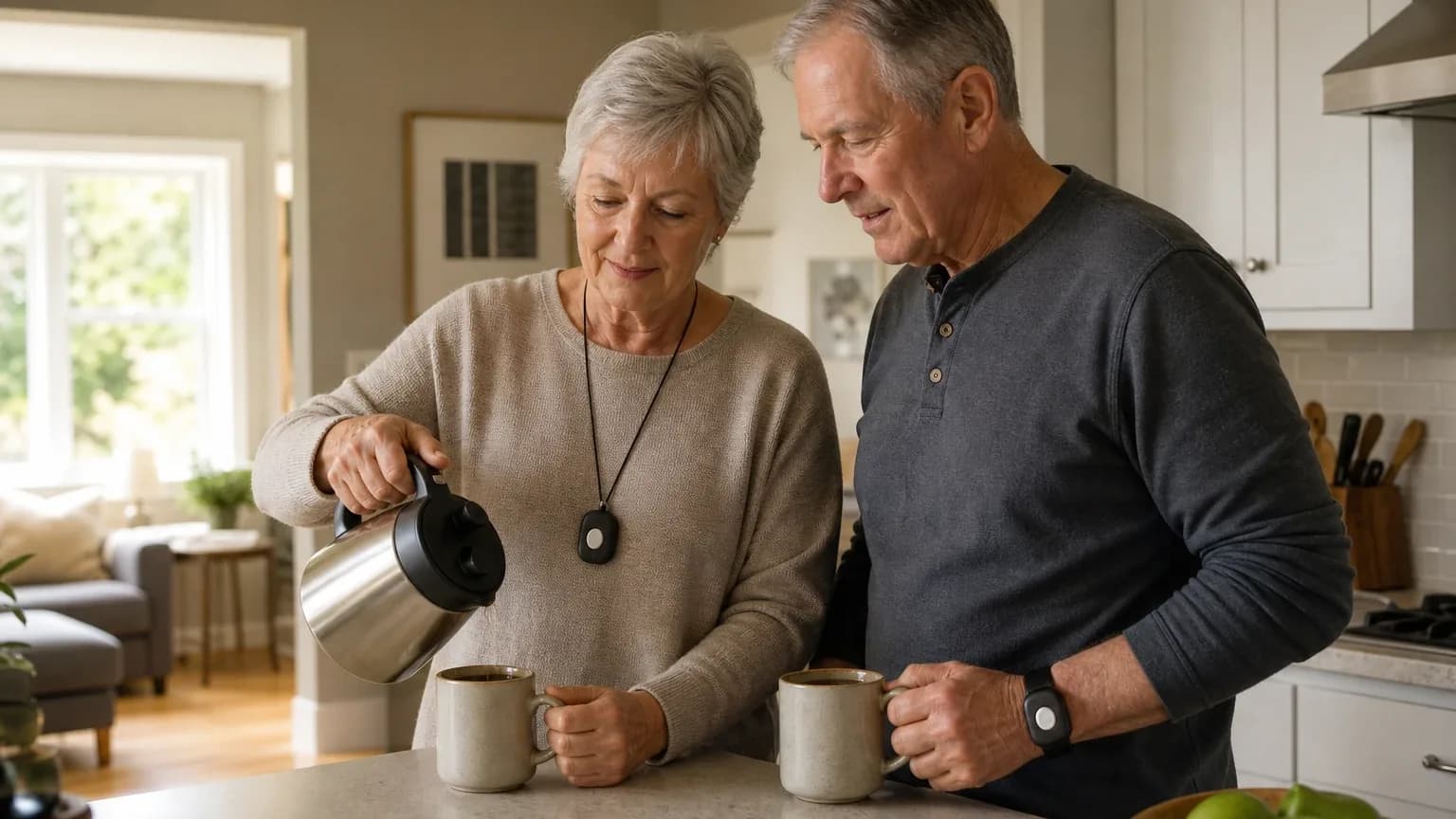
Bay Alarm Medical is a good fit for older Couples who live together and want two wearable help buttons monitored through one in-home base station. All 7 platforms that named it in the ranking stage placed it in their couples coverage, giving it a 100% share of included platform responses and an average listed rank of 1.43. The strongest reason to consider it is free monthly monitoring for a second help button on in-home systems, with only a one-time button fee. The main limitation is that separate dual-user profiles, exact second-button pricing, and per-user fall-detection costs are not clearly documented publicly.
Research Snapshot
| Field | Finding |
|---|---|
| Platform mentions in ranking stage | 7 of 7 included platforms (anthropic, deepseek, google, grok, kimi, openai, perplexity) |
| Share of included platform responses | 100% |
| Average listed rank | 1.43 |
| Best listed rank | 1 |
| Relevant product/model/plan | SOS Home (Cellular or Landline) with a second help button; optional automatic fall-detection pendant; SOS All-In-One 2 for home-and-away use |
| Overall use-case fit | Strong (3 platforms); Good (4 platforms) — 7 platforms analyzed |
| Research date | 2026-09-26 |
What Changed Since August 2026
Bay Alarm Medical remained at No. 1, and platform mentions were unchanged at 7. The September 2026 review keeps the same core recommendation, so the buyer-facing substance has not materially changed. However, the evidence is fresher: pricing now centers on the one-time second-button fee, newly reported at $39, while the $27.95/month landline figure is no longer repeated. The couples setup is still SOS Home with a second help button, and the free monthly monitoring for that button remains the main reason to choose it. Documentation gaps around separate user profiles and per-user fall detection also persist. One newly reported test figure, 16 seconds, describes average call response across ten calls. Differences between the two editions reflect what each article reports; they do not by themselves prove that the product, service, or price changed.
The August 2026 review preserves the earlier article for reference.
Why Bay Alarm Medical Qualified for This Study
Questions This Section Answers
- Why did every AI platform include Bay Alarm Medical in its ranking of medical alert systems for couples?
- Is Bay Alarm Medical a good choice for Shared Household & Two-User Protection?
Bay Alarm Medical qualified because every platform that named it in the ranking stage placed it inside its couples coverage, and its in-home systems are explicitly marketed with a second-user option. Bay Alarm Medical states it offers free spouse monitoring and free coverage for two family members in the same household, with an extra fee only for the additional pendant or button [1]. The same company position appears in its in-home product page, which says buying a second button includes free monthly monitoring for that button [3].
Independent reviewers corroborate the couples positioning. U.S. News ranked Bay Alarm Medical "best for couples" because a spouse can be added with no added monthly charge, only a one-time cost for the additional help button (grok:3). The Senior List describes a one-time fee for an additional user on its home systems (anthropic:citation_1). NCOA reports that a spouse or other household member can be covered without paying for a separate subscription [4].
The company also states no long-term contract on its medical alert monitoring [5], and independent testing has recorded fast response times, including an average of 31 seconds for SOS Home (anthropic:citation_5) and 16 seconds on average across ten test calls (anthropic:citation_10). Those performance figures are platform-reported test results, not independently verified by this review.
The Product, Model, Plan, or Service Most Relevant to Shared Household & Two-User Protection
Questions This Section Answers
- Which Bay Alarm Medical plan should a couple choose for two-user in-home protection under one account?
- Does Bay Alarm Medical's SOS Home support two pendants on one base station for a shared household?
The configuration most relevant to this use case is SOS Home, in either its landline or cellular version, paired with a second help button for the spouse. SOS Home includes an in-home base unit, a wearable help button, 24/7 monitoring, and a backup battery, and the company states that a purchased second button receives free monthly monitoring [6]. The base unit supports two residents wearing separate buttons, and buttons are available as a pendant or wristband, both waterproof, with a reported range of 800 to 1,000 feet from the base station [7].
Bay Alarm Medical's in-home system can run on a landline or cellular connection (official:C1). The company's own site lists SOS Home, cellular options, automatic fall detection, and the SOS All-In-One 2 with 4G LTE connectivity [8]. The SOS All-In-One 2 is positioned for home-and-away coverage with GPS, caregiver tracking, and optional fall detection, but it requires a purchased device rather than the leased SOS Home console [9].
One important boundary: the free spouse monitoring benefit applies to in-home systems. The On-The-Go and In-Car systems are designed for single subscribers [10], and free spousal monitoring is strictly limited to the SOS Home in-home base unit [10]. Couples who both need mobile protection should expect to pay for two separate mobile subscriptions.
What the AI Platforms Agreed About
Questions This Section Answers
- Do all major AI platforms agree that Bay Alarm Medical is a good fit for couples needing two-user monitoring?
- What does Bay Alarm Medical charge for a second pendant, and is the second user's monitoring really free?
The clearest point of agreement is the second-user pricing structure. All 7 platforms described a model in which a second household member is monitored under the same account with no additional monthly monitoring charge, and the buyer pays only a one-time fee for the extra button [12]. The Senior List states additional buttons for a spouse are $39 each (anthropic:citation_2), while Google's retrieved company page lists an extra black or white help button at $40.00 [16]. Grok reported the fee as varying slightly across reports, in the $34.95 to $40 range (grok:2).
Platforms also agreed on the core in-home mechanics: one base station, two wearable buttons, and a range boundary that keeps both users protected only while inside the home perimeter [17]. The reported range is 800 to 1,000 feet [17].
A third area of agreement is contract structure. Platforms consistently reported month-to-month service with no long-term contract [19]. Bay Alarm Medical's own site states customers can cancel anytime and receive a refund of unused months after device return, less shipping, with no long-term contracts or cancellation fees (official:C1).
Agreement among AI platforms does not prove product quality. It shows that the same public claims and reviews were available to each system.
Where the AI Platforms Disagreed or Were Uncertain
Questions This Section Answers
- Does Bay Alarm Medical support separate user profiles for each spouse, or only one shared account?
- Can both spouses add automatic fall detection, and what does that cost per user?
The largest uncertainty is dual-profile monitoring. OpenAI reported that public SOS Home materials confirm an additional button but do not clearly document separate resident profiles, individualized account records, separate caregiver permissions, or per-user alert histories [20]. DeepSeek reached the same conclusion, finding that retrieved material supports adding a spouse but does not clearly show how two separate user profiles, medications, or contacts are administered at the monitoring center [22]. Google flagged a related open question: whether the dispatch center maintains completely distinct medical files and emergency contact lists for each button, or a single shared profile [24].
The company's own app documentation states that access is currently granted to only one email per account (anthropic:citation_12), which limits independent profile access for the second user. Anthropic also reported that caregiver notification features had reliability issues in testing, with one tester not receiving phone notifications despite having them enabled (anthropic:citation_17).
Fall detection for two users is a second area of uncertainty. Platforms agreed fall detection is an optional add-on generally priced at $10 per month [25], and that an in-home fall-detection button carries a one-time equipment fee of about $30 [27]. What platforms did not resolve is whether both spouses can add fall detection under every two-user configuration, or whether each user needs a separate fall-detection pendant with its own monthly charge [28].
Pricing totals also conflicted. Perplexity reported independent reviews listing SOS Home cellular and fall-detection configurations at $29.95, $34.95, $39.95, and $44.95 per month depending on bundle [29]. DeepSeek could not confirm 2026 monthly rates, second-pendant fees, or equipment costs at all and rated its pricing confidence low [23]. DeepSeek's research also ran without search enabled and is dated 2026-01-15, so its pricing findings should be treated as unverified.
Use-Case-Specific Features and Capabilities
Questions This Section Answers
- What in-home range does Bay Alarm Medical's SOS Home provide for two users in one house?
- How does Bay Alarm Medical handle fall detection for a couple who both want the feature?
Second-pendant discounting is the strongest capability for this use case. The company states that buying a second button includes free monthly monitoring for that button [31], and independent reviewers describe the same structure (grok:1, anthropic:citation_3). This makes dual in-home coverage materially cheaper than two separate subscriptions.
Dual-profile monitoring is the weakest documented capability. The system supports two buttons on one account, but separate profiles, per-user alert histories, and independent caregiver permissions are not clearly documented [31]. The app's single-email-per-account limit is a concrete constraint (anthropic:citation_12).
Base-station range is adequate for most single-family homes but not unlimited. The reported range is 800 to 1,000 feet from the base station [34]. One independent description puts the wearable-button range at approximately 800 to 1,000 feet, and that figure should be treated as approximate because official SOS Home pages reviewed did not state a consistent range [36]. Actual performance depends on building layout and construction (kimi:unclear-1).
Individual fall-detection add-ons are available but priced per device. Automatic fall detection is generally listed as an additional $10 per month [37], with a $30 one-time device fee for the in-home fall-detection button [38]. Independent testing detected 3 of 3 test falls on SOS Home but only 7 of 10 on the SOS Micro mobile device, indicating variable performance across product lines (anthropic:citation_5, anthropic:citation_16). Fall detection is not guaranteed to detect every fall and may produce inaccuracies [37].
Overall package value is favorable for in-home couples and weaker for mobile couples. The advertised starting prices are low for monitored service, and free second-button monitoring improves couple value, but value declines if both users need separate fall-detection pendants, mobile devices, or purchased equipment [39].
Pricing, Fees, Contracts, and Ongoing Costs
Questions This Section Answers
- How much does Bay Alarm Medical cost per month for a couple, and what is the one-time second-button fee?
- Are there cancellation fees or long-term contracts on Bay Alarm Medical's couples setup?
Advertised SOS Home pricing is $27.95 per month for landline service and $34.95 per month for cellular service [41]. SOS Home cellular with fall detection is advertised at $44.95 per month [41]. Automatic fall detection is generally listed as an additional $10 per month [43].
The second-button fee is the main pricing conflict. The Senior List states additional buttons for a spouse are $39 each (anthropic:citation_2). Google's retrieved company page lists an extra help button at $40.00 [44]. Grok reported the fee varying from $34.95 to $40 across sources and advised confirming current pricing (grok:2). OpenAI reported that the exact equipment price and checkout treatment for the second button are not clear [45].
Other known costs include a $30 one-time device fee for the in-home fall-detection button [44], an optional device warranty reported at $2.95 to $4.95 per month (anthropic:citation_13), and a standard shipping fee of $12.50 that is often waived when prepaying quarterly or annually [44]. The SOS All-In-One 2 is advertised from $34.95 per month plus a discounted device purchase price of $89.40 in the reviewed pricing page [41].
Contract terms are comparatively clear. Bay Alarm Medical publicly states no contract for its compared plans [41], and independent reviews confirm month-to-month billing with no early-termination penalty (anthropic:citation_13). The SOS Home console is supplied under a $0 lease and must be returned when the subscription ends [41]. The company states it will refund any unused months after device return, less shipping, with no cancellation fees (official:C1). Cancellation requires a phone call; there is no online cancellation option (anthropic:citation_13). The reviewed sources do not clearly state cancellation notice requirements, prorated refund details, or return-shipping responsibility [41].
A typical couple's first-year estimate, based on platform-reported figures, is roughly $419 in monitoring for SOS Home Cellular plus a one-time button fee, rising by about $120 per year for each user who adds fall detection (anthropic:citation_14, anthropic:citation_15). Treat that as an estimate, not a quote.
Best Suited For
Questions This Section Answers
- Who is Bay Alarm Medical best suited for among couples who need two-user in-home protection?
- Is Bay Alarm Medical worth it for a couple who wants low recurring cost and no long-term contract?
Bay Alarm Medical is best suited for older couples who live primarily at home and want one base station with two wearable help buttons under a single account. The free second-button monitoring structure is the core value driver [46]. Budget-conscious households seeking dual monitoring without doubled monthly fees fit this model well (anthropic:citation_4, grok:2).
It also suits couples who want cellular connectivity instead of a landline [46], couples who want optional rather than mandatory fall detection [49], and buyers who prefer month-to-month service with no long-term commitment [51]. Couples who value fast response times and USA-based monitoring centers are also a reasonable match; the company reports 24/7 USA-based monitoring centers in Utah and Idaho that are UL-Listed and CSAA 5-Diamond certified (anthropic:citation_11).
Probably Not Best Suited For
Questions This Section Answers
- Who should not choose Bay Alarm Medical for Shared Household & Two-User Protection?
- Is Bay Alarm Medical a poor fit for couples who both need mobile GPS coverage?
Couples who need independently documented user profiles, separate caregiver permissions, or detailed dual-user reporting are not well served, because those capabilities are not clearly documented [52] and the app allows only one email login per account (anthropic:citation_12).
Couples who both regularly leave home and need mobile GPS protection for each person should look elsewhere, because free spouse monitoring does not extend to on-the-go devices [54]. Buyers who need a guaranteed, published whole-home range beyond the stated device range are also a poor match, since the 800-to-1,000-foot figure is approximate and not consistently stated on official pages [56].
Buyers who require transparent cancellation, equipment-return, and multi-user billing terms before purchase should verify those details first, because the reviewed public materials are incomplete on those points [57]. Couples who want fall detection included by default without monthly add-on fees should also compare alternatives [58].
When Another Option May Be Better
Questions This Section Answers
- What is a better alternative to Bay Alarm Medical for a couple who needs two independent mobile GPS devices?
- When should a couple choose a competitor over Bay Alarm Medical for dual fall detection?
Another option may be better when both partners need independent GPS coverage away from home. Platforms specifically named MobileHelp as offering systems designed for two mobile users (anthropic:citation_1, grok:1). When fall detection is a priority and should be included by default, platforms pointed to competitors such as Kanega Watch, which includes fall detection in all subscriptions (anthropic:citation_1).
When higher in-home range matters, platforms cited Medical Guardian at up to 1,400 feet versus Bay Alarm's reported 1,000 feet (anthropic:citation_1). When a longer trial period matters, LifeStation offers a 30-day risk-free trial versus Bay Alarm's 15 days (anthropic:citation_1, anthropic:citation_13). When independent profile management is required, Bay Alarm's single-email-per-account limitation may be restrictive (anthropic:citation_12).
Google noted that a couple wanting a free second standard pendant included upfront rather than a one-time purchase fee might prefer LifeFone, which includes a free second button on some in-home packages [59]. Perplexity suggested choosing another brand if the buyer wants a clearly published two-user bundle price with fewer configuration variables [60]. These alternatives are platform-reported comparisons, not independently tested findings from this review.
Questions to Verify Before Buying
- What is the exact one-time price for the second standard help button, and does it vary by promotion?
- Is the second resident added under the same account with a separate name, emergency contacts, profile, and alert history?
- Can caregivers receive separate notifications for each spouse, and has the reported notification issue been resolved?
- Does one base station support two simultaneously enrolled buttons without an additional base-station fee?
- What is the tested indoor and outdoor range for the specific cellular or landline unit in your home layout?
- Can automatic fall detection be added separately to each spouse, and what are the monthly and device fees for each?
- Does fall detection work with the standard second button, or must the second user purchase a dedicated fall-detection pendant?
- What happens if one spouse cancels while the other continues service?
- What are the cancellation notice, refund, equipment-return, and return-shipping rules in writing?
- Does cellular coverage use AT&T, Verizon, or another network at your address?
- If both spouses need protection away from home, what is the exact two-user mobile bundle price and device cost?
Final AI Consensus Verdict
Bay Alarm Medical is a good fit for cost-conscious older couples seeking two-button in-home protection under one household arrangement, especially when the second button's free monthly monitoring is confirmed at checkout. All 7 platforms that named it in the ranking stage included it in their couples coverage, with an average listed rank of 1.43 and a best rank of 1. Platform fit ratings ranged from "good" (openai, deepseek, kimi, perplexity) to "strong" (anthropic, google, grok).
It is not an unequivocally strong fit because separate dual-user profiles, exact second-button pricing, per-user fall-detection costs, and complete cancellation terms are not clearly documented publicly [61]. Buyers who need independent profiles, dual mobile coverage, or fully transparent two-user pricing should verify those details directly or compare alternatives before committing.
How This Review Was Produced
This review evaluates Bay Alarm Medical only for the Shared Household & Two-User Protection use case within the broader Shared Household & Two-User Protection study. It is not a broad company review. Seven AI platforms were queried for medical alert systems suited to older couples living in the same home: anthropic, deepseek, google, grok, kimi, openai, and perplexity. All 7 named Bay Alarm Medical during ranking discovery, and each platform's fit findings, pricing details, and limitations were extracted and compared.
The study covers the same buyer category as other medical alert systems research on this site. Platform outputs were treated as platform-reported evidence, not independently verified facts. Where platforms conflicted, the conflict is disclosed rather than resolved by guessing.
Methodology Limitations
Platform-reported research dates differ from the authoritative run date of 2026-09-26. Anthropic and grok reported 2026-09-27, deepseek reported 2026-01-15, and google, kimi, openai, and perplexity reported 2026-09-26. These dates are provenance metadata and do not independently prove freshness.
DeepSeek's research ran without search enabled, so its pricing and plan findings are unverified and should be confirmed directly. Official-site retrieval failed for one or more ranking-stage mentions, and no failed fetch was used as a verified domain key. The supplied URLs were collected from platform responses and were not independently validated by the writer stage. Citations are platform-reported evidence, not independently verified facts.
Pricing conflicts were not resolved: multiple sources cite different starting prices and second-button fees, and the exact two-user package price for every configuration in 2026 is not clearly published in one place. The requested research year is 2026, but current pricing and plan terms may change before purchase. Advertised monitoring and fall detection do not guarantee detection, connection, or emergency outcomes.
Sources
Company-Owned Sources
- In-Home Cellular With Fall Detection - Login | Bay Alarm Medical: https://vertexaisearch.cloud.google.com/grounding-api-redirect/AUZIYQFZ0YxOa_Q9S-TjcHaMJrjwZBXDo04TbDL024ebSDot40OYnhC9NQEWEkm0MsDoo8rxWh0PKc5396R7xnFSoeF1rXvtMAIDKXmkCMdX4Lf4L3oteFNq7O5xco9Qv1ZkzlgAlQDk_4Y=
- How do Medical Alert Systems Work? | FAQs - Bay Alarm Medical: https://vertexaisearch.cloud.google.com/grounding-api-redirect/AUZIYQGaK48naT83ZzyRAhhPW3gWC9gKqMnN7cE16dwUtv_mxU--NKjUf9vQ6c0uwM9TopKJ5uRMwvoJx9IbmyZzdqfsbNLC0V799D8d60SdTOvuXb2kBe_LqEtJKsu4j3rMm7d46QA_HgbU_gABUpcVBMs91w==
- Bay Alarm Medical — Medical Alert Systems: https://www.bayalarmmedical.com/
- Bay Alarm Medical App for iPhone & Android: https://www.bayalarmmedical.com/app/
- Bay Alarm Medical: https://www.bayalarmmedical.com/free-quote/
- How do Medical Alert Systems Work? | FAQs - Bay Alarm Medical: https://www.bayalarmmedical.com/frequently-asked-questions/
- Bay Alarm Medical — In-Home Systems: https://www.bayalarmmedical.com/in-home-medical-alert-systems/
- Award-Winning Medical Alert Systems for Seniors: https://www.bayalarmmedical.com/medical-alert-system/
- Fall Detection Devices for Seniors - Bay Alarm Medical: https://www.bayalarmmedical.com/medical-alert-system/automatic-fall-detection/
- Personal Emergency Response System - Bay Alarm Medical: https://www.bayalarmmedical.com/medical-alert-system/in-home/
- Medical Alert Costs | Compare Us to Life Alert and Other Providers: https://www.bayalarmmedical.com/pricing/
Additional AI research evidence63 records
- AI research evidence record perplexity:c1
- AI research evidence record perplexity:c2
- AI research evidence record openai:c1
- AI research evidence record perplexity:c4
- AI research evidence record deepseek:c2
- AI research evidence record openai:c1
- AI research evidence record google:1.1.1
- AI research evidence record perplexity:c3
- AI research evidence record openai:c5
- AI research evidence record google:2.2.3
- AI research evidence record google:3.2.9
- AI research evidence record openai:c1
- AI research evidence record perplexity:c1
- AI research evidence record google:1.1.3
- AI research evidence record deepseek:c1
- AI research evidence record google:3.2.4
- AI research evidence record google:1.1.1
- AI research evidence record google:3.2.9
- AI research evidence record deepseek:c2
- AI research evidence record openai:c1
- AI research evidence record openai:c2
- AI research evidence record deepseek:c1
- AI research evidence record deepseek:c2
- AI research evidence record google:2.2.3
- AI research evidence record openai:c4
- AI research evidence record google:3.1.3
- AI research evidence record google:3.2.4
- AI research evidence record perplexity:c4
- AI research evidence record perplexity:c5
- AI research evidence record perplexity:c6
- AI research evidence record openai:c1
- AI research evidence record perplexity:c2
- AI research evidence record deepseek:c1
- AI research evidence record google:1.1.1
- AI research evidence record google:3.2.9
- AI research evidence record openai:c3
- AI research evidence record openai:c4
- AI research evidence record google:3.2.4
- AI research evidence record openai:c2
- AI research evidence record openai:c5
- AI research evidence record openai:c2
- AI research evidence record google:3.2.5
- AI research evidence record openai:c4
- AI research evidence record google:3.2.4
- AI research evidence record openai:c1
- AI research evidence record openai:c1
- AI research evidence record perplexity:c1
- AI research evidence record perplexity:c3
- AI research evidence record deepseek:c2
- AI research evidence record openai:c4
- AI research evidence record google:3.2.4
- AI research evidence record openai:c1
- AI research evidence record deepseek:c1
- AI research evidence record google:2.2.3
- AI research evidence record google:3.2.9
- AI research evidence record openai:c3
- AI research evidence record openai:c2
- AI research evidence record google:3.1.3
- AI research evidence record google:1.1.1
- AI research evidence record perplexity:c1
- AI research evidence record openai:c1
- AI research evidence record deepseek:c1
- AI research evidence record perplexity:c4
Independent Sources
- Bay Alarm Medical Review 2026: Cost, Plans & Verdict: https://medicalalertreview.com/bay-alarm-medical-review
- Bay Alarm Medical Medical Alert System Review 2026: https://realestate.usnews.com/home-services/medical-alert-system/bay-alarm-medical
- Bay Alarm Medical Review 2026: Hidden Costs and Real Response Times: https://seniorsite.org/resource/bay-alarm-medical-review-2026-hidden-costs-and-real-response-times/
- Bay Alarm Medical Costs, Our In-Depth Analysis 2026 - The Senior List: https://vertexaisearch.cloud.google.com/grounding-api-redirect/AUZIYQE25siSzdJP-_gH_U4fy-OEj66AfwqDCgtT5i8NWsheYpvNjHsOUxpS58NsRnY4DxDOnxE1dHSZeqnMfrNwPqLg_s56QzEJI2eBwIAlTLCWojTg5NYoRNDxWsiO94Z8j6DJhM85Sj1rwn1jONV_GoGml1vZMC_NpYTNuyzB
- Cheapest & Most Affordable Medical Alert Systems of 2026 - SafeHome.org: https://vertexaisearch.cloud.google.com/grounding-api-redirect/AUZIYQE9reL_t0aM2lYq2zH49TfvphR-qcmqxZjp3cFHTzDhsBcC0lfeqJq6pDEaA3mEFkloUANJSj5Y_kq9doziNmpxq7x3ygbDSUBHycDyBosvicwkGZIkg4QzwoWXBjcqU4DDtlKRG0Q3Mz8LNi0R9_6Lkab0nZY=
- Medical Alert Systems for Couples: Protecting Two People at Once - UnaliWear: https://vertexaisearch.cloud.google.com/grounding-api-redirect/AUZIYQGgTwinV48TjgRQk-PhoOUZ4HN5bKCf5Jpg9BY3bvhAmq3M3dwqzeYtwQqJdFpgFf1ItogFZZixDrpT-QnlucWOkaKr64lvDCTRnfUrjPku3vw7K5MkMlxcaro4Dc4zPNFSSfWnNm3--anpUA9ewoJAn6IXTgYHjyHHxUXdGMGLGsKDkCo=
- Bay Alarm Medical Review (2026): Tested & Approved: https://www.aarp.org/caregiving/home-care/bay-alarm-medical-review/
- Bay Alarm Medical Review 2025: Cost and Features: https://www.ncoa.org/adviser/medical-alert-systems/bay-alarm-medical-review/
- Bay Alarm Medical Review in 2026: https://www.ncoa.org/product-resources/medical-alert-systems/bay-alarm-medical-review/
- Bay Alarm Medical Alert Systems Cost & Packages: https://www.safehome.org/medical-alert-systems/bay-alarm-medical/
- The Best Couples for Medical Alert Systems: https://www.theseniorlist.com/medical-alert-systems/best/couples/
- Medical Alert Systems for Couples: Protecting Two People at Once: https://www.unaliwear.com/senior-safety-101/medical-alert-systems-for-couples/
Additional AI research evidence63 records
- AI research evidence record perplexity:c1
- AI research evidence record perplexity:c2
- AI research evidence record openai:c1
- AI research evidence record perplexity:c4
- AI research evidence record deepseek:c2
- AI research evidence record openai:c1
- AI research evidence record google:1.1.1
- AI research evidence record perplexity:c3
- AI research evidence record openai:c5
- AI research evidence record google:2.2.3
- AI research evidence record google:3.2.9
- AI research evidence record openai:c1
- AI research evidence record perplexity:c1
- AI research evidence record google:1.1.3
- AI research evidence record deepseek:c1
- AI research evidence record google:3.2.4
- AI research evidence record google:1.1.1
- AI research evidence record google:3.2.9
- AI research evidence record deepseek:c2
- AI research evidence record openai:c1
- AI research evidence record openai:c2
- AI research evidence record deepseek:c1
- AI research evidence record deepseek:c2
- AI research evidence record google:2.2.3
- AI research evidence record openai:c4
- AI research evidence record google:3.1.3
- AI research evidence record google:3.2.4
- AI research evidence record perplexity:c4
- AI research evidence record perplexity:c5
- AI research evidence record perplexity:c6
- AI research evidence record openai:c1
- AI research evidence record perplexity:c2
- AI research evidence record deepseek:c1
- AI research evidence record google:1.1.1
- AI research evidence record google:3.2.9
- AI research evidence record openai:c3
- AI research evidence record openai:c4
- AI research evidence record google:3.2.4
- AI research evidence record openai:c2
- AI research evidence record openai:c5
- AI research evidence record openai:c2
- AI research evidence record google:3.2.5
- AI research evidence record openai:c4
- AI research evidence record google:3.2.4
- AI research evidence record openai:c1
- AI research evidence record openai:c1
- AI research evidence record perplexity:c1
- AI research evidence record perplexity:c3
- AI research evidence record deepseek:c2
- AI research evidence record openai:c4
- AI research evidence record google:3.2.4
- AI research evidence record openai:c1
- AI research evidence record deepseek:c1
- AI research evidence record google:2.2.3
- AI research evidence record google:3.2.9
- AI research evidence record openai:c3
- AI research evidence record openai:c2
- AI research evidence record google:3.1.3
- AI research evidence record google:1.1.1
- AI research evidence record perplexity:c1
- AI research evidence record openai:c1
- AI research evidence record deepseek:c1
- AI research evidence record perplexity:c4
Other Sources
- Get a Free Quote | Bay Alarm Medical: https://www.bayalarmmedical.com/free-quote/?affiliate_id=rr_3685389
Additional AI research evidence63 records
- AI research evidence record perplexity:c1
- AI research evidence record perplexity:c2
- AI research evidence record openai:c1
- AI research evidence record perplexity:c4
- AI research evidence record deepseek:c2
- AI research evidence record openai:c1
- AI research evidence record google:1.1.1
- AI research evidence record perplexity:c3
- AI research evidence record openai:c5
- AI research evidence record google:2.2.3
- AI research evidence record google:3.2.9
- AI research evidence record openai:c1
- AI research evidence record perplexity:c1
- AI research evidence record google:1.1.3
- AI research evidence record deepseek:c1
- AI research evidence record google:3.2.4
- AI research evidence record google:1.1.1
- AI research evidence record google:3.2.9
- AI research evidence record deepseek:c2
- AI research evidence record openai:c1
- AI research evidence record openai:c2
- AI research evidence record deepseek:c1
- AI research evidence record deepseek:c2
- AI research evidence record google:2.2.3
- AI research evidence record openai:c4
- AI research evidence record google:3.1.3
- AI research evidence record google:3.2.4
- AI research evidence record perplexity:c4
- AI research evidence record perplexity:c5
- AI research evidence record perplexity:c6
- AI research evidence record openai:c1
- AI research evidence record perplexity:c2
- AI research evidence record deepseek:c1
- AI research evidence record google:1.1.1
- AI research evidence record google:3.2.9
- AI research evidence record openai:c3
- AI research evidence record openai:c4
- AI research evidence record google:3.2.4
- AI research evidence record openai:c2
- AI research evidence record openai:c5
- AI research evidence record openai:c2
- AI research evidence record google:3.2.5
- AI research evidence record openai:c4
- AI research evidence record google:3.2.4
- AI research evidence record openai:c1
- AI research evidence record openai:c1
- AI research evidence record perplexity:c1
- AI research evidence record perplexity:c3
- AI research evidence record deepseek:c2
- AI research evidence record openai:c4
- AI research evidence record google:3.2.4
- AI research evidence record openai:c1
- AI research evidence record deepseek:c1
- AI research evidence record google:2.2.3
- AI research evidence record google:3.2.9
- AI research evidence record openai:c3
- AI research evidence record openai:c2
- AI research evidence record google:3.1.3
- AI research evidence record google:1.1.1
- AI research evidence record perplexity:c1
- AI research evidence record openai:c1
- AI research evidence record deepseek:c1
- AI research evidence record perplexity:c4
Verify This Research
Review the study details behind this page or download the public machine-readable verification record.
- Study date
- September 26, 2026
- Platforms analyzed
- 7
- Source records
- 26
- Ranking mentions
- 7 of 7
- Platform share
- 100%
- Final consensus rank
- #1
Research trail and source mix
Configured platforms
openai, anthropic, deepseek, grok, perplexity, kimi, google
Source mix
14 independent · 11 company-owned · 1 unclear
Evidence support
21 direct · 4 partial
Important limitation
Use the run research_date as the study date. Platform-reported dates are provenance metadata and do not independently prove freshness.
Source snapshot SHA-256 c2d5b23cf17ddac7fb73228e7a565f5b0a0523a276309b8f8eb4a3f9cecd8651
Archived editions
Browse earlier published research snapshots for this article. The latest edition remains at the current URL.