
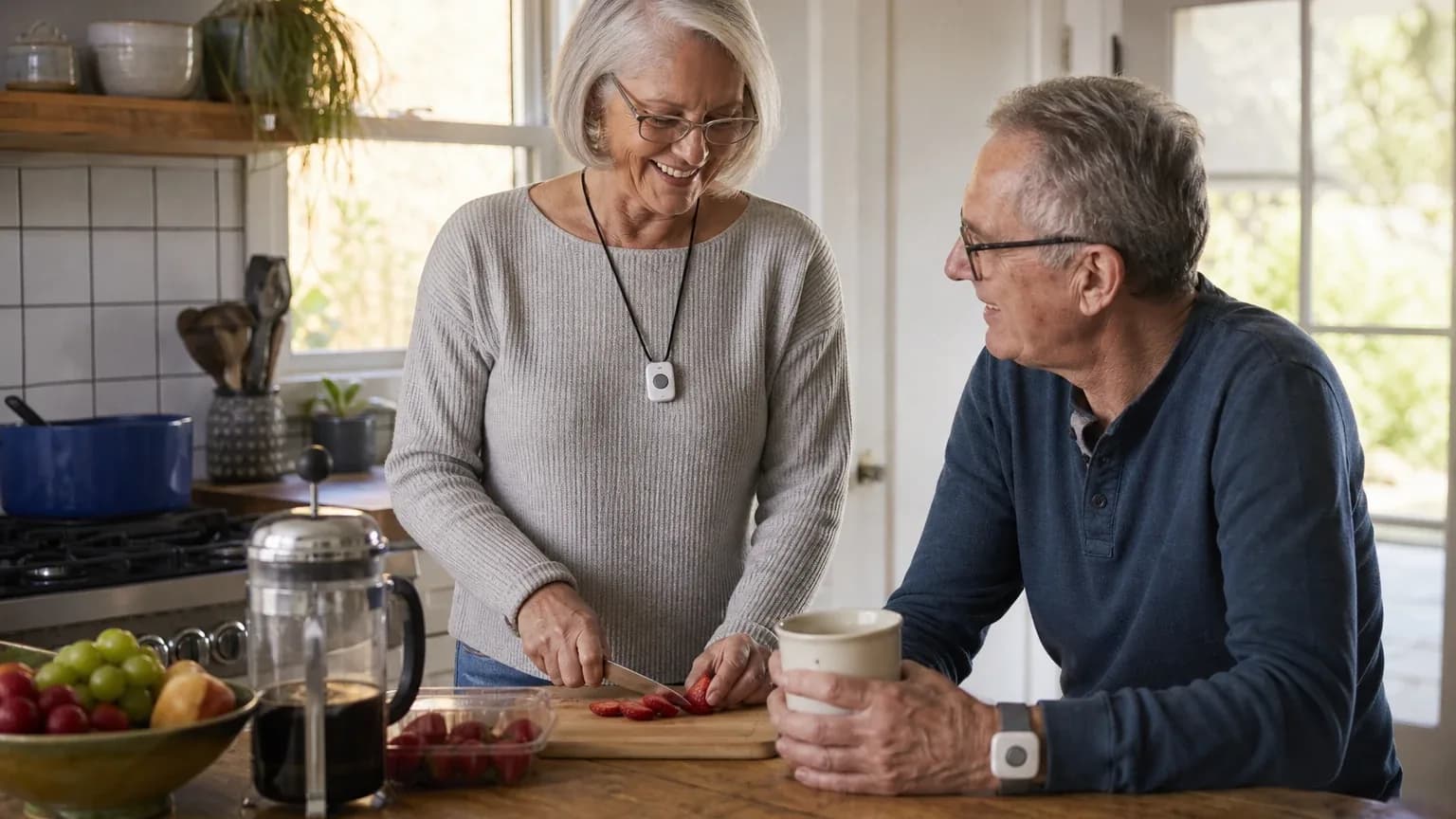
Answer Capsule
Bay Alarm Medical leads the September 2026 consensus ranking for Shared Household & Two-User Protection, followed by LifeFone and Medical Guardian. The current study includes 7 valid AI-platform responses and 7 qualifying entities. Compared with August 2026, the leader did not change. The current list added ADT Health Medical Alert Plus and Life Alert Classic System and removed Alert1, One Call Alert, ADT Health, and GetSafe. This is an immediately preceding-month comparison. Rank movement measures changes in this collection of standardized AI-platform responses. It is not product testing, customer-review evidence, or proof that a provider's underlying quality improved or declined.
What Changed Since August 2026
This comparison uses the immediately preceding completed month.
Bay Alarm Medical remained No. 1 in September 2026. It was named by 7 platforms, compared with 7 in August 2026. Both studies used 7 valid platform responses.
The largest upward moves were LifeFone (up 1). The largest downward moves were Medical Guardian (down 1).
The current qualifying set added ADT Health Medical Alert Plus and Life Alert Classic System. It no longer includes Alert1, One Call Alert, ADT Health, and GetSafe from the earlier top group. Entry or exit reflects the minimum-mention rule and the current response set, not a product launch, discontinuation, or quality finding.
| Current rank | Entity | Previous rank | Rank movement | Current mentions | Previous mentions | Mention change |
|---|---|---|---|---|---|---|
| 1 | Bay Alarm Medical | 1 | No change | 7 | 7 | +0 |
| 2 | LifeFone | 3 | Up 1 | 7 | 6 | +1 |
| 3 | Medical Guardian | 2 | Down 1 | 7 | 6 | +1 |
| 4 | MobileHelp | 4 | No change | 6 | 5 | +1 |
| 5 | ADT Health Medical Alert Plus | — | New | 4 | — | — |
| 6 | Medical Alert Basic Systems | 6 | No change | 3 | 2 | +1 |
| 7 | Life Alert Classic System | — | New | 2 | — | — |
| — | Alert1 | 5 | Exited | — | 2 | — |
| — | One Call Alert | 7 | Exited | — | 2 | — |
| — | ADT Health | 8 | Exited | — | 2 | — |
| — | GetSafe | 9 | Exited | — | 2 | — |
The table is calculated directly from the two stored ranking datasets. Positive rank movement means an entity moved closer to No. 1; mention change shows the difference in the number of included platform responses naming it.
The August 2026 edition preserves the complete earlier ranking and methodology for reference.
Research Snapshot
- Topic: Best medical alert systems for shared household and two-user protection
- Target buyer: Older couples living in the same home who require dual emergency monitoring under a shared account
- Geography: United States
- Platforms included (7): openai, anthropic, deepseek, grok, perplexity, kimi, google
- Research date: 2026-09-26
- Unique entities named: 16
- Qualifying entities: 7
- Eligibility rule: Named by at least two platforms during ranking discovery
- Ranking unit: System bundle and service provider
- Category criteria: Second-pendant discounting, dual-profile monitoring, base station range, individual fall-detection add-ons, overall package value
Platform mentions count only ranking-discovery mentions. All included platforms evaluated fit, but a platform that did not name an entity during ranking discovery is not counted as a mention for that entity.
The Consensus Ranking
Questions This Section Answers
- What are the best medical alert systems for older couples who need two-user protection under one shared household account in 2026?
- Which medical alert system for couples was named by the most AI platforms, and how many platforms named it?
Bay Alarm Medical ranks first, named by all 7 platforms with an average listed position of 1.43 and a best position of 1. LifeFone and Medical Guardian also appear on all 7 platforms. MobileHelp appears on 6 platforms but holds a better average position (3.33) than Medical Guardian (3.57), which is why the two are separated by mention count rather than average rank alone.
| Rank | Entity | Platform mentions | Share of platform responses | Average listed position | Best position | Best considered for |
|---|---|---|---|---|---|---|
| 1 | Bay Alarm Medical | 7 | 100.0% | 1.43 | 1 | Older couples living primarily at home who want one base station and two help buttons.; Households seeking low recurring cost and no stated long-term contract.; Couples who want cellular connectivity instead of a landline. |
| 2 | LifeFone | 7 | 100.0% | 2.29 | 1 | Couples who want two basic monitored pendants or wristbands without paying for two full monitoring subscriptions.; Households without a landline that want a cellular base station.; Couples who want optional fall detection for one or both users at an additional monthly cost. |
| 3 | Medical Guardian | 7 | 100.0% | 3.57 | 2 | Couples needing two wearable emergency buttons around one home base station.; Households wanting cellular connectivity rather than a landline.; Couples wanting one or two individually selected fall-detection pendants as add-ons. |
| 4 | MobileHelp | 6 | 85.7% | 3.33 | 1 | Couples who want one in-home cellular base station plus mobile coverage for one or both users.; Households prioritizing long stated in-home range and optional automatic fall detection.; Buyers willing to confirm configuration, user profiles, and total two-person pricing by phone. |
| 5 | ADT Health Medical Alert Plus | 4 | 57.1% | 5.75 | 4 | Couples wanting one in-home cellular base station with two individually worn emergency buttons; Homes where a stated 600-foot base-station range is useful for yards or larger floor plans; Buyers who want optional fall detection for one or both users and do not want a long-term contract |
| 6 | Medical Alert Basic Systems | 3 | 42.9% | 6.33 | 5 | Couples living in one home who want one shared base station and response connection.; Households needing up to 800 feet of advertised base-station coverage and cellular operation without a landline.; Couples where fall detection is needed for one or both partners and can be added per pendant. |
| 7 | Life Alert Classic System | 2 | 28.6% | 7.0 | 5 | Couples who prioritize a traditional professionally monitored home emergency button and a large advertised base-station range.; Households willing to obtain a customized telephone quote and accept potentially high recurring costs and contract obligations.; Single-user households with high reliability and US-based monitoring priority |
Which Option Is Best for Which Version of the Buyer Need?
Questions This Section Answers
- Which medical alert system should a couple choose if they want a second pendant with no added monthly monitoring charge?
- Is Bay Alarm Medical or LifeFone better for two-user in-home protection when fall detection matters for both partners?
- Which medical alert system for couples is best if one partner regularly leaves home and needs mobile GPS coverage?
| Buyer need | Best-fit option | Why, from the evidence |
|---|---|---|
| Lowest recurring cost for two in-home users | Bay Alarm Medical | Free monthly monitoring for a purchased second button; SOS Home advertised at $27.95/mo landline and $34.95/mo cellular [e1:openai:c2] |
| Free second pendant included with the plan | LifeFone | At-Home Landline and At-Home Cellular include free spousal monitoring with a second help button [e2:anthropic:20-3] |
| Longest stated in-home range | Medical Guardian | MGHome Cellular advertises up to 1,400 feet from the base station [e3:openai:c7] |
| One partner needs mobile/GPS coverage | MobileHelp | Classic Cellular plus mobile Elite architecture; Classic Cellular stated at up to 1,400 feet in-home [e4:openai:c2] |
| Established brand with a lifetime rate lock | ADT Health Medical Alert Plus | Month-to-month plan with a stated Price Lock Guarantee and a $3/mo second-wearable monitoring fee [e5:google:2.3.6] |
| Individual profiles for each partner on one base | Medical Alert Basic Systems | Company states each person uses a separate help button with an individual profile and response plan [e6:openai:c1] |
| Traditional monitored button, large advertised range | Life Alert Classic System | Advertised up to 1,000 feet of main-unit range with waterproof manual pendants [e7:openai:c2] |
| Dual fall detection for both partners | Bay Alarm Medical or LifeFone | Bay Alarm fall detection listed at $10/mo; LifeFone fall detection listed at $5/mo per user [e1:openai:c4][e2:anthropic:21-1] |
1. Bay Alarm Medical
Questions This Section Answers
- Is Bay Alarm Medical worth it for older couples who need two help buttons on one base station, and what are its main drawbacks?
- Which medical alert system for couples has the lowest published monthly cost for two in-home users, and what fees apply?
Bay Alarm Medical is the consensus leader for this use case: it was named by all 7 platforms, holds an average listed position of 1.43, and was ranked first by deepseek, google, grok, and kimi. Its core advantage is a stated policy that purchasing a second button includes free monthly monitoring for that additional button, which is the single most decision-relevant fact for a two-person household [e1:openai:c1]. Anthropic reported that U.S. News ranked the company "best for couples," and independent testing cited fast response times and reliable fall-detection options [e1:anthropic:citation_5].
Why it ranked here. Bay Alarm Medical is the only entity in this index that every platform named, and it was the top pick on four of the seven. The ranking reflects broad agreement that its couples-oriented in-home configuration — one base station, two wearable buttons, one monitoring charge — maps directly onto the shared-household use case.
Best suited for. Older couples living primarily at home who want one base station and two help buttons; households seeking low recurring cost and no stated long-term contract; couples who want cellular connectivity instead of a landline.
Main strengths for the use case. Explicit free monthly monitoring for a second help button; one in-home base station supporting two residents wearing separate buttons; a cellular option that avoids landline dependence; optional fall detection that can be added rather than required for every user; low advertised starting price and no stated contract requirement [e1:openai:c1]. Anthropic reported a 31-second average response time, USA-based monitoring centers in Utah and Idaho, and 5-Diamond CSAA certification [e1:anthropic:citation_11].
Main limitations. Public materials do not establish robust dual-profile account management; the second standard button's one-time cost is not clearly published; each user's fall-detection needs may create separate monthly and device charges; SOS Home is not a full mobile/GPS solution for couples who spend significant time away from home; equipment-return and cancellation details are incomplete in the reviewed public materials [e1:openai:c1]. Anthropic also reported that the mobile app allows only one email login per account, which may limit independent profile access for the second user [e1:anthropic:citation_12].
Pricing or cost summary. Advertised SOS Home pricing is $27.95 per month for landline service and $34.95 per month for cellular; SOS Home cellular with fall detection is advertised at $44.95 per month; automatic fall detection is generally listed as an additional $10 per month; the SOS Home console is supplied under a $0 lease and must be returned when the subscription ends [e1:openai:c2]. Anthropic reported the second button at $39 one-time with no additional monthly monitoring fee, and a 15-day risk-free trial [e1:anthropic:citation_2]. Google reported the second standard wearable help button at a $40.00 one-time equipment fee with $0 ongoing monthly monitoring fees for that button [e1:google:3.2.4]. These figures conflict at the margin and should be confirmed at checkout.
Where platforms disagreed. Pricing confidence varied sharply. Anthropic rated pricing confidence high and cited $27.95 landline and $34.95 cellular as verified; deepseek rated pricing confidence low and stated that exact 2026 monthly rates, second-pendant fees, and equipment costs were not confirmed in retrieved sources [e1:deepseek:c1]. Perplexity reported inconsistent public pricing across sources, with independent reviews citing totals of $29.95, $34.95, $39.95, and $44.95 per month depending on configuration [e1:perplexity:c5]. Kimi noted that its search results focused on unrelated identity-theft services, so its LifeFone-style verification of Bay Alarm specifics was partial [e1:kimi:unclear-1]. The free-spouse-monitoring claim itself was consistent across platforms, but the exact accessory fee was not.
Read the complete Bay Alarm Medical fit review for the full two-user configuration breakdown.
What Changed Since August 2026
Bay Alarm Medical remained at No. 1, and platform mentions were unchanged at 7. The September 2026 article gives Bay Alarm Medical a fuller buyer-facing treatment than the August 2026 write-up, which led with a verdict and a simple fit label. The current section states that a purchased second button includes free monthly monitoring, and it newly reports $27.95 per month for landline SOS Home and $34.95 per month for cellular service; the earlier $10/month figure is no longer repeated. The prior article's advertised 1,000-foot range, tested 200-foot range, 31-second response time, and 15-day trial are also dropped, removing concrete performance context. Limitations now emphasize incomplete dual-profile support, unpublished second-button costs, and unclear cancellation terms. Differences between the two editions reflect what each article reports; they do not by themselves prove that the product, service, or price changed.
2. LifeFone
Questions This Section Answers
- Is LifeFone worth it for couples who want a free second pendant, and what are its main drawbacks?
- Which medical alert system for couples has the cheapest published fall-detection add-on per user?
LifeFone ranks second, named by all 7 platforms with an average listed position of 2.29 and a best position of 1. It was ranked first by anthropic and openai. Its defining feature for this use case is that At-Home Cellular and At-Home Landline include free spousal monitoring with a second help button, making the basic two-user configuration materially cheaper than purchasing two separate full monitoring plans [e2:anthropic:20-3].
Why it ranked here. LifeFone combines the two strongest couple-specific economics in the index: a free second pendant and the lowest published fall-detection add-on at $5 per month. It ranks below Bay Alarm Medical because its advertised range claims were contradicted by independent testing more severely than any other entity in this index.
Best suited for. Couples who want two basic monitored pendants or wristbands without paying for two full monitoring subscriptions; households without a landline that want a cellular base station; couples who want optional fall detection for one or both users at an additional monthly cost.
Main strengths for the use case. Free basic spousal monitoring and a second help button; At-Home Cellular avoids the need for a landline or the buyer's personal cell phone; an advertised 1,300-foot range and 32-hour base backup battery; optional fall detection that can be added without purchasing a second complete monitoring plan; no activation or equipment fees advertised for the standard service [e2:openai:c1]. Google reported that LifeFone maintains personalized Emergency Care Instructions for each individual on the account, so when either spouse presses their specific button the monitoring center accesses that person's medical profile [e2:google:1.2.2].
Main limitations. The public documentation does not clearly establish separate user profiles or separate emergency-care instructions for each spouse; the second basic button is not equivalent to a second full plan with independently specified fall detection; fall detection is not guaranteed to detect every fall and reduces pendant battery life; cellular service depends on AT&T coverage at the home; the advertised range is a maximum and may be reduced by walls, floors, construction materials, terrain, or interference [e2:openai:c1]. Anthropic reported that independent testing found the At-Home Cellular pendant worked consistently at about 80 feet and became spotty above 100 feet, against an advertised 1,300 feet [e2:anthropic:21-12].
Pricing or cost summary. LifeFone lists At-Home Landline at $24.95 per month and At-Home Cellular at $30.95 per month when billed annually; optional fall detection is listed at $5 per month; additional standalone pendant or wristband is $39.95 each plus applicable shipping; the Protection Plan is $5 per month [e2:openai:c1]. Anthropic reported month-to-month billing typically running $29.95–$34.95 per month, with no activation, equipment, or shipping fees and a 30-day money-back guarantee [e2:anthropic:12-11].
Where platforms disagreed. Range was the sharpest conflict. LifeFone's own specification states up to 1,300 feet [e2:anthropic:23-6], while independent testing reported connection distances of 65 feet and consistent operation only to about 80 feet [e2:anthropic:22-5][e2:anthropic:21-14]. Fall-detection reliability also conflicted: company materials claim approximately 95 percent detection [e2:anthropic:28-2], while independent testing captured 2 of 3 simulated falls and Forbes Health reported activation in one third of tests [e2:anthropic:27-1][e2:openai:c7]. Deepseek rated pricing confidence low and reported possible activation and equipment fees that other platforms did not confirm [e2:deepseek:c2]. Kimi reported that official-site retrieval failed during its research and that all LifeFone-specific claims relied on ranking-stage information rather than directly browsed sources [e2:kimi:lifefone-unverified-1].
Read the complete LifeFone fit review for the full two-user configuration breakdown.
What Changed Since August 2026
LifeFone moved up from No. 3 to No. 2, and platform mentions increased from 6 to 7. The September 2026 article keeps LifeFone's core couple pitch — free spousal monitoring and a free second help button — but sharpens the caveats. The earlier write-up called the fit strong-to-good; the current one now says the advertised range claims were contradicted by testing more severely than any other option here. The August article reported an advertised 1,300–1,500 feet, while the current section describes consistent operation at about 80 feet and spotty service above 100 feet. It also newly reports a $5 per month fall-detection add-on and $24.95 per month At-Home Landline pricing; the earlier $5/month figure is no longer repeated as stated. Differences between the two editions reflect what each article reports; they do not by themselves prove that the product, service, or price changed.
3. Medical Guardian
Questions This Section Answers
- Is Medical Guardian worth it for couples who need two pendants on one base station, and what are its main drawbacks?
- Which medical alert system for couples has the longest advertised base-station range, and what does the second pendant cost per month?
Medical Guardian ranks third, named by all 7 platforms with an average listed position of 3.57 and a best position of 2. It was ranked second by deepseek. Its distinguishing feature is stated range: MGHome Cellular advertises up to 1,400 feet of protection from the base station, the longest advertised figure in this index [e3:openai:c7].
Why it ranked here. Medical Guardian supports the two-user architecture well — multiple interchangeable help buttons synced to one base station, with a second pendant advertised as monitored for free — but it carries higher and less consistent pricing than the two entities above it, and its range claim was contradicted by independent testing more than any other entity's.
Best suited for. Couples needing two wearable emergency buttons around one home base station; households wanting cellular connectivity rather than a landline; couples wanting one or two individually selected fall-detection pendants as add-ons; homes where a 1,400-foot stated button range and 32-hour base-station backup battery are adequate.
Main strengths for the use case. Explicit spouse-monitoring support on one MGHome Cellular system; a free-monitoring claim for a second MGHome pendant; multiple interchangeable wearable buttons paired to one base station; a 1,400-foot stated range and 32-hour backup battery; optional fall detection that can be selected rather than imposed on every wearer; a cellular model that avoids the need for a household landline [e3:openai:c1]. Anthropic reported that each member can have multiple users assigned to support their care with configurable access levels, and that caregivers supporting multiple members can switch between linked accounts [e3:anthropic:12-2].
Main limitations. No clear public confirmation of separate dual-member profiles or individualized monitoring records; no clear public price for the second wearable button or second fall-detection pendant; fall detection is not guaranteed to detect every fall and may generate false alarms; the base-station speaker is the two-way communication point, so wearable buttons do not provide direct two-way voice; actual range and cellular performance depend on the home's construction and local network conditions; current public pricing is inconsistent across Medical Guardian pages and documents [e3:openai:c1]. Anthropic reported that real-world in-home range testing extended only to about 300 feet against the advertised 1,400 feet [e3:anthropic:29-1].
Pricing or cost summary. Public Medical Guardian materials do not present one consistent current price for the exact two-user MGHome configuration. MGHome Cellular pages show starting prices ranging from $34.95 to $41.95 per month; fall detection is listed at an additional $10 per month; a second MGHome pendant is advertised as monitored for free, but hardware purchase or lease pricing is not clearly itemized [e3:openai:c1]. Google reported the Home 2.0 equipment fee at $149.95 one-time, base monitoring starting at $37.95 per month, the additional spouse pendant at $2.99 per month, and automatic fall detection at $10.00 per month per device [e3:google:1.3.2]. Anthropic reported the second pendant at $149.95 to purchase with fall detection at $10 per month per user [e3:anthropic:5-2].
Where platforms disagreed. The second-pendant cost is the largest unresolved conflict. Google and grok reported a low recurring fee of $2.99 per month [e3:google:1.2.4][e3:grok:web:3]; anthropic reported a $149.95 hardware purchase with no low monthly option [e3:anthropic:5-2]; openai reported that the second pendant is advertised as monitored for free but that hardware pricing is not clearly itemized [e3:openai:c1]. Perplexity and kimi both rated the overall fit as mixed, noting that no clearly documented native two-user household bundle exists [e3:perplexity:c1][e3:kimi:MG-1]. Range was also disputed: the advertised 1,400 feet versus roughly 300 feet in independent testing [e3:anthropic:29-4].
Read the complete Medical Guardian fit review for the full two-user configuration breakdown.
What Changed Since August 2026
Medical Guardian moved down from No. 2 to No. 3, and platform mentions increased from 6 to 7. The September 2026 article reframes Medical Guardian around a stated 1,400-foot base-station range for MGHome Cellular, but now pairs that claim with independent testing that reached only about 300 feet — a measurement the August article did not report. Buyer fit is described more narrowly: couples wanting two wearable buttons on one cellular base station, with optional fall detection rather than fall detection on every wearer. Pricing evidence was refreshed rather than settled; the current article newly reports monthly figures of $34.95 to $41.95 and $10 per month for fall detection, while the earlier $10/month second-pendant figure is no longer repeated. Second-pendant costs and range remain disputed across sources. Differences between the two editions reflect what each article reports; they do not by themselves prove that the product, service, or price changed.
4. MobileHelp
Questions This Section Answers
- Is MobileHelp worth it for couples who want one in-home base station plus mobile coverage, and what are its main drawbacks?
- Is MobileHelp or Medical Guardian better for two-user protection when one partner needs GPS coverage away from home?
MobileHelp ranks fourth, named by 6 of 7 platforms with an average listed position of 3.33 and a best position of 1. It was ranked first by perplexity. It holds a better average position than Medical Guardian but ranks below it because it was named by one fewer platform.
Why it ranked here. MobileHelp has the right general product architecture for couples — Duo-style packages, a long-range cellular home base, mobile/GPS options, and compatible fall-detection buttons — but the key couple-buying questions are not transparently answered in the public information reviewed, and platforms disagreed about whether its two-user bundles are still sold.
Best suited for. Couples who want one in-home cellular base station plus mobile coverage for one or both users; households prioritizing long stated in-home range and optional automatic fall detection; buyers willing to confirm configuration, user profiles, and total two-person pricing by phone.
Main strengths for the use case. Explicit Duo and Mobile Duo configurations relevant to two-person households; Classic Cellular with a stated in-home range of up to 1,400 feet; cellular operation that avoids dependence on a household landline; fall-detection hardware compatible with Classic and Duo systems; one household can potentially combine at-home and mobile protection, subject to confirming the account structure [e4:openai:c1]. Google reported that MobileHelp offers free spousal monitoring on its in-home systems, with couples paying only a small monthly fee for the extra physical help button rather than buying a second subscription [e4:google:1.1.5].
Main limitations. No clearly published current second-pendant or second-user discount was found; the exact dual-profile monitoring workflow and individualized responder setup are not clearly documented; public prices conflict by product page and comparison page; automatic fall detection is an add-on and does not detect all falls; the three-month minimum, return fee, and possible $350 equipment charge increase switching risk; Classic Cellular is not by itself a complete on-the-go solution [e4:openai:c1]. Anthropic reported that MobileHelp does not support two systems registered under a single shared account, requiring separate email registrations, which directly contradicts the shared-account requirement [e4:anthropic:source-35].
Pricing or cost summary. Public MobileHelp pages show Classic Cellular starting at $29.95 per month and a comparison page listing Duo at $44.95 per month and Mobile Duo at $49.95 per month; the Fall Button is listed at $11 per month [e4:openai:c1]. Terms state a three-month minimum service commitment, a $50 restocking fee for returns generally, a no-restocking-fee full refund when returned within 15 calendar days from delivery, and a $350 equipment charge if the system is not returned within 30 days after service termination [e4:openai:c6].
Where platforms disagreed. Product availability is the central conflict. Anthropic reported that multiple independent 2026 reviews state MobileHelp has discontinued Solo, Mobile Duo, and Home Duo bundles, while MobileHelp's own website actively markets the Mobile Duo Bundle [e4:anthropic:source-15]. Google reported the same discontinuation [e4:google:1.1.1]. Perplexity reported that public sources conflict on whether two-user bundle products are still current [e4:perplexity:c8]. Grok and kimi both treated the Duo bundle as available and rated the fit strong or good [e4:grok:0][e4:kimi:mobilehelp-products-1]. Fall-detection pricing also conflicted between $10 and $11 per month across sources.
Read the complete MobileHelp fit review for the full two-user configuration breakdown.
What Changed Since August 2026
MobileHelp remained at No. 4, and platform mentions increased from 5 to 6. The September 2026 article recasts MobileHelp as an uncertain fit whose two-user bundles may or may not still be sold, replacing the August 2026 verdict language while keeping the same recommended configuration and Duo-style architecture. Buyer guidance now centers on confirming configuration and pricing by phone. The current article newly reports $350, described as an equipment charge if the system is not returned within 30 days after service termination, and $29.95 per month for Classic Cellular. The earlier $10–11/month fall-detection figure is not repeated, nor is its doubling estimate for two users. Newly reported numeric evidence also includes a 30-day window tied to that equipment charge. Differences between the two editions reflect what each article reports; they do not by themselves prove that the product, service, or price changed.
5. ADT Health Medical Alert Plus
Questions This Section Answers
- Is ADT Health Medical Alert Plus worth it for couples who want two pendants on one cellular base station, and what are its main drawbacks?
- Which medical alert system for couples charges the lowest monthly fee for a second wearable, and what upfront activation fee applies?
ADT Health Medical Alert Plus ranks fifth, named by 4 of 7 platforms with an average listed position of 5.75 and a best position of 4. It was ranked fourth by anthropic and openai.
Why it ranked here. ADT supports the two-user architecture with a clearly published second-wearable price, but it was named by fewer platforms than the four entities above it, and its advertised range was contradicted by independent testing more severely than any other entity's relative to its claim.
Best suited for. Couples wanting one in-home cellular base station with two individually worn emergency buttons; homes where a stated 600-foot base-station range is useful for yards or larger floor plans; buyers who want optional fall detection for one or both users and do not want a long-term contract.
Main strengths for the use case. One cellular in-home base station can support multiple paired pendants or wristbands; the stated 600-foot range is useful for couples moving around a house and nearby yard; each partner can have a separate physical emergency button with optional fall detection added per pendant; no landline is required and the plan is month-to-month; the recurring cost of a second standard wearable is clearly stated in current official terms [e5:openai:c1]. Google reported that ADT offers a lifetime price-lock guarantee, meaning the monthly monitoring rate is locked for life [e5:google:2.2.9].
Main limitations. The official materials reviewed do not verify free spousal monitoring; the second standard wearable adds both a one-time equipment charge and recurring monitoring cost; separate user profiles, partner-specific emergency instructions, and identification of which user triggered an alert are not clearly documented; Medical Alert Plus is primarily an in-home system; fall detection is optional, costs extra, and is not guaranteed to detect every fall; cellular availability may vary by location [e5:openai:c1]. Anthropic reported that ADT does not offer a companion app, so caregiver notifications and independent user tracking are not available [e5:anthropic:C24].
Pricing or cost summary. Current official materials list Medical Alert Plus at $39.99 per month with monthly billing, or $37.99 per month when billed quarterly or annually; a $99 activation fee applies under standard terms, though current promotions may waive it; each additional standard pendant or wristband is $14.99 one-time plus $3 per month monitoring; each fall-detection pendant is $11 per month; each waterproof wall-mount button is $2.99 per month; the ADT lockbox is $29.99 one-time [e5:openai:c1]. Anthropic reported that a couple with dual fall detection on monthly billing would pay approximately $64.99 per month plus the activation fee [e5:anthropic:C9].
Where platforms disagreed. The free-spousal-monitoring claim is the central conflict. Google reported that some third-party review sites claim ADT offers completely free spousal monitoring with only the purchase of a second pendant, whereas ADT's official terms explicitly state an additional $3.00 per month monitoring fee for the second standard pendant [e5:google:2.3.6]. Openai reported that the supplied ranking-stage recommendation mentions free spousal monitoring but that the current ADT product page and terms list the $14.99 plus $3 per month charge, leaving the free-spouse claim unverified [e5:openai:c1]. Kimi rated the fit uncertain and reported that ADT's official pricing and plan pages do not publicly confirm the free-spousal policy [e5:kimi:c1]. Range was also disputed: ADT advertises 600 feet, while independent testing found a maximum of approximately 100 feet [e5:anthropic:C6].
Read the complete ADT Health Medical Alert Plus fit review for the full two-user configuration breakdown.
6. Medical Alert Basic Systems
Questions This Section Answers
- Is Medical Alert Basic Systems worth it for couples who want one shared base station with two help buttons, and what are its main drawbacks?
- Which medical alert system for couples publishes individual user profiles for each partner on one account, and what does the second button cost?
Medical Alert Basic Systems ranks sixth, named by 3 of 7 platforms with an average listed position of 6.33 and a best position of 5. It was ranked fifth by kimi.
Why it ranked here. Medical Alert is the only entity in this index whose company materials explicitly describe separate wearer profiles and response plans for two people on one base unit, but it was named by only three platforms and its second-button pricing is not published.
Best suited for. Couples living in one home who want one shared base station and response connection; households needing up to 800 feet of advertised base-station coverage and cellular operation without a landline; couples where fall detection is needed for one or both partners and can be added per pendant.
Main strengths for the use case. Explicit support for one shared Home System with two personal buttons and individual user profiles; up to 800 feet of advertised in-home range; optional fall detection and two-way communication through the base unit; no stated long-term contract and availability of monthly plans; annual-plan shipping and lockbox incentives may improve package value [e6:openai:c1]. Google reported that when either spouse presses their specific button, the monitoring specialist instantly accesses that individual's unique profile, including medications, medical conditions, and personalized emergency contact preferences [e6:google:1.2.1].
Main limitations. Second-button pricing and any spouse or couple discount are unclear; fall detection is optional and does not detect every fall; a Home System is not equivalent to two mobile systems for partners who frequently leave home; advertised range and cellular operation are subject to environmental, equipment and network conditions; public evidence reviewed is primarily company-provided, and independent testing of dual-user performance, response times and false-alarm rates was not identified [e6:openai:c1]. Anthropic reported that the 800-foot range faltered in yard and driveway areas when tested in a 1,700-square-foot home [e6:anthropic:3-6].
Pricing or cost summary. The cellular Home System is advertised from $29.95 per month; fall detection is listed at an additional $10 per month; the current price for a second help button, any couple-specific discount, and the total cost for two fall-detection pendants are not clearly published [e6:openai:c1]. Anthropic reported a $99.95 one-time setup fee and $24.95 shipping per order, waived with semi-annual or annual plans [e6:anthropic:17-2]. Perplexity reported that early cancellation within the initial three-month period can trigger a non-refundable three-month minimum plus a $35 restocking fee, programming fee, and shipping/handling charges [e6:perplexity:c3].
Where platforms disagreed. Second-button pricing is the unresolved gap. Grok reported that the exact cost and terms for a second button are unclear without direct inquiry [e6:grok:1]. Perplexity reported that no clearly published second-pendant discount or spouse-monitoring discount was found [e6:perplexity:c1]. Kimi rated the fit uncertain and reported that its search results retrieved unrelated identity-theft content rather than medical alert sources [e6:kimi:search_limitation]. Anthropic rated the fit mixed and reported that second-pendant pricing and dual-user account structure are not transparently documented on the official website [e6:anthropic:11-6].
Read the complete Medical Alert Basic Systems fit review for the full two-user configuration breakdown.
What Changed Since August 2026
Medical Alert Basic Systems remained at No. 6, and platform mentions increased from 2 to 3. The September 2026 article reframes this entry as Medical Alert Basic Systems and drops the earlier "good but not clearly best-in-class" verdict for a direct explanation of why couples fit here. The pricing evidence shifted: the current section reports a $10 per month fall-detection add-on and a $99.95 one-time setup fee, while the earlier write-up's $29.95/month Home Cellular System figure is not repeated, so buyers lose that anchor for comparing monthly costs. The earlier 100-foot real-world range finding is also no longer reported, and the current article instead cites faltering 800-foot range in yard and driveway areas. Differences between the two editions reflect what each article reports; they do not by themselves prove that the product, service, or price changed.
7. Life Alert Classic System
Questions This Section Answers
- Is Life Alert Classic System worth it for couples who need two-user protection, and what are its main drawbacks?
- Which medical alert system for couples requires a long-term contract, and what cancellation terms apply?
Life Alert Classic System ranks seventh, named by 2 of 7 platforms with an average listed position of 7.00 and a best position of 5. It was ranked fifth by perplexity.
Why it ranked here. Life Alert was named by the fewest platforms of any qualifying entity, and the platforms that did name it rated the fit weak or mixed. Its advertised range is competitive, but the absence of documented automatic fall detection, unclear dual-profile functionality, high reported cost, and a reported long-term contract make it a poor match for the shared-household use case.
Best suited for. Couples who prioritize a traditional professionally monitored home emergency button and a large advertised base-station range; households willing to obtain a customized telephone quote and accept potentially high recurring costs and contract obligations.
Main strengths for the use case. Advertised up-to-1,000-foot main-unit range; waterproof manual pendants and 24/7 professional response; Life Alert states that multiple household members can receive additional emergency devices; no charging is required for the standard pendant according to the product page [e7:openai:c2]. Google reported that with the spouse add-on, each wearer has their own button and unique medical profile on file, and the dispatch center can identify exactly which partner activated the device [e7:google:medicalalert_two_people].
Main limitations. No publicly documented second-pendant discount; no clearly documented dual-profile or couple-specific monitoring workflow; automatic fall detection is not documented and is reported as unavailable by independent reviews; high reported price relative to competing systems; reported 36-month minimum contract; exact pricing is available only through a sales quote [e7:openai:c1]. Anthropic reported that the system has one base unit that routes all alerts to a shared monitoring center, so couples would share one emergency account rather than benefit from parallel monitoring threads [e7:anthropic:C2].
Pricing or cost summary. Life Alert requires a quote for the exact Home System and additional household devices. Independent May 2026 sales-call research reported $69.95 per month for the at-home system and a $248 one-time equipment fee; upgraded configurations were reported at approximately $89.95 per month [e7:openai:c3]. Anthropic reported Master Unit pricing tiers of $49.95, $69.95, and $89.95 per month depending on add-ons, with a $248 activation fee [e7:anthropic:C2]. Google reported a one-time setup fee ranging from $95 to $248 depending on promotions [e7:google:safehome_pricing].
Where platforms disagreed. Fall detection availability is the sharpest conflict. Openai reported that reviewed Life Alert home materials describe manual help-button activation and do not document automatic fall detection for either household member, and that independent reviews report fall detection is unavailable [e7:openai:c1]. Google reported the same absence [e7:google:haelo_cost]. Deepseek, by contrast, reported an optional automatic fall detection add-on for an extra $10 per month per user [e7:deepseek:life-alert-official]. Contract terms also conflicted: SafeWise reports a 36-month minimum contract [e7:openai:c3], while Life Alert's public pricing page does not state the term. Perplexity rated the fit mixed and reported that public evidence does not clearly confirm dual-profile monitoring or second-pendant discounting [e7:perplexity:c1].
Read the complete Life Alert Classic System fit review for the full two-user configuration breakdown.
What the Cross-Platform Study Reveals About This Market
Questions This Section Answers
- What do AI platforms agree on about medical alert systems for couples, and where does the evidence break down?
- What should a buyer check before choosing a medical alert system for two-user household protection?
Three patterns emerge from the seven-platform study. First, second-pendant economics is the single most decisive criterion. Every entity that ranked in the top three offers either free second-user monitoring or a low-cost second pendant, and every entity that ranked in the bottom two lacks a clearly published second-pendant discount. Bay Alarm Medical's free monthly monitoring for a purchased second button [e1:openai:c1], LifeFone's free spousal monitoring with a second help button [e2:anthropic:20-3], and Medical Guardian's free-monitoring claim for a second MGHome pendant [e3:openai:c1] are the three facts that most consistently drove platform rankings.
Second, dual-profile monitoring is the least verified capability across the entire market. Google stated this explicitly, calling dual-profile monitoring one of the least verified capabilities across the market [e4:google:3.2.5]. Openai reported that Bay Alarm Medical's public SOS Home materials confirm support for an additional button but do not clearly document separate resident profiles, individualized account records, separate caregiver permissions, or per-user alert histories [e1:openai:c1]. The same gap appears for LifeFone [e2:openai:c1], Medical Guardian [e3:openai:c1], MobileHelp [e4:openai:c1], and ADT [e5:openai:c1]. Only Medical Alert Basic Systems has company materials that explicitly describe separate wearer profiles and response plans [e6:openai:c1], and only Google reported that LifeFone maintains personalized Emergency Care Instructions for each individual on the account [e2:google:1.2.2].
Third, advertised base-station range is systematically overstated relative to independent testing. Bay Alarm Medical advertises 800 to 1,000 feet [e1:google:1.1.1]. LifeFone advertises up to 1,300 feet but tested at 65 to 80 feet [e2:anthropic:22-5]. Medical Guardian advertises 1,400 feet but tested at about 300 feet [e3:anthropic:29-1]. ADT advertises 600 feet but tested at about 100 feet [e5:anthropic:C6]. Medical Alert advertises 800 feet and faltered in yard and driveway areas of a 1,700-square-foot home [e6:anthropic:3-6]. Buyers should treat every advertised range figure as a maximum rather than a guarantee and test coverage in their own home during any trial period.
Where the AI Platforms Agreed
Questions This Section Answers
- Which medical alert systems for couples did all seven AI platforms name, and what did they agree on?
All 7 platforms named Bay Alarm Medical, LifeFone, and Medical Guardian. All 7 agreed that Bay Alarm Medical belongs in the top three, and 4 of 7 ranked it first. All 7 agreed that free or low-cost second-user monitoring is the defining value proposition for this use case.
Platforms also agreed on several specific facts. Bay Alarm Medical's free monthly monitoring for a second button was reported consistently by openai, anthropic, deepseek, grok, perplexity, kimi, and google [e1:openai:c1][e1:anthropic:citation_3][e1:deepseek:c1][e1:grok:1][e1:perplexity:c1][e1:kimi:unclear-1][e1:google:1.1.3]. LifeFone's free spousal monitoring on At-Home Landline and At-Home Cellular was reported consistently by openai, anthropic, deepseek, grok, perplexity, kimi, and google [e2:openai:c1][e2:anthropic:20-3][e2:deepseek:c1][e2:grok:1][e2:perplexity:c9][e2:kimi:lifefone-unverified-1][e2:google:1.3.9]. Medical Guardian's 1,400-foot advertised range was reported consistently by openai, anthropic, deepseek, grok, perplexity, kimi, and google [e3:openai:c7][e3:anthropic:37-1][e3:deepseek:mg-home][e3:grok:web:3][e3:perplexity:c5][e3:kimi:MG-2][e3:google:1.3.3].
Platforms also agreed that fall detection is an optional add-on rather than a standard inclusion across this market, and that no fall-detection system detects every fall. Bay Alarm Medical, LifeFone, Medical Guardian, MobileHelp, ADT, Medical Alert, and Life Alert all carry explicit or reported disclaimers that fall detection is not guaranteed [e1:openai:c4][e2:anthropic:28-2][e3:openai:c2][e4:openai:c5][e5:openai:c3][e6:openai:c4].
Where the AI Platforms Disagreed
Questions This Section Answers
- Where do AI platform recommendations for medical alert systems for couples conflict, and how should a buyer resolve the conflict?
The largest disagreement concerns MobileHelp's product availability. Anthropic reported that multiple independent 2026 reviews state MobileHelp has discontinued Solo, Mobile Duo, and Home Duo bundles [e4:anthropic:source-15]. Google reported the same discontinuation [e4:google:1.1.1]. Perplexity reported that public sources conflict on whether two-user bundle products are still current [e4:perplexity:c8]. Grok and kimi both treated the Duo bundle as available and rated the fit strong or good [e4:grok:0][e4:kimi:mobilehelp-products-1]. Buyers cannot resolve this from public sources and must confirm current availability directly with the company.
The second disagreement concerns ADT's free-spousal-monitoring claim. Google reported that some third-party review sites claim ADT offers completely free spousal monitoring with only the purchase of a second pendant, whereas ADT's official terms explicitly state an additional $3.00 per month monitoring fee [e5:google:2.3.6]. Openai reported that the free-spouse claim is unverified against current official pricing evidence [e5:openai:c1]. Kimi rated the fit uncertain and reported that ADT's official pages do not publicly confirm the policy [e5:kimi:c1].
The third disagreement concerns Life Alert's fall detection. Openai and Google reported that fall detection is not documented and is reported as unavailable by independent reviews [e7:openai:c1][e7:google:haelo_cost]. Deepseek reported an optional automatic fall detection add-on for an extra $10 per month per user [e7:deepseek:life-alert-official]. This is a material conflict for any couple where either partner may be unable to press a button after a fall.
The fourth disagreement concerns Medical Guardian's second-pendant cost. Google and grok reported a low recurring fee of $2.99 per month [e3:google:1.2.4][e3:grok:web:3]. Anthropic reported a $149.95 hardware purchase [e3:anthropic:5-2]. Openai reported that the second pendant is advertised as monitored for free but that hardware pricing is not clearly itemized [e3:openai:c1].
How Buyers Should Choose
Questions This Section Answers
- How should a couple decide between Bay Alarm Medical, LifeFone, Medical Guardian, and MobileHelp for two-user protection?
- What should a buyer verify in writing before purchasing a medical alert system for two people in one home?
Start with the second-pendant economics, because that is where the largest cost differences sit. Bay Alarm Medical offers free monthly monitoring for a purchased second button [e1:openai:c1]. LifeFone includes a free second help button with At-Home Cellular and At-Home Landline [e2:anthropic:20-3]. Medical Guardian advertises a second MGHome pendant as monitored for free but does not clearly itemize hardware pricing [e3:openai:c1]. ADT charges $14.99 one-time plus $3 per month for each additional standard pendant [e5:openai:c1]. MobileHelp and Medical Alert do not clearly publish a second-pendant price [e4:openai:c1][e6:openai:c1]. Life Alert does not publish a second-pendant discount at all [e7:openai:c1].
Then decide whether both partners need fall detection. Bay Alarm Medical lists fall detection at $10 per month [e1:openai:c4]. LifeFone lists it at $5 per month per user, the lowest published figure in this index [e2:anthropic:21-1]. Medical Guardian lists it at $10 per month per device [e3:openai:c1]. ADT lists it at $11 per month per pendant [e5:openai:c1]. MobileHelp lists the Fall Button at $11 per month [e4:openai:c1]. Medical Alert lists it at $10 per month [e6:openai:c4]. A couple adding fall detection for both partners should multiply these figures by two and compare the total.
Then confirm the account structure. Ask whether each partner receives a separate profile, separate emergency contacts, separate medical information, and separate responder instructions, and whether the monitoring center can identify which partner activated the alert. Only Medical Alert Basic Systems has company materials that explicitly describe separate wearer profiles and response plans [e6:openai:c1], and only Google reported that LifeFone maintains personalized Emergency Care Instructions for each individual [e2:google:1.2.2]. Every other entity in this index leaves this question unclear in public materials.
Finally, test the range in your own home. Every advertised range figure in this index was contradicted by independent testing to some degree, and the gap was largest for LifeFone, Medical Guardian, and ADT. Use any trial period to walk the full property with the wearable button before committing.
Methodology
This index was produced from a single standardized prompt sent once to each of 7 AI platforms on 2026-09-26: openai, anthropic, deepseek, grok, perplexity, kimi, and google. Each platform was asked to identify the best medical alert systems for older couples living in the same home who require dual emergency monitoring under a shared account, evaluated against five criteria: second-pendant discounting, dual-profile monitoring, base station range, individual fall-detection add-ons, and overall package value.
Entities were included in the final ranking only if they were named by at least two platforms during ranking discovery. Sixteen unique entities were named across all platforms; seven met the two-mention threshold. The final ranking order is determined by platform mentions first, then average listed position, then best listed rank. The ranking table is the sole authority for rank, platform mentions, platform share, average rank, and best rank.
Platform mentions count only ranking-discovery mentions. A platform that evaluated an entity's fit but did not name it during ranking discovery is not counted as a mention for that entity. All included platforms evaluated fit, but mention counts and fit assessments are separate measures.
Entity evidence bundles supplied the buyer-fit details, features, pricing, strengths, limitations, disagreements, and citations used in each ranked section. Where the bundles contained conflicting figures, the conflict is described rather than resolved. Citations are platform-reported evidence, not independently verified facts. The supplied URLs were collected from platform responses and were not independently validated by the writer stage.
Methodology Limitations
This study used one standardized prompt sent once to each included platform. AI answers can vary by date, wording, location, account state, model, interface, browsing configuration, and the sources retrieved. A single run cannot capture that variance, and repeating the same prompt on a different day could produce a different ranking.
Platform-reported research dates differ from the authoritative run date of 2026-09-26. Anthropic reported 2026-09-27 for Bay Alarm Medical, LifeFone, Medical Guardian, MobileHelp, ADT, Medical Alert, and Life Alert. Deepseek reported 2026-01-15 for Bay Alarm Medical and MobileHelp, 2026-02-14 for LifeFone, 2026-06-11 for Medical Guardian, 2026-05-13 for Medical Alert, and 2026-09-27 for Life Alert. Anthropic reported 2026-01-15 for Life Alert. These platform-reported dates are provenance metadata and do not independently prove freshness.
Deepseek ran without search enabled, so its claims are model-reported rather than retrieved. Kimi reported that official-site retrieval failed for LifeFone and that its search results for Medical Alert Basic Systems returned unrelated identity-theft content rather than medical alert sources. Official-site retrieval also failed for ADT and for one or more Bay Alarm Medical mentions. No failed fetch was used as a verified domain key.
Platform recommendations are market intelligence, not independent customer reviews or proof of quality. Company-owned sources are distinguished from independent sources in the consolidated source list. Where an entity's evidence bundle relied primarily on company-provided material, that is noted in its ranked section.
Final Verdict
Bay Alarm Medical is the consensus leader for older couples who need dual emergency monitoring under one shared household account. It was named by all 7 platforms, holds an average listed position of 1.43, and offers the clearest combination of free second-button monitoring, low advertised pricing, and no stated long-term contract. LifeFone is the strongest alternative for couples who want a free second pendant included with the plan and the lowest published fall-detection add-on at $5 per month per user. Medical Guardian is the pick when stated base-station range is the priority, with a 1,400-foot advertised figure. MobileHelp is the pick when one partner needs mobile or GPS coverage, provided the buyer confirms current product availability. ADT Health Medical Alert Plus offers a clearly published second-wearable price and a lifetime rate lock, but its free-spousal-monitoring claim is unverified. Medical Alert Basic Systems is the only entity whose company materials explicitly describe separate wearer profiles for two people on one base unit. Life Alert Classic System is the weakest fit for this use case because it lacks a published second-pendant discount, documented dual-profile functionality, and documented automatic fall detection.
Frequently Asked Questions
Which medical alert system is best for two people in one household?
Bay Alarm Medical ranks first in this index, named by all 7 platforms with an average listed position of 1.43. It offers free monthly monitoring for a purchased second button and a cellular base station that supports two wearable help buttons.
Do couples need two separate medical alert subscriptions?
Not necessarily. Bay Alarm Medical, LifeFone, and Medical Guardian all advertise second-user monitoring at no additional monthly charge on their in-home systems, though hardware costs and fall-detection add-ons may still apply per user.
How much does fall detection cost for two users?
Published figures range from $5 per month per user at LifeFone to $11 per month per pendant at ADT and MobileHelp. Bay Alarm Medical and Medical Alert list $10 per month, and Medical Guardian lists $10 per month per device. A couple adding fall detection for both partners should double these figures.
Can the monitoring center tell which partner pressed the button?
This is unclear for most entities in this index. Only Medical Alert Basic Systems has company materials that explicitly describe separate wearer profiles and response plans, and only Google reported that LifeFone maintains personalized Emergency Care Instructions for each individual on the account.
What is the advertised base-station range for each system?
Bay Alarm Medical advertises 800 to 1,000 feet, LifeFone advertises up to 1,300 feet, Medical Guardian advertises up to 1,400 feet, MobileHelp advertises up to 1,400 feet, ADT advertises up to 600 feet, Medical Alert advertises up to 800 feet, and Life Alert advertises up to 1,000 feet. Independent testing found shorter real-world ranges for several of these.
Do any of these systems require a long-term contract?
Bay Alarm Medical, LifeFone, Medical Guardian, MobileHelp, ADT, and Medical Alert all state or are reported to offer month-to-month or no-long-term-contract terms, though MobileHelp states a three-month minimum and Medical Alert's terms describe early-cancellation fees. Life Alert is reported to require a 36-month minimum contract.
What should a couple verify before buying?
Confirm the exact second-pendant price, whether each partner receives a separate profile and emergency contact list, whether fall detection can be enabled separately for each user, the tested in-home range in your specific home, and the complete cancellation and equipment-return terms in writing.
Consolidated Sources
Company-Owned Sources
- ADT Medical Alert Products: https://adt-prod-65.adobecqms.net/health/products
- Medical Guardian Buyer’s Guide With Pricing: https://cdn.medicalguardian.com/assets/downloads/pdf/2025-Buyers-Guide-With-Pricing-updated-compressed.pdf
- Comparison of Medical Guardian's Alert Systems: https://cdn.medicalguardian.com/medical-alert-systems
- ADT Medical Alert- Health and Medical Alert FAQs: https://help.adt.com/article/Health-and-Medical-Alert-FAQs
- ADT Medical Alert- Plus System (4G Cellular): CBS5: https://help.adt.com/article/Medical-Alert-Plus-System-4G-Cellular-CBS5
- LifeFone Official Website: https://lifefone.com/
- Fall Detection Button / Compare Medical Alert Systems: https://offers.mobilehelp.com/sl-fall-button/?customer_id=312-958-2181
- In-Home Cellular With Fall Detection - Login | Bay Alarm Medical: https://vertexaisearch.cloud.google.com/grounding-api-redirect/AUZIYQFZ0YxOa_Q9S-TjcHaMJrjwZBXDo04TbDL024ebSDot40OYnhC9NQEWEkm0MsDoo8rxWh0PKc5396R7xnFSoeF1rXvtMAIDKXmkCMdX4Lf4L3oteFNq7O5xco9Qv1ZkzlgAlQDk_4Y=
- How do Medical Alert Systems Work? | FAQs - Bay Alarm Medical: https://vertexaisearch.cloud.google.com/grounding-api-redirect/AUZIYQGaK48naT83ZzyRAhhPW3gWC9gKqMnN7cE16dwUtv_mxU--NKjUf9vQ6c0uwM9TopKJ5uRMwvoJx9IbmyZzdqfsbNLC0V799D8d60SdTOvuXb2kBe_LqEtJKsu4j3rMm7d46QA_HgbU_gABUpcVBMs91w==
- ADT Terms & Conditions for Medical Alert Systems: https://www.adt.com/about-adt/legal/home-health-term-and-conditions
- Medical Alert Plus System User Guide: https://www.adt.com/content/dam/adt/downloads/manuals/MedicalAlertPlusSystemUserGuide.pdf
- ADT Health Medical Alert Systems: https://www.adt.com/health
- ADT’s Medical Alert Options: https://www.adt.com/health/compare
- ADT Medical Alert Systems FAQs: https://www.adt.com/health/faqs
- ADT Health On-the-Go Medical Alert: https://www.adt.com/health/medical-alert-systems
- Medical Alert Plus Packages: https://www.adt.com/shop/health/medical-alert-plus.html
- Bay Alarm Medical — Medical Alert Systems: https://www.bayalarmmedical.com/
- Bay Alarm Medical App for iPhone & Android: https://www.bayalarmmedical.com/app/
- Bay Alarm Medical: https://www.bayalarmmedical.com/free-quote/
- How do Medical Alert Systems Work? | FAQs - Bay Alarm Medical: https://www.bayalarmmedical.com/frequently-asked-questions/
- Bay Alarm Medical — In-Home Systems: https://www.bayalarmmedical.com/in-home-medical-alert-systems/
- Award-Winning Medical Alert Systems for Seniors: https://www.bayalarmmedical.com/medical-alert-system/
- Fall Detection Devices for Seniors - Bay Alarm Medical: https://www.bayalarmmedical.com/medical-alert-system/automatic-fall-detection/
- Personal Emergency Response System - Bay Alarm Medical: https://www.bayalarmmedical.com/medical-alert-system/in-home/
- Medical Alert Costs | Compare Us to Life Alert and Other Providers: https://www.bayalarmmedical.com/pricing/
- Life Alert Home System: https://www.lifealert.com
- Life Alert Classic System | 24/7 Emergency Help Button: https://www.lifealert.com/classic-system.aspx
- medical alarm – 24/7 Emergency Response: https://www.lifealert.com/classic.aspx
- Life Alert Cost & Pricing 2026 | Medical Alert System Plans: https://www.lifealert.com/cost/
- Life Alert Cost & Pricing 2026 | Medical Alert System Plans: https://www.lifealert.com/how-much-does-life-alert-cost
- Life Alert Help Button: https://www.lifealert.com/medical-alert-devices/help-button
- Micro Voice Pendant: https://www.lifealert.com/medical-alert-devices/necklace-pendant
- Life Alert Medical Alert Devices - 24/7 Emergency Response for Seniors: https://www.lifealert.com/products/
- How Fall Detection Works | Medical Alert: https://www.lifefone.com/articles/how-fall-detection-works
- At-Home Cellular Medical Alert: https://www.lifefone.com/at-home-cellular
- Comparing LifeFone's Medical Alert Systems: https://www.lifefone.com/comparing-lifefone-medical-alert-systems
- LifeFone Medical Alert Systems for Couples: https://www.lifefone.com/family-plan
- LifeFone Frequently Asked Questions: https://www.lifefone.com/faq
- FAQ's | Medical Alert - LifeFone: https://www.lifefone.com/faqs
- How It Works | Medical Alert - LifeFone: https://www.lifefone.com/how-it-works
- At-Home Cellular System with Optional Fall Detection ...: https://www.lifefone.com/media/pdf/manuals/At_Home_Cellular_user-guide_purple.pdf
- At-Home Cellular System with Optional Fall Detection User's Manual: https://www.lifefone.com/media/pdf/manuals/At_Home_Cellular_user-guide_purple0823.pdf
- Additional Help Buttons: https://www.lifefone.com/medical-alert-service/at-home-on-the-go-gps/additional-help-buttons
- Compare Medical Alert Systems: https://www.lifefone.com/order-now
- Terms & Conditions: https://www.lifefone.com/terms-and-conditions
- Why Choose LifeFone | Medical Alert: https://www.lifefone.com/why-choose-lifefone
- Medical Alert Systems | Medical Alert: https://www.medicalalert.com/
- Medical Alert vs Medical ID Bracelet Differences: https://www.medicalalert.com/blog/medical-alert-bracelet-vs-medical-id-bracelet/
- Medical Alert Systems for Couples Guide: https://www.medicalalert.com/blog/medical-alert-systems-for-couples/
- Automatic Fall Detection: https://www.medicalalert.com/fall-detection/
- Medical Alert Connect Mobile App: https://www.medicalalert.com/mobile-app/
- Medical Alert Home System: https://www.medicalalert.com/product/home-system-cellular/
- Home System Product Page: https://www.medicalalert.com/products/home-system/
- Can Two People Use One Medical Alert System?: https://www.medicalalert.com/resources/can-two-people-use-one-medical-alert-system/
- General Information and Support: https://www.medicalalert.com/support/general/
- Mytrex Landline Setup Guide: https://www.medicalalert.com/support/mytrex-landline/
- Protection Plans: https://www.medicalalert.com/support/protection/
- Subscriber Terms and Conditions: https://www.medicalalert.com/support/terms/
- Official pricing and terms source: https://www.medicalalert.com/terms-and-conditions/
- Fall Detection | FAQ | Medical Alert Systems: https://www.medicalcarealert.com/faq-fall-detection-medical-alert-systems/
- Medical Guardian Official Products and Pricing: https://www.medicalguardian.com/
- Official pricing and terms source: https://www.medicalguardian.com/alert-system-pricing
- Emergency Alarms | Medical Guardian: https://www.medicalguardian.com/emergency-alarms
- Fall Detection | Medical Guardian: https://www.medicalguardian.com/fall-detection
- Medical Emergency Response Device FAQs: https://www.medicalguardian.com/faq
- Legal Information About Medical Guardian Services: https://www.medicalguardian.com/legal/terms
- Comparison of Medical Guardian's Alert Systems: https://www.medicalguardian.com/medical-alert-systems
- MGHome Cellular - Medical Alert System | Medical Guardian: https://www.medicalguardian.com/medical-alert-systems/cellular-home-alert
- MGHome Cellular Annual Plan FAQ: https://www.medicalguardian.com/medical-alert-systems/cellular-home-alert/annual
- Best Medical Alert Necklace | Fall Detection | Medical Guardian: https://www.medicalguardian.com/medical-alert-systems/gps-button-fall-detection
- Medical Guardian Home Medical Alert Systems: https://www.medicalguardian.com/medical-alert-systems/home
- Medical Guardian Mobile Medical Alert Systems: https://www.medicalguardian.com/medical-alert-systems/mobile
- Official pricing and terms source: https://www.medicalguardian.com/mobile-terms-and-conditions
- Medical Alert System Range: What to Know: https://www.medicalguardian.com/resources/range
- MGHome Cellular Support: https://www.medicalguardian.com/support/mghomecellular/
- Your Online Portal | Medical Guardian Support: https://www.medicalguardian.com/support/your-online-portal/
- MobileHelp: https://www.mobilehelp.com/
- MobileHelp Fall Detection: https://www.mobilehelp.com/fall-detection/
- Emergency Monitoring: https://www.mobilehelp.com/pages/emergency-monitoring
- MobileHelp Fall Button: https://www.mobilehelp.com/pages/fall-button
- MobileHelp FAQs: https://www.mobilehelp.com/pages/faqs
- Privacy Policy: https://www.mobilehelp.com/pages/privacy-policy
- Terms and Conditions: https://www.mobilehelp.com/pages/terms-and-conditions
- Official pricing and terms source: https://www.mobilehelp.com/pages/terms-of-use
- MobileHelp Plans and Pricing: https://www.mobilehelp.com/pricing/
- MobileHelp Products and Plans: https://www.mobilehelp.com/products-services/
- Classic Cellular: In-Home Cellular Medical Alert System: https://www.mobilehelp.com/products/in-home-medical-alert-system
- Mobile Duo Bundle: https://www.mobilehelp.com/products/mobile-duo
- Classic Cellular - MobileHelp: https://www.mobilehelp.com/products/mobilehelp-classic
- MobileHelp® Duo | Best Medical Alert System for Seniors: https://www.mobilehelp.com/products/mobilehelp-duo/
Independent Sources
- Home 2.0 In-Home Wireless System - Assured Independence: http://assuredindependence.com/cdn/shop/files/In-Home-Wireless-Medical-Emergency-Alert-System-Assured-Independence-01.jpg
- MobileHelp Medical Alert System Review 2025: https://aginginplace.org/medical-alert-systems/mobilehelp-review/
- How To Cancel Your Medical Alert System: https://bestreviews.com/blog/security-how-to-cancel-medical-alert-system
- LifeFone Reviews, Consumer Reviews 2026 - Best Reviews: https://bestreviews.net/lifefone-reviews/
- LifeFone Review 2026: Plans, Real Costs & Who It Suits: https://elderlydaily.com/reviews/lifefone-review
- LifeFone At-Home Cellular – MedGrade: https://medgrade.org/devices/lifefone-at-home-cellular/
- Medical Guardian MGHome Cellular – MedGrade: https://medgrade.org/devices/medical-guardian-mghome-cellular/
- LifeFone At-Home Cellular Review: Exceptional Range and Thermal Monitoring: https://medgrade.org/reviews/lifefone-at-home-cellular-review/
- LifeFone At-Home Landline Review: Exceptional Battery Life and Spousal Protection: https://medgrade.org/reviews/lifefone-at-home-landline-review/
- MobileHelp Mobile Duo Bundle Review: https://medgrade.org/reviews/mobilehelp-mobile-duo-bundle-review/
- LifeFone Review: Best Value With Free Spouse Monitoring: https://medicalalertinsight.com/lifefone-review/
- Bay Alarm Medical Review 2026: Cost, Plans & Verdict: https://medicalalertreview.com/bay-alarm-medical-review
- ADT Medical Alert System Review 2026 | U.S. News: https://realestate.usnews.com/home-services/medical-alert-system/adt
- Bay Alarm Medical Medical Alert System Review 2026: https://realestate.usnews.com/home-services/medical-alert-system/bay-alarm-medical
- 8 Best Medical Alert Systems 2026: Reviewed | U.S. News: https://realestate.usnews.com/home-services/medical-alert-system/best-medical-alert-system
- LifeFone Medical Alert System Review 2026 | U.S. News: https://realestate.usnews.com/home-services/medical-alert-system/lifefone
- Medical Guardian Review 2026 | U.S. News: https://realestate.usnews.com/home-services/medical-alert-system/medical-guardian
- MobileHelp Medical Alert System Review 2026 | U.S. News: https://realestate.usnews.com/home-services/medical-alert-system/mobilehelp
- Bay Alarm Medical Review 2026: Hidden Costs and Real Response Times: https://seniorsite.org/resource/bay-alarm-medical-review-2026-hidden-costs-and-real-response-times/
- ADT Medical Alert System Review 2026 | SeniorsList: https://seniorslist.com/medical-alert-systems/adt/
- MobileHelp Costs, Plans, and Systems 2026 - SeniorsList: https://seniorslist.com/medical-alert-systems/mobilehelp/
- Bay Alarm Medical Costs, Our In-Depth Analysis 2026 - The Senior List: https://vertexaisearch.cloud.google.com/grounding-api-redirect/AUZIYQE25siSzdJP-_gH_U4fy-OEj66AfwqDCgtT5i8NWsheYpvNjHsOUxpS58NsRnY4DxDOnxE1dHSZeqnMfrNwPqLg_s56QzEJI2eBwIAlTLCWojTg5NYoRNDxWsiO94Z8j6DJhM85Sj1rwn1jONV_GoGml1vZMC_NpYTNuyzB
- Cheapest & Most Affordable Medical Alert Systems of 2026 - SafeHome.org: https://vertexaisearch.cloud.google.com/grounding-api-redirect/AUZIYQE9reL_t0aM2lYq2zH49TfvphR-qcmqxZjp3cFHTzDhsBcC0lfeqJq6pDEaA3mEFkloUANJSj5Y_kq9doziNmpxq7x3ygbDSUBHycDyBosvicwkGZIkg4QzwoWXBjcqU4DDtlKRG0Q3Mz8LNi0R9_6Lkab0nZY=
- Best Medical Alert Systems Worn as Necklaces and Pendants in 2026 - SafeHome.org: https://vertexaisearch.cloud.google.com/grounding-api-redirect/AUZIYQECPQ368g8r6SVjpDV0OAfLox6oVlmbV43ubn6Aj1FKIJ8bYr7NaucUfRdPgUfXiGlnYgMLyHj5QPJozMogVIEBtEJXUK7b-Vs_XJZ7-U0V1LUuGod51dKsrY-431M47eHEKaM9TUwi85ov6iz_1_19tk7ijQ==
- ADT Medical Alert Cost, Packages, Pricing & Monthly Plan | ADT Health - SafeHome.org: https://vertexaisearch.cloud.google.com/grounding-api-redirect/AUZIYQF0-7IPvRdPv9MZ0Cqsw5kHmPfT5Jbe_BARdSTMNsVx5qsKat9VNQ7h9wbpa_svy8pZtKh-FKtounVNgYZBuHWo9oqQQQt5zL9XHu7e1zSFt1Z-Uj7u57KrH3G6tP36rCHMjiHniZNmLb8=
- ADT Medical Alert Cost, Packages, Pricing & Monthly Plan | ADT Health - SafeHome.org: https://vertexaisearch.cloud.google.com/grounding-api-redirect/AUZIYQG9U4isizPQQnwVTmKyu6lGRcCfpU7ksHp8ccsOi39buPZG-5_l8mIdHqMLRawmbTrF95_fUeXdzHNTh4GMWMrlGM03ywEoTBtOHDcxGdKSgHD-BrEnVo8bxKNPI7Y1VR-xMHZkkuIToME=
- New Program for All U.S. Citizens: Get your Free Medical Alert Device right now! - Facebook: https://vertexaisearch.cloud.google.com/grounding-api-redirect/AUZIYQGCT9IlKbcnHvEMQb0lpU5BvJptuxWS5iApzRFeQInlSReG7eT_eIKDu1pqqEEr0Y9cqK66VjSxDx_K1Ymu3ktY0rqKOBZ5tBT7s4pXULGL0pZaj-aQic7jQlnlEIMG6qIkCWL6iyeFFJ9ubQ0jmXToVHrLch_-bzXkmrkYUOzZijc_xsN-bctjK3QnKRgnOC85WrPBXbEfr9KqXwNNueUgP5qKrbpvXQ8XkV2GUe88GBDO_3rzRfpRbLgxJOS1pAQDF9gtQF3j07Ms
- Cost, Plans & Verdict - ADT Medical Alert Review 2026: https://vertexaisearch.cloud.google.com/grounding-api-redirect/AUZIYQGG-zIjPQIRiXtYFpCaCR1VRBnuDvIo_HhCJoy6kG1vhMzPE3MnfLLytv6-txHkr-pVjKP80CguGkLMy2gH52KeI8voMb0Dx8AIGr1qwJd1J5UD9f9R-ypep4MnjRkCRZkWhBx1UznYnV5EdiAw
- Medical Alert Systems for Couples: Protecting Two People at Once - UnaliWear: https://vertexaisearch.cloud.google.com/grounding-api-redirect/AUZIYQGgTwinV48TjgRQk-PhoOUZ4HN5bKCf5Jpg9BY3bvhAmq3M3dwqzeYtwQqJdFpgFf1ItogFZZixDrpT-QnlucWOkaKr64lvDCTRnfUrjPku3vw7K5MkMlxcaro4Dc4zPNFSSfWnNm3--anpUA9ewoJAn6IXTgYHjyHHxUXdGMGLGsKDkCo=
- ADT Medical Alert: Costs, Systems, and Plans - The Senior List: https://vertexaisearch.cloud.google.com/grounding-api-redirect/AUZIYQGwM1h6G6BU0xweaYnkFoQ9s-65brmoBZBL6YMOQOE2Npp9TjsHPkZOZ2ymXkgv3kGRjd-1LlB9I4cbPfWCusxFJyn04RobVW9H8tOvYxFhldSCwo0P5rUQMHigYRTjjdEPy3cweIEL8ou9PvmgLw==
- Medical Guardian Review (2026): Tested - AARP: https://www.aarp.org/
- Bay Alarm Medical Review (2026): Tested & Approved: https://www.aarp.org/caregiving/home-care/bay-alarm-medical-review/
- LifeFone Alert System Review (2026): Our Test Results: https://www.aarp.org/caregiving/home-care/lifefone-review/
- Medical Guardian Alert System Review: Tested: https://www.aarp.org/caregiving/home-care/medical-guardian-review/
- MobileHelp Medical Alert System Review 2025: https://www.aginginplace.org/mobilehelp-medical-alert-system-review/
- Life Alert Review 2026: What to Know Before Buying: https://www.aginginplace.org/reviews/life-alert/
- Medical Alert Systems for Couples: What to Consider: https://www.aplaceformom.com/senior-living-products/articles/medical-alert-systems-for-couples
- Most Affordable Medical Alert Systems: https://www.caring.com/best-medical-alert-systems/most-affordable-medical-alert-systems/
- ADT Health Medical Alert Systems Review: https://www.caring.com/medical-alert-systems/adt/
- Best Medical Alert Systems for Seniors in 2026: https://www.caring.com/medical-alert-systems/best-medical-alert-systems/
- Medical Guardian MGHome Cellular and Mini Guardian Review 2026: https://www.caring.com/medical-alert-systems/medical-guardian-review/
- The Best Medical Alert Systems of 2026: https://www.caring.com/senior-products/best-medical-alert-systems
- ADT Medical Alert FAQs - Caring.com: https://www.caring.com/senior-products/best-medical-alert-systems/adt-medical-alert-faqs
- Best Medical Alert Systems with Fall Detection: https://www.caring.com/senior-products/best-medical-alert-systems/best-medical-alert-systems-with-fall-detection
- LifeFone Medical Alert System Review 2026 - Caring.com: https://www.caring.com/senior-products/best-medical-alert-systems/lifefone
- MobileHelp Medical Alert System Review 2026 - Caring.com: https://www.caring.com/senior-products/best-medical-alert-systems/mobilehelp
- Best Medical Alert Systems for 2026: https://www.cnet.com/health/medical-alert-systems/
- Medical Alert Systems Reviews and Pricing: https://www.consumeraffairs.com/health/medical-alert-systems.html
- ADT Medical Alert Reviews (From First-hand Experiences): https://www.consumeraffairs.com/medical-alert-systems/adt.html
- Medical Guardian Reviews & Complaints: https://www.consumeraffairs.com/medical-alert-systems/medical-guardian.html
- Best Medical Alert Systems of 2024 for Seniors to Stay Safe and Independent: https://www.elderlifefinancial.com/
- Medical Alert Review & Pricing Plans: https://www.everydayhealth.com/senior-health/medical-alert-systems/
- Best Medical Alert Systems for Seniors 2026: https://www.forbes.com/health/healthy-aging/best-medical-alert-systems/
- LifeFone At-Home Cellular System Review: https://www.forbes.com/health/medical-alert-systems/lifefone-at-home-cellular-system-review/
- MobileHelp Classic Review: Tried And Tested: https://www.forbes.com/health/medical-alert-systems/mobile-help-classic-review/
- MobileHelp Coupon & Coupons: https://www.groupon.com/coupons/mobile-help
- How Much Does Life Alert Cost in 2026?: https://www.haelo.com/post/life-alert-cost
- Life Alert Review: Our Experience in 2024: https://www.helpguide.org/handbook/medical-alert-systems/life-alert-review
- Best Medical Alert Systems With Fall Detection (2026): https://www.lifestation.com/best-medical-alert-systems-with-fall-detection/
- Can Two People Use One Medical Alert System?: https://www.medicalalert.com/blog/can-two-people-use-one-medical-alert-system/
- LifeFone Medical Alert Review - MedicalAlert.org: https://www.medicalalert.org/best-medical-alert-systems/lifefone/
- LifeFone Medical Alert Review - MedicalAlert.org: https://www.medicalalert.org/reviews/lifefone/
- MobileHelp Review - Medical Alert Systems: https://www.medicalalertadvice.com/mobilehelp-review/
- LifeFone Medical Alert System Review: https://www.medicalalertadvice.com/reviews/lifefone/
- Medical Guardian Medical Alert Systems - MedicalAlertBuyersGuide: https://www.medicalalertbuyersguide.com/
- ADT Medical Alert: Is It Worth the High Price Tag?: https://www.medicalalertbuyersguide.org/medical-alert-system/adt-medical-alert-review/
- Medical Guardian Classic Guardian: What We Love: https://www.medicalalertbuyersguide.org/medical-alert-system/medical-guardian-classic-guardian-product-review/
- Medical Guardian MGMini Review: https://www.medicalalertbuyersguide.org/mobile-medical-alert-system/medical-guardian-mobile-2-0-review/
- MedicalAlert.com System Review: https://www.medicalalertbuyersguide.org/reviews/medicalalert-com/
- 8 Best Medical Alert Systems 2026: https://www.medicaldaily.com/8-best-medical-alert-systems-2026-475121
- Medical Guardian Review — Medical Alert Systems: https://www.ncmedicalalert.com/medical-guardian-review/
- Bay Alarm Medical Review 2025: Cost and Features: https://www.ncoa.org/adviser/medical-alert-systems/bay-alarm-medical-review/
- The 7 Best Medical Alert Systems With GPS in 2025: https://www.ncoa.org/adviser/medical-alert-systems/best-medical-alert-systems-with-gps/
- MobileHelp Review in 2026: Is It a Good Value?: https://www.ncoa.org/adviser/medical-alert-systems/mobilehelp-review/
- Medical Alert System Features: Which Do You Need?: https://www.ncoa.org/article/medical-alert-features/
- Bay Alarm Medical Review in 2026: https://www.ncoa.org/product-resources/medical-alert-systems/bay-alarm-medical-review/
- The Best Medical Alert Systems with Fall Detection (2026): https://www.ncoa.org/product-resources/medical-alert-systems/best-medical-alert-systems-with-fall-detection/
- The Best Medical Alert Systems in 2026: https://www.ncoa.org/product-resources/medical-alert-systems/best-medical-alert-systems/
- LifeFone Review 2026: We Tested the Medical Alert System: https://www.ncoa.org/product-resources/medical-alert-systems/lifefone-review/
- Medical Alert Review in 2026: https://www.ncoa.org/product-resources/medical-alert-systems/medical-alert-review/
- Medical Guardian Review: Our Testers Love This Medical Alert System: https://www.ncoa.org/product-resources/medical-alert-systems/medical-guardian-review/
- Medical Guardian vs. Medical Alert: Tested and Compared 2026: https://www.ncoa.org/product-resources/medical-alert-systems/medical-guardian-vs-medical-alert-review/
- MobileHelp Review in 2026: Is It a Good Value?: https://www.ncoa.org/product-resources/medical-alert-systems/mobilehelp-review/
- MobileHelp Duo With Fall Button Medical Alert System: https://www.payingforseniorcare.com/best-medical-alert-systems/mobilehelp-duo-with-fall-button
- ADT Medical Alert Plus Review: https://www.pcmag.com/reviews/adt-medical-alert-plus
- LifeFone At Home Landline Medical Alert System Review: https://www.pcmag.com/reviews/lifefone-at-home-landline-medical-alert-system
- Best Medical Alert Systems for Seniors 2026: https://www.retirementliving.com/best-medical-alert-systems/
- ADT Medical Alert Review 2026: https://www.retirementliving.com/medical-alert-systems/adt-review
- MobileHelp Review 2026: Medical Alert System for Seniors: https://www.retirementliving.com/medical-alert-systems/mobilehelp-review/
- LifeFone Reviews (With Models & Costs) | Retirement Living: https://www.retirementliving.com/reviews/lifefone-medical-alert-services
- LifeFone Review (2026): With Costs & Models: https://www.retirementliving.com/reviews/lifefone/
- Medical Guardian | Review and Pricing | Retirement Living: https://www.retirementliving.com/reviews/medical-guardian-alert-systems
- MobileHelp Review (2026): With Costs & Models: https://www.retirementliving.com/reviews/mobilehelp
- Medical Guardian Cost, Pricing, Packages & Monthly Plans: https://www.safehome.org/
- ADT Medical Alert Cost, Packages, Pricing & Monthly Plan | ADT Health: https://www.safehome.org/medical-alert-systems/adt/
- Bay Alarm Medical Alert Systems Cost & Packages: https://www.safehome.org/medical-alert-systems/bay-alarm-medical/
- Cheapest & Most Affordable Medical Alert Systems of 2026: https://www.safehome.org/medical-alert-systems/best/affordable/
- Life Alert Medical Alert Systems Current Deal: https://www.safehome.org/medical-alert-systems/life-alert/
- Life Alert Medical Alert System Cost & Pricing in 2026: https://www.safehome.org/medical-alert-systems/life-alert/cost/
- Medical Alert Cost, Pricing, Packages and Monthly Plans: https://www.safehome.org/medical-alert-systems/medical-alert/
- Medical Guardian Cost, Pricing, Packages & Monthly Plans: https://www.safehome.org/medical-alert-systems/medical-guardian/
- Medical Guardian Reviews 2026 | SafeHome: https://www.safehome.org/medical-alert-systems/medical-guardian/reviews/
- MobileHelp Cost, Pricing, Packages & Monthly Plans: https://www.safehome.org/medical-alert-systems/mobilehelp/
- MobileHelp Medical Alert System Pricing and Full Review – 2026 Recommendations: https://www.safehome.org/medical-alert-systems/mobilehelp/pricing/
- LifeFone Review: https://www.saferaging.org/lifefone-review/
- What's the Real Cost of Life Alert?: https://www.safewise.com/real-cost-life-alert/
- Senior safety medical alerts SafeWise: https://www.safewise.com/senior-safety/medical-alerts/adt/
- Most Affordable Medical Alert Systems: https://www.safewise.com/senior-safety/medical-alerts/affordable/
- Life Alert Systems Review: https://www.safewise.com/senior-safety/medical-alerts/life-alert/
- What's the Real Cost of Life Alert?: https://www.safewise.com/senior-safety/medical-alerts/life-alert/cost/
- LifeFone Medical Alerts | Hands-On Expert Review | SafeWise: https://www.safewise.com/senior-safety/medical-alerts/lifefone/
- Medical Guardian Review 2026: https://www.safewise.com/senior-safety/medical-alerts/medical-guardian/
- MobileHelp Pricing and Plans Review: https://www.seniorhelpers.com/company/blog/best-products/mobilehelp-pricing-and-plans-review/
- ADT Medical Alert Cost & Pricing in 2026: https://www.seniorliving.org/medical-alert-systems/adt/
- ADT Medical Alert Cost and Pricing: https://www.seniorliving.org/medical-alert-systems/adt/cost/
- ADT Medical Alert System Reviews and Ratings in 2026: https://www.seniorliving.org/medical-alert-systems/adt/reviews/
- Best Medical Alert Systems of 2026: Tested and Ranked: https://www.seniorliving.org/medical-alert-systems/best/
- Life Alert Medical Alert System Cost & Pricing in 2026: https://www.seniorliving.org/medical-alert-systems/life-alert/
- Life Alert Medical Alert System Cost & Pricing in 2026: https://www.seniorliving.org/medical-alert-systems/life-alert/cost/
- Life Alert Medical Alert System Review 2026: https://www.seniorliving.org/medical-alert-systems/life-alert/reviews/
- Medical Alert Cost, Pricing, Plans and Packages in 2026: https://www.seniorliving.org/medical-alert-systems/medical-alert/
- Medical Guardian Cost & Pricing in 2026: https://www.seniorliving.org/medical-alert-systems/medical-guardian/
- Medical Guardian Alert System Review for 2026: https://www.seniorliving.org/medical-alert-systems/medical-guardian/reviews/
- MobileHelp Medical Alert System Cost & Pricing in 2026: https://www.seniorliving.org/medical-alert-systems/mobilehelp/
- MobileHelp Medical Alert System Review 2026: https://www.seniorliving.org/medical-alert-systems/mobilehelp/reviews/
- MobileHelp Medical Alert System Cost & Pricing in 2026: https://www.seniorliving.org/medical-alerts/mobilehelp/cost/
- Does Life Alert Have Fall Detection?: https://www.seniorsafety.com/blog/does-life-alert-have-fall-detection
- At-Home vs Mobile Medical Alert Comparison: https://www.seniorsentry.ca/compare-medical-alert-systems/
- MobileHelp Systems and Pricing Review: https://www.techwalla.com/articles/mobilehelp-review
- ADT Medical Alert: Costs, Systems, and Plans: https://www.theseniorlist.com/medical-alert-systems/adt/
- ADT Medical Alert Systems Review, Our Hands-On Test: https://www.theseniorlist.com/medical-alert-systems/adt/reviews/
- The 5 Most Affordable Medical Alert Systems (2026): https://www.theseniorlist.com/medical-alert-systems/best/affordable/
- The Best Couples for Medical Alert Systems: https://www.theseniorlist.com/medical-alert-systems/best/couples/
- Medical Guardian Reviews: Our Hands-On Test (2026): https://www.theseniorlist.com/medical-alert-systems/medical-guardian/reviews/
- MobileHelp Medical Alert: Costs, Systems, and Plans: https://www.theseniorlist.com/medical-alert-systems/mobilehelp/
- MobileHelp Medical Alert: Costs, Systems, and Plans: https://www.theseniorlist.com/medical-alert-systems/mobilehelp/costs/
- MobileHelp Medical Review, Hands-On Test (2026): https://www.theseniorlist.com/medical-alert-systems/mobilehelp/reviews/
- Medical Alert Systems for Couples and Two People: https://www.topmedicalalertsystems.com/guides/two-person-plans/
- MobileHelp Reviews | Read Customer Service Reviews of www.mobilehelp.com: https://www.trustpilot.com/review/www.mobilehelp.com
- Medical Alert Systems for Couples: Protecting Two People at Once: https://www.unaliwear.com/senior-safety-101/medical-alert-systems-for-couples/
- Medical Guardian Medical Alert System Review 2026 | U.S. News: https://www.usnews.com/360-reviews/services/medical-alert-system/medical-guardian
- How Life Alert Cost Me $3000: https://www.youtube.com/watch?v=0MGAv_HjVBk
- Best Medical Alert Systems for Couples: Seven-AI Consensus: https://www.youtube.com/watch?v=R9K_mH8xkk0
Other Sources
- Life Alert on Google Play: https://play.google.com/store/apps/details?id=com.lifealert
- ADT Medical Alert Plus - Amazon listing: https://www.amazon.com/ADT-Medical-Alert-Home-Temperature/dp/B0C28VSQ53
- Get a Free Quote | Bay Alarm Medical: https://www.bayalarmmedical.com/free-quote/?affiliate_id=rr_3685389
Verify This Research
Review the study details behind this page or download the public machine-readable verification record.
- Study date
- September 26, 2026
- Platforms analyzed
- 7
- Source records
- 242
- Candidates reviewed
- 16
- Qualified finalists
- 7
Research trail and source mix
Configured platforms
openai, anthropic, deepseek, grok, perplexity, kimi, google
Source mix
147 independent · 92 company-owned · 3 unclear
Evidence support
188 direct · 47 partial
Important limitation
Exactly 7 platforms were included in this run: openai, anthropic, deepseek, grok, perplexity, kimi, google. The configured source value 7 is provenance only and must never be described as the number of platforms studied.
Source snapshot SHA-256 54f7fa4d5e4d7795c7a959f68bf1e8b9c84e3ac5fee4f774e191fe401bdf213a
Archived editions
Browse earlier published research snapshots for this article. The latest edition remains at the current URL.