
Answer Capsule
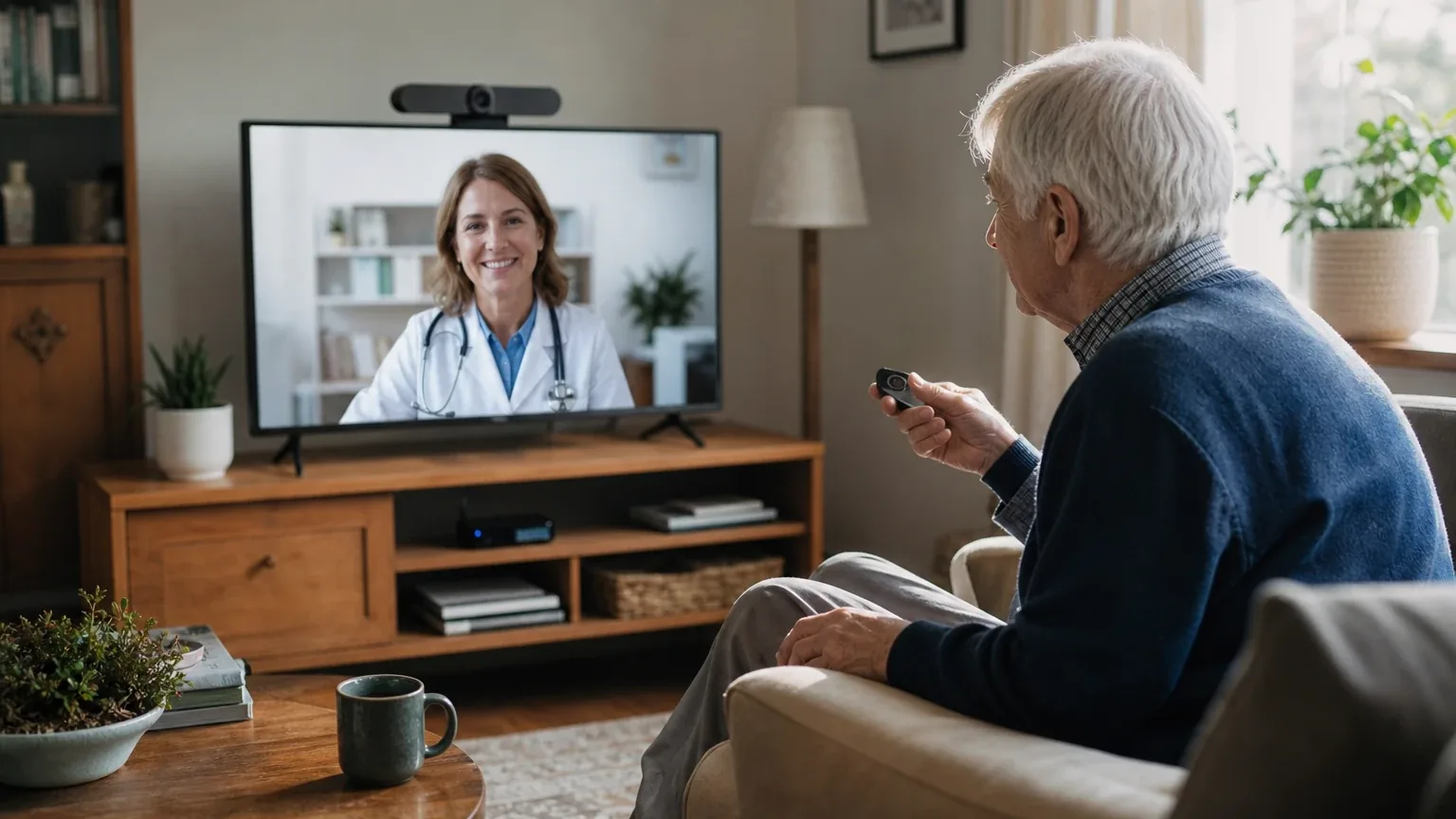
CallGenie is a good fit for Simplified Video Calling & Telehealth when the priority is effortless incoming video calls on an existing television. Two of seven platforms named CallGenie during the ranking stage (google, openai), a 28.6% share of included platform responses, at an average listed rank of 5.5 and a best listed rank of 5. Its strongest reason to consider it is zero-touch auto-answer: the TV turns on, switches input, and reverts afterward with no action from the recipient [1]. The main limitation is that CallGenie is not a validated telehealth platform — no healthcare compliance, clinical workflow, or medical-record integration was found in the reviewed materials [1].
Research Snapshot
| Field | Finding |
|---|---|
| Platform mentions in ranking stage | 2 of 7 platforms (google, openai) |
| Share of included platform responses | 28.6% |
| Average listed rank | 5.5 |
| Best listed rank | 5 (google) |
| Relevant product/model/plan | CallGenie Standard TV Video Calling System; Wide and Zoom variants where room coverage requires them |
| Overall use-case fit | Good for incoming family/caregiver video calls; unverified for clinical telehealth |
| Research date | 2026-09-27 |
What Changed Since August 2026
CallGenie moved down from No. 4 to No. 7, and platform mentions decreased from 3 to 2. The September 2026 review reframes CallGenie around incoming family and caregiver video calls on an existing television, with auto-answer and contact restriction presented as the verified strengths rather than as an all-purpose senior video device. Buyer fit tightens accordingly: the telehealth fit is now explicitly described as unverified, outbound calling is treated as a recently added upgrade rather than a base function, and the recommended configuration is unchanged, still the Standard TV Video Calling System with Wide and Zoom variants for room coverage. A $40/month subscription is newly reported for CallGenie, while a $200/year support fee is no longer repeated. Differences between the two editions reflect what each article reports; they do not by themselves prove that the product, service, or price changed.
The August 2026 review preserves the earlier article for reference.
Why CallGenie Qualified for This Study
Questions This Section Answers
- Is CallGenie a good choice for Simplified Video Calling & Telehealth for a senior who cannot use a smartphone?
- How many AI platforms named CallGenie when ranking video calling devices for seniors?
CallGenie qualified because it directly targets the study's core accessibility criteria rather than adapting a general-purpose device. It uses the household television as the display, answers incoming calls automatically, and restricts incoming calls to a pre-approved contact list [3].
The qualification threshold for this study was at least two platform mentions in the ranking stage. CallGenie met it exactly: google listed it at rank 5 and openai at rank 6, giving an average listed rank of 5.5 and a 28.6% share of the seven included platform responses. Five of the seven platforms did not name CallGenie during ranking discovery, so this is a narrow qualification, not broad consensus.
Independent coverage supports the basic premise. NHS Highland guidance describes CallGenie as a simple video-calling device that automatically answers calls and displays them on a television [4]. Seniors Guide notes CallGenie remains available and is compelling for someone who already spends much of the day watching television (anthropic:30-4).
This review sits inside a wider comparison of Simplified Video Calling & Telehealth devices, and CallGenie is one entry in the broader senior technology category.
The Product, Model, Plan, or Service Most Relevant to Simplified Video Calling & Telehealth
Questions This Section Answers
- Which CallGenie model should a buyer choose for a bed-bound senior versus a single person seated in front of the TV?
- Does the CallGenie Standard model include outbound calling, or is that a separate purchase?
The CallGenie Standard TV Video Calling System is the model most platforms tied to this use case, with Wide and Zoom variants named where room coverage or group viewing matters [5].
Standard is recommended for one person positioned in front of the camera and uses a 58-degree field of view with a mono microphone [7]. Wide moves to a 70-degree field of view and is positioned for two people or bed-and-chair positioning [8]. Zoom uses a variable 65–90-degree field of view, a stereo microphone, and auto-framing for larger rooms or users seated farther from the TV [9]. Google's research describes the US bundles as differing mainly by Logitech Brio webcam: Brio 100 for Standard, Brio 300 for Wide, and Brio 500 for Zoom [10].
The bundle includes a mini-PC with CallGenie pre-installed, power cable, HDMI cable, and the chosen webcam; the buyer supplies the television and internet connection (anthropic:33-3, anthropic:33-4). No display is bundled, so TV compatibility is a purchase precondition rather than an accessory question.
Outbound calling is not part of the base Standard package. The company's own shop page lists "device does not allow outbound calls" as a downside (anthropic:8-4, anthropic:14-7), while a later company page states outbound calls are now available for users who want to reach a nominated carer or family member (anthropic:26-1, anthropic:26-2). Google's research describes outbound calling as an optional upgrade using a physically connected 55mm USB arcade-style button that dials a single pre-selected contact [11]. Buyers should treat the outbound feature as newly added and confirm current behavior directly.
What the AI Platforms Agreed About
Questions This Section Answers
- What do AI platforms agree CallGenie does well for seniors who need simplified video calling?
- Is CallGenie's auto-answer feature confirmed by independent sources or only by the company?
Platforms agreed unanimously on auto-answer as CallGenie's defining strength. All seven platform responses describe incoming calls arriving on the television without the recipient pressing buttons, opening an app, or remembering a password [12].
The mechanism is consistent across descriptions: the system turns the TV on from standby or switches input, displays the call, and returns the TV to its prior state when the call ends [12]. This is company-described behavior, and NHS Highland independently describes CallGenie as automatically answering video calls and displaying them on a television [19].
Platforms also agreed on the display rationale. Because CallGenie uses the existing TV, it inherits the largest screen in most homes and the TV's built-in audio rather than a small tablet display [16]. Real-time subtitles with configurable text size were consistently reported as available (anthropic:6-13, anthropic:6-14, anthropic:33-10).
A third area of agreement was contact restriction. Platforms reported that only contacts added to the approved list can make incoming calls [12]. Independent coverage from AgeSpace describes the device as answering only calls from friends and family, including group calls (anthropic:19-1).
Finally, platforms agreed there is no monthly subscription. The company states no monthly fees with twelve months of support and warranty included [12], and independent AgeSpace coverage repeats the no-subscription position (anthropic:16-2, anthropic:39-2).
Where the AI Platforms Disagreed or Were Uncertain
Questions This Section Answers
- Is CallGenie actually suitable for telehealth appointments, or only for family video calls?
- Why do sources disagree about whether CallGenie charges a monthly subscription fee?
Platforms diverged sharply on telehealth suitability, and this is the most consequential disagreement for this use case. Grok rated CallGenie a strong fit for "Simplified Video Calling & Telehealth" and cited its listing in an NHS Highland guide as telehealth-relevant support [21]. Kimi rated it good but stated plainly that CallGenie has no native telehealth workflow, no HIPAA compliance as a standalone endpoint, and no scheduling, documentation, or billing integration [22]. OpenAI rated it good while noting no verified telehealth-specific workflow, healthcare compliance statement, clinical feature set, or medical-record integration was found [24]. DeepSeek rated the fit uncertain for the same reason [25].
The practical reading: CallGenie can carry a video visit if the clinician joins through Microsoft Teams or another consumer platform, but no reviewed source establishes it as a healthcare-grade endpoint. Buyers should not treat platform agreement as proof of clinical suitability.
Pricing produced a second conflict. One 2026 source cited by Anthropic reported CallGenie at "$250 upfront + $40/month subscription," while current official pages state no monthly fees (anthropic:6-17, anthropic:16-2). Google's research notes that earlier independent reviews and competitor charts referenced Skype integration and a $200/year support fee, and that CallGenie's official documentation now confirms migration to Microsoft Teams with no monthly fees [26]. The reason for the older figures is unclear — possibly an outdated article, a different product, or regional variation.
Currency and geography created a third uncertainty. UK product pages list prices in pounds sterling [28], while US pages list dollars [31]. The homepage states the product ships to the U.S. and Canada, but the published shipping policy provides detailed terms only for the UK, EU/EEA, and Switzerland [33]. DeepSeek, which ran without search enabled, could not confirm current US pricing at all and rated pricing confidence low [25].
A fourth unresolved area is audio. No reviewed source provides a speaker loudness rating, amplification specification, or hearing-aid compatibility statement [28]. Company FAQs advise that TV sound should be "crisp and strong enough" for the conversation, which places the burden on the buyer's television rather than on CallGenie hardware (anthropic:42-24).
Use-Case-Specific Features and Capabilities
Questions This Section Answers
- Does CallGenie meet the display size, auto-answer, and contact white-listing criteria for senior video calling?
- What are CallGenie's documented weaknesses for a senior who needs to hear the call clearly?
CallGenie meets three of the five study criteria strongly and leaves two unresolved. Display size, auto-answer, and contact white-listing are documented advantages; single-touch operation is partial; speaker volume is undocumented.
| Criterion | Assessment | Evidence |
|---|---|---|
| Display size and clarity | Advantage | Uses existing TV, 20–75+ inches; real-time subtitles with configurable text size (anthropic:42-18, anthropic:6-13, anthropic:6-14) |
| Auto-answer functionality | Advantage | TV turns on, switches input, answers, and reverts with no recipient action [34] |
| Single-touch operation | Neutral | Receiving requires no action; outbound requires optional TV-mounted buttons [34] |
| Speaker volume | Unclear | No loudness, amplification, or hearing-aid specification published [37] |
| Contact white-listing | Advantage | Only approved contacts can call in; webcam active only during calls (anthropic:6-18, anthropic:21-5) |
Privacy controls beyond the contact list are documented in company material. Webcams include built-in privacy shutters, a light indicates activity, and care staff can switch the device off during personal care routines (anthropic:21-6, anthropic:21-7). The company states the system cannot be accessed remotely outside calls (anthropic:21-6). These are company claims; the reviewed material does not explain authentication, administrator controls, audit logs, or encryption details [34].
TV compatibility is a hard requirement rather than a feature. CallGenie requires HDMI 1.4b or later and HDMI-CEC support, works with most modern smart TVs, and the company recommends ROKU-brand televisions if a new TV is being considered (anthropic:22-8, anthropic:22-10, anthropic:20-1). Older TVs and Vizio models are described as potentially problematic (anthropic:22-12). If the AnyNet+ setting cannot be found in TV settings, the company states the TV is not compatible (anthropic:22-14).
Setup requires some technical work. The bundle ships with a mini-PC, webcam, cables, and a USB mouse, and setup involves HDMI-CEC or infrared control configuration [37]. Company-hosted reviews describe setup as requiring concentration because the mini-PC model differed slightly from the diagrams, while also praising the setup call support as friendly and patient (anthropic:8-10, anthropic:8-11, anthropic:8-12). These are company-hosted testimonials, not independent outcome evidence.
Pricing, Fees, Contracts, and Ongoing Costs
Questions This Section Answers
- How much does CallGenie cost in US dollars, and are there shipping, tax, or import fees for American buyers?
- What is CallGenie's refund policy if the device turns out to be incompatible with the buyer's TV?
CallGenie is a one-time hardware purchase with no stated monthly fee, but the delivered US price is not clearly published. Listed prices are £549.99 for Standard, £599.99 for Wide, and £649.99 for Zoom on the UK product pages [38]. US pages list $575 Standard, $625 Wide, and $675 Zoom [41]. An independent review cited a $575–$675 range (anthropic:30-8).
| Item | Amount | Source status |
|---|---|---|
| Standard | £549.99 / $575 | Company pages, region-dependent [38] |
| Wide | £599.99 / $625 | Company pages, region-dependent [39] |
| Zoom | £649.99 / $675 | Company pages, region-dependent [40] |
| Monthly fee | None stated | Company claim [43] |
| Support and warranty | 12 months included | Company claim [44] |
| Outbound call button | Extra; price not shown | Company page [43] |
Unresolved costs include US shipping, sales tax, import duties, currency conversion, and any customs brokerage charges [43]. The refund policy states that return shipping is not refunded and that transferring a device to another user may involve setup fees [47]. Google's research describes a US return policy with a 14-day full-refund window for original packaging and tiered partial refunds up to three months — 75% for unopened or uninstalled appliances and 50% for installed appliances returned in good condition [48]. OpenAI's review of the refund policy notes separate refund percentages for opened versus installed appliances that are difficult to reconcile without clarification, and states no refund after three months [47]. The published refund policy is framed around UK consumer law, and its applicability to a US buyer is unclear [47].
DeepSeek, which ran without search enabled, could not confirm any current price from CallGenie's own pages and rated pricing confidence low [49]. Buyers should treat all figures as platform-reported and confirm at checkout.
Best Suited For
Questions This Section Answers
- Who gets the most value from CallGenie for simplified video calling?
- Is CallGenie a good fit for a senior with dementia who already watches television daily?
CallGenie is best suited to older adults who primarily receive calls rather than place them, and to family members willing to manage setup and contact lists remotely.
The strongest fit is a senior with cognitive decline, mild dementia, or mobility limitations who cannot reliably operate a smartphone or tablet [50]. AgeSpace specifically recommends CallGenie as the best video calling device for someone with dementia because it answers automatically and uses a television the person already knows (anthropic:28-1). Seniors Guide makes a similar point about users who already spend much of the day watching television (anthropic:30-4).
A second fit is a household where the TV is already the primary technology the senior uses confidently, and where the senior is seated in front of it regularly (anthropic:33-7, anthropic:37-3). The company frames the TV as the largest screen in the home and typically the best-sounding device available (anthropic:33-6).
A third fit is a care setting or family arrangement where a caregiver can complete installation, manage the approved contact list, and operate Microsoft Teams on their own phone, tablet, or computer (anthropic:6-4, anthropic:6-8, anthropic:22-1). The caller side depends on Microsoft Teams and an internet-connected device [51].
A fourth fit is a buyer who wants to avoid recurring subscription costs. The company states no monthly fees with twelve months of support and warranty included, and independent coverage repeats the no-subscription position [51].
Probably Not Best Suited For
Questions This Section Answers
- Who should not buy CallGenie for Simplified Video Calling & Telehealth?
- Is CallGenie a poor choice for a senior who needs to place frequent outbound calls independently?
CallGenie is a poor fit for buyers whose primary need is senior-initiated calling, verified clinical telehealth, or a bundled display.
The clearest mismatch is a senior who must independently place frequent outbound calls. Inbound auto-answer is the primary design, outbound buttons are optional, physically located at the TV, and limited to nominated contacts, and the Standard product page does not document outbound calling as part of the base package [52]. A user who cannot reach a TV-mounted button will not gain independent outbound calling from this system [52].
A second mismatch is any buyer seeking a dedicated HIPAA-oriented telehealth platform or documented healthcare compliance. No reviewed source establishes healthcare-specific privacy, compliance, clinical, scheduling, or documentation features [52]. DeepSeek rated the telehealth fit uncertain for this reason [56].
A third mismatch is a home without a compatible TV, reliable internet, or someone able to complete installation. CallGenie requires HDMI 1.4b or later and HDMI-CEC support, and older TVs and Vizio models are described as potentially problematic (anthropic:22-8, anthropic:22-12, anthropic:20-1). No bundled display is included [52].
A fourth mismatch is a buyer who needs documented speaker volume or hearing-aid compatibility. No reviewed source provides loudness, amplification, or hearing-aid specifications, so suitability for hearing impairment requires verification [57].
A fifth mismatch is a buyer seeking the lowest upfront cost. Independent coverage places CallGenie at $575–$675, higher than alternatives such as ViewClix or Komp (anthropic:30-8). Buyers who prefer a monthly subscription model over a large upfront hardware cost may prefer a different structure.
When Another Option May Be Better
Questions This Section Answers
- What is a better alternative to CallGenie for a senior who needs to place outbound calls independently?
- When should a buyer choose a dedicated telehealth platform instead of CallGenie?
Another option is better when the buyer's core requirement falls outside CallGenie's inbound-auto-answer design.
Choose a dedicated senior communication device when the older adult needs a purpose-built display, simplified contact interface, and clearer U.S. purchasing and support terms. Choose a telehealth-oriented service when healthcare privacy, clinician workflows, appointment management, or clinical documentation are central requirements [58]. Choose another option when the user must place calls independently from a chair or bed without reaching a TV-mounted button. Choose a system with documented loudspeaker output or hearing-aid compatibility when hearing accessibility is a primary requirement.
Anthropic's research names specific alternatives by scenario: ViewClix ($169–$249) or Komp for lower upfront cost; ONSCREEN Moment or Komp for easier two-way calling; tablet or digital-frame devices when the TV lacks HDMI-CEC; Komp when integrated reminders, clock, and photo features matter; ONSCREEN (~$20–$30/month) when a subscription model is preferred over $575+ hardware; and Amazon Echo Show when a multipurpose smart display is wanted.
Kimi's research points to SimplyTelehealth at $29/month for practice-level telehealth with scheduling and HIPAA infrastructure, and to GrandPad, ViewClix, or tablet-based telehealth kiosks when bedside or portable calling is required [59]. Perplexity's research notes that buyers needing healthcare integration, compliance features, or clinic-driven workflows should look elsewhere.
Questions to Verify Before Buying
Questions This Section Answers
- What should a buyer confirm with CallGenie about TV compatibility and US pricing before ordering?
- What should a family confirm about CallGenie's warranty, support hours, and post-warranty repair costs?
Confirm these items directly with CallGenie before purchase, because the reviewed public materials leave them unresolved.
- What is the delivered U.S. price, including shipping, sales tax, import duties, currency conversion, and any customs brokerage charges [60]?
- Does the intended TV meet HDMI 1.4b or later and HDMI-CEC requirements, and does the AnyNet+ or equivalent setting appear in the TV menu (anthropic:22-8, anthropic:22-14)?
- What internet speed and network configuration are required, and what happens after a router, Wi-Fi, or Microsoft Teams account change [60]?
- What are the speaker's maximum volume and clarity specifications, and is an external speaker or hearing-aid connection supported [60]?
- Does the contact whitelist block all unapproved Microsoft Teams callers, and who can add or remove contacts [60]?
- What privacy and security controls apply to video, audio, contact data, and Microsoft Teams credentials [60]?
- Is any healthcare or HIPAA-related use supported, and which party is responsible for Microsoft Teams configuration and compliance [60]?
- What exactly is covered by the 12-month warranty and support period for a U.S. purchaser, and what are post-warranty repair or replacement costs [60]?
- What is the current price and physical placement of the optional outbound call button, and can a user operate it from a bed or chair [60]?
- What are the precise return and refund terms for a U.S. customer after installation, given the conflicting refund percentages in the published policy [64]?
- Can the buyer test the system with the intended TV, room layout, hearing needs, and caregiver workflow before the refund window expires [60]?
Final AI Consensus Verdict
CallGenie is a good fit for Simplified Video Calling & Telehealth when the requirement is effortless incoming video calls on an existing television, and a weak fit when the requirement is verified clinical telehealth or independent outbound calling.
Platform ratings split accordingly: Anthropic, Google, and Grok rated the fit strong; OpenAI, Perplexity, and Kimi rated it good; DeepSeek rated it uncertain. The disagreement tracks telehealth, not video calling — every platform that addressed auto-answer described it as CallGenie's core strength, while platforms that examined clinical workflows found no compliance, scheduling, or documentation capability.
The strongest verified differentiator is zero-touch auto-answer on a large screen with contact restriction [66]. The strongest limitation is that CallGenie is a family and caregiver calling appliance, not a telehealth platform [66]. Buyers should treat U.S. commercial terms, speaker performance, healthcare privacy and compliance, and independent outbound calling as unresolved purchase checks.
How This Review Was Produced
This review evaluates CallGenie only for the Simplified Video Calling & Telehealth use case. It is not a broad company review.
Seven AI platforms were configured for this study, and all seven evaluated fit. Only two — google and openai — named CallGenie during the ranking stage, which is the basis for the 28.6% platform share and the 5.5 average listed rank reported above. Platform fit ratings were strong (anthropic, google, grok), good (openai, perplexity, kimi), and uncertain (deepseek).
Company-owned citations materially outnumber independent citations in the supplied evidence. Company claims are labeled as such throughout, and no company claim is described as independently verified. Platform-reported research dates differ from the authoritative run date of 2026-09-27; DeepSeek's research date was 2026-06-11 and DeepSeek ran without search enabled.
Methodology Limitations
Several limitations constrain the conclusions in this review.
Citations are platform-reported evidence, not independently verified facts. The supplied URLs were collected from platform responses and were not independently validated at the writing stage. Company-owned sources dominate the evidence base, so most product claims rest on CallGenie's own descriptions.
Platform-reported research dates differ from the authoritative run research date of 2026-09-27. DeepSeek's research date was 2026-06-11, and DeepSeek ran with search disabled, which is why its pricing confidence was low and its telehealth fit rating was uncertain.
Conflicting product names, pricing, and capabilities were not resolved by guessing. The $250 upfront plus $40/month figure reported by one source conflicts with current official no-monthly-fee statements, and the reason is unclear. UK and US pricing differ by currency and region, and U.S.-specific shipping, tax, duty, and warranty terms are not clearly published.
Missing research is not treated as disagreement. Where platforms did not address a factor — such as encryption specifics or administrator controls — this review states that the factor is undocumented rather than implying platforms disagreed.
No personal testing, customer experience, medical benefit, or guaranteed performance is claimed. Company-hosted customer reviews are treated as testimonials, not independent outcome evidence.
Sources
Company-Owned Sources
- Simple TV Video Calls for the Elderly & Disabled | CallGenie: https://callgenietv.com/
- CallGenie is Future-Proof: Seamless Video Calling Beyond Skype: https://callgenietv.com/callgenie-is-future-proof-seamless-video-calling-beyond-skype/
- CallGenie FAQs | Setup, Compatibility & How It Works: https://callgenietv.com/faqs/
- CallGenie FAQs | Setup, Compatibility & How It Works: https://callgenietv.com/frequently-asked-questions/
- CallGenie Standard | TV Video Calling for Older People: https://callgenietv.com/product/callgenie-standard/
- CallGenie Wide | TV Video Calling for Bed and Chair: https://callgenietv.com/product/callgenie-wide/
- CallGenie Zoom | TV Video Calling for Larger Rooms: https://callgenietv.com/product/callgenie-zoom/
- Refund Policy - CallGenieTV: https://callgenietv.com/refund-policy/
- Shipping Policy - CallGenieTV: https://callgenietv.com/shipping-policy/
- CallGenie Shop | TV Video Calling for the Elderly & Disabled: https://callgenietv.com/shop/
- The CallGenie Outbound Call Button - CallGenieTV: https://callgenietv.com/the-callgenie-outbound-call-button/
- Is CallGenie Right for Your Loved One? | CallGenie: https://callgenietv.com/who-is-callgenie-for/
- FAQs - callGenie: https://callgenieusa.com/faqs
- SimplyTelehealth - Simple, Secure Telehealth for Your Practice: https://simplytelehealth.md/
- Simple TV Video Calls for Seniors & the Disabled | CallGenie: https://us.callgenietv.com/
- CallGenie Standard | TV Video Calling for Older People: https://us.callgenietv.com/product/callgenie-standard/
- Page Not Found - CallGenie US: https://us.callgenietv.com/products/
- Refund Policy - CallGenie US: https://us.callgenietv.com/refund_policy/
- Simpl Healthcare - Telehealth Platform: https://www.simplhealthcare.com/telehealth
- Official pricing and terms source: https://callgenietv.com/terms-of-service/
Additional AI research evidence67 records
- AI research evidence record openai:c1
- AI research evidence record kimi:c1
- AI research evidence record openai:c1
- AI research evidence record perplexity:c2
- AI research evidence record openai:c1
- AI research evidence record perplexity:c1
- AI research evidence record openai:c2
- AI research evidence record openai:c3
- AI research evidence record openai:c4
- AI research evidence record google:2.1.3
- AI research evidence record google:2.3.5
- AI research evidence record openai:c1
- AI research evidence record deepseek:c1
- AI research evidence record grok:web:0
- AI research evidence record perplexity:c1
- AI research evidence record kimi:c1
- AI research evidence record google:1.2.1
- AI research evidence record google:1.1.3
- AI research evidence record perplexity:c2
- AI research evidence record google:3.3.6
- AI research evidence record grok:web:0
- AI research evidence record kimi:c1
- AI research evidence record kimi:c4
- AI research evidence record openai:c1
- AI research evidence record deepseek:c1
- AI research evidence record google:2.3.1
- AI research evidence record google:3.3.6
- AI research evidence record openai:c2
- AI research evidence record openai:c3
- AI research evidence record openai:c4
- AI research evidence record perplexity:c1
- AI research evidence record google:3.4.1
- AI research evidence record openai:c5
- AI research evidence record openai:c1
- AI research evidence record google:1.1.3
- AI research evidence record google:2.3.5
- AI research evidence record openai:c2
- AI research evidence record openai:c2
- AI research evidence record openai:c3
- AI research evidence record openai:c4
- AI research evidence record perplexity:c1
- AI research evidence record google:3.4.1
- AI research evidence record openai:c1
- AI research evidence record google:3.3.6
- AI research evidence record google:2.3.5
- AI research evidence record openai:c5
- AI research evidence record openai:c6
- AI research evidence record google:3.2.5
- AI research evidence record deepseek:c1
- AI research evidence record google:2.1.3
- AI research evidence record openai:c1
- AI research evidence record openai:c1
- AI research evidence record google:2.3.5
- AI research evidence record kimi:c1
- AI research evidence record kimi:c4
- AI research evidence record deepseek:c1
- AI research evidence record openai:c2
- AI research evidence record kimi:c4
- AI research evidence record kimi:c2
- AI research evidence record openai:c1
- AI research evidence record openai:c5
- AI research evidence record kimi:c4
- AI research evidence record google:2.3.5
- AI research evidence record openai:c6
- AI research evidence record google:3.2.5
- AI research evidence record openai:c1
- AI research evidence record kimi:c1
Independent Sources
- ONSCREEN vs. CallGenie | Best Senior Video Calling: https://onscreeninc.com/blogs/compare/callgenie-alternative
- Senior Tech Insider - Best Video Calling Devices for Elderly: https://seniortechinsider.com/best-video-calling-devices-for-elderly
- Call Genie - Video Calls Direct to Their TV: https://www.agespace.org/products/call-genie
- Best Video Calling Devices for the Elderly | Easy Video Calling: https://www.agespace.org/tech/video-calling-devices-elderly
- Guide to simple video calling devices | NHS Highland: https://www.nhshighland.scot.nhs.uk/your-services/all-services-a-z/technology-enabled-care-tec/guide-to-simple-video-calling-devices/
- Video Calling for Seniors: 6 Popular Options | Seniors Guide: https://www.seniorsguide.com/aging-in-place/video-calling-for-seniors-5-popular-options/
Additional AI research evidence67 records
- AI research evidence record openai:c1
- AI research evidence record kimi:c1
- AI research evidence record openai:c1
- AI research evidence record perplexity:c2
- AI research evidence record openai:c1
- AI research evidence record perplexity:c1
- AI research evidence record openai:c2
- AI research evidence record openai:c3
- AI research evidence record openai:c4
- AI research evidence record google:2.1.3
- AI research evidence record google:2.3.5
- AI research evidence record openai:c1
- AI research evidence record deepseek:c1
- AI research evidence record grok:web:0
- AI research evidence record perplexity:c1
- AI research evidence record kimi:c1
- AI research evidence record google:1.2.1
- AI research evidence record google:1.1.3
- AI research evidence record perplexity:c2
- AI research evidence record google:3.3.6
- AI research evidence record grok:web:0
- AI research evidence record kimi:c1
- AI research evidence record kimi:c4
- AI research evidence record openai:c1
- AI research evidence record deepseek:c1
- AI research evidence record google:2.3.1
- AI research evidence record google:3.3.6
- AI research evidence record openai:c2
- AI research evidence record openai:c3
- AI research evidence record openai:c4
- AI research evidence record perplexity:c1
- AI research evidence record google:3.4.1
- AI research evidence record openai:c5
- AI research evidence record openai:c1
- AI research evidence record google:1.1.3
- AI research evidence record google:2.3.5
- AI research evidence record openai:c2
- AI research evidence record openai:c2
- AI research evidence record openai:c3
- AI research evidence record openai:c4
- AI research evidence record perplexity:c1
- AI research evidence record google:3.4.1
- AI research evidence record openai:c1
- AI research evidence record google:3.3.6
- AI research evidence record google:2.3.5
- AI research evidence record openai:c5
- AI research evidence record openai:c6
- AI research evidence record google:3.2.5
- AI research evidence record deepseek:c1
- AI research evidence record google:2.1.3
- AI research evidence record openai:c1
- AI research evidence record openai:c1
- AI research evidence record google:2.3.5
- AI research evidence record kimi:c1
- AI research evidence record kimi:c4
- AI research evidence record deepseek:c1
- AI research evidence record openai:c2
- AI research evidence record kimi:c4
- AI research evidence record kimi:c2
- AI research evidence record openai:c1
- AI research evidence record openai:c5
- AI research evidence record kimi:c4
- AI research evidence record google:2.3.5
- AI research evidence record openai:c6
- AI research evidence record google:3.2.5
- AI research evidence record openai:c1
- AI research evidence record kimi:c1
Other Sources
- Guide to simple video calling devices | NHS Highland: https://www.nhshighland.scot.nhs.uk/your-health/technology-enabled-care/guide-to-simple-video-calling-devices/
Additional AI research evidence67 records
- AI research evidence record openai:c1
- AI research evidence record kimi:c1
- AI research evidence record openai:c1
- AI research evidence record perplexity:c2
- AI research evidence record openai:c1
- AI research evidence record perplexity:c1
- AI research evidence record openai:c2
- AI research evidence record openai:c3
- AI research evidence record openai:c4
- AI research evidence record google:2.1.3
- AI research evidence record google:2.3.5
- AI research evidence record openai:c1
- AI research evidence record deepseek:c1
- AI research evidence record grok:web:0
- AI research evidence record perplexity:c1
- AI research evidence record kimi:c1
- AI research evidence record google:1.2.1
- AI research evidence record google:1.1.3
- AI research evidence record perplexity:c2
- AI research evidence record google:3.3.6
- AI research evidence record grok:web:0
- AI research evidence record kimi:c1
- AI research evidence record kimi:c4
- AI research evidence record openai:c1
- AI research evidence record deepseek:c1
- AI research evidence record google:2.3.1
- AI research evidence record google:3.3.6
- AI research evidence record openai:c2
- AI research evidence record openai:c3
- AI research evidence record openai:c4
- AI research evidence record perplexity:c1
- AI research evidence record google:3.4.1
- AI research evidence record openai:c5
- AI research evidence record openai:c1
- AI research evidence record google:1.1.3
- AI research evidence record google:2.3.5
- AI research evidence record openai:c2
- AI research evidence record openai:c2
- AI research evidence record openai:c3
- AI research evidence record openai:c4
- AI research evidence record perplexity:c1
- AI research evidence record google:3.4.1
- AI research evidence record openai:c1
- AI research evidence record google:3.3.6
- AI research evidence record google:2.3.5
- AI research evidence record openai:c5
- AI research evidence record openai:c6
- AI research evidence record google:3.2.5
- AI research evidence record deepseek:c1
- AI research evidence record google:2.1.3
- AI research evidence record openai:c1
- AI research evidence record openai:c1
- AI research evidence record google:2.3.5
- AI research evidence record kimi:c1
- AI research evidence record kimi:c4
- AI research evidence record deepseek:c1
- AI research evidence record openai:c2
- AI research evidence record kimi:c4
- AI research evidence record kimi:c2
- AI research evidence record openai:c1
- AI research evidence record openai:c5
- AI research evidence record kimi:c4
- AI research evidence record google:2.3.5
- AI research evidence record openai:c6
- AI research evidence record google:3.2.5
- AI research evidence record openai:c1
- AI research evidence record kimi:c1
Verify This Research
Review the study details behind this page or download the public machine-readable verification record.
- Study date
- September 27, 2026
- Platforms analyzed
- 7
- Source records
- 27
- Ranking mentions
- 2 of 7
- Platform share
- 29%
- Final consensus rank
- #7
Research trail and source mix
Configured platforms
openai, anthropic, deepseek, grok, perplexity, kimi, google
Source mix
6 independent · 20 company-owned · 1 unclear
Evidence support
22 direct · 5 partial
Important limitation
Use the run research_date as the study date. Platform-reported dates are provenance metadata and do not independently prove freshness.
Source snapshot SHA-256 2901e29a473ee4e80d8dc7a30867d52ab854e4a938ccea31a6435c4eb720fb91
Archived editions
Browse earlier published research snapshots for this article. The latest edition remains at the current URL.