
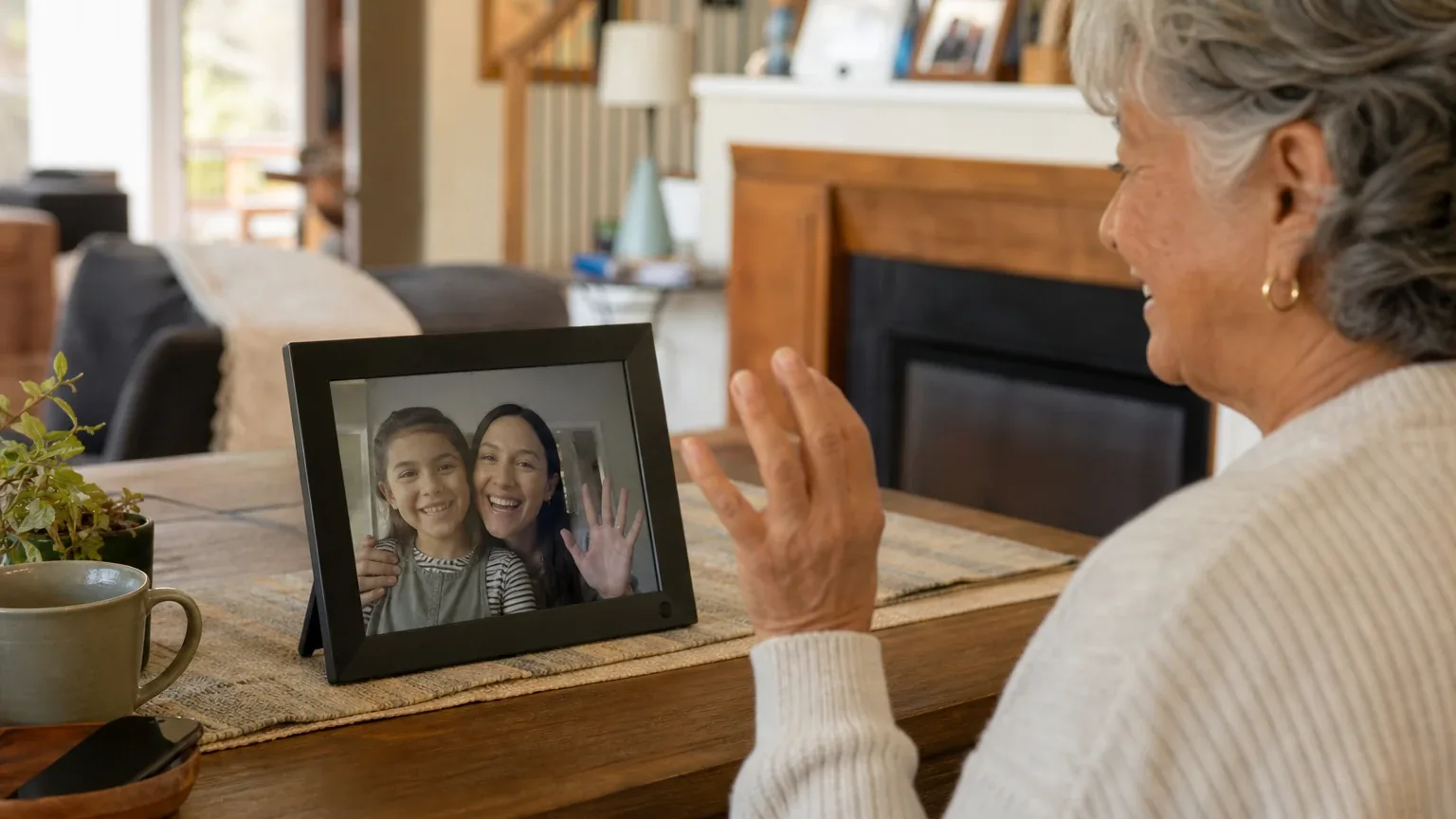
Answer Capsule
ViewClix Smart Frame is a good fit for Simplified Video Calling & Telehealth when the buyer's priority is effortless, family-managed video calling for an older adult. All 7 platforms named it during the ranking stage, and it finished first overall with an average listed rank of 2.7 and a best rank of 1. The strongest reason to consider it is auto-answer calling from an approved contact list, which requires no action from the senior [1]. The main limitation is telehealth: no platform verified clinical-platform capabilities, and HIPAA/BAA status, provider compatibility, and audio accessibility remain unconfirmed [2].
Research Snapshot
| Field | Finding |
|---|---|
| Platform mentions in ranking stage | 7 of 7 platforms (anthropic, deepseek, google, grok, kimi, openai, perplexity) |
| Share of included platform responses | 100% |
| Average listed rank | 2.71 |
| Best listed rank | 1 (grok, openai) |
| Relevant product/model/plan | ViewClix 15/e (15.6-inch) Smart Frame with Premier Membership; 10/e is the smaller alternative |
| Overall use-case fit | Good for family video calling; mixed for clinical telehealth |
| Research date | 2026-09-27 |
What Changed Since August 2026
ViewClix Smart Frame remained at No. 1, and platform mentions increased from 5 to 7. The September 2026 review of ViewClix Smart Frame describes the same product for the same buyer, with no meaningful change to recommended configuration or buyer fit. The write-up was substantially rewritten throughout, so descriptions of auto-answer calling, family-managed controls, and telehealth limits read differently without evidence the offering itself changed. Reported pricing is also restated: Premier Membership at $9.95 per month is newly reported, while a $9.95/month figure is no longer repeated. A prior detail about monthly data use no longer appears. Otherwise, buyers will find the same strengths, limitations, and fit guidance as before. Differences between the two editions reflect what each article reports; they do not by themselves prove that the product, service, or price changed.
The August 2026 review preserves the earlier article for reference.
Why ViewClix Smart Frame Qualified for This Study
Questions This Section Answers
- Why did ViewClix Smart Frame qualify for this Simplified Video Calling & Telehealth study?
- How many AI platforms named ViewClix Smart Frame during the ranking stage?
ViewClix Smart Frame qualified because it was named by every platform in the ranking stage and finished first overall. All 7 included platforms — anthropic, deepseek, google, grok, kimi, openai, and perplexity — listed it, giving it a 100% platform share, an average listed rank of 2.71, and a best rank of 1 (grok and openai). It cleared the study's minimum-mention threshold of 2 with room to spare.
Qualification reflects how often platforms surfaced the product for this use case, not verified product quality. The platforms converged on the same product family: the 15/e (15.6-inch) Smart Frame with Premier Membership, with the 10/e (10.1-inch) as the smaller alternative [3].
The Product, Model, Plan, or Service Most Relevant to Simplified Video Calling & Telehealth
Questions This Section Answers
- Which ViewClix Smart Frame model and membership plan is best for Simplified Video Calling & Telehealth?
- Is the ViewClix 15/e or 10/e Smart Frame the better choice for a senior who needs a large display?
The most relevant configuration is the ViewClix 15/e Smart Frame with Premier Membership. Six of seven platforms pointed to the 15/e or the 15.6-inch model specifically (openai, anthropic, deepseek, grok, kimi, google, perplexity all named a 15-inch-class frame; perplexity and openai also flagged the 10/e as the alternative).
The 15/e carries a 15.6-inch 1920x1080 display, while the 10/e carries a 10.1-inch 1280x800 display [4]. ViewClix positions the larger frame for living rooms and kitchens and the smaller one for tighter spaces [4]. Premier Membership is the plan that unlocks video calling and group calling; without it, the frame reverts to photo sharing and Sticky Notes only (anthropic:16-15, anthropic:16-16).
What the AI Platforms Agreed About
Questions This Section Answers
- What do AI platforms agree on about ViewClix Smart Frame for simplified senior video calling?
- Does ViewClix Smart Frame really work without the senior pressing any buttons?
Platforms agreed unanimously on the core calling model. All seven described auto-answer as the defining feature: approved callers start a call and the frame connects without the senior navigating menus, apps, or passwords [5].
They also agreed on family-managed control. A designated Frame Organizer manages contacts, settings, photos, and auto-answer remotely through the app or member portal, and the senior needs no ViewClix login [8]. The Share List restricts who can call, share photos, and send notes [9].
Platforms further agreed that the display is large relative to typical consumer devices and that the frame doubles as a photo display when idle (grok:2, google:citation_1). Agreement here reflects consistent platform reporting, not independent proof of quality.
Where the AI Platforms Disagreed or Were Uncertain
Questions This Section Answers
- What is uncertain about ViewClix Smart Frame's audio quality and speaker volume for hard-of-hearing seniors?
- Do AI platforms agree that ViewClix Smart Frame is suitable for clinical telehealth visits?
Audio was the sharpest split. Google reported that the E-Series integrated upgraded front-facing speakers and conference microphones (google:citation_5), and grok described a forward-facing speaker as loud enough for medium rooms (grok:5). Anthropic cited a Google Play user review reporting the opposite: the caller could be heard well but the senior's audio was difficult to hear, with no in-app volume setting (anthropic:42-2, anthropic:42-3, anthropic:42-4). OpenAI and perplexity both reported that current speaker loudness, amplification, and hearing-aid compatibility were not verified [10].
Telehealth fit was mixed rather than agreed. OpenAI, perplexity, and anthropic all rated the product a mixed or limited fit for clinical telehealth, noting it is a family communication frame rather than a clinical platform [12]. Grok rated overall fit "strong" and described "effortless telehealth check-ins via whitelisted contacts," but did not document clinical integration. Kimi stated the device is not HIPAA-compliant and lacks EHR integration (kimi:viewclix-product). Deepseek could not verify pricing, contract terms, or HIPAA/BAA status at all [13].
Use-Case-Specific Features and Capabilities
Questions This Section Answers
- Does ViewClix Smart Frame support auto-answer, contact white-listing, and group calls for seniors?
- How many people can join a ViewClix Smart Frame group video call?
Auto-answer is the central capability. Approved callers initiate and the frame answers automatically; auto-answer can be disabled remotely by the Frame Organizer, in which case the senior accepts a call by pressing any button on the included remote [14].
Contact white-listing runs through the Share List, which controls who may call, share photos, and send notes [15]. Independent coverage from North Dakota Assistive describes the device as settable to auto-answer with only authorized family able to call or post notes (anthropic:10-5, anthropic:10-6).
Group calling under Premier supports three callers plus the frame user without invitation links or passcodes [16]. ViewClix states calls are encrypted and never recorded (anthropic:3-9). Setup requires only plugging in and connecting to Wi-Fi, with a stated minimum of 3 Mbps down and up for video calls (anthropic:36-1, anthropic:6-11).
Two limits matter for this use case. Calls are always initiated by the family member, not the senior; the closest senior-side option is the Call-Me request feature (anthropic:6-4, google:citation_2). And ViewClix is incompatible with Zoom, Google Meet, and FaceTime, so calls must run through the ViewClix app or portal (google:citation_4).
Pricing, Fees, Contracts, and Ongoing Costs
Questions This Section Answers
- How much does ViewClix Smart Frame cost, and is the $9.95 monthly Premier Membership required?
- What happens to ViewClix Smart Frame video calling if the Premier Membership is canceled?
Pricing is hardware plus a required recurring membership. The 15/e is listed at $269 (discounted from $299) and the 10/e at $179 (discounted from $199) [17]. Premier Membership is $9.95 per month per frame, and one membership covers all users of that frame [17].
Trial and billing terms conflict across official pages. The shop states a 35-day free Premier period and that charges begin 35 days after the order is placed [18], while other materials describe one free month and historical marketing listed 15, 30, or 35 days [17]. ViewClix's terms state a 35-day trial for frames purchased after February 12, 2023 and a 15-day trial for Legacy membership frames (official:C2).
Cancellation is month-to-month with no long-term contract. Membership can be canceled anytime in account settings and renews monthly unless canceled (anthropic:16-13, anthropic:14-4). Paid membership fees are non-refundable and are not pro-rated (anthropic:16-14, official:C2). After cancellation, video calling and video clip sharing are disabled and the frame is limited to photo sharing and Sticky Notes (anthropic:16-15, anthropic:16-16). A 30-day money-back guarantee is listed on the shop page (anthropic:14-9, anthropic:14-10). ViewClix reserves the right to limit monthly calling minutes and total calls; Premier limits effective June 1, 2023 were 200 calls or 2,000 minutes, whichever comes first (official:C2). One independent review reported a 30-call or 300-minute limit without Premier, but that source is partial and should be verified (anthropic:20-4).
Best Suited For
Questions This Section Answers
- Who is ViewClix Smart Frame best suited for in simplified senior video calling?
- Is ViewClix Smart Frame a good choice for a senior with dementia or cognitive decline?
ViewClix Smart Frame is best suited to older adults who cannot or will not manage smartphones, apps, passwords, or video-call links, paired with a family member willing to act as Frame Organizer. Platforms consistently placed it with Seniors who need zero-touch or single-touch calling and remote family management (anthropic:21-5, anthropic:21-6, google:citation_1, kimi:viewclix-product).
It also fits households that want caller restrictions. The Share List limits incoming calls to approved contacts, which platforms framed as protection against unwanted or scam calls (anthropic:1-6, google:citation_4). Google specifically placed it with seniors experiencing memory loss, dementia, or physical limitations that hinder standard communication (google:citation_1). A large 15.6-inch display suits room-distance viewing and low vision [20].
Probably Not Best Suited For
Questions This Section Answers
- Who should not buy ViewClix Smart Frame for Simplified Video Calling & Telehealth?
- Is ViewClix Smart Frame suitable for a senior who needs to place outbound calls independently?
Buyers whose primary need is clinical telehealth should not treat this as a medical device. No platform verified clinical scheduling, chart integration, e-prescribing, or provider-controlled workflows, and kimi stated the device is not HIPAA-compliant [21].
Seniors who need to initiate outbound calls independently are also a poor match. Calls are always initiated by the family member, and the frame cannot dial arbitrary numbers or emergency services (anthropic:6-4, google:citation_4). Buyers unwilling to pay a recurring membership should look elsewhere, since video calling stops when Premier is canceled (anthropic:16-16). Households with unreliable or shared facility Wi-Fi are a weaker fit, because ViewClix identifies Wi-Fi, internet, permissions, and microphone interference as causes of call failures and notes shared networks can degrade quality [23]. Buyers needing apps, email, or browsing should also look elsewhere, as this is a dedicated frame rather than a general tablet [24].
When Another Option May Be Better
Questions This Section Answers
- What is a better alternative to ViewClix Smart Frame for a buyer who needs HIPAA-compliant clinical telehealth?
- When is a tablet or mainstream smart display a better choice than ViewClix Smart Frame for a senior?
Choose a dedicated telehealth platform when the buyer needs provider scheduling, patient identity workflows, clinical records, or health-system integration (openai, anthropic). Anthropic's cited compliance guidance notes that telehealth HIPAA compliance requires end-to-end encryption, signed BAAs, patient consent, secure authentication, and documentation (anthropic:37-1, anthropic:37-2).
Choose a tablet or mainstream smart display when the senior can operate a simplified interface, when portability matters, or when the buyer wants no subscription (deepseek, kimi, google). Google suggested the Amazon Echo Show or GrandPad when the senior can use voice commands or large icons, and an iPad or TV-based solution when the requirement is attending clinician appointments over mainstream video platforms (google:citation_4). Choose a device with verified amplified audio or hearing-aid support when hearing loss is the primary requirement, since ViewClix speaker loudness and hearing-aid compatibility were not verified [25]. Choose a non-auto-answer setup when the frame sits in a shared room and every call must be manually accepted (openai).
Questions to Verify Before Buying
Questions This Section Answers
- What should a buyer confirm with ViewClix before signing up for Premier Membership?
- Can a clinician call the ViewClix Smart Frame from their own device or browser?
Confirm these items directly with ViewClix before purchase, because platforms flagged them as unresolved:
- Is a BAA available for the exact intended telehealth deployment, and which services and data flows does it cover? [27]
- Can the senior's clinician call the frame from the clinician's required device or browser without installing ViewClix software? (openai, google:citation_4)
- Can auto-answer be disabled for selected contacts, or only for the entire frame? (openai, anthropic:3-5)
- What is the speaker output in decibels, and is there hearing-aid, Bluetooth, wired-headset, or external-speaker support? (openai, anthropic:42-2)
- Does the 30-day return period begin on purchase, delivery, or activation, and when exactly does the Premier charge begin? (openai, anthropic:14-3)
- What happens after a Wi-Fi outage, power outage, or router change? (openai)
- Are shipping, taxes, returns, and any restocking or return-shipping costs charged separately? [28]
Final AI Consensus Verdict
ViewClix Smart Frame is a good fit for Simplified Video Calling & Telehealth when the goal is effortless, family-managed video calling for an older adult, and a mixed fit when the goal is clinical telehealth. All 7 platforms named it in the ranking stage, it finished first overall, and platforms unanimously credited auto-answer, remote management, and Share List contact controls as the reasons it matches this use case [29].
The consensus breaks down on telehealth. OpenAI, perplexity, and anthropic rated clinical telehealth fit as mixed or limited, citing the absence of documented clinical-platform capabilities and unverified BAA scope [30]. Kimi stated the device is not HIPAA-compliant (kimi:viewclix-product). Grok rated overall fit "strong" but did not document clinical integration. Audio is the second unresolved area, with one independent user review reporting poor inbound audio from the frame and no verified loudness specification [32].
For family calling, the evidence is consistent and the product is well targeted. For provider-led visits, buyers should verify compliance, provider compatibility, and audio before committing. This review covers only the Simplified Video Calling & Telehealth use case; the broader Simplified Video Calling & Telehealth index compares other finalists, and additional senior technology coverage is available in the category directory.
How This Review Was Produced
This review was generated from platform-reported research collected for the Best Video Calling Devices for Seniors study, use case Simplified Video Calling & Telehealth, with a research date of 2026-09-27. Seven platforms were configured and all seven named ViewClix Smart Frame during ranking discovery: anthropic, deepseek, google, grok, kimi, openai, and perplexity. Each platform supplied fit ratings, use-case findings, pricing and terms, limitations, and verification questions. Fit ratings were: strong for google and grok; good for anthropic, deepseek, kimi, openai, and perplexity. Ranking statistics were computed from the platforms that named the entity during ranking discovery.
Methodology Limitations
Platform mentions count only platforms that named the entity during ranking discovery; all included platforms evaluated fit, but not all named the entity in ranking. Platform-reported research dates differ from the authoritative run date: deepseek reported 2026-01-22 while the run date is 2026-09-27, and deepseek ran without search enabled, so its pricing and terms findings are unverified. Company-owned citations materially outnumber independent citations in the supplied evidence, so company claims are not independently verified. Supplied URLs were collected from platform responses and were not independently validated at the writing stage. Citations are platform-reported evidence, not independently verified facts. Where platforms conflicted on trial length, pricing, audio performance, or telehealth suitability, this review describes the conflict rather than resolving it. No personal testing, customer experience, medical benefit, or guaranteed performance is claimed.
Sources
Company-Owned Sources
- Video calling troubleshooting: https://help.viewclix.com/portal/en/kb/articles/video-calling-troubleshooting
- HIPAA & ViewClix: https://help.viewclix.com/portal/en/kb/articles/viewclix-hipaa
- ViewClix - Smart Frame for Seniors: https://viewclix.com/
- ViewClix - Activate Your Smart Frame: https://viewclix.com/activate/
- Introducing the E-Series Smart Frames: https://viewclix.com/blog/all-new-viewclix
- Introduction to ViewClix Video Calling: https://viewclix.com/blog/introduction-viewclix-video-calling
- Simplifying Senior Video Calls: ViewClix's Innovative Auto-Answer Feature: https://viewclix.com/blog/senior-video-calls-auto-answer
- ViewClix FAQ | Setup, Shipping, Video Calls, and Support: https://viewclix.com/faq/
- Senior-Friendly Smart Frame Features | ViewClix: https://viewclix.com/features/
- How ViewClix Works: https://viewclix.com/how-it-works/
- ViewClix - Sharing with Seniors: https://viewclix.com/how_it_works/
- Make a Video Call - ViewClix Operating Guide: https://viewclix.com/media/ViewClix-Operating-Guide.pdf
- ViewClix Premier User Guide: https://viewclix.com/media/ViewClix-Premier-Guide.pdf
- Group Video Calling - ViewClix Frames Guide: https://viewclix.com/media/ViewClix_Frames_combined_guides.pdf
- ViewClix | Premier Membership: https://viewclix.com/premier
- Shop ViewClix Smart Frames: https://viewclix.com/shop/
- Senior-Friendly Smart Frame Features | ViewClix: https://viewclix.com/viewclix_10/
- Official pricing and terms source: https://viewclix.com/terms/
Additional AI research evidence32 records
- AI research evidence record openai:c3
- AI research evidence record openai:c5
- AI research evidence record openai:c1
- AI research evidence record openai:c1
- AI research evidence record openai:c3
- AI research evidence record deepseek:c1
- AI research evidence record perplexity:c3
- AI research evidence record openai:c7
- AI research evidence record openai:c2
- AI research evidence record openai:c1
- AI research evidence record perplexity:c2
- AI research evidence record openai:c5
- AI research evidence record deepseek:c2
- AI research evidence record openai:c4
- AI research evidence record openai:c2
- AI research evidence record openai:c8
- AI research evidence record openai:c2
- AI research evidence record perplexity:c1
- AI research evidence record perplexity:c3
- AI research evidence record openai:c1
- AI research evidence record openai:c5
- AI research evidence record perplexity:c2
- AI research evidence record openai:c6
- AI research evidence record deepseek:c2
- AI research evidence record openai:c1
- AI research evidence record perplexity:c2
- AI research evidence record openai:c5
- AI research evidence record deepseek:c2
- AI research evidence record openai:c7
- AI research evidence record openai:c5
- AI research evidence record perplexity:c2
- AI research evidence record openai:c1
Independent Sources
- ViewClix Launches All-New Smart Displays For Seniors and Their Families – Display Daily: https://displaydaily.com/viewclix-launches-all-new-smart-displays-for-seniors-and-their-families/
- 6 Best Video Calling Devices (2026): One-Touch & Simple: https://elderlydaily.com/reviews/best-video-calling-devices-for-elderly
- Telehealth HIPAA Compliance: Complete Guide for Providers (2026) | Medcurity: https://medcurity.com/telehealth-hipaa-compliance/
- Easy to Use Hands-Free Smart Display for Seniors - North Dakota Assistive: https://ndassistive.org/blog/easy-to-use-hands-free-smart-display-for-seniors/
- ViewClix Mobile App - Apps on Google Play: https://play.google.com/store/apps/details?id=com.viewclix.vcapp&hl=en_US
- 9 Best Video Conferencing Device For Seniors | Skip the Confusion: https://thewearify.com/best-video-conferencing-device-for-seniors/
- Viewclix Reviews - Read Customer Reviews of Viewclix.com: https://viewclix.tenereteam.com/
- Smart Frame by ViewClix - Amazon.in: https://www.amazon.in/ViewClix-Unlimited-Designed-Membership-Included/dp/B0CGL1Z9FK
- Best Digital Picture Frame For Seniors - 2026 Reviews: https://www.goinglikesixty.com/best-digital-picture-frame-for-seniors/
- Video Calling for Seniors: 6 Popular Options | Seniors Guide: https://www.seniorsguide.com/aging-in-place/video-calling-for-seniors-5-popular-options/
Additional AI research evidence32 records
- AI research evidence record openai:c3
- AI research evidence record openai:c5
- AI research evidence record openai:c1
- AI research evidence record openai:c1
- AI research evidence record openai:c3
- AI research evidence record deepseek:c1
- AI research evidence record perplexity:c3
- AI research evidence record openai:c7
- AI research evidence record openai:c2
- AI research evidence record openai:c1
- AI research evidence record perplexity:c2
- AI research evidence record openai:c5
- AI research evidence record deepseek:c2
- AI research evidence record openai:c4
- AI research evidence record openai:c2
- AI research evidence record openai:c8
- AI research evidence record openai:c2
- AI research evidence record perplexity:c1
- AI research evidence record perplexity:c3
- AI research evidence record openai:c1
- AI research evidence record openai:c5
- AI research evidence record perplexity:c2
- AI research evidence record openai:c6
- AI research evidence record deepseek:c2
- AI research evidence record openai:c1
- AI research evidence record perplexity:c2
- AI research evidence record openai:c5
- AI research evidence record deepseek:c2
- AI research evidence record openai:c7
- AI research evidence record openai:c5
- AI research evidence record perplexity:c2
- AI research evidence record openai:c1
Verify This Research
Review the study details behind this page or download the public machine-readable verification record.
- Study date
- September 27, 2026
- Platforms analyzed
- 7
- Source records
- 28
- Ranking mentions
- 7 of 7
- Platform share
- 100%
- Final consensus rank
- #1
Research trail and source mix
Configured platforms
openai, anthropic, deepseek, grok, perplexity, kimi, google
Source mix
10 independent · 18 company-owned
Evidence support
26 direct · 2 partial
Important limitation
Use the run research_date as the study date. Platform-reported dates are provenance metadata and do not independently prove freshness.
Source snapshot SHA-256 06fa9e2d326676af0ce4395b899e7f3c4ed8f935622d2df116c32846b5eaeb2a
Archived editions
Browse earlier published research snapshots for this article. The latest edition remains at the current URL.