
Answer Capsule
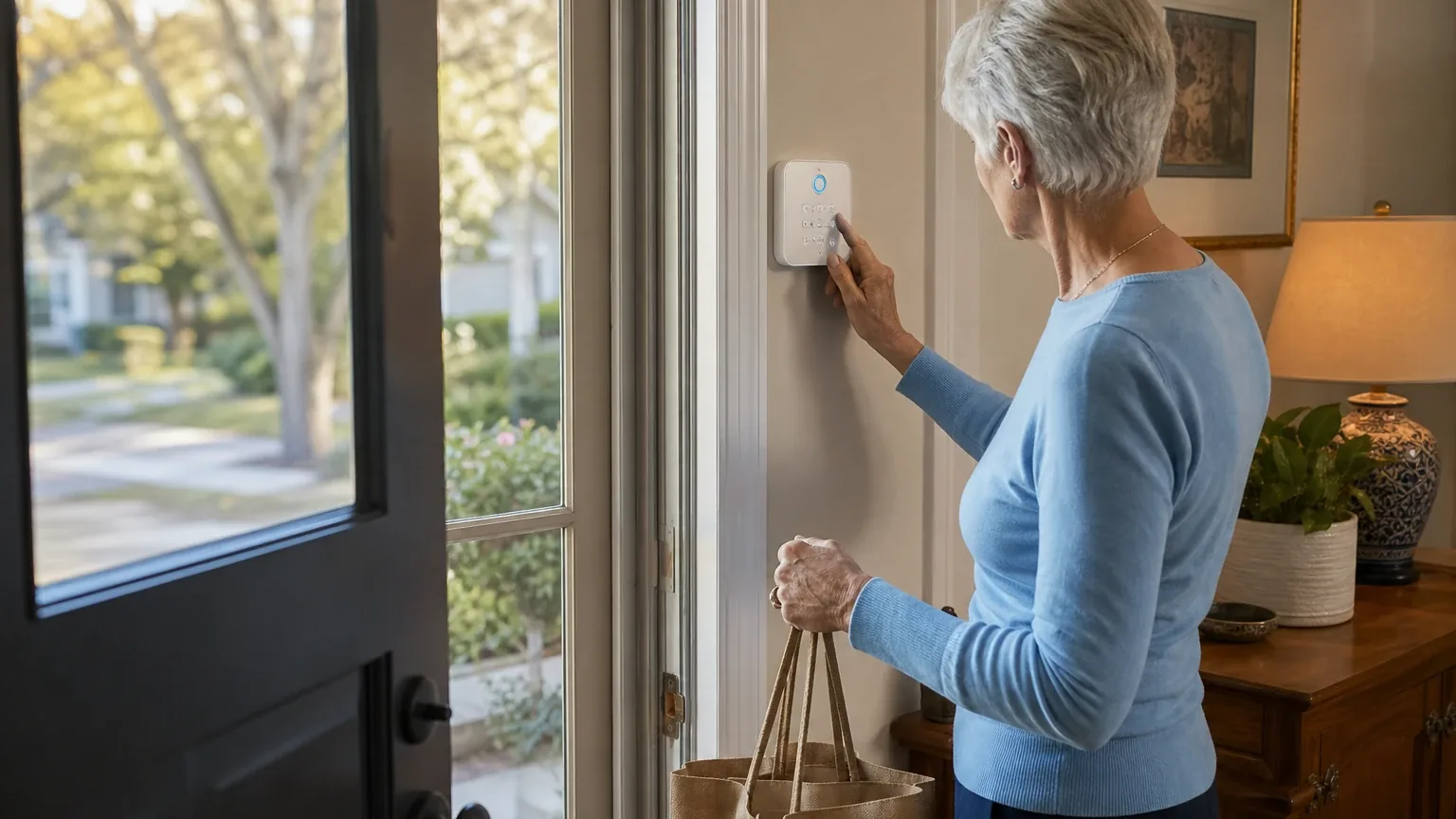
Ring is a good fit for independent older adults who want conventional home security with a physical keypad, a fixed panic button, caregiver app access, and low-cost 24/7 professional monitoring. It is not a complete medical-alert system: the documented panic options are fixed in-home devices, and the cited materials do not establish a wearable pendant, fall detection, or two-way voice medical alerting. Four of the seven platforms named Ring during the ranking stage, and those four split between "good" and "mixed" fit. The strongest reason to consider Ring is the combination of keypad emergency buttons, an optional Panic Button (2nd Gen), and Ring Protect Pro monitoring at a published $19.99/month or $199.99/year. The main limitation is the absence of documented wearable pendant integration.
Research Snapshot
| Field | Detail |
|---|---|
| Platform mentions in ranking stage | 4 of 7 platforms (anthropic, deepseek, kimi, openai) |
| Share of included platform responses | 57.1% |
| Average listed rank | 6.0 |
| Best listed rank | 4 (kimi, openai) |
| Relevant product/model/plan | Ring Alarm 2nd Gen or Ring Alarm 8-Piece Kit with Alarm Keypad, Ring Protect Pro 24/7 Professional Monitoring, and optional Ring Alarm Panic Button (2nd Gen) |
| Overall use-case fit | Good for conventional home security with fixed panic controls; mixed for personal emergency response |
| Research date | 2026-11-10 |
What Changed Since September 2026
Ring moved down from No. 3 to No. 5, and platform mentions increased from 3 to 4. The November 2026 review reframes the offering as Ring broadly rather than Ring Alarm, and buyer guidance now centers on the keypad emergency buttons plus the optional fixed Panic Button. Independent older adults with caregiver support remain the core audience, and the missing wearable pendant or fall detection remains the decisive limitation. Recommended configuration is unchanged, so no material change to the setup buyers are told to evaluate. A $249.99 kit price and a $4.99/mo plan tier are newly reported, while the $379.99 Alarm Pro kit figure is no longer repeated. Much of the supporting discussion clarifies availability, medical dispatch, and plan naming rather than describing different hardware. Differences between the two editions reflect what each article reports; they do not by themselves prove that the product, service, or price changed.
The September 2026 review preserves the earlier article for reference.
Why Ring Qualified for This Study
Questions This Section Answers
- Why did Ring make the senior-friendly home security ranking when it is not a dedicated medical alert system?
- How did Ring's ranking position compare with the platforms that did not name it?
Ring qualified because four of the seven platforms named it during ranking discovery, placing it at an average rank of 6.0 with a best rank of 4 (kimi and openai). The other three platforms — google, grok, and perplexity — supplied fit research on Ring but did not name it in the ranking stage, so their fit findings are included without a rank.
The qualification rests on documented senior-relevant hardware rather than medical-alert capability. Ring Alarm supports police, fire, and medical emergency buttons on the Keypad, and Ring sells a separate Panic Button (2nd Gen) that sounds the alarm and requests emergency help when pressed and held [3]. Ring Protect Pro is listed at $19.99/month or $199.99/year and includes 24/7 Professional Monitoring [14].
Independent reviews reinforce the senior angle. One senior-focused review assesses Ring Alarm as suitable for independent older adults seeking a physical panic button, caregiver access, and optional professional monitoring, while noting it is not a complete medical-alert or fall-detection solution [2]. Another independent review describes the Ring keypad as one of the simpler devices on the market and recommends it for older adults who might prefer a physical keypad over a touchscreen controller [39].
Ranking position is not a quality verdict. Ring's average rank of 6.0 reflects where platforms placed it among senior-oriented security options, and one independent ranking placed ADT and SimpliSafe ahead of Ring for Seniors [38].
The Product, Model, Plan, or Service Most Relevant to Senior-Friendly Home Security
Questions This Section Answers
- Which Ring Alarm configuration and monitoring plan should a senior household evaluate first?
- Does the Ring Alarm 8-Piece Kit include the keypad and panic controls a senior buyer needs?
The configuration to evaluate is Ring Alarm 2nd Gen (commonly the 8-Piece Kit) paired with Ring Protect Pro and, where needed, the Panic Button (2nd Gen). All seven platforms converged on this combination, though they named it slightly differently — some cited the 8-Piece Kit, others the 2nd Gen system with Keypad, and one cited an 8-Piece Kit bundled with an Indoor Cam [17].
The 8-Piece 2nd Generation kit is listed at $249.99 on Ring's kit-builder page, with a base station, keypad, contact sensors, motion detector, and range extender [34]. Kit contents should be confirmed before purchase because Ring changes promotional bundles. Ring Alarm 2nd Gen documentation lists a 24-hour backup battery and Alarm Cellular Backup with a compatible subscription [34].
The Panic Button (2nd Gen) is the accessory most directly tied to the senior use case. It requires a Ring Alarm or Alarm Pro Base Station and a compatible Ring Protect Plan subscription, and after a 3-second hold it sends a signal to the base station [29]. Its response type can be set to Panic, Fire, or Medical, and a medical alarm signal is sent to the monitoring center, which follows the response plan [21].
Plan naming is a live source of confusion. The supplied ranking-stage descriptions refer to Ring Protect Pro and older terminology such as Ring Protect Plus, and Ring's current plans page lists Ring Solo at $4.99/mo, Ring Multi at $9.99/mo, and Ring Pro at $19.99/mo [14]. Buyers should confirm the current U.S. plan name and included features at checkout.
What the AI Platforms Agreed About
Questions This Section Answers
- What senior-friendly capabilities did the AI platforms consistently credit to Ring?
- Did the platforms agree that Ring's keypad and panic button are usable for older adults?
The platforms agreed, with strong consistency, on four points: physical keypad controls, fixed panic-button emergency signaling, affordable 24/7 monitoring through Ring Protect Pro, and caregiver shared-user access.
On interface simplicity, independent reviews describe the keypad as simple with basic button functions suitable for older adults who prefer physical keypads over touchscreens, and the Ring app as offering large text and optional Alexa voice control [39]. Ring's own keypad documentation identifies police, fire, and medical emergency buttons and describes panic signaling [3].
On monitoring, Ring states that professional monitoring requests emergency responder dispatch when a break-in or other monitored emergency is detected, and that trained monitoring agents can request emergency dispatch on the user's behalf day or night [18]. Ring Protect Pro is listed at $19.99/month or $199.99/year [14].
On caregiver access, Ring supports Shared Users, Guest Users, individual access codes, and permission levels, with caregivers able to arm and disarm the alarm and view event history while account billing and some administrative functions remain owner-controlled [10].
On contracts, independent reviews state Ring does not require contracts for monitoring and that subscribers can cancel anytime without a cancellation fee [39].
Agreement among platforms does not establish product quality. These are largely company-owned claims repeated across platform responses, and company-owned citations materially outnumber independent ones in this evidence set.
Where the AI Platforms Disagreed or Were Uncertain
Questions This Section Answers
- Did the platforms disagree about whether Ring supports a wearable emergency pendant for seniors?
- Why do the platforms disagree about whether Ring has a documented panic button?
The sharpest disagreement concerns the Panic Button itself. OpenAI, Anthropic, Grok, and Perplexity all documented a Panic Button (2nd Gen) with configurable panic, fire, or medical response [30]. Kimi reported the opposite — that Ring does not publish a dedicated panic button accessory, citing an independent comparison that marked Ring's panic button status as "not published" [6]. The weight of cited evidence supports the button's existence, but the conflict is unresolved in the supplied materials.
Availability of the Panic Button is also contested. One Ring shop listing prices it at $29.99 [35] while the same listing states the device "has been discontinued and will not be coming back in stock" [35]. Another platform reported a $12 promotional price that may be expired. Buyers should confirm current availability before relying on this accessory.
Wearable pendant support is unresolved rather than disagreed upon. No cited Ring material establishes a wearable emergency pendant, fall detection, GPS response, or two-way voice medical alerting [25]. DeepSeek, Perplexity, and Kimi each labeled pendant integration unclear rather than absent, which is a research gap, not a finding.
Medical dispatch is another uncertainty. Anthropic and Perplexity documented a configurable "Medical" response type [21], while Kimi reported that Ring's published materials do not explicitly document medical emergency dispatch as a standalone feature [17]. Whether the medical setting produces a dedicated medical response or general emergency dispatch is not established.
Monitoring ownership is consistent but notable: Ring states it does not own its own professional monitoring center, and the specific third-party operator is not identified in the supplied sources [29].
Professional installation is documented but inconsistently characterized. Ring offers professional installation in eligible areas starting at $129.99 per device, with actual cost varying by device [13]. Perplexity reported that the reviewed sources did not clearly show a professional installation option for the alarm package, and Grok described Ring as primarily DIY [31].
Use-Case-Specific Features and Capabilities
Questions This Section Answers
- How does Ring's keypad and panic button work for a senior who needs to summon help quickly?
- Can a family caregiver arm, disarm, and monitor a Ring Alarm remotely?
Emergency panic access is Ring's clearest senior advantage. The Keypad provides physical Home, Away, Disarm, and emergency controls, and the Panic Button (2nd Gen) sounds the alarm and requests emergency help when pressed and held [3]. The Panic Button has a protective cover intended to reduce accidental presses [21].
A serious tradeoff accompanies that design. Ring's business panic-button instructions state that pressing the button sounds the siren and sends a panic signal to the monitoring center that cannot be canceled [26]. Placement and caregiver training matter for reducing accidental activation.
24/7 monitoring responsiveness is documented at the service level but not at the performance level. Ring states that professional monitoring requests emergency responder dispatch, and that the service is available in all 50 U.S. states [18]. The public materials do not provide a guaranteed response time, dispatch success rate, or senior-specific monitoring performance [18].
Interface simplicity is split between device and administration. The keypad reduces reliance on a smartphone for basic alarm operation, but setup and ongoing administration remain app-based [34]. One independent review notes the system still relies on app setup, subscription enrollment, and choosing response modes in settings, and that no reviewed source proves a senior-specific simplified interface [33].
Caregiver access controls are well documented. Ring supports Shared Users, Guest Users, individual access codes, and three permission levels — Limited, Standard, or Advanced — with shared users able to arm and disarm Ring Alarm at different permission levels [10]. A Shared User cannot change system settings or access account information [27].
Connectivity resilience depends on the subscription. Ring Alarm 2nd Gen documentation lists a 24-hour backup battery and Alarm Cellular Backup with a compatible subscription, and Ring Protect Pro includes 24/7 Backup Internet with 3GB of included data per month [34]. Cellular backup uses a third-party carrier, and availability depends on subscription, coverage, and local conditions.
Professional installation is optional and location-dependent. Ring offers professional installation in eligible areas starting at $129.99 per device, including professional mounting and wiring, device configuration, and hands-on training [13]. Ring partners with OnTech for professional installation, and cost varies by the number of components installed [43].
Pricing, Fees, Contracts, and Ongoing Costs
Questions This Section Answers
- What does Ring Alarm with Ring Protect Pro cost a senior household upfront and per year?
- Is Ring's professional monitoring contract-free, and what happens to the panic button if the subscription is canceled?
Ring's published costs are moderate and mostly transparent, with one unresolved line item. Ring Protect Pro is listed at $19.99/month or $199.99/year plus applicable tax [14]. The Ring Alarm 8-Piece 2nd Generation kit is listed at $249.99 as a promotional price at the time checked [34]. Independent reviews place starter kits at roughly $199–$329 depending on components [16].
The Panic Button price is the unresolved item. One source lists it at $29.99 [35], another platform reported approximately $19.99 per device [41], and a third reported a $12 promotional figure. The OpenAI research stated the required price was not visible in its cited source. Buyers should confirm at checkout.
Professional installation starts at $129.99 per device, billed separately, with actual cost varying by device and eligibility by ZIP code [13].
Additional fees to expect include applicable taxes, optional cameras and sensors, potential permit or local alarm-registration costs, and possible false-alarm fees depending on jurisdiction [14].
Contract terms favor the buyer. Independent reviews state Ring does not require contracts even with a one-year monitoring subscription, and that monitoring can be canceled anytime without a cancellation fee [39]. Ring's terms state subscription fees are non-refundable and plans auto-renew until canceled, and that after cancellation the subscriber keeps access until the period ends but receives no refund of fees already paid [45]. The cited sources do not establish a long-term monitoring contract or early-termination fee.
One dependency deserves emphasis: the Panic Button requires a compatible Ring Protect Plan subscription [29]. Without a plan, the system operates as a self-monitored alarm with siren activation only [42].
Best Suited For
Questions This Section Answers
- Is Ring a good choice for an independent senior who wants home security with a fixed emergency button?
- Which senior households get the most value from Ring Alarm with Ring Protect Pro?
Ring best suits independent older adults who can operate a wall-mounted keypad or fixed panic button and who want conventional home security with optional professional monitoring. The platforms converged on this profile even where their overall fit ratings differed.
Specific fits include older adults who can operate a wall-mounted keypad or fixed panic button, homes where family members or caregivers can assist with setup and app administration, and buyers wanting lower-cost DIY security with optional professional monitoring [2]. Anthropic added independent seniors with internet access who want simple home security combined with quick-response emergency dispatch, and homes in the 2–4 bedroom range seeking expandable wireless security without wired installation.
Ring also fits seniors already using Ring doorbells or cameras who want integrated home security, and families wanting remote caregiver access to home arming status and activity alerts [41]. One independent review recommends Ring Alarm (2nd Generation) as a DIY security system for seniors aging in place, citing sensor and notification capabilities [37].
Probably Not Best Suited For
Questions This Section Answers
- Is Ring a poor fit for a senior who needs fall detection or a wearable medical alert pendant?
- Why might Ring's app-based setup be a problem for a senior with limited smartphone experience?
Ring is probably not the right choice when the central need is personal emergency response rather than home security. Every platform that addressed the question identified the same gap.
Seniors who need a wearable pendant, mobile emergency response, fall detection, or two-way medical-alert communication are outside Ring's documented capability [25]. The system does not detect falls, inactivity, or health emergencies passively; the user must actively press a button [1].
Buyers who require turnkey professional installation and in-home training as a standard service should look elsewhere, since installation is optional, location-dependent, and billed per device [13]. Households where accidental panic activation would be problematic should also weigh the non-cancelable panic signal carefully [26].
Seniors with limited Wi-Fi reliability or no internet access are a poor match, because app control and remote monitoring depend on connectivity [9]. Seniors with cognitive impairments or low tech literacy who struggle with mobile apps are also a weaker fit, given that configuration and administration remain app-based [41].
One independent ranking placed Ring outside the top three senior systems, with ADT first and SimpliSafe second, and drew a distinction between security systems and medical alert systems [38].
When Another Option May Be Better
Questions This Section Answers
- When is a dedicated medical alert provider a better choice than Ring for a senior living alone?
- When is a professionally installed system like Vivint or ADT a better fit than Ring for an older adult?
A dedicated medical-alert provider is the better choice when the primary need is a wearable pendant, fall detection, mobile coverage, two-way voice, or emergency response outside the home [2]. Ring's medical capability should be treated as an alarm-triggered emergency workflow, not a substitute for a dedicated medical-alert system [1].
A dealer-installed system such as Vivint or ADT is the better choice when the senior needs turnkey installation, in-home walkthroughs, and ongoing local service rather than DIY setup [2]. Buyers who want an all-inclusive, fully installed custom system with white-glove service fall into the same category.
A simpler DIY system may be better when the buyer wants basic alarm functionality with less ecosystem complexity and does not need Ring cameras or caregiver permissions [2]. Buyers uncomfortable with Amazon data practices or Alexa-centric ecosystems may also prefer a non-Amazon option [6].
For buyers who want a documented panic button with explicit medical dispatch language from a competitor, independent comparisons point to SimpliSafe, which plainly documents a Panic Button accessory with 24/7 dispatch [6].
Questions to Verify Before Buying
Questions This Section Answers
- What should a buyer confirm about Ring Protect Pro availability and panic-button dispatch before purchasing for a senior?
- Which installation, permit, and cancellation costs should be confirmed at the senior's ZIP code before buying Ring?
Confirm plan availability and coverage first. Buyers should verify whether Ring Protect Pro is currently available at the senior's U.S. address and whether it covers the exact Ring Alarm model being purchased [14].
Confirm the emergency workflow. Buyers should ask whether the local monitoring configuration supports police, fire, and medical dispatch for the intended panic-button use, and what confirmation or cancellation process applies [26].
Confirm pendant support. Buyers should ask whether a wearable or waterproof pendant is supported by the specific Ring Alarm configuration, and if not, whether a separate medical-alert service should be added [25].
Confirm total cost at the ZIP code, including current equipment, Panic Button, tax, installation, permit, and cancellation costs [13]. Confirm whether the Panic Button is currently in stock given the conflicting discontinued listing [35].
Confirm caregiver permissions. Buyers should verify that the caregiver can receive emergency notifications, use remote arm/disarm, and access the needed devices without receiving billing or destructive administrative permissions [10].
Confirm outage behavior and physical reach. Buyers should ask what happens during simultaneous power, internet, and cellular outages, whether cellular coverage is adequate at the residence, and whether the senior can reliably reach and hold the fixed Panic Button or Keypad emergency controls from the bedroom, bathroom, and other high-risk locations [34].
Confirm local rules and training. Buyers should ask what local false-alarm fees, verification requirements, or responder policies apply, and whether Ring or the installer will provide hands-on training and test the full emergency workflow after installation [33].
Final AI Consensus Verdict
Ring is a good fit for independent seniors seeking mainstream home security with a physical keypad, optional fixed panic button, caregiver access, and affordable 24/7 professional monitoring. It is a mixed fit when the buyer's central need is personal emergency response, and Ring should not be treated as a substitute for a dedicated wearable medical-alert or fall-detection service without separately verifying compatibility and coverage.
The platform split is instructive. OpenAI and Anthropic rated Ring a good fit; DeepSeek, Google, Grok, Kimi, and Perplexity rated it mixed. The disagreement tracks research depth rather than product differences: platforms that found Ring's Panic Button documentation rated the fit higher, while platforms that could not confirm pendant integration, caregiver permissions, or professional installation defaulted to mixed.
The consensus strengths are the keypad emergency buttons, the Panic Button (2nd Gen) with configurable medical response, Ring Protect Pro monitoring at a published $19.99/month or $199.99/year, tiered caregiver permissions, and a no-contract subscription model. The consensus limitations are the absence of a documented wearable pendant or fall detection, app-dependent administration, location-dependent professional installation, and a non-cancelable panic signal that creates false-dispatch risk.
For the broader field, see the Senior-Friendly Home Security consensus index, which compares Ring against the other systems evaluated for this use case.
How This Review Was Produced
This review used the supplied platform fit-research responses from seven AI platforms — OpenAI, Anthropic, Google, Grok, DeepSeek, Kimi, and Perplexity — each of which independently researched Ring for the senior-friendly home security use case. Ranking statistics reflect how many platforms named Ring during ranking discovery and where they placed it. Fit ratings, strengths, limitations, pricing, and verification questions were taken from each platform's structured response and reconciled section by section.
Where platforms conflicted — most notably on Panic Button availability, medical dispatch, and professional installation — the conflict is reported rather than resolved. Company-owned sources are identified as such in the Sources section and are not presented as independent verification. No product testing, customer interviews, or independent verification was performed for this review.
Methodology Limitations
Several limitations constrain confidence in this review.
Company-owned citations materially outnumber independent citations in the supplied evidence, so most capability claims originate with Ring and are not independently verified. Platform-reported research dates differ from the authoritative run date of 2026-11-10; DeepSeek's response carries a research date of 2026-06-01, and DeepSeek reported search disabled, meaning its claims require explicit verification before being described as current facts. Platform-reported dates are provenance metadata and do not independently prove freshness.
All included platforms evaluated fit, but the platform mention count reflects only platforms that named Ring during ranking discovery. The supplied URLs were collected from platform responses and were not independently validated by the writer stage. Citations are platform-reported evidence, not independently verified facts.
Pricing conflicts remain unresolved: the Panic Button is listed at $29.99, approximately $19.99, and $12 across sources, and one Ring shop listing marks it discontinued. Plan naming changed in 2026, and older terminology such as Ring Protect Plus appears in the ranking-stage descriptions. Equipment prices are promotional and may change. Professional installation availability and local permit requirements vary by ZIP code and jurisdiction. Monitoring response times and outcomes are not publicly guaranteed in the cited materials.
Explore more home safety guidance in the category directory.
Sources
Company-Owned Sources
- How to Improve Home Security for Seniors — The Ring Blog: https://blog.ring.com/home-security/how-to-improve-home-security-for-seniors/
- Is a Ring Protect Plan Worth It? What Each Plan Adds and How To Choose: https://blog.ring.com/home-security/ring-subscription-comparison/
- Managing permissions for users: https://partners.ring.com/support/articles/clv68/Managing-Shared-Users?hasLangChanged=true
- 2-Pack Panic Button (2nd Gen: https://ring.com/ca/fr/products/2-pack-panic-button-v2
- Install and use your Ring Alarm Panic Button: https://ring.com/gb/en/support/articles/4hg0k/Installing-and-using-Ring-Alarm-Panic-Button-2nd-Gen
- Enrolling in 24/7 Professional Monitoring; Need help with Ring Device Installation?: https://ring.com/install-my-ring
- Ring Protect - Subscription Plans for Home Security: https://ring.com/plans
- Ring Alarm System: https://ring.com/products/ring-alarm-security-kit
- Ring Alarm Security Kit 14-Piece: https://ring.com/products/security-system-alarm-14
- 8-Piece Alarm Security Kit + Indoor Cam | Smart Home Security | Ring: https://ring.com/products/security-system-indoor-cam-alarm-8
- Professional Monitoring – Ring Alarm Emergency Support: https://ring.com/professional-monitoring
- Ring Protect Plans: https://ring.com/protect-plans
- Shared Users and Alexa: https://ring.com/support/articles/0l486/Shared-Users-and-Alexa
- Installing and using Ring Alarm Panic Button (2nd Gen: https://ring.com/support/articles/4hg0k/Installing-and-using-Ring-Alarm-Panic-Button-2nd-Gen
- Ring 24/7 Professional Monitoring Emergency Response: https://ring.com/support/articles/7hiub/Ring-Alarm-Professional-Monitoring-Emergency-Response
- Ring Protect Pro Information: https://ring.com/support/articles/9typd/Ring-Protect-Pro-Information
- Managing permissions for users: https://ring.com/support/articles/clv68/managing-permissions-for-users
- Ring Alarm Pro FAQs: https://ring.com/support/articles/dej47/Ring-Alarm-Pro-FAQs
- Installing Ring Alarm at your business: https://ring.com/support/articles/eg62i/Installing-Ring-Alarm-at-your-Business
- Sharing PIN Codes for Locks and Ring Alarm: https://ring.com/support/articles/iq5s4/Sharing-PIN-Codes-for-Locks-and-Ring-Alarm
- Understanding Ring Alarm Keypad (2nd Generation) Lights and Buttons: https://ring.com/support/articles/izp62/Understanding-Ring-Alarm-Keypad-2nd-Generation-Lights-and-Buttons
- Ring Alarm Panic Button (2nd Gen) FAQs: https://ring.com/support/articles/td3zm/FAQs-About-the-Panic-Button-2nd-Gen
- Panic Button (2nd Gen) FAQ: https://ring.com/support/articles/td3zm/Ring-Alarm-Panic-Button-Gen-2-FAQ
- Ring Alarm (2nd Gen) Installation Guide: https://ring.com/support/articles/v2560/Ring-Alarm-2nd-Gen-Installation-Guide?hasLangChanged=true
- Installing and using Ring Alarm Keypad: https://ring.com/support/articles/vgw53/Installing-and-using-Ring-Alarm-Keypad
- Ring Alarm 2nd Generation; Create Your Alarm Kit: https://ring.com/support/products/alarm/ring-alarm-gen-2?page=1&redirect=true
- Panic Button (2nd Gen: https://shop.ring.com/products/panic-button-v2
- Official pricing and terms source: https://ring.com
- Official pricing and terms source: https://ring.com/terms
Independent Sources
- Ring Review for Security Plus Emergency Response: https://aginginplaceindex.com/home-safety/security-plus-emergency-response/ring
- Ring Alarm Review for Senior-Friendly Home Security: https://aginginplaceindex.com/home-safety/senior-friendly-home-security/ring-alarm
- Best Home Security Systems for Seniors (2026): Simple, No Contract: https://circuitandchime.com/home-security-systems/seniors
- Ring Alarm Review 2026: https://dev.security.org/home-security-systems/ring-alarm/review/
- Ring Monitoring Cost: What 24/7 Professional Monitoring Actually Requires (August 2026: https://homesecurityradar.com/guides/ring-monitoring-cost
- Ring Alarm Review 2026: Easy Home Security for Seniors: https://livingyourseniorlife.com/ring-alarm/
- I Tested Ring’s 2026 Panic Button. It’s Refreshingly All-Purpose: https://www.cnet.com/home/i-tested-rings-2026-panic-button-its-refreshingly-all-purpose
- 18 Best Smart Home Devices to Help Aging in Place in 2026: https://www.nytimes.com/wirecutter/reviews/smart-home-for-seniors/
- Best Home Security Systems for Seniors in 2026: https://www.security.org/home-security-systems/best/seniors/
- Ring Alarm Review 2026: https://www.security.org/home-security-systems/ring-alarm/review/
- Ring Alarm Security System Cost and Pricing: https://www.security.org/home-security-systems/ring/pricing/
- Best Home Security Systems for Seniors in 2026: https://www.seniorliving.org/home-security/best/
- Best Security System for Elderly 2026: 6 Alarm Kits - Smart Home Perfected: https://www.smarthomeperfected.com/security-system-for-elderly/
- Ring Alarm Home Security System Review 2026: Expert Tested: https://www.usnews.com/360-reviews/services/home-security/ring-alarm
Verify This Research
Review the study details behind this page or download the public machine-readable verification record.
- Study date
- November 10, 2026
- Platforms analyzed
- 7
- Source records
- 45
- Ranking mentions
- 4 of 7
- Platform share
- 57%
- Final consensus rank
- #5
Research trail and source mix
Configured platforms
openai, anthropic, deepseek, grok, perplexity, kimi, google
Source mix
14 independent · 31 company-owned
Evidence support
36 direct · 9 partial
Important limitation
Use the run research_date as the study date. Platform-reported dates are provenance metadata and do not independently prove freshness.
Source snapshot SHA-256 fa706b6e8c51df0b2922fcb96cb724638a6e22436ec32686be28b460ff7f792b