
Answer Capsule
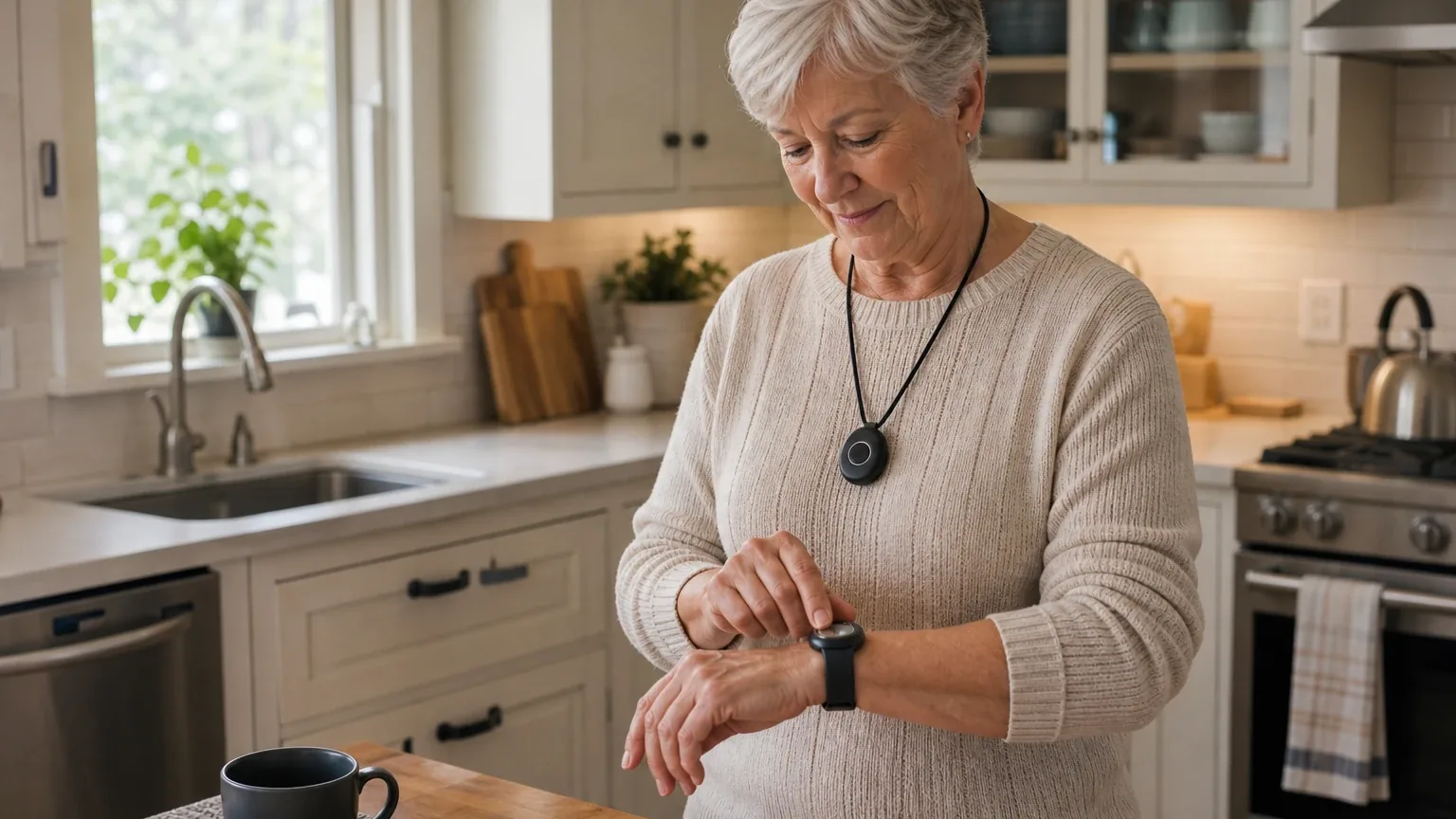
LifeStation is a mixed fit for rural and low-signal reliability. Two of seven platforms named it during ranking discovery (kimi and perplexity), and fit ratings split across the panel: google and anthropic rated it good, while openai, deepseek, grok, and perplexity rated it mixed, and kimi could not rate it. The strongest reason to consider it is the landline-based In-Home Traditional option, which independent sources describe as a genuine non-cellular fallback for homes with weak cellular service. The main limitation is that every wireless model depends on AT&T's 4G LTE network, with no verified automatic multi-carrier failover, satellite path, or rural dead-zone testing.
Research Snapshot
| Field | Finding |
|---|---|
| Platform mentions in ranking stage | 2 of 7 platforms (kimi, perplexity) |
| Share of included platform responses | 28.6% |
| Average listed rank | 7.0 |
| Best listed rank | 4 (perplexity) |
| Relevant product/model/plan | Sidekick Home (in-home cellular), Pearl and Sidekick (mobile GPS), Sidekick Smart (watch), In-Home Traditional (landline) |
| Overall use-case fit | Mixed |
| Research date | 2026-09-27 |
Why LifeStation Qualified for This Study
Questions This Section Answers
- Is LifeStation a good choice for rural seniors who need reliable medical alert service in low-signal areas?
- How many AI platforms named LifeStation when ranking medical alert systems for rural and low-signal reliability?
LifeStation qualified because it was named by two of the seven platforms during ranking discovery, clearing the study's two-mention threshold, and because it was the only entity in this review set with a landline-based in-home option described by independent sources. It ranked 10th on kimi and 4th on perplexity, for an average listed rank of 7.0 and a final rank of 9.
The panel's fit ratings were not unanimous. Google and anthropic rated LifeStation a good fit for this use case; openai, deepseek, grok, and perplexity rated it mixed; kimi returned an uncertain rating after its search returned only rural internet providers rather than medical alert material (kimi:search-no-match). That split is the central finding of this review: LifeStation has real rural-relevant strengths, but the public record does not establish that its wireless products perform reliably in true low-signal conditions.
LifeStation is a company-level entity in this study, not a single product. Its current lineup includes Sidekick Home, Pearl, and Sidekick Smart, and independent sources also describe an In-Home Traditional landline model [1]. The ranking-stage reference to "Sidekick GPS" does not align cleanly with current public product names; LifeStation's current site presents Pearl as the GPS-enabled mobile device [4].
The Product, Model, Plan, or Service Most Relevant to Rural & Low-Signal Reliability
Questions This Section Answers
- Which LifeStation plan is the best option for a rural senior whose home has weak cellular coverage but a working landline?
- Is LifeStation's Pearl mobile GPS system a good choice for a rural senior who travels through low-signal areas?
The most rural-relevant LifeStation option is the In-Home Traditional landline system, not the mobile GPS devices. Independent sources describe it as landline-based and explicitly designed for areas with weak cellular reception, with roughly 500 to 1,000 feet of range depending on connection type [5]. It is not available for online purchase and requires a direct phone call, which suggests limited distribution or de-emphasis of the product line [7].
For buyers who need mobility, the relevant devices are Pearl and Sidekick, both cellular and GPS-enabled. One independent review identifies the Mobile with GPS device as operating on the AT&T network [5]; LifeStation's own pages state that mobile systems use AT&T 4G LTE and that Sidekick Home connects via AT&T rather than a landline [8]. LifeStation's Pearl page claims AT&T offers the broadest cellular coverage in the United States and says Verizon and T-Mobile are available subject to minimum order quantity [12]. That MOQ qualifier matters: it indicates alternative carriers are not a standard single-consumer offering, and the threshold is not specified.
Sidekick Home is the cellular in-home option, with up to 1,300 feet of range from the base unit and a 24-hour backup battery [13]. Sidekick Smart is a GPS-enabled smartwatch with approximately 24-hour battery life [13]. Neither is a substitute for a landline in a cellular dead zone.
What the AI Platforms Agreed About
Questions This Section Answers
- What do AI platforms agree LifeStation does well for rural seniors with low-signal concerns?
- Does LifeStation offer a landline fallback option that works without cellular coverage?
The clearest cross-platform agreement is that LifeStation offers a landline-based in-home option that reduces cellular dependence. Openai, anthropic, deepseek, google, grok, and perplexity all reference a landline or traditional in-home configuration in some form [16]. This is the single most repeated rural-relevant strength in the panel.
The second area of agreement is monitoring infrastructure. LifeStation states that alerts reach a 24/7 monitoring center where a care specialist communicates through the device and may contact emergency services, family members, or caregivers according to the response plan [20]. Independent sources describe U.S.-based monitoring centers, and grok cites TMA Five Diamond certification with tested response times of 12 to 31 seconds [21]. Google reports an average response time of approximately 20 seconds and monitoring facilities in New Jersey and Texas [22]. These figures are platform-reported and were not independently verified for this review.
Third, the panel broadly agrees on device range and battery figures for the in-home unit. LifeStation lists up to 1,300 feet from the base unit and a 24-hour backup battery for Sidekick Home [23]. AARP's 2026 independent testing reported strong GPS accuracy, audio clarity, and monitoring-center professionalism, with the GPS-enabled device correctly identifying the tester's address in three tested locations [26]. Those test locations were suburban, retail, and airport environments, not remote rural dead zones.
Where the AI Platforms Disagreed or Were Uncertain
Questions This Section Answers
- Do AI platforms disagree about whether LifeStation is reliable in rural low-signal areas?
- Is LifeStation's cellular carrier coverage for rural addresses verified by independent testing?
The panel disagreed on overall fit and on how much weight to give LifeStation's rural positioning. Google rated it good, arguing that the landline option plus 1,300-foot range makes it highly reliable for Rural Seniors, while cautioning that buyers must verify AT&T coverage at their exact address [27]. Anthropic also rated it good, citing dual-carrier potential, landline fallback, and no-contract terms [28]. Openai, deepseek, grok, and perplexity all rated it mixed, and kimi could not rate it at all.
The sharpest unresolved conflict is carrier identity and coverage. One independent source identifies AT&T operation [30]; another third-party review claims LifeStation may use AT&T and Verizon depending on plan, which was not confirmed on the current official product page [30]. LifeStation's own Pearl page claims AT&T provides the broadest U.S. coverage while also listing Verizon and T-Mobile subject to MOQ [31]. Independent network coverage maps show AT&T has gaps in specific rural regions, but that finding is platform-reported and not tied to a specific LifeStation test [31].
Pricing conflicts are equally material. LifeStation's current site lists $38.95 per month for Sidekick Home and $42.95 per month for Pearl and Sidekick Smart [32]. Older independent pricing tables show materially lower figures, including $19.95 per month for In-Home Traditional and $32.95 per month for In-Home Plus, both marked as annual-prepayment rates [28]. Google reports an initiation fee of $99.95 and a $12.50 shipping fee waived on quarterly or annual plans [34]. Openai reports that AARP found activation fees vary by device and that the tested Sidekick Smart carried no activation fee [35]. These figures cannot all be current.
Product naming is also inconsistent. The ranking stage referenced "Sidekick GPS," which does not match current public product names [32]. In-home range is reported as both 600 feet and up to 1,300 feet on different LifeStation pages [36]. Battery figures vary by model and source, and the reviewed sources do not verify performance in cellular dead zones, mountainous terrain, heavy tree cover, or during local network outages [32].
Use-Case-Specific Features and Capabilities
Questions This Section Answers
- How does LifeStation handle cellular carrier coverage, landline fallback, and GPS reliability for rural low-signal use?
- What are LifeStation's backup battery life and device range specifications for rural homes?
Cellular carrier coverage — limitation. Mobile GPS devices require a cellular connection, and LifeStation's own documentation states that where cellular coverage is limited, users may encounter diminished device capabilities [38]. No verified dual-carrier failover, satellite path, or store-and-forward emergency route was found [40].
Landline fallback — advantage. The In-Home Traditional system connects through a traditional landline and is described as designed for weak-cellular areas [41]. It is not a fallback for the portable GPS unit, and sources do not specify automatic cellular-to-landline failover within one device (deepseek:LS-OFFICIAL).
GPS reliability — advantage with caveats. AARP's 2026 testing awarded perfect scores for location accuracy across three tested locations [44]. LifeStation claims GPS, Wi-Fi, and Bluetooth triangulation delivers accurate location even indoors [39]. Wi-Fi triangulation assumes Wi-Fi infrastructure, which is sparse in rural areas, and grok reports mixed independent GPS results, strong on Pearl but poor on Sidekick Smart outdoors (grok:1).
Speaker volume and audio — advantage, incomplete specification. AARP reported strong audio clarity and positive operator assessments [44]. LifeStation describes a powerful speaker and sensitive microphone, with an extra-loud speaker option on Sidekick Home [46]. No numerical decibel rating or rural outdoor intelligibility specification was found [40].
Dispatch protocol — advantage, no rural benchmark. Alerts route to a 24/7 monitoring center that can contact emergency services, family, or caregivers per the response plan [48]. No guaranteed dispatch time or rural-specific emergency-services protocol was published [40].
Backup battery life — advantage, varies by model. Sidekick Home lists up to 24 hours; Pearl lists up to three days; Sidekick Smart is approximately 24 hours [40]. One source lists up to five days for mobile units [39]. Performance varies with signal strength, usage, and temperature [40].
Device range — advantage. Up to 1,300 feet from the base unit for Sidekick Home [40]. This does not extend cellular or GPS availability beyond the device's network connection.
Monitoring-center responsiveness — advantage, unverified for rural. AARP praised monitoring staff professionalism [44]. No rural-specific response-time measurement or guarantee was found [40].
Fall detection — limitation. Available as an optional add-on, and LifeStation expressly cautions it does not detect 100% of falls [40]. AARP reports an $8 per month add-on charge; google reports $8 to $10 per month [44].
Pricing, Fees, Contracts, and Ongoing Costs
Questions This Section Answers
- How much does LifeStation cost per month for Sidekick Home, Pearl, and Sidekick Smart, and are there activation or shipping fees?
- Does LifeStation require a long-term contract, and what are the cancellation and equipment-return terms?
Current LifeStation pricing starts at $38.95 per month for Sidekick Home and $42.95 per month for Pearl and Sidekick Smart [52]. Older independent tables show lower figures, including $19.95 per month for In-Home Traditional and $32.95 per month for In-Home Plus with annual prepayment, and $35.95 to $39.95 per month for mobile units [53]. Treat the current site figures as the starting point and confirm the exact plan.
Fees are inconsistently reported. Google lists a $99.95 initiation fee and $12.50 shipping fee, both waived on quarterly or annual plans, plus $2.99 per month for a lockbox and $2.49 per month for wall-mounted buttons [56]. Openai reports that AARP found activation fees vary by device and that the tested Sidekick Smart carried no activation fee [57]. Grok reports a $99.95 activation fee on some plans and equipment rental requiring return (grok:2). These accounts conflict and should be verified directly.
Contract terms are more consistent. Multiple sources describe month-to-month billing with no long-term contract and a 30-day money-back guarantee [58]. LifeStation's terms state that the company owns the system at all times and that the subscriber must return it undamaged within ten days of termination or pay its replacement value (official:C2). The same terms limit LifeStation's liability to a maximum of $1,000 collectively and state there are no warranties beyond the description in the agreement (official:C2). The terms document is dated September 2018, so buyers should confirm whether it remains current.
Fall detection is an add-on at roughly $8 to $10 per month [57]. Insurance discounts are advertised but eligibility is not specified (official:C1). Device cost, activation fees, and return shipping are not fully published [58].
Best Suited For
Questions This Section Answers
- Who is LifeStation best suited for among rural seniors with low-signal reliability concerns?
- Is LifeStation worth it for a rural senior who has a working landline but weak cellular coverage?
LifeStation is best suited to rural seniors whose home and regular travel locations have dependable AT&T cellular coverage, and to rural households with an active landline that need an in-home fallback to cellular dependence [60]. It also fits buyers who prioritize GPS location, two-way communication, and 24/7 professional monitoring over documented network redundancy [62].
It is a reasonable candidate for buyers who want month-to-month terms and a 30-day trial to test coverage before committing, since no long-term contract is described [63]. It also suits seniors who need both home protection and occasional mobility with GPS, and those who specifically want U.S.-based monitoring without overseas call routing [63].
Probably Not Best Suited For
Questions This Section Answers
- Who should not choose LifeStation for rural and low-signal reliability?
- Is LifeStation a poor choice for a senior who travels through cellular dead zones or remote mountains?
LifeStation is probably not the best choice for seniors who routinely travel through cellular dead zones, remote mountains, or areas where emergency calls cannot reliably connect [65]. It is also a weak fit for buyers who require documented multi-carrier failover, satellite connectivity, or a guaranteed low-signal emergency path, since no automatic network failover mechanism was described [66].
Buyers who need independently verified speaker-volume specifications or guaranteed dispatch performance for a particular county should look elsewhere [65]. The same applies to buyers in areas where Verizon has strong coverage but AT&T does not, and to active rural seniors who want a mobile unit with multi-carrier coverage switching [67].
When Another Option May Be Better
Questions This Section Answers
- What is a better alternative to LifeStation for a rural senior in a true cellular dead zone with no landline?
- When should a buyer choose a satellite or multi-carrier medical alert system instead of LifeStation?
Another option may be better when the rural home has no landline and cellular coverage is weak; a system with documented multi-carrier or satellite-backed connectivity may be preferable [69]. Satellite-based medical alert systems are named by one platform as potentially more suitable for extremely remote areas with zero AT&T or Verizon cellular and no landline [70].
Buyers who need guaranteed automatic failover between multiple carriers should consider systems with embedded dual-SIM or multi-carrier switching logic [70]. Those who need multi-day battery without daily charging may prefer competitors offering 7 to 10 day battery on mobile units [70]. Buyers who require integration with specific rural emergency dispatch systems or regional provider partnerships should note that LifeStation's dispatch relationships are not detailed in the reviewed sources [70]. One platform names Medical Guardian, Bay Alarm Medical, and Lively as alternatives with stated Verizon or AT&T partnerships when verifiable carrier information is required (kimi:search-no-match).
Questions to Verify Before Buying
Questions This Section Answers
- What should a buyer confirm with LifeStation before signing up for rural low-signal service?
- Which carrier and device model will LifeStation ship to a specific rural address?
Confirm the cellular carrier and LTE bands for the exact mobile device at the senior's address and travel locations, and whether the device is single-carrier or can switch automatically between AT&T, Verizon, or another network [71]. Ask whether LifeStation can run a pre-purchase coverage test using the exact rural address, indoor locations, yard, and common travel routes [71].
Confirm which device is recommended — Pearl, Sidekick Smart, or another model — and its tested battery life, charging requirements, and low-signal behavior [71]. Ask whether the home system supports landline, cellular, or both, and what happens if the primary connection fails [71]. Verify the effective indoor-to-yard range after walls, metal buildings, terrain, and vegetation are considered [71].
Ask for the speaker loudness in decibels and whether the user can communicate clearly from the bedroom, basement, bathroom, or outside [71]. Request the monitoring center's measured average answer time, escalation process, and procedure when two-way voice cannot be established [71]. Confirm all activation, equipment, shipping, replacement, fall-detection, annual-prepayment, and early-cancellation fees, plus current cancellation, return, refund, warranty, and price-increase terms [71].
Final AI Consensus Verdict
The panel's consensus is mixed fit, not a clear recommendation. Two of seven platforms named LifeStation during ranking discovery, and fit ratings split three ways: good from google and anthropic, mixed from openai, deepseek, grok, and perplexity, and uncertain from kimi. No platform rated it weak, and no platform rated it best-in-class for rural low-signal reliability.
The strongest evidence for LifeStation in this use case is the landline-based In-Home Traditional option, which independent sources describe as designed for weak-cellular areas, plus independently tested GPS accuracy, audio clarity, and monitoring professionalism [76]. The strongest evidence against is single-carrier AT&T dependence for all wireless models, no verified automatic failover or satellite path, and no testing in true rural dead zones [79].
LifeStation is a defensible choice when the buyer confirms dependable AT&T service at the exact locations or can use the landline-based home configuration. It is not a clearly strong choice for true cellular dead zones or for buyers who require documented network redundancy. Buyers should treat the 30-day money-back guarantee as an essential trial period in weak-coverage zones [81].
How This Review Was Produced
This review evaluates LifeStation only for the Rural & Low-Signal Reliability use case within the broader Rural & Low-Signal Reliability study. It is not a broad company review. The study compared seven AI platforms on the same use-case criteria: cellular carrier coverage, landline fallback options, GPS reliability, speaker volume, dispatch protocol, backup battery life, device range, and monitoring center responsiveness.
Platforms were included if they returned a fit assessment for the entity. Ranking-stage mentions were counted separately from fit assessments, so a platform can appear in the fit panel without having named LifeStation during ranking discovery. The research date is 2026-09-27. This review sits within the wider medical alert systems category.
Methodology Limitations
Platform-reported research dates differ from the authoritative run date: anthropic reports 2026-01-15 and deepseek reports 2026-02-14, while the remaining platforms report 2026-09-27. These are provenance metadata and do not independently prove freshness. Deepseek's response was produced with search disabled, so its claims are model-reported rather than retrieved.
Citations are platform-reported evidence, not independently verified facts. The supplied URLs were collected from platform responses and were not independently validated by the writer stage. No-search model claims require explicit verification before being described as current facts. Platform agreement does not prove product quality.
Several material conflicts remain unresolved: current versus older pricing, carrier identity, product naming, in-home range, and battery figures. The reviewed sources do not verify performance in cellular dead zones, mountainous terrain, heavy tree cover, or during local network outages. No numerical speaker-volume specification, guaranteed dispatch time, or rural response-time benchmark was verified. LifeStation's terms document is dated September 2018 and may not reflect current terms.
Sources
Company-Owned Sources
- Medical Alert Systems for Seniors | LifeStation: https://www.lifestation.com/
- How to Set Up a Medical Alert System for Your Loved One | LifeStation: https://www.lifestation.com/blog/how-to-set-up-a-medical-alert-system/
- Emergency Response Systems for the Elderly | LifeStation: https://www.lifestation.com/emergency-response-systems-for-the-elderly/
- In-Home vs. Mobile Medical Alert Systems: How Do You ... - LifeStation: https://www.lifestation.com/in-home-or-mobile-medical-alert/
- Medical Alert Systems for Seniors | LifeStation: https://www.lifestation.com/medical-alert-systems/
- At Home Medical Alert Systems for Seniors - LifeStation: https://www.lifestation.com/medical-alert-systems/at-home/
- Sidekick Home Medical Alert | No Landline or Wi-Fi - LifeStation: https://www.lifestation.com/medical-alert-systems/at-home/wireless/
- Medical Alert System For Diabetes Patients | LifeStation: https://www.lifestation.com/medical-alert-systems/diabetes/
- Best Medical Alert Systems With Fall Detection (2026) | LifeStation: https://www.lifestation.com/medical-alert-systems/fall-detection/
- Mobile GPS Medical Alert System | LifeStation.com: https://www.lifestation.com/mobile-gps/
- Sidekick Smart Best Medical Alert Watch for Seniors: https://www.lifestation.com/pdp-sidekick-smart/
- Best Mobile Medical Alert System with GPS | LifeStation: https://www.lifestation.com/pdp-sidekick/
- Pearl: Best Mobile Medical Alert System with GPS | LifeStation: https://www.lifestation.com/pearl-mobile-medical-alert-system/
- Sidekick Home Medical Alert | No Landline or Wi-Fi: https://www.lifestation.com/sidekick-in-home-medical-alert-system/
- LifeStation Terms & Conditions | Legal Agreement & Service Info: https://www.lifestation.com/terms-conditions/
- Official pricing and terms source: https://www.lifestation.com/terms-and-conditions/
Additional AI research evidence82 records
- AI research evidence record openai:c2
- AI research evidence record anthropic:c1
- AI research evidence record google:2.1.6
- AI research evidence record openai:c3
- AI research evidence record openai:c2
- AI research evidence record anthropic:c1
- AI research evidence record anthropic:c5
- AI research evidence record anthropic:c2
- AI research evidence record anthropic:c3
- AI research evidence record perplexity:c3
- AI research evidence record google:1.2.2
- AI research evidence record anthropic:c4
- AI research evidence record openai:c3
- AI research evidence record google:1.1.8
- AI research evidence record perplexity:c4
- AI research evidence record openai:c2
- AI research evidence record anthropic:c1
- AI research evidence record google:2.1.6
- AI research evidence record perplexity:c5
- AI research evidence record openai:c5
- AI research evidence record anthropic:c7
- AI research evidence record google:1.3.5
- AI research evidence record openai:c3
- AI research evidence record google:1.1.8
- AI research evidence record anthropic:c2
- AI research evidence record openai:c1
- AI research evidence record google:1.3.1
- AI research evidence record anthropic:c1
- AI research evidence record anthropic:c7
- AI research evidence record openai:c2
- AI research evidence record anthropic:c4
- AI research evidence record openai:c3
- AI research evidence record google:2.2.8
- AI research evidence record google:1.3.5
- AI research evidence record openai:c1
- AI research evidence record perplexity:c6
- AI research evidence record anthropic:c3
- AI research evidence record anthropic:c2
- AI research evidence record anthropic:c3
- AI research evidence record openai:c3
- AI research evidence record anthropic:c1
- AI research evidence record anthropic:c5
- AI research evidence record google:2.1.6
- AI research evidence record openai:c1
- AI research evidence record perplexity:c5
- AI research evidence record anthropic:c6
- AI research evidence record perplexity:c3
- AI research evidence record openai:c5
- AI research evidence record google:1.3.5
- AI research evidence record google:1.1.8
- AI research evidence record google:2.2.4
- AI research evidence record openai:c3
- AI research evidence record anthropic:c1
- AI research evidence record google:2.2.8
- AI research evidence record google:2.2.4
- AI research evidence record google:1.3.5
- AI research evidence record openai:c1
- AI research evidence record anthropic:c7
- AI research evidence record perplexity:c4
- AI research evidence record openai:c3
- AI research evidence record anthropic:c1
- AI research evidence record openai:c1
- AI research evidence record anthropic:c7
- AI research evidence record perplexity:c4
- AI research evidence record openai:c3
- AI research evidence record anthropic:c3
- AI research evidence record google:1.3.1
- AI research evidence record google:1.3.5
- AI research evidence record openai:c3
- AI research evidence record anthropic:c3
- AI research evidence record openai:c3
- AI research evidence record anthropic:c3
- AI research evidence record perplexity:c4
- AI research evidence record anthropic:c6
- AI research evidence record google:1.3.5
- AI research evidence record openai:c1
- AI research evidence record anthropic:c1
- AI research evidence record anthropic:c5
- AI research evidence record anthropic:c3
- AI research evidence record openai:c3
- AI research evidence record anthropic:c7
- AI research evidence record perplexity:c4
Independent Sources
- LifeStation Sidekick Home - Review 2026: https://me.pcmag.com/en/smart-home/14605/lifestation-sidekick-home
- LifeStation - Medical Alert Systems: https://medalertsystems.com/reviews/lifestation/
- LifeStation Medical Alert Review: Is It Worth It in 2026?: https://millennialhawk.com/lifestation-medical-alert-review/
- LifeStation Medical Alert Review (2026): Our Testing Experience: https://www.aarp.org/caregiving/home-care/lifestation-review/
- LifeStation vs Life Alert - Caring.com: https://www.caring.com/best-medical-alert-systems/lifestation-vs-life-alert/
- LifeStation Medical Alert System Review: https://www.caring.com/senior-products/best-medical-alert-systems/lifestation
- Web search results for rural connectivity and medical alert systems: https://www.cnet.com/home/internet/nomad-internet-review/
- Medical Alert Device User Guide | HPSM Members: https://www.hpsm.org/member/health-benefits/medical-alert-device
- LifeStation Medical Alert Review – Features, Devices & Pricing Guide: https://www.medicalalertscompared.com/lifestation-medical-alert-review/
- LifeStation Review 2026: Testing the Medical Alert System: https://www.ncoa.org/product-resources/medical-alert-systems/lifestation-review/
- LifeStation Sidekick Home Review | PCMag: https://www.pcmag.com/reviews/lifestation-sidekick-home
- LifeStation Review (2026): With Costs: https://www.retirementliving.com/reviews/lifestation
- LifeStation Review (2026): With Costs: https://www.retirementliving.com/reviews/lifestation-review
- LifeStation Review│ Hands-On Test Results | SafeWise: https://www.safewise.com/senior-safety/medical-alerts/life-station/
- LifeStation Review: https://www.seniorliving.org/medical-alert-systems/lifestation/
- LifeStation Medical Alert System Review 2026: https://www.seniorliving.org/medical-alert-systems/lifestation/reviews/
- Medical Alert System Costs in 2026 – Complete Pricing Guide: https://www.seniorliving.org/medical-alert/costs/
Additional AI research evidence82 records
- AI research evidence record openai:c2
- AI research evidence record anthropic:c1
- AI research evidence record google:2.1.6
- AI research evidence record openai:c3
- AI research evidence record openai:c2
- AI research evidence record anthropic:c1
- AI research evidence record anthropic:c5
- AI research evidence record anthropic:c2
- AI research evidence record anthropic:c3
- AI research evidence record perplexity:c3
- AI research evidence record google:1.2.2
- AI research evidence record anthropic:c4
- AI research evidence record openai:c3
- AI research evidence record google:1.1.8
- AI research evidence record perplexity:c4
- AI research evidence record openai:c2
- AI research evidence record anthropic:c1
- AI research evidence record google:2.1.6
- AI research evidence record perplexity:c5
- AI research evidence record openai:c5
- AI research evidence record anthropic:c7
- AI research evidence record google:1.3.5
- AI research evidence record openai:c3
- AI research evidence record google:1.1.8
- AI research evidence record anthropic:c2
- AI research evidence record openai:c1
- AI research evidence record google:1.3.1
- AI research evidence record anthropic:c1
- AI research evidence record anthropic:c7
- AI research evidence record openai:c2
- AI research evidence record anthropic:c4
- AI research evidence record openai:c3
- AI research evidence record google:2.2.8
- AI research evidence record google:1.3.5
- AI research evidence record openai:c1
- AI research evidence record perplexity:c6
- AI research evidence record anthropic:c3
- AI research evidence record anthropic:c2
- AI research evidence record anthropic:c3
- AI research evidence record openai:c3
- AI research evidence record anthropic:c1
- AI research evidence record anthropic:c5
- AI research evidence record google:2.1.6
- AI research evidence record openai:c1
- AI research evidence record perplexity:c5
- AI research evidence record anthropic:c6
- AI research evidence record perplexity:c3
- AI research evidence record openai:c5
- AI research evidence record google:1.3.5
- AI research evidence record google:1.1.8
- AI research evidence record google:2.2.4
- AI research evidence record openai:c3
- AI research evidence record anthropic:c1
- AI research evidence record google:2.2.8
- AI research evidence record google:2.2.4
- AI research evidence record google:1.3.5
- AI research evidence record openai:c1
- AI research evidence record anthropic:c7
- AI research evidence record perplexity:c4
- AI research evidence record openai:c3
- AI research evidence record anthropic:c1
- AI research evidence record openai:c1
- AI research evidence record anthropic:c7
- AI research evidence record perplexity:c4
- AI research evidence record openai:c3
- AI research evidence record anthropic:c3
- AI research evidence record google:1.3.1
- AI research evidence record google:1.3.5
- AI research evidence record openai:c3
- AI research evidence record anthropic:c3
- AI research evidence record openai:c3
- AI research evidence record anthropic:c3
- AI research evidence record perplexity:c4
- AI research evidence record anthropic:c6
- AI research evidence record google:1.3.5
- AI research evidence record openai:c1
- AI research evidence record anthropic:c1
- AI research evidence record anthropic:c5
- AI research evidence record anthropic:c3
- AI research evidence record openai:c3
- AI research evidence record anthropic:c7
- AI research evidence record perplexity:c4
Verify This Research
Review the study details behind this page or download the public machine-readable verification record.
- Study date
- September 27, 2026
- Platforms analyzed
- 7
- Source records
- 34
- Ranking mentions
- 2 of 7
- Platform share
- 29%
- Final consensus rank
- #9
Research trail and source mix
Configured platforms
openai, anthropic, deepseek, grok, perplexity, kimi, google
Source mix
17 independent · 17 company-owned
Evidence support
30 direct · 3 partial
Important limitation
Use the run research_date as the study date. Platform-reported dates are provenance metadata and do not independently prove freshness.
Source snapshot SHA-256 c951562de5af38cba0ec13515273b7a4e90168489ce4437f14c153a93ecef21d