
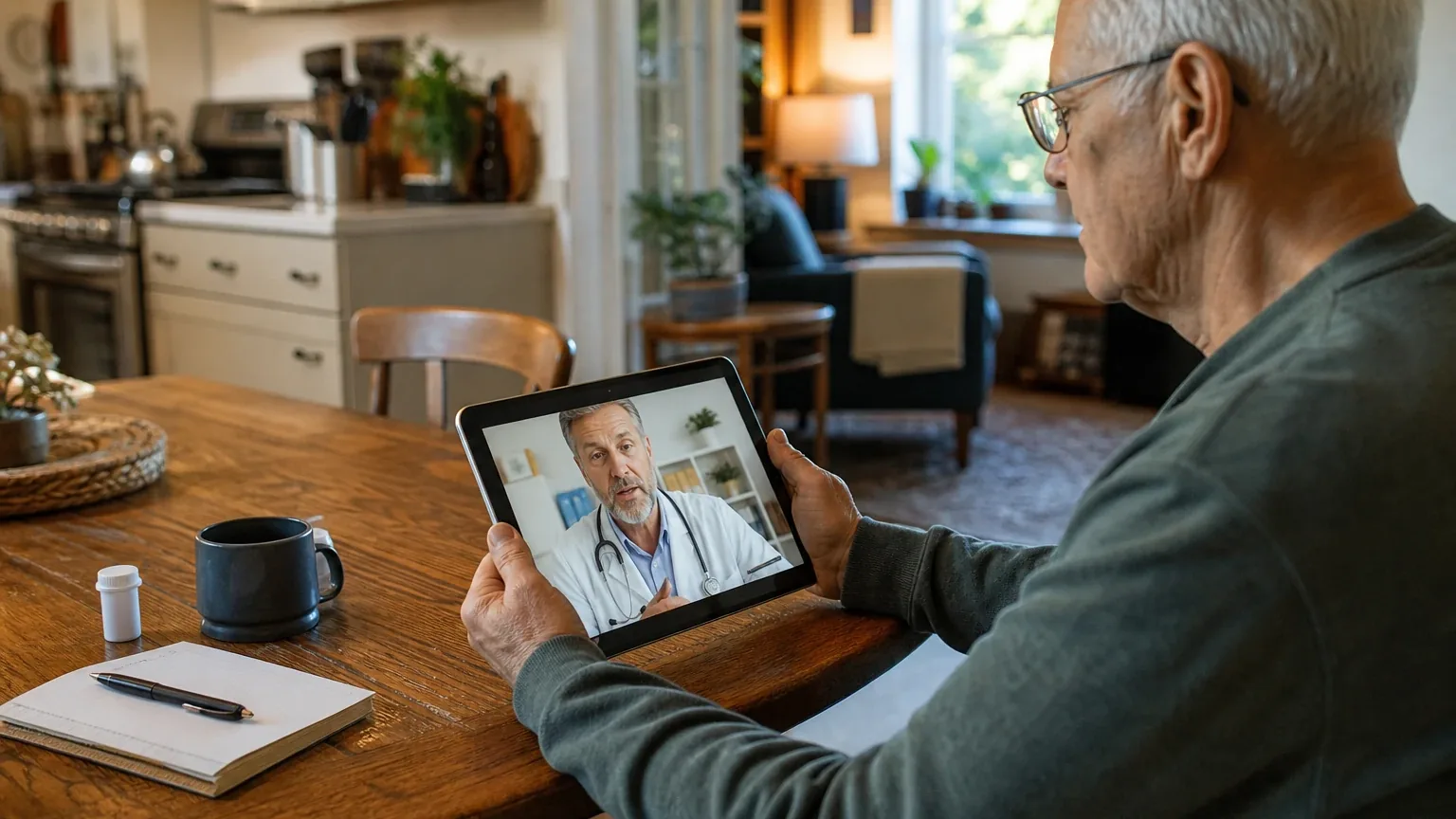
Answer Capsule
The Apple iPad is a good fit for Simplified Video Calling & Telehealth, but it is not the strongest-in-class option. Two of seven AI platforms (DeepSeek and OpenAI) named the iPad during the ranking stage, representing 28.6% of included platform responses. The strongest reason to consider the iPad is its combination of a large, bright display, a 12MP Center Stage camera, and configurable accessibility features like Assistive Access and Auto-Answer Calls that can transform it into a senior-friendly communication device. The main limitation is that the iPad is not purpose-built for seniors: it requires substantial family setup, lacks native FaceTime-specific contact whitelisting, and auto-answer behavior with third-party telehealth apps is not clearly established by Apple's documentation.
Research Snapshot
| Metric | Value |
|---|---|
| Platform mentions in ranking stage | 2 of 7 platforms (DeepSeek, OpenAI) |
| Share of included platform responses | 28.6% |
| Average listed rank | 4.5 |
| Best listed rank | 4 (DeepSeek) |
| Relevant product/model/plan | 11-inch iPad with A16 chip, 128GB Wi-Fi (optionally Wi-Fi + Cellular); iPad 9th generation or later |
| Overall use-case fit | Good (2 platforms: strong; 3 platforms: good; 2 platforms: mixed) |
| Research date | 2026-08-12 |
Why Apple iPad Qualified for This Study
The Apple iPad qualified for this study because it was named by at least two AI platforms during the ranking stage for Best Video Calling Devices for Seniors. DeepSeek ranked it 4th and OpenAI ranked it 5th. The iPad was evaluated against five category criteria: display size and clarity, auto-answer functionality, single-touch operation, speaker volume, and contact white-listing privacy features. Seven platforms provided fit-research responses evaluating the iPad specifically for Simplified Video Calling & Telehealth.
What the AI Platforms Agreed About
Strong agreement: The iPad's display is a genuine advantage for seniors. All seven platforms that provided fit assessments rated the display size and clarity as an advantage. The 11-inch Liquid Retina display offers 2360-by-1640 resolution, 264 pixels per inch, True Tone, and up to 500 nits brightness [1]. The 9th generation model has a 10.2-inch Retina display at 2160x1620 [2]. One platform noted the display is smaller than a dedicated large-screen smart display or 13-inch tablet [1].
Strong agreement: The camera hardware is well-suited for video calls. The 12MP landscape Center Stage front camera automatically centers and tracks users, keeping them in frame without manual adjustment [1]. This was rated as an advantage by multiple platforms.
Strong agreement: The iPad requires significant family setup and support. All seven platforms noted that the iPad is not configured for seniors out of the box. Setup requires Apple ID creation, Wi-Fi configuration, accessibility menu navigation, and app installation [9]. One platform described the iPad as "less effortless than purpose-built senior video-calling devices because setup, Apple Account management, app selection, charging, and privacy configuration remain the buyer's responsibility" (openai).
Majority agreement: Auto-answer is available but requires configuration. Five of seven platforms confirmed that iPadOS includes an Auto-Answer Calls accessibility setting [12]. The setting allows calls to be answered automatically after a user-set delay. However, platforms disagreed on whether this works for FaceTime video calls specifically (see next section).
Majority agreement: Contact whitelisting is not native. Five of seven platforms noted that the iPad lacks a native FaceTime-specific contact whitelist. Screen Time Communication Limits can block contacts, and Assistive Access can restrict calls to favorite contacts, but these are configuration features rather than a dedicated caregiver-managed whitelist interface [15].
Where the AI Platforms Disagreed or Were Uncertain
Disagreement: Does Auto-Answer Calls work for FaceTime video? This is the most significant factual conflict. OpenAI and Grok cited Apple documentation stating that Auto-Answer Calls is available under Accessibility settings and supports automatic answering [20]. Anthropic stated the feature "applies device-wide to all compatible calling apps" including FaceTime and supported third-party apps [22]. However, Kimi explicitly stated: "iPadOS does not include native auto-answer for FaceTime or video calls. Apple offers 'Auto-Answer Calls' in Settings > Accessibility > Touch > Call Audio Routing, but this applies to phone calls, not FaceTime video" [25]. Perplexity rated auto-answer as "unclear" and noted it "may require third-party app features or accessibility/workaround setup" [26]. Buyers must verify this behavior with their specific apps before purchasing.
Disagreement: Overall fit rating. Fit ratings ranged from "strong" (DeepSeek, Grok) to "good" (OpenAI, Anthropic, Google) to "mixed" (Kimi, Perplexity). The mixed ratings came from platforms that emphasized the lack of native auto-answer and whitelist features as core gaps.
Disagreement: Pricing. Platforms reported conflicting prices for the 11-inch A16 iPad. Grok stated $449 for the Wi-Fi 128GB model [28]. Anthropic reported $349 MSRP at launch, currently $399–$449 retail [29]. Kimi reported $599 MSRP [30]. Google cited the 10th generation at $349 MSRP [31]. These discrepancies reflect different models, timing, and retailer promotions. Current U.S. pricing for the exact recommended configuration was not directly verifiable from the cited Apple pages (openai).
Disagreement: Contact whitelisting capabilities. Google was the most positive, stating that Assistive Access "can be tightly restricted to receive calls only from pre-approved 'Favorite' contacts, effectively blocking telemarketers, robotic spam, and AI-generated voice scams" [32]. Anthropic and Kimi were more cautious, noting that parental controls block rather than restrict to approved contacts only [34].
Uncertainty: Speaker volume. No platform could verify decibel ratings for iPad speakers. Anthropic noted "Specs do not specify decibel ratings" [22]. Kimi stated "No independent testing of senior-adequate speaker volume found in search results" [30]. OpenAI noted "Apple does not provide a senior-specific loudness guarantee; actual audibility depends on room noise, hearing ability, and settings" [38].
Use-Case-Specific Features and Capabilities
Display Size and Clarity — Advantage
The 11-inch Liquid Retina display (2360x1640, 264 ppi, 500 nits) provides excellent visual clarity for seniors [40]. The 9th generation offers a 10.2-inch display with True Tone technology [41]. Both support large text accessibility settings and Dynamic Type [44].
Auto-Answer Functionality — Conflicting Assessments
OpenAI, Anthropic, and Grok rated this as an advantage, citing the Auto-Answer Calls accessibility setting [45]. Kimi rated it as a limitation, stating the feature does not apply to FaceTime video [50]. Perplexity rated it as unclear [51]. DeepSeek stated "No native auto-answer for FaceTime calls on iPad" [53]. This conflict must be resolved by testing with the intended apps.
Single-Touch Operation — Mixed
FaceTime calls can be answered with a single tap [53]. However, receiving calls may require unlocking the device, swiping/accepting the notification, and joining the call—multiple steps [55]. Assistive Access can present a simplified Calls app with large contact photos and names, with favorites shown on the first screen [57]. Guided Access can lock the device to a single app [53].
Speaker Volume — Neutral/Unclear
iPad models feature stereo speakers [40]. Auto-Answer can direct audio to the iPad speaker, Bluetooth headset, or hearing devices [46]. However, no decibel ratings are available, and audibility depends on room noise and hearing ability [40].
Contact White-Listing Privacy Features — Limitation
The iPad lacks a native FaceTime-specific contact whitelist [61]. Assistive Access can restrict calls to favorite contacts [57]. Screen Time Communication Limits can block specific contacts [66]. However, these are configuration features rather than a dedicated whitelist interface.
Telehealth Compatibility — Neutral
The iPad supports FaceTime natively plus third-party apps including Zoom, Skype, WhatsApp, and specialized telehealth platforms [67]. FaceTime works over Wi-Fi, and Wi-Fi + Cellular models can use cellular data [58]. Provider-specific telehealth compatibility, camera permissions, browser requirements, and portal usability must be checked separately [58].
Remote Family Support — Advantage
FaceTime supports screen sharing and, where available, remote control with consent [70]. This allows a trusted contact to help operate the iPad remotely. However, this creates privacy considerations and is not a substitute for a managed senior-device platform [70].
Pricing, Fees, Contracts, and Ongoing Costs
Pricing confidence is low to high depending on the platform. The relevant configuration is a one-time hardware purchase with no mandatory monthly subscription for FaceTime or Assistive Access features (openai, google).
| Model | Reported Price Range | Source |
|---|---|---|
| iPad 11-inch (A16) Wi-Fi 128GB | $349–$449 | [71], [72] |
| iPad 11-inch (A16) Wi-Fi + Cellular 128GB | $499–$599 | [71], [73] |
| iPad 9th generation (refurbished) | $250–$300 | [71] |
| iPad 10th generation Wi-Fi 64GB | $349 MSRP | [74] |
| iPad 10th generation Wi-Fi + Cellular | $499 MSRP | [74] |
Additional fees to verify:
- Cellular data plans: $10–$35/month depending on carrier and data allowance [75]
- AppleCare+ extended warranty: approximately $79–$149 depending on model (anthropic, kimi)
- Third-party telehealth apps may have their own terms or paid plans (openai)
- Accessories such as cases, stands, and screen protectors (openai)
Contract terms:
- No contract for hardware purchase from Apple (openai, deepseek, grok, kimi)
- Cellular service terms depend on the selected carrier (openai, anthropic)
- Apple's return policy is 14 days if purchased from Apple (deepseek)
- AppleCare+ is cancellable with prorated refund (kimi)
Important pricing conflict: OpenAI and Perplexity reported low pricing confidence, stating current U.S. retail pricing was not directly verifiable from cited pages (openai, perplexity). Anthropic and Kimi reported high confidence with specific price points [71]. Buyers should verify current pricing at the time of purchase.
Best Suited For
- Older adults who can reliably tap an answer button or use simplified Assistive Access (openai)
- Families already using Apple devices and FaceTime (openai, anthropic, deepseek)
- Telehealth users needing a relatively large screen, clear camera, captions, accessibility features, or remote troubleshooting (openai)
- Homes where Wi-Fi is reliable, or where cellular connectivity is worth the additional cost (openai, anthropic)
- Seniors who value long software support and regular security updates (anthropic)
- Caregivers wanting a highly secure, scam-proof video calling setup without ongoing software subscription fees (google)
Probably Not Best Suited For
- Users who require completely hands-free calling with no answer action (openai, kimi, perplexity)
- Users needing a dedicated device that only exposes approved contacts and has minimal maintenance (openai, anthropic, kimi)
- Families unwilling or unable to provide initial setup and occasional technical support (openai, anthropic, google)
- Situations requiring guaranteed compatibility with a particular healthcare provider's telehealth platform (openai)
- Seniors with severe arthritis or dexterity challenges (anthropic, deepseek)
- Budget-constrained buyers needing cellular connectivity (anthropic, kimi)
- Users in areas with no reliable Wi-Fi and no cellular coverage (anthropic)
When Another Option May Be Better
- Choose a purpose-built senior video-calling device (e.g., GrandPad, ViewClix, Lively) when the priority is a dedicated appliance with minimal apps, caregiver-managed contacts, and simpler ongoing operation (openai, anthropic, kimi, perplexity, deepseek).
- Choose a larger tablet or smart display when maximum screen size and room-distance viewing matter more than portability (openai).
- Choose an Android tablet when the family or healthcare provider primarily uses Android-specific workflows or Google Meet (openai).
- Choose a cellular-enabled iPad rather than Wi-Fi-only when the older adult lacks dependable home internet and the recurring data cost is acceptable (openai).
- Choose a device with built-in 24/7 human concierge support (such as GrandPad) when zero family technical support is available (google, kimi).
- Choose a voice-activated device or large-button physical phone when the user has severe dexterity limitations (anthropic).
Questions to Verify Before Buying
- Does the intended telehealth provider support the exact iPadOS version, browser, or app? (openai)
- Will the provider's platform work with automatic answering, screen sharing, captions, and the chosen camera orientation? (openai)
- Can a trusted family member configure Assistive Access, approved callers, notifications, and the passcode without creating an access problem later? (openai)
- Does the buyer need Wi-Fi + Cellular, and what are the carrier's monthly cost, data allowance, activation fee, taxes, and cancellation terms? (openai)
- Is the speaker loud and clear enough in the older adult's actual room, and will hearing aids or Bluetooth accessories work with the call setup? (openai)
- Can the older adult reliably answer, end, and recover from a missed call using the selected configuration? (openai)
- Where will auto-answer be enabled, and how will privacy be protected when the device is unattended? (openai)
- Is a protective case and stable stand needed for safe, hands-free positioning? (openai)
- Who will handle Apple Account recovery, software updates, app permissions, charging, and troubleshooting? (openai)
- Does the senior require contact whitelisting, or can parental controls' Communication Limits serve as an alternative? (anthropic)
- Are all family members who will call equipped with Apple devices or willing to install FaceTime/compatible apps? (anthropic)
- Has the specific iPadOS version been tested with the intended auto-answer workaround for FaceTime video? (kimi)
Final AI Consensus Verdict
The Apple iPad is a good, but not strongest-in-class, fit for Simplified Video Calling & Telehealth. The 11-inch A16 iPad becomes substantially more senior-friendly when configured with Assistive Access, approved contacts, prominent favorites, appropriate accessibility settings, a stable stand, and—if needed—a cellular plan (openai). It is a strong choice for Apple-oriented families who can provide setup and support (openai, anthropic, deepseek, grok).
The iPad's genuine strengths are its large, bright display; 12MP Center Stage camera; stereo speakers; and robust app ecosystem supporting FaceTime, Zoom, and telehealth platforms [76]. The Auto-Answer Calls accessibility feature and Assistive Access can address the core senior-friendly criteria, but their behavior with FaceTime video and third-party apps must be verified [81].
The main gaps are the lack of native FaceTime-specific contact whitelisting, setup complexity, and the need for Wi-Fi or a monthly cellular plan (anthropic, kimi, perplexity). A dedicated senior video-calling device may be better for users needing the fewest controls, guaranteed contact whitelisting, or near-zero maintenance (openai, kimi, perplexity).
For families already in the Apple ecosystem who can commit to configuration and ongoing support, the iPad is a versatile, cost-effective choice with no mandatory monthly platform fees (google). For seniors without technical family support or those needing reliable auto-answer for safety, purpose-built senior devices remain superior despite the iPad's hardware advantages (kimi).
How This Review Was Produced
This review was produced by aggregating fit-research responses from seven AI platforms: OpenAI, Anthropic, DeepSeek, Grok, Perplexity, Kimi, and Google. Each platform evaluated the Apple iPad against five category criteria for Simplified Video Calling & Telehealth: display size and clarity, auto-answer functionality, single-touch operation, speaker volume, and contact white-listing privacy features. The authoritative research date is 2026-08-12. Platform-reported research dates were used as provenance metadata; DeepSeek's response was dated 2026-04-12, which differs from the authoritative run date.
The ranking-stage statistics reflect only platforms that named the iPad during discovery: DeepSeek (rank 4) and OpenAI (rank 5). All seven platforms provided fit assessments, but only two named the iPad in the ranking stage.
Methodology Limitations
- Platform-reported research dates differ from the authoritative run date. DeepSeek's response was dated 2026-04-12, while the authoritative run date is 2026-08-12. This discrepancy is disclosed as a methodology limitation.
- The supplied URLs were collected from platform responses and were not independently validated by the writer stage.
- AI-platform agreement does not prove product quality. The consensus described in this review reflects what the platforms reported, not independent verification.
- No personal testing, customer experience, or independent verification was performed.
- Pricing conflicts were not resolved by guessing. Platforms reported conflicting prices for the same model; buyers must verify current pricing.
- The auto-answer conflict for FaceTime video was not resolved. OpenAI, Anthropic, and Grok cited Apple documentation supporting auto-answer; Kimi stated it does not apply to FaceTime video. This must be tested by the buyer.
- Speaker volume in decibels was not available from any cited source.
- Telehealth-provider compatibility was not independently validated.
Explore more senior technology guidance in the category directory.
Sources
Company-Owned Sources
- Ipad - Apple Community: https://discussions.apple.com/thread/253852232
- iPad 11-inch (A16) - Technical Specifications: https://images.apple.com/ca/ipad-11/specs/
- iPad 11-inch (A16: https://images.apple.com/ipad-11/
- Turn Any iPad into a Senior Care Hub with the ONSCREEN Joy Tablet App – ONSCREEN, Inc: https://onscreeninc.com/blogs/news/ipad-senior-care-app-onscreen-joy
- One-Click Telehealth Video Engine - SecureVideo: https://securevideo.com/one-click-telehealth-video-engine/
- SimpleVisit bridges common video calling apps for telemedicine: https://simplevisit.com/platforms/facetime/
- Say Hello to your Telemedicine Receptionist: https://simplevisit.com/solution/
- Route and automatically answer calls on iPad: https://support.apple.com/en-ca/guide/ipad/ipad3287d76b/ipados
- Block calls and messages with Screen Time on iPad: https://support.apple.com/en-ie/guide/ipad/ipad471436a8/ipados
- Request or give remote control in a FaceTime call on iPad: https://support.apple.com/en-mide/guide/ipad/ipada92df253/ipados
- Use FaceTime with your iPhone or iPad: https://support.apple.com/en-us/105088
- Use parental controls to manage your child's iPhone or iPad - Apple Support: https://support.apple.com/en-us/105121
- Set up and use Calls with Assistive Access on iPad: https://support.apple.com/guide/assistive-access-ipad/calls-devcd5016d312/ipados
- Route and automatically answer calls on iPad - Apple Support: https://support.apple.com/guide/ipad/auto-answer-calls-ipad3287d76b/ipados
- Make FaceTime calls on iPad: https://support.apple.com/guide/ipad/make-facetime-calls-ipad6b71e29e/26/ipados
- Use accessibility features on iPad: https://support.apple.com/guide/ipad/use-accessibility-features-ipad9e5e3bf1/ipados
- Set up and use Calls with Assistive Access on iPad: https://vertexaisearch.cloud.google.com/grounding-api-redirect/AUZIYQEYj7whiT64aLWB6v_LtV-Gmo3gHvWCjrmfI3_pOd9Dy1IzsjbM7s1IixocpVY3u_pieAQ-jNQbxhvyVgGxmk-w4Oy-aaSvWYeB_oP4aVJgiWZ40SlsDLXYkpXLCWFSOIaRklUHSxrJfSjubLdo9hTTVz-FWXeyXyW-j0AhpK4k4U_5hGTODQ==
- VSee Clinic for Solo Providers - Simple & Robust Telemedicine: https://vsee.com/clinic/solo
- iPad 11-inch (A16) - Technical Specifications - Apple: https://www.apple.com/ipad-11/specs/
- Apple iPad (9th generation) - Technical Specifications: https://www.apple.com/ipad-9.7/specs/
- iPad - Apple: https://www.apple.com/ipad/
- Telehealth Pricing - BlueJeans: https://www.bluejeansbyverizon.com/pricing/telehealth
Additional AI research evidence82 records
- AI research evidence record openai:c1
- AI research evidence record anthropic:c1
- AI research evidence record anthropic:c5
- AI research evidence record anthropic:c14
- AI research evidence record openai:c2
- AI research evidence record anthropic:c2
- AI research evidence record anthropic:c8
- AI research evidence record anthropic:c15
- AI research evidence record anthropic:c4
- AI research evidence record anthropic:c6
- AI research evidence record anthropic:c19
- AI research evidence record openai:c3
- AI research evidence record anthropic:c7
- AI research evidence record grok:c2
- AI research evidence record openai:c4
- AI research evidence record openai:c6
- AI research evidence record anthropic:c16
- AI research evidence record anthropic:c17
- AI research evidence record anthropic:c18
- AI research evidence record openai:c3
- AI research evidence record grok:c2
- AI research evidence record anthropic:c4
- AI research evidence record anthropic:c6
- AI research evidence record anthropic:c7
- AI research evidence record kimi:c2
- AI research evidence record perplexity:c1
- AI research evidence record perplexity:c2
- AI research evidence record grok:c1
- AI research evidence record anthropic:c13
- AI research evidence record kimi:c1
- AI research evidence record google:c5
- AI research evidence record google:c1
- AI research evidence record google:c2
- AI research evidence record anthropic:c16
- AI research evidence record anthropic:c17
- AI research evidence record anthropic:c18
- AI research evidence record anthropic:c20
- AI research evidence record openai:c1
- AI research evidence record openai:c2
- AI research evidence record openai:c1
- AI research evidence record anthropic:c1
- AI research evidence record anthropic:c5
- AI research evidence record anthropic:c14
- AI research evidence record kimi:c1
- AI research evidence record openai:c3
- AI research evidence record anthropic:c4
- AI research evidence record anthropic:c6
- AI research evidence record anthropic:c7
- AI research evidence record grok:c2
- AI research evidence record kimi:c2
- AI research evidence record perplexity:c1
- AI research evidence record perplexity:c2
- AI research evidence record deepseek:c1
- AI research evidence record grok:c3
- AI research evidence record kimi:c3
- AI research evidence record kimi:c4
- AI research evidence record openai:c4
- AI research evidence record openai:c5
- AI research evidence record anthropic:c20
- AI research evidence record openai:c2
- AI research evidence record anthropic:c16
- AI research evidence record anthropic:c17
- AI research evidence record anthropic:c18
- AI research evidence record google:c1
- AI research evidence record google:c2
- AI research evidence record openai:c6
- AI research evidence record anthropic:c3
- AI research evidence record anthropic:c11
- AI research evidence record anthropic:c12
- AI research evidence record openai:c7
- AI research evidence record anthropic:c13
- AI research evidence record grok:c1
- AI research evidence record kimi:c1
- AI research evidence record google:c5
- AI research evidence record anthropic:c21
- AI research evidence record openai:c1
- AI research evidence record openai:c2
- AI research evidence record anthropic:c2
- AI research evidence record anthropic:c3
- AI research evidence record anthropic:c8
- AI research evidence record openai:c3
- AI research evidence record kimi:c2
Independent Sources
- Best iPads for Seniors To Buy in 2026: Clear, Easy-to-Use & Senior-Friendly Tablets: https://60andover.net/best-ipads-for-seniors/
- How to set parental controls on iOS 16 and iPadOS 16 | AppleInsider: https://appleinsider.com/inside/ios-16/tips/how-to-set-parental-controls-on-ios-and-ipados
- How to Set Up iCloud Parental Controls on iPhone, iPad & Mac: https://broadbandnow.com/guides/apple-parental-controls
- Apple iPad: https://en.wikipedia.org/wiki/IPad
- IPad (10th generation: https://en.wikipedia.org/wiki/IPad_(10th_generation
- IPad (11th generation: https://en.wikipedia.org/wiki/IPad_(11th_generation
- IPad (9th generation: https://en.wikipedia.org/wiki/IPad_(9th_generation
- Facetime auto answer for IPAD | MacRumors Forums: https://forums.macrumors.com/threads/facetime-auto-answer-for-ipad.2039256/
- How to use the auto-answer calls feature on iPhone/iPad/iPod Touch: https://mcmw.abilitynet.org.uk/auto-answer-calls-iphone-ipad-ipod-touch
- Best Telemedicine Apps for iPad of 2025 - Reviews & Comparison: https://sourceforge.net/software/telemedicine/ipad/
- iPad Cellular Data Plans 2026: Full Price Comparison: https://spenza.com/telecom/mobile-data-plan-ipad/
- Clinician's Guide to Video Platforms: https://telehealthtechnology.org/wp-content/uploads/2026/02/Clinicians-Guide-to-Video-Platforms-2026.pdf
- Telehealth on iPad: Clear Video Calls and Better Record Access: https://telehealthwin.com/blog/telehealth-on-ipad-clear-video-calls-and-better-record-access/
- How to enable auto-answer on your iPhone or iPad in iOS 13: https://vertexaisearch.cloud.google.com/grounding-api-redirect/AUZIYQFP_7FceMRNrvJJNR2TXC0vdzxQO6VYQIE-PRpge16isfO0eE20eqiy5iTtR2qK2ib1gCmWqucodkN_w0DWc0DJCvZvm_dkJjkyX4XO3LzZtUMESbRrPH9HchPi6rDphOdNVfaRN_6aQNE5JHQ98cMV1bIGerQ_9TzoKOY8Rk5WKV4PNkvL0BUkyQGH-6fB
- Using iPad Assistive Access is Like Activating "Senior Mode": https://vertexaisearch.cloud.google.com/grounding-api-redirect/AUZIYQGmH1dgf3oV7AXUdT8gTXvJgR7-zea3Mi6BWhxiidMZpL6KMc1TiS4WLKBoOOUsAxkAPnbsVAdRoVuG0cz9XpqqDJyq59b8j6HI6MxPcwPiAkD4a3NpVry2nyPYASSWm-CYVsQEoWNnfvZnPw-_hnF1Urdkf9XAfKreWYo7
- I've Found Savings on New and Refurbished 10th-Gen Apple iPads at Select Retailers: https://vertexaisearch.cloud.google.com/grounding-api-redirect/AUZIYQGn-fZXtZSuK2M709M16fSkJhQBMvtL_4d41RVfiyvA6vB7uq-Owz1S6B8lcSNFgOMM6AK3b7ovySFEK2f9dWjHQYg0afnwD75XkS96eu7RG9dwPjCF1bGl8u9gjRrfmIVNDXtufunqe8hwi_0=
- iPad For Seniors - Best Buy: https://www.bestbuy.com/site/shop/ipad-for-seniors
- Apple 11 iPad A16 Chip (128GB, Wi-Fi Only, Silver) MD3Y4LL/A: https://www.bhphotovideo.com/c/product/1883625-REG/apple_md3y4ll_a_11_ipad_a16_chip.html
- What Generation Is the iPad A16? A Complete Guide – CHESONA: https://www.chesona.com/blogs/news/what-generation-is-the-ipad-a16
- Apple iPad (2025) - Full tablet specifications: https://www.gsmarena.com/apple_ipad_(2025)-13702.php
- Best iPad Deals for August 2026 - MacRumors: https://www.macrumors.com/guide/ipad-deals/
Additional AI research evidence82 records
- AI research evidence record openai:c1
- AI research evidence record anthropic:c1
- AI research evidence record anthropic:c5
- AI research evidence record anthropic:c14
- AI research evidence record openai:c2
- AI research evidence record anthropic:c2
- AI research evidence record anthropic:c8
- AI research evidence record anthropic:c15
- AI research evidence record anthropic:c4
- AI research evidence record anthropic:c6
- AI research evidence record anthropic:c19
- AI research evidence record openai:c3
- AI research evidence record anthropic:c7
- AI research evidence record grok:c2
- AI research evidence record openai:c4
- AI research evidence record openai:c6
- AI research evidence record anthropic:c16
- AI research evidence record anthropic:c17
- AI research evidence record anthropic:c18
- AI research evidence record openai:c3
- AI research evidence record grok:c2
- AI research evidence record anthropic:c4
- AI research evidence record anthropic:c6
- AI research evidence record anthropic:c7
- AI research evidence record kimi:c2
- AI research evidence record perplexity:c1
- AI research evidence record perplexity:c2
- AI research evidence record grok:c1
- AI research evidence record anthropic:c13
- AI research evidence record kimi:c1
- AI research evidence record google:c5
- AI research evidence record google:c1
- AI research evidence record google:c2
- AI research evidence record anthropic:c16
- AI research evidence record anthropic:c17
- AI research evidence record anthropic:c18
- AI research evidence record anthropic:c20
- AI research evidence record openai:c1
- AI research evidence record openai:c2
- AI research evidence record openai:c1
- AI research evidence record anthropic:c1
- AI research evidence record anthropic:c5
- AI research evidence record anthropic:c14
- AI research evidence record kimi:c1
- AI research evidence record openai:c3
- AI research evidence record anthropic:c4
- AI research evidence record anthropic:c6
- AI research evidence record anthropic:c7
- AI research evidence record grok:c2
- AI research evidence record kimi:c2
- AI research evidence record perplexity:c1
- AI research evidence record perplexity:c2
- AI research evidence record deepseek:c1
- AI research evidence record grok:c3
- AI research evidence record kimi:c3
- AI research evidence record kimi:c4
- AI research evidence record openai:c4
- AI research evidence record openai:c5
- AI research evidence record anthropic:c20
- AI research evidence record openai:c2
- AI research evidence record anthropic:c16
- AI research evidence record anthropic:c17
- AI research evidence record anthropic:c18
- AI research evidence record google:c1
- AI research evidence record google:c2
- AI research evidence record openai:c6
- AI research evidence record anthropic:c3
- AI research evidence record anthropic:c11
- AI research evidence record anthropic:c12
- AI research evidence record openai:c7
- AI research evidence record anthropic:c13
- AI research evidence record grok:c1
- AI research evidence record kimi:c1
- AI research evidence record google:c5
- AI research evidence record anthropic:c21
- AI research evidence record openai:c1
- AI research evidence record openai:c2
- AI research evidence record anthropic:c2
- AI research evidence record anthropic:c3
- AI research evidence record anthropic:c8
- AI research evidence record openai:c3
- AI research evidence record kimi:c2
Verify this research
Review the study details behind this page or download the public machine-readable verification record.
- Study date
- Aug 12, 2026
- Platforms analyzed
- 7
- Source records
- 44
- Ranking mentions
- 2 of 7
- Platform share
- 29%
- Final consensus rank
- #5
Research trail and source mix
Platforms
openai, anthropic, deepseek, grok, perplexity, kimi, google
Source mix
22 independent · 22 company-owned
Evidence support
34 direct · 10 partial
Important limitation
Use the run research_date as the study date. Platform-reported dates are provenance metadata and do not independently prove freshness.
Source snapshot SHA-256 623f502fd0e95fc8d93540b6c3bcbab07c74498b9a8b9f470dcbbb1163d700ca